What are TYPO3 extensions?
TYPO3 extensions are packages that add a function to the TYPO3 core, such as forms, search, sliders or cookie consent. You install an extension with Composer or through the Extension Manager and activate it in the backend. The frontend then shows the function through a plugin on the page.
AI Universe for TYPO3
Sovereign TYPO3 AI: one free foundation, six AI extensions.
By default, TYPO3 AI runs on your own server, with your own API key. AI Foundation is free and open source. Six extensions run on it, for content, chatbot, search, accessibility and development. You can try each one free for 30 days.
- Self-hosted
- Your own API key
- GDPR-friendly
- EU AI Act-ready
 AI Assistant
T3AIWrite, optimise and translate content right in the backend. AI Chatbot
T3ACA chatbot trained on your content that answers visitors and shows its sources. AI Search
T3ASSite search that answers: a direct reply with the source pages beside it. AI Accessibility
T3AAScan, monitor and fix accessibility, with AI alt text and a visitor widget. AI Localization
T3ALTranslate your extension's XLIFF label files with AI. AI Builder
T3ABGenerate TYPO3 extension structures from a plain description.
 AI FoundationFree · Open sourceThe base every extension runs on.
- Providers
- Prompts
- Permissions
- Costs
- Logs
- AI Agent
- MCP server
TYPO3 extensions by job
The key extensions, grouped by what your website needs to do.
Editorial and content
Maintain content faster: editor, custom content types, FAQ and timelines.
Sliders, galleries and media
Show images and news in an appealing way.
Marketing, CRM and analytics
Capture leads and analyse visitor data.
Privacy and security
Cookie consent, spam protection and backups.
Community and communication
Comments, feedback, support and login.
Migration, upgrade and operations
Moving, version changes and maintenance mode.
Why T3Planet
T3Planet is part of NITSAN Technologies, a Gold Member of the TYPO3 Association.
Find the right TYPO3 extension
Answer three quick questions. We show the extensions that fit your project and send you our free extension guide.
What should your website do?
Pick one or more.
Tell us about your project
So the recommendations match your setup.
Which TYPO3 version do you run?
Who is the website for?
The first two are shown. Unlock the full list and get our free guide by email.
Working on client websites? Our Partner Program covers licences across client projects.
Using an older TYPO3 version? Check the supported versions on each product page before you install.
Unlock your full list
Plus the free PDF guide: 9 TYPO3 problems you can solve with an extension.
Every premium extension can be tested free for 30 days.
How to install a TYPO3 extension
This is how a Composer installation works, in three steps.
- 1
Install the package
Composer downloads the extension and its dependencies.
- 2
Set up the extension
TYPO3 sets up the extension and updates the database.
- 3
Clear the cache and add it
Clear the cache, then add the plugin to the page.
Without Composer, download the ZIP file and upload it in the Extension Manager. For T3Planet extensions you then activate the licence in the backend. Activate a licence
Frequently asked questions about TYPO3 extensions
Short answers to what teams ask us most about TYPO3 extensions.
All FAQsWhat are TYPO3 extensions?
TYPO3 extensions are installable packages that add functions such as forms, search, sliders or cookie consent to the TYPO3 core. You install them with Composer or through the Extension Manager and activate them in the backend.
What is the difference between an extension and a plugin?
An extension is the installable package. A plugin is the function you place on a page. One extension can contain several plugins.
Where do I find TYPO3 extensions?
In the official TYPO3 Extension Repository (TER), from vendors such as T3Planet, and from agencies. For T3Planet, the catalog on this page lists all 45 extensions.
How do I install a TYPO3 extension with Composer?
Run composer require with the package name in your project folder, set up the extension and clear the cache. The exact package name is on the product page.
Are there free TYPO3 extensions?
Yes. Many T3Planet extensions come in a free version and in a premium version with all functions, updates and support.
Are free TYPO3 extensions safe?
Yes, if they are maintained and support your TYPO3 version. Check the release date, the changelog and the support before you use them.
How long does a licence last and what happens after it ends?
An annual licence runs for one year and covers one production domain. Your subscription will auto-renew each year until cancelled. If a licence lapses, the extension keeps working, and updates and support stop until it is renewed.
Can I try an extension before buying?
Yes. Every premium extension has a free 30-day trial. After purchase, a 30-day money-back guarantee applies.
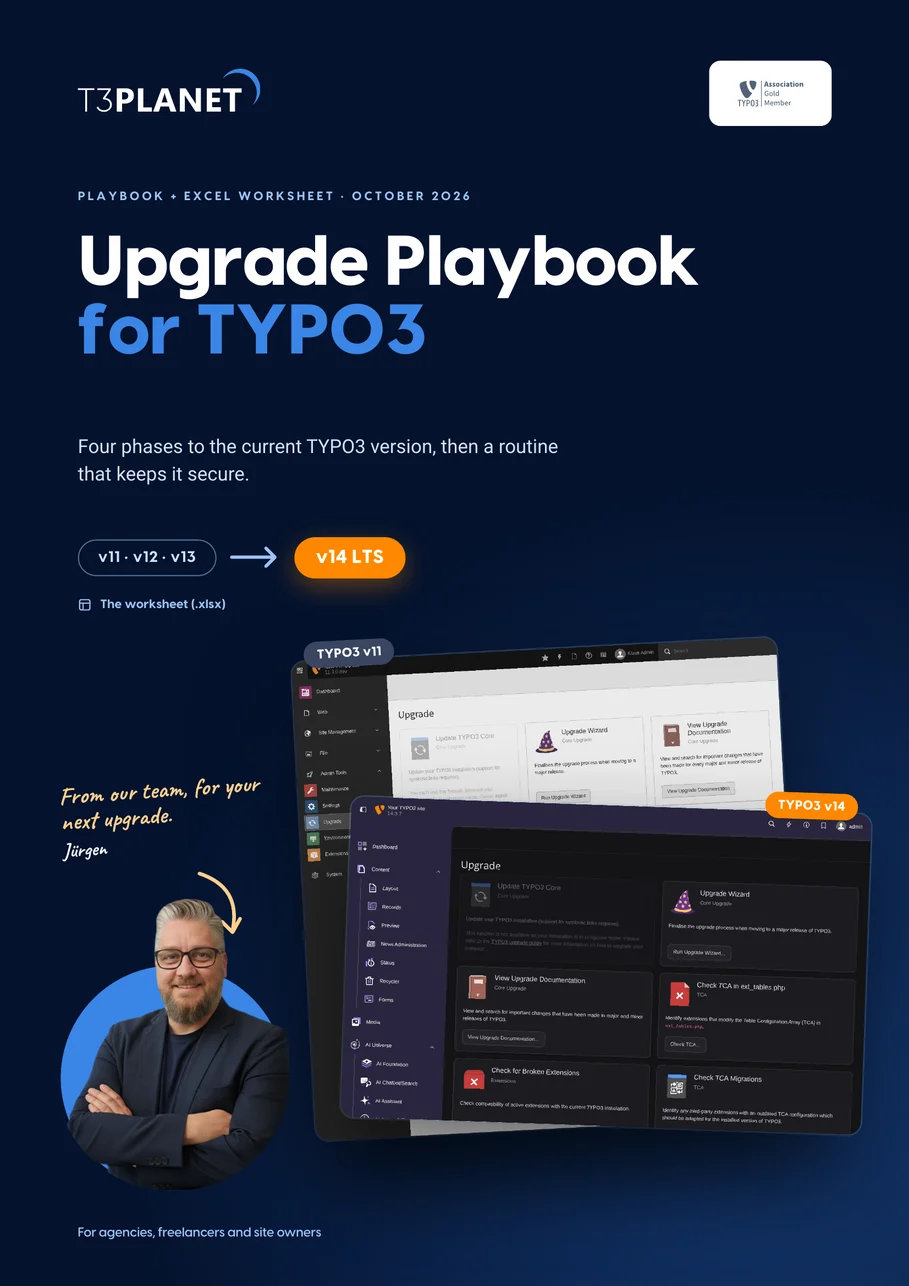
Free TYPO3 upgrade playbook
A TYPO3 upgrade often stalls on extensions that do not support the new version yet. Plan your upgrade in four phases, with a maintenance calendar, ELTS facts and an Excel worksheet.
Guides on TYPO3 extensions
Go deeper with articles from the T3Planet blog.
 Development
Install and update a TYPO3 extension with Composer
 TYPO3 Extensions
Top 10 TYPO3 extensions for developers
 TYPO3 Extensions
15 best TYPO3 extensions for integrators
 TYPO3 Extensions
10 TYPO3 extensions for editors
 Community
Extensions for a TYPO3 upgrade
 TYPO3 Extensions
12 TYPO3 plugins for 2026
Your extension does not exist yet? We adapt existing extensions or build a new one for your project. Customize an extension
Last updated: 17 November 2026
Meet Jürgen, your TYPO3 consultant at T3Planet
Need expert help with TYPO3 extensions and plugins? Jürgen gives you practical guidance and shows you in a personal live demo which extensions fit your website.
- Practical guidance on TYPO3 extensions
- Personal live demo