




Very courteous and competent team. Very courteous and competent team. All my problems were solved with confidence. Very courteous and competent team. Very courteous and competent team. All my problems were solved with confidence.
Overview
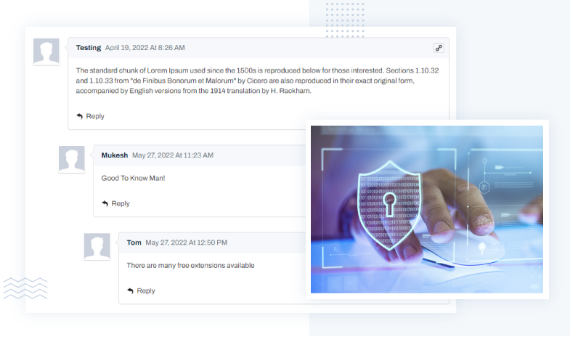
TYPO3 Comment Extension for TYPO3 Pages lets site visitors to easily add comments on a published page of the sites. The plugin adds a clean and pleasing comment UI. It uses nesting comment structure to increase engagement on the pages. TYPO3 Comment Extension comes with Email notifications for Admins. Furthermore, it also allows them to moderate the comments easily from Email or Backend. Facilitate your visitor to post a comment on a specific TYPO3 page, answer the comments. Comments are the ideal way to deal and stay in touch with your visitors and adherences.
PS: This Extension is Compatible with latest TYPO3 Version 14.
Key Features
Other Highlights
-
Easy Manipulation of Comment
-
Custom Date and Time Format
-
Restrict/Allow Anonymous Users to Comment
-
Enable/Disable Comments for Frontend login users
-
Add "Terms" checkbox in Comment form
-
Each page have its own set comments
Frontend Screenshots
TYPO3 Backend Screens


What Our Customers Say
Reviews from Google, Trustpilot and Community
As a TYPO3 developer, I am always looking for interesting extensions and templates. T3Planet offers very engaging and... As a TYPO3 developer, I am always looking for interesting extensions and templates. T3Planet offers very engaging and illustrative products and very useful extensions. Do check their website out and you won't regret it.
A trustworthy and fairly priced marketplace with well-thought-out TYPO3 solutions. The customer service is always very... A trustworthy and fairly priced marketplace with well-thought-out TYPO3 solutions. The customer service is always very friendly and responds quickly.
Free Vs Pro Features
KEY FEATURE LIST | FREE | Premium |
|---|---|---|
| TYPO3 page comment features | ||
| Threaded Comments | ||
| Easy manipulation of comments | ||
| Comment Until Date | ||
| Custom Date & Time format | ||
| Admin Rights Send Email notification to News Author | ||
| Customization Smooth User-Experience with AJAX (without Re-load page) | ||
| Admin Features Comment Moderation Feature for Admin | ||
| Enable/Disable Google Captcha | ||
| Add "Terms" checkbox in Comment form |
Transparent Pricing
All inclusive. No extra costs.
Simple, honest pricing. No credit card, no auto-charge. Buy when you're ready. Choose what works for you
Free Download Free Trial
Try Free for 30 Days
Full access to all features. Test on live, staging, or local. Stops after 30 days - no charges, no auto-subscription.
- Every feature fully unlocked
- Works on live, staging and local domains
- Email support during trial period
- No credit card required
- No auto-conversion to paid plan
€0
Start Free Trial Try for FreeNo credit card · No auto-charge · Simply stops after 30 days Secure checkout · Instant license delivery · 30-day money-back guarantee
Buy Now Buy now
Annual License
Production domains
Purchased product never stops working. Pay annually only for updates & support - not to keep the product running.
- Staging & local installations always free.
- Once installed, your copy keeps running.
- 12 months of updates and support included.
- Dedicated support manager.
- Instant license delivery to inbox.
€129/year Custom quote
Secure checkout · Instant license delivery · 30-day money-back guarantee
All prices EUR, annual licence. Production domains only. Staging and local installations are free and do not count towards your limit. 30-day money-back guarantee.
Running a different number, like 2 or 7? Tell us how many and we will send a custom order priced for your count, not rounded up to the next tier. Same for 11 domains or more. Tell us your number →
Compatibility Data
Change Log
Frequently Asked Questions
More FAQs
What does the TYPO3 Comment Extension for TYPO3 Pages do?
It lets visitors add comments to published pages of your TYPO3 site and reply to each other, which helps you stay in touch with your audience. Comments use a nested structure, and each page has its own set of comments. Admins receive email notifications and can moderate comments directly from the email or in the backend.
How does the extension keep spam and unwanted comments out?
Admins can block a user from posting multiple comments from the same IP address for a set time. Anti-spam features stop spammers from commenting, and new comments can go through a manual approval system. You can also enable or disable comments for frontend login users and add a "Terms" checkbox to the comment form.
Can visitors reply to comments and vote on them?
Yes. Visitors can post a comment on a page and answer other comments in multi-level (nested) threads, and you set the maximum depth of these levels. Comments can be upvoted and downvoted. Instead of simple pagination, an Ajax button "Load More Comments" loads further comments, and you can choose a default avatar for commenters without an image.
How many domains does a licence cover?
One licence covers one production domain, including its subdomains. Staging, development and local installs are free. For more sites, choose the licence for up to 3 or up to 10 domains. Details: Buying and Licences FAQ.
How do I install and update it?
Install it with Composer (the premium version comes from our private Composer server) and activate your licence key in System > T3Planet Shop. Updates arrive through Get Updates in the same module. Step by step: Installation and Updates FAQ. Prefer us to do it? Our installation service costs €49 per extension.

Sovereign TYPO3 AI

AI Assistant for TYPO3T3AI
Write, optimise and translate content right in the backend.
 AI Foundation
 AI Chatbot
 AI Search
 AI Accessibility
 AI Localization
 AI Builder