

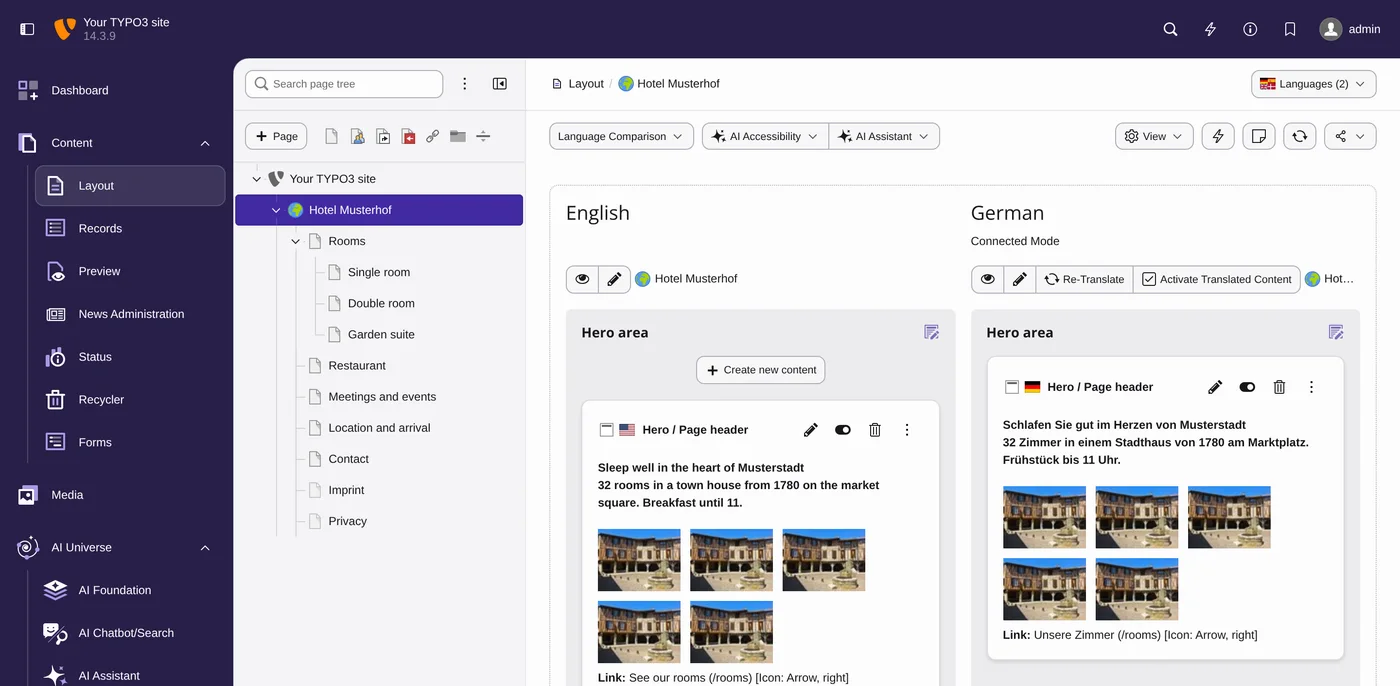
Plan your TYPO3 relaunch before anyone shows you designs
Take stock, write an RFP agencies can price, choose the build path and launch without losing visitors. Four phases with real TYPO3 v14 screens and a fictional hotel as the running example.
- Know what you have: pages, top URLs, extensions and baseline figures
- Send an RFP with must, should and could, and compare offers by score
- Keep rankings with a redirect map and the core Redirects module
Where are you right now?
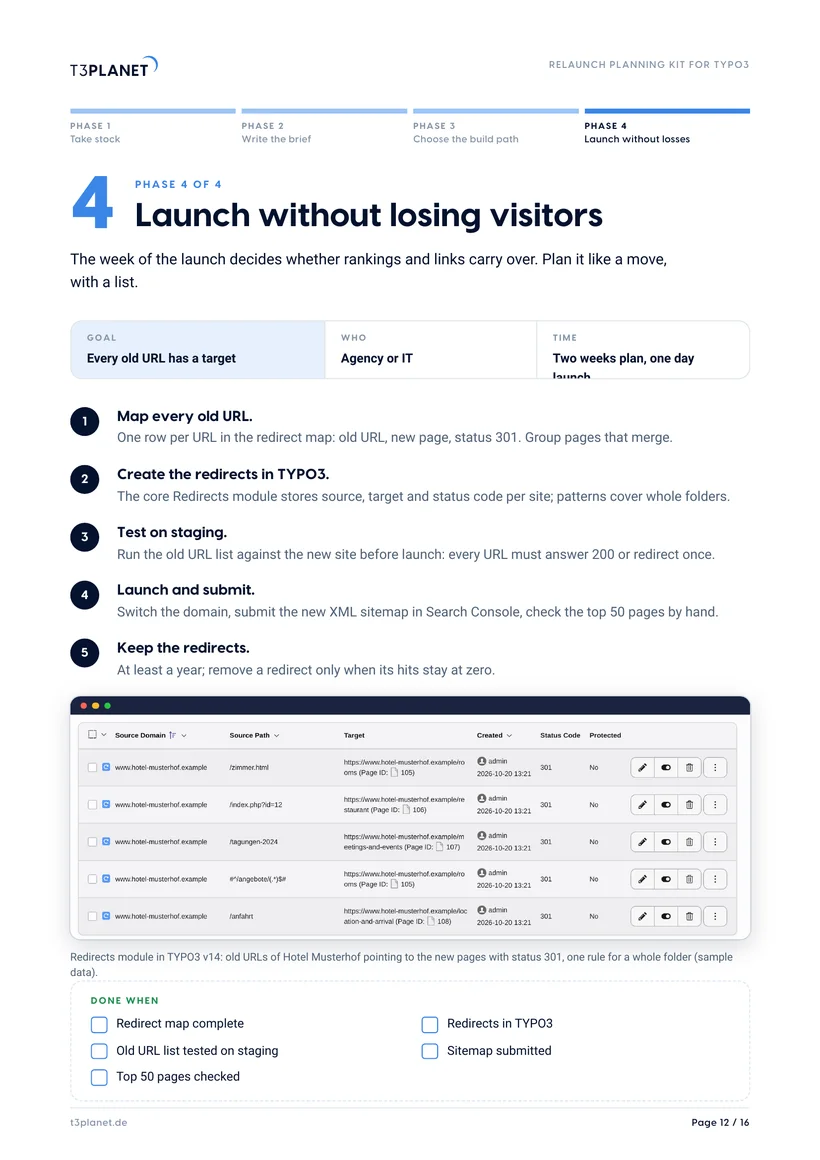
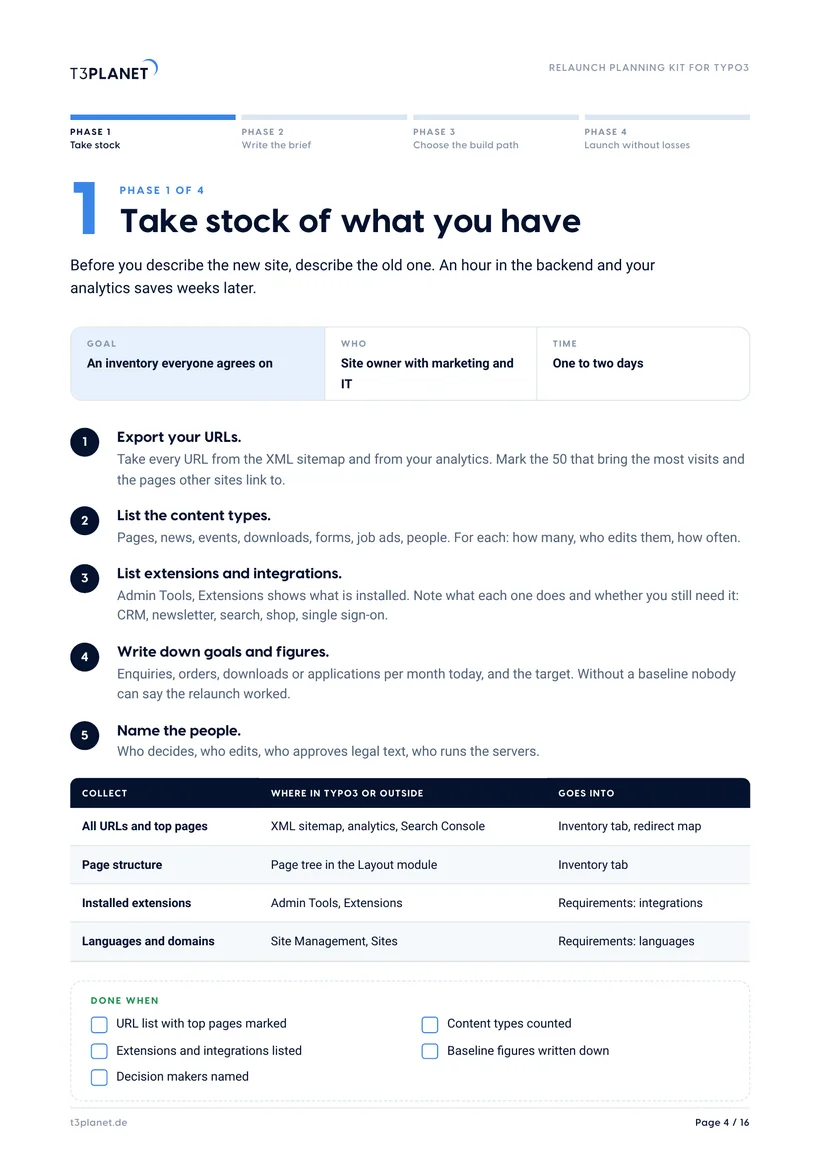
Export your URLs, count content types, list extensions and write down today's figures. Kit page 4 and the Inventory tab.
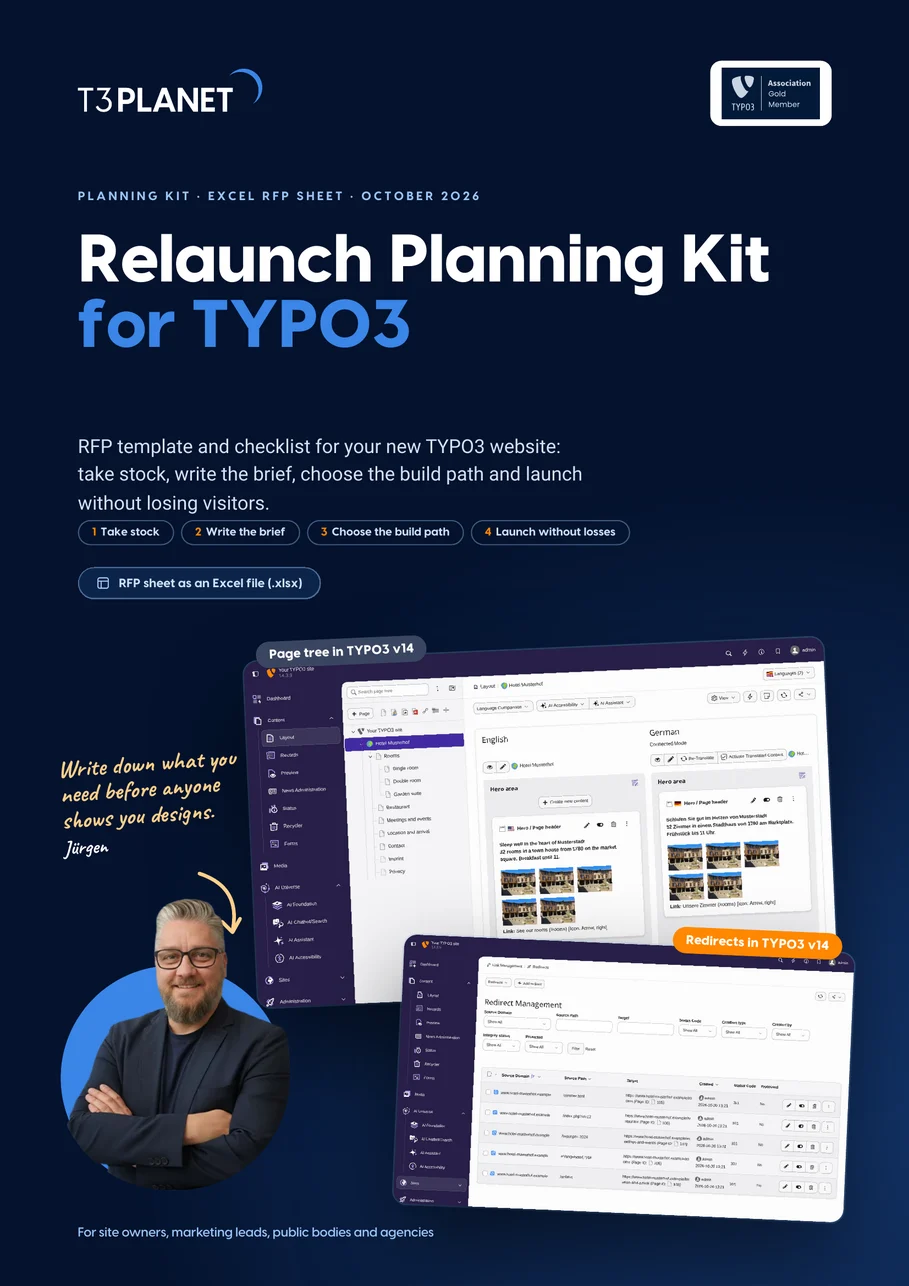
Ten sections from goals to criteria, and about 40 sample requirements sorted by must, should and could. Kit pages 6 and 7.
Set weights before the offers arrive, score each provider 0 to 5, and ask eight questions. The sheet adds it up. Kit page 11.
Click through templates on a live demo before you write the design part of the RFP. 30-day free trial. Kit pages 8 to 10.
TYPO3 as a managed service with hosting, backups and updates included. Kit page 10.
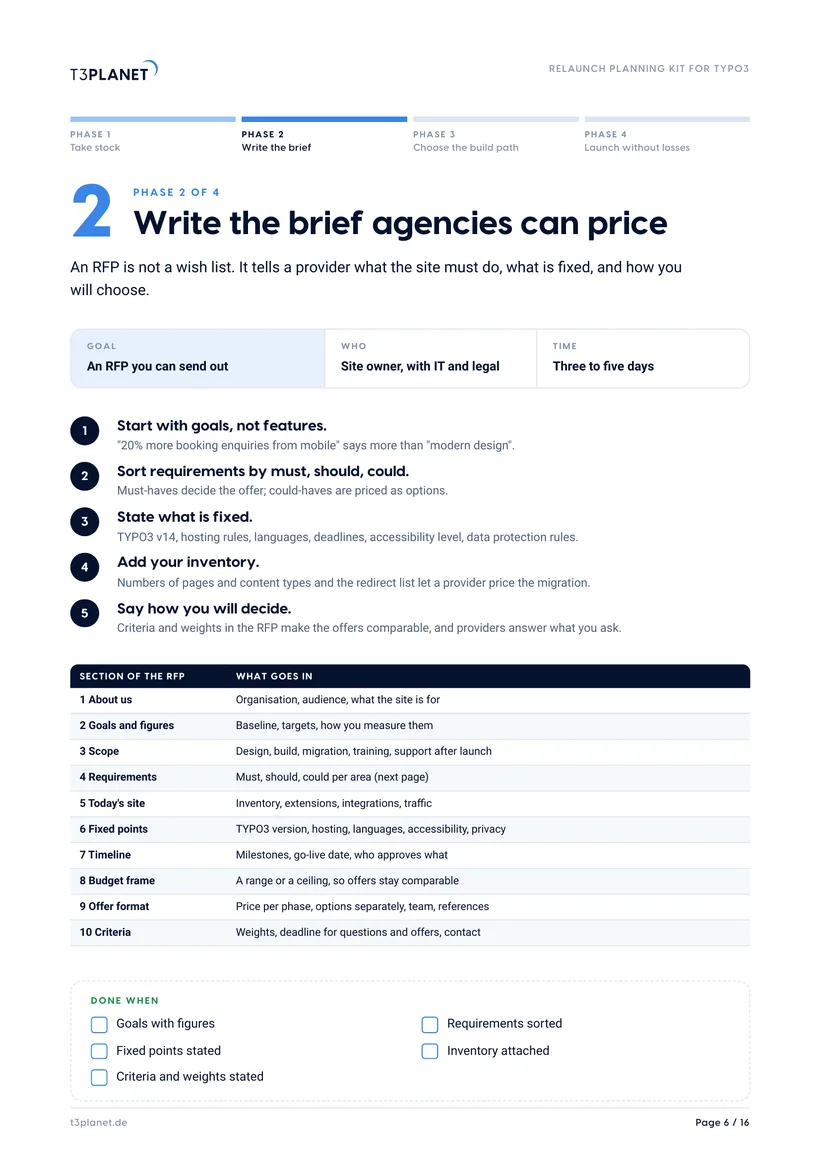
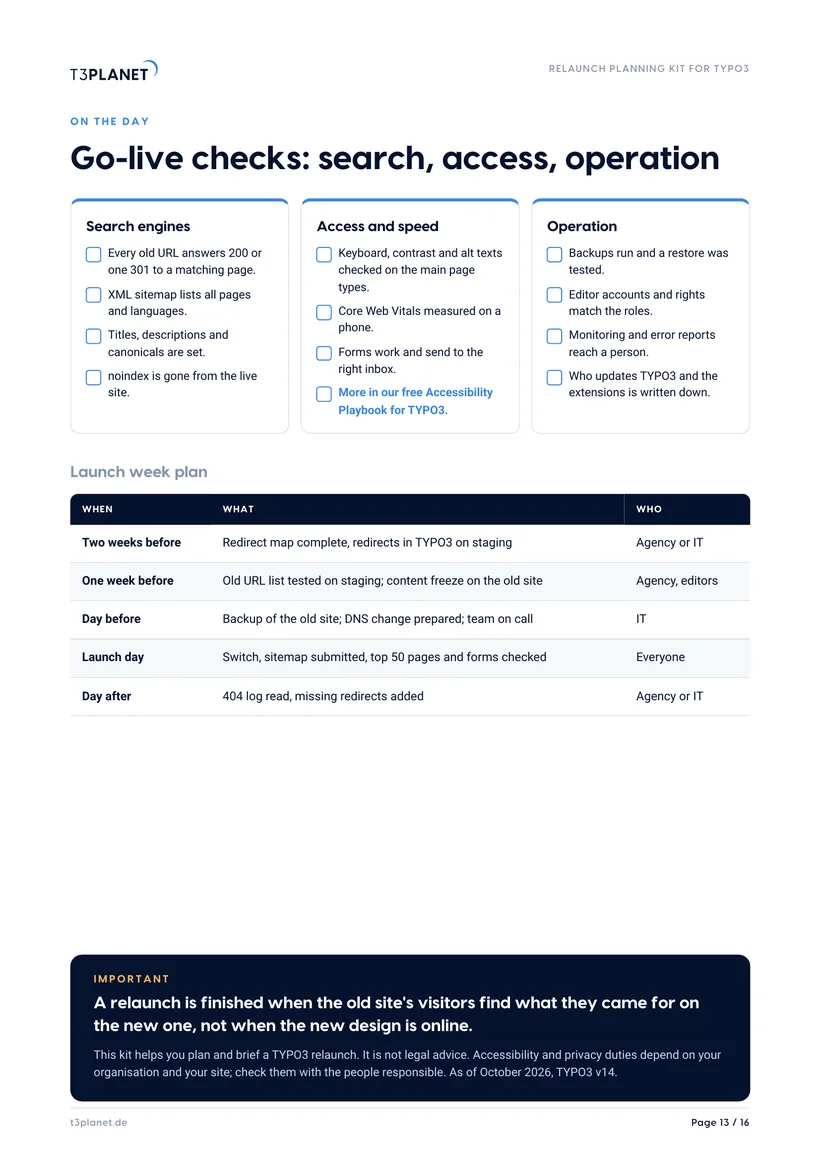
Redirect map, the core Redirects module, a launch week plan and go-live checks. Kit pages 12 and 13.
A first orientation. What fits depends on your site, your team and your budget.
Get the kit and the RFP sheet, free
PDF and Excel file, instant download. We only email you about this guide.
How we use your details: Privacy Policy.

Questions before you download? Jürgen answers personally. juergen@t3planet.de

How do you plan a TYPO3 relaunch?
- Start with an inventory of the old site: every URL, the top pages by visits and links, content types, installed extensions and today's figures for enquiries or orders.
- Write an RFP (in German a Lastenheft) with goals and figures, requirements marked must, should or could, fixed points such as TYPO3 v14, and the criteria and weights you will decide by.
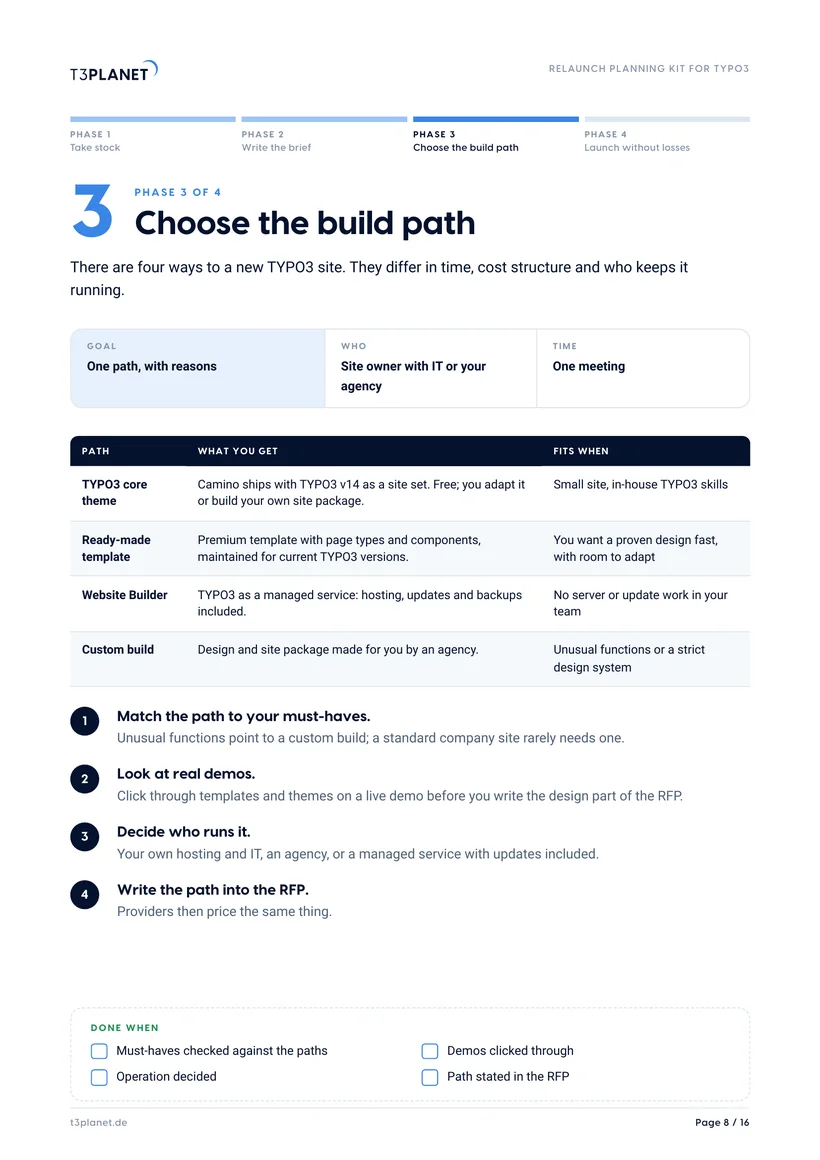
- Choose the build path before you send it: the TYPO3 core theme, a ready-made template, a managed Website Builder or a custom build; they differ in time, cost structure and who runs the site.
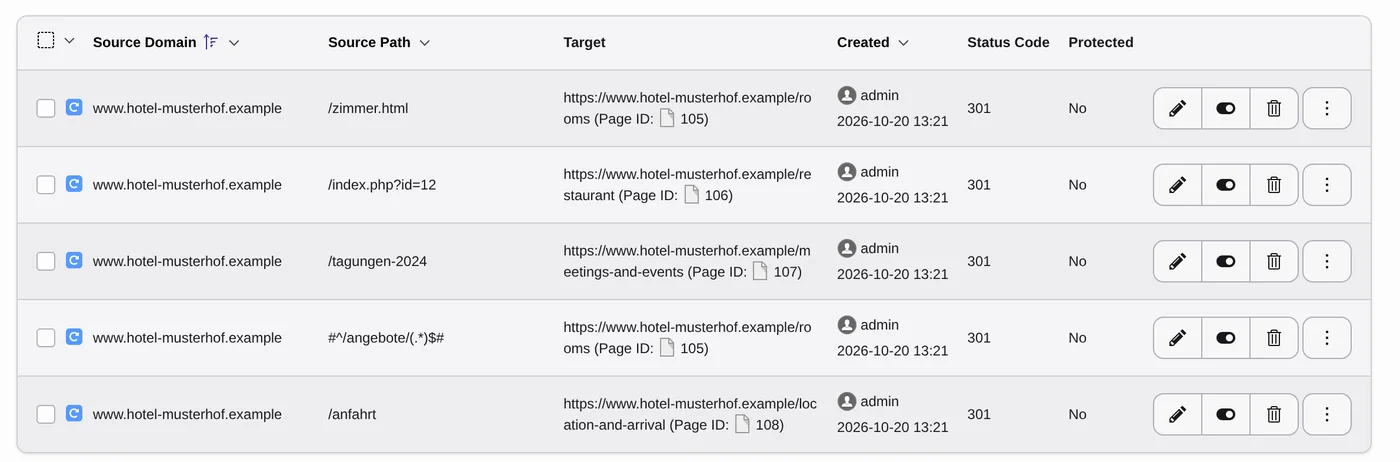
- Map every old URL to a new page and create 301 redirects in the TYPO3 Redirects module; Google recommends keeping redirects for at least a year.
- Check search, accessibility, speed and operation on launch day, then watch 404s, rankings and goals for 30 days against the baseline.
Write the what. Let providers answer the how.
Three questions before the RFP goes out
Turn a card to see what the kit recommends.
Three agencies sent three offers we cannot compare.
Should we relaunch on v13 because the agency knows it?
Old campaign pages still get visits. Do we need them?
Sources: typo3.com roadmap; Google Search Central, site moves; web.dev, Core Web Vitals. Read 20 October 2026.
A relaunch needs owners, not just a supplier
Five roles, five jobs. Pick a role to see what it covers.
Site owner
- Owner
- Marketing or communications lead
- Covers
- Goals and figures, the RFP, the decision, sign-off at go-live.
- Playbook
- Phases 1 and 2
The RFP sheet has a column for the person behind every decision. Put a real name in it, not a role.
IT and hosting
- Owner
- In-house IT or the hosting provider
- Covers
- Servers, backups, monitoring and who updates TYPO3; or the Website Builder does it.
- Playbook
- Phase 3
The RFP sheet has a column for the person behind every decision. Put a real name in it, not a role.
Agency
- Owner
- Your chosen provider
- Covers
- Template or design, build, content migration, redirects, tests on staging.
- Playbook
- Phases 3 and 4
The RFP sheet has a column for the person behind every decision. Put a real name in it, not a role.
Editors
- Owner
- Everyone who writes for the site
- Covers
- Content checks, alt texts, training before launch.
- Playbook
- Phase 4
The RFP sheet has a column for the person behind every decision. Put a real name in it, not a role.
Legal and privacy
- Owner
- Data protection officer or legal
- Covers
- Consent, forms, data processing agreements, accessibility level.
- Playbook
- Phase 2
The RFP sheet has a column for the person behind every decision. Put a real name in it, not a role.
Sixteen pages, four phases, one RFP sheet
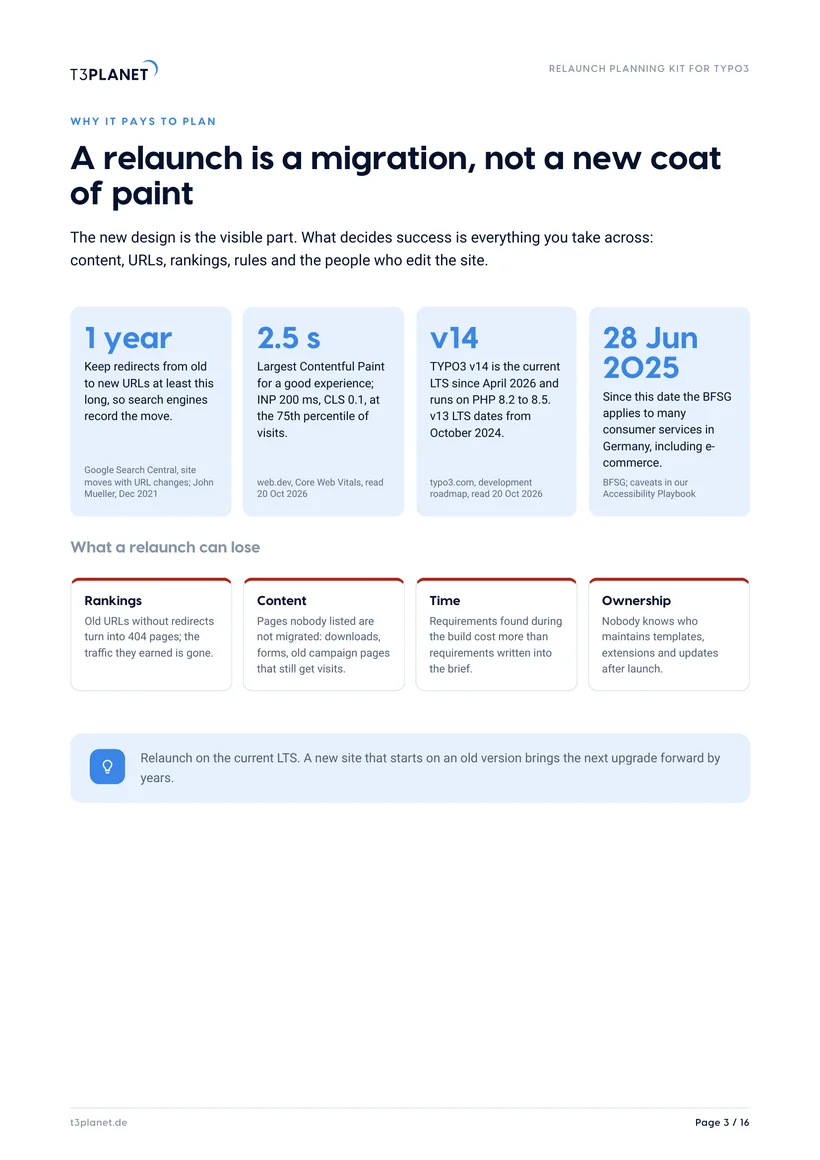
Why it pays
Jürgen's letter, the kit on one page, four facts with sources and what a relaunch can lose.
Take stock
URLs, content types, extensions and figures, with the Sites module and page tree in TYPO3 v14.
Write the brief
A ten-section RFP outline and ten requirement areas, with must, should and could.
Choose the build path
Four paths compared, the v14 way with site sets, and where templates and the Website Builder fit.
Compare offers
Seven weighted criteria and eight questions for every provider.
Launch without losses
Redirects in TYPO3, a launch week plan, go-live checks, the first 30 days, 20 minutes with Jürgen.
No. Phases, outline, requirements and scoring work with any provider. Our templates and the Website Builder appear on one page, as one of four build paths.
Five steps, from inventory to a safe launch
Take stock
Sites module: domains, languages, sets.
- Entry point per site
- Languages
- Site sets in use
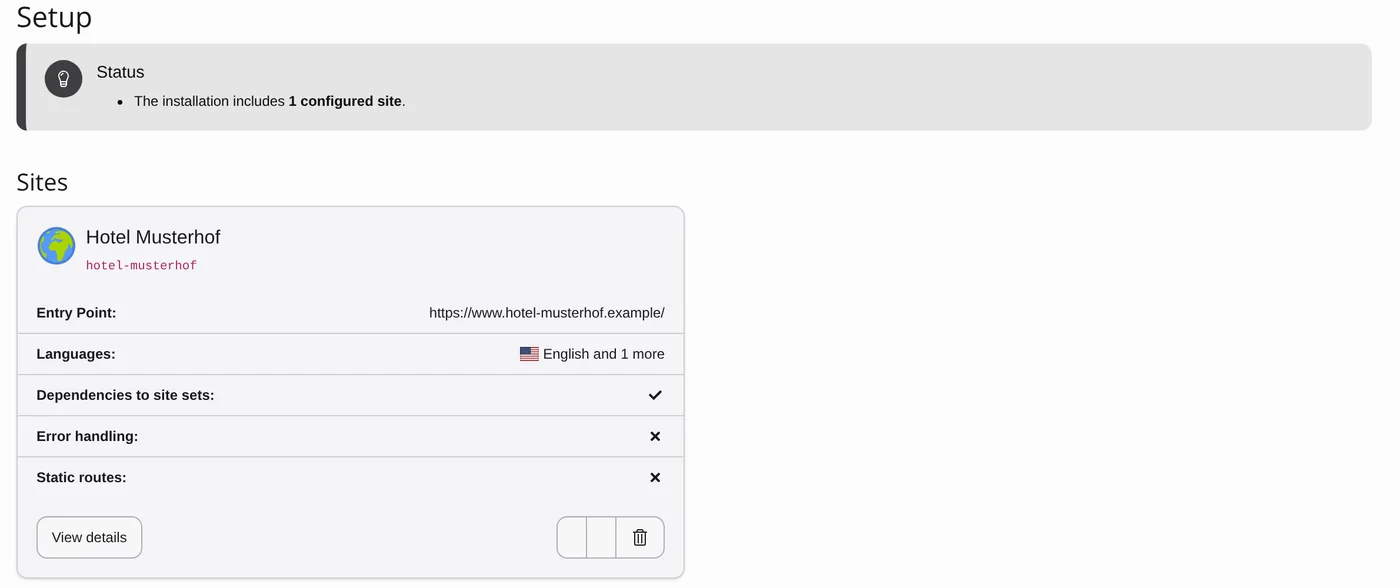
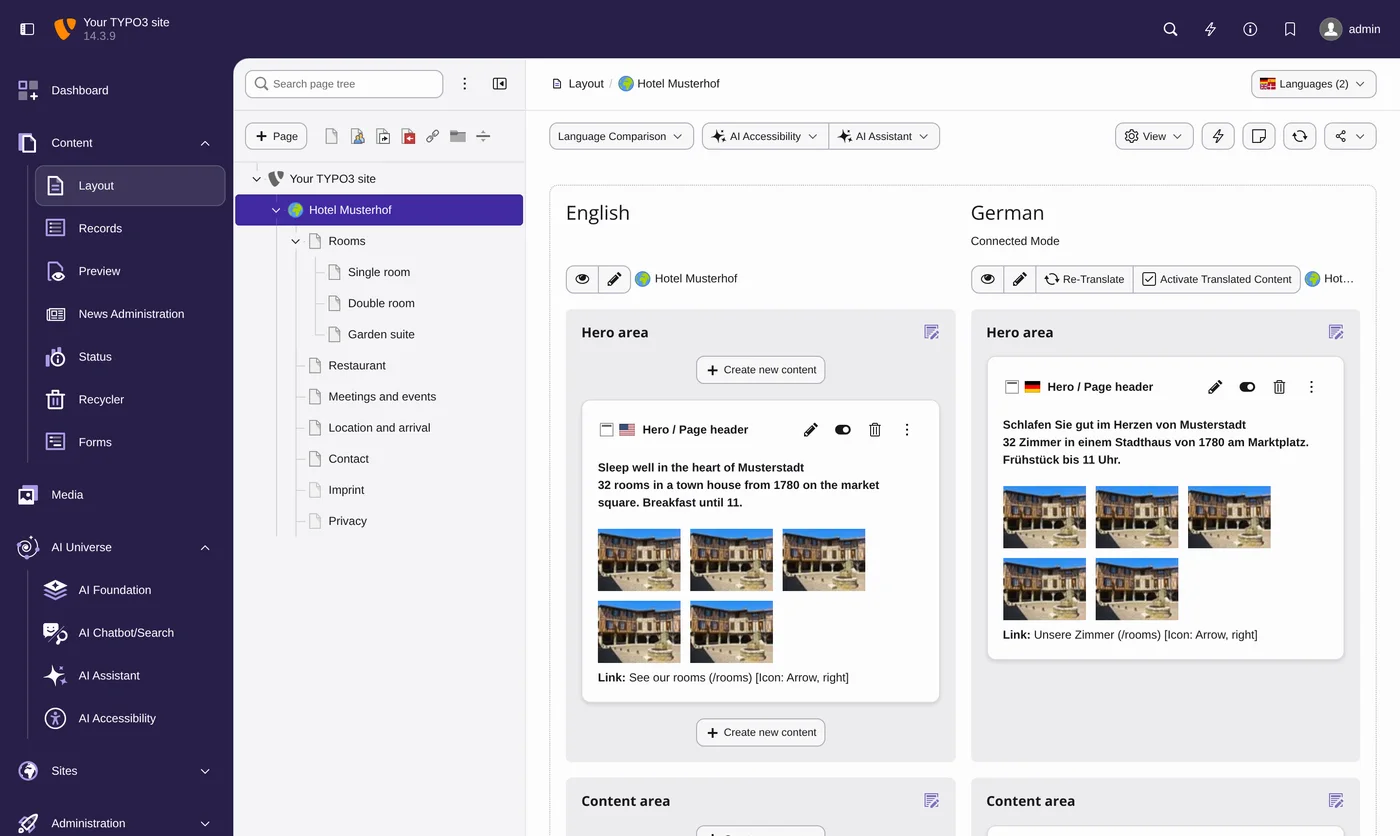
Map pages
The page tree is your sitemap.
- Every page and level
- Language versions side by side
- Basis for the redirect map
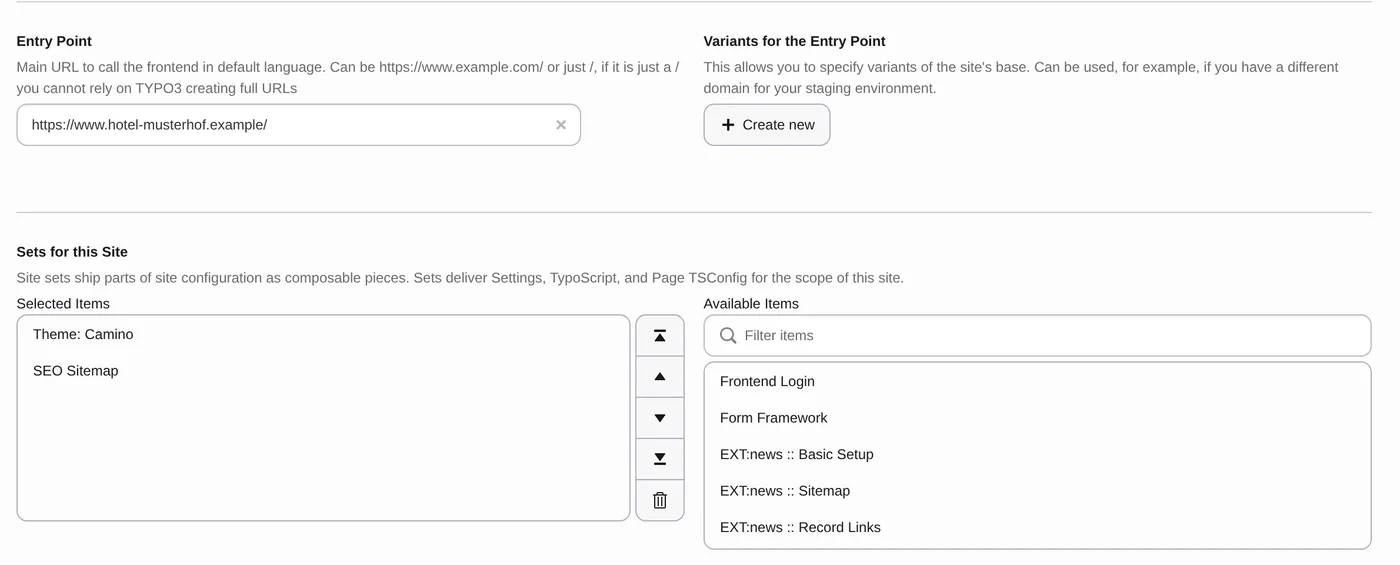
Pick a path
Themes and features as site sets.
- Theme: Camino in core
- SEO Sitemap as a set
- Ready-made templates as an option
Redirect
Old URLs to new pages, status 301.
- One row per old URL
- Patterns for whole folders
- Keep at least a year
Launch
The new site, checked on day one.
- Top 50 pages by hand
- Sitemap submitted
- 404 log in week one
Screens: TYPO3 v14 on our demo install, sample data.
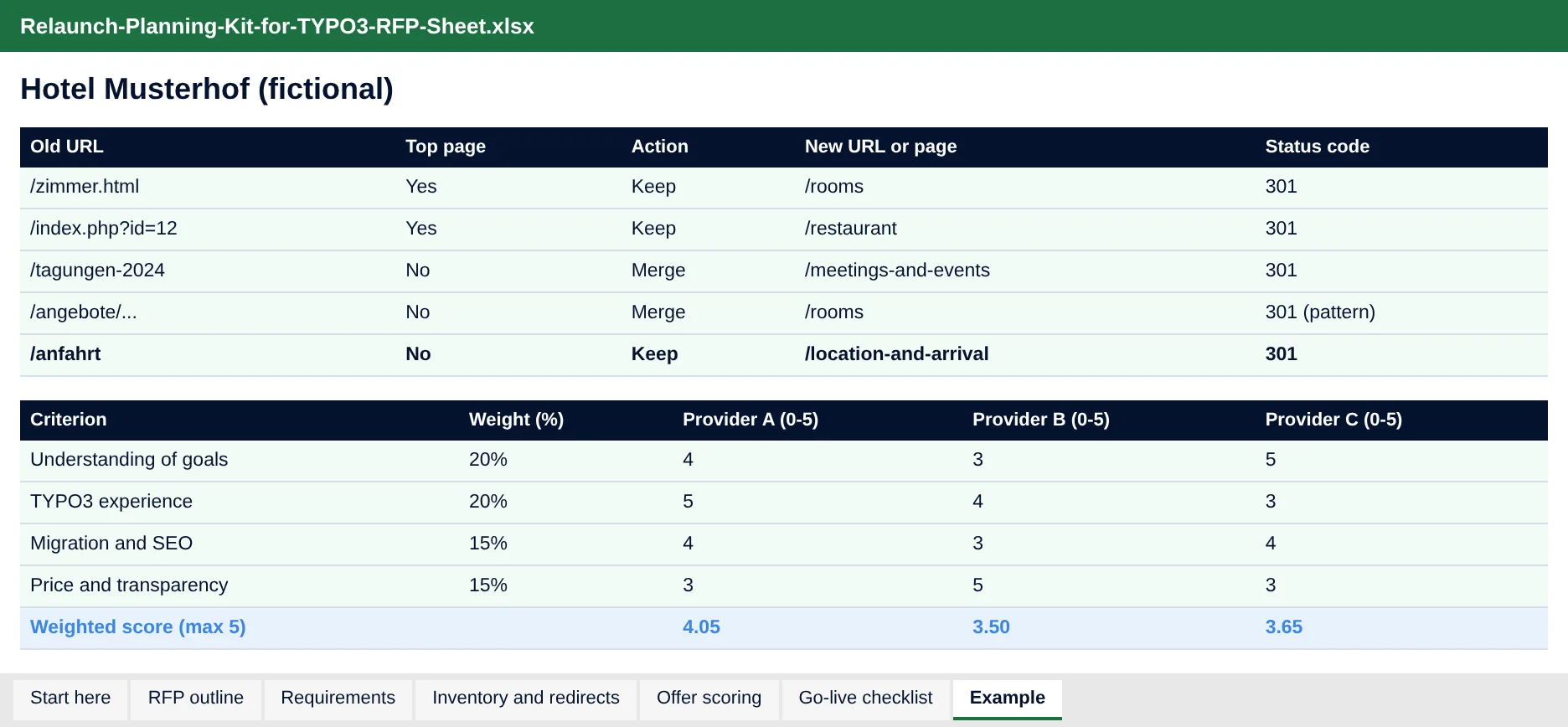
Your RFP, your inventory and your scoring in one file
RFP outline to fill in, about 40 requirements with must, should and could, an inventory with redirect map, offer scoring with weights that adds itself up, and a go-live checklist.
- Dropdowns for priority, action and status
- A filled example for Hotel Musterhof
- Opens in Excel, LibreOffice and Google Sheets
20 minutes with Jürgen
Send your filled RFP sheet beforehand and we use the 20 minutes for your site: which build path, which template could fit, what to watch at go-live.
Jürgen · Your contact at T3PlanetWho it is for
Site owners, marketing and public bodies
You plan a new TYPO3 site and need a document providers can price, a fair way to compare offers and a launch that keeps your visitors.
Agencies and freelancers
You answer RFPs or run relaunches. Use the outline, the requirement list and the launch week plan with your clients.
Frequently asked questions
How do I plan a TYPO3 website relaunch?
Work in four phases: take stock of the old site, write an RFP with goals and requirements, choose the build path, and launch with a redirect map and go-live checks. The kit gives you the outline, about 40 sample requirements and the checklists.
Is the kit really free?
Yes. You get the PDF and the Excel RFP sheet straight away, with no payment details.
What goes into an RFP for a TYPO3 website?
About us, goals and figures, scope, requirements by area, today's site, fixed points such as the TYPO3 version and hosting, timeline, budget frame, offer format and decision criteria with weights.
Which TYPO3 version should a relaunch use?
The current LTS, TYPO3 v14, released in April 2026. Starting on an older version brings the next upgrade forward.
How do I keep my Google rankings during a relaunch?
Map every old URL to the best matching new page and create 301 redirects, for example in the TYPO3 Redirects module. Test the old URL list on staging, submit the new XML sitemap and keep the redirects for at least a year.
Do I need an agency, a template or a website builder?
It depends on your must-haves and your team. A ready-made template fits a standard company site that needs a proven design fast; a managed Website Builder fits when nobody should run servers or updates; a custom build fits unusual functions. The kit compares the four paths.
What is the difference between Lastenheft and Pflichtenheft?
The Lastenheft is the client's document: what is needed and why. The Pflichtenheft is the provider's answer: how it will be built (DIN 69901-5).