AI Credits at a glance
The key facts in one place. All prices in EUR.
| What it is | An optional, prepaid balance that pays for AI usage in AI Universe extensions for TYPO3. |
|---|---|
| Plans | €15, €25 or €45 a month for 500, 1,000 or 2,500 credits. Yearly: pay 10 months, get 12. |
| Packs | €29, €119 or €199 for 1,000, 5,000 or 10,000 credits, one-time. |
| Free trial | 50 credits, once per account. Name and email, no card. |
| Price per task | From 0.22 credits (image metadata) to 23.44 credits (high-quality image). |
| Most you can spend | What you have prepaid. There is no auto-recharge. |
| Validity | Plan credits refresh monthly. Pack credits last until 31 December of the third year after purchase. |
| Where it works | Every site, licence and environment on your account, from one balance. |
| Requirement | AI Foundation for TYPO3 (T3AF), free and open source. |
| Modes | Your own API key or AI Credits. Switch at any time, in either direction. |
AI in TYPO3 should not come with a billing puzzle
With your own API key you pay the AI provider directly, and that works well for many teams. For everyone else, three things usually get in the way.
- One more vendor to manage
A provider account, an API key and an extra invoice. For an agency that can mean one of each per client. - Costs you see too late
Usage-based bills arrive at month end. Which client or which editor drove the cost is guesswork. - A card before a test
Trying AI on a real project usually starts with handing over a credit card to a provider.
Your own API key or AI Credits?
Both modes run on AI Foundation for TYPO3 (T3AF), which is free and open source. You keep the same extensions and switch in one backend panel, in either direction.
 T3PlanetAI CreditsEstimatePrepaid balanceUsage log
- Text models
- Image models
- Embeddings
AI Credits: requests travel through T3Planet to the model providers T3Planet selects. You see each task and its credit cost, with an estimate before it runs.
What does an AI task cost in credits?
Each task has a published credit price. The table shows what a budget covers if you spend it all on one kind of task. A real month mixes tasks, and a long page costs more than a short one.
Credit price per AI task (typical sizes, not guarantees)
| AI task | Credits per task | 1,000 credits cover |
|---|---|---|
| Image metadata alt text, title, description, caption | 0.22 | ≈ 4,500 |
| SEO page metadata four fields | 0.43 | ≈ 2,300 |
| Image, draft quality quick ideas | 0.67 | ≈ 1,500 |
| Content element text, teaser, section | 1.24 | ≈ 810 |
| Assistant chat message in-backend assistant | 1.36 | ≈ 740 |
| Page tree generation site structure draft | 2.28 | ≈ 440 |
| Translation per page or element | 2.33 | ≈ 430 |
| Easy-language rewrite simplified, easy-to-read text | 3.22 | ≈ 310 |
| Image, standard quality blog and teaser images | 5.89 | ≈ 170 |
| Image, high quality hero images | 23.44 | ≈ 40 |
Voice features (including text-to-speech) in AI Chatbot and AI Search run on your own API key. For every task, the TYPO3 backend shows the exact estimate before it runs.
Estimate your AI costs
Choose the AI tasks and how often you need them. The estimate shows the credits you need and the plan or pack that fits.
Your estimate
Choose your tasks and click “Calculate estimate”.
Typical sizes from the published price list. The TYPO3 backend shows the exact estimate before every task. No auto-recharge.
Every credit, visible in your TYPO3 backend
AI Credits runs inside AI Foundation. Four screens show how you switch it on, what a task costs before it runs, what it cost afterwards and where your balance stands.
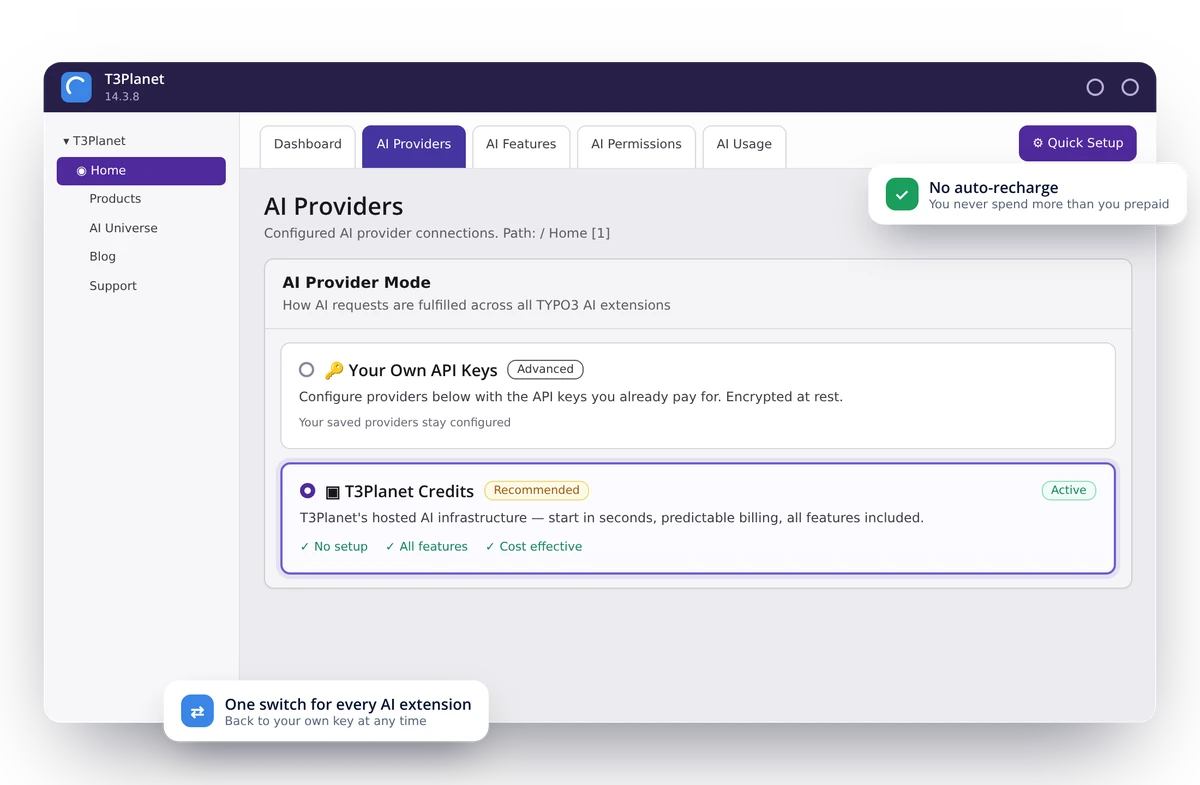
One switch for every AI extension
In AI Foundation › AI Providers you select T3Planet Credits once. Every AI Universe extension then uses your balance, and you can switch back to your own API key at any time.
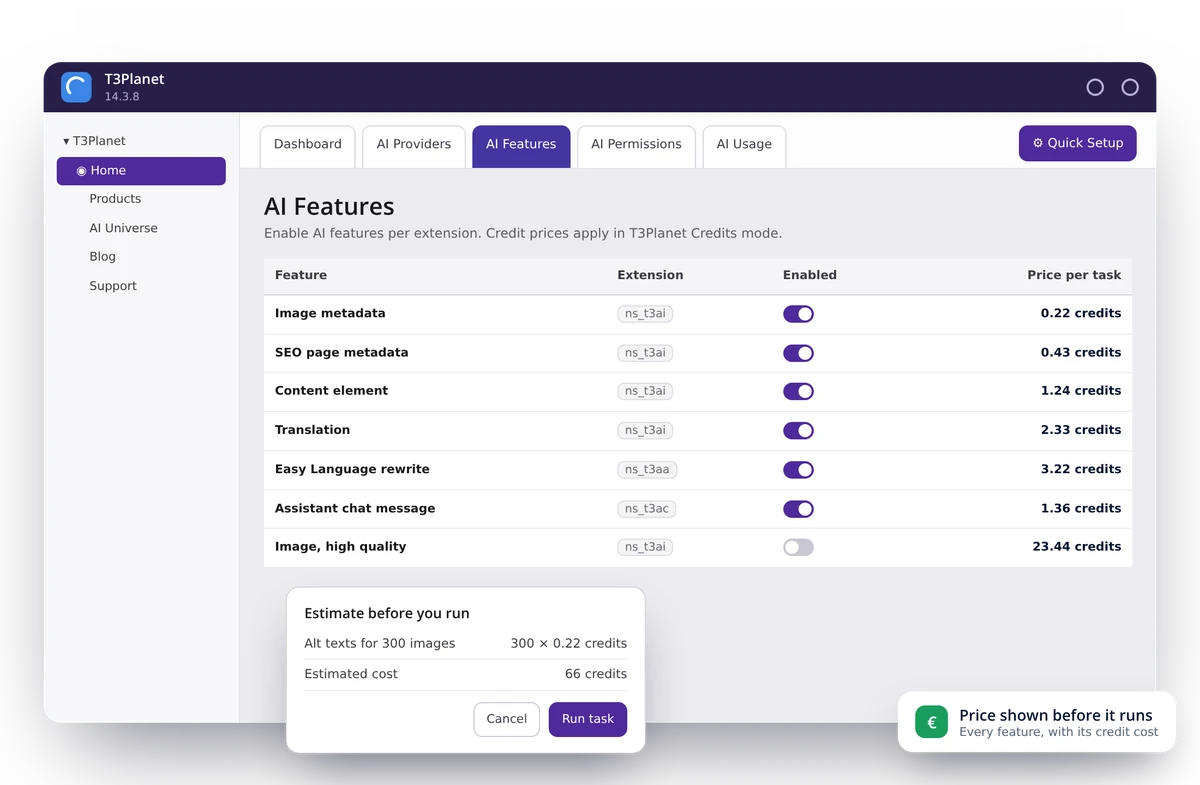
The price before every task
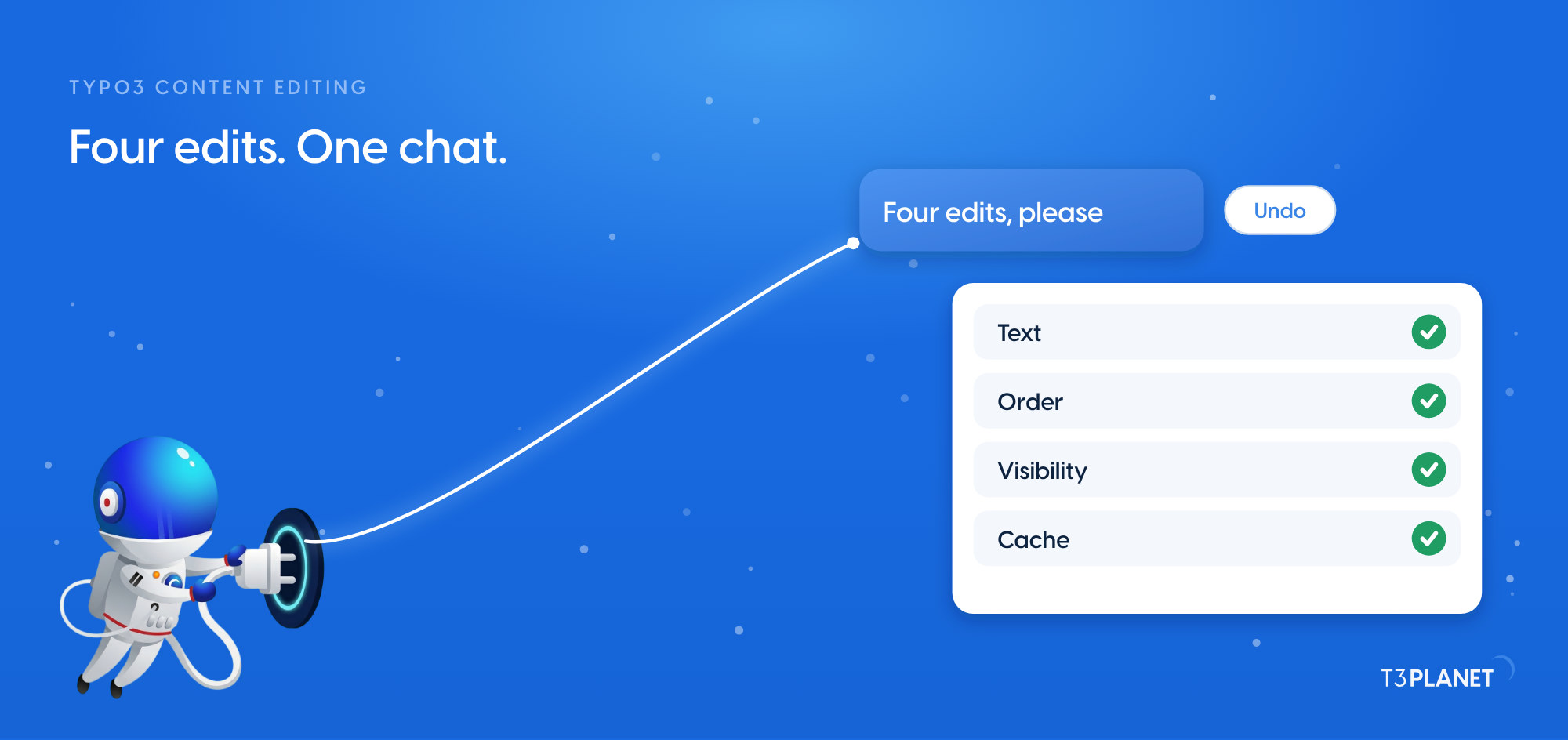
In AI Foundation › AI Features you see each feature with its credit price. Before a task runs, the backend shows the estimate, so you decide with the cost in view.
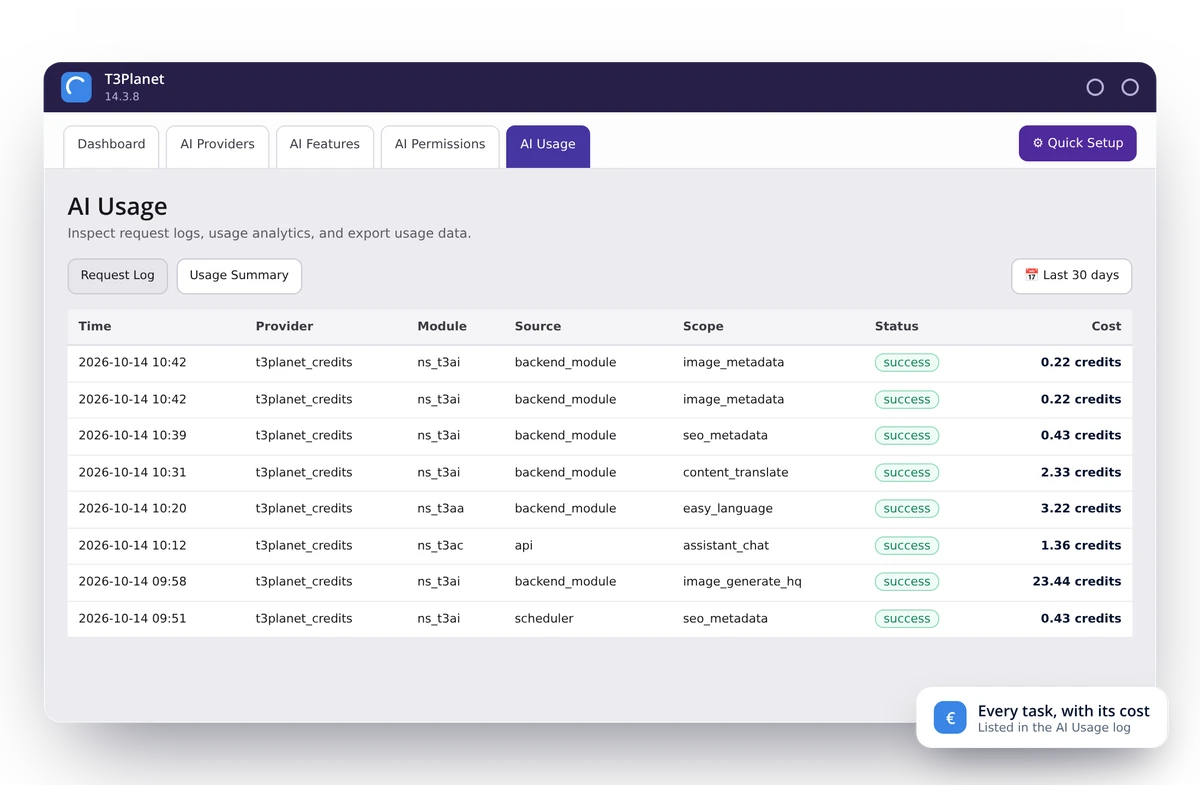
Every charge on record
The AI Usage module lists every AI task with its time, module and cost. Filter the log and export it as a CSV file for client billing.
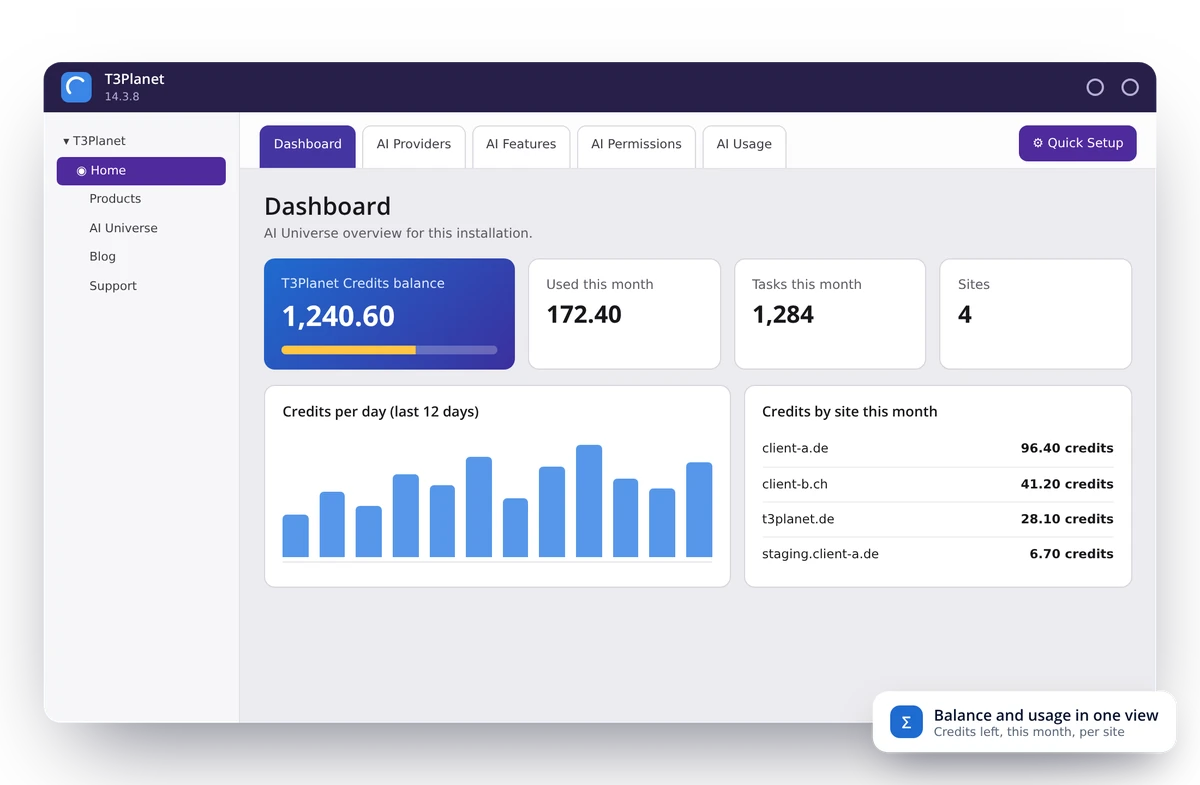
Your balance at a glance
The AI Foundation dashboard shows the credits left, what you used this month and how that usage splits across your sites.
Out of credits? Top up and carry on.
AI Credits is prepaid. When the balance reaches zero, the task stops, and you are never billed more than you paid in advance. Top up, and the rest of the job runs. Run the example to see it.
You start a job
Alt texts for 300 images. The backend estimates 66 credits before it runs.
Credits are used task by task
Your balance has 50 credits. Each image uses 0.22 credits.
At zero, the job pauses
No extra bill. You decide whether to top up and finish the job.
Example: 300 alt texts with a balance of 50 credits
- Credits used
- 0.00 Credits
- Extra invoice
- €0.00
You also decide who may spend how much
In AI Foundation › AI Permissions you set two limits per backend user group. Administrators have no limits.
| User group | Monthly credit limit | Daily request limit |
|---|---|---|
| Editors | 200 credits | 150 requests |
| Interns | 40 credits | 30 requests |
| Administrators | no limit | no limit |
How to switch on AI Credits in TYPO3
The mode applies to every AI extension on the installation, so you switch once, not per extension. Your own API keys stay saved. Switch back in the same panel at any time.
AI Credits prices: plans and packs
Plans suit steady work, packs suit project spikes such as a relaunch. Packs stack on a plan, and plan credits are always used first.
Free trial
€0
50 credits, once per account
- Credited on first activation
- Name and email, no card
- All AI features except voice
- ≈ 230 image metadata sets or ≈ 20 translations
Starter
€15/month
€0.030 per credit
- 500 credits every month
- Unused credits expire at period end
- All AI features except voice
- Email support
Professional
€25/month
€0.025 per credit
- 1,000 credits every month
- Unused credits expire at period end
- All AI features except voice
- Priority support
Business
€45/month
€0.018 per credit
- 2,500 credits every month
- Unused credits expire at period end
- All AI features except voice
- Dedicated support
Yearly billing: pay for ten months, get twelve. Credits still arrive month by month.
Packs: one-time top-ups
Valid until 31 December of the third year after purchase.
Good to know before you buy
- Full refund if unused
Within 30 days of purchase, if none of it has been spent. - Packs last at least 3 years
Until 31 December of the third year after purchase. - Never replaces a licence
Premium extensions keep their own annual licence.
What AI Credits gives each team
Manage AI costs across client projects
- One AI balance across all client sites on your account.
- The usage log shows the site behind every task, so you can bill clients accurately.
- A prepaid balance can’t produce a surprise invoice mid-project.
Keep AI spending simple across client work
- One predictable AI budget across projects.
- No unexpected AI charges in the middle of a job.
- Use the same credits on several client sites.
Predictable AI without a new procurement process
- Limits per user group, set in AI Permissions.
- One invoice with your TYPO3 products, no separate AI vendor contract.
- The same setup on development, staging and production.
Clear spending rules, full visibility
- Decide who can spend credits and how much per month.
- Set a daily request limit per user group.
- See usage across extensions, users and sites.
Frequently asked questions about AI Credits
More FAQs
AI Credits is a prepaid balance from T3Planet that pays for AI tasks in TYPO3 extensions of the AI Universe. You need no API key and no account with an AI provider. Each task has a published credit price, the backend shows an estimate before it runs, and there is no auto-recharge.
No. You can also connect your own API key from OpenAI, Anthropic, Ollama or any compatible provider and pay the provider directly. Without AI Credits you lose no feature.
50 credits, once per account. You start with your name and email, without a credit card or licence key. That covers about 230 sets of image metadata or about 20 translations.
Unlimited pricing means either a much higher price to cover heavy users, or throttling nobody tells you about. With credits you pay for what you use and see exactly what you get.
Because it isn’t in TYPO3. Every page means copy out, paste in, paste back and reformat. AI Universe features write straight into the right fields across a whole site, and they know the site’s structure and tone.
Plan credits refresh every month and don’t roll over. Pack credits stay valid until 31 December of the third year after purchase. If your usage is uneven, a smaller plan plus packs is usually the better fit.
The feature pauses and offers a top-up inside the TYPO3 backend. Nothing is lost, and nothing is billed without you choosing it. There is no auto-recharge.
Every task’s credit cost is published, the backend shows an estimate before each action, and the usage log lists every task with its cost and the site it came from.
Yes. One balance covers every licence and every site on your account. The usage log shows the site behind each task, so you can attribute costs to clients.
Yes. Credits work on development, staging, local and production installations, from the same balance.
No. Credits pay for AI usage only. AI Foundation is free and open source; premium extensions such as AI Assistant or AI Chatbot keep their own annual licence.
T3Planet selects the models. The backend shows each task and its credit cost rather than the model name. If you need to choose the model yourself, use your own API key.
Yes, in full, if you ask within 30 days of purchase and none of that purchase has been spent. Partly used balances are not refunded.
Yes, on request through our sales team. With your own API key no T3Planet server is in the data path, so your agreement is with your AI provider.
Yes, at any time, in the AI Provider Mode panel under AI Providers. Your credit balance is not affected by switching.
Learn more about AI costs in TYPO3
- Blog
Own API key or AI Credits: how to handle AI costs in TYPO3 - Blog
Multi-LLM for TYPO3: why you shouldn’t commit to one AI provider - Documentation
T3Planet Credit System: setup and configuration - FAQ
Frequently asked questions about TYPO3 AI
Prices, credit costs and rules as published by T3Planet in the AI Credits price list and the T3Planet Credit System documentation.