

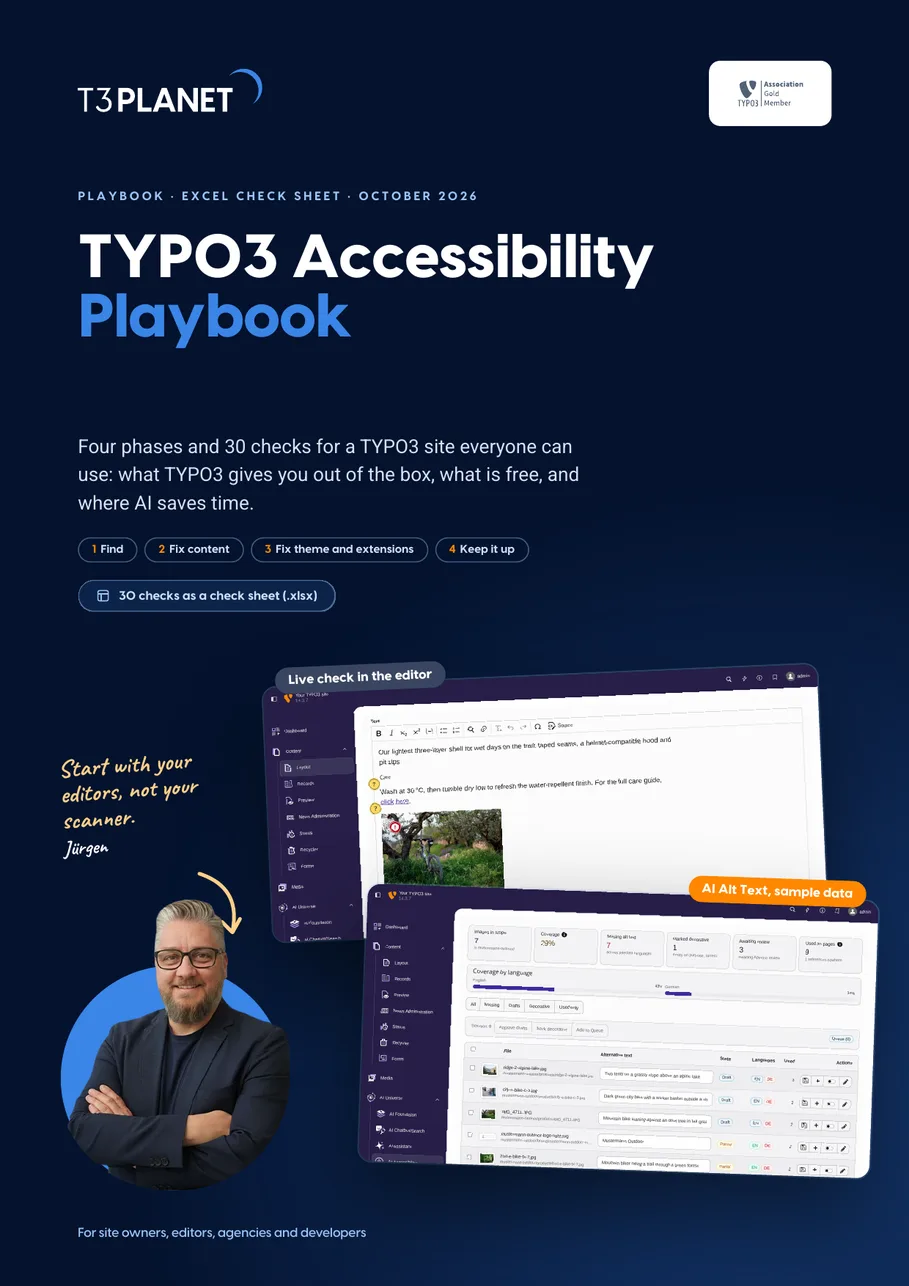
30 checks for an accessible TYPO3 site
Four phases, and every check has an owner: what TYPO3 core already gives you, what is free, and where AI saves time. With real TYPO3 v14 backend screens.
- Know which rule applies to you, and which standard to build to
- Every check sorted by who fixes it: editors, developers, site owner
- The free path first: TYPO3 core and CKEditor Pack, then AI where it saves time
Which rules apply to me?
The German law implementing the European Accessibility Act, in force since 28 June 2025. It covers in-scope products and consumer services, including online shops.
Requires the site to meet EN 301 549, plus an accessibility statement and a way for users to report barriers.
The BFSG exempts microenterprises for services, not for products. Accessible pages still serve every customer, so WCAG stays your yardstick.
Page 4 of the playbook walks you through them. Your answers decide the rule, not the size of your site.
Yardstick for all: EN 301 549 v3.2.1, which brings in WCAG 2.1 AA. We recommend building to WCAG 2.2 AA.
A first orientation, not legal advice. If in doubt, ask your legal adviser.
Get the playbook and check sheet, free
PDF and Excel file, instant download. We only email you about this guide.
How we use your details: Privacy Policy.

Questions before you download? Jürgen answers personally. juergen@t3planet.de
What does an accessible TYPO3 site take?
- In Germany, the BFSG has applied since 28 June 2025 to in-scope products and consumer services, including online shops, and public bodies follow BITV 2.0.
- The common yardstick is EN 301 549 v3.2.1, which brings in WCAG 2.1 AA, and we recommend building to WCAG 2.2 AA.
- Every check needs a named owner: editors, theme developers, extension developers and the site owner each fix their own part, and AI Accessibility (T3AA) drafts alt text that a person approves.
- Twelve of the 30 checks are editor habits in TYPO3 core with no extension needed, such as alt text in the file metadata, heading levels by structure and link text that names the target.
- In Deque's study of about 13,000 pages (2021), automated tests found 57 percent of issues by volume, so even a Lighthouse score of 100 still needs keyboard and screen reader checks by a person.
This playbook describes proven practice and supports your accessibility work. It is not legal advice, not an audit and not a certification. Whether a site conforms depends on its content, theme, extensions and configuration, and only a test of that site can show it. As of October 2026.
One field decides what a screen reader says
More than half of all home pages have images without alt text (53.1 percent, WebAIM Million 2026). Switch the alt text off and on, then press play.

Sample image for a bike shop page.
IMG_2048.JPG, image
Your browser cannot read aloud. The text above is what a screen reader announces.
In TYPO3 it is one field
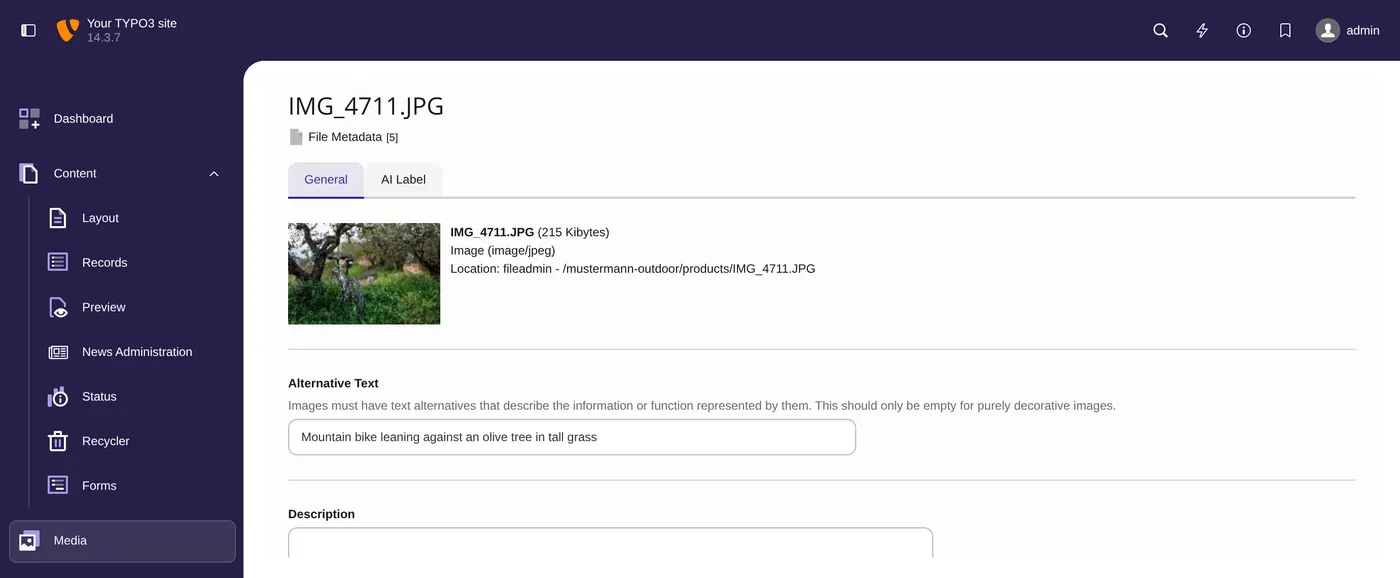
- Filelist, edit metadata, Alternative Text: every use of the image gets it.
- Decorative image? Leave the field empty on purpose.
- Check 1 and 2 in the playbook, page 8.
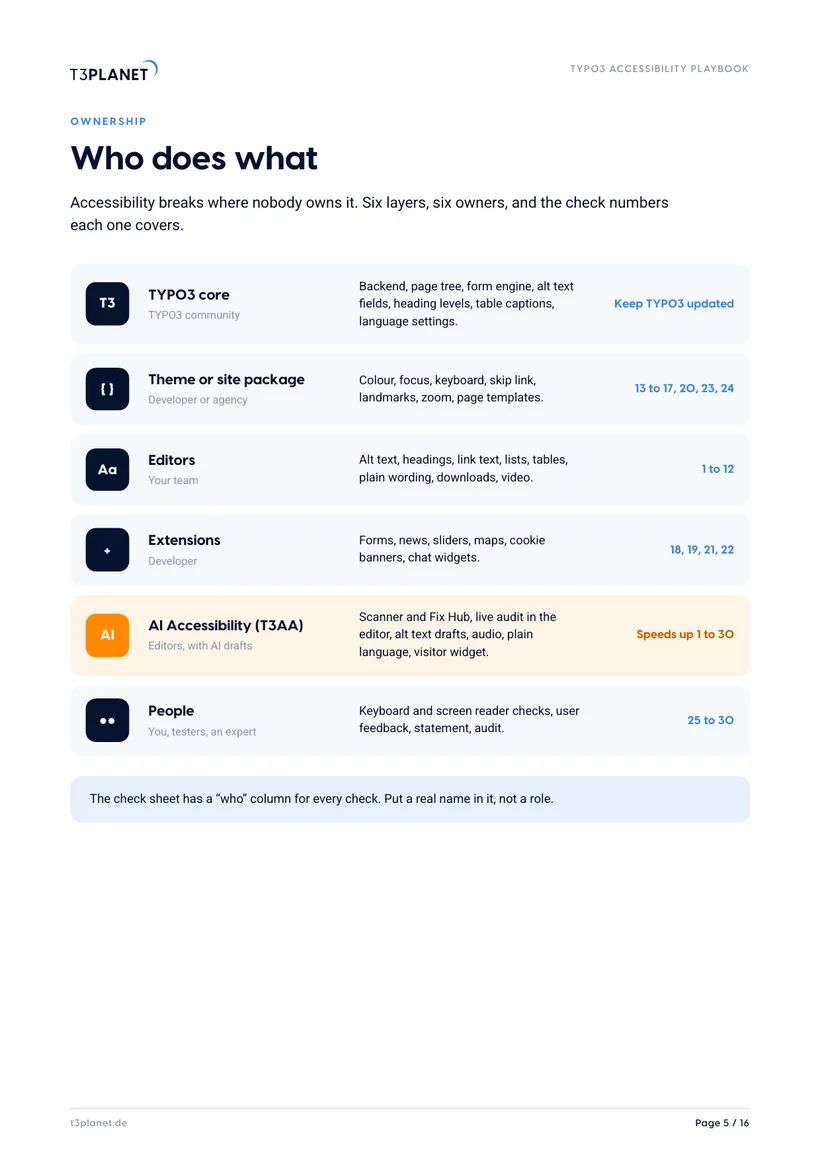
Accessibility breaks where nobody owns it
Six layers, six owners, and the checks each one covers. Pick a layer.
TYPO3 core
- Owner
- TYPO3 community
- Covers
- Backend, page tree, form engine, alt text fields, heading levels, table captions, language settings.
- Checks
- Keep TYPO3 updated
The check sheet has a “who” column for every check. Put a real name in it, not a role.
Theme or site package
- Owner
- Developer or agency
- Covers
- Colour, focus, keyboard, skip link, landmarks, zoom, page templates.
- Checks
- 13 to 17, 20, 23, 24
The check sheet has a “who” column for every check. Put a real name in it, not a role.
Editors
- Owner
- Your team
- Covers
- Alt text, headings, link text, lists, tables, plain wording, downloads, video.
- Checks
- 1 to 12
The check sheet has a “who” column for every check. Put a real name in it, not a role.
Extensions
- Owner
- Developer
- Covers
- Forms, news, sliders, maps, cookie banners, chat widgets.
- Checks
- 18, 19, 21, 22
The check sheet has a “who” column for every check. Put a real name in it, not a role.
AI Accessibility (T3AA)
- Owner
- Editors, with AI drafts
- Covers
- Scanner and Fix Hub, live audit in the editor, alt text drafts, audio, plain language, visitor widget.
- Checks
- Speeds up 1 to 30
The check sheet has a “who” column for every check. Put a real name in it, not a role.
People
- Owner
- You, testers, an expert
- Covers
- Keyboard and screen reader checks, user feedback, statement, audit.
- Checks
- 25 to 30
The check sheet has a “who” column for every check. Put a real name in it, not a role.
Sixteen pages, one owner per check
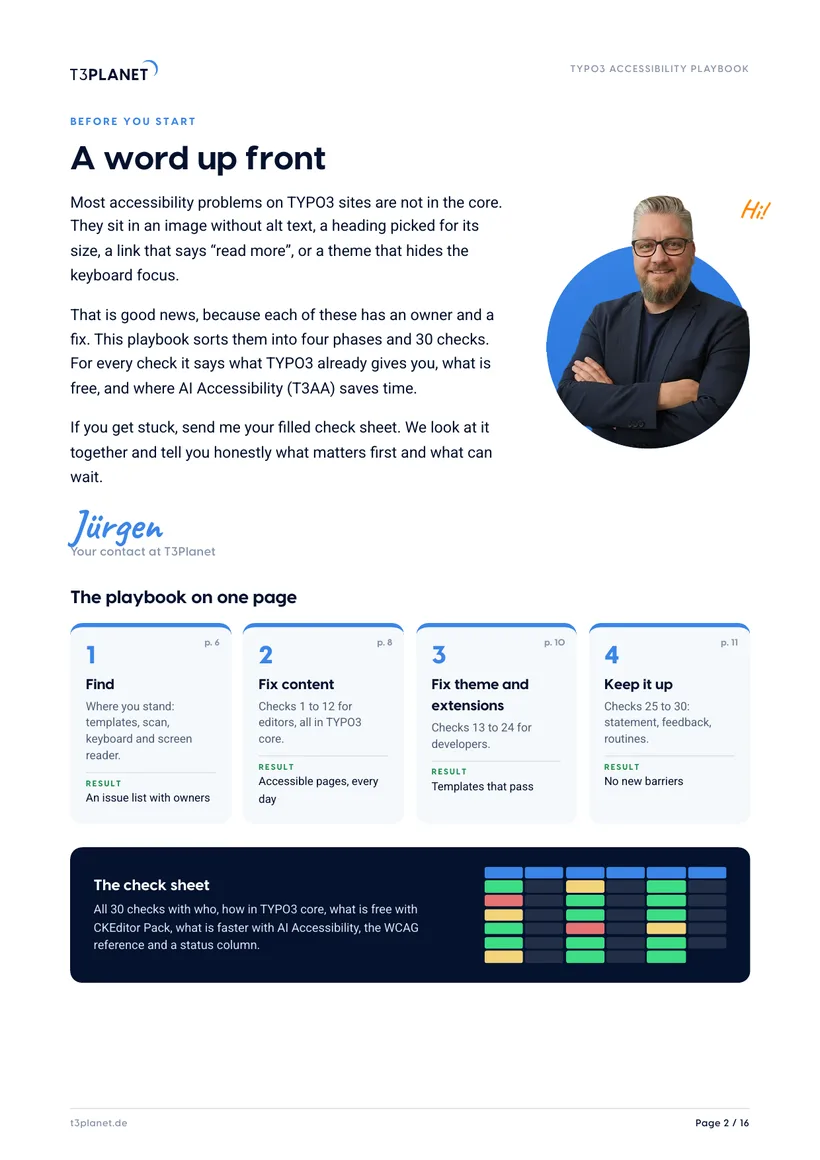
A word up front
Jürgen's letter and the whole playbook on one page.
Where you stand
Where TYPO3 stands today, which rules apply, and who does what.
Phase 1: Find
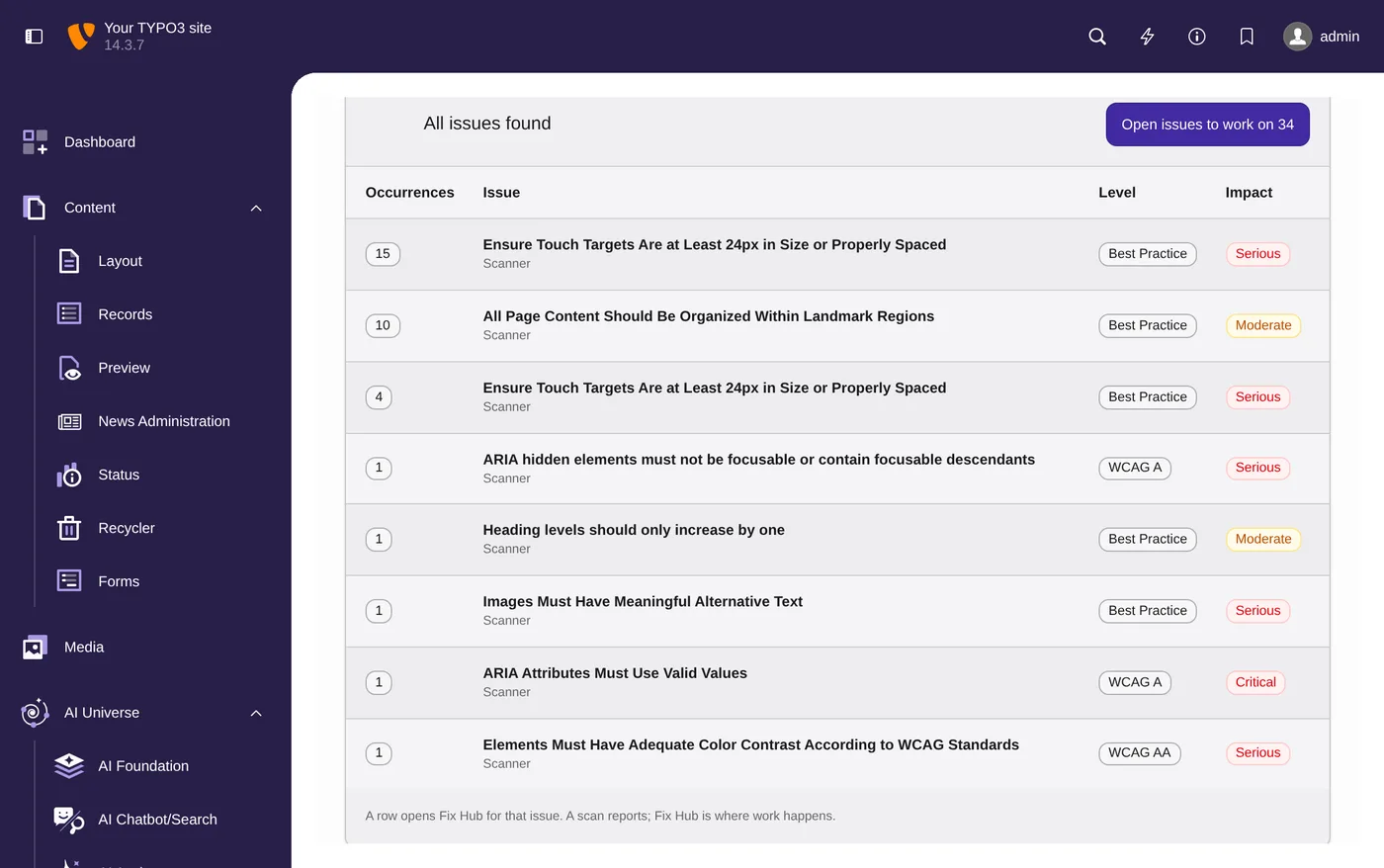
Templates, scan, keyboard walk, screen reader, then Scanner and Fix Hub in the backend.
Phase 2: Fix content
Checks 1 to 12 for editors in TYPO3 core, and checking while you write.
Phases 3 and 4
Checks 13 to 30 for themes and extensions, and the routines that keep it up.
Beyond the minimum
Plain language and audio, what machines miss, the editor habit sheet, and 20 minutes with Jürgen.
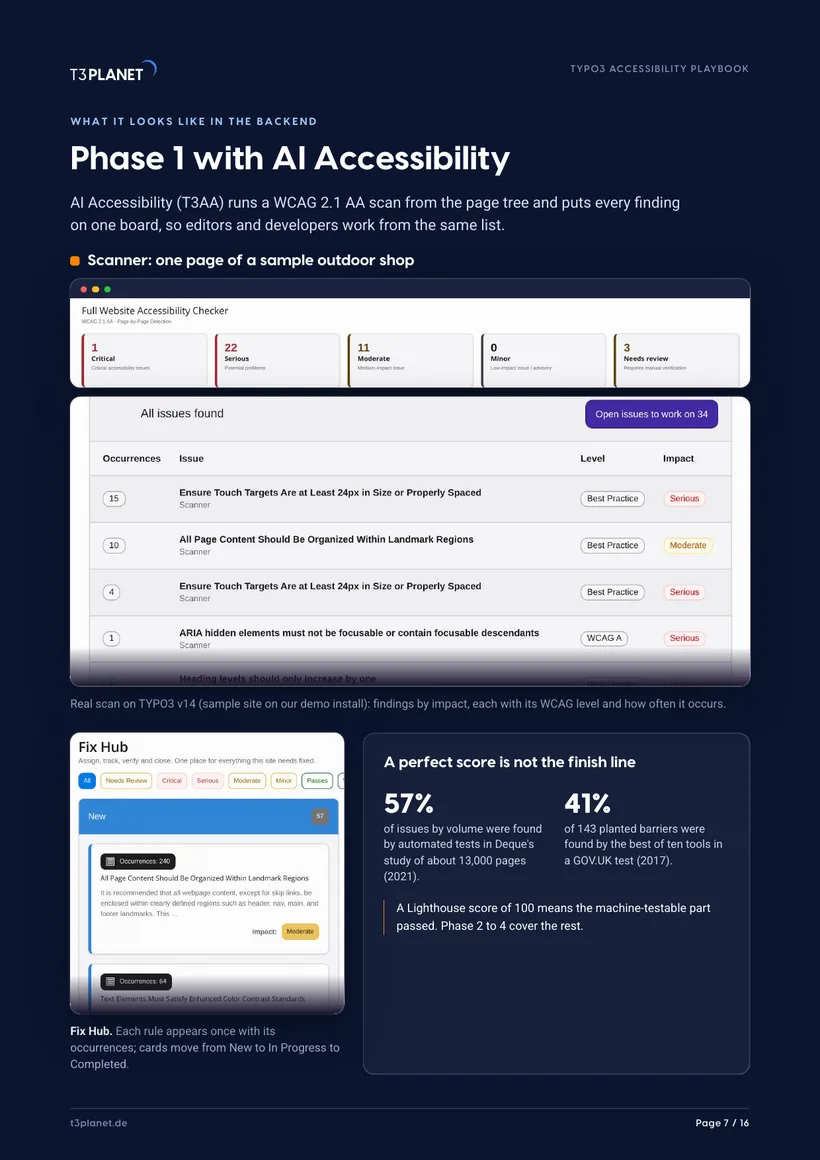
A perfect score is not the finish line
A Lighthouse score of 100 means the machine-testable part passed. Phase 2 to 4 cover the rest.
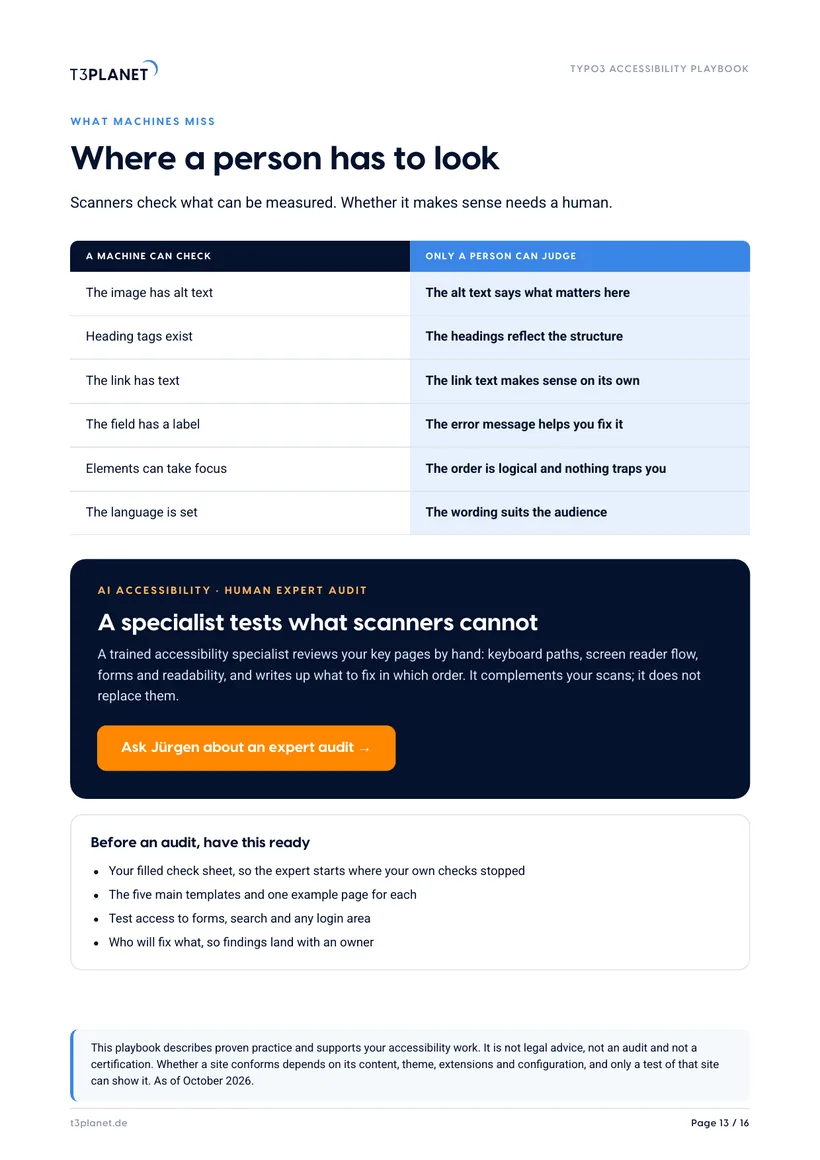
| A machine can check | Only a person can judge |
|---|---|
| The image has alt text | The alt text says what matters here |
| Heading tags exist | The headings reflect the structure |
| The link has text | The link text makes sense on its own |
| The field has a label | The error message helps you fix it |
| Elements can take focus | The order is logical and nothing traps you |
| The language is set | The wording suits the audience |
Five steps, from first scan to routine
Find where you stand
Get a baseline per template before you fix anything.
- List your five main templates
- Run a scan: Lighthouse, a free checker or the AI Accessibility Scanner
- Walk each template with the keyboard, listen once with a screen reader
Fix content in TYPO3 core
Twelve editor habits, no extension needed.
- Alt text in the file metadata, empty for decorative images
- Heading levels by structure, not by size
- Link text that names the target
Check while you write
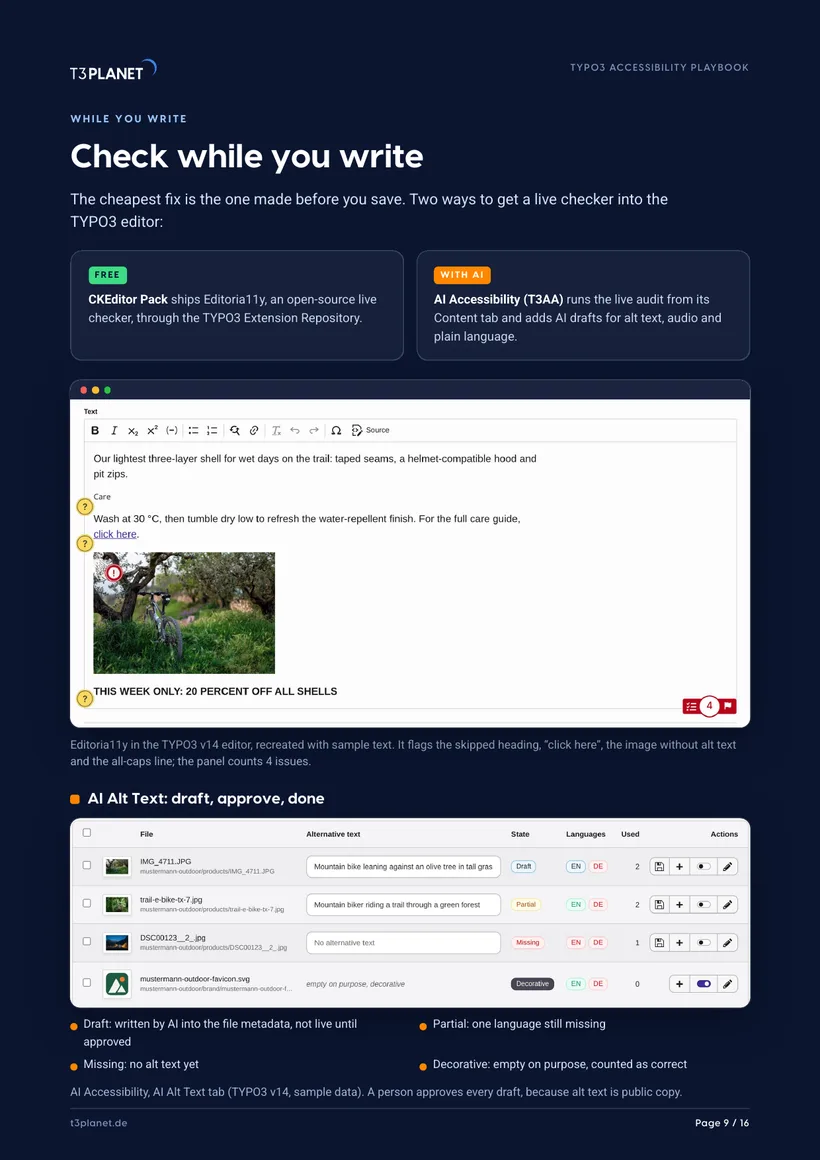
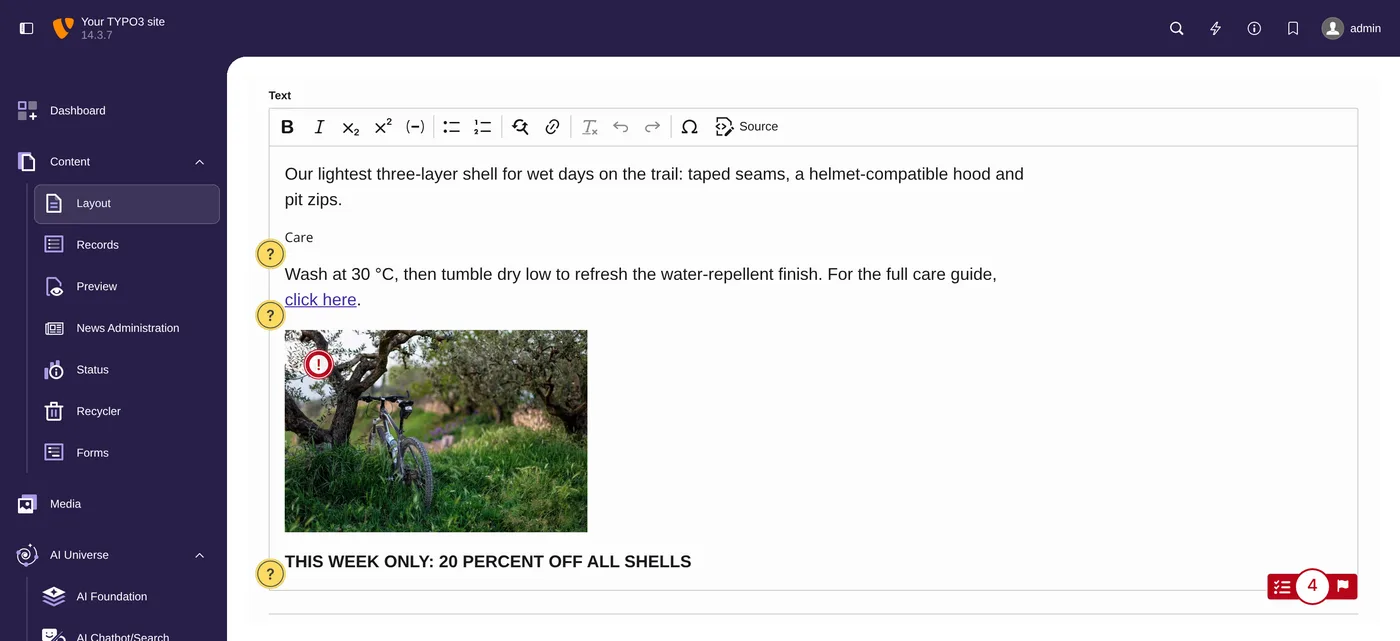
The cheapest fix is the one made before you save.
- CKEditor Pack ships Editoria11y, an open-source live checker
- Each flag explains the problem and the fix
- Or switch on the live audit in AI Accessibility
Let AI draft, a person approves
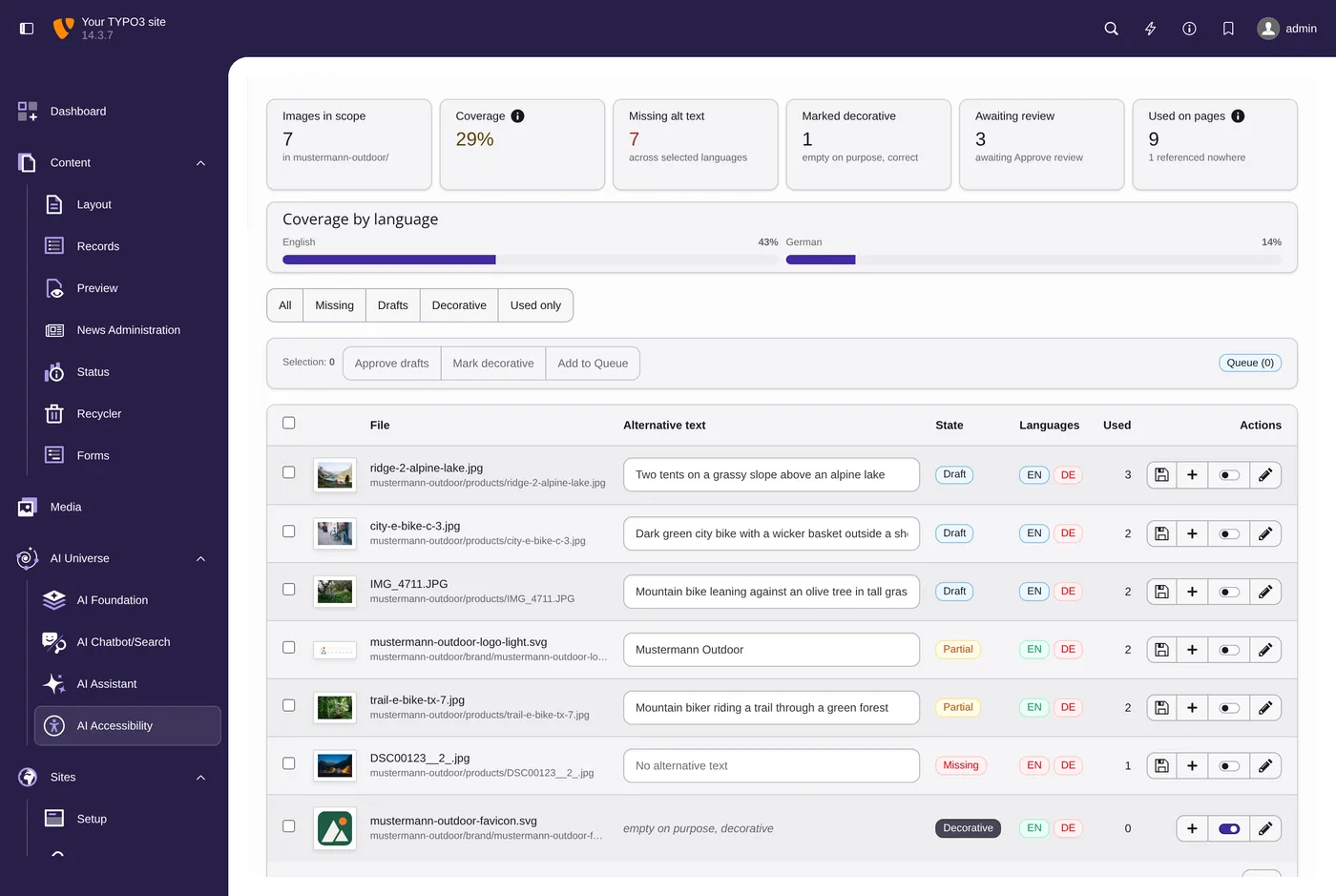
AI Alt Text writes drafts for whole folders.
- Drafts stay out of the frontend until someone approves them
- Decorative images are marked, so they count as correct
- Audio, voiceover and plain language from the same backend
Keep it up
Thirty minutes a month keeps the site from sliding back.
- Rescan the same pages after each release
- Publish and date your accessibility statement
- Plan a human audit once a year
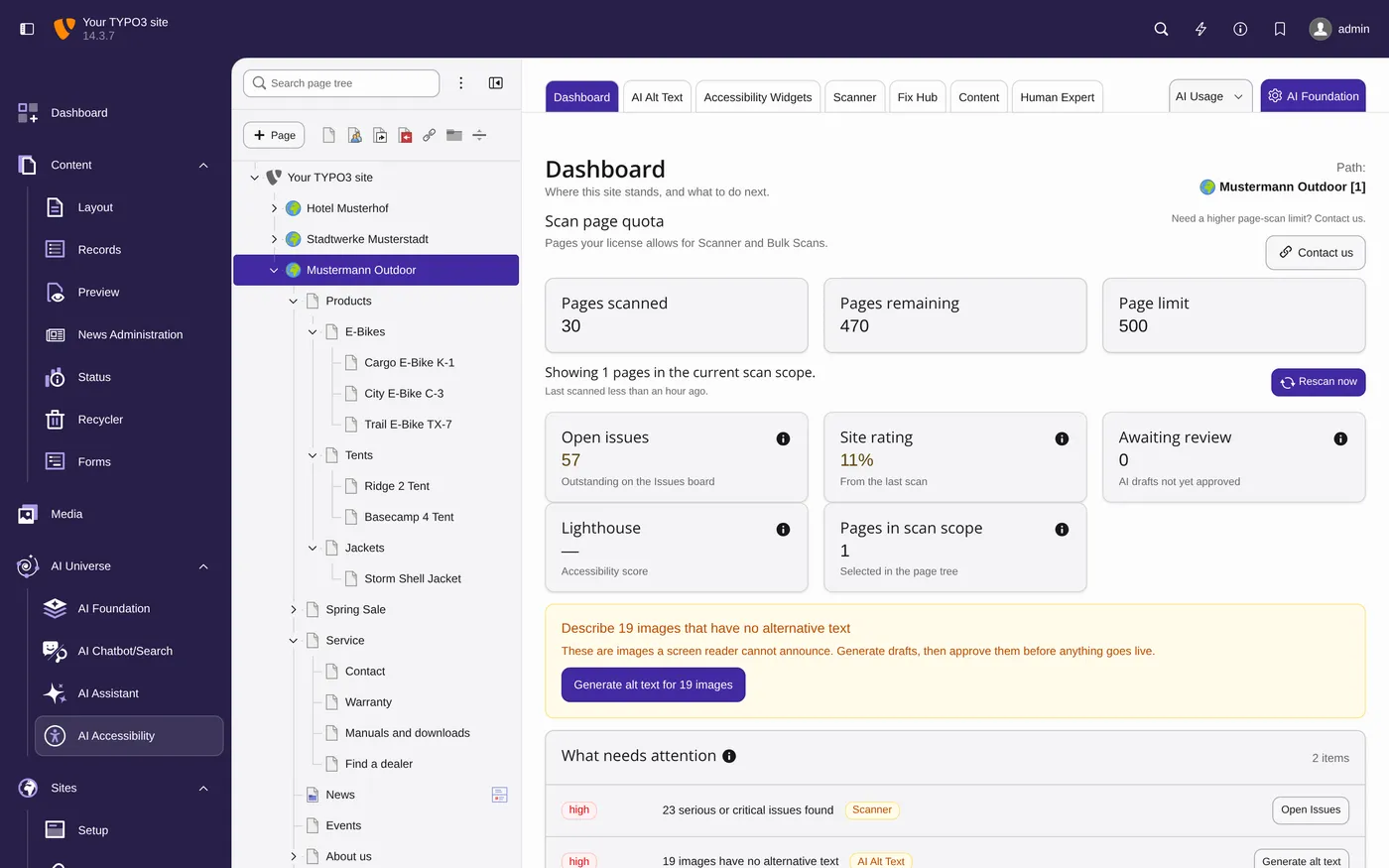
Screens: TYPO3 v14 on our demo install, sample data. The editor check is recreated with sample text.
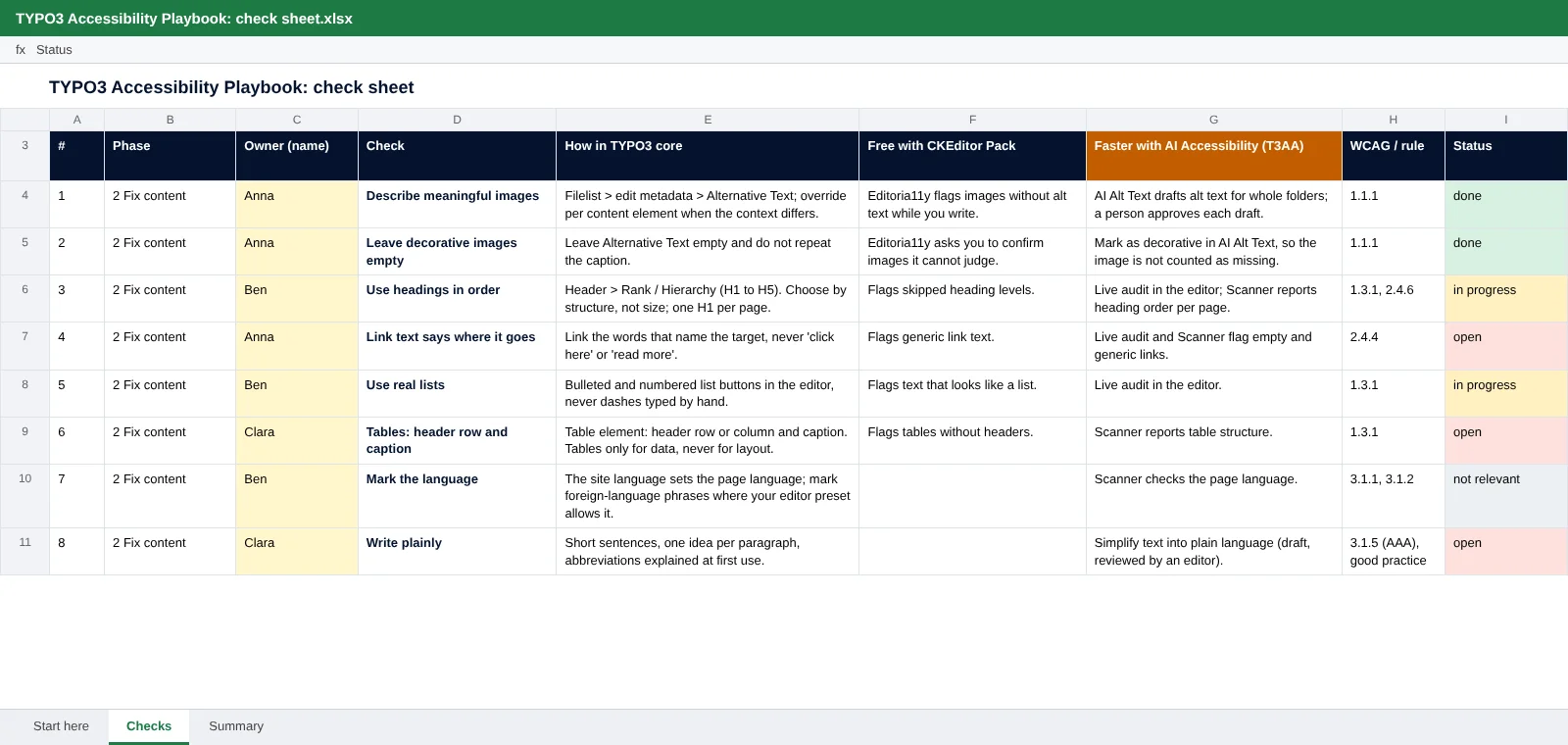
Thirty checks, one sheet, a real name per row
All 30 checks with who, how in TYPO3 core, what is free with CKEditor Pack, what is faster with AI Accessibility, the WCAG reference and a status column.
- Status dropdown and a summary tab that counts itself
- Opens in Excel, LibreOffice and Google Sheets
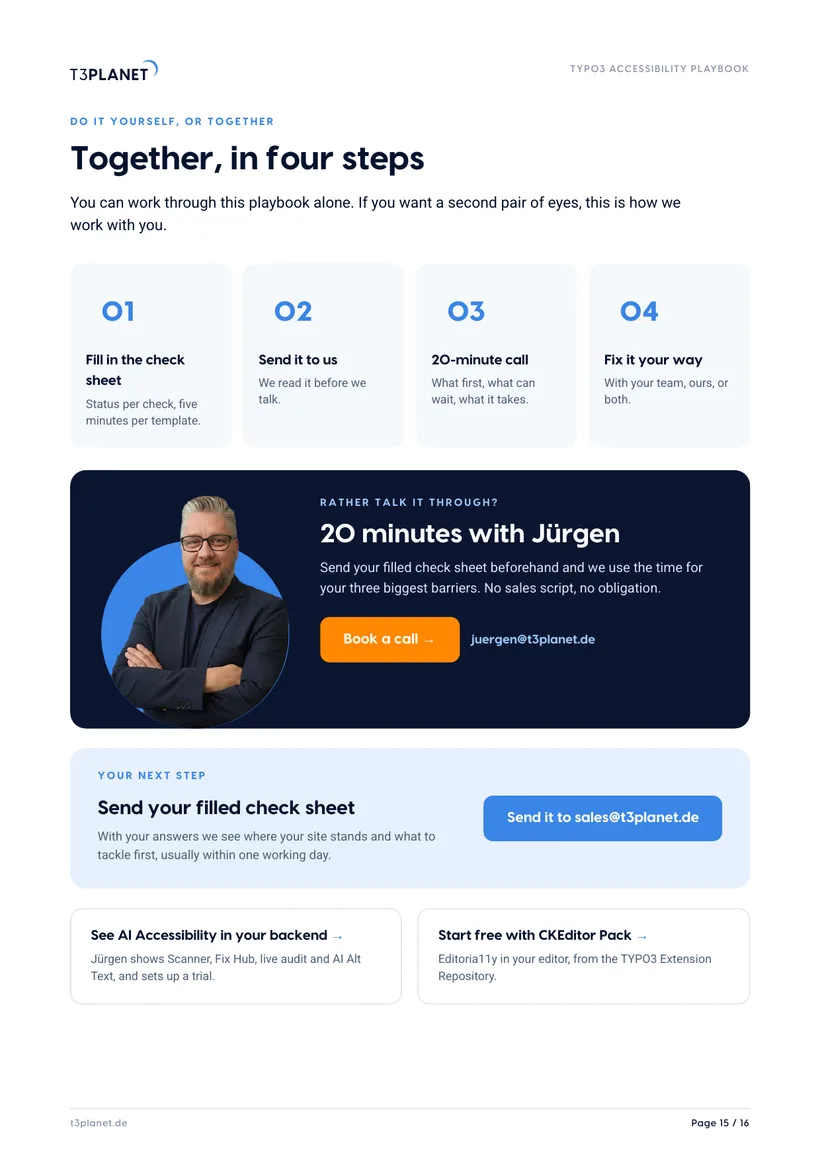
- Send it to us filled in, and we tell you what to tackle first
20 minutes with Jürgen
Send your filled check sheet beforehand and we use the time for your three biggest barriers. No sales script, no obligation.
Jürgen · Your contact at T3PlanetWho it is for
Site owners and editors
You run the site and write the pages. You get the twelve editor habits, a habit sheet to pin up, and clear questions for your agency.
Agencies and developers
You build and look after TYPO3 sites. You get the theme and extension checks, a check sheet to share with clients, and a way to split the work with editors.
Frequently asked questions
Which accessibility rules apply to a TYPO3 website in Germany?
It depends on who you are and what you offer. The BFSG has applied since 28 June 2025 to in-scope products and consumer services, including online shops, and exempts microenterprises for services, not for products. Public bodies follow BITV 2.0. For everyone, EN 301 549 v3.2.1 with WCAG 2.1 AA is the yardstick. Page 4 walks you through three questions.
Is the playbook really free?
Yes. You get the PDF and the Excel check sheet straight away, with no payment details.
Does this make my site compliant?
No guide can do that. The playbook shows how to find barriers, fix them and keep them out. This playbook describes proven practice and supports your accessibility work. It is not legal advice, not an audit and not a certification. Whether a site conforms depends on its content, theme, extensions and configuration, and only a test of that site can show it. As of October 2026.
Do I need AI Accessibility (T3AA)?
No. Every check works with TYPO3 core. The playbook marks where the free CKEditor Pack and AI Accessibility (T3AA) save time, so you can decide for yourself.
Which TYPO3 version does it cover?
The screens show TYPO3 v14. The checks are about content, templates and routines, so they apply to older TYPO3 sites too.
What happens with my email address?
We send you this guide and, if you ask for it, one call. No newsletter. Details in our Privacy Policy.