

Plan your TYPO3 upgrade in four phases
From inventory to go-live in four phases, with every extension on one sheet, then a security and maintenance routine for the years after. Written by our team, with real TYPO3 v14 backend screens.
- Know which extensions block v14 before the project starts
- A fixed upgrade order that avoids the usual errors
- After go-live: security bulletins, ELTS and a maintenance calendar
Free support ended years ago. Expect a project rather than an update: Composer, templates and extensions all move. Start with phase 1.
Free support has ended. Plan time for template and extension rework, one LTS at a time.
Free security fixes ended in October 2024. Go via v12 and v13, and run the wizards after every step.
Free security fixes ended on 30 April 2026. Via v13 to v14; check every extension first.
Free security fixes until December 2027. A good moment to prepare v14 without time pressure.
Get the playbook and worksheet, free
PDF and Excel file, instant download. We only email you about this guide.
How we use your details: Privacy Policy.

Questions before you download? Jürgen answers personally. juergen@t3planet.de
What matters in a TYPO3 upgrade to v14?
- A TYPO3 upgrade to v14 goes one LTS version at a time, for example from v11 to v12, v13 and then v14, with the upgrade wizards run after every step.
- Free security fixes ended in October 2024 for TYPO3 v11 and on 30 April 2026 for v12, while v13 gets them until December 2027.
- Before the project starts, list every extension on one sheet and check it against v14, because the extensions decide the scope of an upgrade.
- Run the upgrade on a staging copy with a tested restore, so the live site stays untouched until your editors sign off.
- A fresh upgrade is the best moment to tighten security: two-factor login for admins, a locked Install Tool and a clean Status Report.
- After go-live, TYPO3 security bulletins arrive on the TYPO3 Announce list; if an upgrade has to wait, TYPO3 GmbH sells ELTS for v11 until October 2027 and for v12 until April 2029.
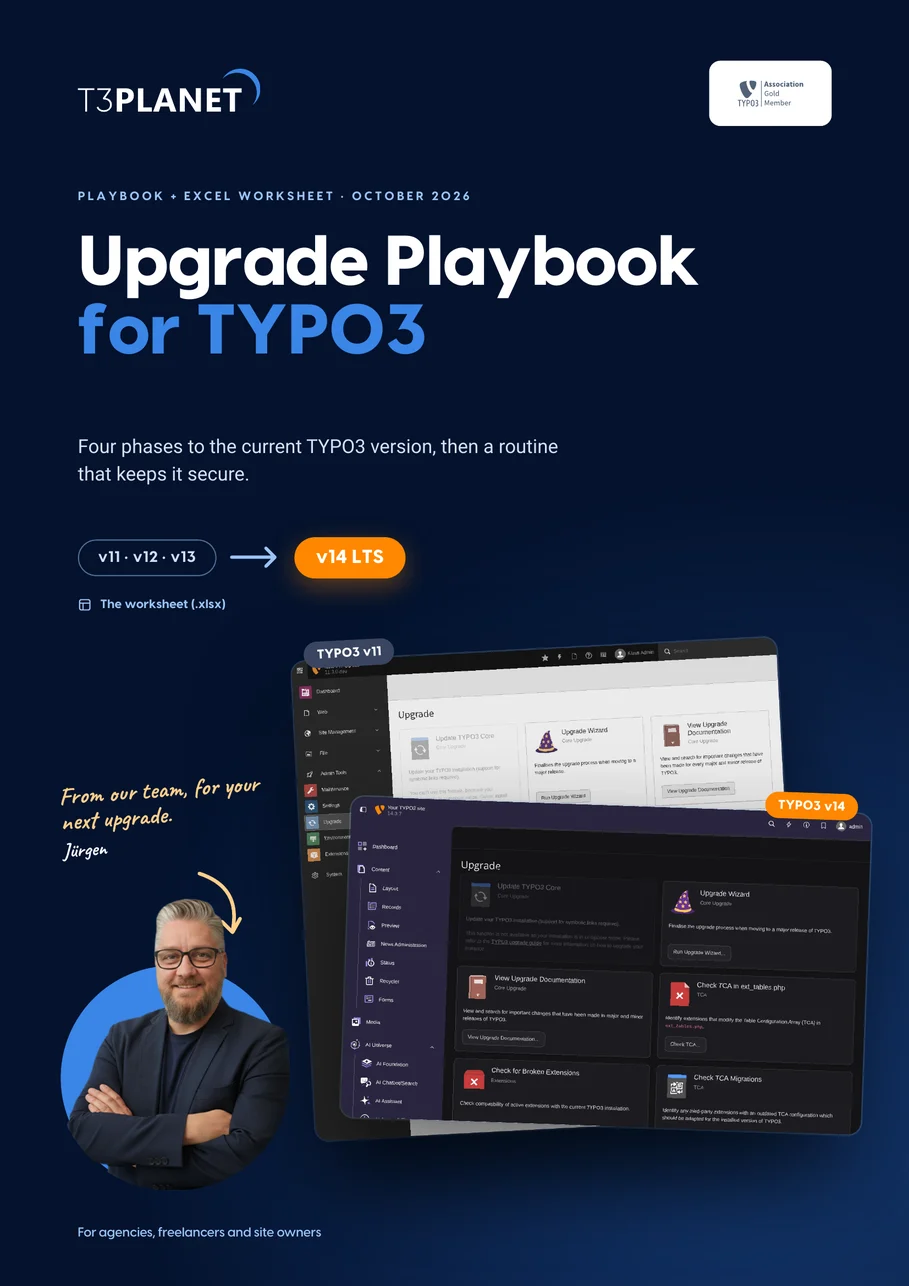
From the Upgrade Playbook for TYPO3, October 2026.
Eighteen pages you will actually use
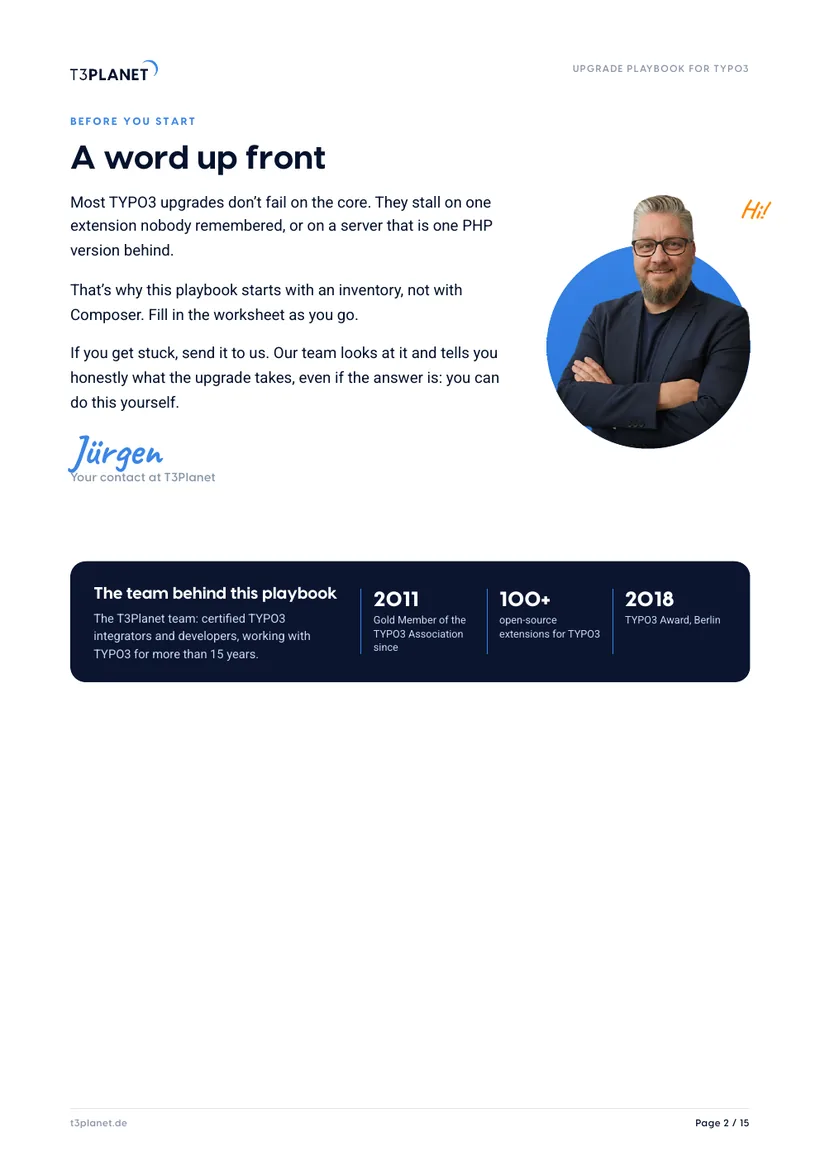
A word up front
Why upgrades stall, from Jürgen, and the team behind the playbook.
Where do you stand?
The whole process on one page, support dates of v11 to v14 and the safe path to v14.
Phase 1: Take stock
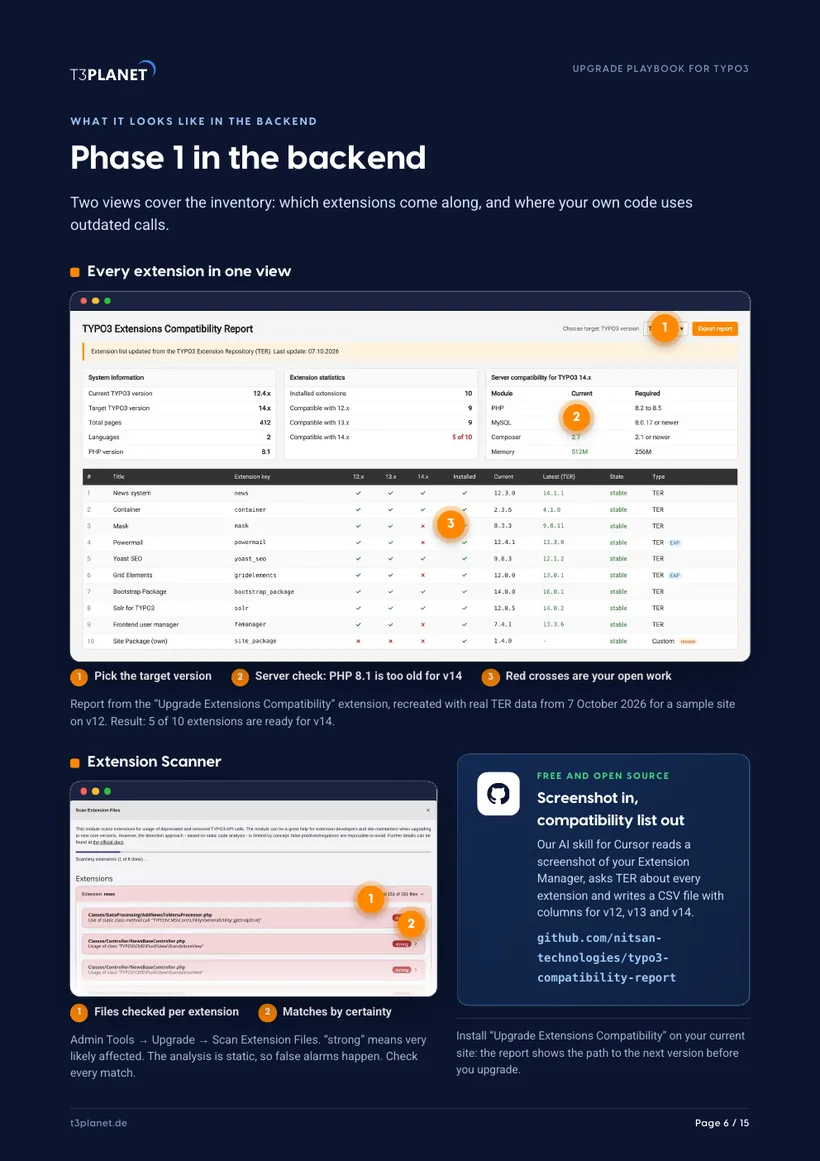
Worksheet, deprecation log, Extension Scanner, and the compatibility report in the backend.
Phase 2: Staging and backup
A copy, a tested restore and a written way back.
Phase 3: Upgrade and migrate
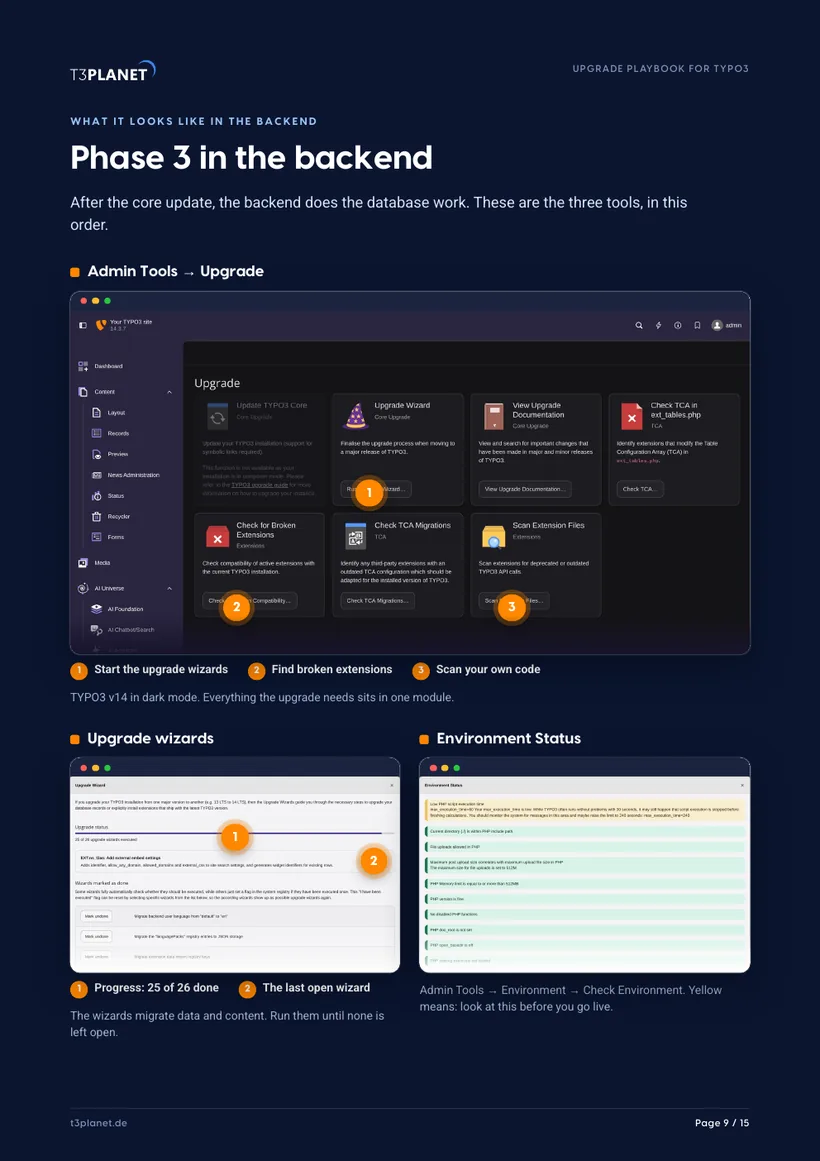
The order that avoids errors, upgrade wizards in the v14 backend, risks by severity.
Phase 4: Test and go live
The test list, the go-live steps and the first week.
New: security and maintenance
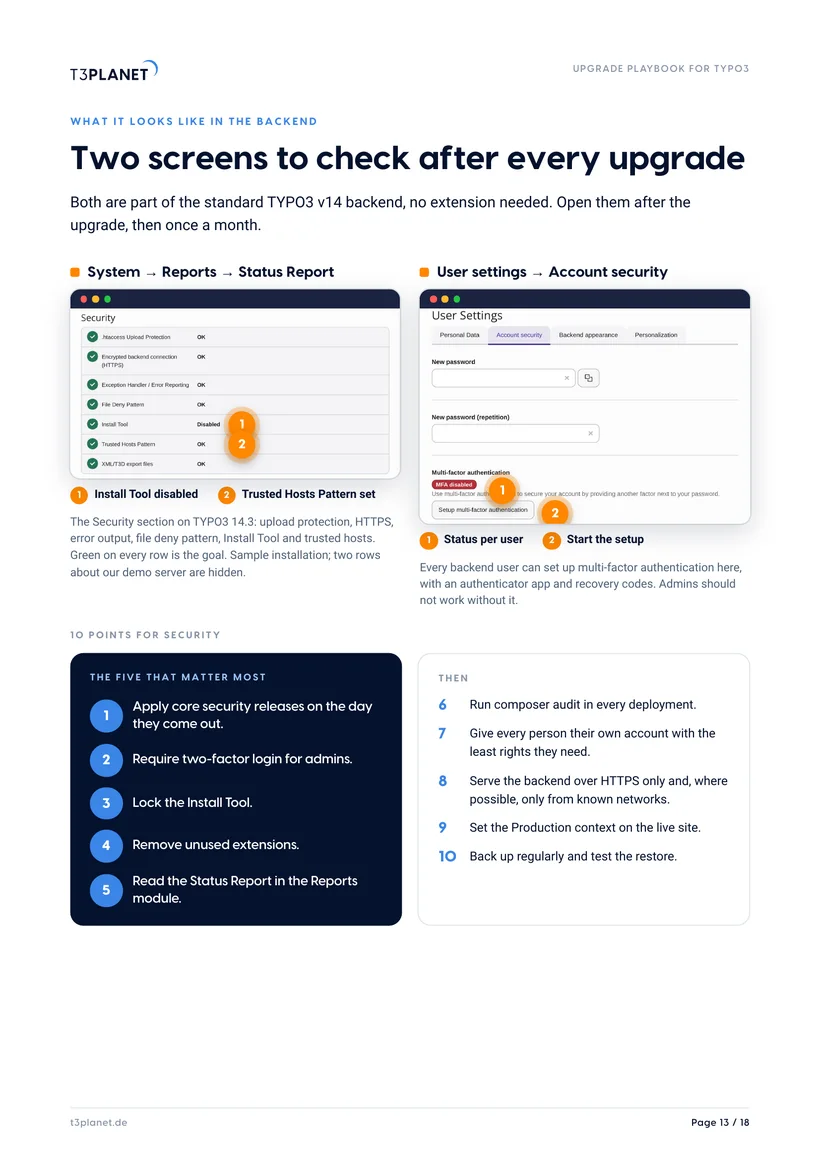
How TYPO3 security fixes reach you, two v14 security screens, a maintenance calendar and when ELTS makes sense.
Size it, then decide
Seven factors that make an upgrade bigger, and how we work at your side.
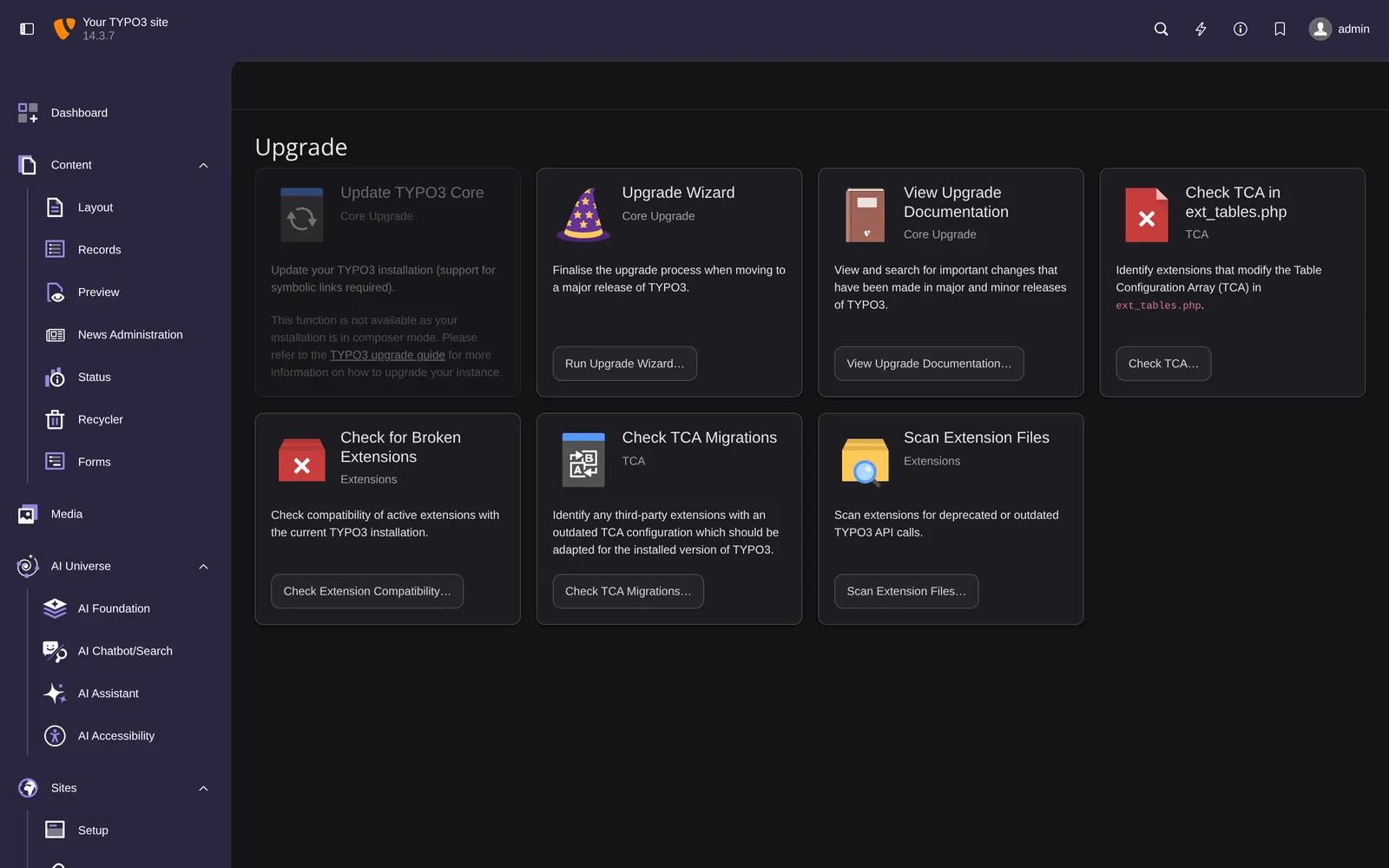
From TYPO3 v11 to v14: the Upgrade module you will work in
Drag the handle. Same tools, same order, a calmer backend. The playbook shows each screen with numbered steps.
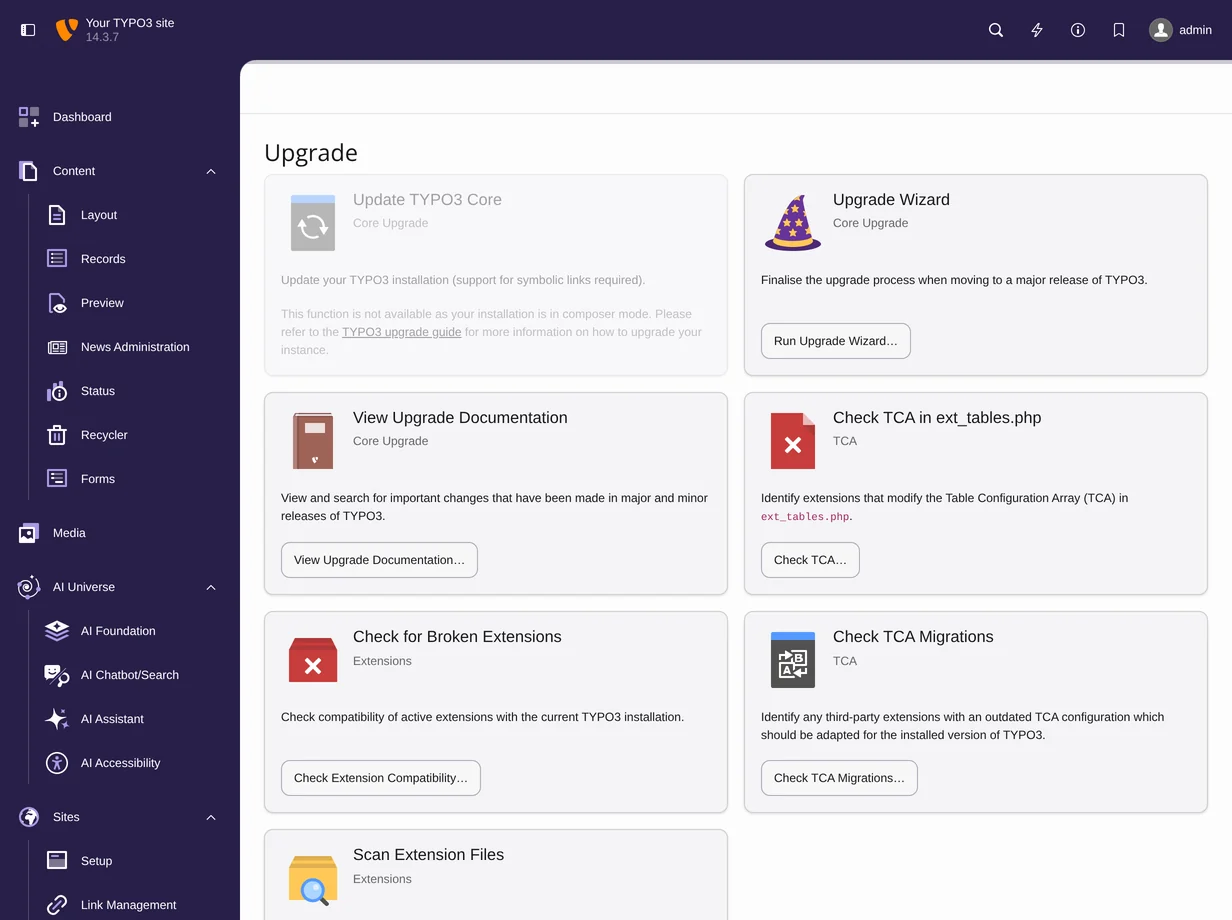
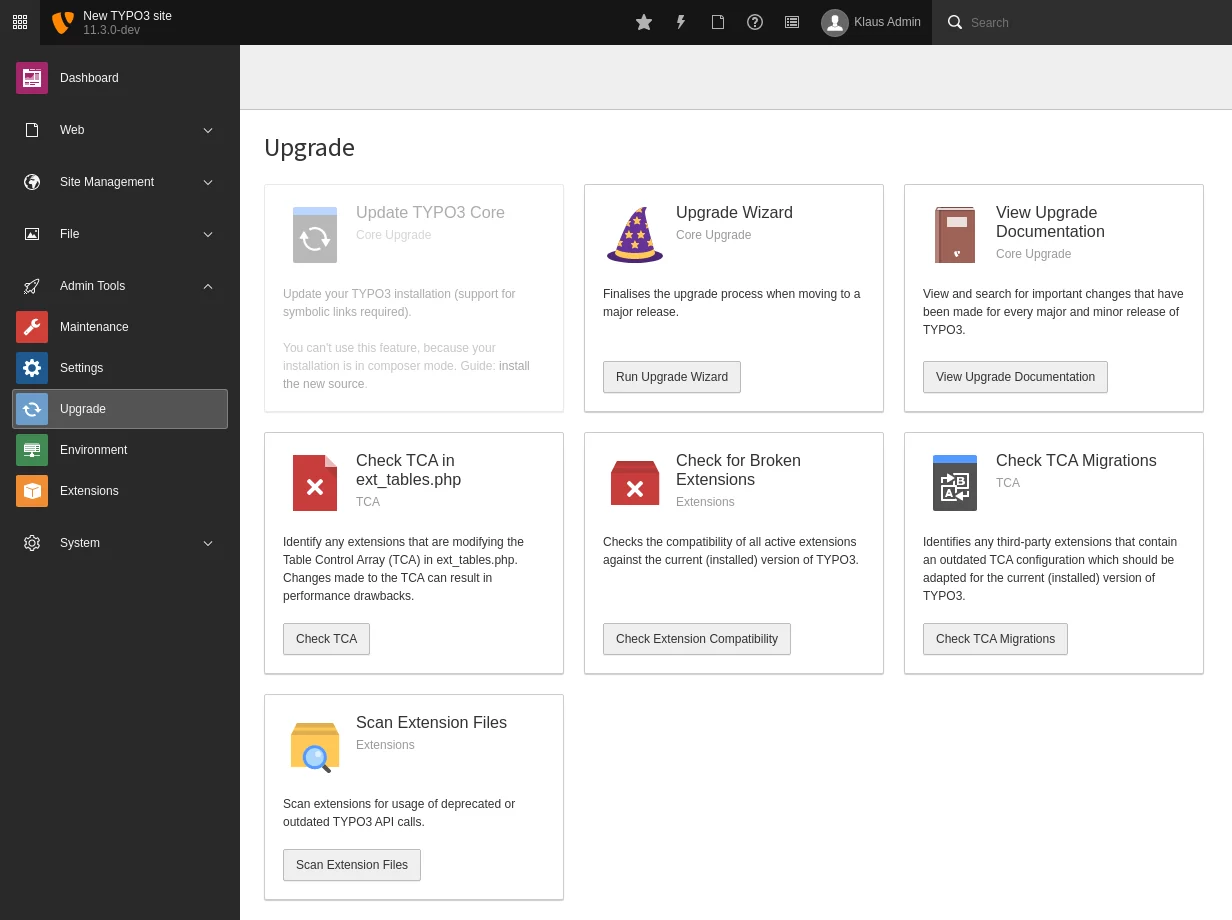 TYPO3 v11TYPO3 v14
Five steps, one at a time
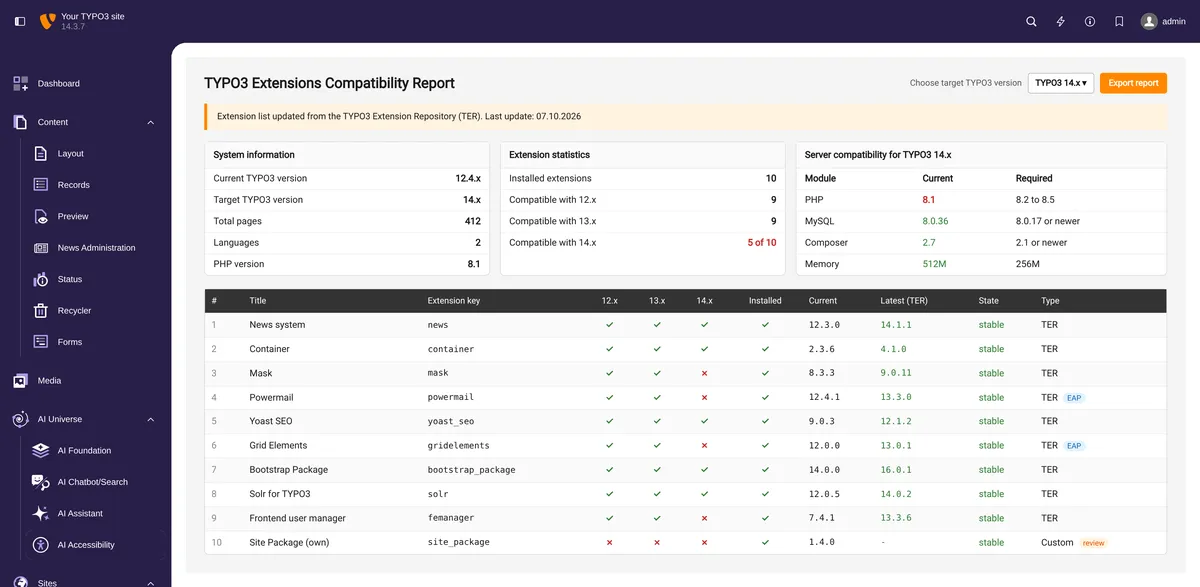
Take stock
Version, PHP, every extension and your own code on one sheet.
- Fill in the worksheet
- Check each extension against v14 on TER
- Run the Extension Scanner on your own code
Staging and backup
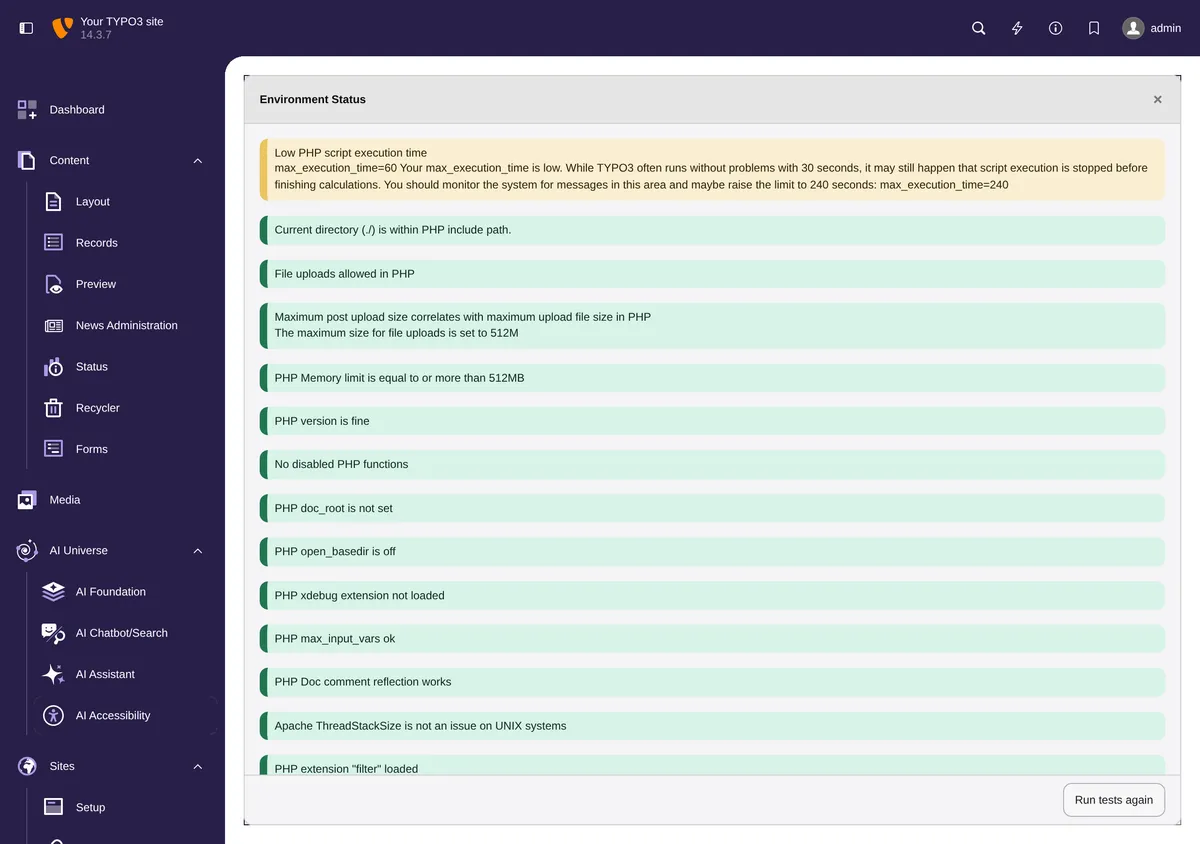
Whatever can go wrong goes wrong on a copy.
- Set up a staging copy
- Back up and test the restore
- Check PHP 8.2+ and the database version
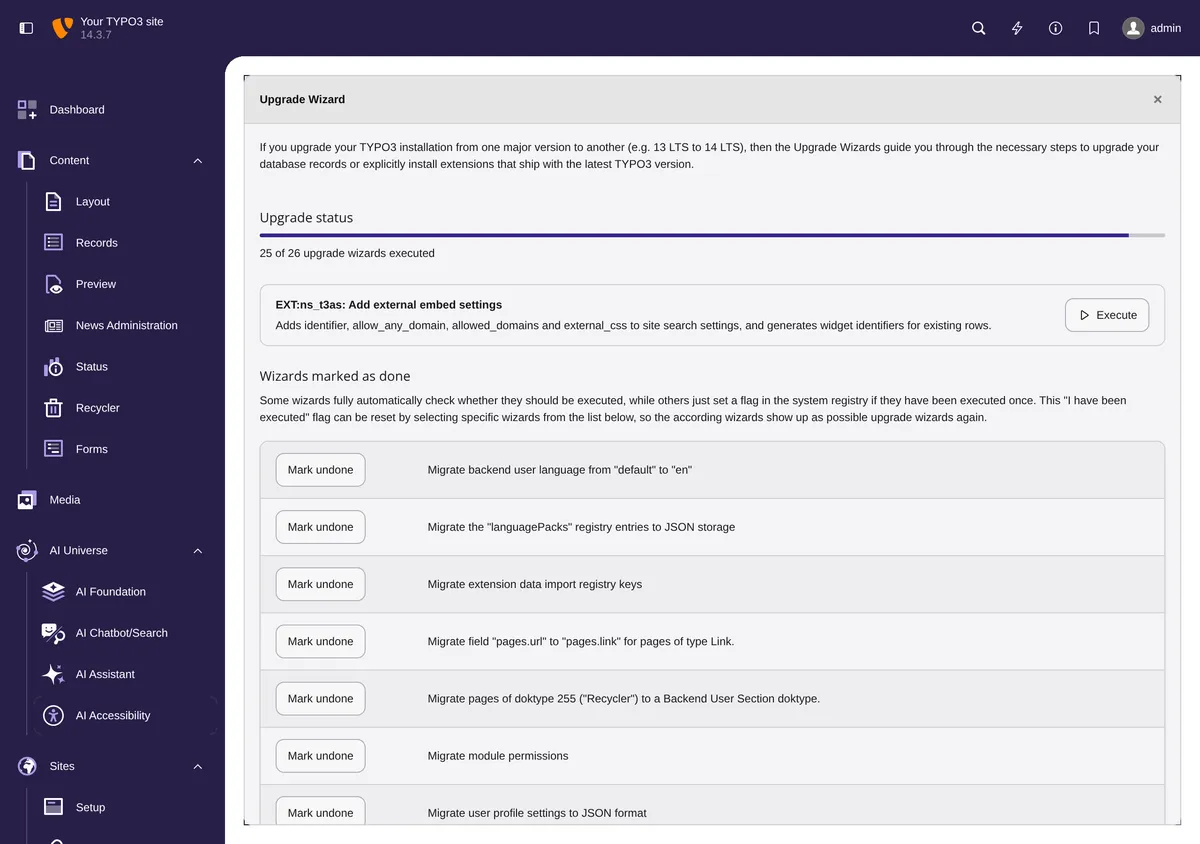
Upgrade and migrate
Core, extensions and database in a fixed order.
- Raise PHP, then update with Composer
- Run the upgrade wizards
- Analyze the database structure
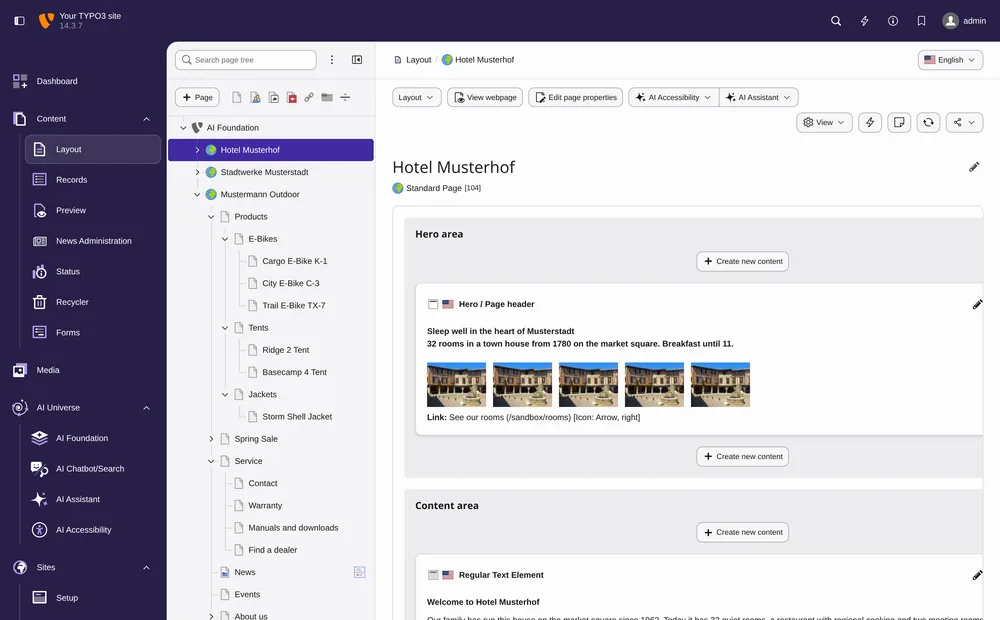
Test and go live
Test what visitors and editors use every day.
- Backend, frontend, forms, scheduler
- Editors sign off on staging
- Deploy, flush caches, spot-check
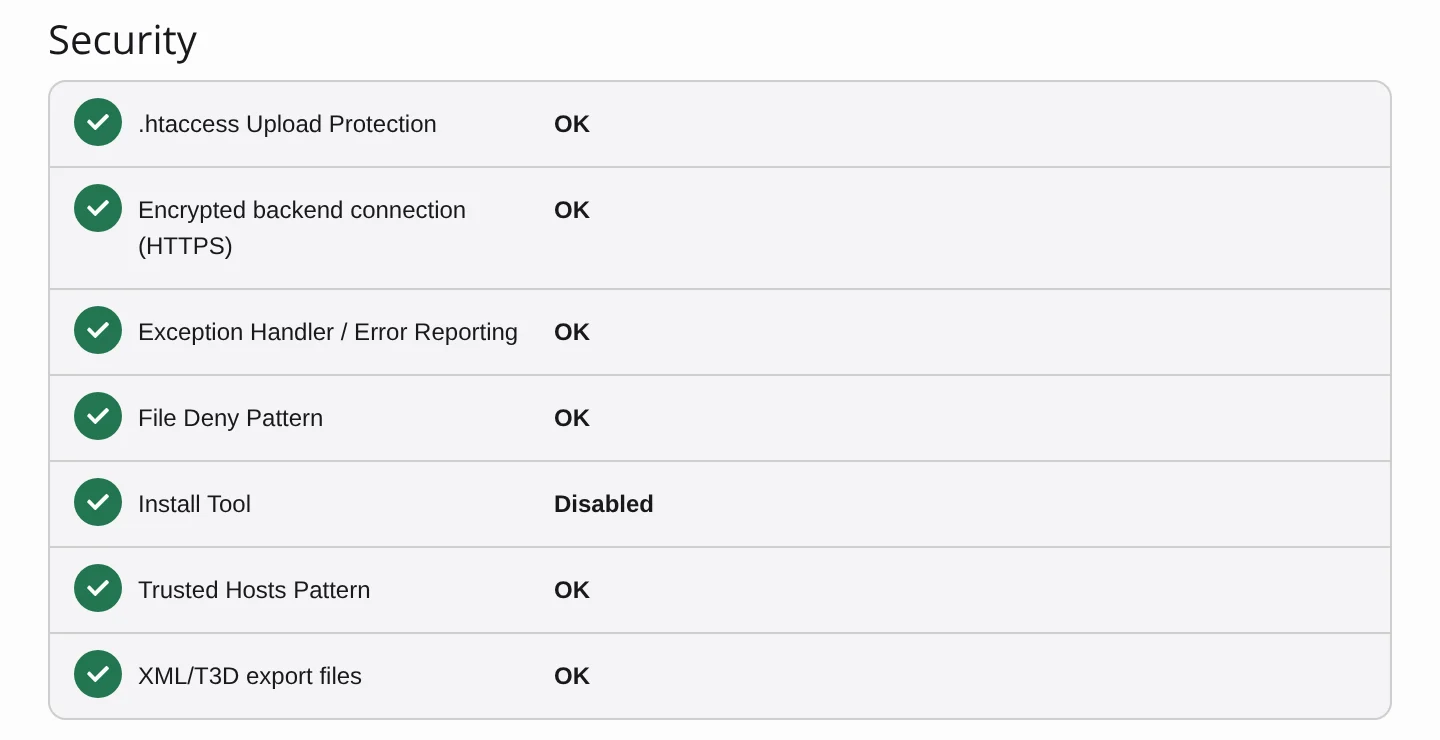
Secure and maintain
Security fixes on a fixed day, a calendar for everything else.
- Follow the TYPO3 security bulletins
- Two-factor login for admins, a clean Status Report
- Twelve maintenance tasks in four rhythms
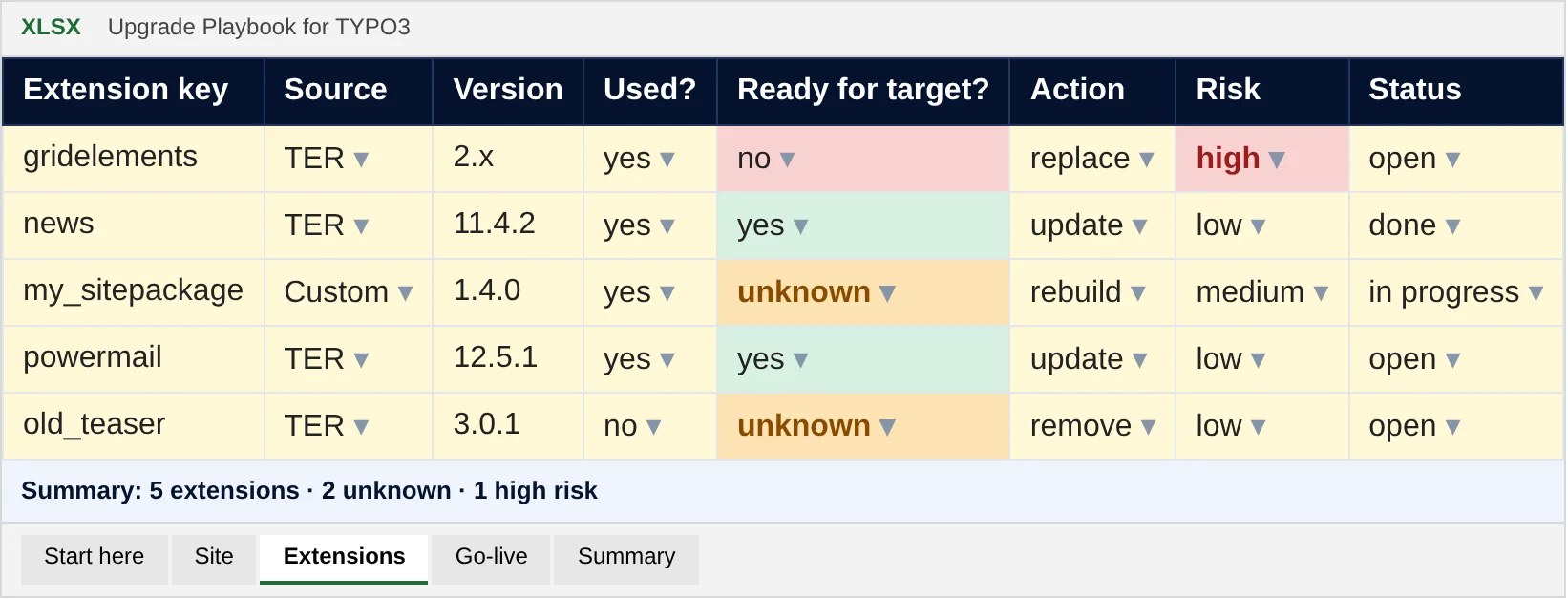
Every extension on one sheet
One row per extension: source, version, ready for the target or not, and what you do with it. Dropdowns keep it fast, colours show the open work, and the summary counts itself.
- Six tabs: start here, site, extensions, go-live, maintenance, summary
- Opens in Excel, LibreOffice and Google Sheets
- The same list we need for a quote, if you want help later
Screenshot in, compatibility list out
Our AI skill for Cursor reads a screenshot of your Extension Manager, asks TER about every extension and writes a CSV with columns for v12, v13 and v14.
People, not a content machine
The playbook comes from the T3Planet team: certified TYPO3 integrators and developers, working with TYPO3 for more than 15 years and contributing to the community.
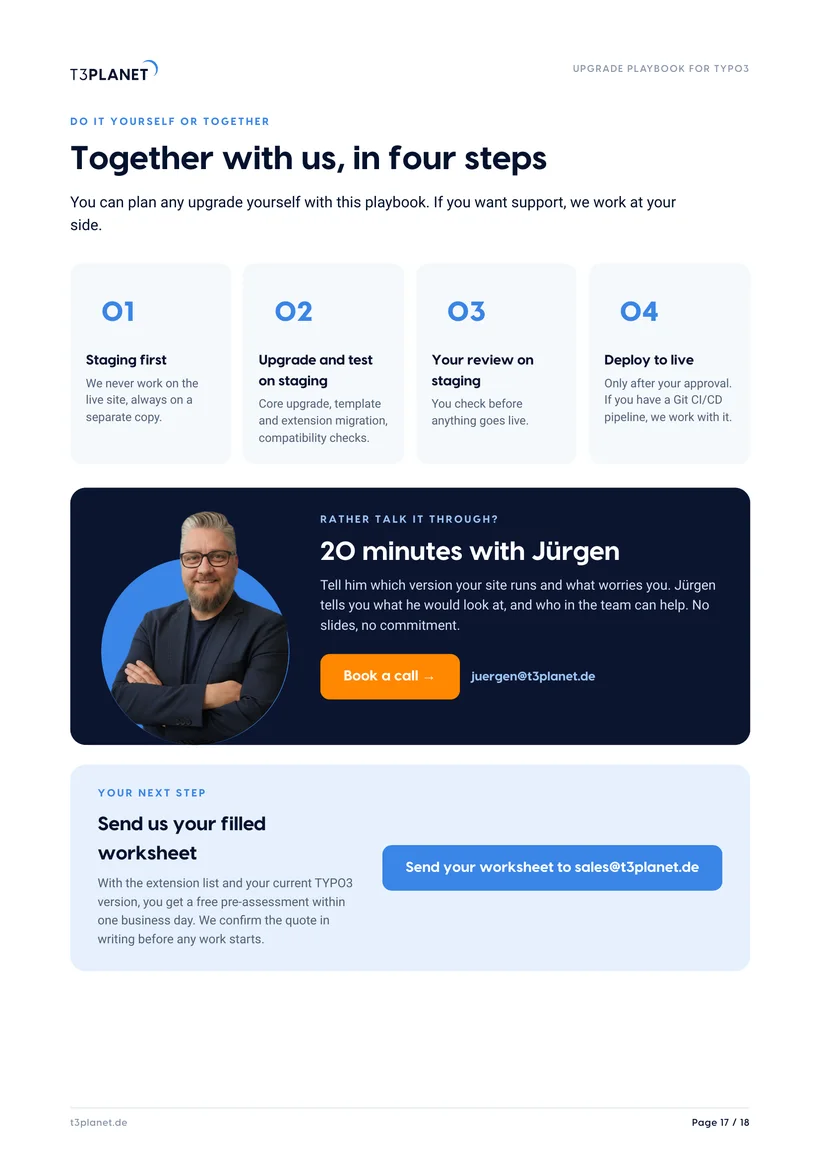
20 minutes with Jürgen
Tell him which version your site runs and what worries you. Jürgen tells you what he would look at, and who in the team can help. No slides, no commitment.
Jürgen · Your contact at T3PlanetAgencies and freelancers
A repeatable process for every client project, with a worksheet to agree scope with your client.
Site owners
One page in plain words, plus the three questions to ask your agency before anything starts.
Frequently asked questions
Can I skip LTS versions when upgrading to TYPO3 v14?
No. Go one LTS version at a time, for example from v11 to v12, v13 and then v14, and run the upgrade wizards and the database analysis after every step. That keeps each step small and easy to test. The playbook gives the fixed order on pages 8 to 10.
When do free security fixes end for TYPO3 v11, v12 and v13?
Free security fixes for TYPO3 v11 ended in October 2024 and for v12 on 30 April 2026. TYPO3 v13 gets them until December 2027. Sites on v12 or older run without free fixes today, so the playbook starts with an inventory on pages 3 and 4 and shows the safe path to v14.
What does TYPO3 v14 need on the server?
TYPO3 v14 needs PHP 8.2 or newer and a database version that v14 supports. Check both on your staging copy before the core update: raise PHP first, then update TYPO3 and your extensions with Composer. Page 7 of the playbook lists the staging and backup steps.
What is TYPO3 ELTS, and can it replace an upgrade?
ELTS (Extended Long Term Support) is a paid subscription from TYPO3 GmbH with security and compatibility updates for versions whose free support has ended. As of October 2026 it runs for v11 until October 2027 and for v12 until April 2029. It buys time for a planned upgrade, but it does not move your extensions forward. Page 15 of the playbook shows when it fits.
How do I find out about TYPO3 security updates?
Subscribe to the TYPO3 Announce mailing list and check typo3.org/security. The TYPO3 Security Team publishes core and extension bulletins there with a CVSS rating, and announces critical releases in advance with date and time. Page 12 of the playbook turns this into a release-day routine, page 14 into a maintenance calendar.
Is the playbook free?
Yes. You get the PDF and the worksheet right after you submit the form.
What happens with my email address?
We use it to send you the guide and keep your request in our CRM. No newsletter, no mailing list.
Do I have to work with you afterwards?
No. The playbook works on its own. If you want support, you can send us the filled worksheet for a free pre-assessment.