

Hand your TYPO3 work to an AI assistant, one job at a time
Practical guides and one-minute videos for editors, marketers, administrators, developers and agencies: what you can ask, what it changes, and what stays with you. Start free with AI Foundation.
Every Friday: two new jobs for your AI assistant, each with a one-minute video.
- AI Foundation: free and open source
- 100+ MCP tools
- One-minute videos with subtitles
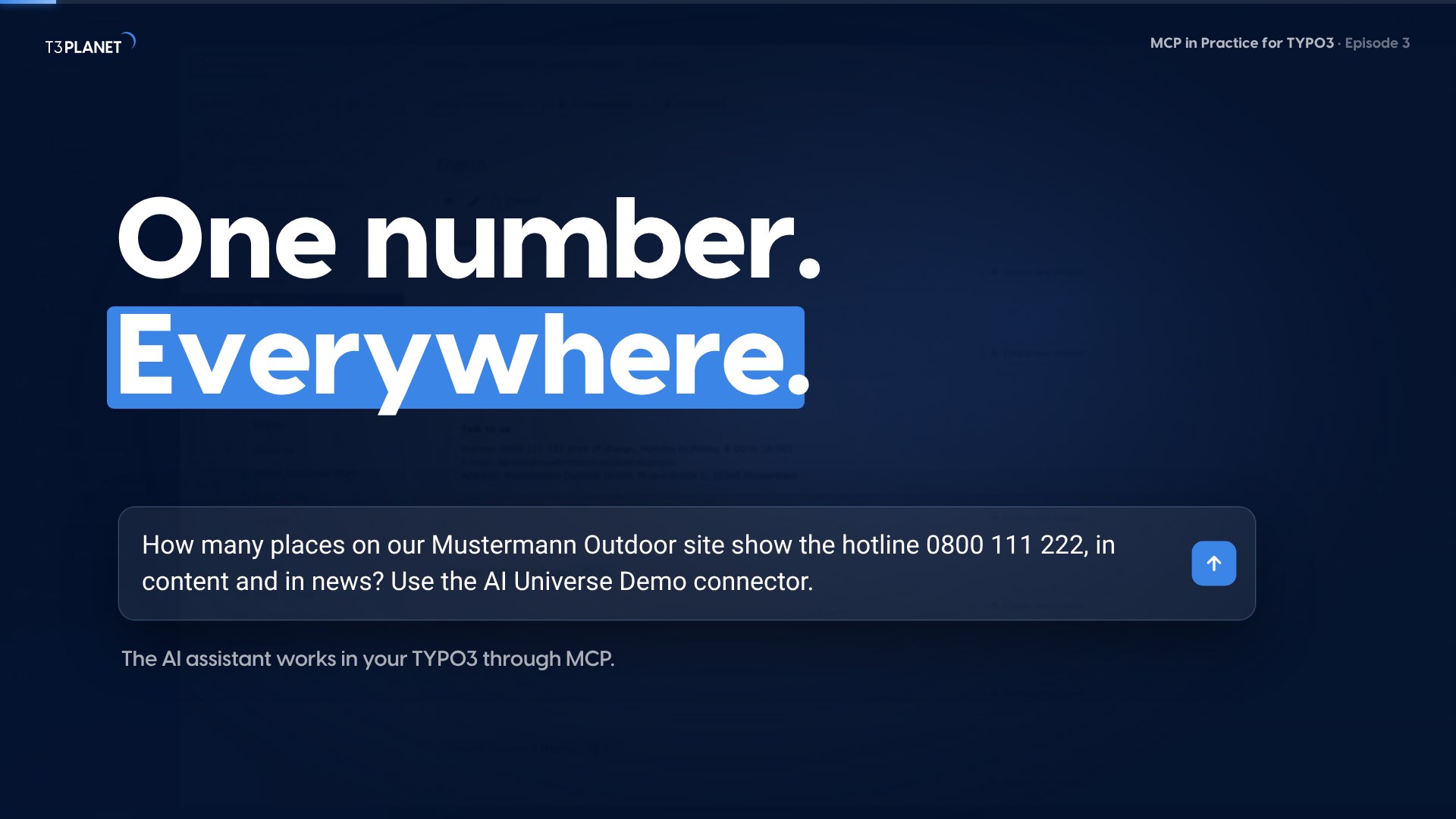
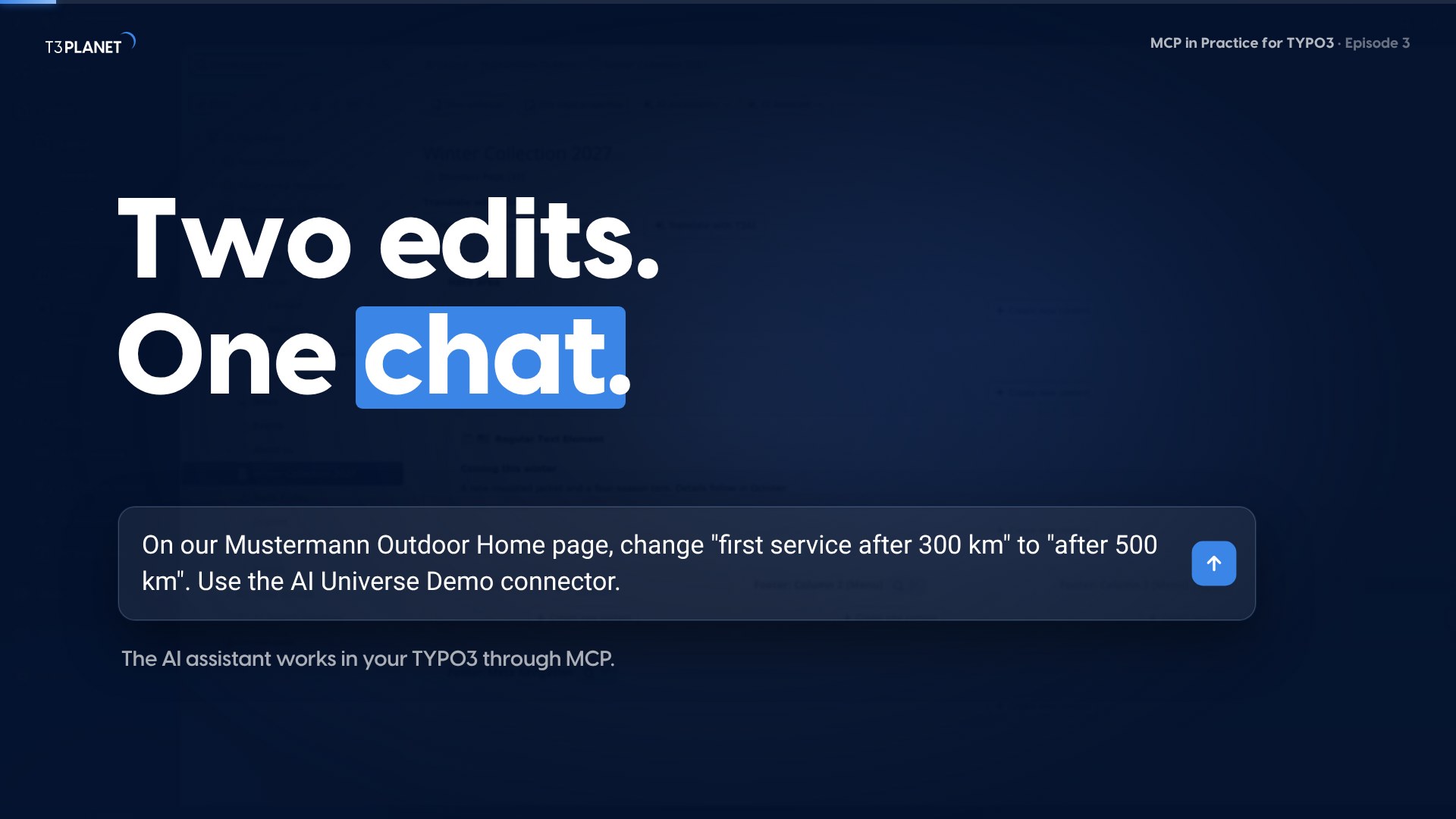
Two new jobs, each with a one-minute video
Read the guide, watch the job done on our demo install, then try the prompt on your own TYPO3.
Start in three steps
Install, switch on, connect. AI Foundation is free and open source, and each picture is a real screen from our demo install.
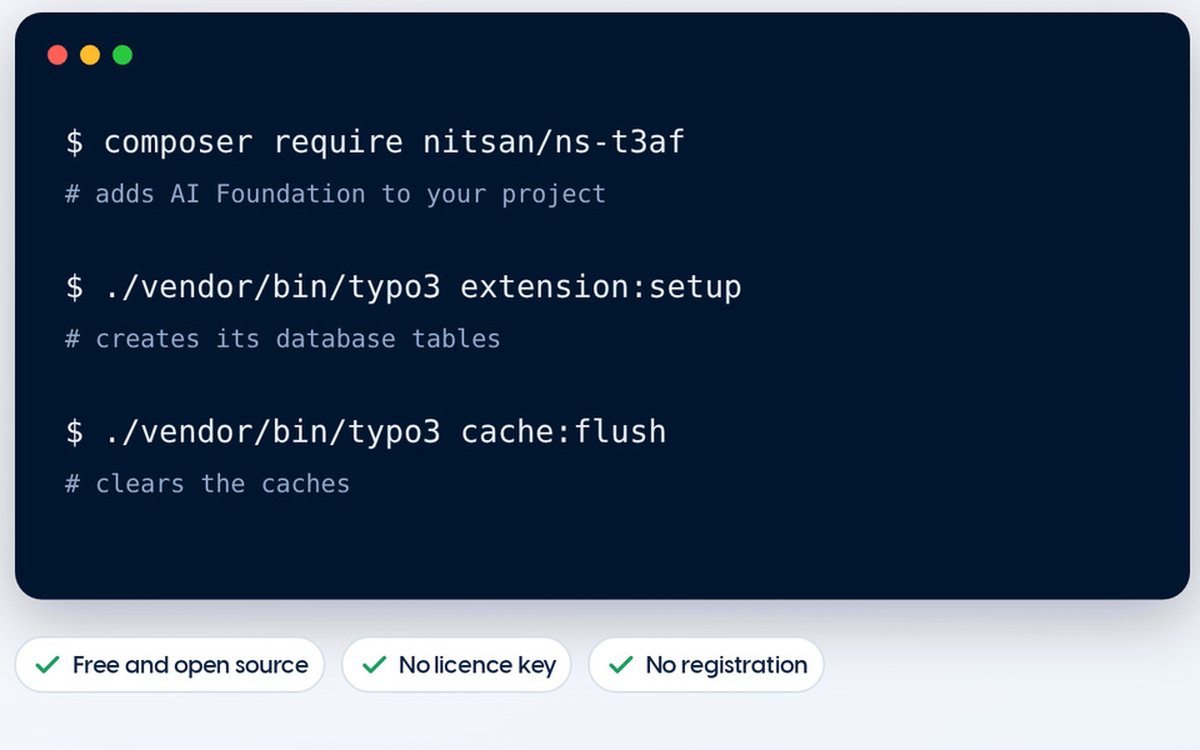
Install AI Foundation
One Composer command, no licence key, no registration.
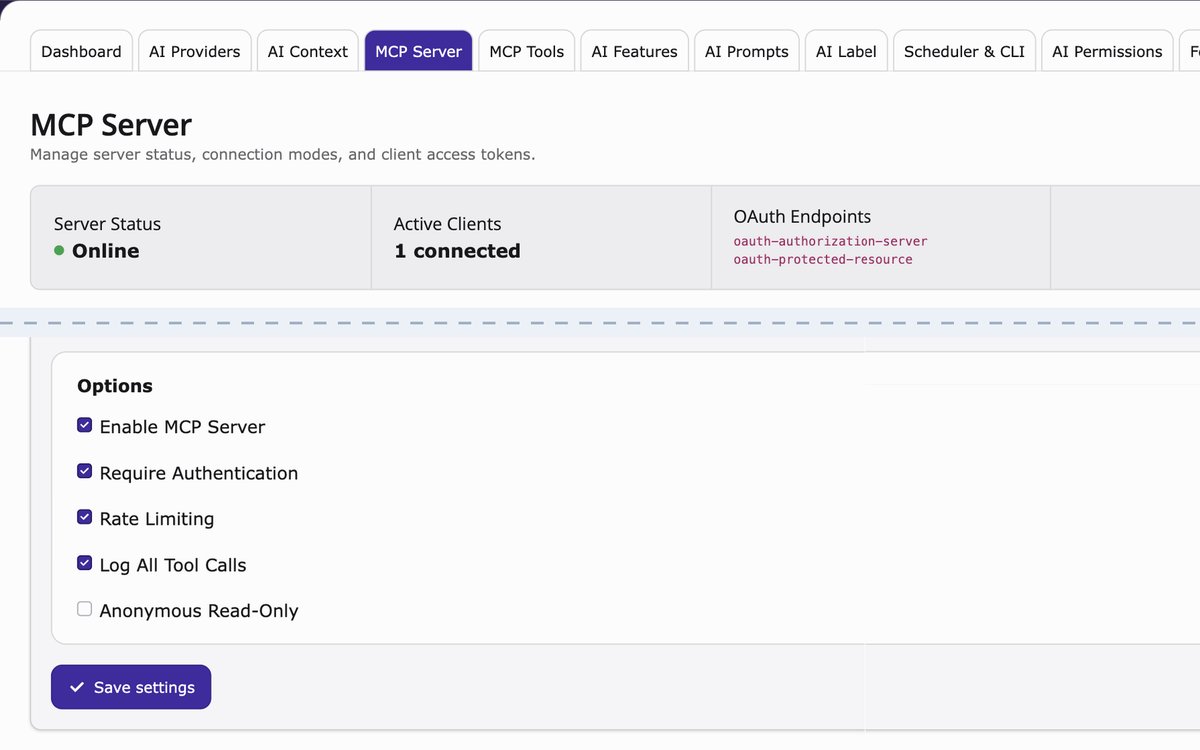
Switch on the MCP server
In the AI Foundation module, tick Enable MCP Server, save, and look for the status Online.
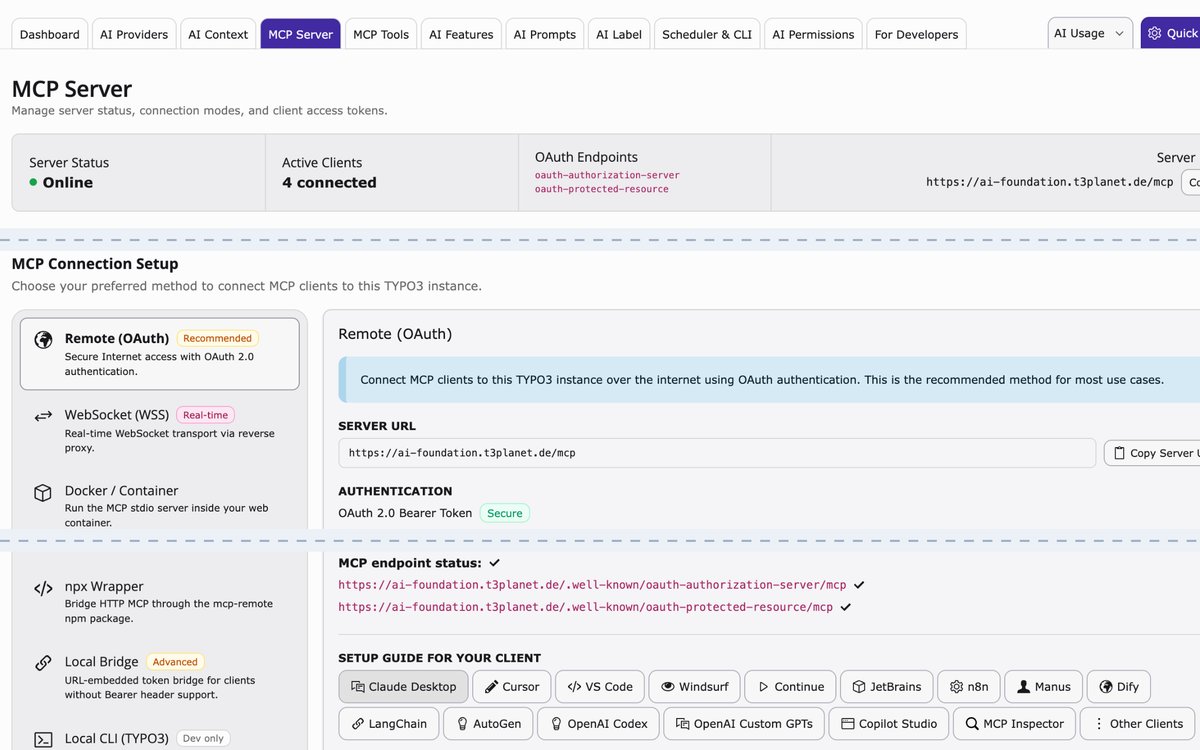
Connect your assistant
Copy the server URL ending in /mcp and sign in with OAuth. Then ask a first question that only reads.
Use it with your AI assistant
One guide per assistant: how to connect it, first prompts, and what works.
- ClaudeEditors, marketers, adminsOpen the Claude guide
- ChatGPTTeams on ChatGPTOpen the ChatGPT guide
- GeminiGoogle users (Gemini Enterprise: admin setup)Open the Gemini guide
- Microsoft CopilotMicrosoft 365 companiesOpen the Microsoft Copilot guide
- Claude CodeDevelopers, in the terminalOpen the Claude Code guide
- CursorDevelopersOpen the Cursor guide
- VS CodeDevelopers with GitHub CopilotOpen the VS Code guide
- PhpStormTYPO3 developersOpen the PhpStorm guide
Watch it done in one minute
Every guide has a video: the question, the prompt, and the change in the backend and on the page. Subtitled, no sound needed.
The journey
Nine chapters from 1 October 2026 to 7 May 2027. Every Friday: two new jobs for your AI assistant, each with a one-minute video. Pick a chapter to see its episodes.
Chapter 1: Start here
Install, pick your assistant, first prompts, check and put back changes.
 TYPO3 MCP: What Is the Model Context Protocol and How Do You Use It?
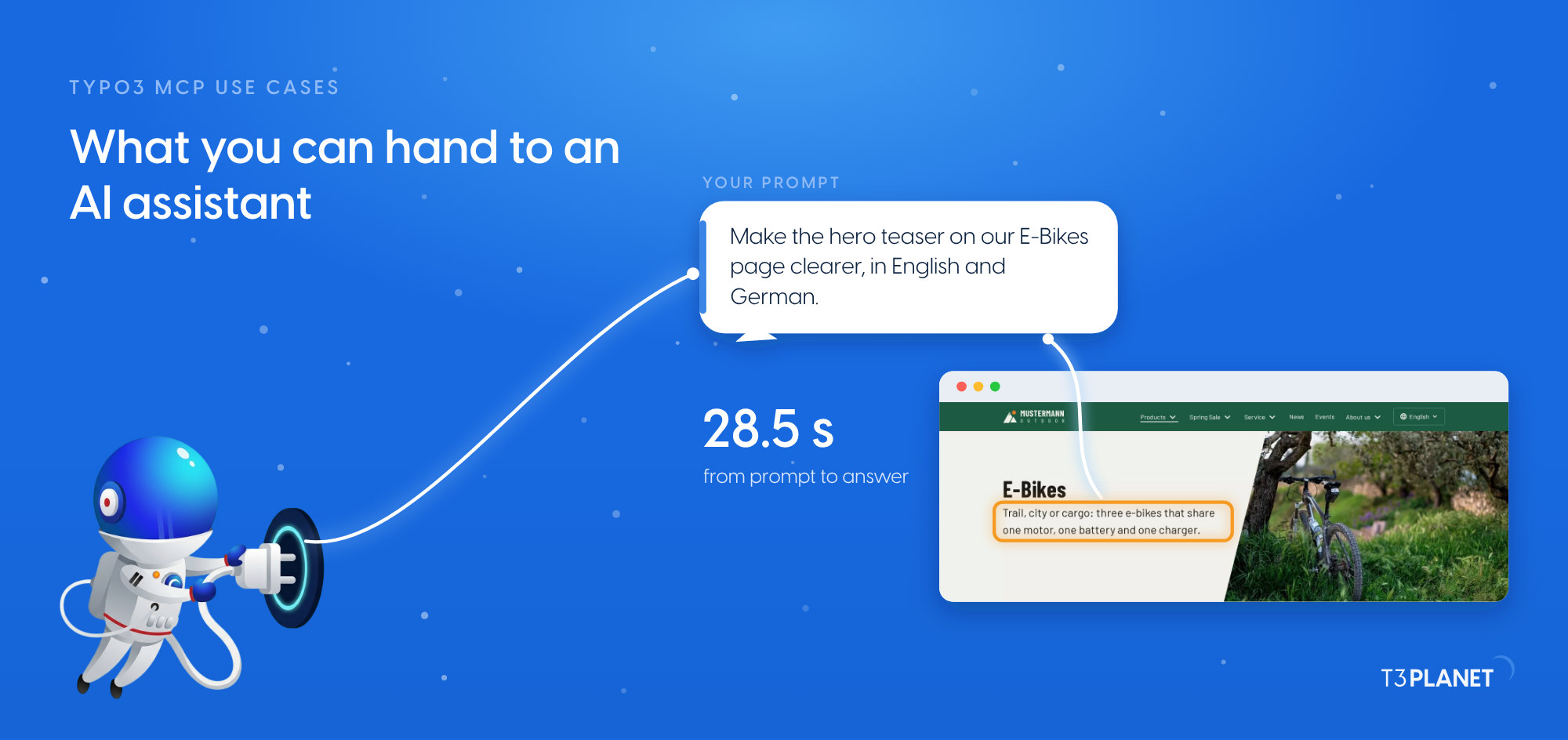 TYPO3 MCP use cases: what you can hand to an AI assistant, on one map
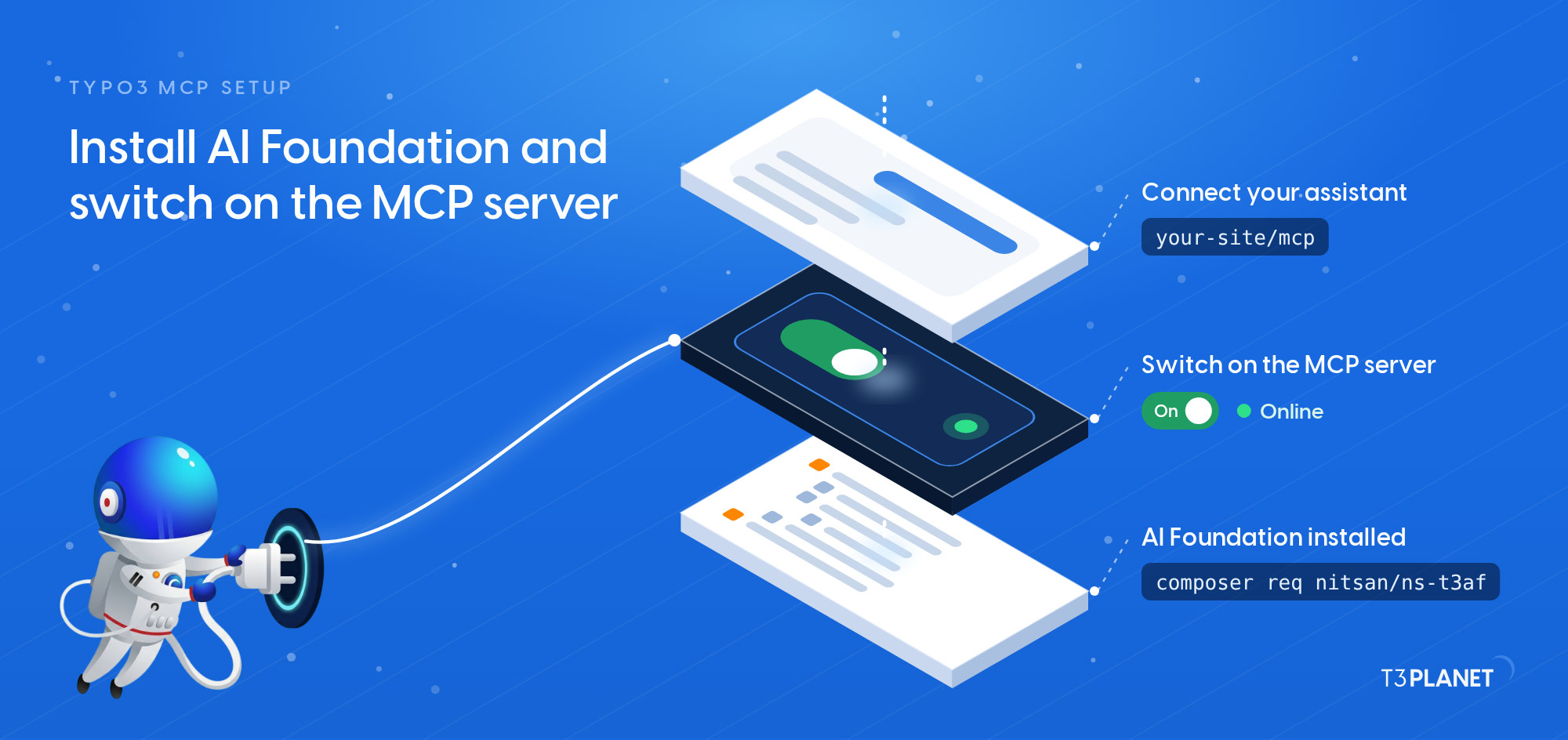 TYPO3 MCP setup: install AI Foundation and switch on the MCP server
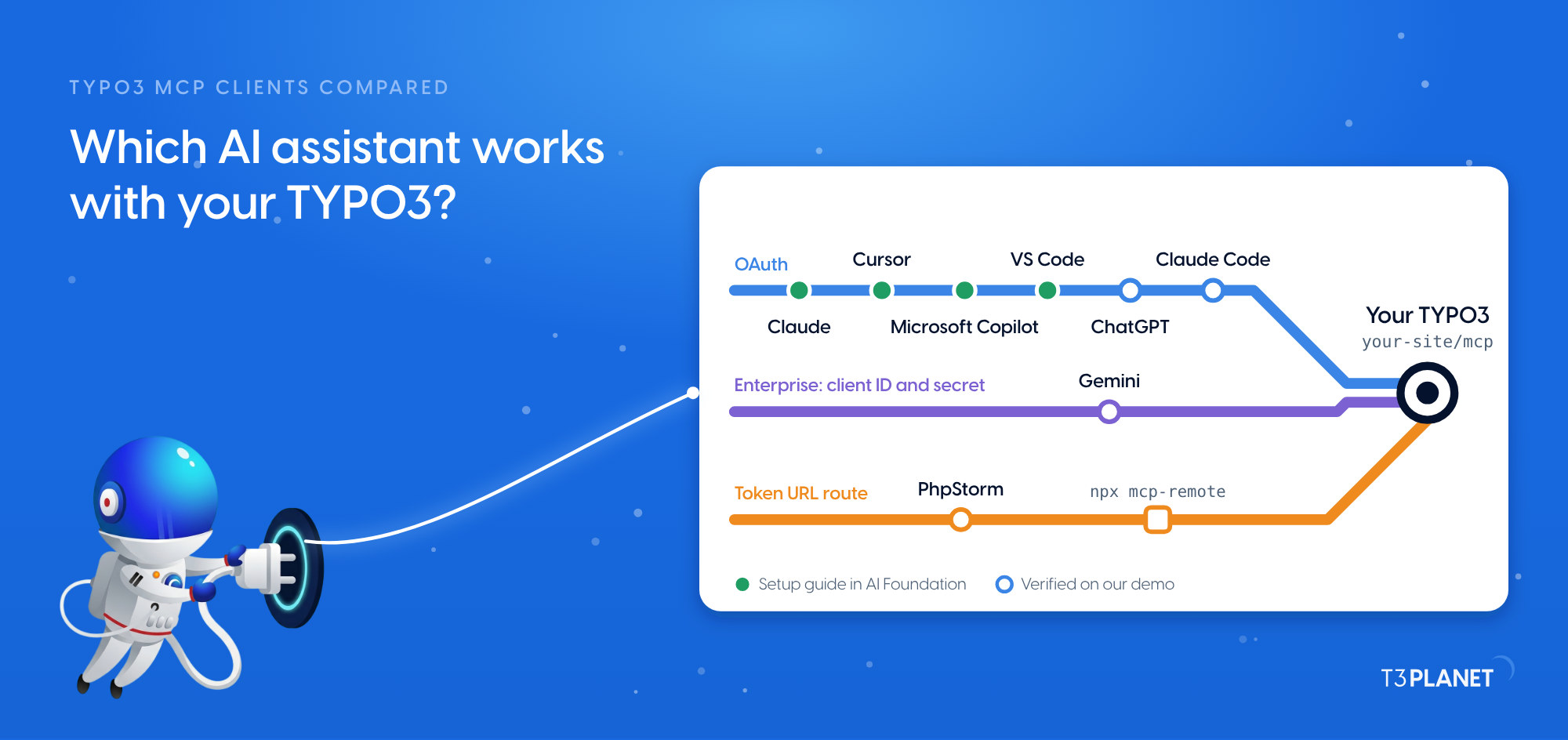 TYPO3 MCP clients compared: which AI assistant works with your TYPO3?
- MCP in Practice for TYPO3Episode56 Nov 2026TYPO3 MCP prompts: ten starters and the Playground
- MCP in Practice for TYPO3Episode56 Nov 2026TYPO3 workspaces from chat: draft, review, publish, discard
Chapter 2: Ask and edit
Questions, audits and everyday edits from chat.
- TYPO3 content editing with AI: four everyday edits from chat
- Change a phone number, price or product name everywhere in TYPO3
- MCP in Practice for TYPO3Episode430 Oct 2026Ask your TYPO3 anything: 15 questions answered in seconds
- MCP in Practice for TYPO3Episode430 Oct 2026TYPO3 SEO audit by conversation: descriptions, titles, noindex, canonicals
- MCP in Practice for TYPO3Episode613 Nov 2026Clone a campaign page with all its subpages
- MCP in Practice for TYPO3Episode613 Nov 2026fileadmin from chat: import from a URL, rename, reorganise, check usage
- MCP in Practice for TYPO3Episode720 Nov 2026Schedule pages to go live and expire, plus short-lived redirects
- MCP in Practice for TYPO3Episode720 Nov 2026A TYPO3 editor's working day with MCP
Chapter 3: The AI Universe at work
One tour: writing, SEO, alt text, chatbot, translation.
- MCP in Practice for TYPO3Episode827 Nov 2026Every image without alt text: found, described by your assistant, saved after review
- MCP in Practice for TYPO3Episode827 Nov 2026Topic to be announced
- MCP in Practice for TYPO3Episode94 Dec 2026Topic to be announced
- MCP in Practice for TYPO3Episode94 Dec 2026What do your chatbot and AI search know? Audit, refresh, fix training
- MCP in Practice for TYPO3Episode1011 Dec 2026Topic to be announced
- MCP in Practice for TYPO3Episode1011 Dec 2026Topic to be announced
- MCP in Practice for TYPO3Episode1118 Dec 2026Topic to be announced
- MCP in Practice for TYPO3Episode1118 Dec 2026A marketing manager's week with MCP in TYPO3
Chapter 4: For administrators
Security, access, observability, the data path.
- MCP in Practice for TYPO3Episode128 Jan 2027Secure your TYPO3 MCP server: OAuth 2.1, tokens, IP allowlist and mTLS
- MCP in Practice for TYPO3Episode128 Jan 2027Access review: who can edit what, and what can your AI do
- MCP in Practice for TYPO3Episode1315 Jan 2027See what your AI does: analytics, errors, connection health, cost
- MCP in Practice for TYPO3Episode1315 Jan 2027Context mode or native mode: who writes, and where your content goes
- MCP in Practice for TYPO3Episode1422 Jan 2027Topic to be announced
- MCP in Practice for TYPO3Episode1422 Jan 2027Scheduler health checks and maintenance windows
- MCP in Practice for TYPO3Episode1529 Jan 2027A TYPO3 administrator's morning check with MCP
Chapter 5: For developers
Testing, transports, your own tables, tools and skills.
- MCP in Practice for TYPO3Episode1529 Jan 2027Test your TYPO3 MCP server with MCP Inspector
- MCP in Practice for TYPO3Episode165 Feb 2027Seven ways to connect: OAuth, WebSocket, Docker, SSH tunnel, npx, Local Bridge, Local CLI
- MCP in Practice for TYPO3Episode165 Feb 2027Topic to be announced
- MCP in Practice for TYPO3Episode1712 Feb 2027Understand and update extension tables
- MCP in Practice for TYPO3Episode1712 Feb 2027Table Discovery: nine tools for your own tables
- MCP in Practice for TYPO3Episode1819 Feb 2027Ship MCP tools inside your own extension
- MCP in Practice for TYPO3Episode1819 Feb 2027Skills and prompt templates: give your assistant a workflow
- MCP in Practice for TYPO3Episode1926 Feb 2027An integrator's sprint with MCP
Chapter 6: Translation, SEO, alt text
Every language, every redirect, every image.
- MCP in Practice for TYPO3Episode1926 Feb 2027Which pages are missing a translation? A report in one question
- MCP in Practice for TYPO3Episode205 Mar 2027Topic to be announced
- MCP in Practice for TYPO3Episode205 Mar 2027Redirect maps: import, audit and fix redirects in bulk
- MCP in Practice for TYPO3Episode2112 Mar 2027Topic to be announced
- MCP in Practice for TYPO3Episode2112 Mar 2027Topic to be announced
- MCP in Practice for TYPO3Episode2219 Mar 2027Better alt text, titles and descriptions across the media library
Chapter 7: AI search and chatbot
Knowledge, tuning, search and monthly reports.
- MCP in Practice for TYPO3Episode2219 Mar 2027Topic to be announced
- MCP in Practice for TYPO3Episode2326 Mar 2027Topic to be announced
- MCP in Practice for TYPO3Episode2326 Mar 2027Topic to be announced
- MCP in Practice for TYPO3Episode242 Apr 2027Topic to be announced
Chapter 8: Brand, labels, agencies
Brand voice, AI Label, models, many client sites.
- MCP in Practice for TYPO3Episode242 Apr 2027Topic to be announced
- MCP in Practice for TYPO3Episode259 Apr 2027Topic to be announced
- MCP in Practice for TYPO3Episode259 Apr 2027Topic to be announced
- MCP in Practice for TYPO3Episode2616 Apr 2027Topic to be announced
- MCP in Practice for TYPO3Episode2616 Apr 2027Content inventory for a relaunch or TYPO3 upgrade
- MCP in Practice for TYPO3Episode2723 Apr 2027A weekly content-health report, on a schedule
- MCP in Practice for TYPO3Episode2723 Apr 2027An agency's week: many TYPO3 sites, one assistant
Chapter 9: Connect everything
n8n, custom tools, agent frameworks, the finale.
- MCP in Practice for TYPO3Episode2830 Apr 2027Topic to be announced
- MCP in Practice for TYPO3Episode2830 Apr 2027Topic to be announced
- MCP in Practice for TYPO3Episode297 May 2027Topic to be announced
- MCP in Practice for TYPO3Episode297 May 202729 weeks of MCP in TYPO3: what we measured, what changed, what comes next
Your path
Pick your role. Each card lists its guides in reading order: what is out today links straight to it, what comes later shows its date.
Editor
Pages, text, images and translations
- Start here: What TYPO3 MCP is · What you can hand over · How to set it up · Which assistant fits
- TYPO3 MCP prompts: ten starters and the Playground
- TYPO3 workspaces from chat: draft, review, publish, discard
- Ask your TYPO3 anything: 15 questions answered in seconds
- TYPO3 content editing with AI: four everyday edits from chat
- Change a phone number, price or product name everywhere in TYPO3
- and 2 more guides, the last on 20 Nov 2026
Marketer
SEO, campaigns, chatbot and search
- Start here: What TYPO3 MCP is · What you can hand over · How to set it up · Which assistant fits
- TYPO3 SEO audit by conversation: descriptions, titles, noindex, canonicals
- Clone a campaign page with all its subpages
- Topic to be announced
- and 4 more guides, the last on 18 Dec 2026
Administrator
Setup, rights and health checks
- Start here: What TYPO3 MCP is · What you can hand over · How to set it up · Which assistant fits
- Secure your TYPO3 MCP server: OAuth 2.1, tokens, IP allowlist and mTLS
- Access review: who can edit what, and what can your AI do
- See what your AI does: analytics, errors, connection health, cost
- and 3 more guides, the last on 29 Jan 2027
Developer
Tables, tools and integrations
- Start here: What TYPO3 MCP is · What you can hand over · How to set it up · Which assistant fits
- Test your TYPO3 MCP server with MCP Inspector
- Seven ways to connect: OAuth, WebSocket, Docker, SSH tunnel, npx, Local Bridge, Local CLI
- Table Discovery: nine tools for your own tables
- and 3 more guides, the last on 26 Feb 2027
Agency
Many client sites, one assistant
- Start here: What TYPO3 MCP is · What you can hand over · How to set it up · Which assistant fits
- Clone a campaign page with all its subpages
- Content inventory for a relaunch or TYPO3 upgrade
- Topic to be announced
- and 3 more guides, the last on 23 Apr 2027
What can you hand over?
Real prompts from the series. Copy one into your assistant, or open the guide.
Which pages are hidden, or go live or expire in the next 30 days?
Episode 4 · coming 30 Oct 2026Change the hotline number on every page to 0800 222 333, then list every page you changed.
Discard everything changed on page 12 today.
Episode 5 · coming 6 Nov 2026List all pages with an empty meta description.
Episode 4 · coming 30 Oct 2026Copy the Spring Sale page with its subpages and rename it Autumn Sale.
Episode 6 · coming 13 Nov 2026Which images have no German alt text? Describe them and save after my review.
Episode 8 · coming 27 Nov 2026I published the new pricing pages. Resync the chatbot's knowledge.
Episode 9 · coming 4 Dec 2026What can the Editors group do on page 191?
Episode 12 · coming 8 Jan 2027List scheduler tasks that are disabled or failed on their last run.
Episode 14 · coming 22 Jan 2027Explain the fields of the news table and which ones are required.
Episode 17 · coming 12 Feb 2027Move all 2019 news into the Archive folder.
Episode 17 · coming 12 Feb 2027Which English pages have no German translation yet?
Episode 19 · coming 26 Feb 2027
With and without an AI assistant
Measured on our demo install for every job published so far: the steps you take by hand in the TYPO3 backend, against one prompt and the seconds it took.
| Job | By hand | With one prompt |
|---|---|---|
| Read the page tree | 5 steps in the backend | 14.6 s on our demo install |
| Rewrite a hero teaser in English and German | 5 steps in the backend, per language | 28.5 s on our demo install |
| Set up and ask a first question | 4 steps: install, switch on, connect, check | 23.7 s for the first question on our demo install |
How every job runs
- AskWrite the job in your own words, as you would brief a colleague.
- CheckLook at the change in the backend and on the page, in every language.
- Keep or put backKeep what is right. There is no undo tool, so anything else you put back by hand.
What your team gets
- Time backOne prompt instead of the clicks for each page and language.
- Both languages in one goThe hero teaser job wrote English and German from one prompt.
- Everything checked before it staysYou see each change on the page and decide what stays.
Questions about TYPO3 MCP
What is TYPO3 MCP?
MCP, the Model Context Protocol, is an open standard that lets an AI assistant work with other systems. With an MCP server in TYPO3, an assistant such as Claude can read pages, change content and upload files, with the rights you give it.
What does it cost?
AI Foundation, the extension that adds the MCP server to TYPO3, is free and open source, with no licence key. A licence is only needed for the AI Universe extensions that add their own tools, such as AI Assistant or AI Accessibility; every guide says which it needs. For text that AI Foundation writes itself, your own keys are the default; AI Credits are an optional add-on, never required.
Which AI assistants work with it?
Assistants that can connect to a remote MCP server and sign in with OAuth, such as Claude, Microsoft Copilot (through Copilot Studio), Cursor and VS Code. AI Foundation includes setup presets for several of them, and our guides cover Claude, ChatGPT, Gemini, Microsoft Copilot, Claude Code, Cursor, VS Code and PhpStorm.
Where does my content go?
Your assistant reads the content it needs through MCP and sends it to its own vendor, as in any chat. How far your content travels then differs, depending on the model you choose; with the optional AI Credits, T3Planet is in the data path as well. With your own keys, the default, there is no T3Planet proxy in between, and only a local model keeps generation in-house.
Can I undo a change, or review it first?
Since AI Foundation 2.0, a records_apply batch can run as a dry run first, and records_undo takes the whole batch back by its batch ID; episode 3 shows both. Every guide shows how to check a change in the backend and on the page. AI Foundation can also hold changes to pages and content in a TYPO3 draft workspace for review, while files, file metadata, redirects, scheduler tasks and cache clears act live even there.
Which jobs stay with you for now?
The MCP tools do not set relation fields today, such as the categories, tags and authors of blog posts or the items of an FAQ, and files go up one at a time rather than as a whole folder. Those steps stay with you in the backend.
Does the assistant act on its own?
No. It acts when you ask, with the rights of the TYPO3 user you connect through OAuth. Ask it to list what it changed, then check each change on the page.
Which TYPO3 versions does it support?
AI Foundation runs on TYPO3 v12, v13 and v14, with PHP 8.2 or later.
Where do I start?
With Episode 1: what TYPO3 MCP is and what you can hand over. Then install AI Foundation, connect your assistant with its guide and begin with a question that only reads, such as "Which pages are under Products?".
How often do new episodes come out?
Every Friday: two new jobs for your AI assistant, each with a one-minute video, from 1 October 2026 to 7 May 2027, with a pause over Christmas and New Year.