

Private UniversityLa Sierra University
Helps La Sierra University editors add alt text and review pages for accessibility issues on its TYPO3 site.
AI Accessibility

Video overview 3:56
Recorded in the real TYPO3 backend on our demo site: alt text, scanner and Fix Hub, the Accessibility Widget, Live Audit and voiceover, plain language and the AI Agent. Watch it all, or jump to the chapter you need.
Recorded on our demo site with sample content. Captions are available in the player. AI Accessibility supports your accessibility work; it is not an audit and not a certification.
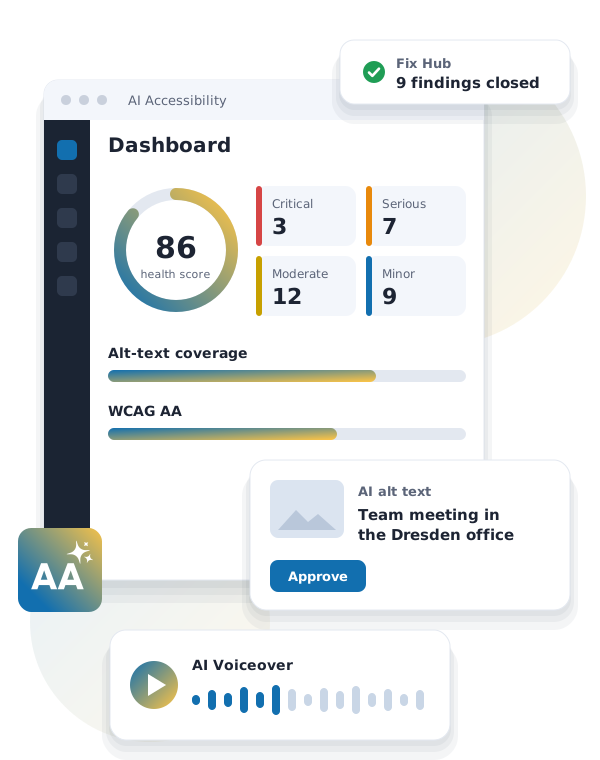
This is AI Accessibility for TYPO3. The dashboard shows where your site stands: open issues, the site rating, images without alt text, and what needs your attention first.
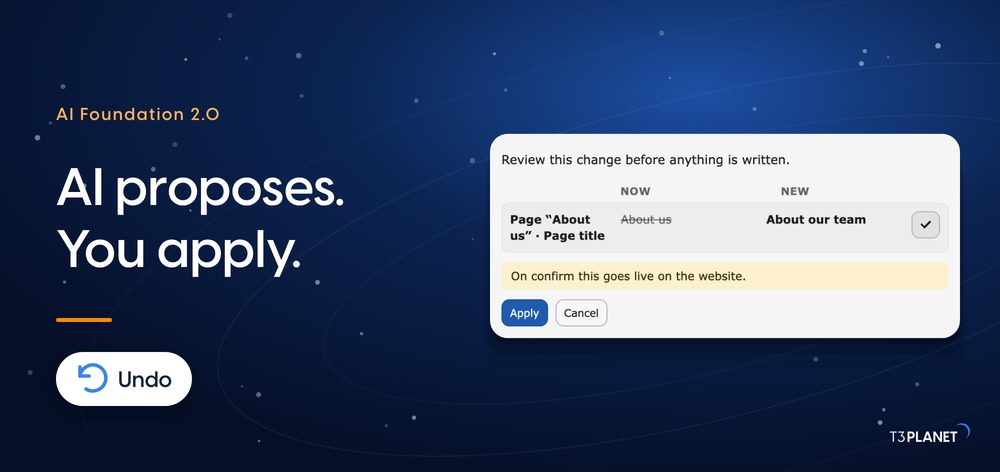
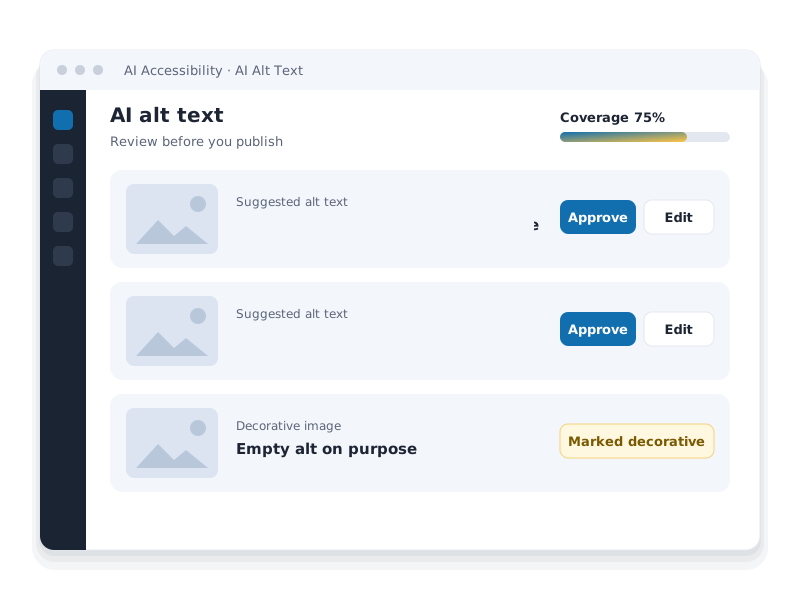
Start with images. Queue a whole folder, and AI writes alt text drafts for every image in it. You review them, edit where needed, and approve them one by one or in bulk. Nothing goes live before you approve it. Generate a single image on demand, and mark purely decorative images as decorative. Coverage goes up as you go.
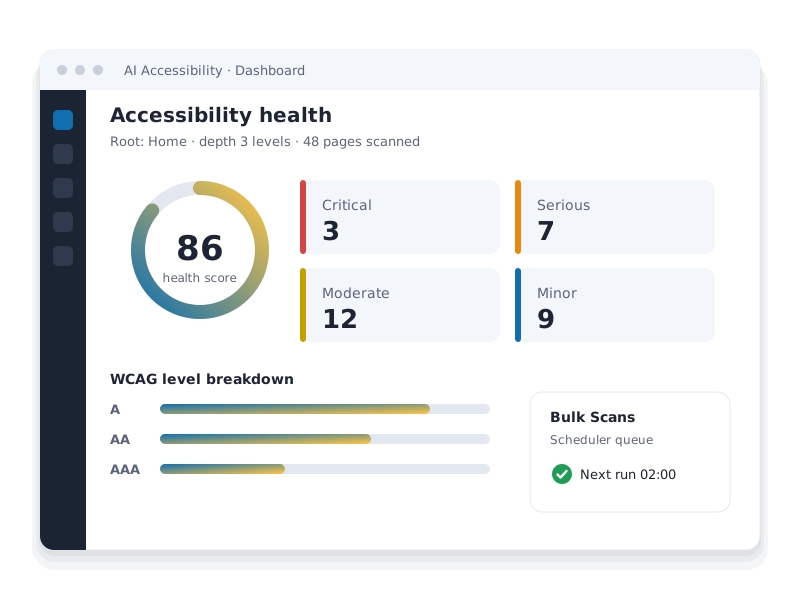
Next, scan a page. You get a health score, issues sorted by impact and WCAG level, and a clear list of what to fix. Open an issue in Fix Hub: it explains the problem and how to fix it, with example markup. Set its status, filter by severity, and check colour contrast as you go. Automated checks find a lot, and a manual review still has its place.
For your visitors, there is the Accessibility Widget. In the backend you choose the icon, its position and colour, the layout, the profiles on offer, and your own branding. On the live site, visitors open it and adjust the page to their needs, for example with a low-vision profile or more line height, and reset it with one click.
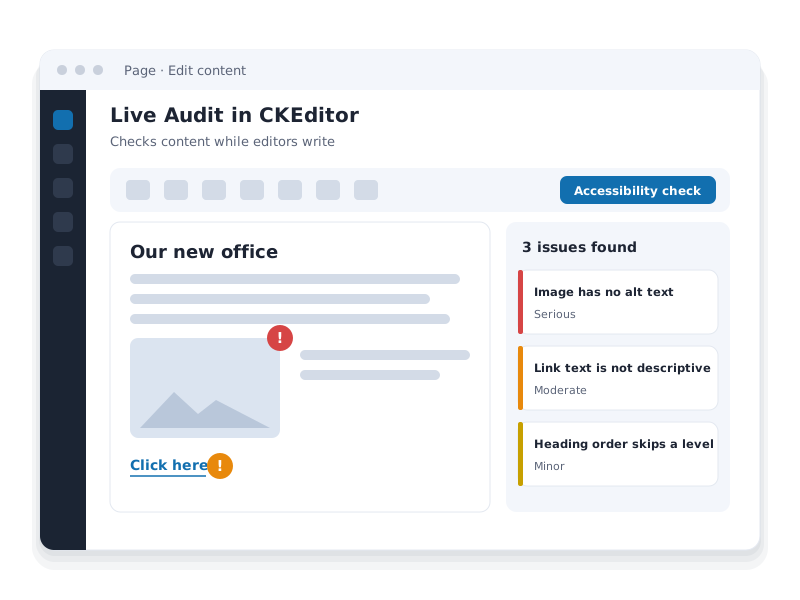
In the editor, Live Audit checks content while you write. Type a sentence in capitals, and it asks whether that is really needed, so you can fix it before saving. You can also create a voiceover of a whole page, add the Voiceover plugin, and visitors listen to the page right on your website.
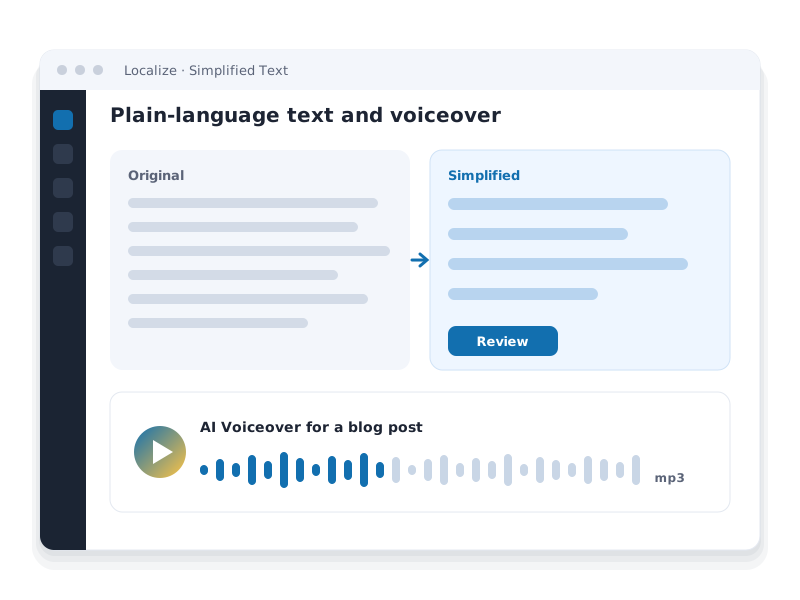
For readers who need plain language, start the TYPO3 Localize wizard and choose Simplified text with AI Accessibility. The page is rewritten in simpler German, side by side with the original, and you decide when it goes live.
And you can simply ask. The AI Agent checks the current page and reports the score and the main issues. It suggests a fix with corrected markup, writes a German alt text that you can edit before you apply it, and summarises the page in plain language. Nothing changes until you approve it.
Try AI Accessibility free for 30 days, or book a call with Jürgen and see it on your own TYPO3 site.
AI Accessibility for TYPO3 is a premium TYPO3 accessibility extension from T3Planet that brings accessibility checks, a fix workflow and AI content tools into the TYPO3 backend. Editors scan pages, work through findings in Fix Hub and approve AI alt text, plain-language text and voiceovers. Visitors get a configurable accessibility widget. The Scanner, Fix Hub and the widget need no AI provider.
Enter the URL of your TYPO3 page and get a WCAG score plus the automated checks it fails. The Scanner in AI Accessibility for TYPO3 runs this kind of check on your whole page tree, inside the backend.
You get an accessibility score and the failed automated WCAG checks, with the number of affected elements and the WCAG success criterion for each.
Works for any public page and takes about 15 to 40 seconds. Pages behind a login and local addresses such as localhost or .ddev.site cannot be checked.
Run the Scanner for every page, on a schedule, inside TYPO3.
Docs for Scanner (opens in a new tab) Try Accessibility free
Scan pages from the page tree, work through findings as a team and keep checking after every release.
Pick a page in the page tree and a depth: this page, one to three levels or the whole tree. The Scanner checks the HTML and merges all findings into one report.
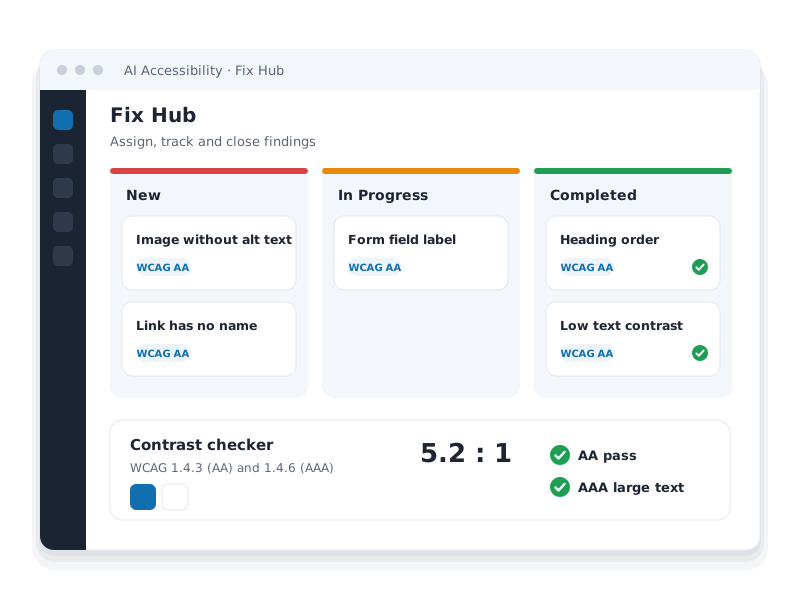
Every Scanner finding becomes a card that editors and developers assign, fix, verify and close.
Queue pages once and let the TYPO3 Scheduler rescan them. Add Lighthouse scores for any public URL.
vendor/bin/typo3 nst3aa:monitor:run.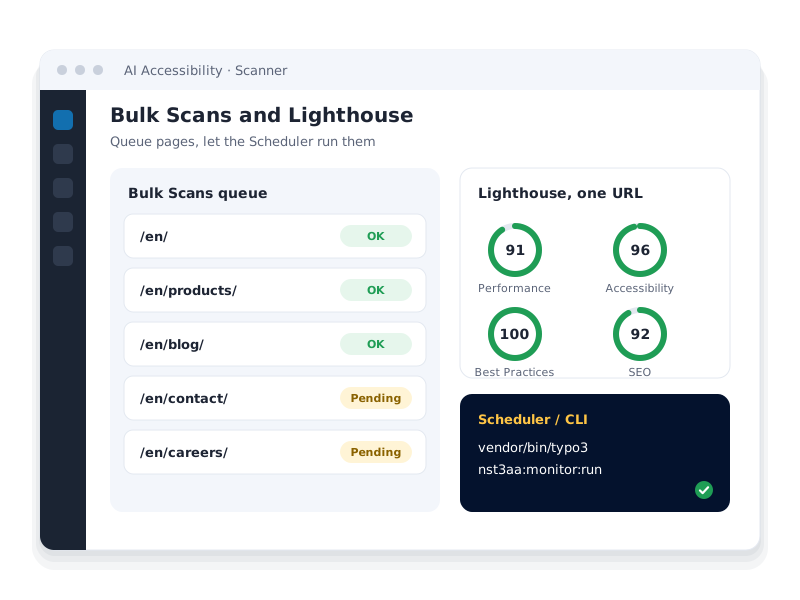
An Accessibility Check button in the rich text editor lists issues in the text and images you are editing, before you save.
Open the floating button, pick a profile or single tools and see how visitors adapt a TYPO3 website to their needs. The widget is part of the extension license.
Open the floating button, pick a profile or single tools, and watch the sample page change.
Borrow books, e-books and audio books, or book a study room. Opening hours change during the holidays, so please check the current times before you visit.
Included in the AI Accessibility for TYPO3 license. You choose the profiles, tools, colors and branding; changes apply only in the visitor's browser. This demo shows a selection of the tools.
Docs for Widget (opens in a new tab) Try Accessibility freeFrom the first scan to a maintained site in four steps. Three of them work without any AI provider.
Pick a page and a depth. The Scanner checks the HTML and scores the result.
No AI neededFindings land in Fix Hub. Assign them, fix the markup and close the card.
No AI neededApprove AI alt text, simpler text and voiceovers before they go live.
Uses AIBulk Scans rerun on the TYPO3 Scheduler. The Dashboard shows what changed.
No AI neededFor visitors from day one: the accessibility widget runs on every page, with about 40 tools and nine profiles.
Alt text, plain language and audio for editors, controls for visitors and a human review where automation stops.
AI Accessibility for TYPO3 lists every image without alternative text per folder, drafts alt text, title and description with AI and publishes only what an editor approves.
Turn existing pages into simpler text or audio without leaving TYPO3. Editors review every result before it goes live.
Two one-minute episodes: alt text for images without it, then titles and descriptions for the media library, each saved after review. These jobs need the AI Accessibility extension; AI Foundation's core tools are free.
All episodesEvery Scanner finding becomes a card. Open a card, read how to fix it, then move it from New to In Progress to Completed. Try the board with sample findings.
Open a card, read how to fix it, then move it from New to In Progress to Completed.
Sample findings from a demo page. In AI Accessibility for TYPO3, the Scanner fills Fix Hub from a real page tree, with no AI provider or API key needed.
Docs for Fix Hub (opens in a new tab) Try Accessibility freeNot needed for T3AA: Scanner, Fix Hub, contrast checker and visitor widget work without any AI provider and without credits.
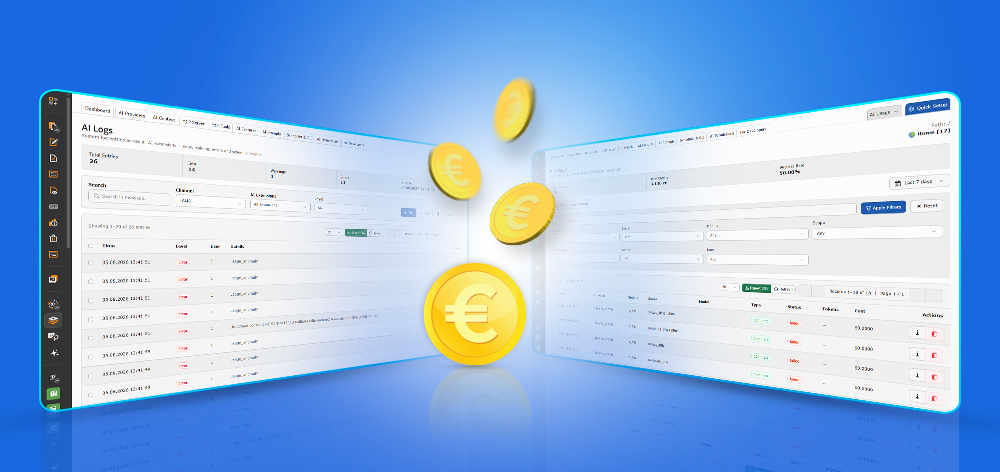
Optional for AI usage: AI Credits are a separate T3Planet service and not part of T3AA. They pay for AI usage, for example alt text, as an alternative to your own API key, which stays the default.











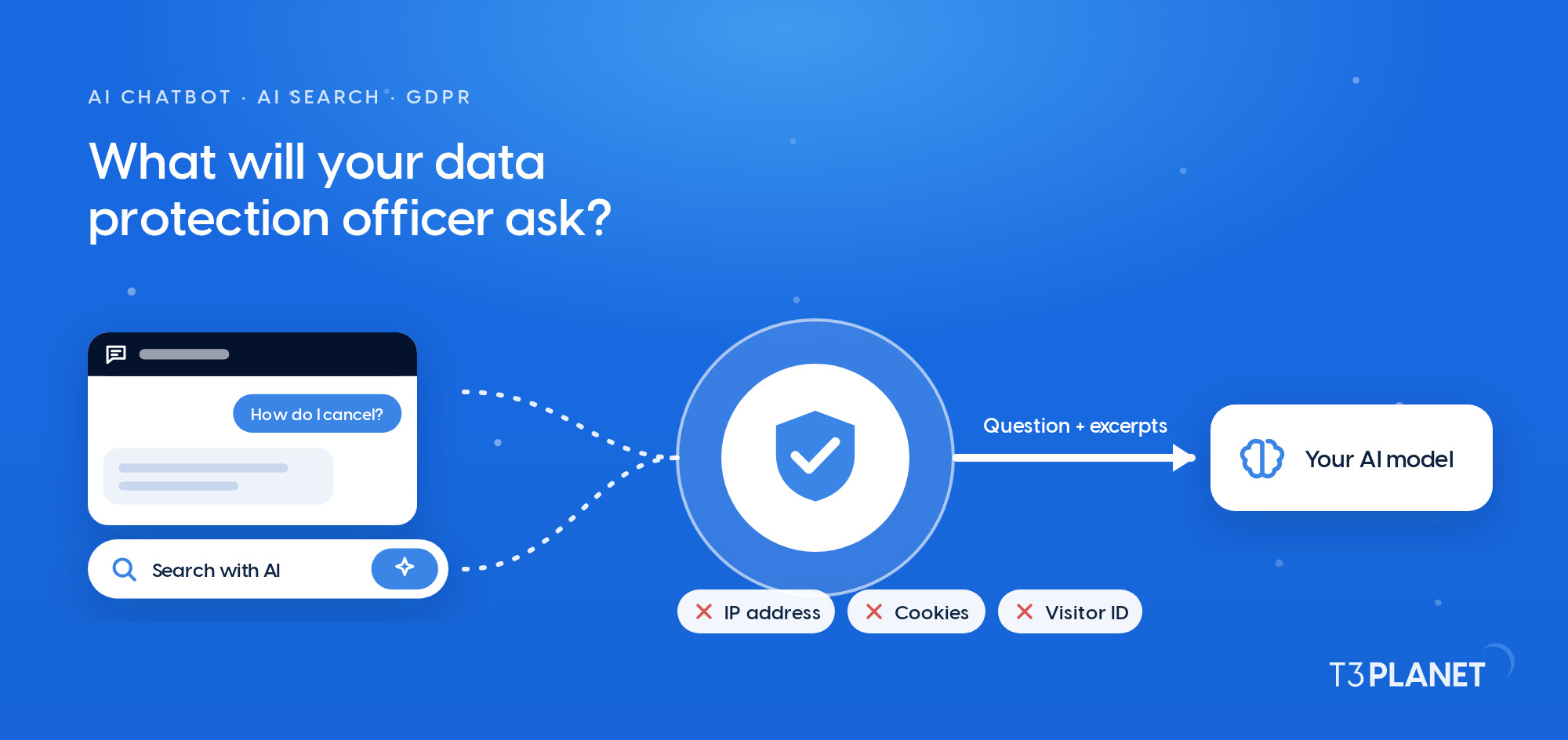
Content stays in your TYPO3 instance. Data goes only to the AI providers you configure, and only when you use an AI feature.
Accessibility widget
AI Accessibility for TYPO3 and AI Foundation
sys_file_metadataYou choose one mode
AI Accessibility for TYPO3 supports your work toward WCAG, BITV 2.0, EN 301 549 and the BFSG, which has applied since 28 June 2025. For the EU AI Act, people stay in control: every AI draft for alt text, simpler text or voiceovers waits for an editor's approval, and AI Foundation can label AI-generated content. A good score is a health indicator, not proof of conformance. A final human review stays essential, and AI Accessibility for TYPO3 is not a compliance guarantee.
DPA and GDPR details (opens in a new tab)Source: WebAIM Million 2026, a check of 1 million home pages. Typical values: by hand, about 1 minute of editorial time per image. With AI Accessibility: time until the drafts are ready to review, before approval.
Helps La Sierra University editors add alt text and review pages for accessibility issues on its TYPO3 site.
AI Accessibility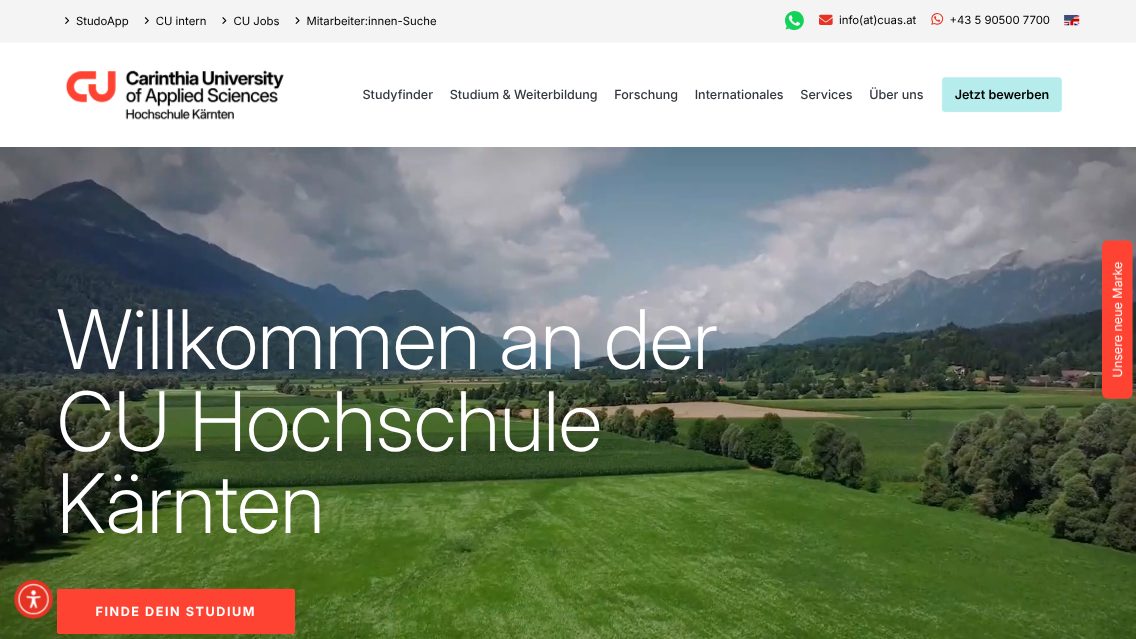
Supports CU Hochschule Kärnten editors with alt texts and accessibility checks on study and research pages.
AI Accessibility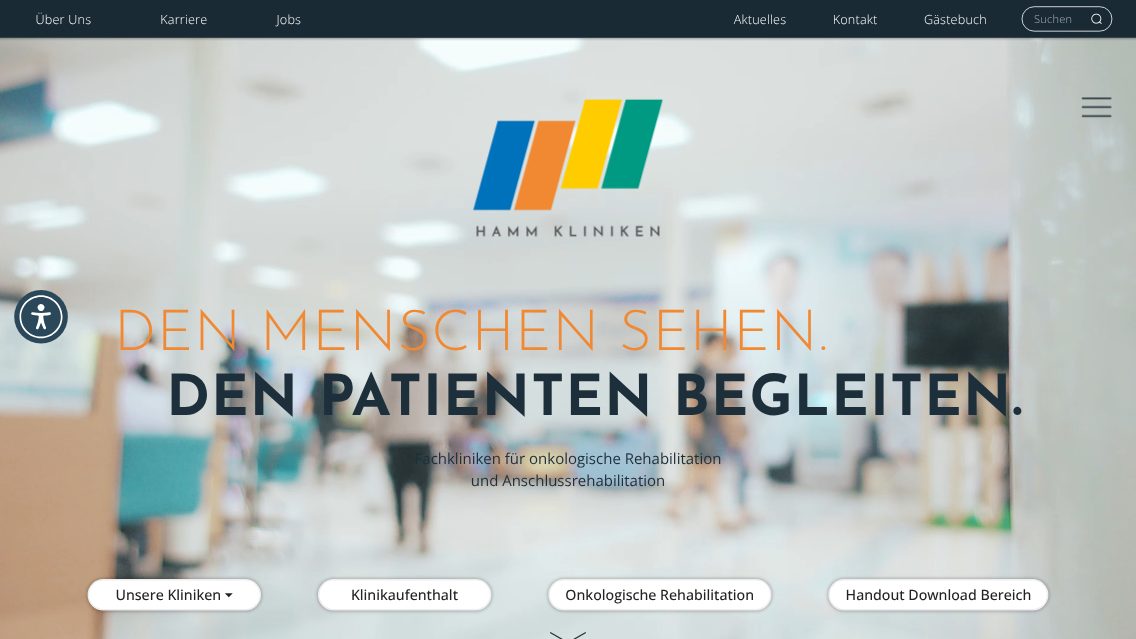
Helps the Hamm-Kliniken team add alt text and check clinic and career pages for accessibility issues.
AI Accessibility"Ich habe die KI-Erweiterungen von T3Planet für Content-Ideen und Textoptimierung genutzt. Die Integration in TYPO3 war unkompliziert und hat meine Templates nicht beeinflusst. Die Suchergebnisse verbesserten …"
Read on Trustpilot ↗Trustpilot · Oct 2025Original in GermanAbout T3Planet★★★★★"Der Service ist aber hervorragend. Bei Problemen mit unserer TYPO3 Umgebung wird schnell und zuverlässig geholfen, oft sogar ohne Berechnung."
Read on Google ↗Google · Jul 2026Excerpt, original in GermanAbout T3Planet★★★★★"We love T3Planet's tools and happily purchase licenses again and again. The support is genuinely friendly and extremely quick, even when you're on the other side …"
Read on Google ↗Google · Oct 2024ExcerptAbout T3Planet★★★★★"After having purchased and registered a template to one of our internal dev domains, we deployed it to a remote dev server and ran into the …"
Read on Trustpilot ↗Trustpilot · Jul 2024Excerpt




Simple, honest pricing. No credit card, no auto-charge. Buy when you're ready. Choose what works for you
Full access to all features. Test on live, staging, or local. Stops after 30 days - no charges, no auto-subscription.
€0
Start Free Trial Try for FreeNo credit card · No auto-charge · Simply stops after 30 days Secure checkout · Instant license delivery · 30-day money-back guarantee
Purchased product never stops working. Pay annually only for updates & support - not to keep the product running.
€399/year Custom quote
Secure checkout · Instant license delivery · 30-day money-back guarantee
All prices EUR, annual licence. Production domains only. Staging and local installations are free and do not count towards your limit. 30-day money-back guarantee.
Running a different number, like 2 or 7? Tell us how many and we will send a custom order priced for your count, not rounded up to the next tier. Same for 11 domains or more. Tell us your number →
T3AA – AI Accessibility for TYPO3 – is a premium TYPO3 extension from T3Planet (extension key ns_t3aa). It scans pages for accessibility issues, tracks fixes in Fix Hub, generates AI alt text, plain-language text and voiceovers, and adds a configurable accessibility widget for visitors.
No. T3AA is a premium extension with no free version, and it is not distributed through the TYPO3 Extension Repository (TER). You can test every feature in a 30-day free trial without a credit card, then buy an annual license per production domain.
T3AA 14.x supports TYPO3 12.4 LTS, 13.4 LTS and 14.x up to 14.4, with PHP 8.2 to 8.4. Older 1.x versions supported TYPO3 v11 to v13. To upgrade from version 1.5.2 or older, follow the reinstall guide in the documentation.
You need AI Foundation (ns_t3af 1.2 or higher, free in the TER), the T3Planet Shop extension (ns_license) with an active T3AA license and admin access to the TYPO3 backend. Install T3AA with composer require nitsan/ns-t3aa or through the T3Planet Shop, then apply the database changes.
No. The Scanner, Bulk Scans, Fix Hub, the contrast checker, Live Audit and the visitor widget run without an AI provider or API key. Only AI features such as alt text, simplified text, voiceovers and the Fix Hub AI solution need AI access through your own keys or AI Credits.
Only AI features in AI Credits mode: image metadata (one request for the alt text and one for title and description), Simplify Text, the Fix Hub AI solution and each voiceover or audio file. Scans, Bulk Scans, Lighthouse, Live Audit and the widget never use credits. Each request is metered by the amount of text or image data the model processes.
Each page that a scan processes counts against the page quota of your license, and one click can scan many pages depending on the depth. The quota is separate from AI Credits: scans never use credits, and AI features never reduce the quota.
Yes. Add pages to the Bulk Scans queue and create a T3AA Bulk Scans task in the TYPO3 Scheduler. Integrators can run the same queue with vendor/bin/typo3 nst3aa:monitor:run. Results appear in Fix Hub and on the Dashboard.
No. The Scanner and Lighthouse test only the machine-checkable part of WCAG, so a high score is a health indicator and not proof of conformance. Screen reader flow, keyboard use, navigation logic and form behavior need a person to review them. Use the Human Expert audit for a managed manual review.
The German Barrierefreiheitsstärkungsgesetz (BFSG) has applied since 28 June 2025. T3AA supports your work toward it, and toward WCAG, BITV 2.0 and EN 301 549, by automating repeatable checks and content tasks inside TYPO3. It is not a compliance guarantee, and a final human review remains essential.
Content stays in your TYPO3 instance. With your own API keys, requests go from your server straight to the provider you configure, with no T3Planet server in between. With optional AI Credits, requests are routed through T3Planet to the AI providers. Alt text is stored in sys_file_metadata and voiceovers in fileadmin. T3AA stores no visitor logs.
Yes. The frontend accessibility widget is part of the T3AA license, and there is nothing extra to buy. You enable it in AI Foundation under AI Features, then configure tools, profiles, layout, branding and the accessibility statement in the Accessibility Widgets tab of the module.
No. ElevenLabs works only with your own ElevenLabs API key and is not available in AI Credits mode. With AI Credits, voiceovers and audio use OpenAI text-to-speech. To use ElevenLabs voices, add your ElevenLabs account in AI Foundation as a provider.
No. Lighthouse uses the Google PageSpeed Insights API, which cannot reach localhost or .ddev.site addresses. Use a public staging URL for Lighthouse, or run the Scanner, which checks local HTML without a public URL.
AI Universe for TYPO3
By default, TYPO3 AI runs on your own server, with your own API key. AI Foundation is free and open source. Six extensions run on it, for content, chatbot, search, accessibility and development. You can try each one free for 30 days.
 AI Assistant
T3AIWrite, optimise and translate content right in the backend. AI Chatbot
T3ACA chatbot trained on your content that answers visitors and shows its sources. AI Search
T3ASSite search that answers: a direct reply with the source pages beside it. AI Accessibility
T3AAScan, monitor and fix accessibility, with AI alt text and a visitor widget. AI Localization
T3ALTranslate your extension's XLIFF label files with AI. AI Builder
T3ABGenerate TYPO3 extension structures from a plain description. AI FoundationFree · Open sourceThe base every extension runs on.
 Google ↗
 Trustpilot ↗