


Very courteous and competent team. Very courteous and competent team. All my problems were solved with confidence. Very courteous and competent team. Very courteous and competent team. All my problems were solved with confidence.
Overview
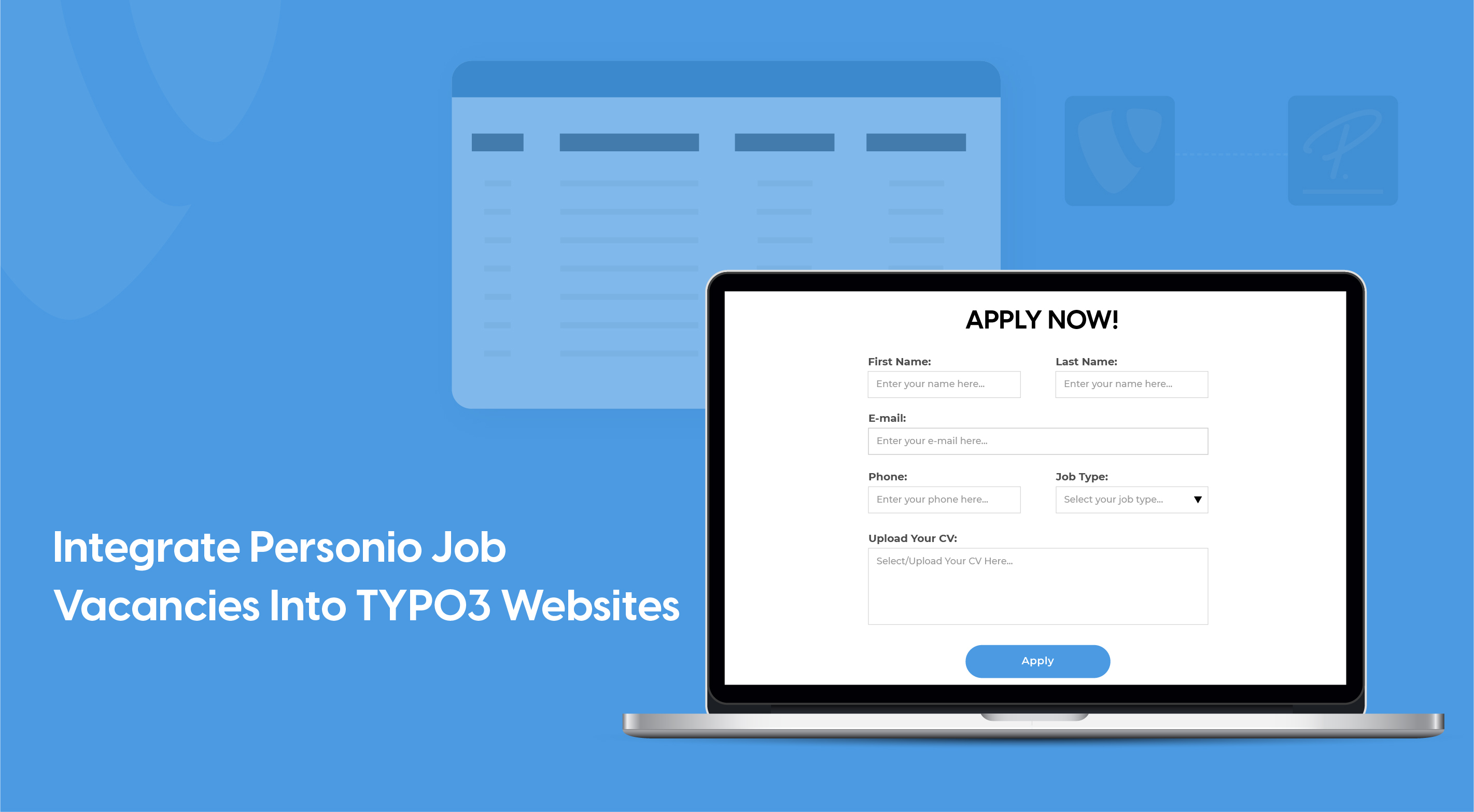
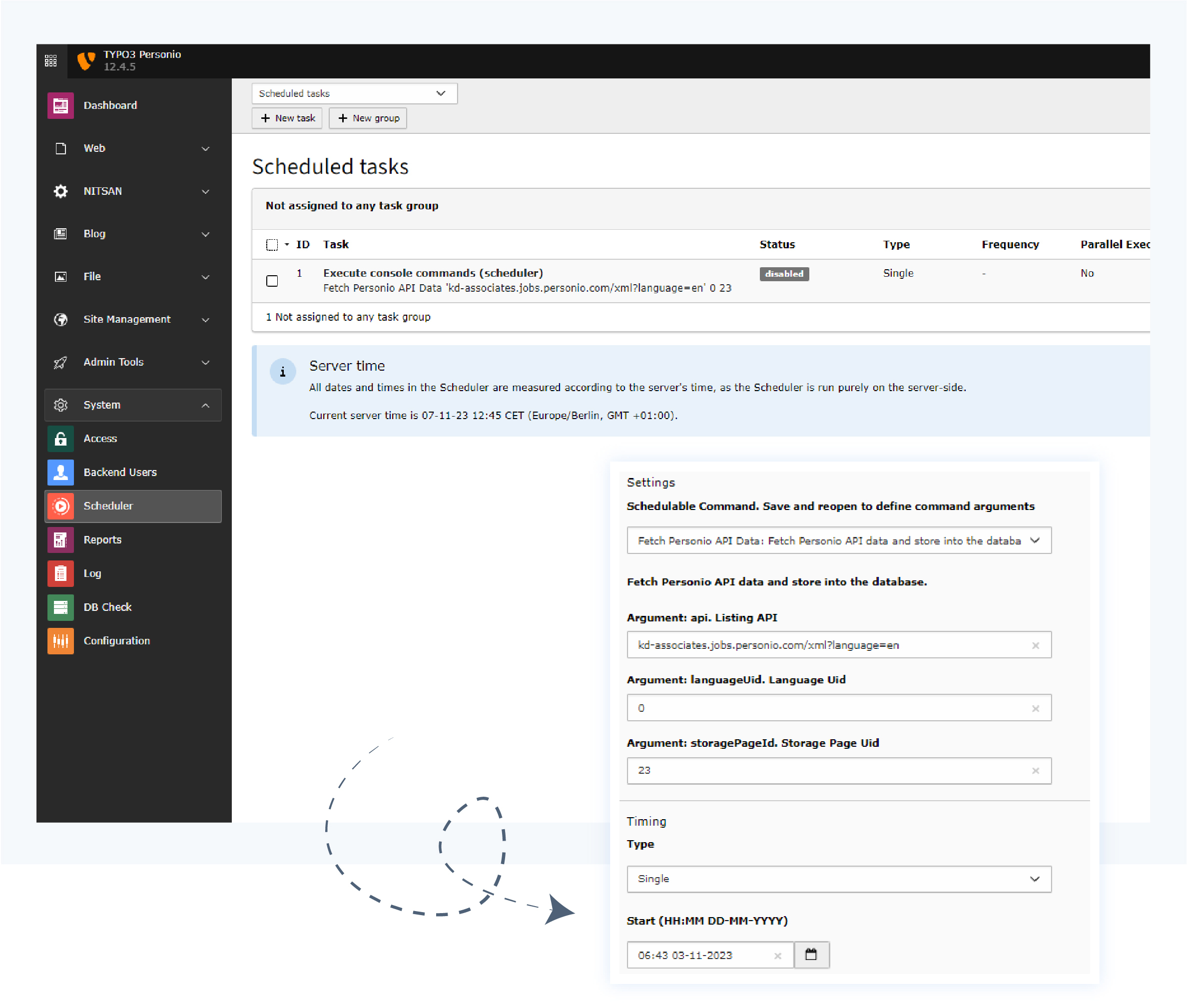
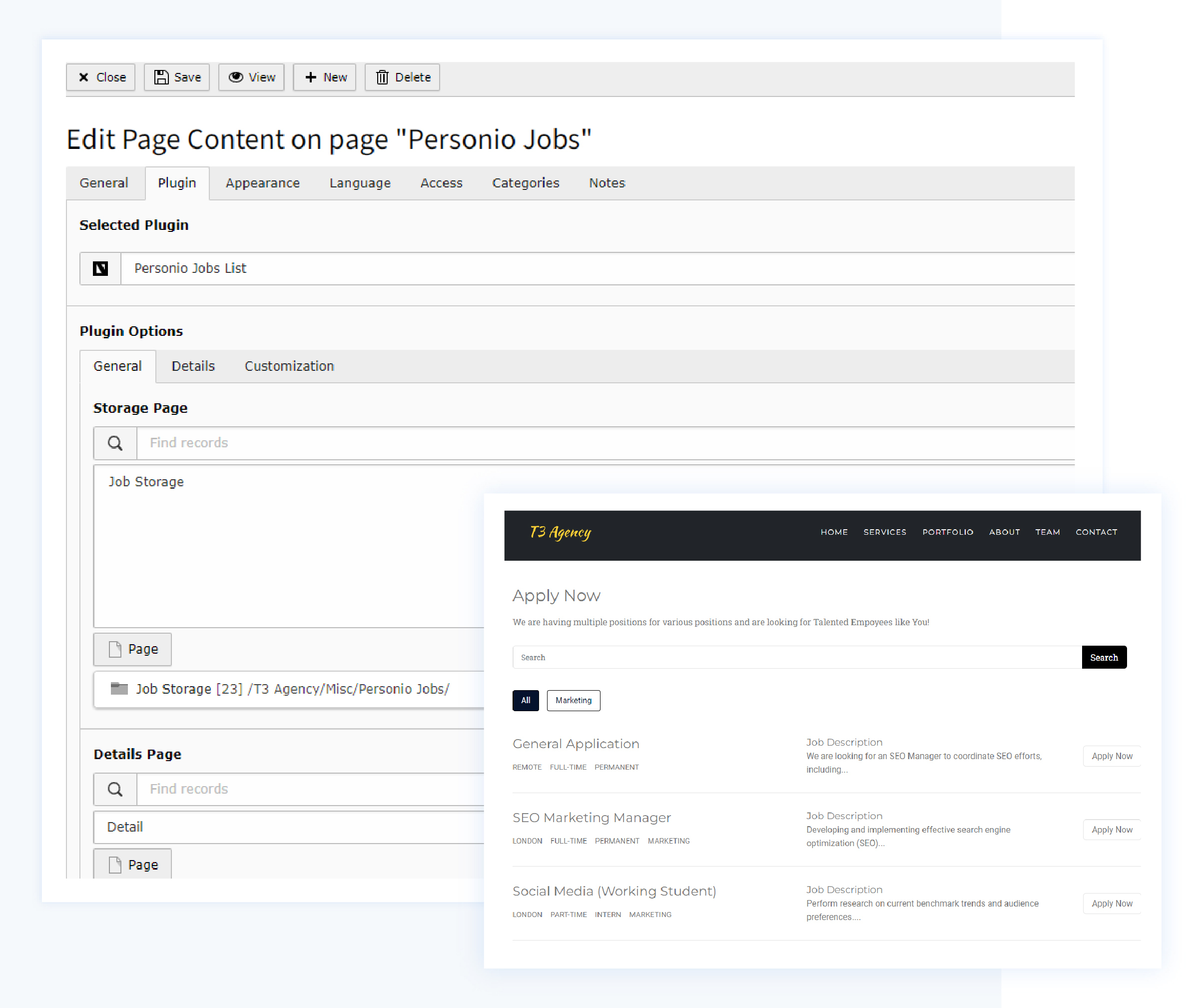
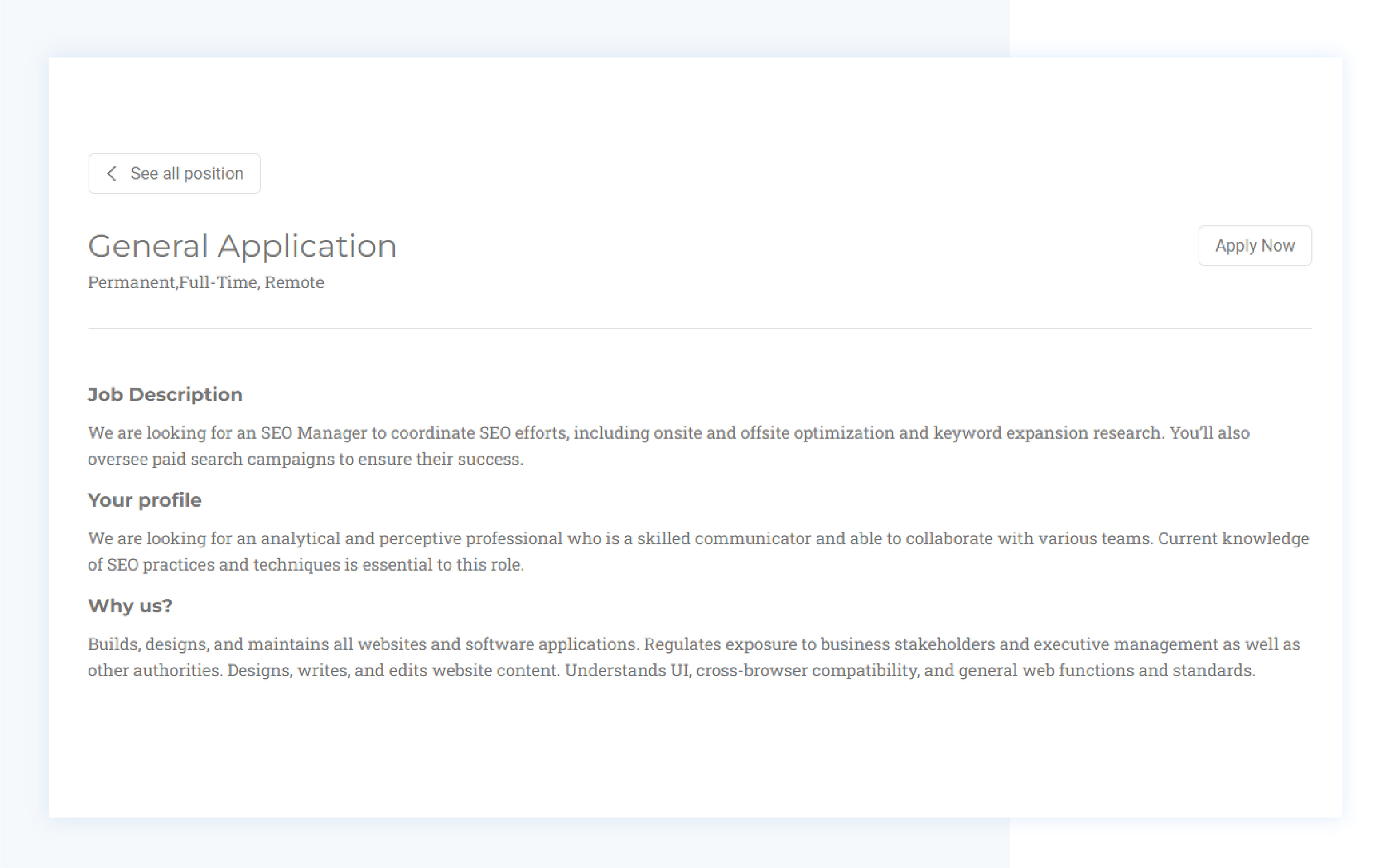
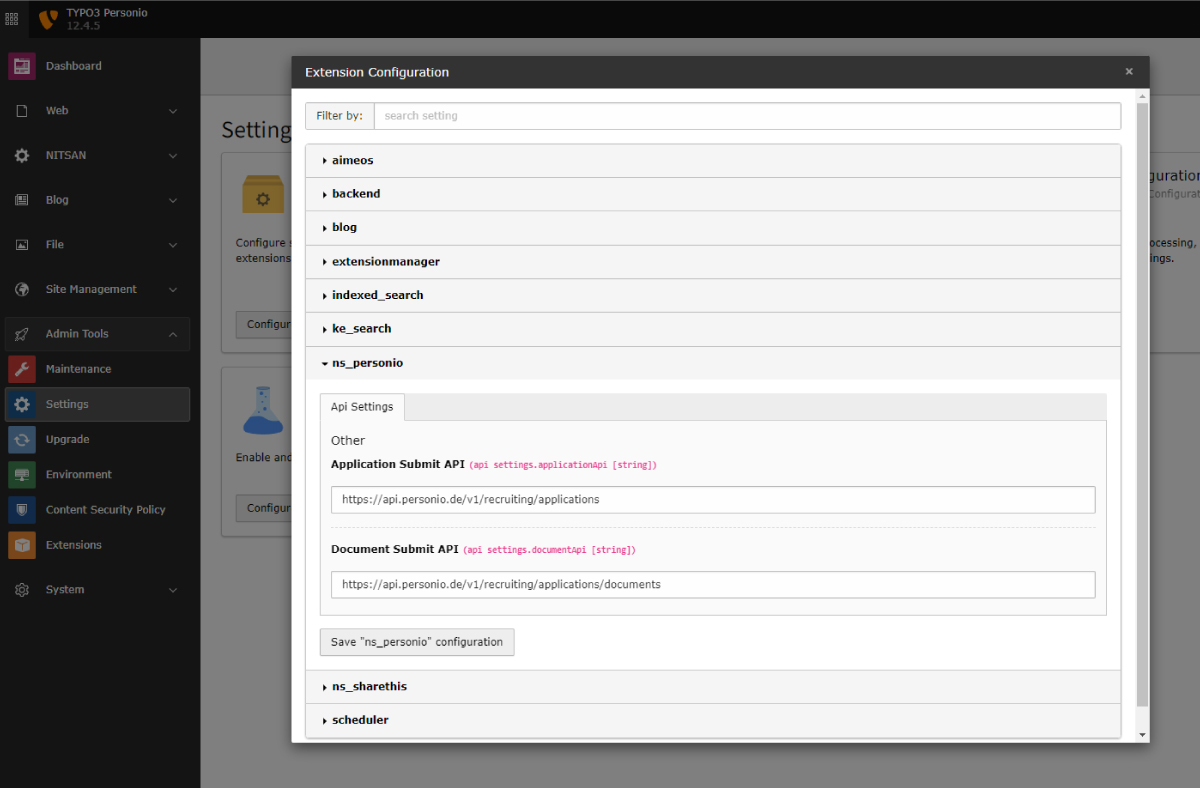
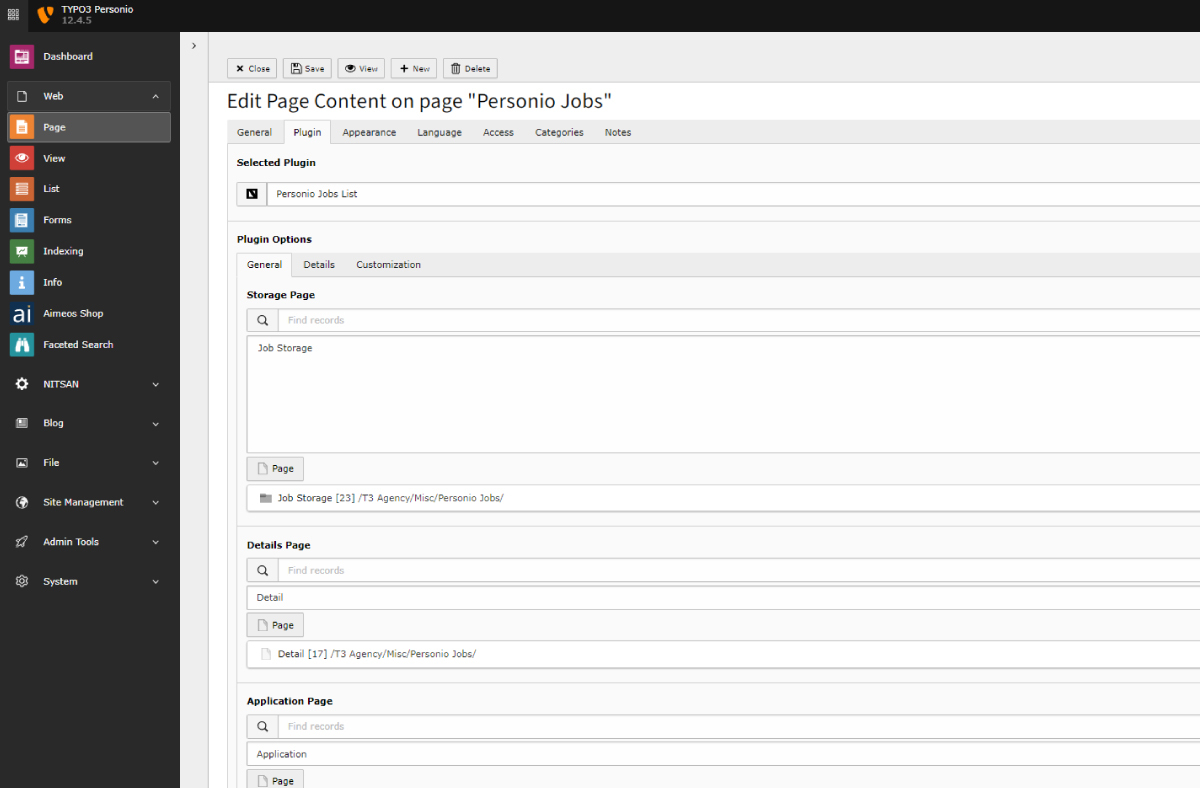
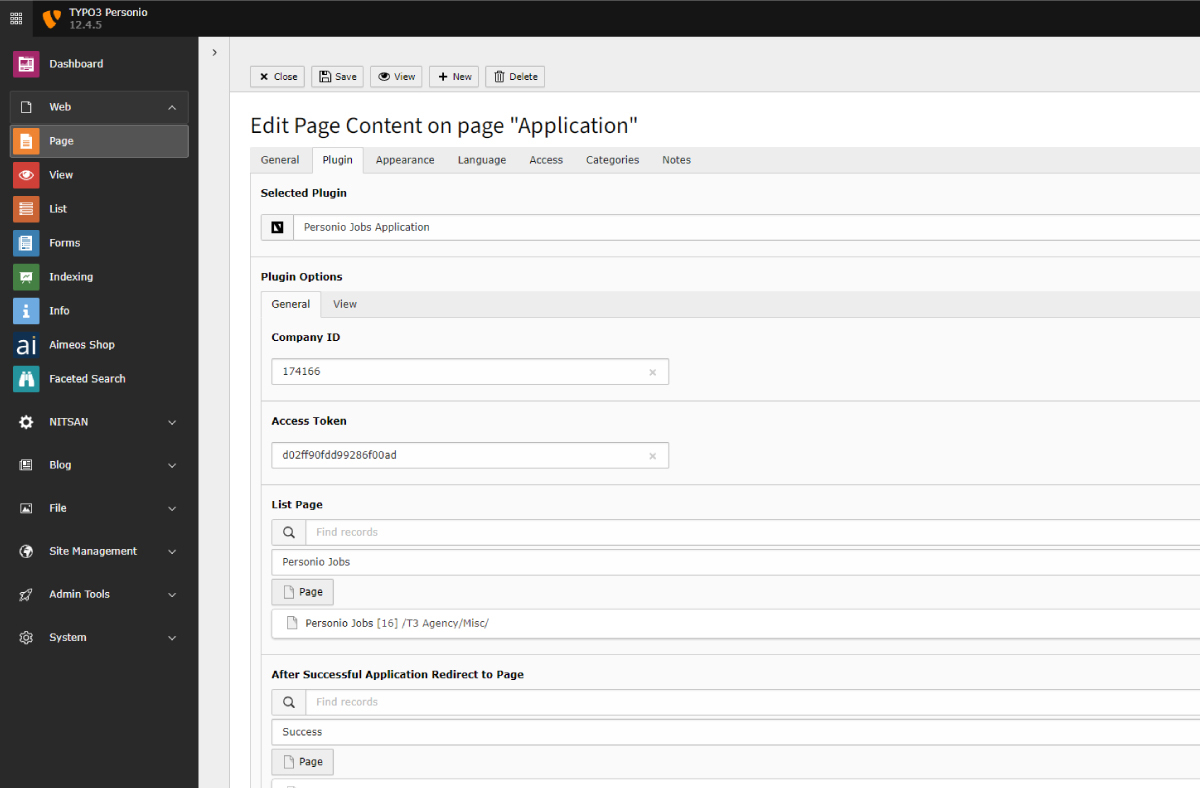
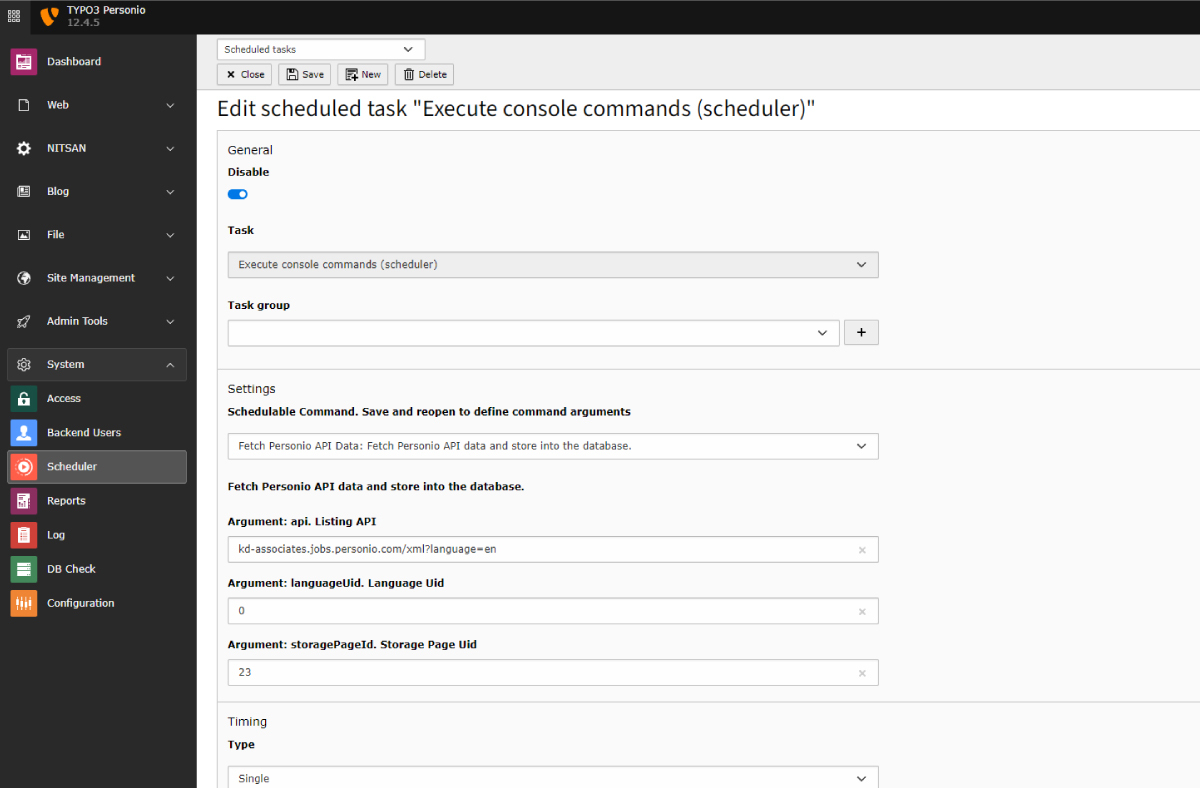
Using the TYPO3 Personio extension, you can seamlessly integrate your job vacancies automatically into your TYPO3 website. These job listings are fetched through Personio's recruiting API and imported into your TYPO3 database. To present them on the frontend, the extension provides various customisation options for all job listing pages, job detail page and application page as well. To rightly Sync the data it comes with a scheduler to schedule the same. Directly list, view and apply to personio vacancies through TYPO3 Backend.
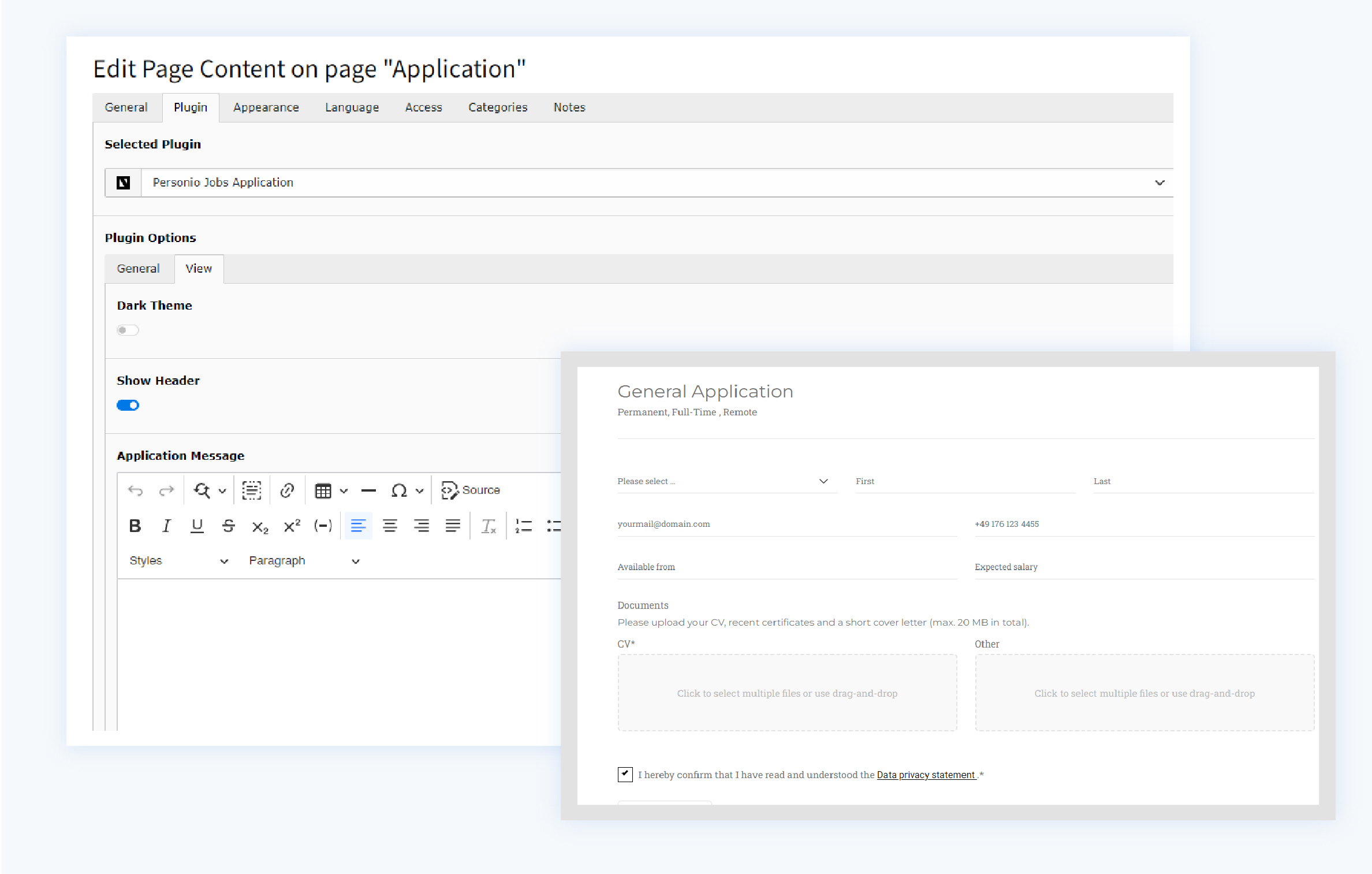
There is more to it, you can also apply for this job vacancies right from your website, as it comes with Application form pages all customised and compatible with the latest TYPO3 v14.
Why TYPO3 Personio Extension?
Wondering why Should i Opt for TYPO3 Personio Extension while I can use the iFrame Tag? Or other default options? Here’s why;
Customization and Control
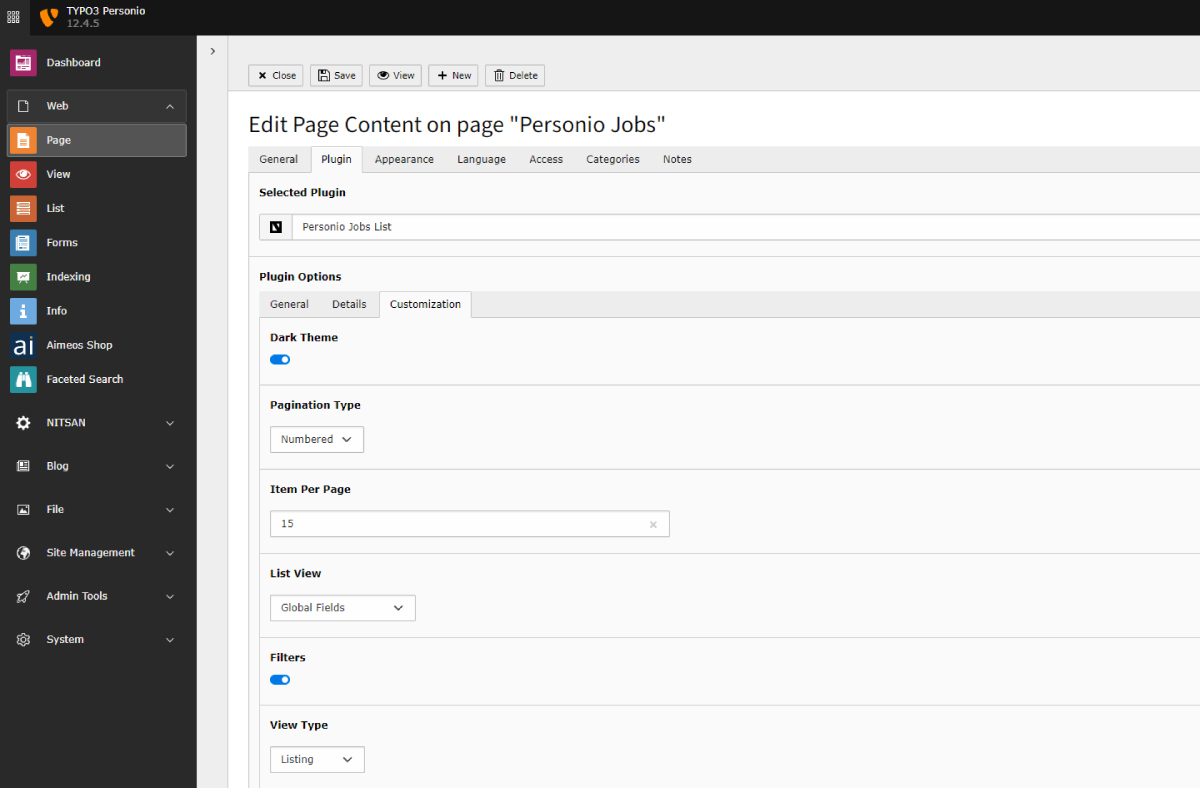
You have full control over how job vacancies are displayed on your website. Customise the layout, design, and other presentation aspects to match your brand and website's style. You can also choose to display specific information, such as Employment Types, Contract Types, Locations, Departments, etc.

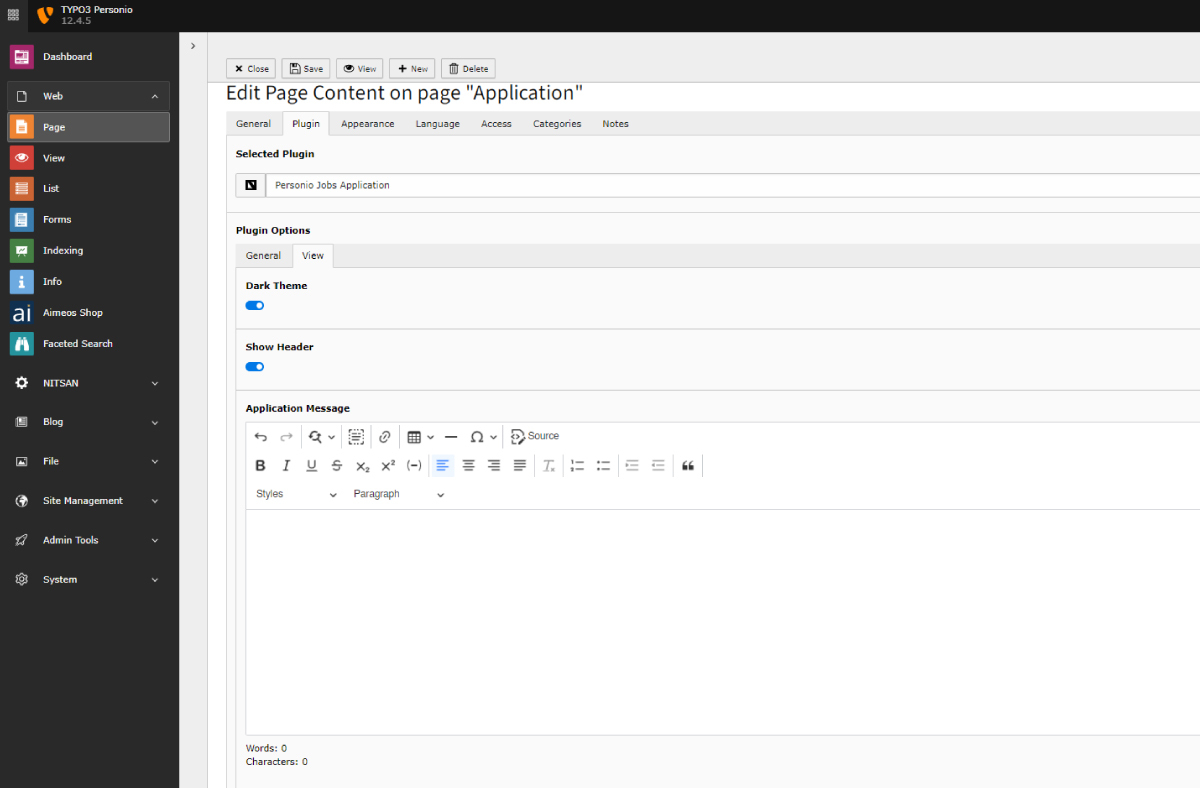
TYPO3 Backend Screens


What Our Customers Say
Reviews from Google, Trustpilot and Community
As a TYPO3 developer, I am always looking for interesting extensions and templates. T3Planet offers very engaging and... As a TYPO3 developer, I am always looking for interesting extensions and templates. T3Planet offers very engaging and illustrative products and very useful extensions. Do check their website out and you won't regret it.
A trustworthy and fairly priced marketplace with well-thought-out TYPO3 solutions. The customer service is always very... A trustworthy and fairly priced marketplace with well-thought-out TYPO3 solutions. The customer service is always very friendly and responds quickly.
Transparent Pricing
All inclusive. No extra costs.
Simple, honest pricing. No credit card, no auto-charge. Buy when you're ready. Choose what works for you
Free Download Free Trial
Try Free for 30 Days
Full access to all features. Test on live, staging, or local. Stops after 30 days - no charges, no auto-subscription.
- Every feature fully unlocked
- Works on live, staging and local domains
- Email support during trial period
- No credit card required
- No auto-conversion to paid plan
€0
Start Free Trial Try for FreeNo credit card · No auto-charge · Simply stops after 30 days Secure checkout · Instant license delivery · 30-day money-back guarantee
Buy Now Buy now
Annual License
Production domains
Purchased product never stops working. Pay annually only for updates & support - not to keep the product running.
- Staging & local installations always free.
- Once installed, your copy keeps running.
- 12 months of updates and support included.
- Dedicated support manager.
- Instant license delivery to inbox.
€129/year Custom quote
Secure checkout · Instant license delivery · 30-day money-back guarantee
All prices EUR, annual licence. Production domains only. Staging and local installations are free and do not count towards your limit. 30-day money-back guarantee.
Running a different number, like 2 or 7? Tell us how many and we will send a custom order priced for your count, not rounded up to the next tier. Same for 11 domains or more. Tell us your number →
Free Vs Pro Features
KEY FEATURE LIST | FREE | Premium |
|---|---|---|
| Integration with Personio Job Vacancies | ||
| Scheduler Configurations Scheduler to automatically fetch job listings from Personio's recruiting API and seamlessly import them into your TYPO3 database. | ||
| Job Listing Management Job Listing page for job vacancies from Personio. | ||
| Customisation options for Job Listing Management Customisation features for job listing Management - Dark Theme, Pagination, Items per Page, Filters. | ||
| View Types Job Listing Management Various View types like listing, Thumbnail, Masonry, Isotope, etc. | ||
| Application Forms On Frontend Visitors can directly apply to jobs from TYPO3 Websites to Personio Vacancies | ||
| Customisation options for Application Forms Application Form Customization options like Dark theme, Show Header, Application Message, etc. | ||
| Layout Options for Application Form 3 Other layout options - Default, Bottom Border and Floating Labels. | ||
| Detail Page for Job Postings | ||
| Customisation options for Detail Page Detail page customisation options like Dark theme, Show and Hide Buttons, Select button position, Common content selection. | ||
| Additional Detail Page Features Select complete "Page Content" for Common Content | ||
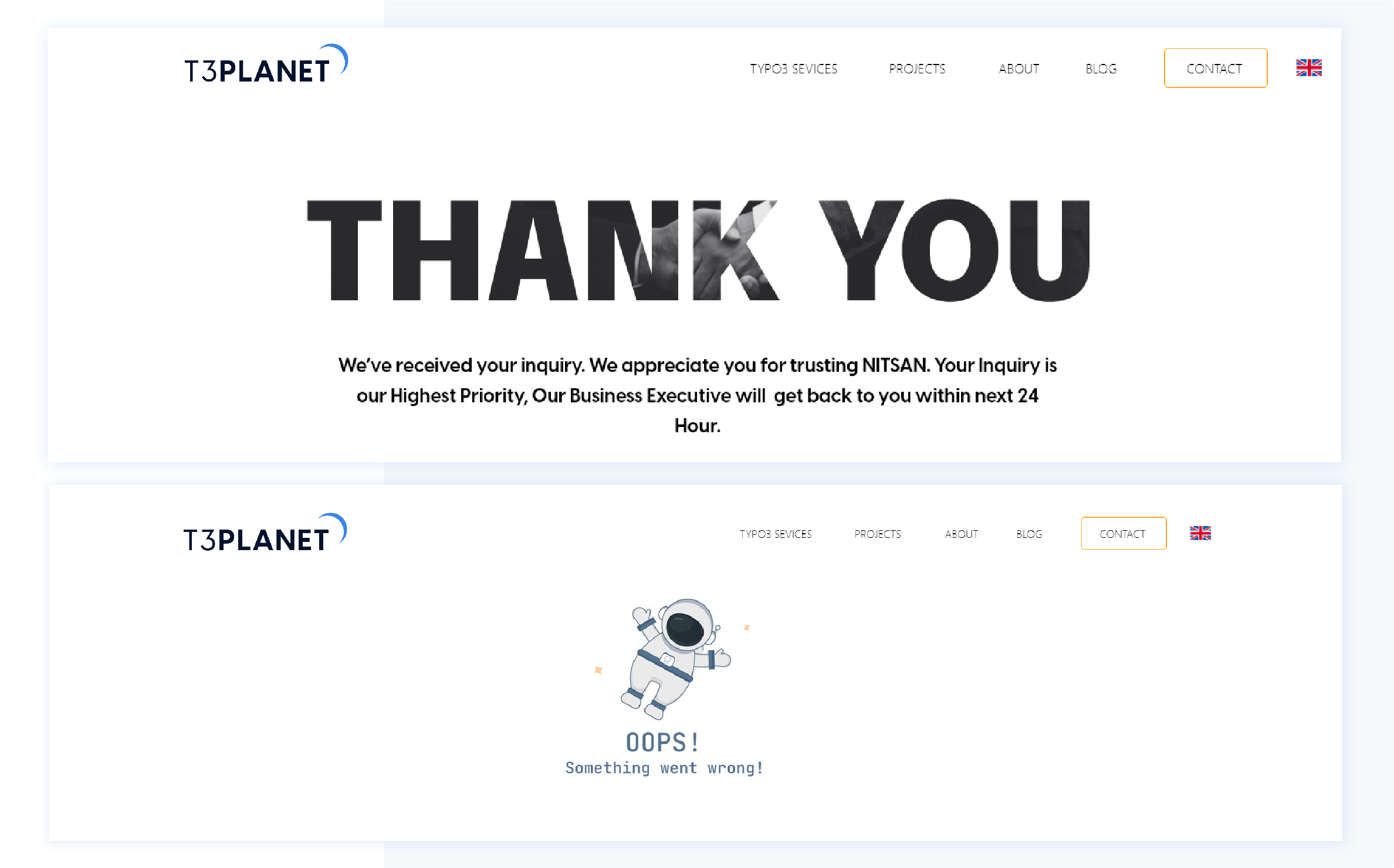
| Error and Success Page Configurations Configurations for success and error pages |
Compatibility Data
Change Log
Frequently Asked Questions
More FAQs
What does the TYPO3 Personio extension do?
It brings your Personio job vacancies onto your TYPO3 website automatically. Job listings are fetched through Personio's recruiting API and imported into your TYPO3 database, and a scheduler keeps the data in sync. You get customisable job listing pages, a job detail page and an application page, so candidates can apply on your website with forms linked to Personio.
Which listing layouts and filters are available?
Job listings come with search and filter functionality and global fields such as Locations, Part/Full Time and Departments. You can choose between the Listing, Thumbnail, Isotope and Masonry layouts. Further options for the listing include a dark theme, pagination, items per page and filters, and you decide which details to show, such as employment types or contract types.
How does the application form work?
Candidates apply directly on your website, and their applications go to Personio without additional data entry. The form supports file uploads through the Dropzone feature. You can customise its layout, labels and placeholders, and choose between the Default, Bottom Border and Floating Labels layouts. Thank-you pages, redirects for success or failure and custom messages are configurable as well.
How many domains does a licence cover?
One licence covers one production domain, including its subdomains. Staging, development and local installs are free. For more sites, choose the licence for up to 3 or up to 10 domains. Details: Buying and Licences FAQ.
How do I install and update it?
Install it with Composer (the premium version comes from our private Composer server) and activate your licence key in System > T3Planet Shop. Updates arrive through Get Updates in the same module. Step by step: Installation and Updates FAQ. Prefer us to do it? Our installation service costs €49 per extension.

Sovereign TYPO3 AI

AI Assistant for TYPO3T3AI
Write, optimise and translate content right in the backend.
 AI Foundation
 AI Chatbot
 AI Search
 AI Accessibility
 AI Localization
 AI Builder