
TYPO3 workspaces from chat: draft, review, publish, discard
TYPO3 MCP


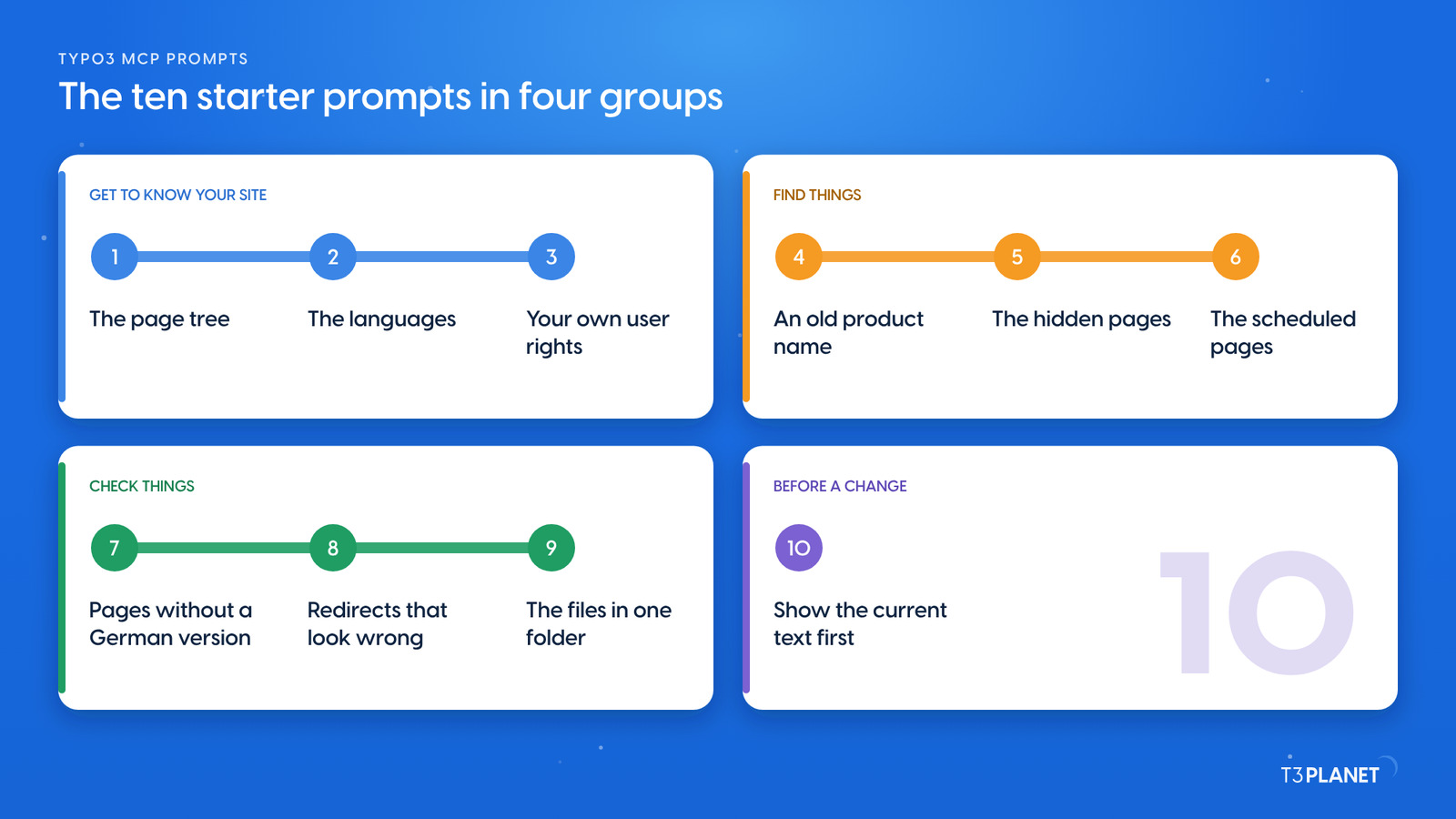
Good first TYPO3 MCP prompts only read: they ask about your pages, languages, redirects and files, and change nothing. Below are ten starters in plain words, each tested on our demo install, with the tools the assistant used and what it found. MCP, the Model Context Protocol, lets an assistant such as Claude work inside TYPO3 through tools that AI Foundation provides for free. You will also meet the Playground, where you run one of those tools yourself, without any assistant. Last comes the one habit to keep before your first change.
One minute, with captionsAll videos
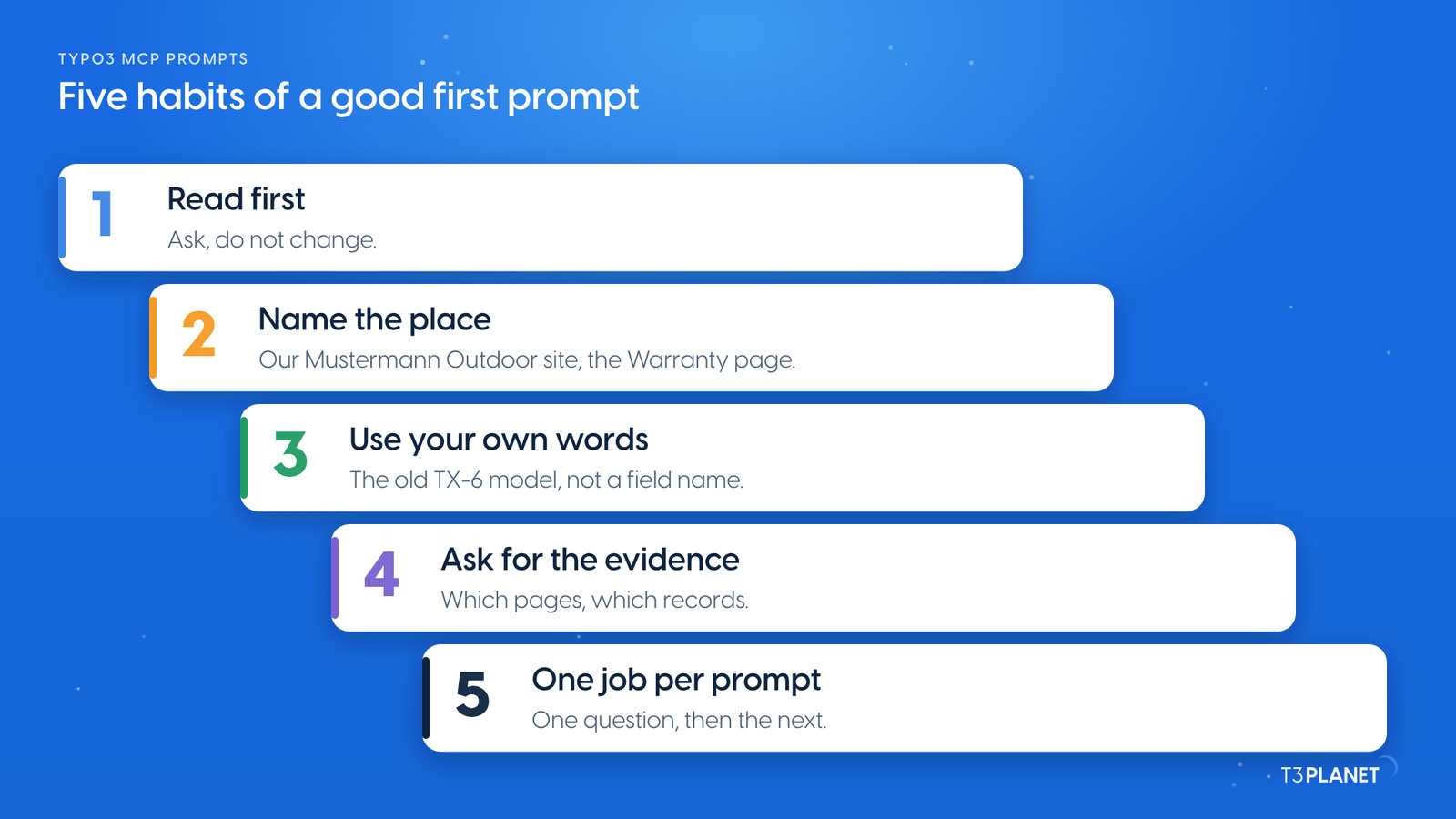
A good first prompt reads, names the place and asks for evidence. Five habits make that easy:
We ran these ten prompts on our demo install on 5 October 2026, as an administrator working on Live. Each one only read. The demo runs two fictional brands: Mustermann Outdoor, which sells e-bikes, tents and jackets, and Stadtwerke Musterstadt, a utility.
| # | Prompt | Tools used | What it found on our demo |
| 1 | Show me the page tree of our Mustermann Outdoor site, two levels deep. | pages_tree | Products, Spring Sale, Service, News, Events, About us and more, with each German translation next to its page |
| 2 | Which languages does our website have? | site_languages_list | English as the default and German |
| 3 | Where do we still mention the old TX-6 model? | content_search | Three content elements per language; only the Spring Sale price line is outdated |
| 4 | Which of our pages are hidden right now? | pages_search | Winter Collection 2027, and the German version of Manuals and downloads |
| 5 | Which pages are scheduled to go live later? | pages_search | Black Friday, from 27 to 30 November, and New prices from 2027 on the Stadtwerke site |
| 6 | Which pages of our main site have no German version yet? | pages_tree | Seven pages, among them Tents, Events and Black Friday |
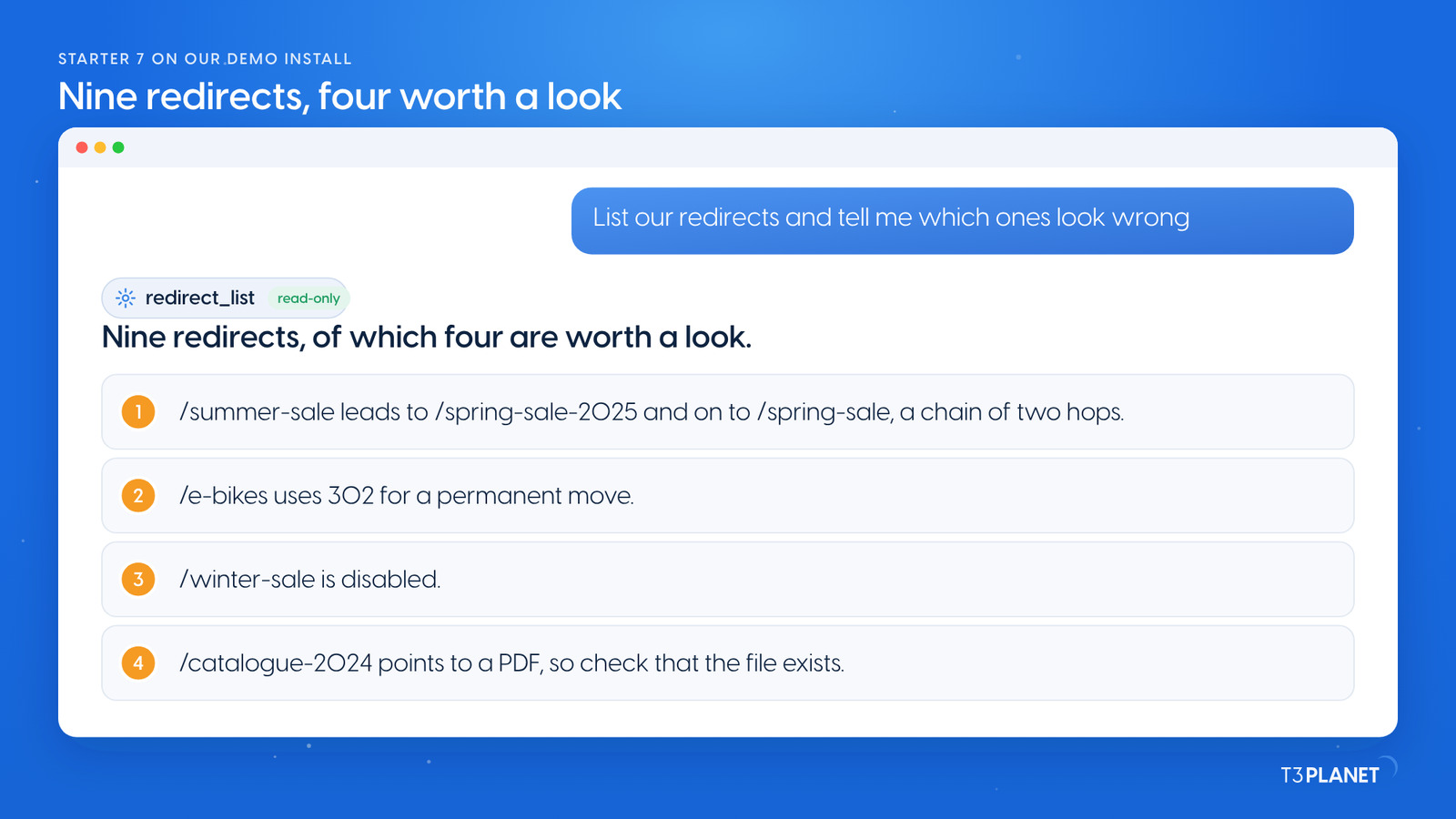
| 7 | List our redirects and tell me which ones look wrong. | redirect_list | Nine redirects; four worth a look, such as a chain of two hops and a 302 for a permanent move |
| 8 | What is in our user_upload folder? | file_list | Four files with names like tent_view_final_final.jpg that are worth tidying |
| 9 | Which user are you working as, and what are you allowed to change? | permission_check_summary | An administrator with every right, so a change would be live at once |
| 10 | Before I change the heading on our Warranty page, show me the current text in English and German. | content_list, content_get | "Three years on frame and motor", and the German "Drei Jahre auf Rahmen und Motor" |
All ten use the core tools of AI Foundation, which are free. The answers are summed up here; your assistant words them in its own way.
Three answers show what a starter gives you.
The old product name. Asked where the TX-6 still appears, the assistant searched the text of all content elements and found three in each language. Two are fine: the TX-7 page says the new model replaces the TX-6, and the manuals page keeps the old manual for owners. One is outdated: the Spring Sale deals still sell the TX-6. News records sit in their own table, so ask for them separately. Changing a name everywhere is the second post of episode 3.
The redirects. The assistant listed all nine and named four to check. One is a chain of two hops, one uses 302 for a permanent move, one is disabled, and one points to a PDF. It did not fix anything. That is the right order: you decide which ones change.
Your own rights. The assistant reported that it works as an administrator with every right on every table, language and file. That tells you how careful to be: with these rights, a change is live as soon as it is saved. Who can edit what, and what your assistant can do, is episode 12 on 8 January 2027.
List our redirects and tell me which ones look wrong.
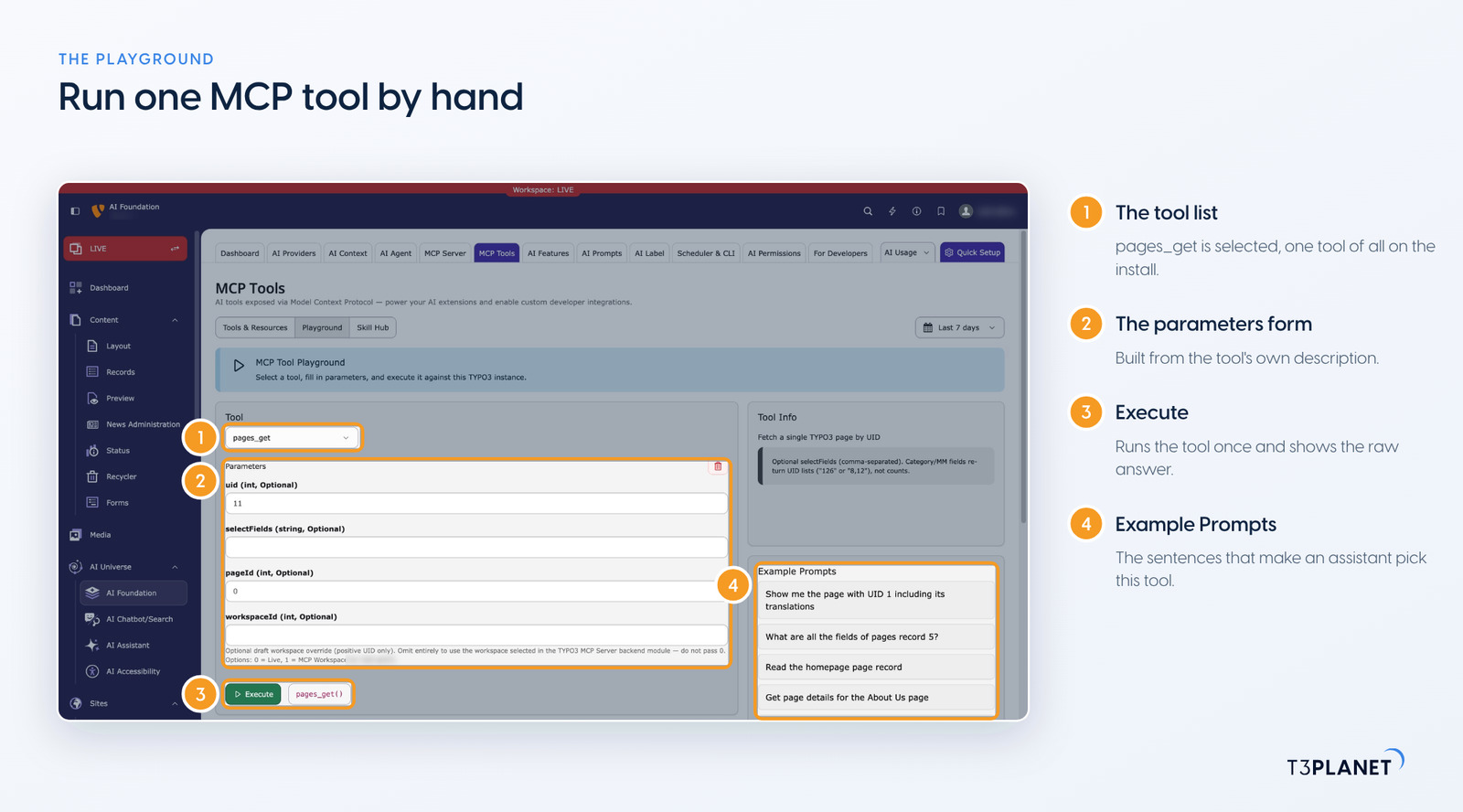
The Playground runs one MCP tool at a time, straight from the backend, with no assistant and no chat. Open AI Foundation, then MCP Tools, then the Playground tab:
pages_get.uid (int).The panel next to the form lists Example Prompts for the selected tool, such as Show me the page with UID 1 including its translations. They show the kind of sentence that makes an assistant choose this tool, so they are a good source of starters of your own.
Use the Playground to see what a tool returns before you ask an assistant, or to check an answer you did not expect. One caution: it runs tools for real, as your backend user. A tool that writes, such as content_delete or write_table, changes your TYPO3 here too. Start with the tools whose names end in _get, _list or _search.
Every Friday: two new jobs for your AI assistant, each with a one-minute video.
This episodeEpisode 5 · 27 Oct 2026
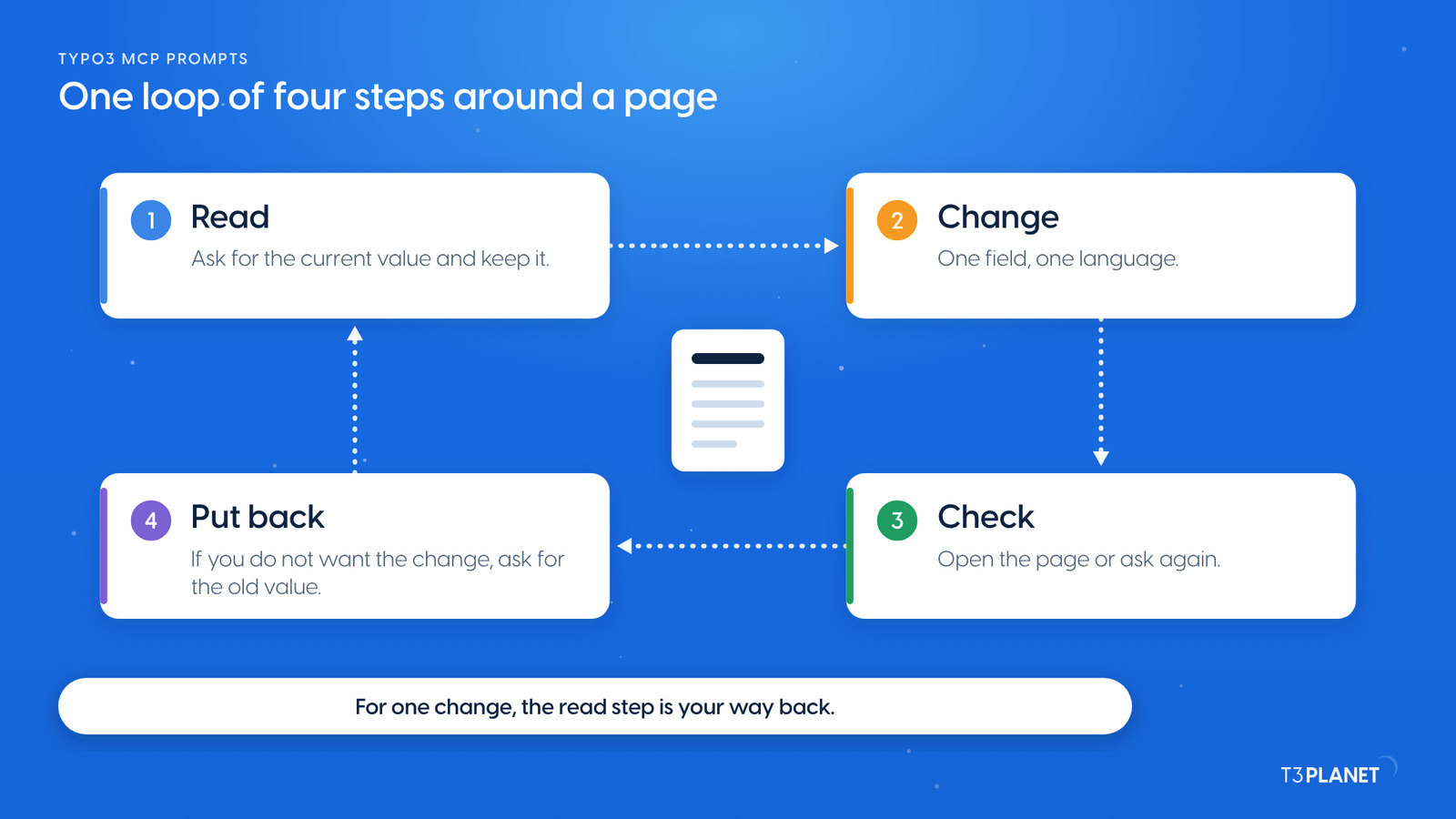
Starter 10 is the first half of a habit. A single field change is written at once (a dry run and records_undo are for records_apply batches, shown in episode 3), so every change runs in four steps:
Where you want a review step first, AI Foundation can hold changes to pages and content in a TYPO3 draft workspace. The second post of this episode shows that route from chat: draft, review, publish and discard. Files, file metadata, redirects, scheduler tasks and cache clears act live even in a workspace.
Before I change the heading on our Warranty page, show me the current text in English and German.
The video for this episode runs one starter in Claude on our demo install, then opens the Playground and runs the same tool by hand. Shown in Claude; other MCP assistants work too. Nothing is changed.
Every starter here uses AI Foundation's core tools, which are free and open source, no licence key, no registration. AI Assistant, AI Accessibility, AI Chatbot and AI Search add their own MCP tools for writing, translation, alt text, chatbots and search. Each needs its own licence. Together with AI Foundation they bring 100+ MCP tools.
What your assistant reads, it sends to its vendor, as with any chat. Keep that in mind before you ask about pages that are not public yet.
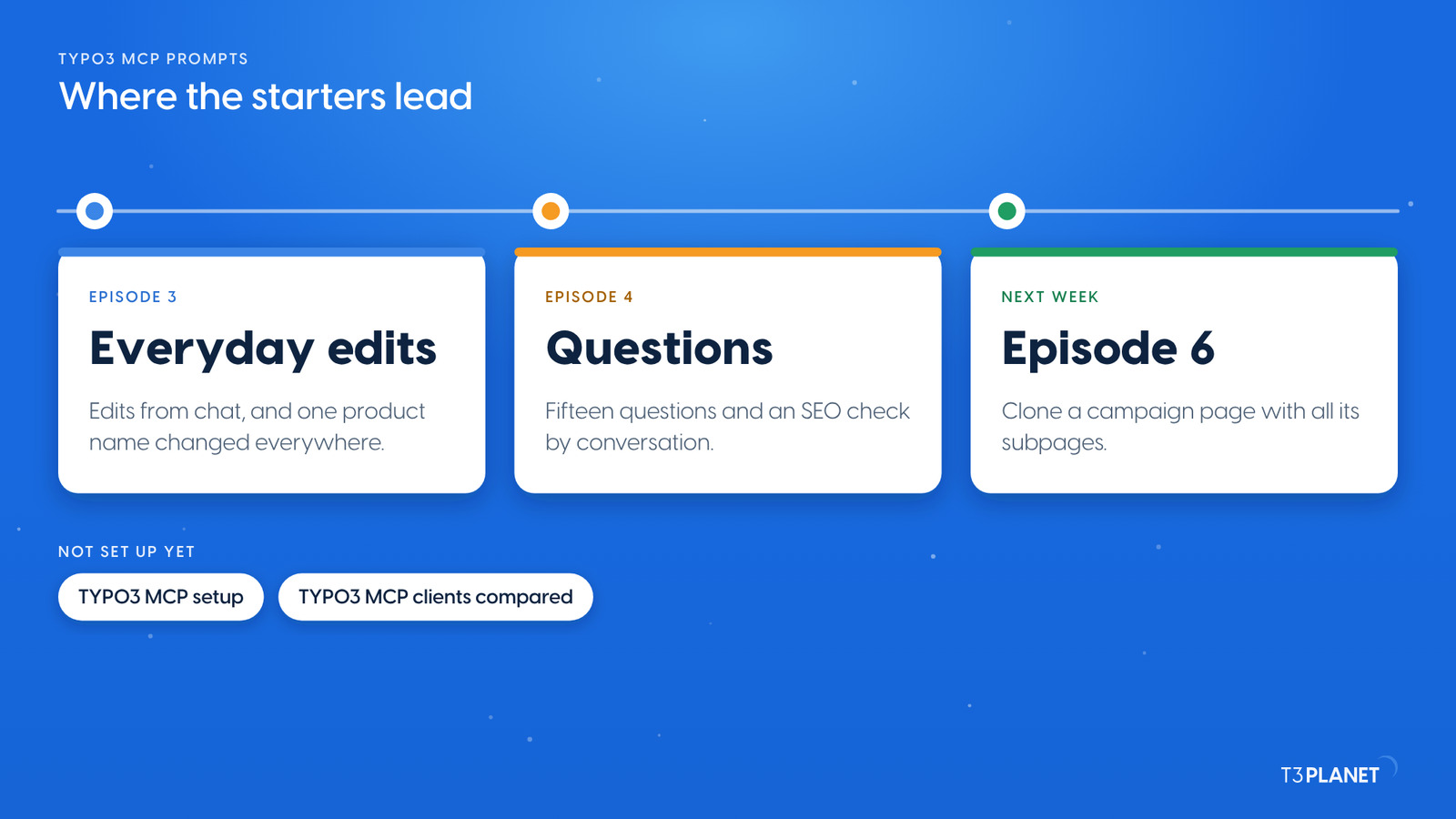
Once these starters feel familiar, the series goes further. Episode 3 makes everyday edits from chat and changes a product name everywhere. Episode 4 asks your TYPO3 fifteen questions and checks your SEO by conversation. Next week, episode 6 clones a campaign page with all its subpages. Not set up yet? TYPO3 MCP setup takes four steps, and TYPO3 MCP clients compared helps you pick an assistant.
The series comes from T3Planet by NITSAN Technologies, a TYPO3 Association Gold Member with more than 15 years of TYPO3 work. Its episodes are written by Jürgen, our AI Consultant for TYPO3. Every episode runs its job on our demo install before it is published.
redirect_listRedirects read: nine, four worth a lookcontent_getWarranty heading read in English and GermanWhat stays with you: deciding which findings to change, and reading the current value before any change.
A question that only reads and names the place, such as Show me the page tree of our main site, two levels deep. It shows that the connection works and teaches you how your assistant reads TYPO3, without changing anything.
Yes, if the backend user your assistant signed in as may edit live. Then a change is live as soon as it is saved. Start with questions, and read the current value before any change, so you can put it back.
A tab in the MCP Tools module that runs one MCP tool against your TYPO3, without an assistant. You pick a tool, fill in its parameters and select Execute. It runs for real, so start with tools that only read.
No. All ten starters use the core tools of AI Foundation, which is free and open source. The assistant you connect comes with its own plan from its vendor.
Jürgen Pietschmann
AI Consultant for TYPO3Jürgen Pietschmann is a T3Planet Product Consultant at T3Planet Shop. He specialises in integrating AI into editorial workflows – from intelligent content creation and automated SEO to AI-powered search and chatbot solutions for TYPO3 sites. As a technical consultant for T3Planet AI Universe, he works closely with agencies and editorial teams on practical TYPO3 implementations. Jürgen has been writing the This Month in TYPO3 series since December 2025 and has spoken at T3CON25 and TYPO3 Developer Days 2026 (T3DD26), where he co-presented Content Editing Unlocked.
More From Author