
TYPO3 MCP setup: install AI Foundation and switch on the MCP server
TYPO3 MCP


Your organisation already pays for an AI assistant, and the question is whether it can work in your TYPO3.
This comparison of TYPO3 MCP clients answers it for eight assistants: Claude, Microsoft Copilot, Cursor, VS Code with GitHub Copilot, Claude Code, ChatGPT, Gemini and PhpStorm. MCP, the Model Context Protocol, is the open standard an assistant uses to call the tools of another system, and AI Foundation, T3Planet's free and open source extension, adds an MCP server to TYPO3. For each assistant you see the plan its vendor names, how it signs in, what your admin controls, and its status with AI Foundation.
Two terms first, because they sound alike. Your AI assistant is the app you chat or code in, such as Claude or Cursor. AI Assistant, with capitals, is our licensed TYPO3 extension for writing, SEO and translation, and nothing in this post needs it.
One minute, with captionsAll videos
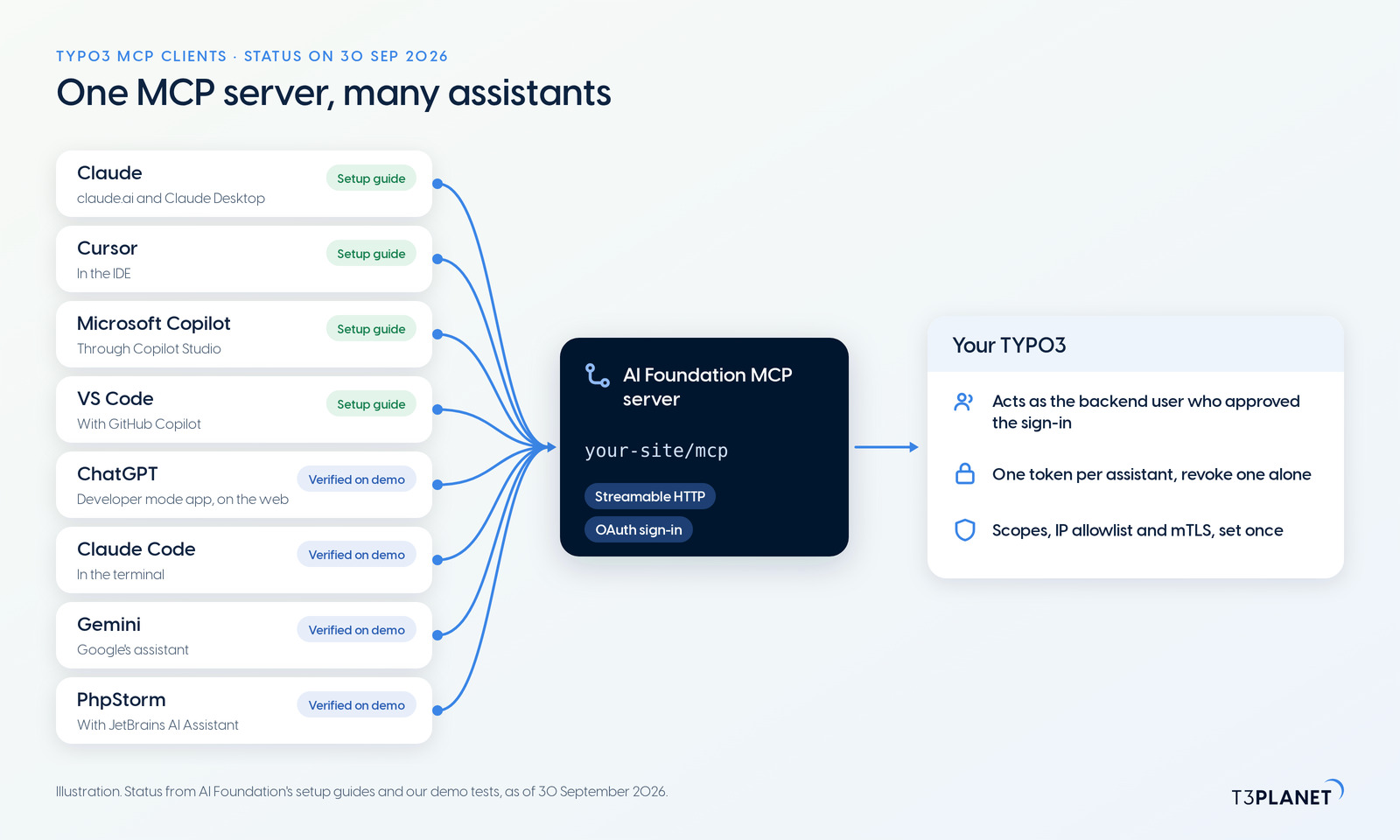
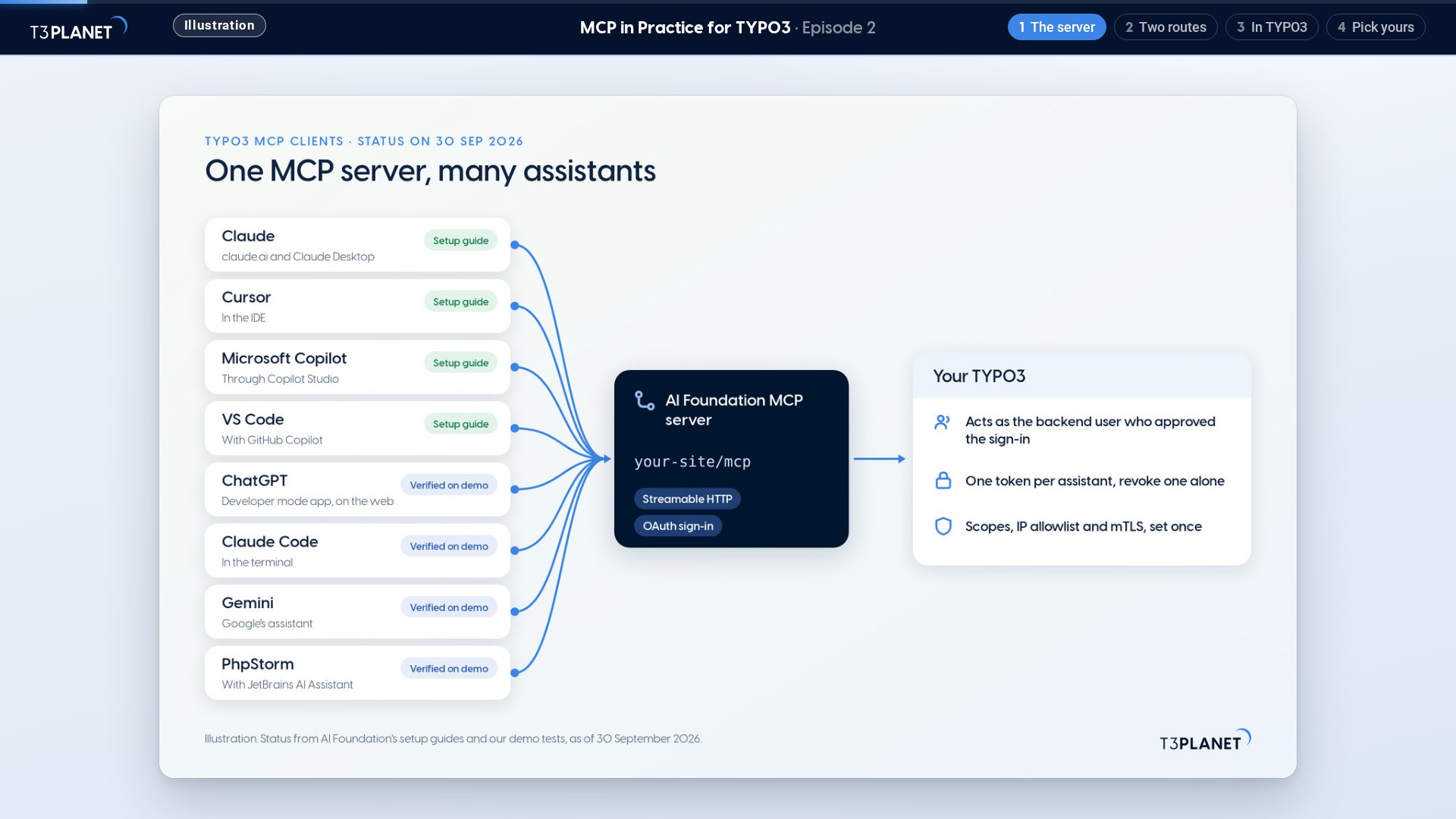
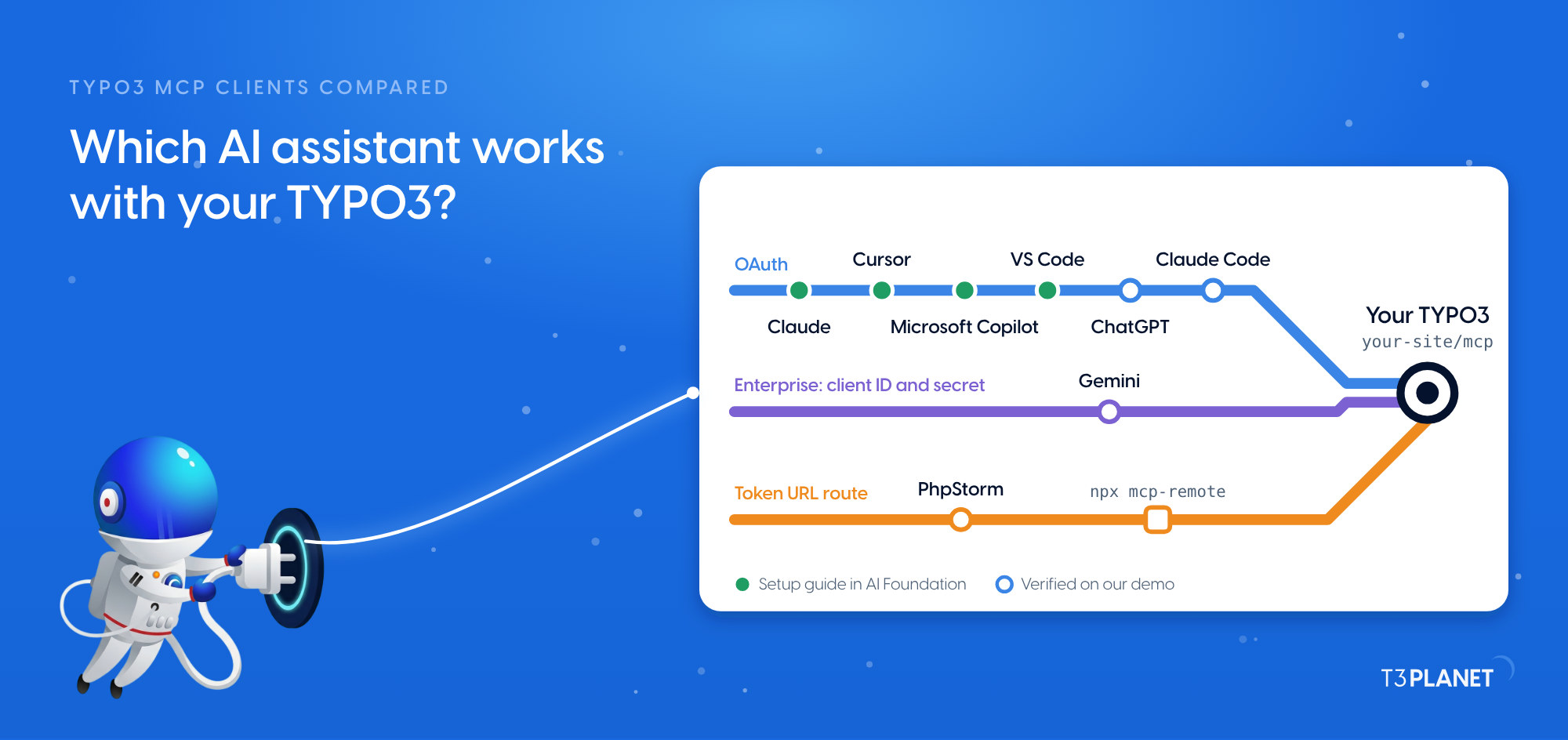
An AI assistant works with TYPO3 through AI Foundation's MCP server: it connects over Streamable HTTP and signs in with OAuth, which means you approve it in TYPO3 and it receives a token instead of your password. AI Foundation ships setup guides for Claude, Microsoft Copilot through Copilot Studio, Cursor and VS Code with GitHub Copilot. ChatGPT, Claude Code, Gemini and PhpStorm passed our demo test on 30 September 2026. PhpStorm is the one exception to the OAuth sign-in: JetBrains documents none for MCP servers yet, so it connects through a token URL.
AI Foundation is free and open source, no licence key, no registration, and the MCP server is part of it. How MCP works in general is in our explainer on TYPO3 MCP. This post stays with one question: which client fits your team.
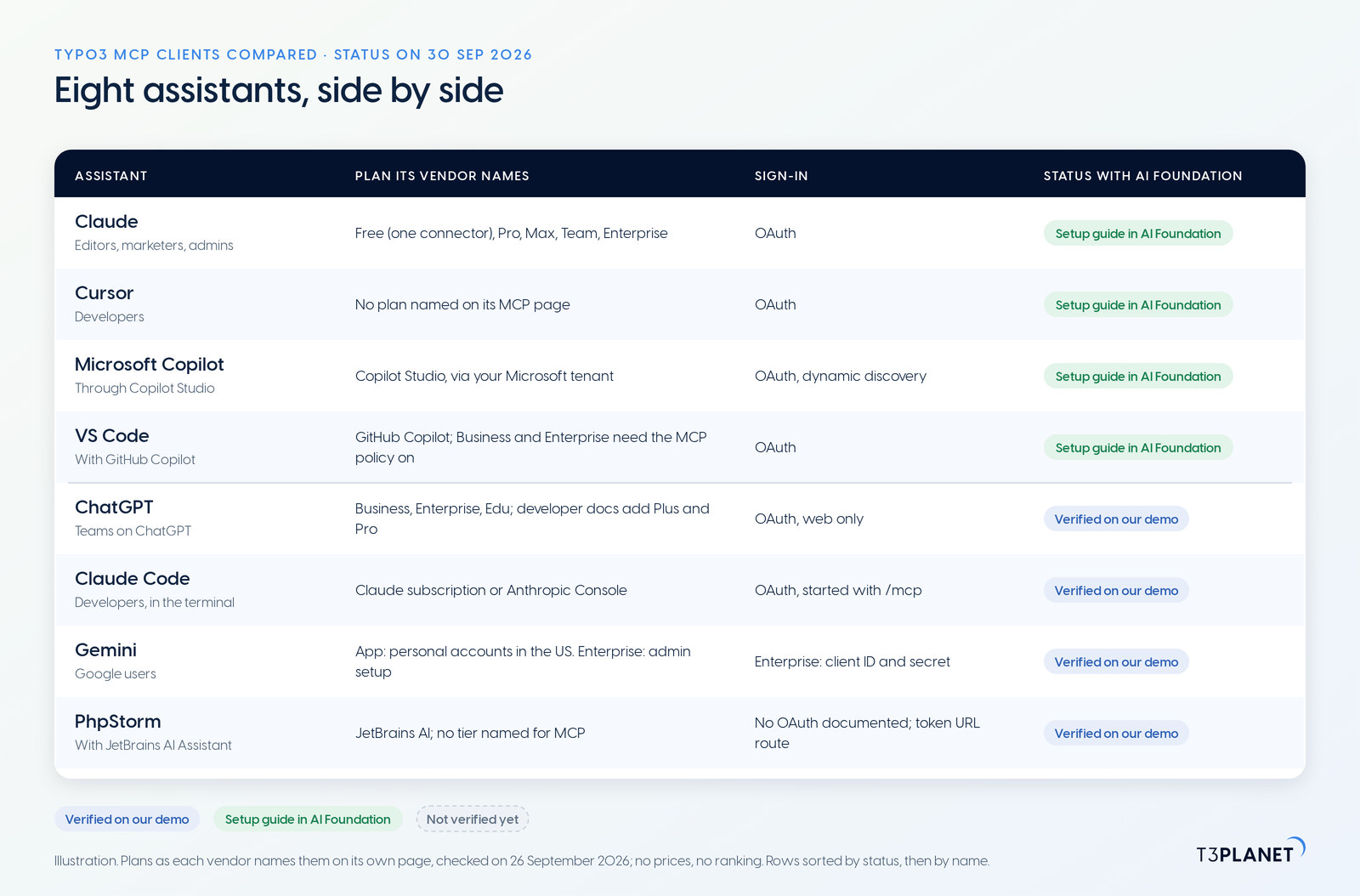
Each row carries one of two statuses. Setup guide in AI Foundation means the product ships setup steps for the assistant, in the Connect tab of its MCP server or in its documentation. Verified on our demo means our team connected the assistant to our demo TYPO3 and it passed the test described further down: sign in, read a page, change one header on the live demo site, check it on the page and put it back. Every row links our guide for that assistant. Rows are sorted by status, then by name.
| Assistant, and who it suits | Plan its vendor names (checked 26 Sep 2026) | Sign-in, writing and admin control | Status with AI Foundation |
| Claude (claude.ai and Claude Desktop). Editors, marketers, admins | Free (one custom connector), Pro, Max, Team and Enterprise (Anthropic) | OAuth. Shows a tool approval request unless you chose Allow always. On Team and Enterprise, only Owners add connectors | Setup guide in AI Foundation. Connect Claude to TYPO3 |
| Cursor. Developers | Its MCP page names no plan (Cursor) | OAuth. Asks for approval before it uses an MCP tool, by default. Enterprise admins control which MCP servers run | Setup guide in AI Foundation. Connect Cursor to TYPO3 |
| Microsoft Copilot, through Copilot Studio. Microsoft 365 companies | Copilot Studio, licensed through your Microsoft tenant (Microsoft) | OAuth with dynamic discovery. A maker adds the MCP server to a Copilot Studio agent, and Power Platform data policies govern it (Microsoft) | Setup guide in AI Foundation (the Copilot Studio preset). Connect Microsoft Copilot to TYPO3 |
| VS Code with GitHub Copilot. Developers | GitHub Copilot. On Copilot Business and Enterprise, an admin switches on the policy "MCP servers in Copilot" first; it is off by default (GitHub) | OAuth. May ask you to confirm each tool call (VS Code) | Setup guide in AI Foundation. Connect VS Code to TYPO3 |
| ChatGPT. Teams on ChatGPT | Help centre: full MCP, including writes, on Business, Enterprise and Edu, and read and fetch only on Pro (OpenAI). Developer docs: developer mode on Plus and Pro as well (OpenAI) | OAuth, on the web only. Write actions ask for confirmation by default. On Business, only admins use developer mode | Verified on our demo, 30 Sep 2026. Connect ChatGPT to TYPO3 |
| Claude Code. Developers, in the terminal | A Claude subscription or an Anthropic Console account (Anthropic) | OAuth, started with /mcp. Admins can allow or deny MCP servers through managed settings (Anthropic) | Verified on our demo, 30 Sep 2026. Connect Claude Code to TYPO3 |
| Gemini. Google users | Gemini app: custom apps for personal Google Accounts, 18 or over, in the US (Google). Gemini Enterprise: an administrator connects the server (Google Cloud) | Gemini app: manual confirmation for every write. Gemini Enterprise: OAuth with a client ID and a client secret; actions stay off until an admin enables them | Verified on our demo, 30 Sep 2026. Connect Gemini to TYPO3 |
| PhpStorm with JetBrains AI Assistant. TYPO3 developers | JetBrains AI Free, Pro, Ultimate or Enterprise; the MCP page names no tier (JetBrains) | No OAuth sign-in for MCP servers documented; JetBrains' request for it is open (LLM-25012), so it connects through AI Foundation's token URL. Admins can preconfigure servers through JetBrains IDE Services | Verified on our demo, 30 Sep 2026. Connect PhpStorm to TYPO3 |
The table ranks nothing. It does not say which assistant writes the better text, because that depends on the model behind it and on your prompts. Each assistant's plan is paid to its vendor; AI Foundation costs nothing.
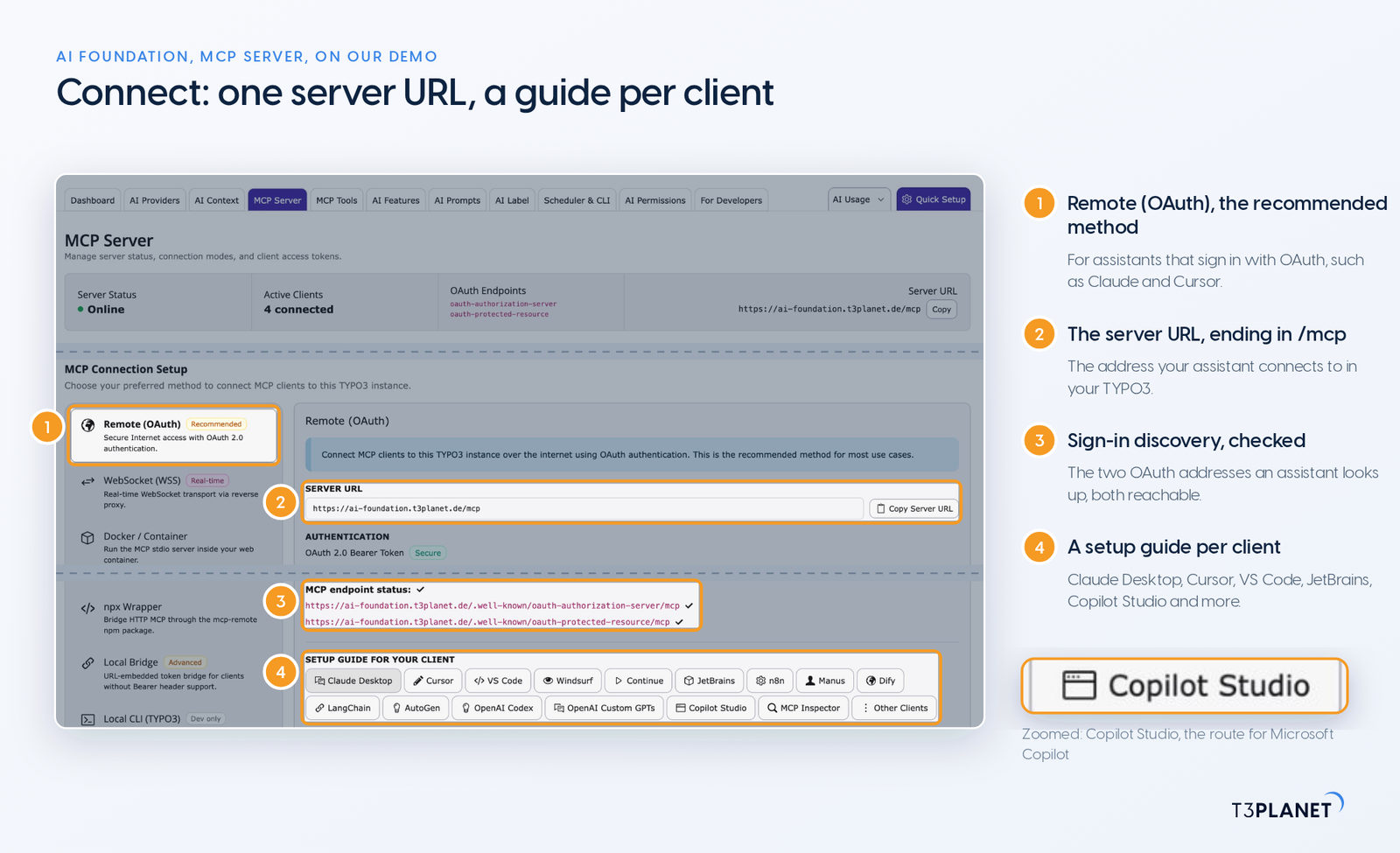
Editors and marketers usually meet their assistant in the browser or in Microsoft 365, and the contract is already signed. What matters is who sets it up and who approves it.
AI Foundation's Connect tab carries setup guides for many more clients, from Claude Desktop and Copilot Studio to n8n and the MCP Inspector, so check it for your assistant before you look anywhere else.
Every Friday: two new jobs for your AI assistant, each with a one-minute video.
This episodeEpisode 2 · 19 Oct 2026
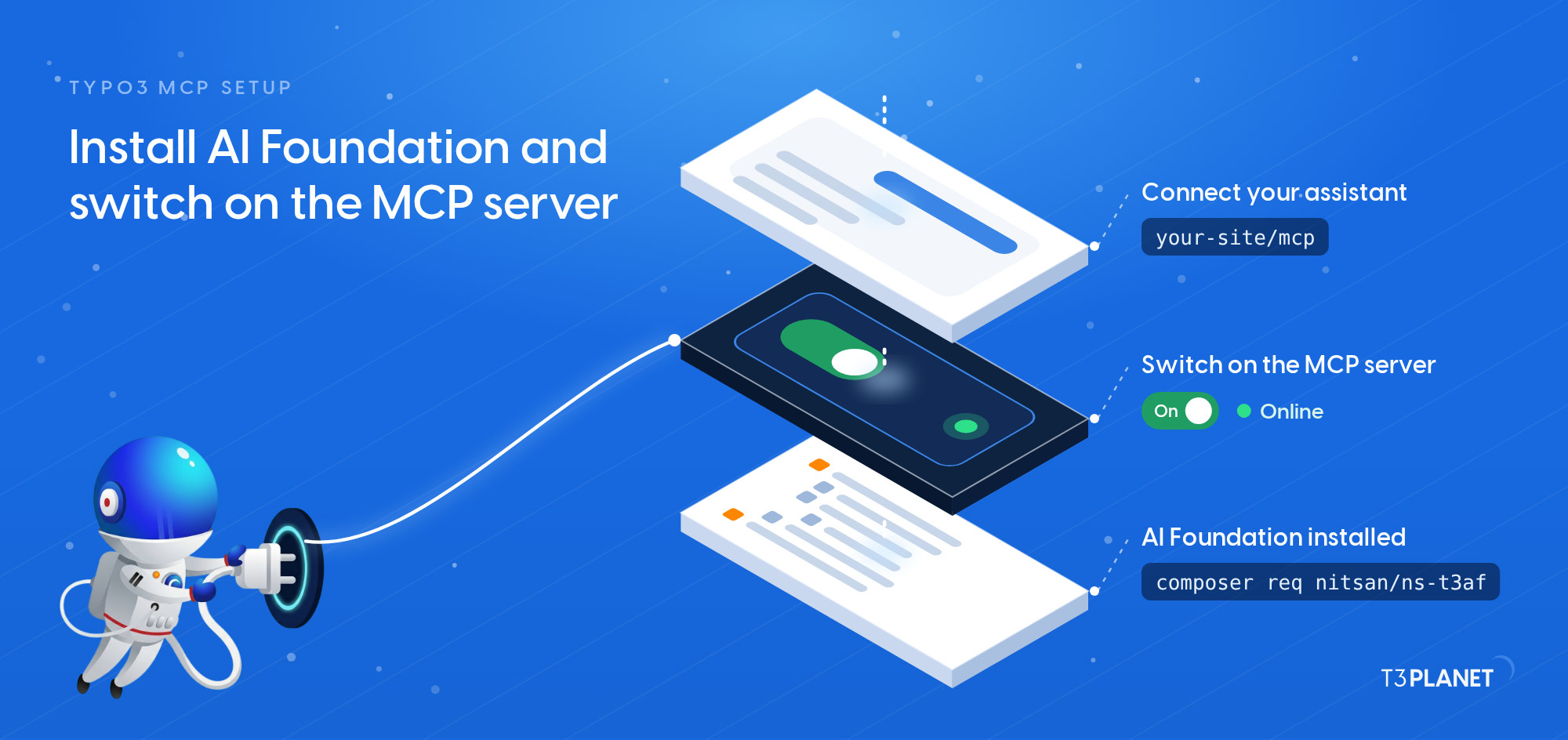
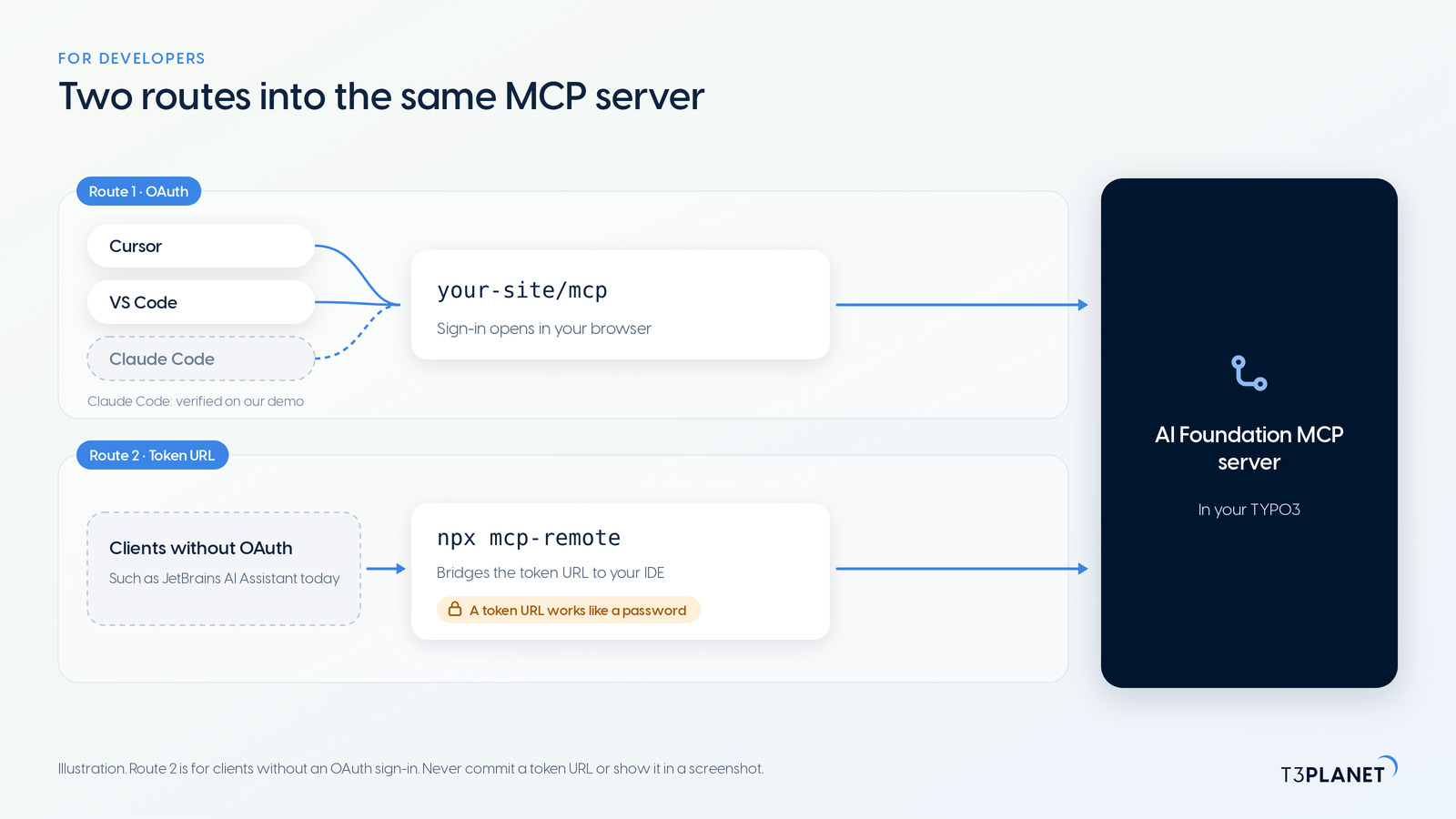
In an editor or a terminal, the MCP server is one entry in a configuration file, and the sign-in opens in your browser.
claude mcp add --transport http, and the /mcp command starts the sign-in in your browser. AI Foundation's Connect tab has no preset for it, and Claude Code passed our demo test on 30 September 2026; our guide Connect Claude Code to TYPO3 has the steps. If you want Claude Code to build TYPO3 extensions rather than work on a site, our Claude Code & TYPO3 guide covers that.mcp-remote package bridges to your IDE. A token URL works like a password, so keep it out of Git, screenshots and chats. PhpStorm passed our demo test on 30 September 2026, and our guide Connect PhpStorm to TYPO3 shows the token route.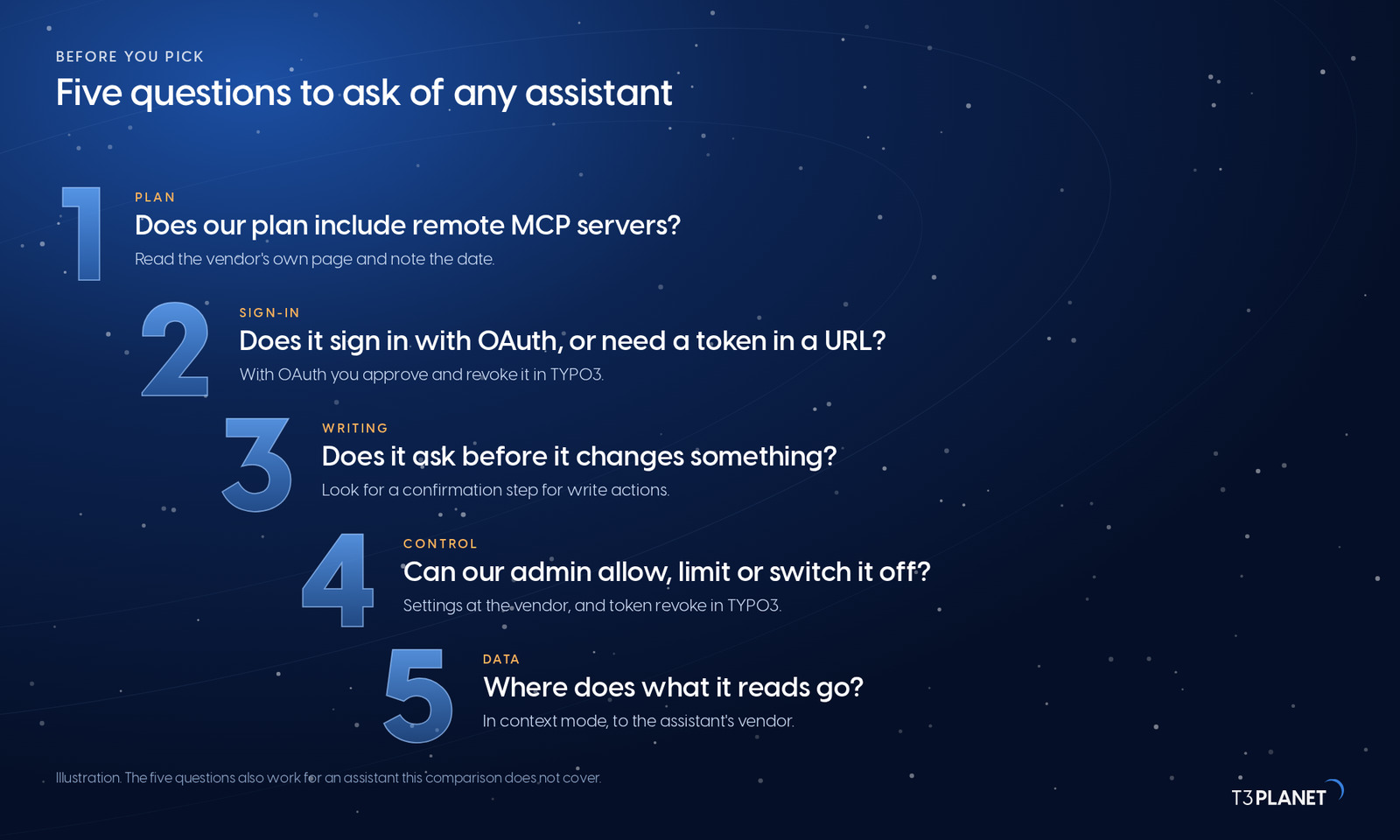
Like any MCP client comparison, this one ages: plans and features move every month. These five questions do not, and they also work for an assistant this table does not list:
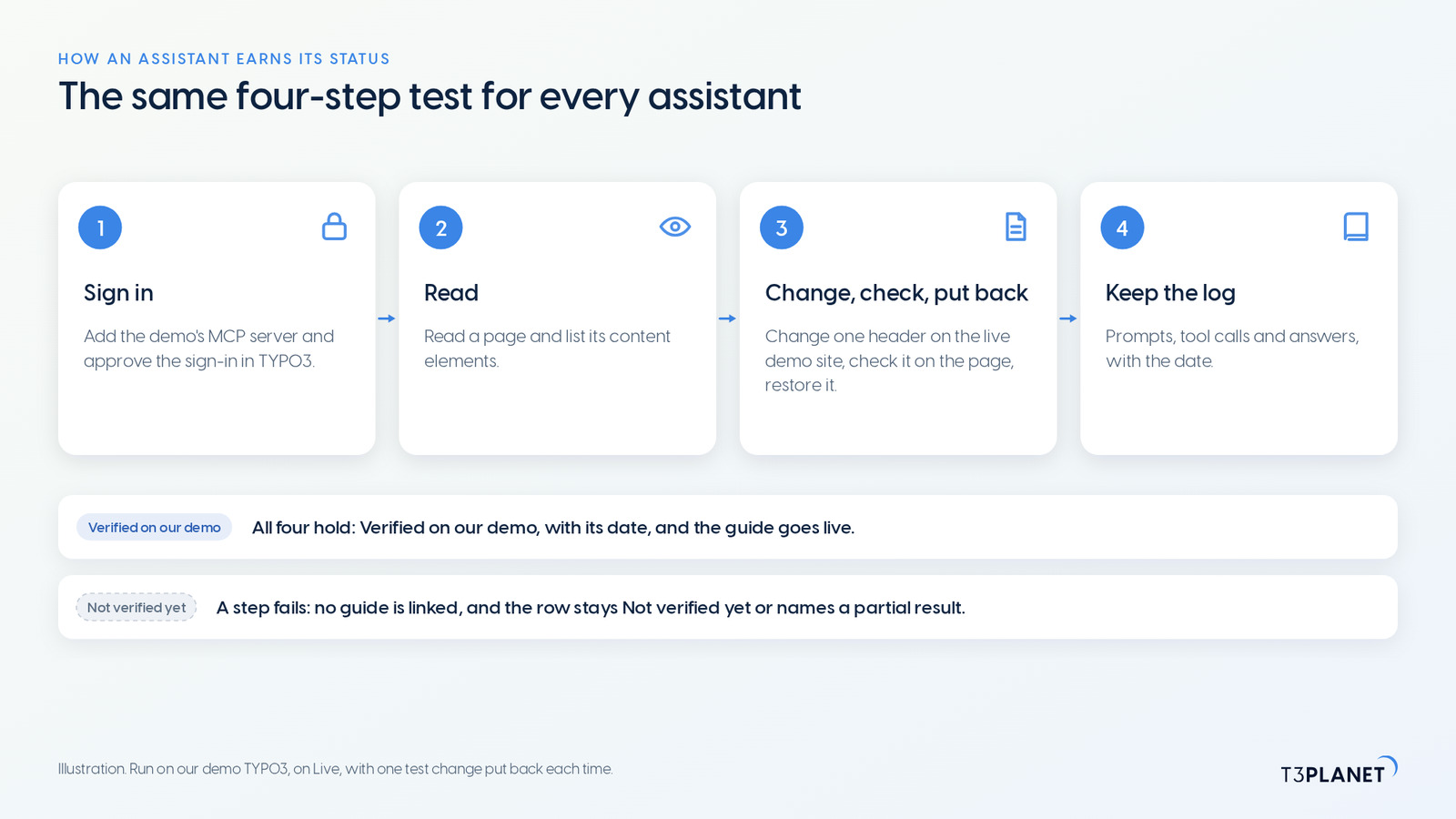
An assistant without a setup guide in AI Foundation goes through the same test on our demo TYPO3 before its guide goes live. On 30 September 2026, ChatGPT, Claude Code, Gemini and PhpStorm passed it:
The test runs as one administrator on the live demo site, and every change is put back before the next assistant. Gemini needs a note of its own, because the name covers three products. The Gemini app takes custom MCP apps only for personal Google Accounts in the US. Gemini Enterprise is set up by an administrator and signs in with a client ID and a client secret. Antigravity is Google's developer IDE and command line. Check Google's requirements for the one your team uses before you start; our guide Connect Gemini to TYPO3 names them.
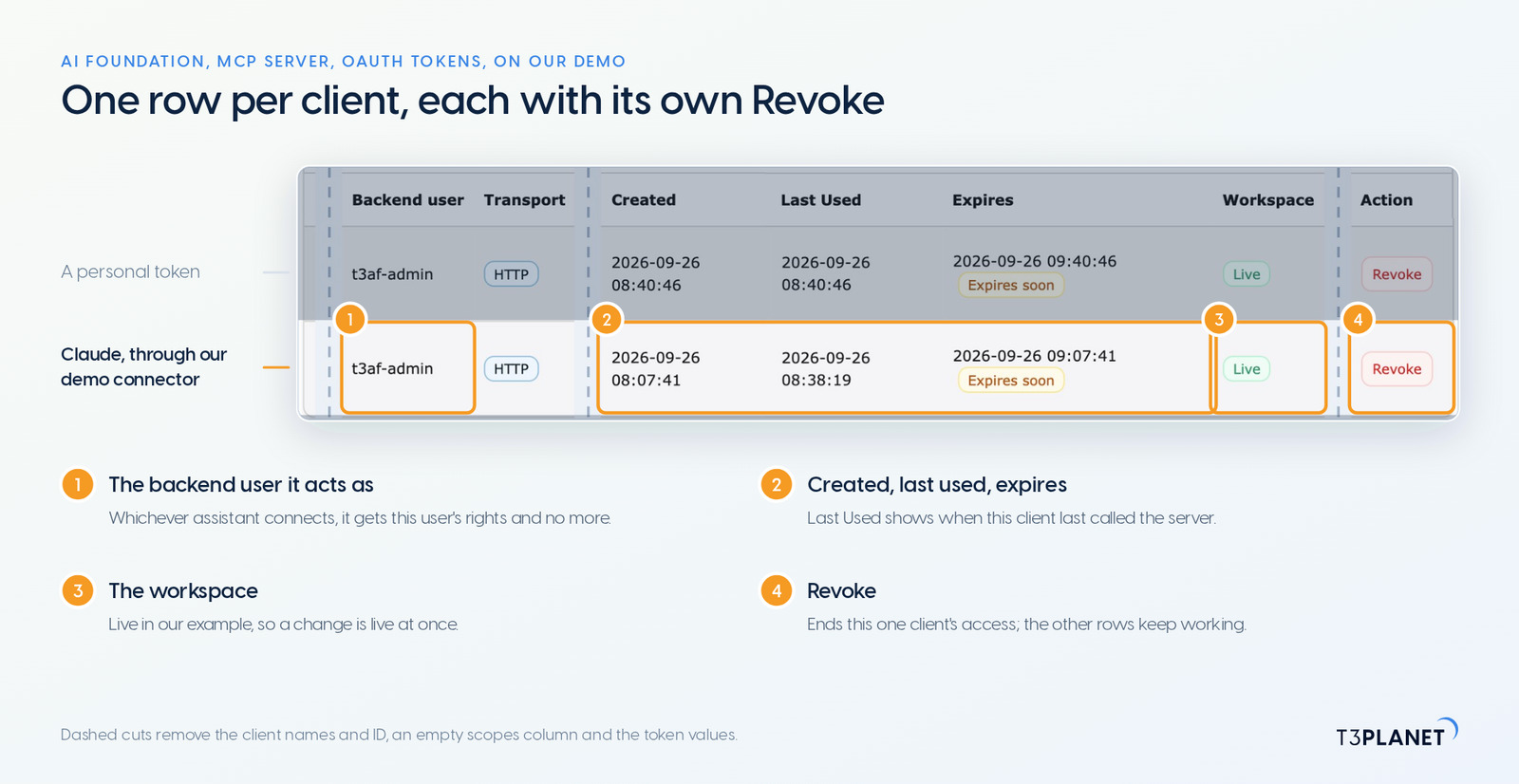
The server side is the same for all TYPO3 MCP clients, which is why the choice of client matters less than it seems:
records_apply, ask for a dry run first and keep the batch ID for records_undo, which takes the whole batch back, as episode 3 shows. Where safety matters, AI Foundation can hold changes to pages and content in a TYPO3 draft workspace for review, which our workspaces episode shows.This one-minute video draws the figures of this post: one MCP server for your TYPO3, two routes into it (OAuth sign-in for seven assistants, a token URL for PhpStorm), and the Connect and OAuth Tokens tabs of AI Foundation. Open the video page with transcript and chapters.
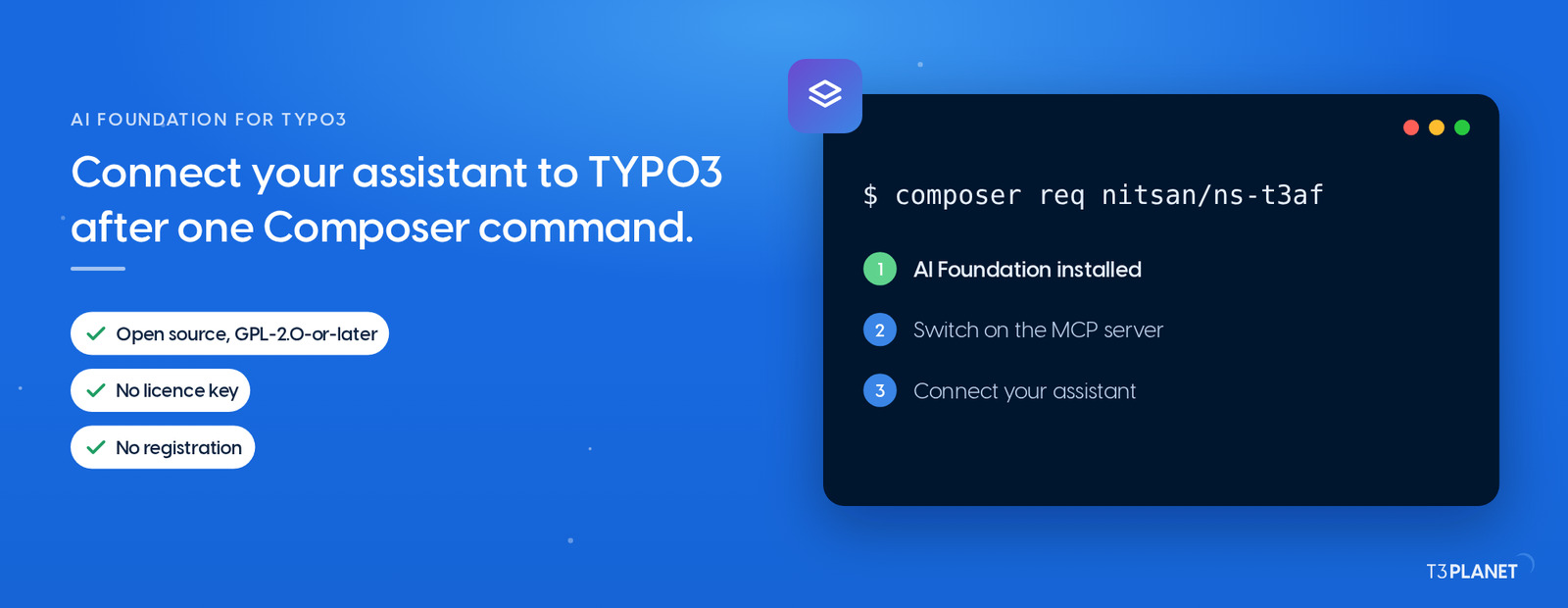
To connect an AI assistant to TYPO3, you need one thing on the TYPO3 side: an MCP server. AI Foundation adds it with one Composer command. TYPO3 MCP setup, the second post of this episode, shows how to install AI Foundation and switch on the server; the guide for your assistant takes it from there, and episode 3 brings your first everyday edits from chat. Every guide and episode is on the hub of MCP in Practice for TYPO3.
AI Foundation's core tools are free. AI Assistant, AI Accessibility, AI Chatbot and AI Search add tools of their own and need their licences.
The series comes from T3Planet by NITSAN Technologies, a TYPO3 Association Gold Member with more than 15 years of TYPO3 work, and its episodes are written by Jürgen, our AI Consultant for TYPO3. Every status in this post is dated and comes from our demo install, from the setup guides AI Foundation ships, or from the vendor's own page.
Which pages are under Service on our website, and when was each one last changed?
Yes. ChatGPT passed our demo test with AI Foundation on 30 September 2026. OpenAI documents remote MCP servers as apps in ChatGPT's developer mode, on the web, with an OAuth sign-in; which plans include write actions differs between OpenAI's help centre and its developer docs, so check your plan in the table first.
Not for TYPO3: AI Foundation and its MCP server are free and open source, no licence key, no registration. For the assistant, its vendor decides. Claude offers custom connectors from its Free plan, with one connector; Microsoft Copilot reaches MCP servers through Copilot Studio; ChatGPT names specific plans. Each row of the table links the vendor's own page.
Yes. Each client gets its own token in MCP Server > OAuth Tokens, so Claude for your editors and Cursor for your developers can work side by side, and you can revoke one without touching the other.
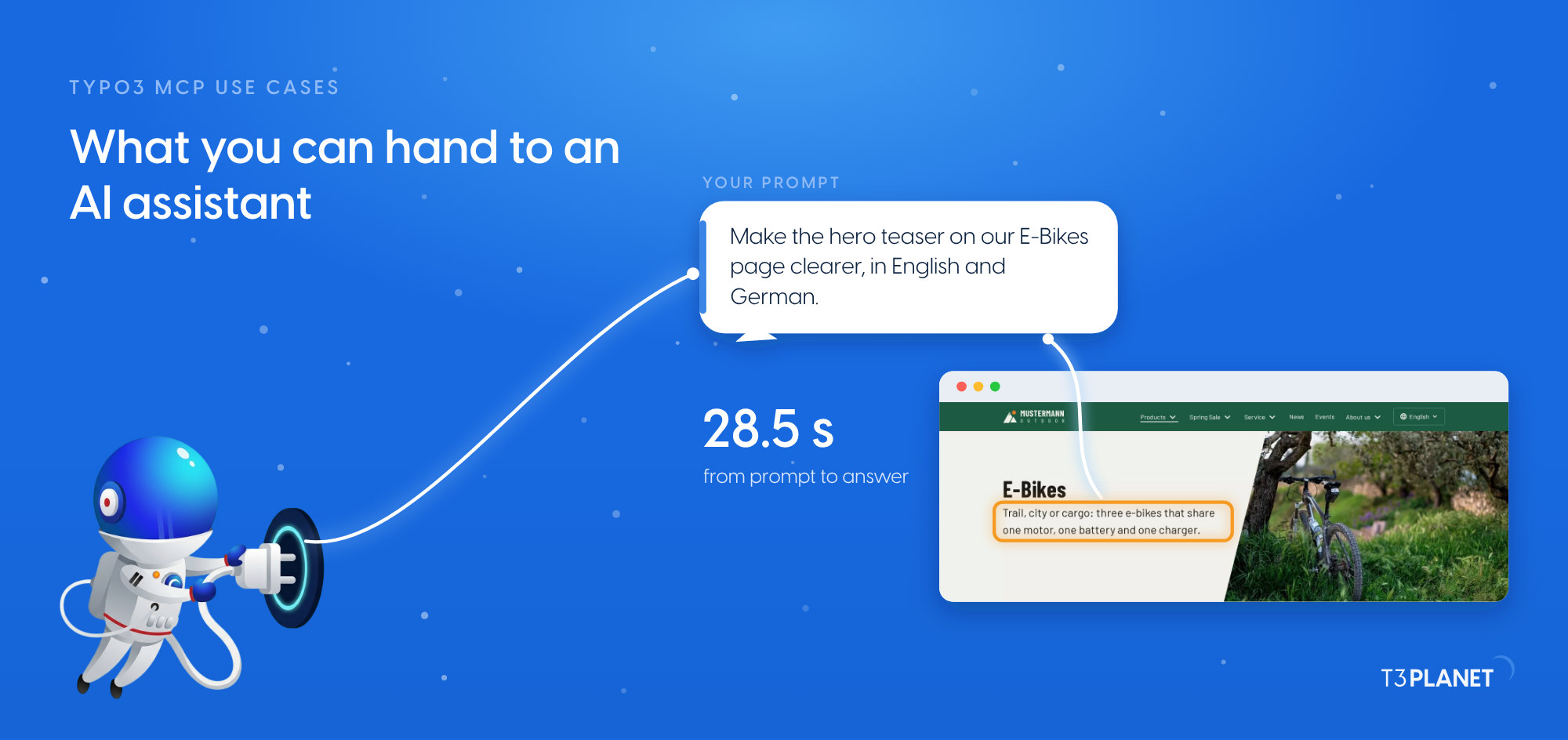
In context mode, your assistant's own model writes, and TYPO3 stores the result. In native mode, TYPO3 generates the text with the AI provider set in AI Foundation. You pick the mode in the MCP server settings; which content goes where in each mode is the subject of episode 13.
The one your team already uses, if its row shows a setup guide or a verified status. No row is a recommendation: the status says whether our demo or the product covers the assistant, and the plan column says what its vendor asks for. If yours is missing, the five questions above tell you what to check.

Jürgen Pietschmann
AI Consultant for TYPO3Jürgen Pietschmann is a T3Planet Product Consultant at T3Planet Shop. He specialises in integrating AI into editorial workflows – from intelligent content creation and automated SEO to AI-powered search and chatbot solutions for TYPO3 sites. As a technical consultant for T3Planet AI Universe, he works closely with agencies and editorial teams on practical TYPO3 implementations. Jürgen has been writing the This Month in TYPO3 series since December 2025 and has spoken at T3CON25 and TYPO3 Developer Days 2026 (T3DD26), where he co-presented Content Editing Unlocked.
More From Author