
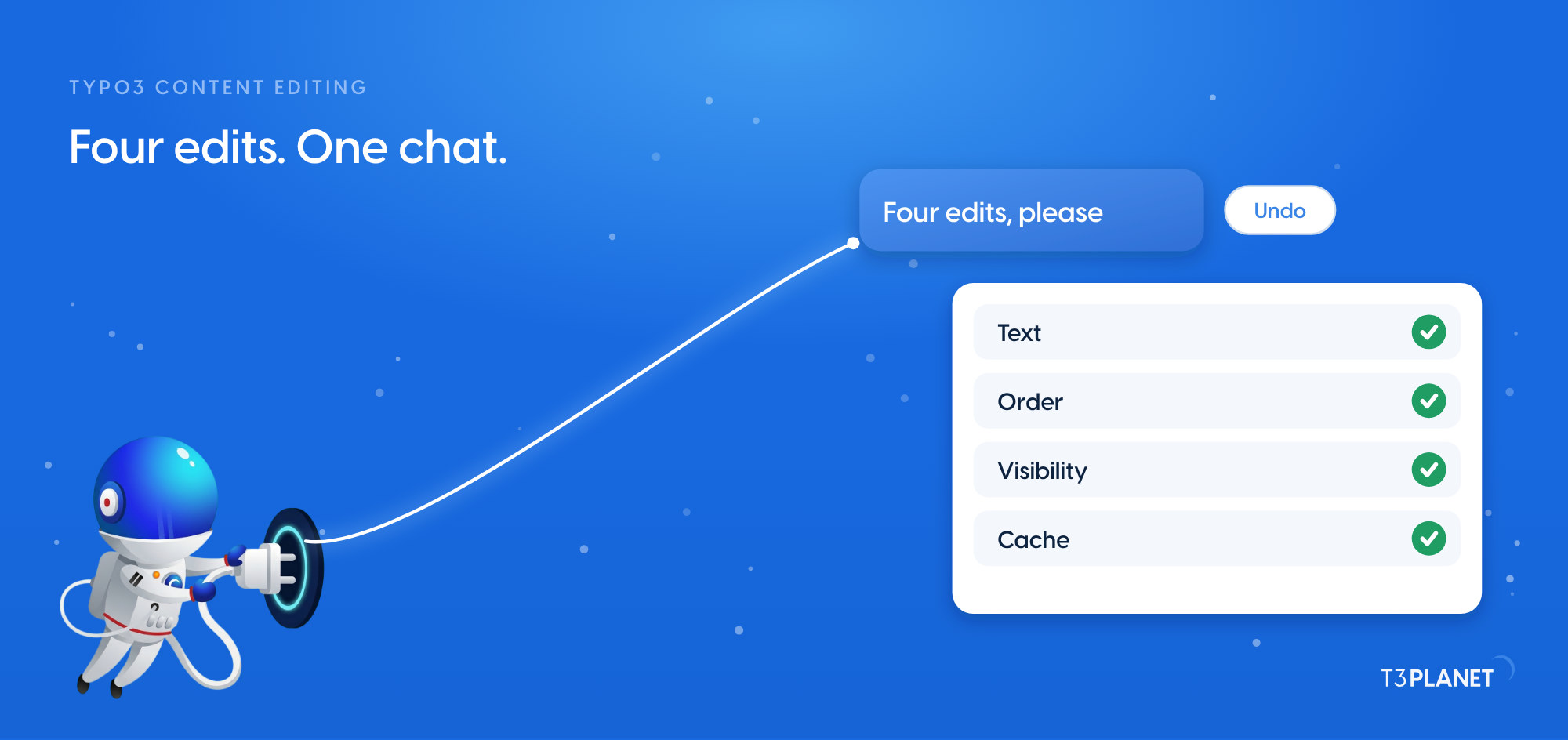
TYPO3 content editing with AI: four everyday edits from chat
TYPO3 MCP


Which TYPO3 jobs can an AI assistant take off your hands, and which of them cost nothing? This map of TYPO3 MCP use cases answers both.
MCP, the Model Context Protocol, is how an assistant such as Claude works inside TYPO3 through a set of tools. The map covers nine areas of TYPO3 work, from reading the page tree to redirects, alt text and translation. For each job it shows whether the free AI Foundation handles it or whether it needs a licensed AI Universe extension, and which episode of our series MCP in Practice for TYPO3 shows it on a demo site.
Two terms first, because they sound alike. Your AI assistant means the chat or coding app you work in, such as Claude or Cursor. AI Assistant, with capitals, is our licensed TYPO3 extension for writing, SEO and translation.
One minute, with captionsAll videos
Through MCP, an AI assistant works inside TYPO3 with the tools that AI Foundation's MCP server provides. It reads pages, content, files and records and makes changes, and the AI Universe extensions add tools for alt text, SEO, translation, chatbot and search. It acts with the rights of the backend user it signs in as. Ask it to read the current value before a change, check the result on the page, and it can put the old value back. AI Foundation and the extensions together bring 100+ MCP tools.
The Model Context Protocol is an open-source standard for connecting AI applications to other systems. How it works, and how to connect your first assistant, is in our explainer on TYPO3 MCP. This post stays with the scope question: what you can hand over, and what it costs.
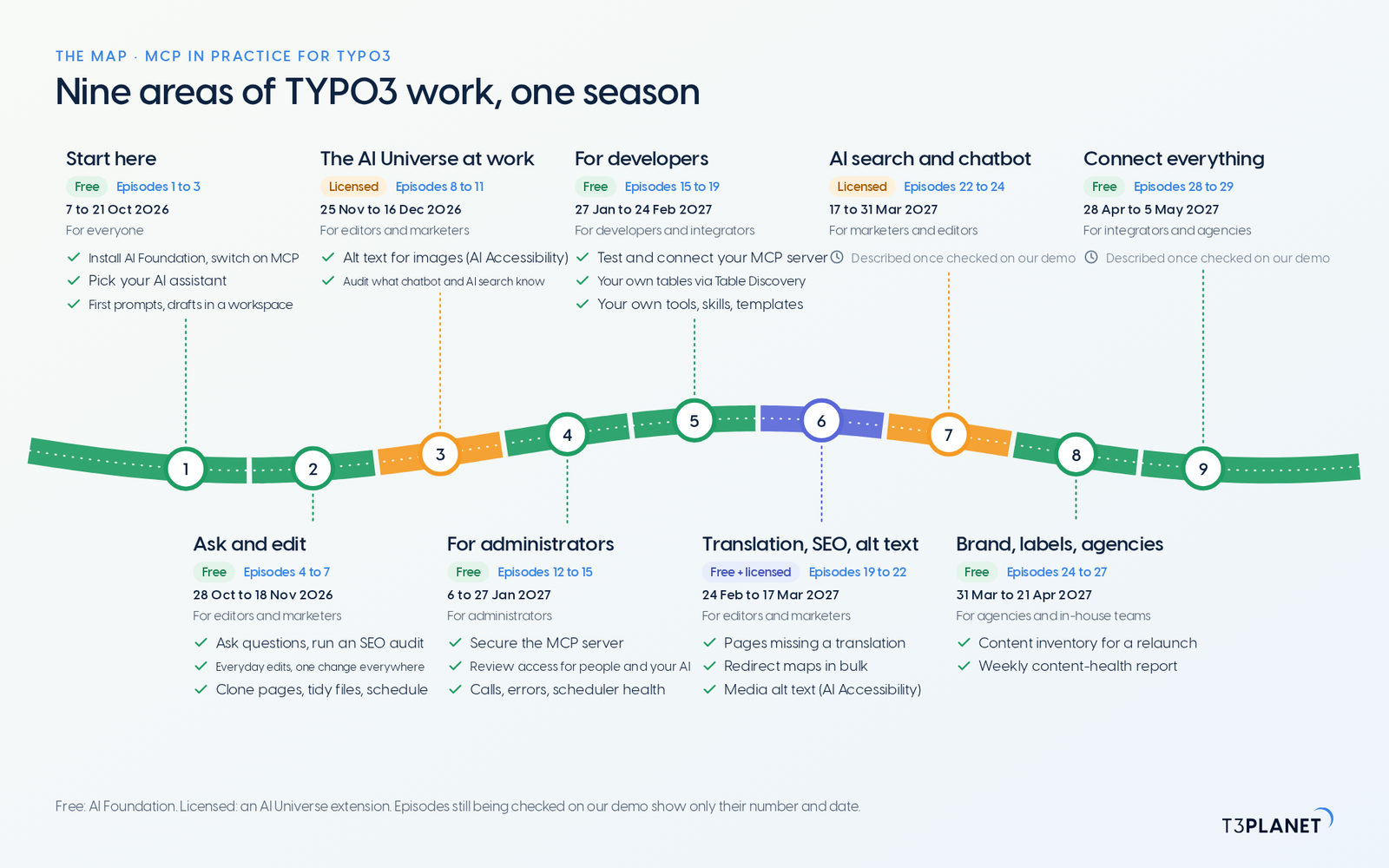
The series runs from 7 October 2026 to 5 May 2027, every Wednesday: two new jobs for your AI assistant, each with a one-minute video. There is a pause on 23 and 30 December. Each area below is one chapter of the season, so you can read the map as a list of free and licensed MCP tools for TYPO3, sorted by the work they do. Jobs whose tools still need a check on our demo install are not described yet; the series hub lists those episodes with their number and date.
| Area | What you can hand over | Free or licensed | For whom, and when |
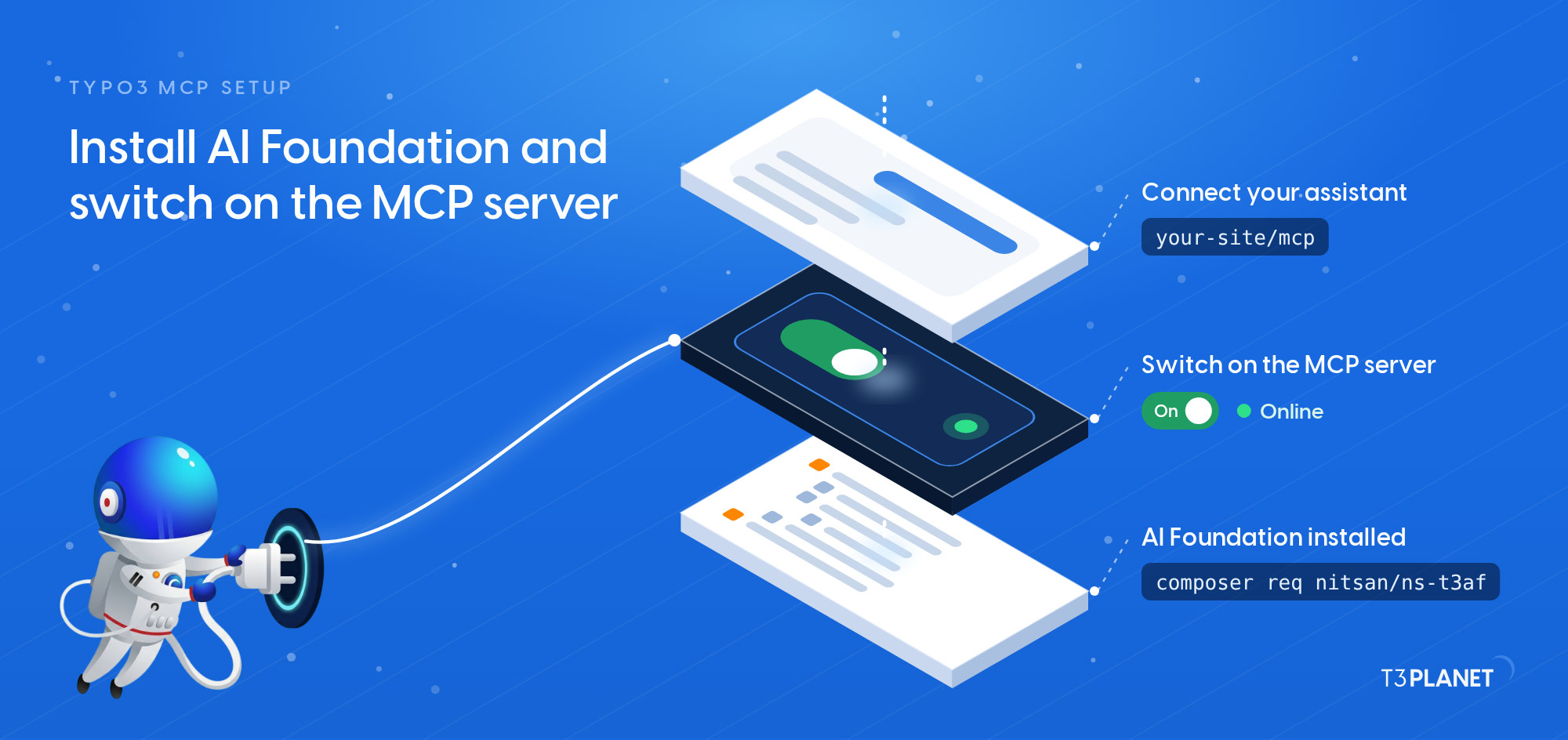
| 1 Start here | Install AI Foundation and switch on the MCP server, pick your assistant, write first prompts in the Playground, keep drafts in a workspace | Free | Everyone. Episodes 1 to 3, 7 to 21 Oct 2026 |
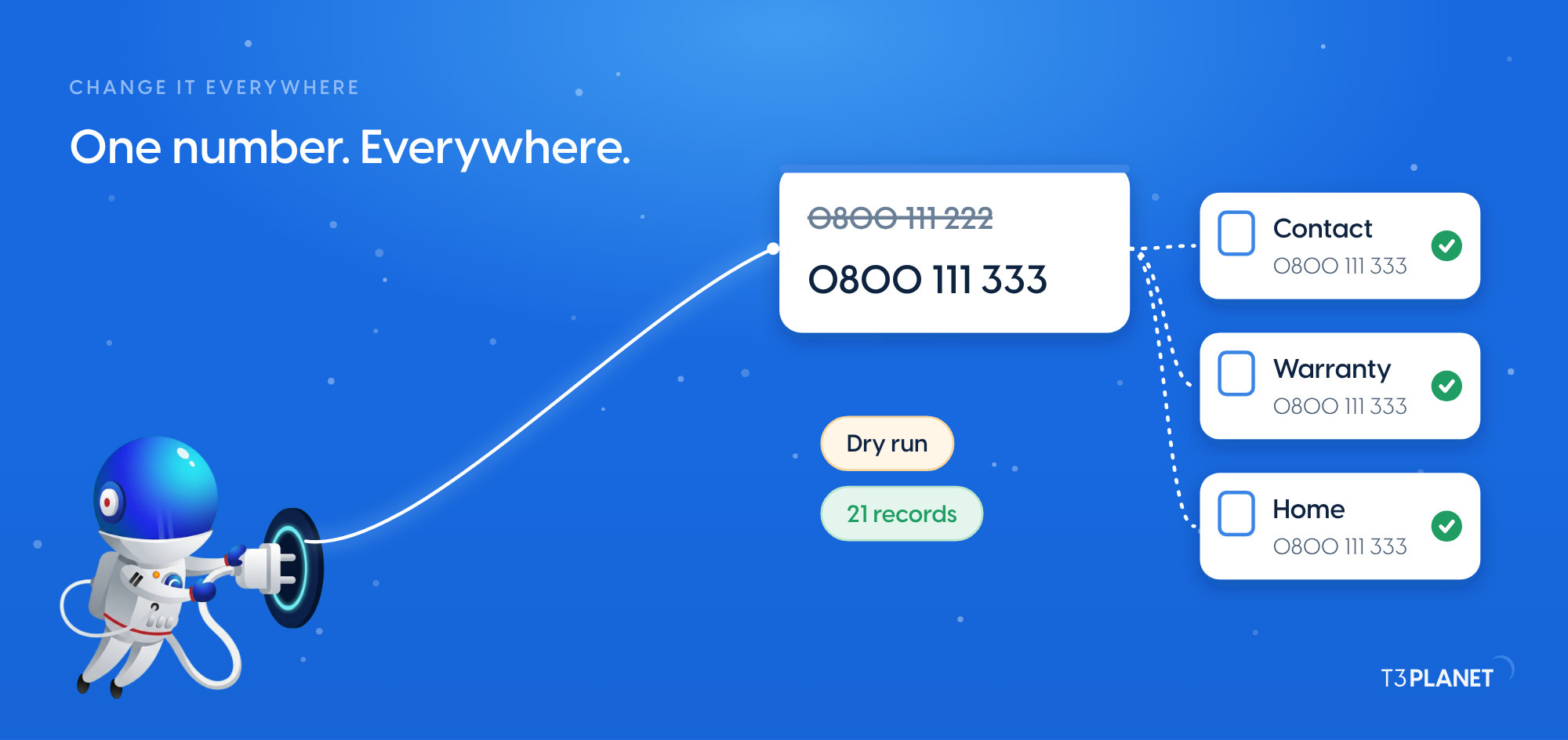
| 2 Ask and edit | Questions about your site, an SEO audit by conversation, everyday edits to text, order and visibility, one change everywhere such as a phone number, a campaign page cloned with its subpages, fileadmin tidied, pages scheduled to go live and expire | Free | Editors, marketers. Episodes 4 to 7, 28 Oct to 18 Nov 2026 |
| 3 The AI Universe at work | Images without alt text found, described and saved after review (AI Accessibility); what your chatbot and AI search know, audited and refreshed (AI Chatbot, AI Search) | Licensed | Editors, marketers. Episodes 8 to 11, 25 Nov to 16 Dec 2026 |
| 4 For administrators | The MCP server secured with OAuth 2.1, tokens, an IP allowlist and mTLS; an access review of people and your AI user; calls, errors and connection health; scheduler health checks | Free | Administrators. Episodes 12 to 15, 6 to 27 Jan 2027 |
| 5 For developers | Your MCP server tested with MCP Inspector and connected your way; extension tables you enable through Table Discovery; MCP tools in your own extension; skills and prompt templates | Free | Developers, integrators. Episodes 15 to 19, 27 Jan to 24 Feb 2027 |
| 6 Translation, SEO, alt text | Pages missing a translation, found in one question; redirect maps imported, audited and fixed in bulk (free); better alt text across the media library (AI Accessibility, licensed) | Free + licensed | Editors, marketers. Episodes 19 to 22, 24 Feb to 17 Mar 2027 |
| 7 AI search and chatbot | Described once checked on our demo | Licensed | Marketers, editors. Episodes 22 to 24, 17 to 31 Mar 2027 |
| 8 Brand, labels, agencies | A content inventory for a relaunch or a TYPO3 upgrade, a weekly content-health report on a schedule | Free | Agencies, in-house teams. Episodes 24 to 27, 31 Mar to 21 Apr 2027 |
| 9 Connect everything | Described once checked on our demo | Free | Integrators, agencies. Episodes 28 to 29, 28 Apr to 5 May 2027 |
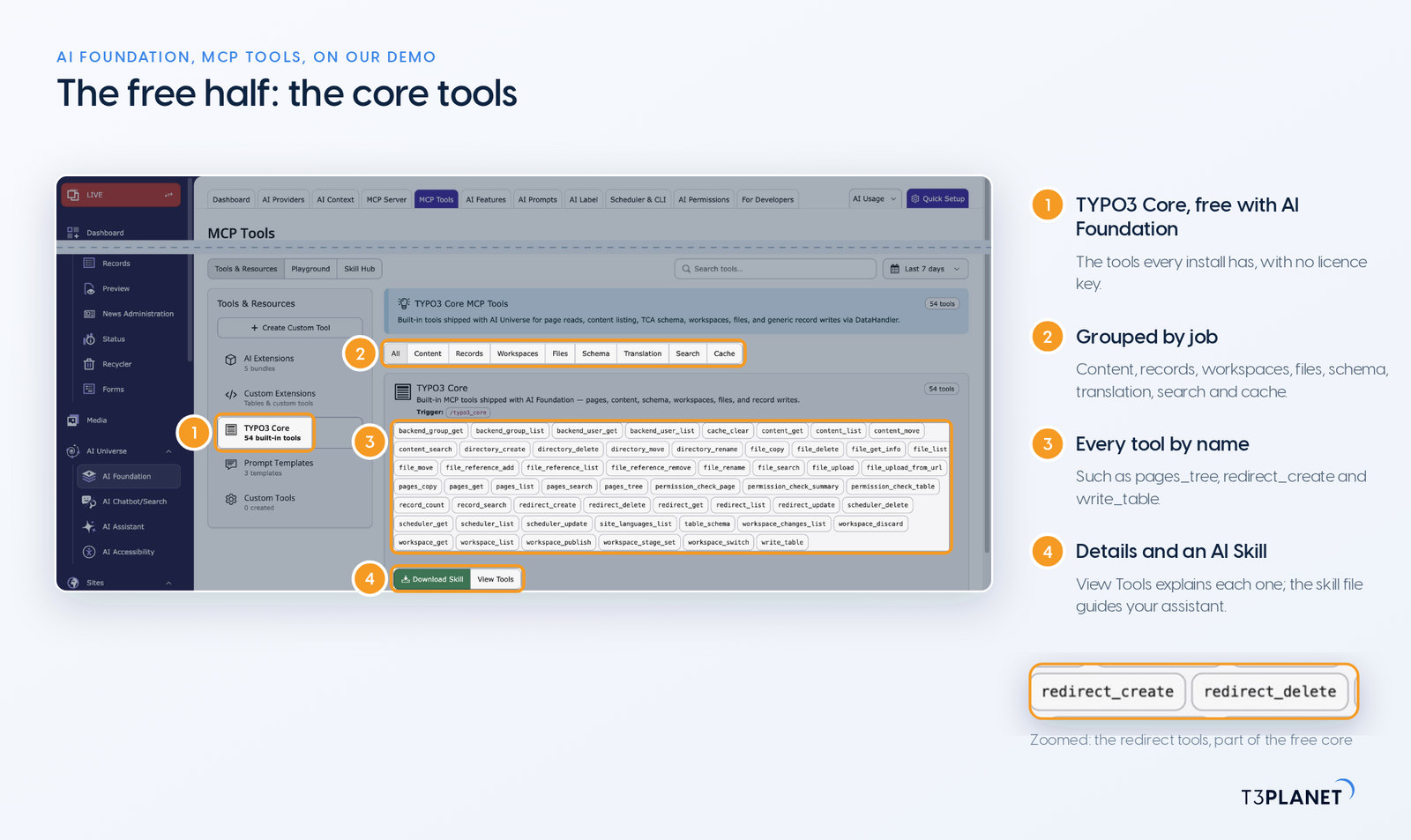
AI Foundation is free and open source, no licence key, no registration. It adds the MCP server to TYPO3 and a core set of tools that every install has. Your assistant reads their names and descriptions and picks the one a job needs:
pages_tree), find pages (pages_search), read and change content (content_get, write_table), move elements (content_move), copy a page with its subpages (pages_copy).file_upload_from_url) and check where a file is used (file_reference_list).redirect_create, redirect_update), read and adjust scheduler tasks (scheduler_list, scheduler_update), clear caches (cache_clear).permission_check_page, permission_check_table).Developers can also ship tools inside their own extension and give an assistant prompt templates and AI Skills, which the For developers chapter covers.
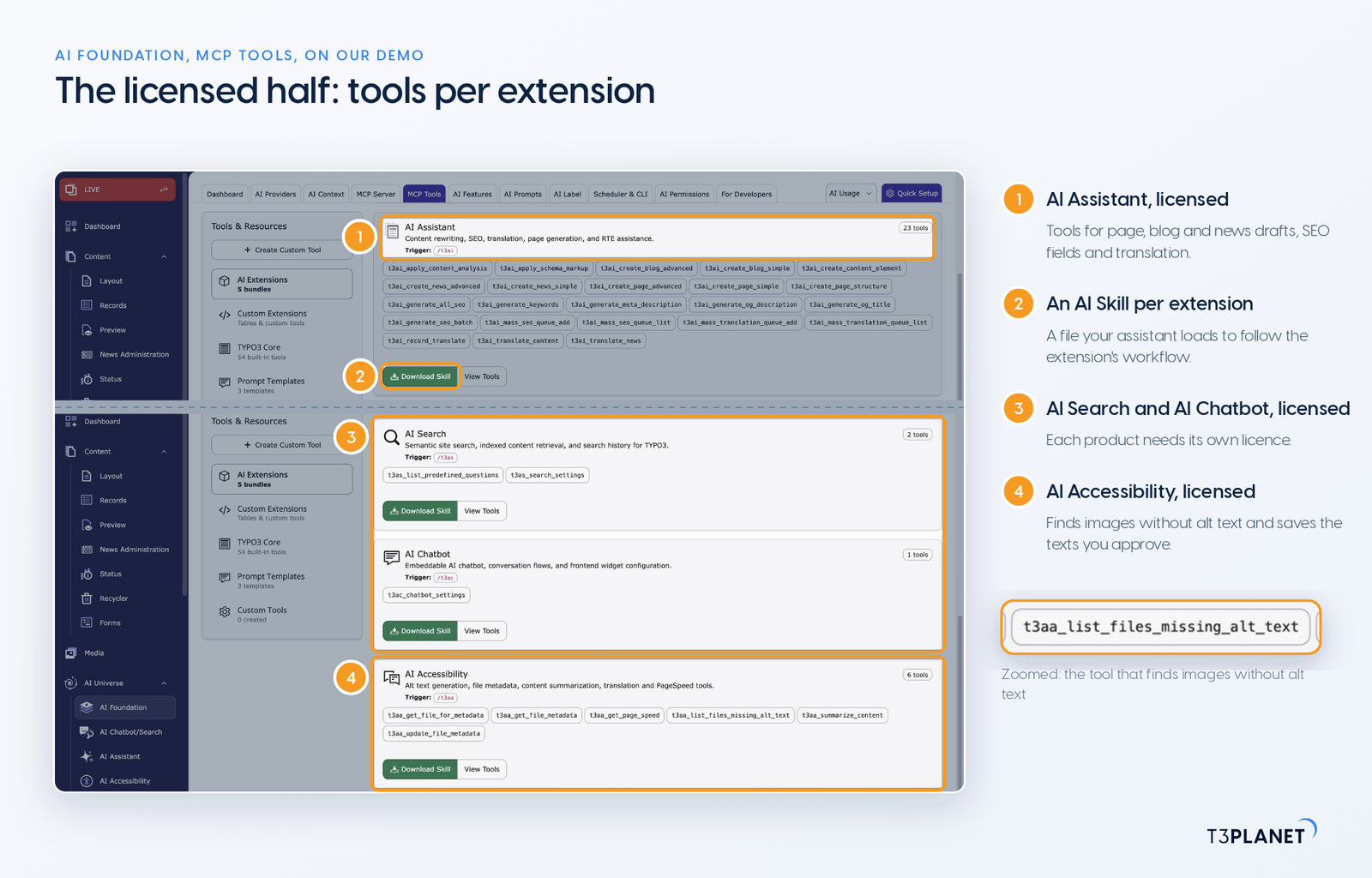
The MCP tools of the AI Universe for TYPO3 come with licensed extensions. Each one registers its tools on the same MCP server as AI Foundation, and each episode names the extension a job needs. AI Foundation's free status does not carry over to any of them.
t3ai_generate_meta_description and t3ai_translate_content. The episodes that run them through an assistant start on 25 November 2026, and each job is described once it is checked on our demo.t3aa_list_files_missing_alt_text). Your assistant describes them, you check the suggestions in the chat, and it saves the texts you approve to the file metadata (t3aa_update_file_metadata). This change is live at once, like every change to file metadata.Each AI Universe product has its own page, and our overview of TYPO3 AI extensions links them all.
Every Friday: two new jobs for your AI assistant, each with a one-minute video.
This episodeEpisode 1 · 1 Oct 2026

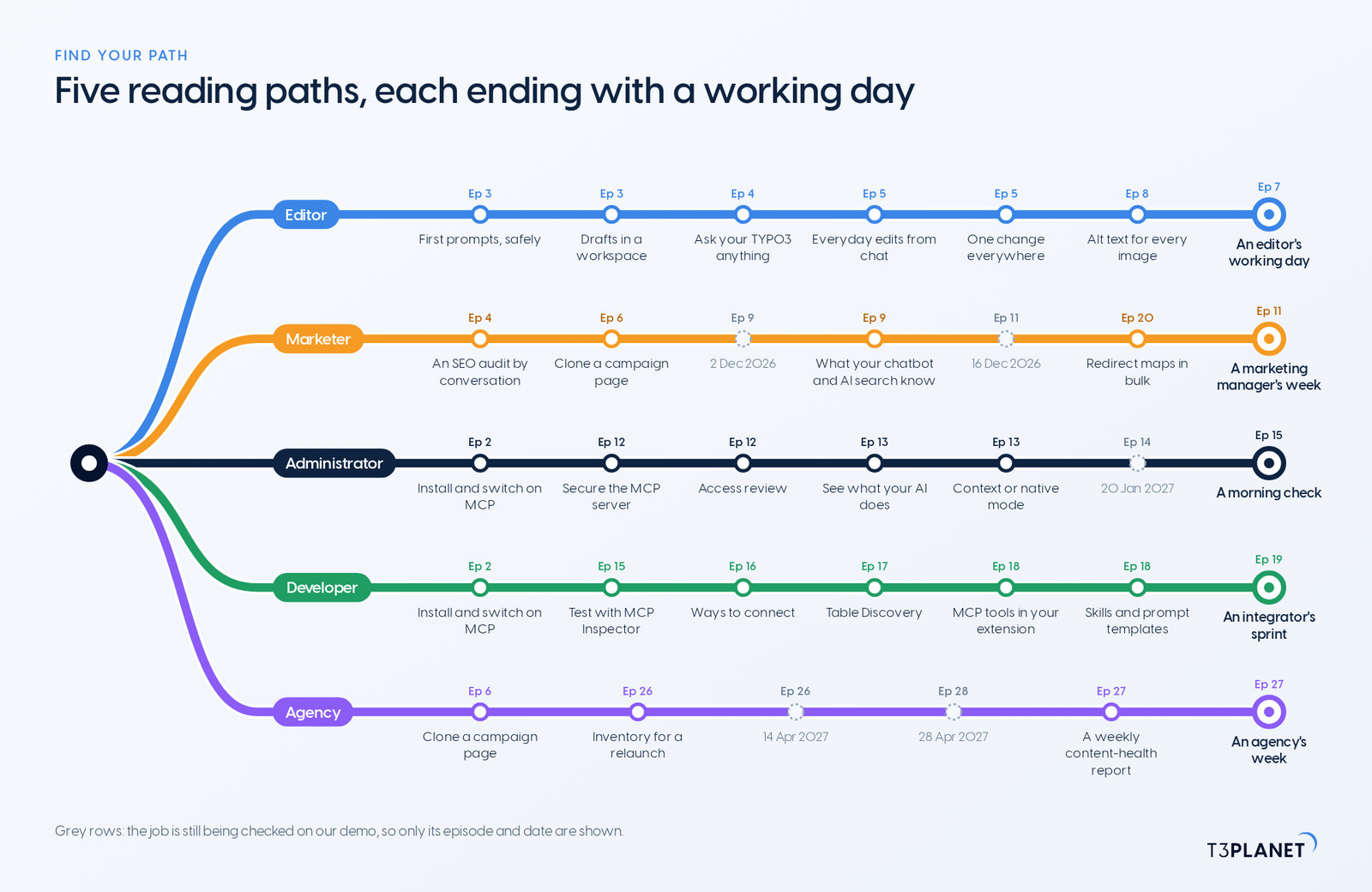
Nobody needs all nine areas. The season comes with five reading paths of six or seven episodes each, in reading order, and each path ends with a working day that puts its jobs together:
The hub of MCP in Practice for TYPO3 keeps each path as a checklist in your browser.
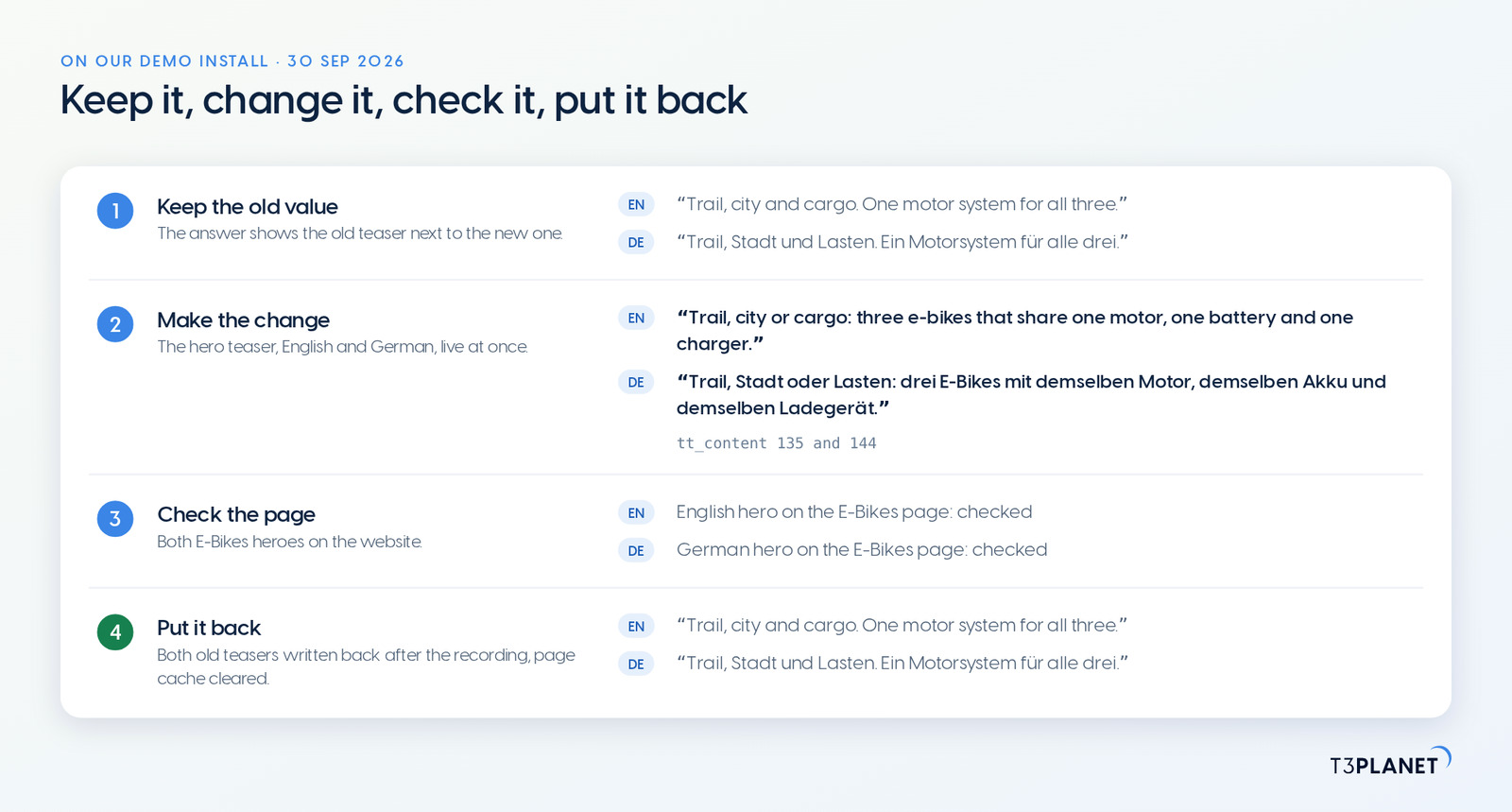
An assistant connected through MCP acts as a backend user, so its reach is the reach you give that user. There is no dry run and no undo tool, and a change made on Live is live at once. So every job in this series comes with two things: how to check the change, and how to put it back.
Good to know, whatever you hand over:
Content your assistant reads through MCP goes to the vendor of that assistant, as with any chat. Which content leaves your server in context mode and in native mode is the subject of episode 13 on 13 January 2027.
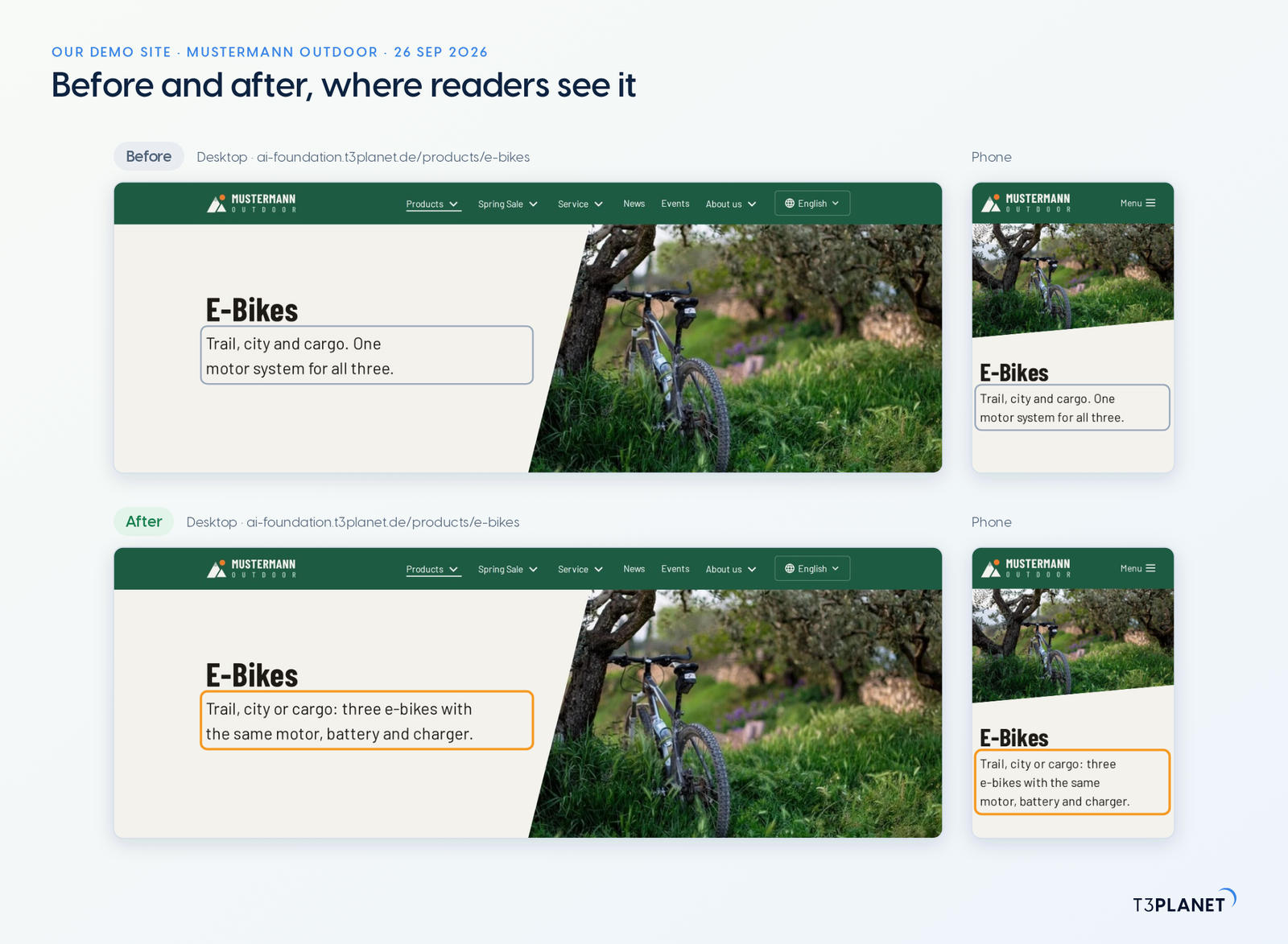
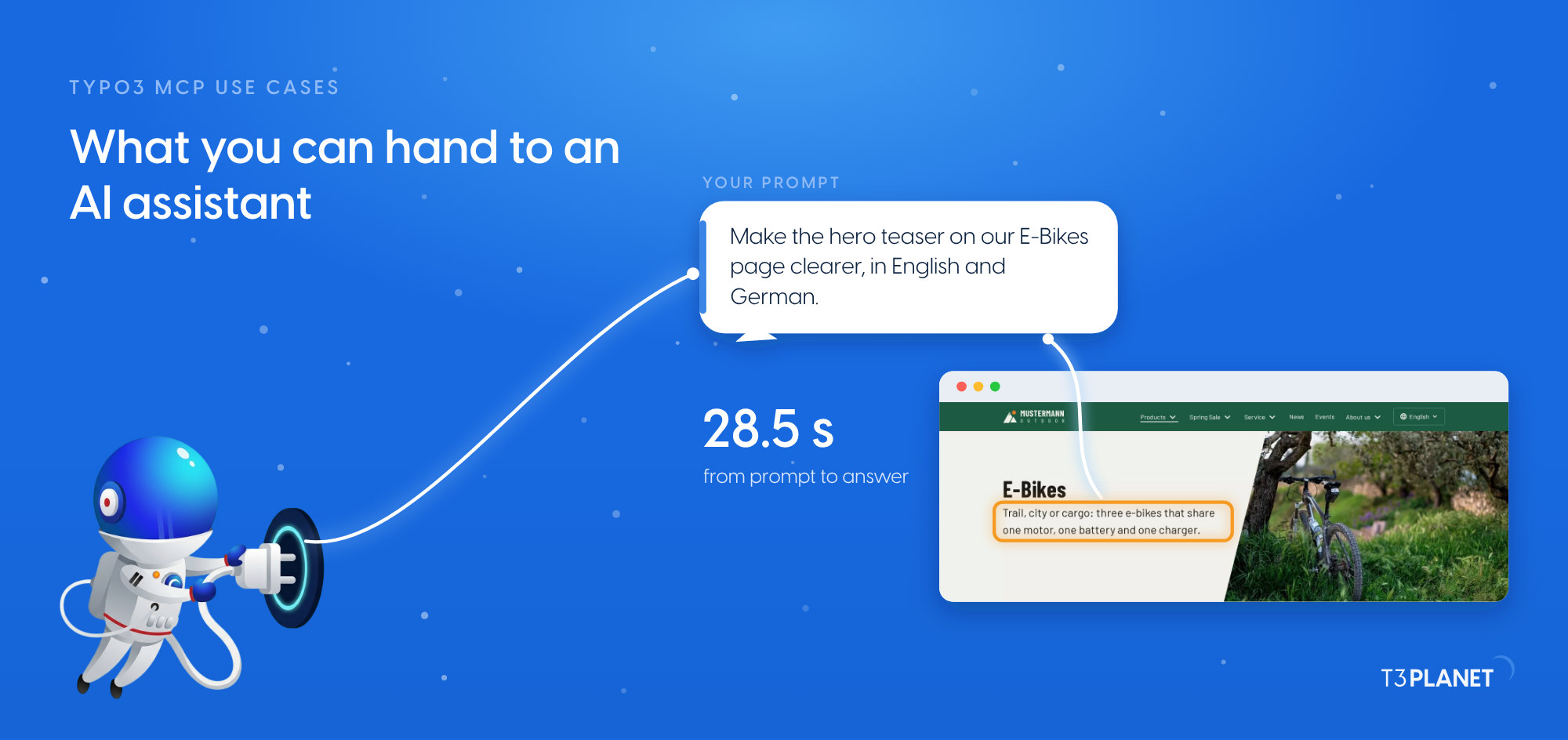
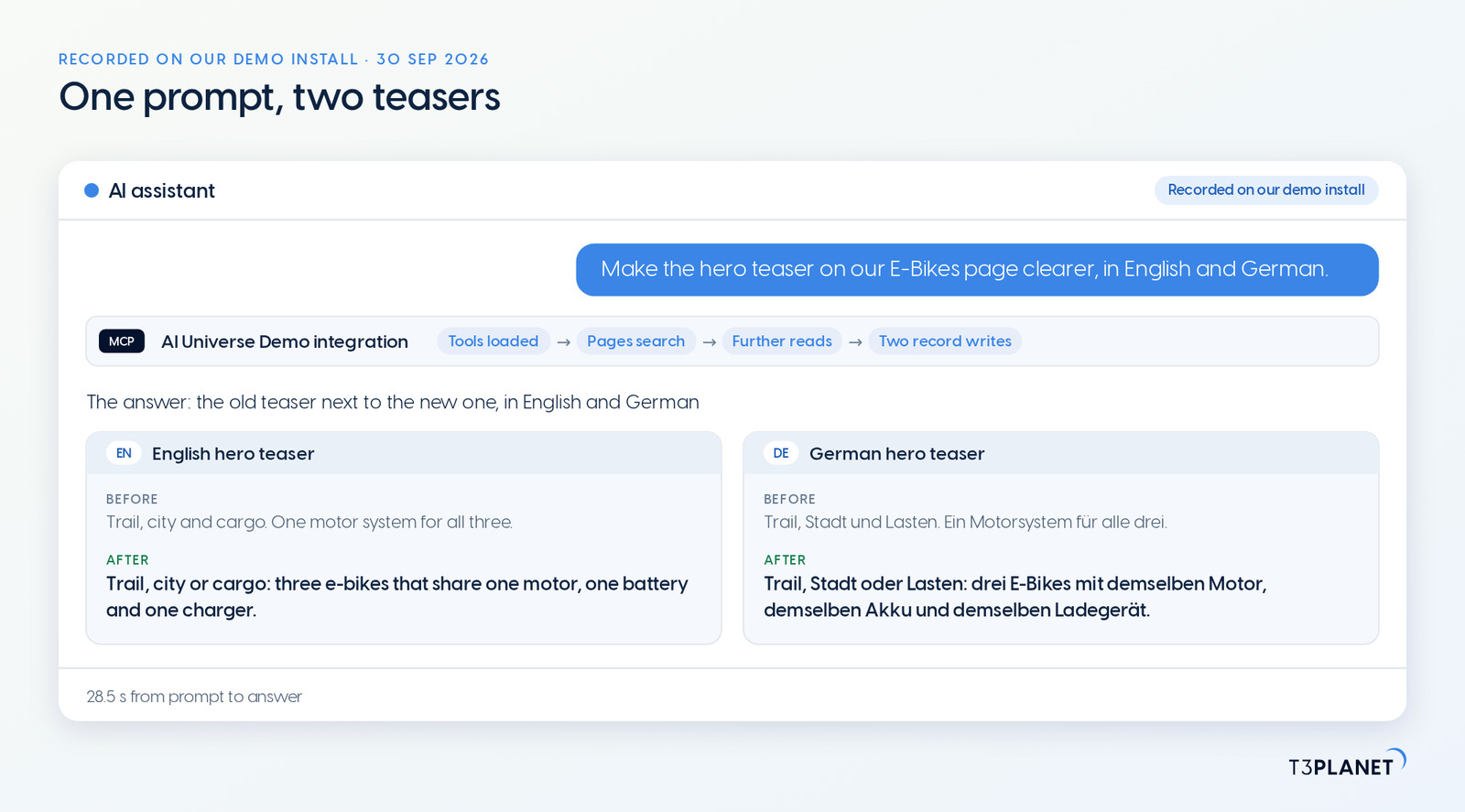
The video for this episode is one prompt on our demo TYPO3, recorded on 30 September 2026 through the MCP server of AI Foundation, as an administrator working on Live: Make the hero teaser on our E-Bikes page clearer, in English and German. The assistant searched the page, showed the old and the new teaser and wrote the hero teaser in English and in German, live at once, in 28.5 seconds from the prompt to the finished answer. By hand, the same edit takes five steps in the backend per language, from signing in to checking the page. We checked both heroes on the website and put the old teasers back after the recording. The video also opens the MCP Tools module: the core tools are free with AI Foundation, and each AI Universe extension adds its own tools and needs its own licence.
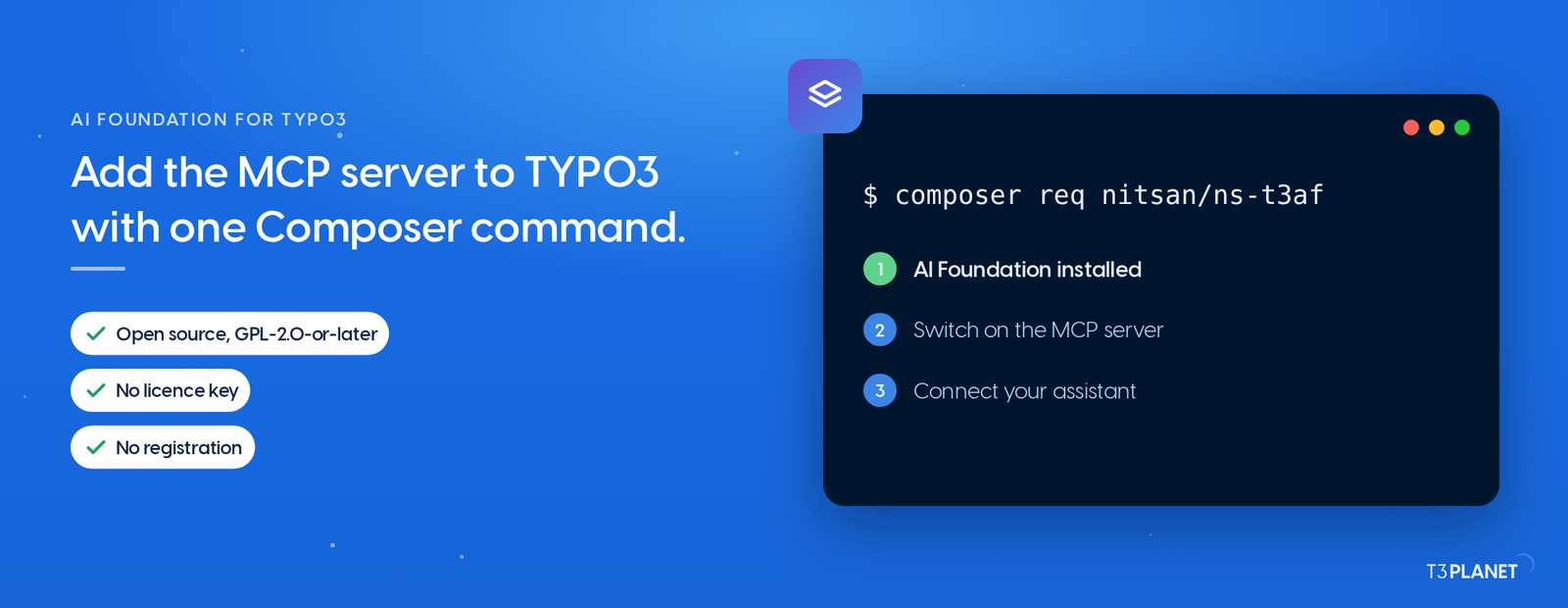
Everything in the free half of the map starts with one Composer command. Episode 2 shows the install and the switch for the MCP server, and helps you pick an assistant. Episode 3 brings everyday edits from chat, and episode 5 your first prompts in the Playground. Guides for Claude, Microsoft Copilot, Cursor and VS Code are on the series hub.
The series comes from T3Planet by NITSAN Technologies, a TYPO3 Association Gold Member with more than 15 years of TYPO3 work, and its episodes are written by Jürgen, our AI Consultant for TYPO3. Every episode runs its job on our demo install before it is published.
Make the hero teaser on our E-Bikes page clearer, in English and German.
AI Universe Demo toolsPage searched, hero teaser written in English and German (two record writes)What stays with you: checking the page on desktop and phone, and deciding whether the change stays. On our demo we put the old text back afterwards.
AI Foundation, the T3Planet extension that adds the MCP server and the core tools to TYPO3, is free and open source, no licence key, no registration. AI Assistant, AI Accessibility, AI Chatbot and AI Search are licensed extensions that add their own tools, and each episode names the one a job needs.
AI Foundation and the AI Universe extensions together bring 100+ MCP tools. The number on one installation depends on the extensions it runs and on the tables you enable through Table Discovery.
Not for the editor and marketer jobs on the map: you ask in plain language, and the assistant picks the tools. The install takes one Composer command, usually run by an administrator or integrator, and the For developers chapter is written for people who code.
Assistants that support MCP connect to AI Foundation. Our series guides cover Claude, Microsoft Copilot, Cursor and VS Code.
It can do what its backend user may do, and on Live a change is live as soon as it is saved. There is no dry run and no undo tool, so ask the assistant to read the current value first, check the result on the page, and have it write the old value back if you do not want the change.
Some jobs still need a check on our demo install before we describe them. Until then, the series hub lists their episodes with number and date.
Jürgen Pietschmann
AI Consultant for TYPO3Jürgen Pietschmann is a T3Planet Product Consultant at T3Planet Shop. He specialises in integrating AI into editorial workflows – from intelligent content creation and automated SEO to AI-powered search and chatbot solutions for TYPO3 sites. As a technical consultant for T3Planet AI Universe, he works closely with agencies and editorial teams on practical TYPO3 implementations. Jürgen has been writing the This Month in TYPO3 series since December 2025 and has spoken at T3CON25 and TYPO3 Developer Days 2026 (T3DD26), where he co-presented Content Editing Unlocked.
More From Author