
 AI Assistant
 AI Chatbot
 AI Search
 AI Accessibility
 AI Localization
 AI Builder
TYPO3 fileadmin from chat: check usage, rename, reorganise, import
TYPO3 MCP


A campaign comes back every season, and so does the work of rebuilding its pages. With TYPO3 MCP your AI assistant can copy a TYPO3 page with all its subpages, translations and content in one call, hidden until you are ready. We ran it on our demo install: the Spring Sale with its Deals and Terms pages became a hidden copy, renamed to Summer Sale. MCP, the Model Context Protocol, lets an assistant such as Claude work inside TYPO3 through tools that AI Foundation provides for free. Two things the copy does not finish for you: the URLs and an undo by batch ID.
One minute, with captionsAll videos
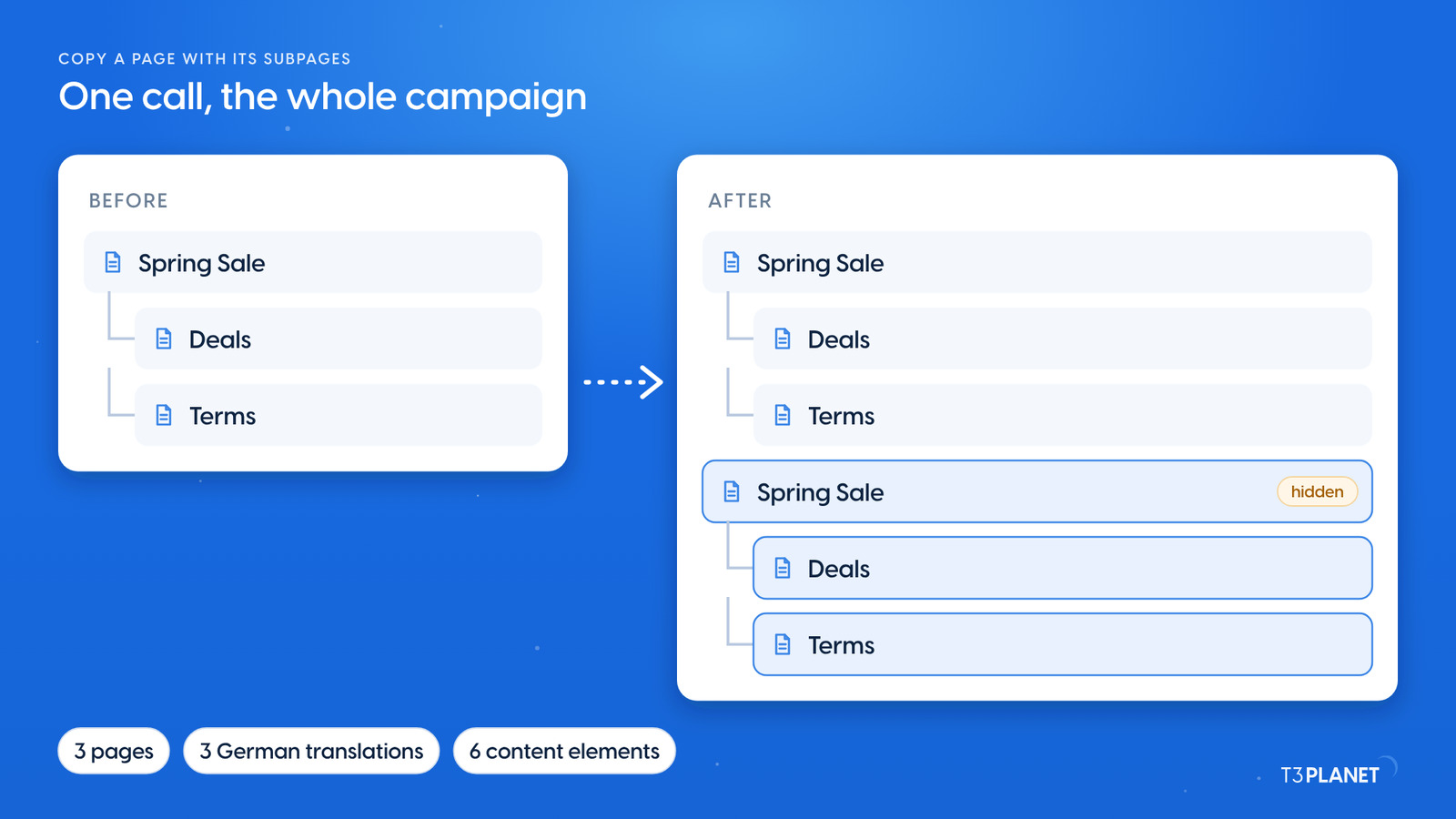
On our demo the Spring Sale campaign of the Mustermann Outdoor site has two subpages, Deals and Terms, each in English and German. One request was enough: Copy our Spring Sale campaign page with its Deals and Terms pages, so we can prepare the Summer Sale. Put the copy right after the Spring Sale and keep it hidden.
The assistant called pages_copy with the option to include subpages. The copy brought along:
Copy our Spring Sale campaign page with its Deals and Terms pages, so we can prepare the Summer Sale. Put the copy right after the Spring Sale and keep it hidden.
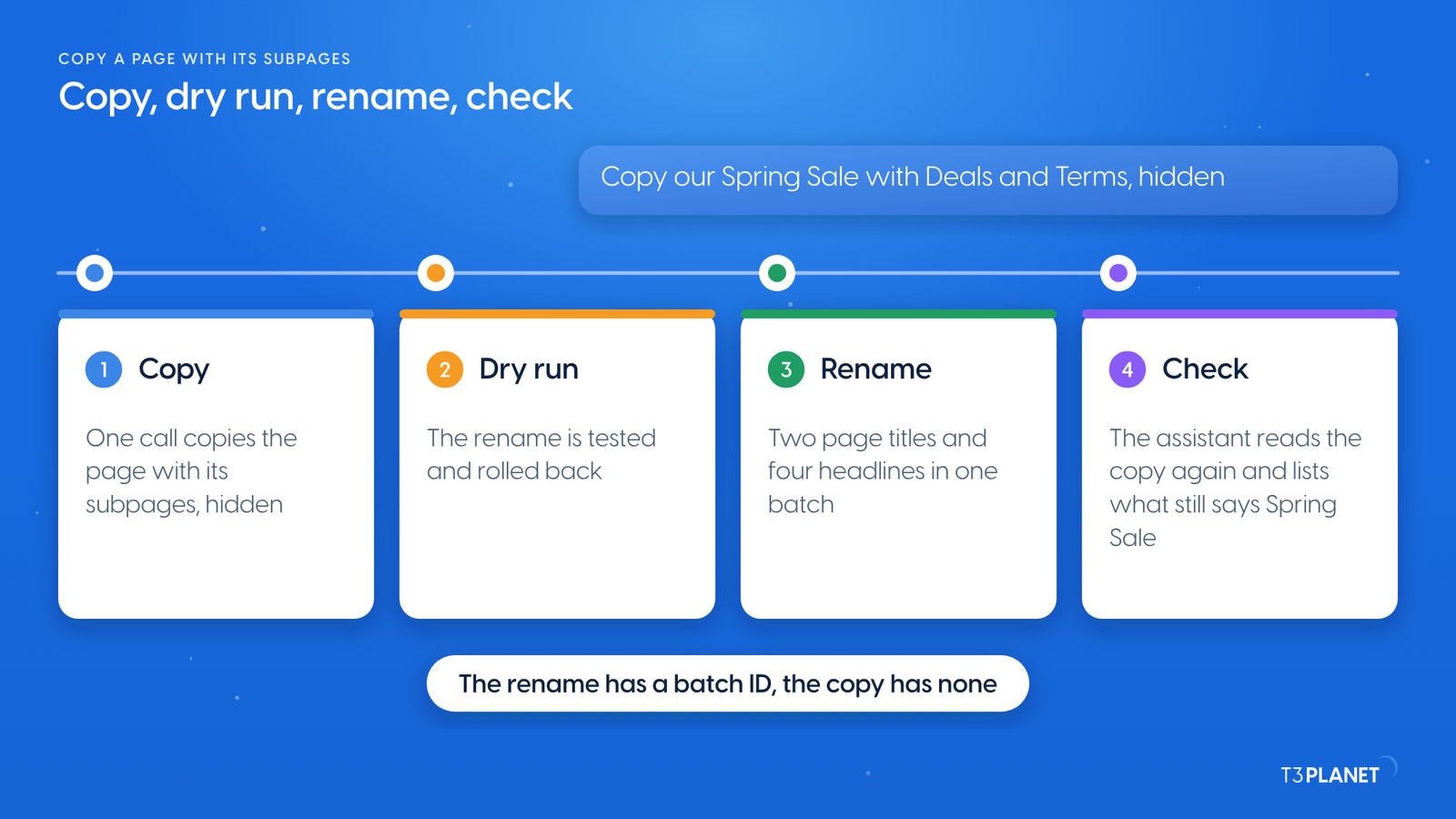
A copy is only a start. The second request renamed it: Rename the copy to Summer Sale, in English and German, with headlines to match. Dry run first. Behind the answer sit these steps:
pages_copy with subpages, as above. It answers with the uid of the new page.records_apply, AI Foundation's tool for writing many records in one all-or-nothing call, first ran with dryRun. The server reports what it would change and rolls it back.Keep the batch ID of the rename. It is the way back for that step.
Rename the copy to Summer Sale, in English and German, with headlines to match. Dry run first.
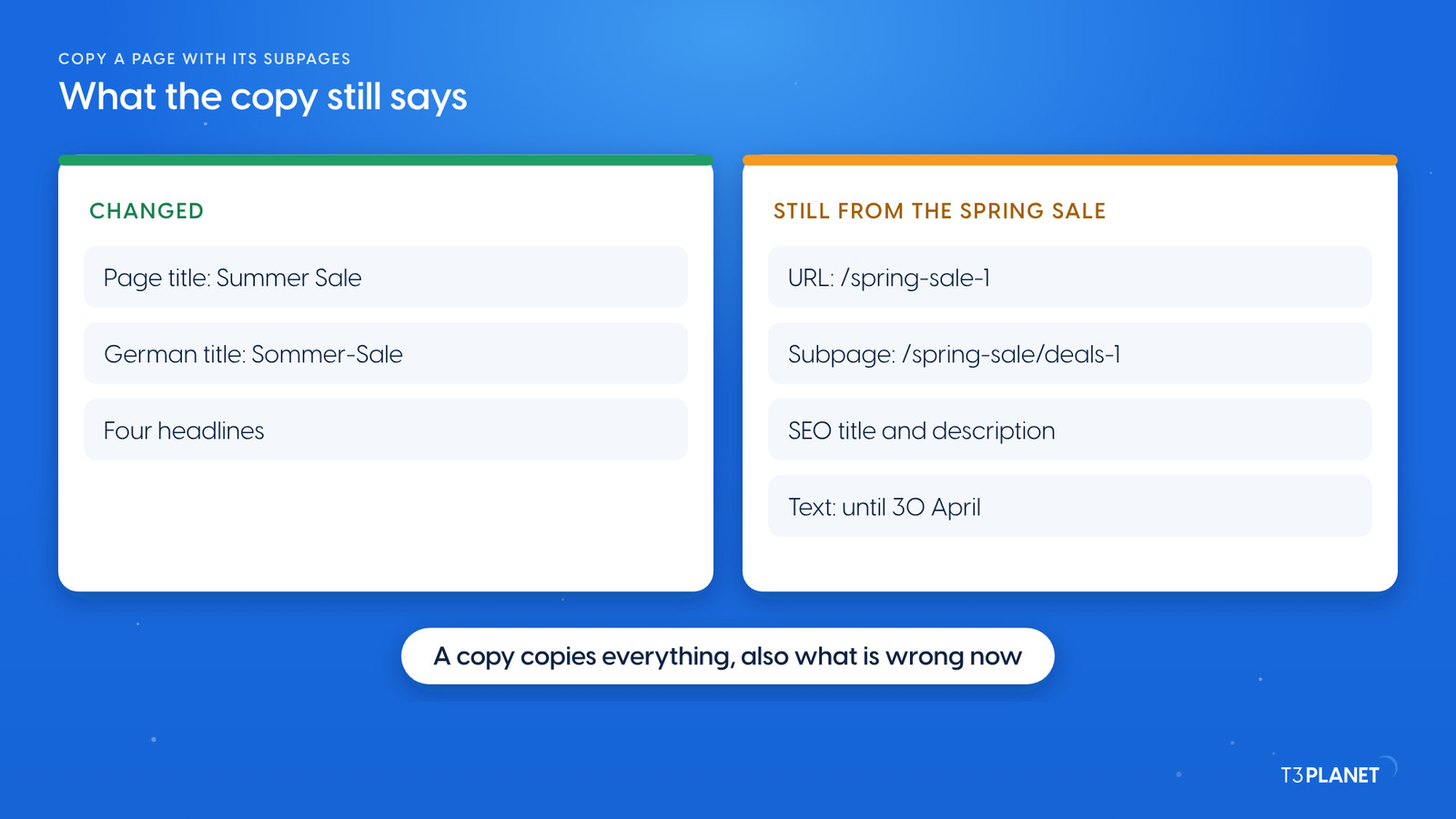
The check is where the copy shows its gaps. On our demo:
/spring-sale-1, not /summer-sale./spring-sale/deals-1 and /spring-sale/terms-1, although the pages now sit below the copy.We asked the assistant to set the new URLs as well. That call was refused, and nothing was written: URL changes over MCP still fail in the current AI Foundation release. Set the URL segments in the backend instead. Open the page properties of the copy and of each subpage, then recalculate the URL from the new title. Then ask the assistant for the SEO fields and the dates, with a dry run first.
We took everything back on our demo, in two steps:
records_undo and its batch ID, after a dry run of the undo.pages_copy is a single call outside the batch tools, so records_undo cannot take it back. We removed it with a delete in records_apply, again after a dry run. TYPO3 marks deleted pages as deleted, so they stay in the Recycler, and the delete has its own batch ID.Afterwards we cleared the page caches and checked the website: the Spring Sale answered as before, and the copy's URL answered 404. AI Foundation can also hold changes in a TYPO3 draft workspace for review.
Two jobs per episode, each with a one-minute video. New episodes appear as soon as they are ready.
This episodeEpisode 6
Sovereign TYPO3 AI

T3AFThe base every extension runs on. Manage providers, prompts, permissions and costs in one place.
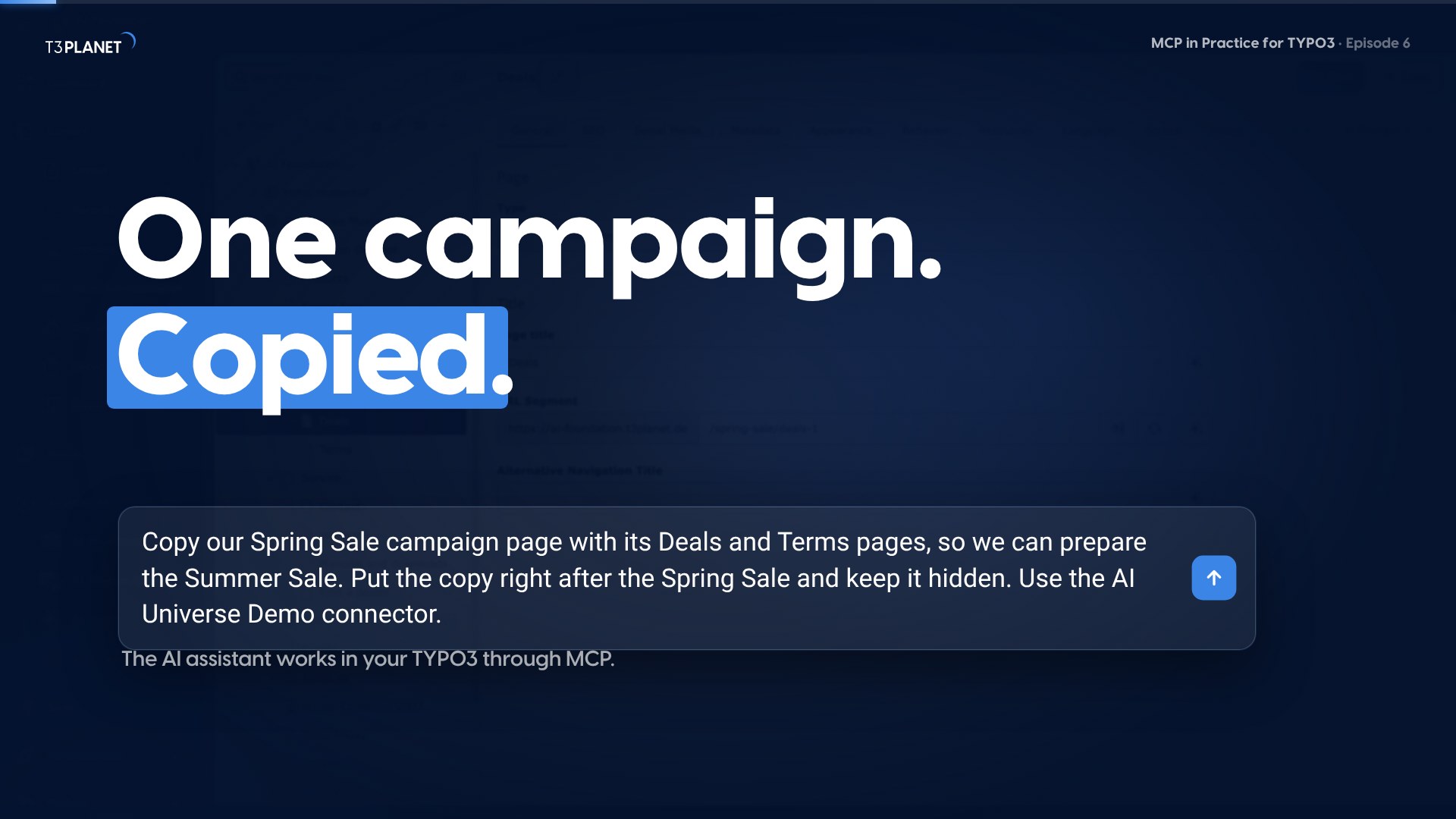
The video for this episode asks for the copy and the rename in Claude on our demo install, then shows the new pages in the TYPO3 page tree and their URLs in the page properties. Shown in Claude; other MCP assistants work too.
This job uses AI Foundation's core tools, which are free and open source, no licence key, no registration. AI Assistant, AI Accessibility, AI Chatbot and AI Search add their own MCP tools for writing, translation, alt text, chatbots and search. Each needs its own licence. Together with AI Foundation they bring 100+ MCP tools.
What your assistant reads, it sends to its vendor, as with any chat. Keep that in mind before you let it read pages that are not public yet.
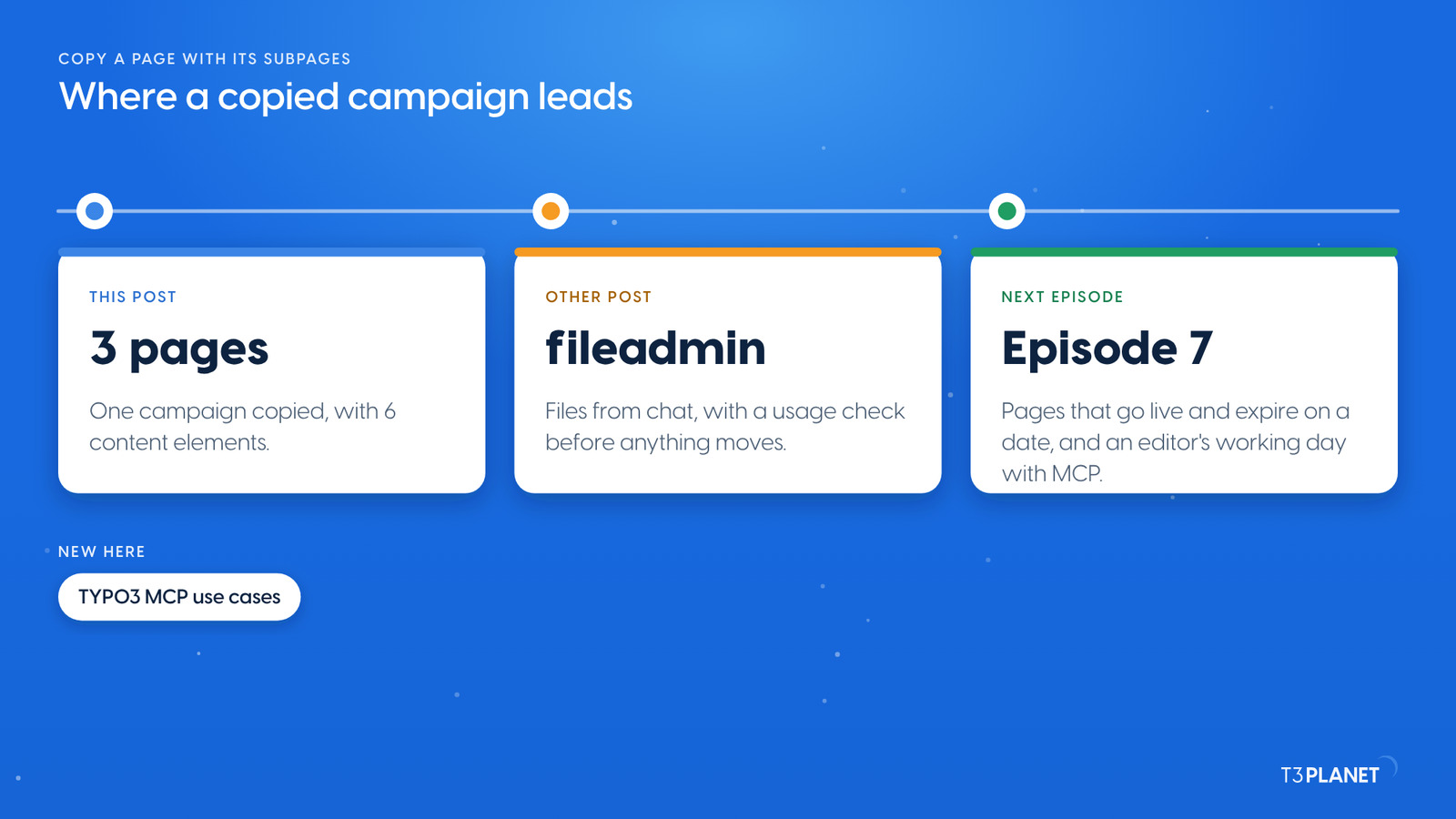
The other post of this episode puts fileadmin in order from chat: which files are in use, clear names, a review folder and an import from a URL. Episode 7 sets pages to go live and expire on a date, a good fit for the Summer Sale. It also follows an editor through a working day with MCP. Episode 5 covered your first prompts and draft workspaces; episode 3 brought everyday edits from chat. If you are new to the series, start with TYPO3 MCP use cases: what you can hand to an AI assistant, on one map.
The series comes from T3Planet by NITSAN Technologies, a TYPO3 Association Gold Member with more than 15 years of TYPO3 work. Its episodes are written by Jürgen, our AI Consultant for TYPO3. Every episode runs its job on our demo install before it is published.
pages_copyThe page copied with its subpages, hidden, right after the originalrecords_applyTitles and headlines renamed in one batch, dry run firstrecords_undoThe rename taken back by its batch IDWhat stays with you: setting the URLs in the page properties, and the dates, prices and terms of the new campaign.
Ask your assistant to copy the page with its subpages and to keep the copy hidden. Through AI Foundation it calls pages_copy with subpages included, which copies the pages, their translations and their content in one step.
Not the ones you want. The copy gets the old URL with a number, and its subpages keep the old parent path. Slug changes over MCP fail at the moment, so set the URLs in the page properties.
Not by batch ID. Remove the copy with a delete in records_apply, dry run first. Deleted pages stay in the Recycler, and the delete itself can be taken back with records_undo.
No. It uses the core tools of AI Foundation, which is free and open source. The assistant you connect comes with its own plan from its vendor.
Sovereign TYPO3 AI: AI Foundation is free and open source, six AI extensions build on it.
Explore TYPO3 AI

Jürgen Pietschmann
AI Consultant for TYPO3Jürgen Pietschmann is a T3Planet Product Consultant at T3Planet Shop. He specialises in integrating AI into editorial workflows – from intelligent content creation and automated SEO to AI-powered search and chatbot solutions for TYPO3 sites. As a technical consultant for T3Planet AI Universe, he works closely with agencies and editorial teams on practical TYPO3 implementations. Jürgen has been writing the This Month in TYPO3 series since December 2025 and has spoken at T3CON25 and TYPO3 Developer Days 2026 (T3DD26), where he co-presented Content Editing Unlocked.
More From Author