

MCP in Practice for TYPO3
TYPO3 MCP use cases: what you can hand to an AI assistant, on one map
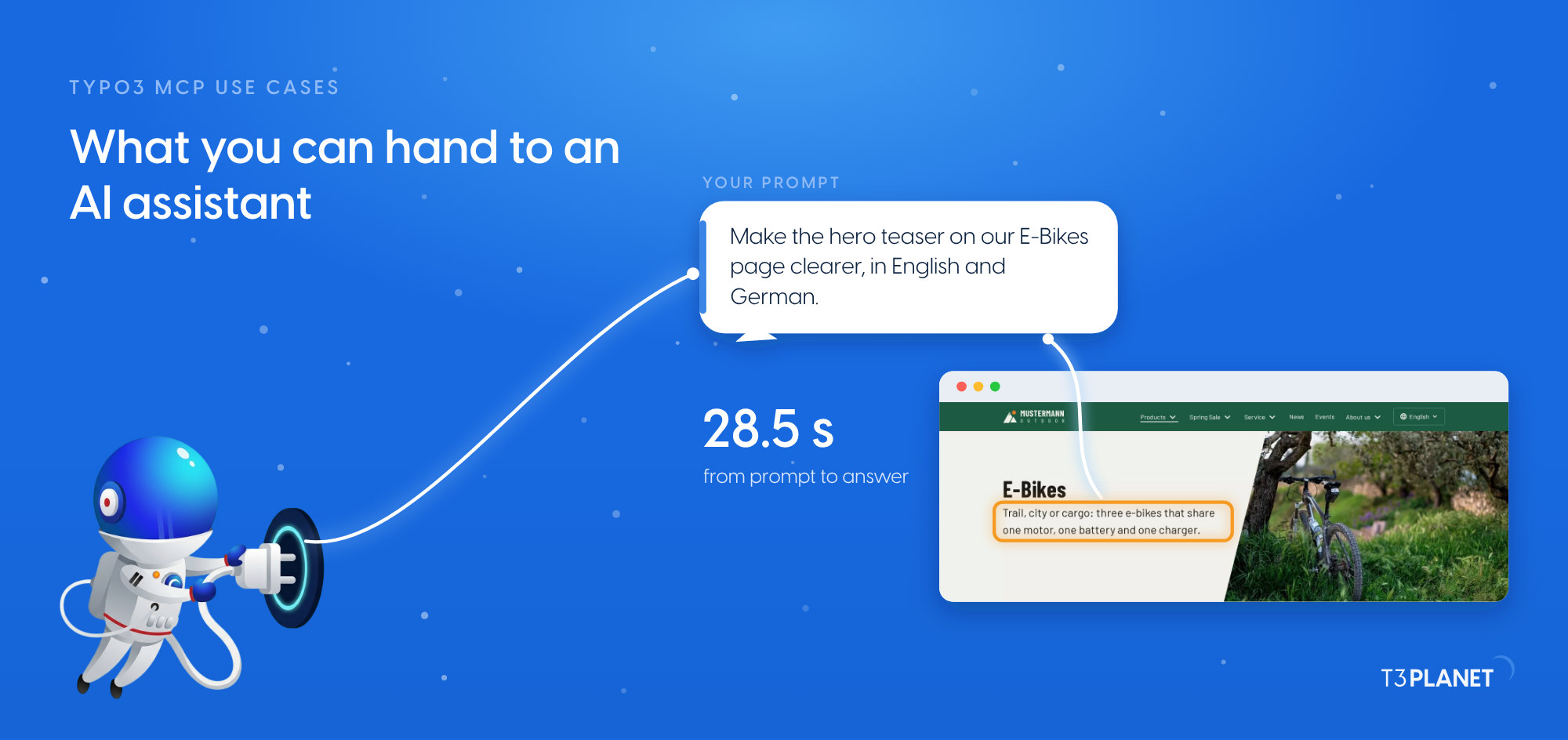
One prompt in your own words: a clearer hero teaser on the E-Bikes page, in English and German, checked on the website and put back. Recorded on our demo install.
The prompt in this video
Make the hero teaser on our E-Bikes page clearer, in English and German.
Transcript: every screen and subtitle
- 0:00MCP in Practice for TYPO3 · Episode 1: TYPO3 MCP use cases: what you can hand to an AI assistant, on one map
- 0:02One prompt, in your own words: a clearer teaser, in English and German.
- 0:04MCP gives the assistant tools. The row names the connector: AI Universe Demo.
- 0:07Its answer shows the old and the new teaser, in English and in German.
- 0:10It searched the page and wrote the hero teaser in English and in German.
- 0:12The new teasers are live. We check them in TYPO3.
- 0:14Now check it in TYPO3.
- 0:15MCP Tools lists the core tools by name: free with AI Foundation.
- 0:21Pages, content, files, redirects: jobs you can hand to an assistant.
- 0:27Each AI Universe extension adds its own tools and needs its own licence.
- 0:33Free core, licensed extensions. Check yours in your account.
- 0:40On the English website, the E-Bikes hero shows the new teaser.
- 0:45The German hero changed too. Both are live.
- 0:5028.5 seconds from prompt to answer, instead of 5 steps by hand per language.
- 0:52Read the post: t3planet.de/en/blog/typo3-mcp-use-cases/
 TYPO3 MCP use cases: what you can hand to an AI assistant, on one map
In this video
Questions about this video
What does this video show?
One prompt in the site's own words, "Make the hero teaser on our E-Bikes page clearer, in English and German", and the assistant writing both teasers, checked on the website of our demo install.
How long did it take?
28.5 seconds on our demo install, against 5 steps by hand in the backend for each language. The assistant wrote two records, one per language.
How do I take a change back?
There is no undo tool. Ask the assistant to read the current value first, check the change on the page, and have it write the old value back. On our demo we put the old teasers back afterwards.
The other video of this episode
More videos
 1:00TYPO3 MCP setup: install AI Foundation and switch on the MCP server
- MCP in Practice for TYPO3Episode430 Oct 2026Ask your TYPO3 anything: 15 questions answered in seconds