


TYPO3 _assets: How to Migrate typo3conf/ext Assets in Composer
Development


Claude Code helps TYPO3 developers build, refactor, and maintain extensions faster across Extbase, Fluid, TCA, TypoScript, and migration workflows. It is useful for repetitive multi-file work where structure, speed, and consistency matter.
But Claude Code does not replace TYPO3 expertise. Developers still need to define architecture, review generated code, validate security, and make project-specific decisions. AI can accelerate implementation, but TYPO3 knowledge still controls quality.
This guide is for TYPO3 integrators, extension developers, digital agencies, product teams, and EU/DACH public-sector projects using Composer-based TYPO3 installations and Git-driven workflows.
This guide is for TYPO3 professionals working on real production projects, especially teams building custom extensions, maintaining Composer-based installations, or planning long-term upgrades.
It is useful for developers already working with Extbase, Fluid, TCA, TypoScript, or TYPO3 migrations who want to use Claude Code safely without losing technical control.
EU and DACH public-sector teams will also find it relevant where accessibility, documentation, governance, coding standards, and long-term maintainability are important.
Claude Code is an agentic AI coding tool that helps developers work across an entire TYPO3 codebase, not just one file at a time.
In plain English, it can read your TYPO3 project structure, understand how extensions are built, and suggest or apply changes across Extbase, Fluid, TCA, TypoScript, Composer files, and extension registration files. It is especially useful when a TYPO3 task affects several connected files.
Unlike autocomplete tools such as Cursor, Copilot, or JetBrains AI, Claude Code focuses on full-project reasoning and multi-file execution. For example, it can generate an Extbase extension structure, create TCA configuration, add Fluid templates, prepare TypoScript setup, and update registration files in one guided workflow.
Claude Code is a CLI-based agentic AI tool built for structured coding tasks. It can analyze a repository, plan changes, edit multiple files, and support Git-based workflows.
Key capabilities include:
For TYPO3 developers, this matters because many tasks are repetitive but connected. Claude Code helps speed up those connected tasks while developers stay responsible for architecture, validation, and security.
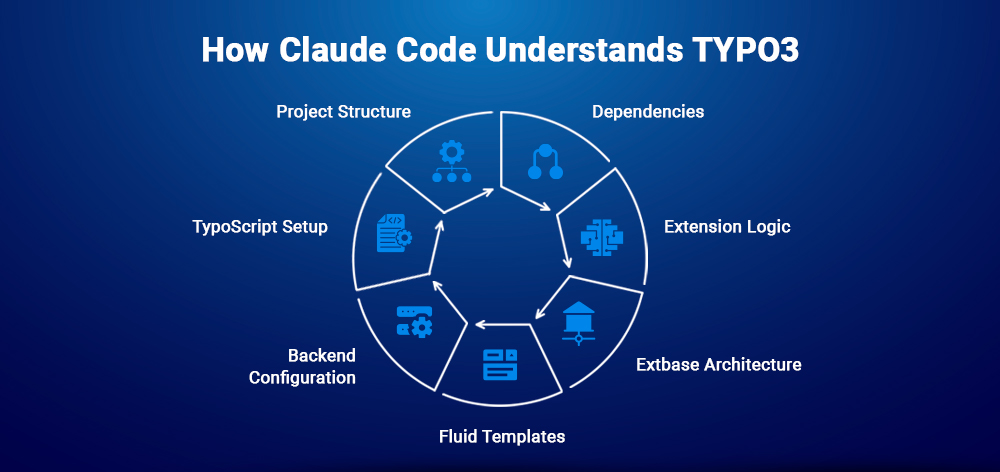
Claude Code understands TYPO3 projects by analyzing the project structure and existing development patterns.
It evaluates:
composer.json for dependencies and Extension setupThis helps Claude Code generate TYPO3-aligned code instead of generic PHP output.
Claude Code and autocomplete tools solve different development problems.
| Tool Type | Best For | TYPO3 Use Case |
| Claude Code | Full-project reasoning and multi-file changes | Extensions, migrations, refactors |
| Cursor / Copilot / JetBrains AI | Inline suggestions and daily coding support | Small functions, Template edits, quick fixes |
Claude Code is best when a TYPO3 task affects multiple files. IDE AI tools are better when you need fast suggestions while manually writing code.
TYPO3 development often involves connected work across Extbase controllers, domain models, repositories, Fluid templates, TCA files, TypoScript setup, Composer configuration, schema files, and legacy extension code.
A small feature change can affect several files, which makes manual development slower and easier to break if the structure is not handled carefully.
Claude Code is useful because many TYPO3 tasks are repetitive, structured, and spread across multiple files. Developers still need to design the architecture, but AI can reduce time spent on boilerplate and pattern-based updates.
Common TYPO3 pain points include:
TX_ extensions that need modernization to PSR-4 and QueryBuilderAI is most useful for repetition and consistency, not for deciding architecture. Claude Code can generate and refactor TYPO3 code faster, but developers still need to validate logic, security, and project fit.
| Aspect | Manual Development | Claude Code + Developer Review | Typical TYPO3 Use Case |
| Speed | Slower, fully controlled | Faster scaffolding | New Extension setup |
| Quality | Depends on developer consistency | Consistent, needs review | Refactoring old code |
| Logic | Best for complex decisions | Needs clear prompts | Business rules |
| Maintenance | File-by-file updates | Multi-file refactors | Large changes |
| Architecture | Developer-owned | AI executes patterns | Extension design |
Manual development is still better when the task involves complex architecture, sensitive business logic, or decisions that require deep project context.
Key insight: Claude Code works best as a TYPO3 productivity multiplier. Use it to scaffold, refactor, and modernize repetitive code while developers remain responsible for architecture, security, testing, and final approval.
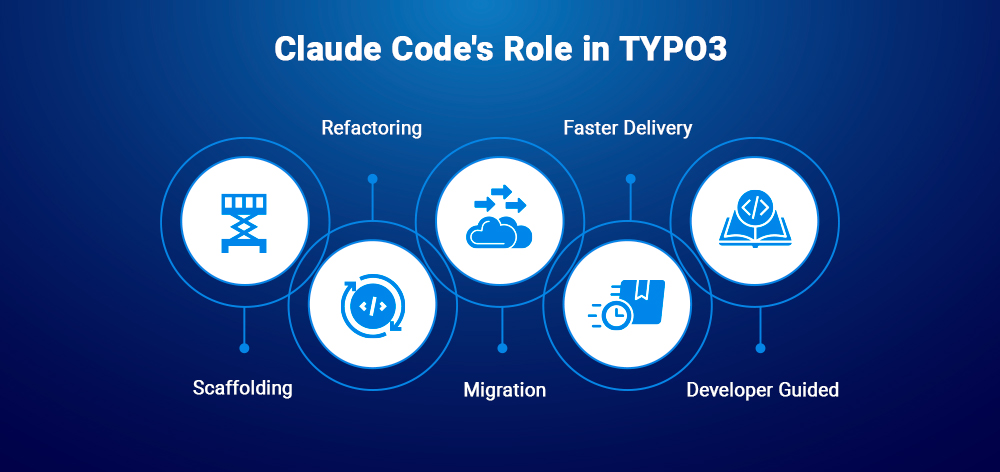
Claude Code should be used as an execution layer inside TYPO3 development, not as the project architect.
It works best in three areas:
Tx_ code to PSR-4, Extbase, and QueryBuilder-based structures.Developers define what should be built and why. Claude Code helps execute the repetitive implementation work faster.
Before using Claude Code, prepare a safe TYPO3 development environment that supports Composer, CLI workflows, Git review, and secure API access.
Checklist:
Setup flow:
Security note: Never commit API keys inside TYPO3 extensions, .env files, or project documentation. Use environment variables or your team’s secret management process.
Common setup mistakes include running Claude Code outside the project root, using outdated Node.js versions, skipping Git branches, exposing API keys, or using vague prompts on large codebases.
Claude Code cost depends on task size, scope, context length, and how many files are analyzed or changed. Smaller, focused prompts are usually more cost-efficient than asking it to inspect or rewrite an entire TYPO3 project at once.
Use Claude Code in a controlled workflow:
For a news_comments Extension, Claude Code can generate:
Verify namespaces, Composer autoloading, TCA fields, database schema, plugin registration, and template paths before using the extension in production.
Installation usually includes Composer require, TYPO3 CLI activation, database schema update, and cache flush. Vendor names, package names, and version constraints must be adapted to your project.
Claude Code also supports follow-up prompts for adding ratings, localization, template changes, TCA fixes, and controller refactors.
Advanced examples include a testimonial content element with tt_content and Fluid, a product catalog with variants, and legacy Extension migration from Tx_ to PSR-4 and QueryBuilder.
Prompt quality directly affects output quality. In TYPO3 projects, a good prompt should define context, model, output, standards, and validation rules.
Use this formula:
context → model → output → standards → validation
Example Extbase prompt:
“Create an Extbase product catalog extension with Product, Variant, and ProductImage models. Include repositories, controllers, Fluid templates, TCA, TypoScript, PSR-12 formatting, and validation notes.”
For TCA and TypoScript, specify field names, renderTypes, inline records, backend behavior, plugin setup, and FLUIDTEMPLATE paths.
Debug prompt examples:
Tx_ namespace style to PSR-4.”Avoid vague prompts like “fix my TYPO3 extension.” Clear prompts produce safer output and make code review easier.
Claude Code is most useful when TYPO3 work affects multiple extensions, shared conventions, or enterprise codebases. Use it for controlled, reviewable changes, not unverified bulk rewrites.
Claude Code can update related files across multiple TYPO3 extensions in one workflow.
Use it for:
For rollback safety, run every large refactor in a dedicated branch.
Claude Code can help apply coding standards consistently across TYPO3 projects.
It can assist with:
This improves maintainability, review speed, and upgrade safety.
Claude Code fits well into Git-based TYPO3 workflows when paired with human review and tests.
It can help:
AI-generated code should pass review, testing, and TYPO3-specific checks before merging.
Claude Code can support performance reviews across repositories, database usage, and caching logic.
Use it to identify:
Use this workflow for large refactors, upgrade preparation, code cleanup, and performance improvements.
TYPO3 AI workflows work best when each tool has a clear role. Claude Code supports developer-level code execution, while T3AB and AI Suite support backend, content, and operational workflows.
| Tool | Workflow Layer | Best For | Ideal Users |
| Claude Code | CLI / IDE | Extension generation, refactoring, migrations | Developers |
| T3AB | TYPO3 Backend | Visual content blocks, backend AI assistance | Editors, integrators |
| AI Suite | Platform / Workflow | Content, SEO, automation, project workflows | Teams, managers |
Claude Code is best for deep codebase work. T3AB is better when teams need backend-first visual creation. AI Suite is useful when AI support is needed across content, SEO, and workflow automation.
The goal is role separation: developers control architecture and code quality, while backend and content teams use TYPO3 AI tools for faster operational work.
Claude Code is not the only AI coding tool in the workflow.
In practice, these tools work best as complementary layers, not direct replacements for each other.
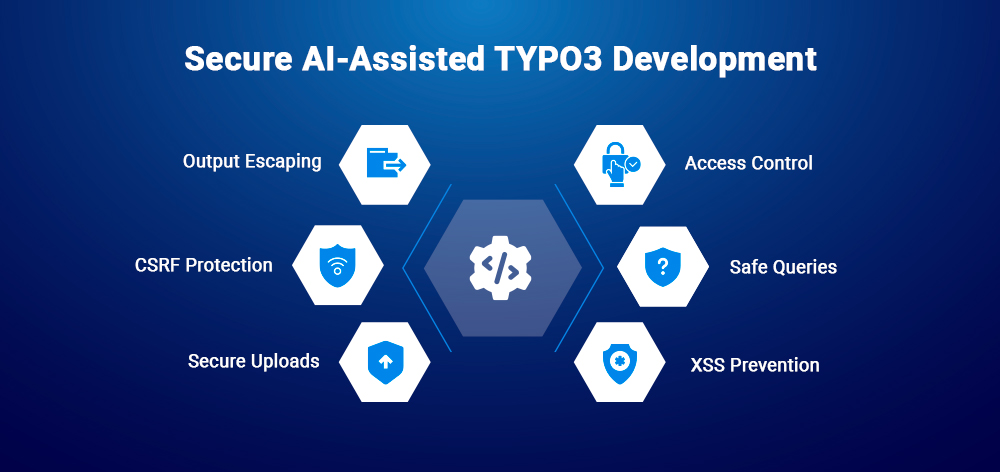
AI-generated TYPO3 code can create production risk if it is merged without review. Claude Code should support development, but security, compliance, and deployment decisions must remain controlled by developers and project owners.
Before using AI-generated code in production, validate TYPO3-specific security points:
f:format.raw.No AI-generated TYPO3 extension should go live without security review.
Enterprise TYPO3 projects need clear coding and review standards.
Use Claude Code to support:
Claude Code can help enforce consistency, but governance must remain developer-led.
Use a controlled workflow for AI-assisted TYPO3 development:
AI generation → Developer review → QA testing → Security audit → Deployment
Key rules:
This keeps TYPO3 projects secure, compliant, and maintainable while still benefiting from AI acceleration.
This section explains how Claude Code supports TYPO3 development in European, enterprise, and multilingual environments where accessibility and compliance are essential.
TYPO3 is widely used in EU agencies, government portals, and enterprise systems, especially in Germany and other regulated markets.
These environments require:
Claude Code helps accelerate development but must always operate within accessibility and compliance boundaries defined by TYPO3 teams.
Claude Code can generate accessible and multilingual TYPO3 code when guided with structured prompts.
Examples include:
This ensures TYPO3 projects remain both accessible and internationally scalable.
This section highlights common issues in AI-assisted TYPO3 development and where human review is still required.
Common problems include:
Fixes usually involve verifying setup, reinstalling packages, and checking API keys.
Typical TYPO3 issues:
These must always be validated manually in the TYPO3 backend and logs.
Claude Code is powerful but not perfect.
Avoid:
Best practice: use AI for generation, developers for control.
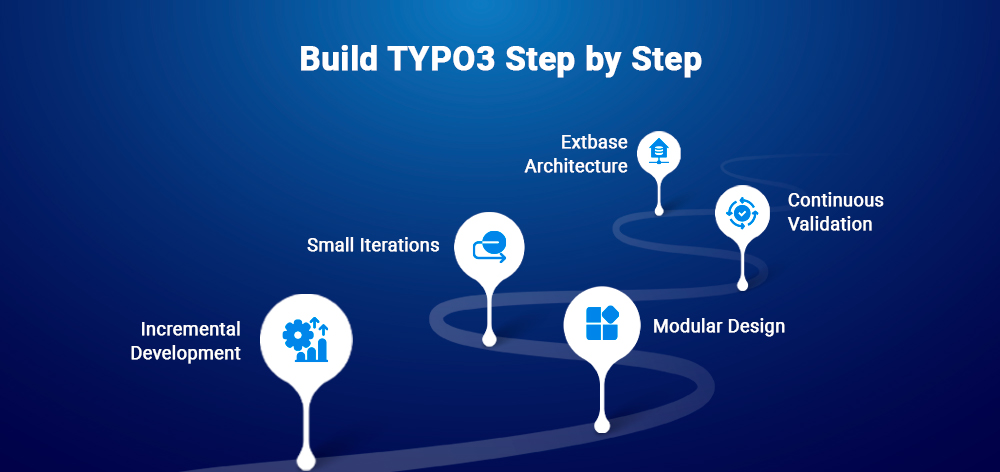
This section defines safe and effective usage of Claude Code in real TYPO3 projects.
This section explains how Claude Code fits into real TYPO3 upgrade workflows across modern TYPO3 versions and enterprise environments
TYPO3 upgrades between v11 and v14 involve significant architectural evolution, especially in extension development and backend behavior.
Key areas of change include:
These changes require careful validation when refactoring or upgrading extensions, especially in large Composer-based projects.
Claude Code can significantly speed up TYPO3 upgrade workflows when used correctly as a refactoring assistant.
Typical use cases:
Claude Code works best when upgrades are done incrementally, with developers validating each step to ensure compatibility, stability, and security.
This section summarizes the role of Claude Code in TYPO3 development and defines a safe, practical adoption path for real projects.
Claude Code is a productivity multiplier for TYPO3 developers, not a replacement. It accelerates repetitive tasks like scaffolding, refactoring, and migration while developers retain full control over architecture, security, and business logic.
The safest and most effective workflow is a hybrid model: AI for execution, developers for decisions and validation.
To adopt Claude Code safely in TYPO3 projects, follow this approach:
This ensures controlled adoption without risk to production systems.
Yes. It requires an active internet connection to communicate with the AI model.
Yes. It can refactor, extend, and modernize existing TYPO3 extensions safely when guided properly.
Yes. TYPO3 expertise is essential for architecture decisions, validation, and production safety.
It uses usage-based pricing depending on model and token consumption. Costs vary by project size.
You must review, test, and validate all outputs. Claude Code assists development but does not guarantee production-ready correctness.
Yes. It can be used in team environments with shared workflows and Git-based collaboration.
Use the latest Claude 4-based models for best reasoning, multi-file handling, and code consistency.
Yes, indirectly. It can generate structured content, metadata logic, and technical SEO implementations, but strategy must be defined by developers or SEO experts.
It acts as a development engine inside agency workflows, handling scaffolding, refactoring, and migrations while teams manage architecture, QA, and client requirements.
Wolfgang Weber
Brand & Communication LeadWolfgang Weber shapes TYPO3 with passion and expertise. As a TYPO3 enthusiast at T3Planet Shop, he has contributed to TYPO3 projects that make websites faster and more secure. Outside of TYPO3, you’ll probably find him exploring local cafés and enjoying football.
More From Author