

Connect an AI assistant to your TYPO3 backend, safely
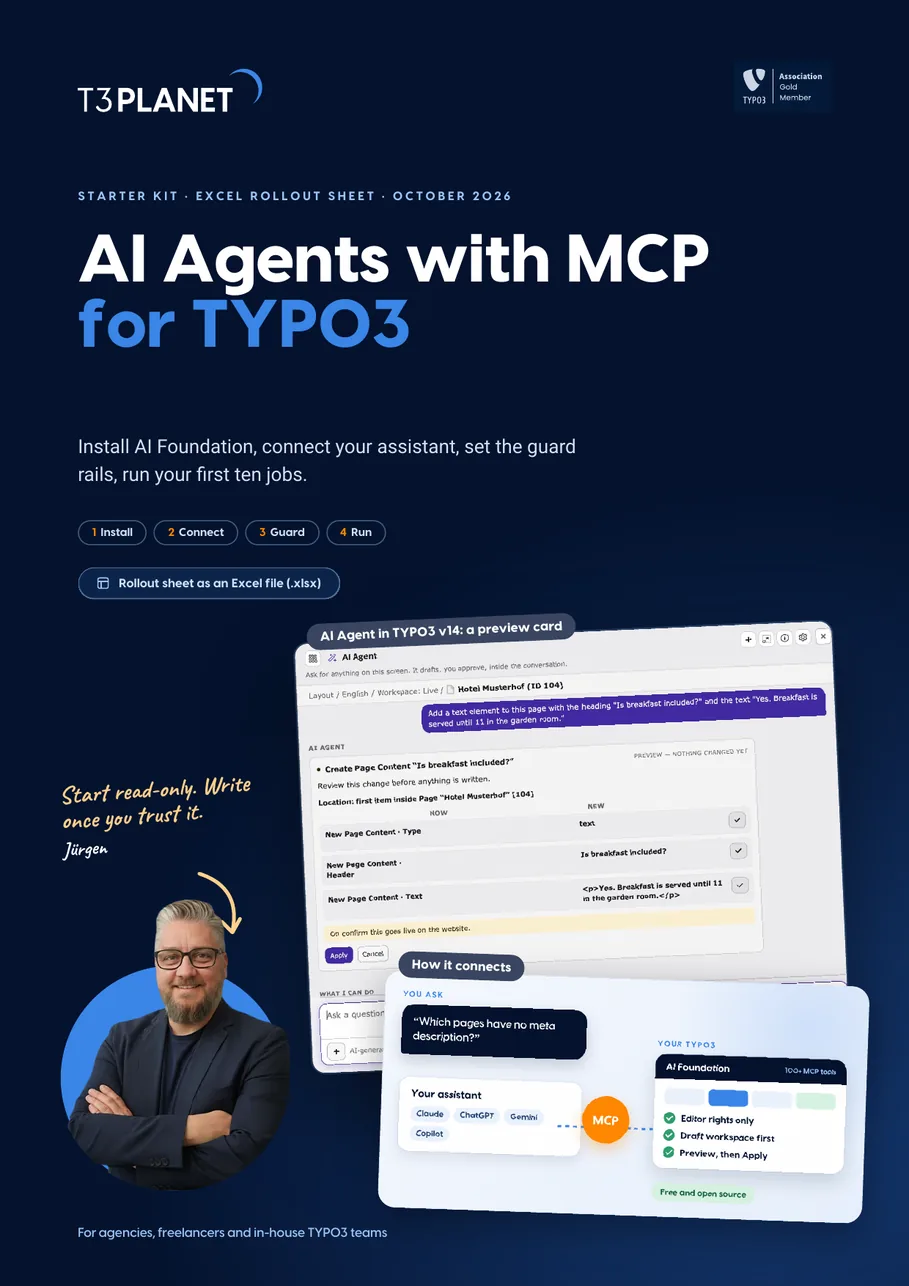
Install AI Foundation, connect your assistant, set the guard rails, run your first ten jobs. Four steps with real TYPO3 v14 screens and a fictional agency as the running example.
- Install the free AI Foundation and switch on its MCP server
- Connect Claude, ChatGPT or another MCP assistant as a backend user with editor rights
- Run ten first jobs, each with a check and a way back
What do you want your assistant to do?
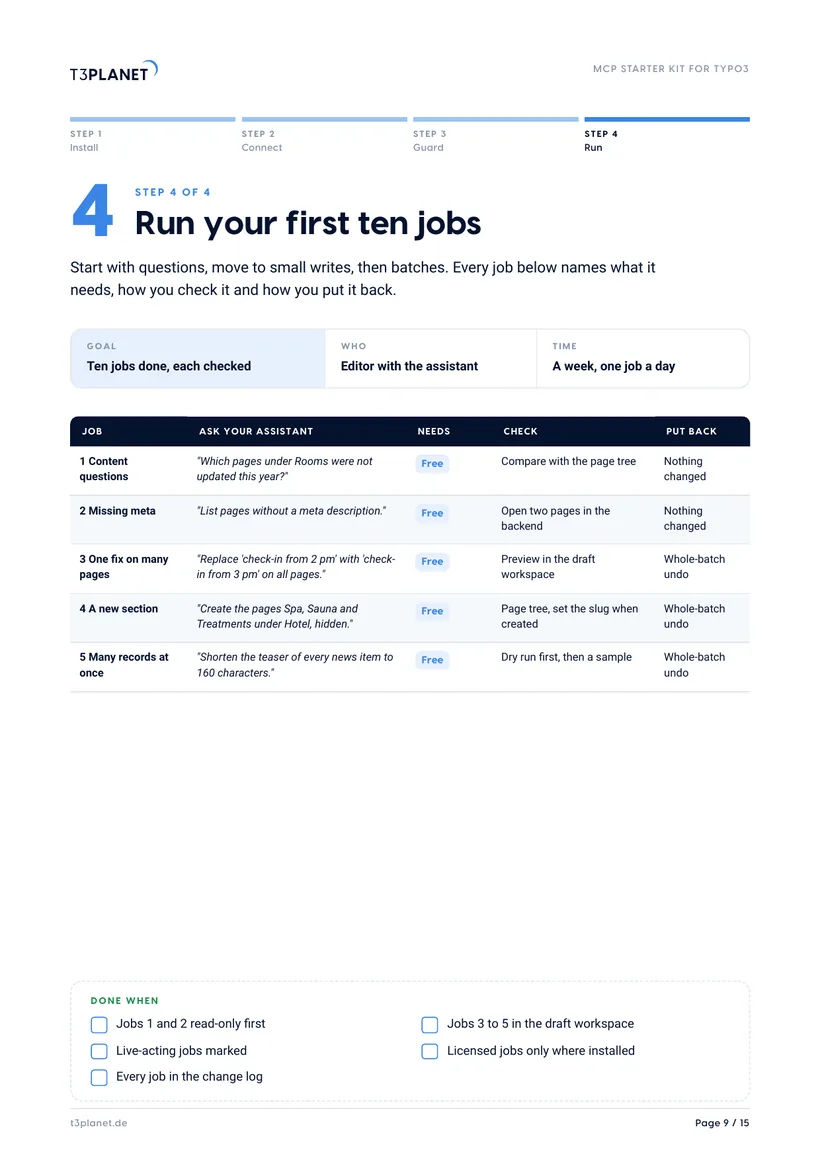
Questions about pages, content and records need only AI Foundation and change nothing. Start here. Kit page 9.
One call can change many records, and the whole batch can be undone. Preview in a draft workspace first. Kit page 9.
New pages and content through AI Foundation. Set the slug when the page is created; changing it later needs the backend. Kit page 9.
File upload is part of AI Foundation. Files are not versioned by workspaces, so treat uploads as live. Kit page 10.
SEO meta generation comes with the licensed AI Assistant, as MCP tools too. Read every text before it goes live. Kit page 10.
Page translation comes with the licensed AI Assistant. Have a native speaker read it. Kit page 10.
A first orientation. What an assistant may do on your site depends on the rights of its backend user.
Get the starter kit and rollout sheet, free
PDF and Excel file, instant download. We only email you about this guide.
How we use your details: Privacy Policy.

Questions before you download? Jürgen answers personally. juergen@t3planet.de

How do you connect an AI assistant to TYPO3?
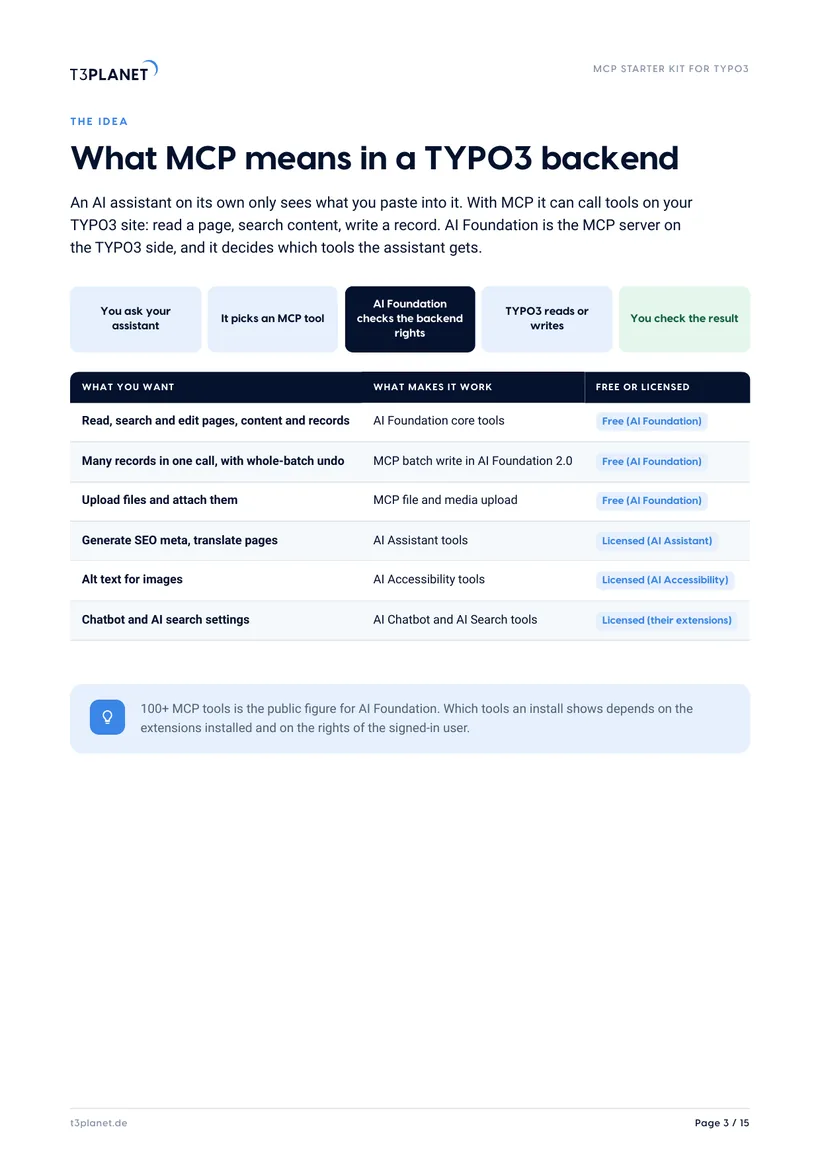
- MCP, the Model Context Protocol, lets an AI assistant call tools on a TYPO3 site: read a page, search content, write a record.
- AI Foundation is the free and open-source MCP server for TYPO3 with 100+ MCP tools, installed with one Composer command and no licence key.
- The assistant signs in as a TYPO3 backend user and can do what that user may do, and nothing more.
- Point changes at a draft workspace and agree for every write job how you check it and how you put it back; files and redirects act live.
- By default AI Foundation uses your own AI provider key with no T3Planet proxy in between; AI Credits are an optional second path.
The assistant suggests and executes. A person checks every job.
Three jobs from the first week
Turn a card to see how to run it safely. All ten jobs are on pages 9 and 10.
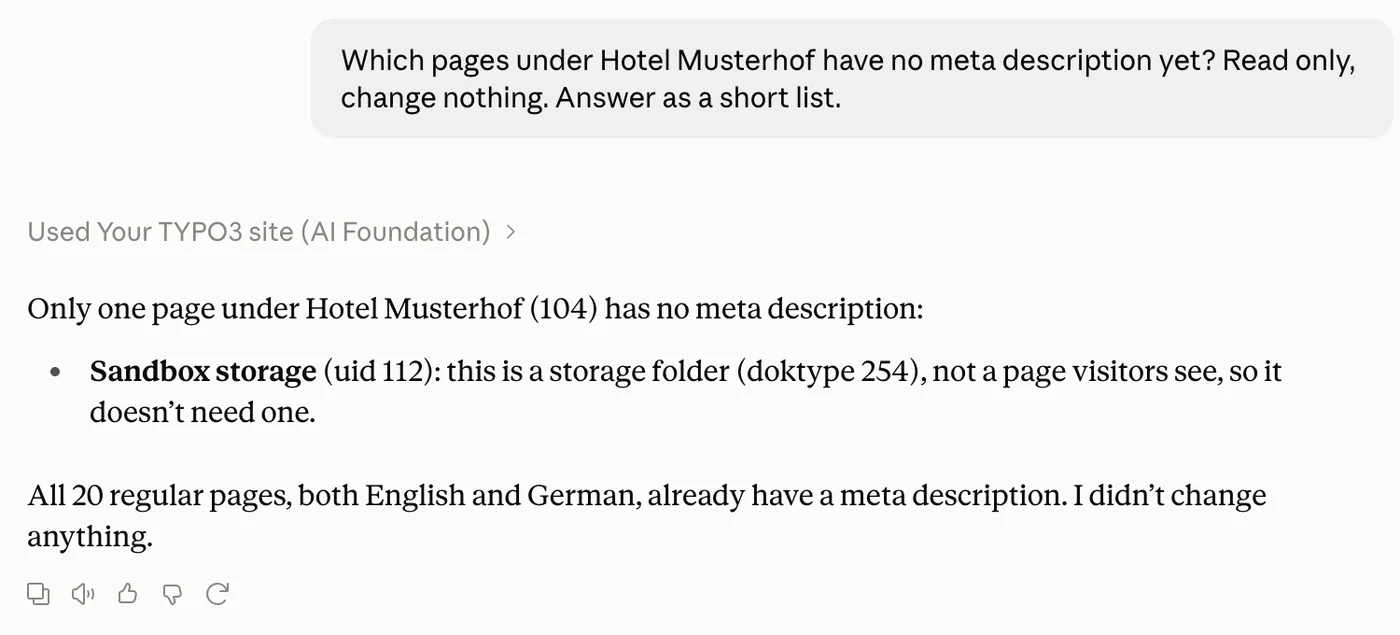
Ask which pages under Rooms have no meta description.
Replace one phrase on forty pages.
Upload five photos and attach them to a page.
Source: AI Foundation release 2.0.0 of 9 October 2026.
An assistant is only as safe as its setup
Five layers, five owners. Pick a layer to see what it covers.
TYPO3 core
- Owner
- Your integrator
- Covers
- Backend users and groups, rights on pages, tables and fields, workspaces and the publish step.
- Kit
- Step 3
The rollout sheet has a row for every person who connects an assistant. Put a real name in it, not a role.
AI Foundation
- Owner
- Agency admin
- Covers
- The MCP server, 100+ MCP tools, AI Permissions, AI Logs. Refuses any table or field the user may not edit. Free and open source.
- Kit
- Steps 1 and 2
The rollout sheet has a row for every person who connects an assistant. Put a real name in it, not a role.
Your assistant
- Owner
- The person using it
- Covers
- Reads what its user may read and sends it to the assistant's vendor, under that vendor's terms.
- Kit
- Step 2
The rollout sheet has a row for every person who connects an assistant. Put a real name in it, not a role.
Editors
- Owner
- Editor in charge
- Covers
- Preview in the draft workspace, publish, keep the change log.
- Kit
- Step 4
The rollout sheet has a row for every person who connects an assistant. Put a real name in it, not a role.
Agency
- Owner
- Project lead
- Covers
- Puts users, rights, data rule and rollout in the statement of work.
- Kit
- Page 13
The rollout sheet has a row for every person who connects an assistant. Put a real name in it, not a role.
Fifteen pages, four steps, one rollout sheet
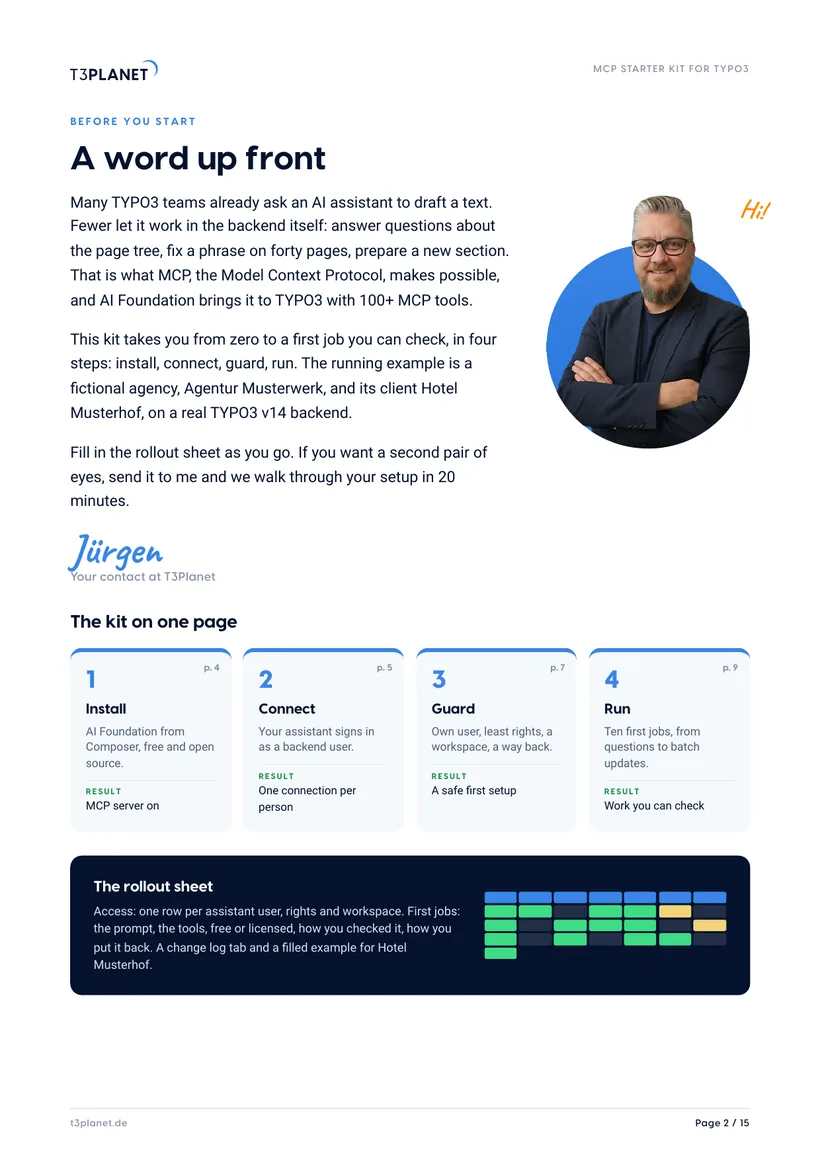
A word up front
Jürgen's letter and the whole kit on one page.
What MCP means
From your question to a TYPO3 write, and what is free or licensed.
Install and connect
AI Foundation from Composer, the MCP server, the assistant signs in.
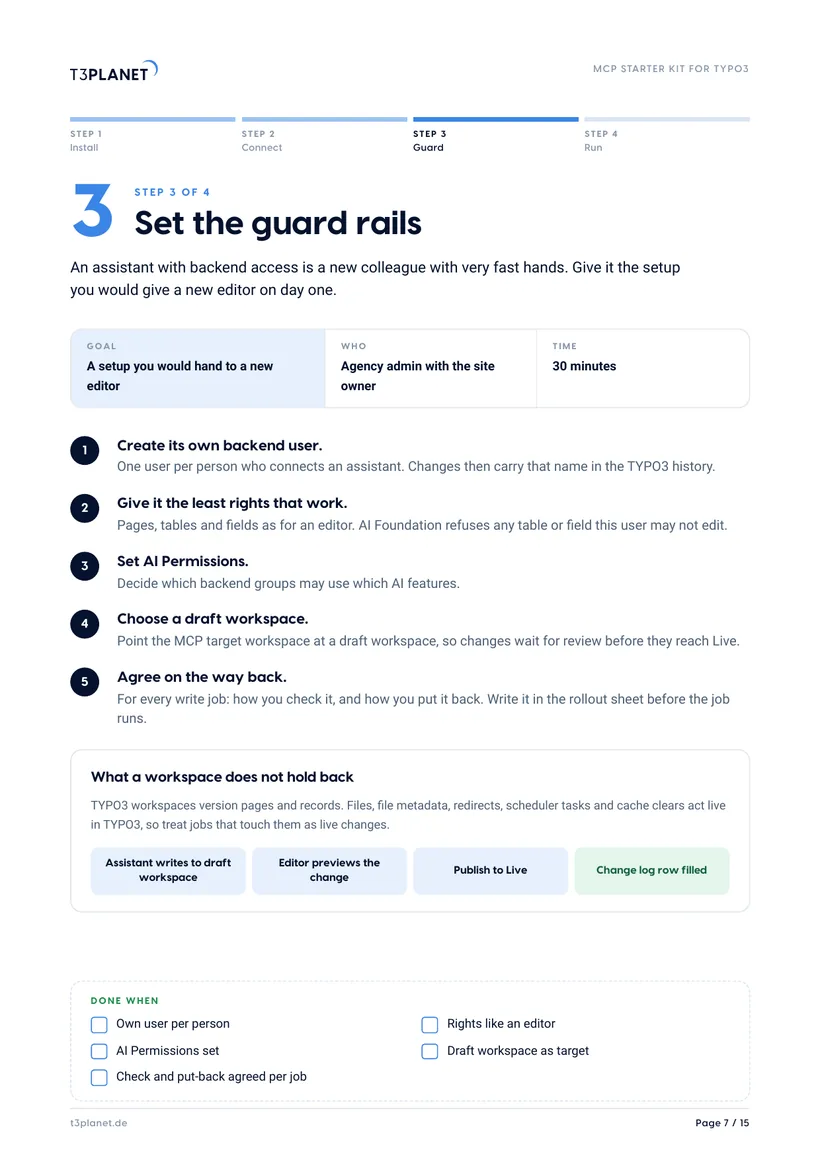
Guard
Own user, least rights, a draft workspace, and where your data goes.
Run
Ten first jobs with check and put-back, batch writes, the AI Agent.
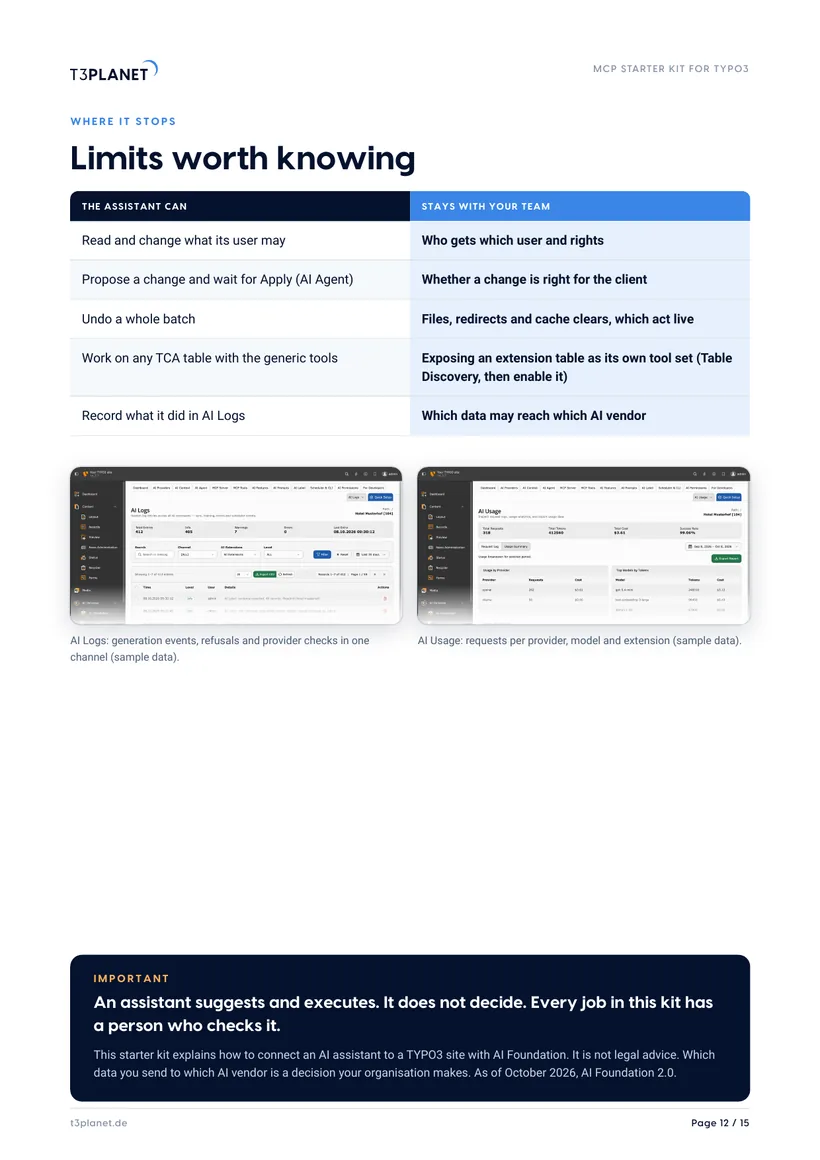
Limits and rollout
What stays with your team, the agency checklist, 20 minutes with Jürgen.
AI Foundation 2.0.0 of 9 October 2026 runs on TYPO3 13.4 and 14.3 with PHP 8.2 to 8.5 and adds the AI Agent and the MCP batch write tool. The 1.2.x line covers TYPO3 v12 with security and maintenance updates.
Five steps, from install to your first job
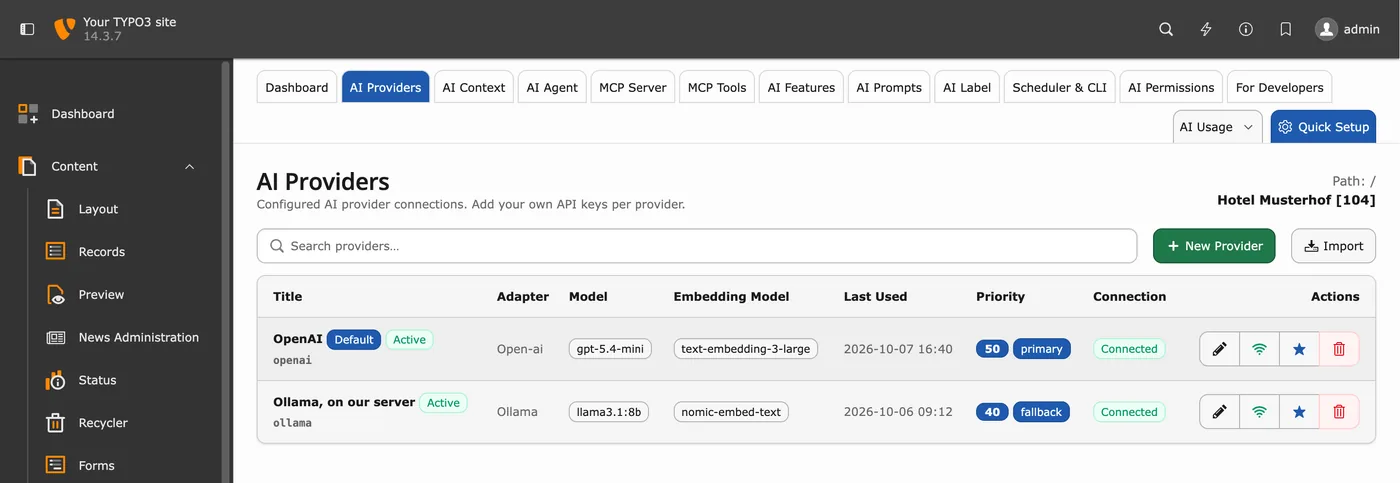
Install
Composer, a provider, the MCP server on.
- One Composer command, no licence key
- Your own AI provider key, or a local model
- The MCP tab shows the server URL
Connect
Your assistant signs in as a backend user.
- Remote with OAuth, recommended
- Connection guides for eight assistants
- A read-only question first
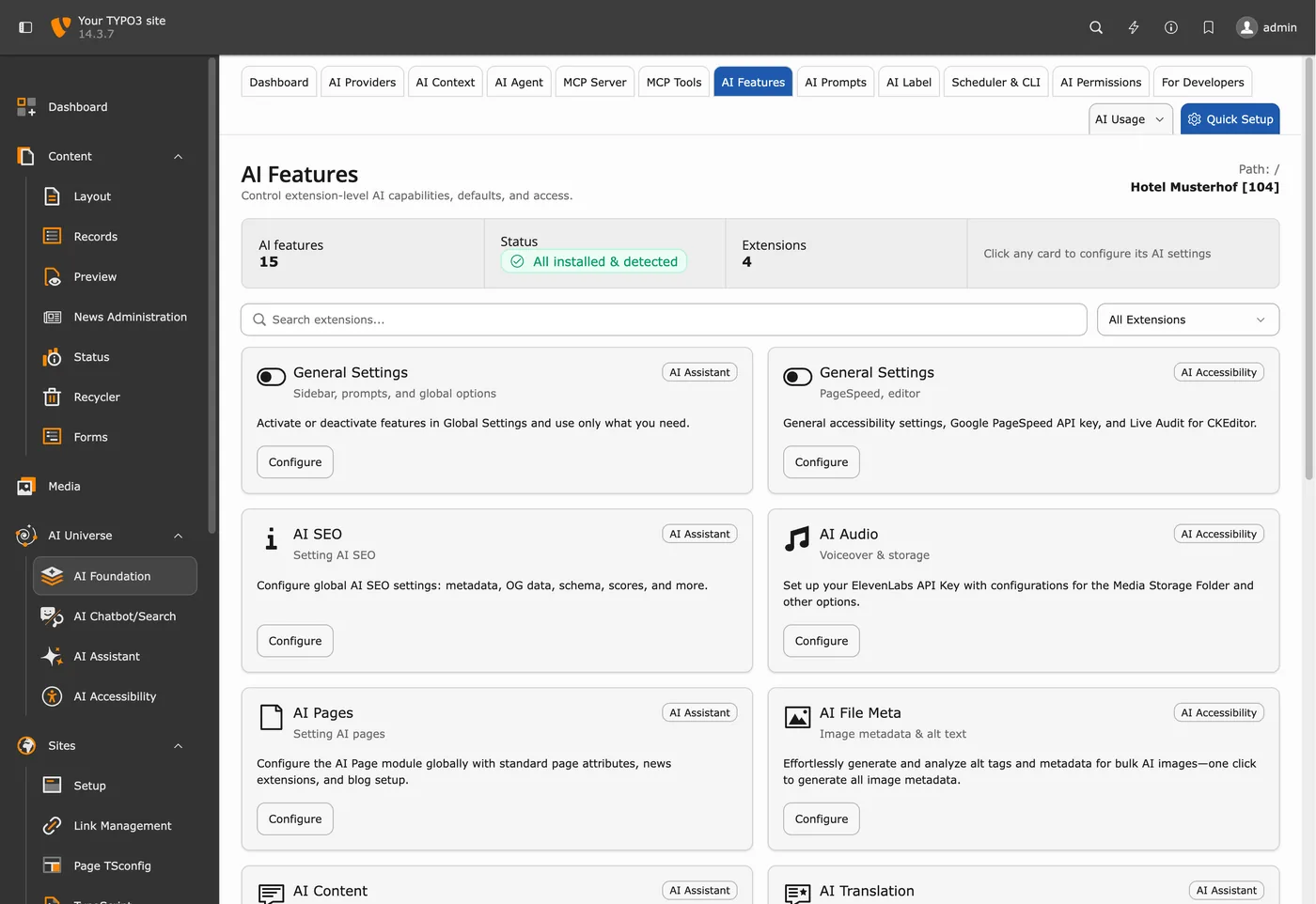
Guard
Set it up like a new editor.
- Own backend user per person
- Least rights; AI Permissions per group
- A draft workspace as the target
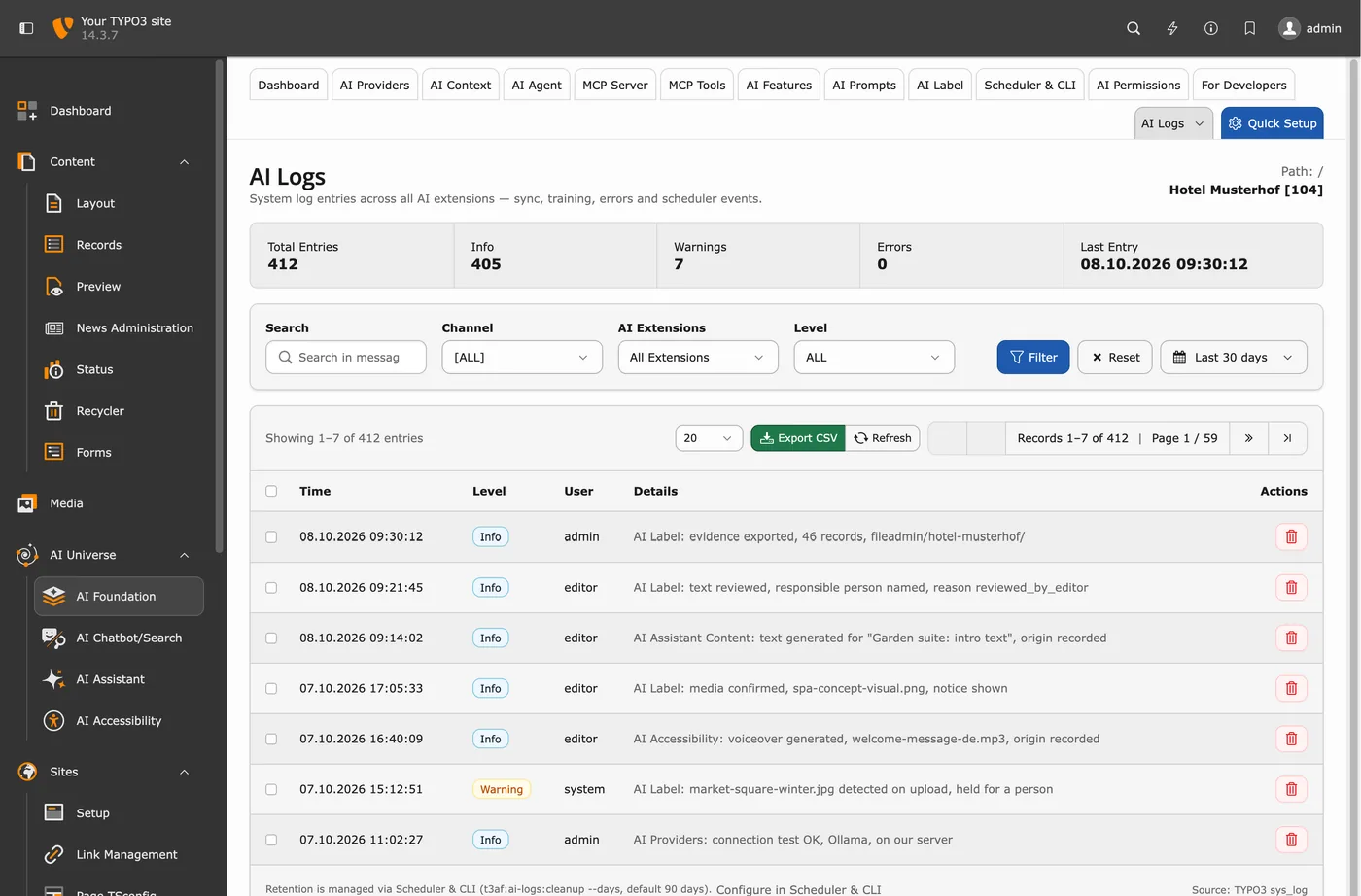
Run
Ten jobs, each checked.
- Questions first, then small writes
- Batches with whole-batch undo
- Licensed jobs only where installed
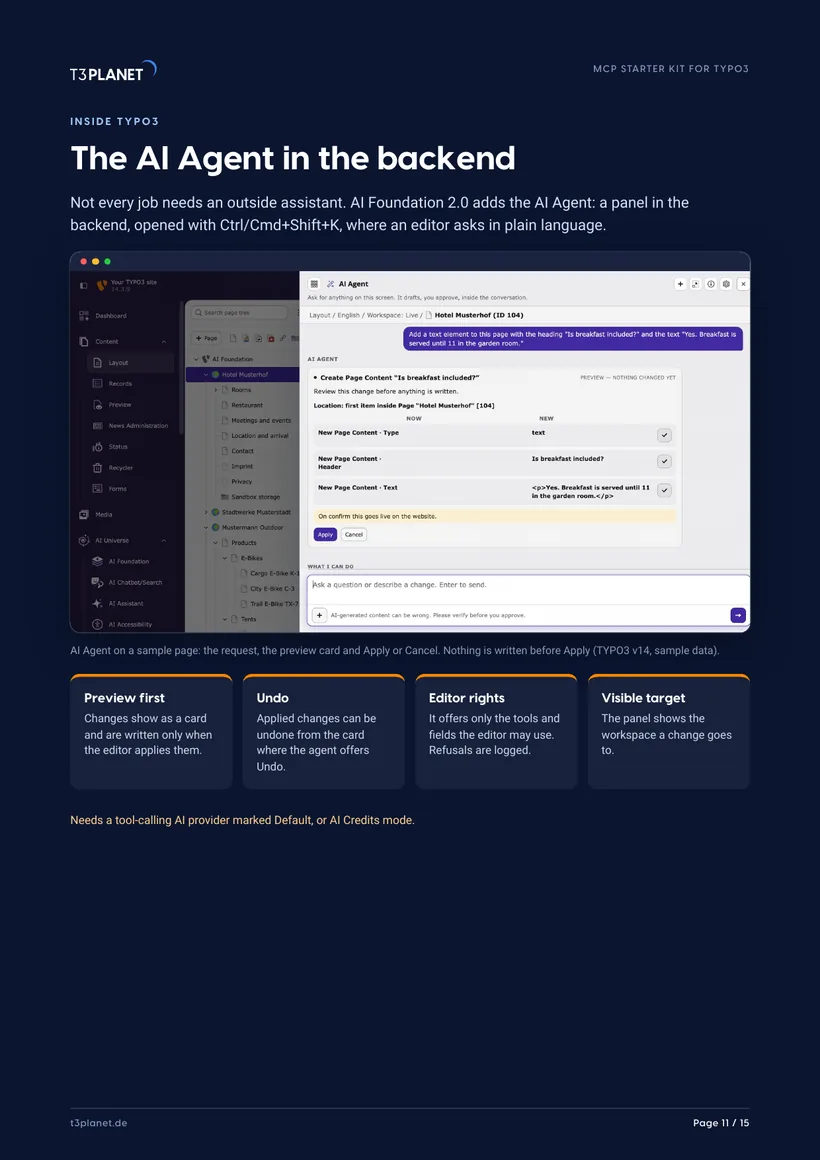
Agent
Ask inside the backend.
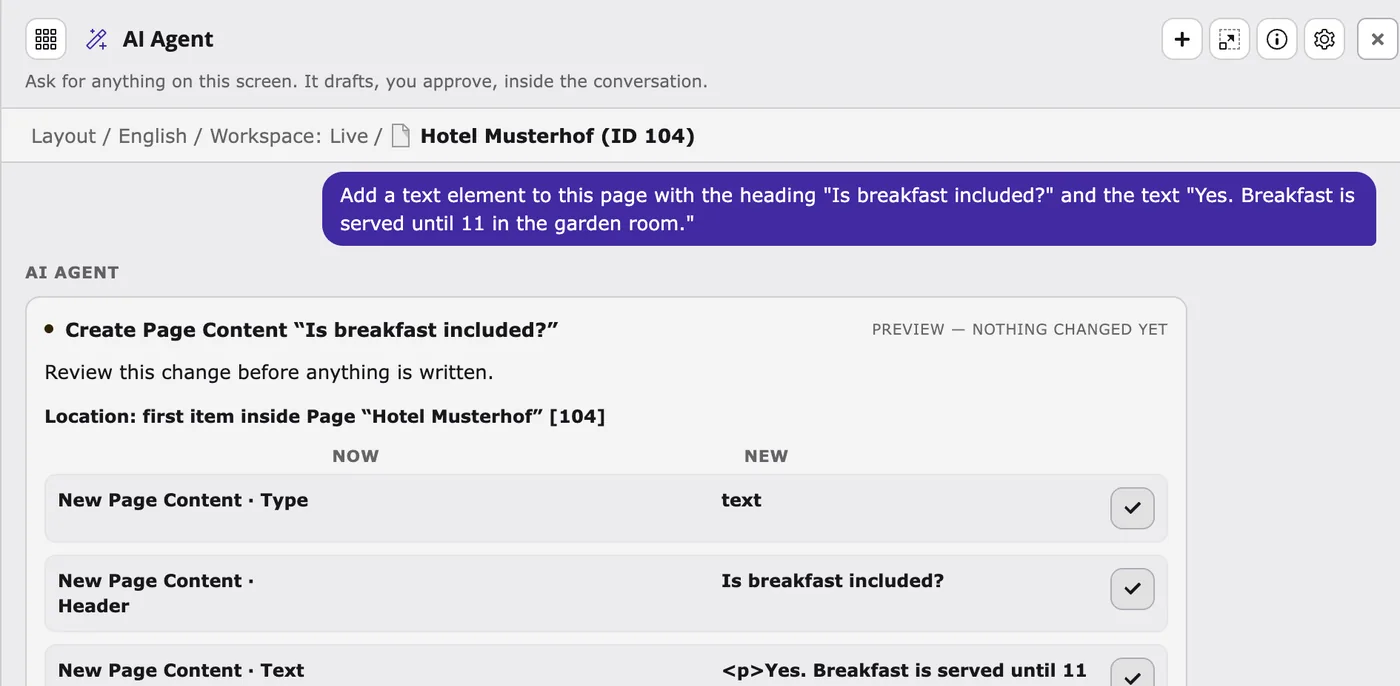
- Preview card, written only on Apply
- Only what the editor may do
- The panel shows the target workspace
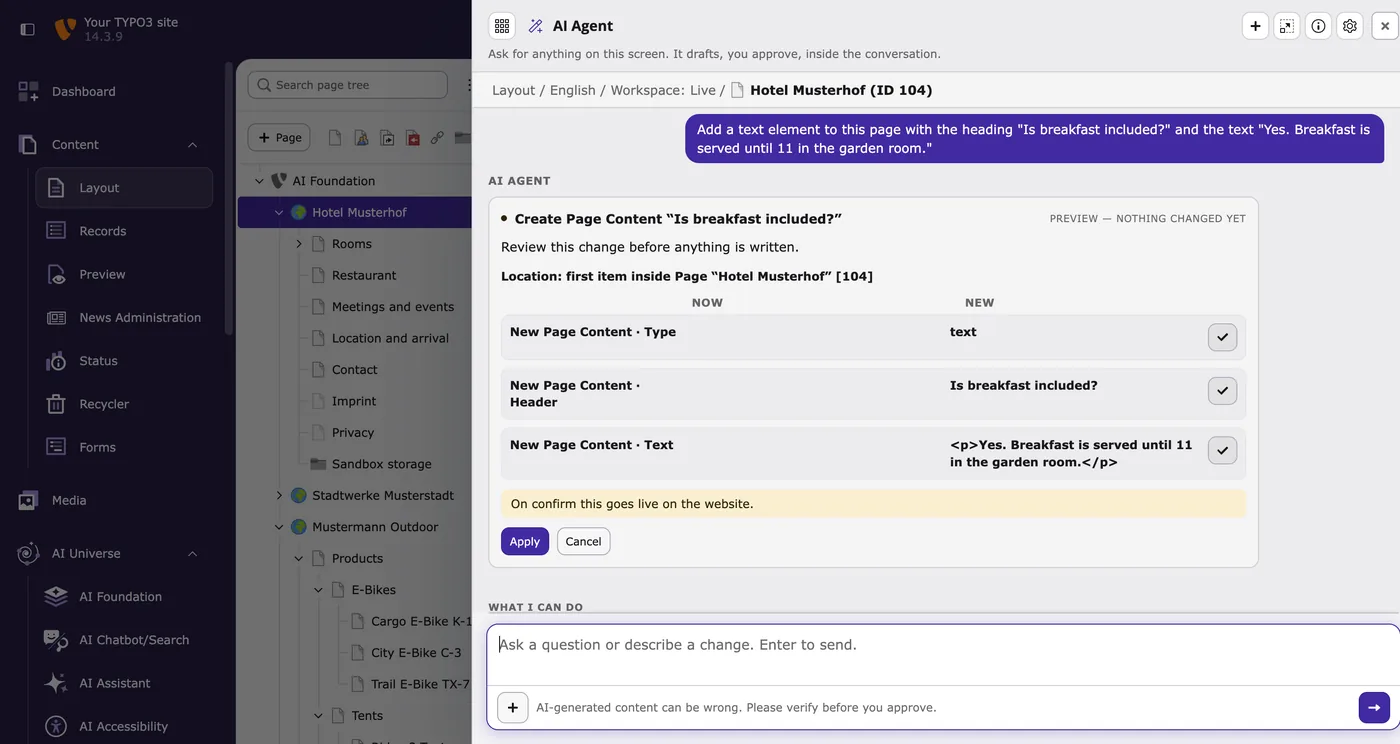
Screens: TYPO3 v14 on our demo install, sample data.
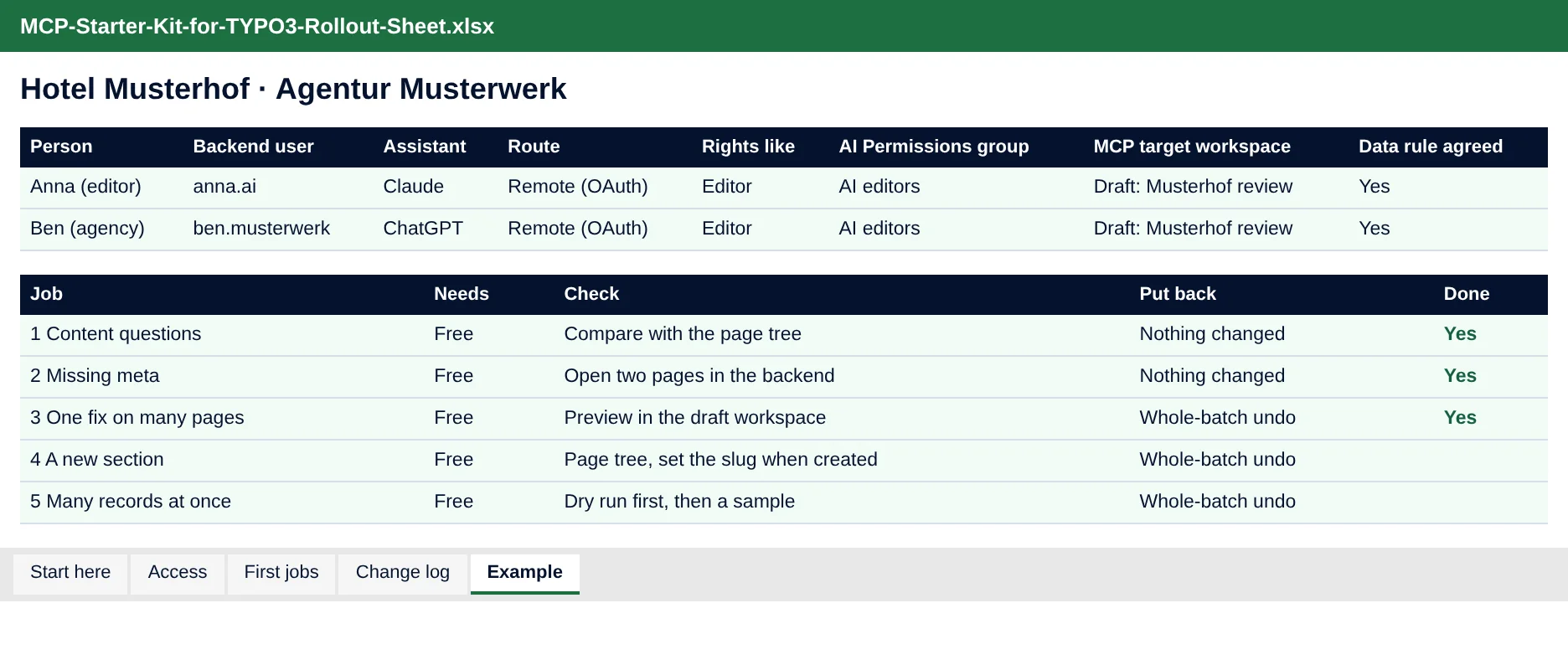
One row per person, one line per change
Access: who connects which assistant, as which backend user, with which rights and target workspace. First jobs: the ten jobs from the kit with check and put-back. A change log for every write job.
- Dropdowns for done and live-acting jobs
- A filled example for Hotel Musterhof
- Opens in Excel, LibreOffice and Google Sheets
20 minutes with Jürgen
Send your filled rollout sheet beforehand and we use the 20 minutes for your TYPO3 setup: which user, which rights, which workspace, which jobs first.
Jürgen · Your contact at T3PlanetWho it is for
Agencies and freelancers
You run TYPO3 for clients. You get a setup you can repeat per client, a rollout checklist for the statement of work, and a sheet to share.
In-house TYPO3 teams
You run your own site. You get the backend screens, the rights to set, the draft workspace as review gate, and ten jobs to start with.
Frequently asked questions
What is MCP in TYPO3?
MCP, the Model Context Protocol, is the open standard an AI assistant uses to call tools on another system. In TYPO3, AI Foundation is the MCP server: your assistant reads pages, searches content and writes records through it, with the rights of a TYPO3 backend user.
Is the starter kit really free?
Yes. You get the PDF and the Excel rollout sheet straight away, with no payment details. AI Foundation itself is free and open source, with no licence key and no registration.
Which AI assistants work with it?
Our MCP in Practice series has connection guides for eight assistants we documented or tested, among them Claude, ChatGPT, Gemini and Microsoft Copilot. Other MCP assistants work too.
Can the assistant break my site?
It can do what its backend user may do, so give it its own user with editor rights and point changes at a draft workspace. Files, redirects and cache clears act live in TYPO3; the kit marks every job that touches them and shows how to put it back.
Where does my data go?
What your assistant reads from TYPO3 goes to the assistant's vendor, under that vendor's terms, so decide which data it may read. Inside TYPO3, AI Foundation uses your own provider key by default, with no T3Planet proxy in between, so where that data is processed is up to you, depending on the model you choose. With the optional AI Credits, T3Planet is in the data path and the AVV is available on request.
Which TYPO3 version does it cover?
The screens show TYPO3 v14. AI Foundation 2.x runs on TYPO3 13.4 and 14.3 with PHP 8.2 to 8.5; the 1.2.x line covers TYPO3 v12 with security and maintenance updates.