
 AI Assistant
 AI Chatbot
 AI Search
 AI Accessibility
 AI Localization
 AI Builder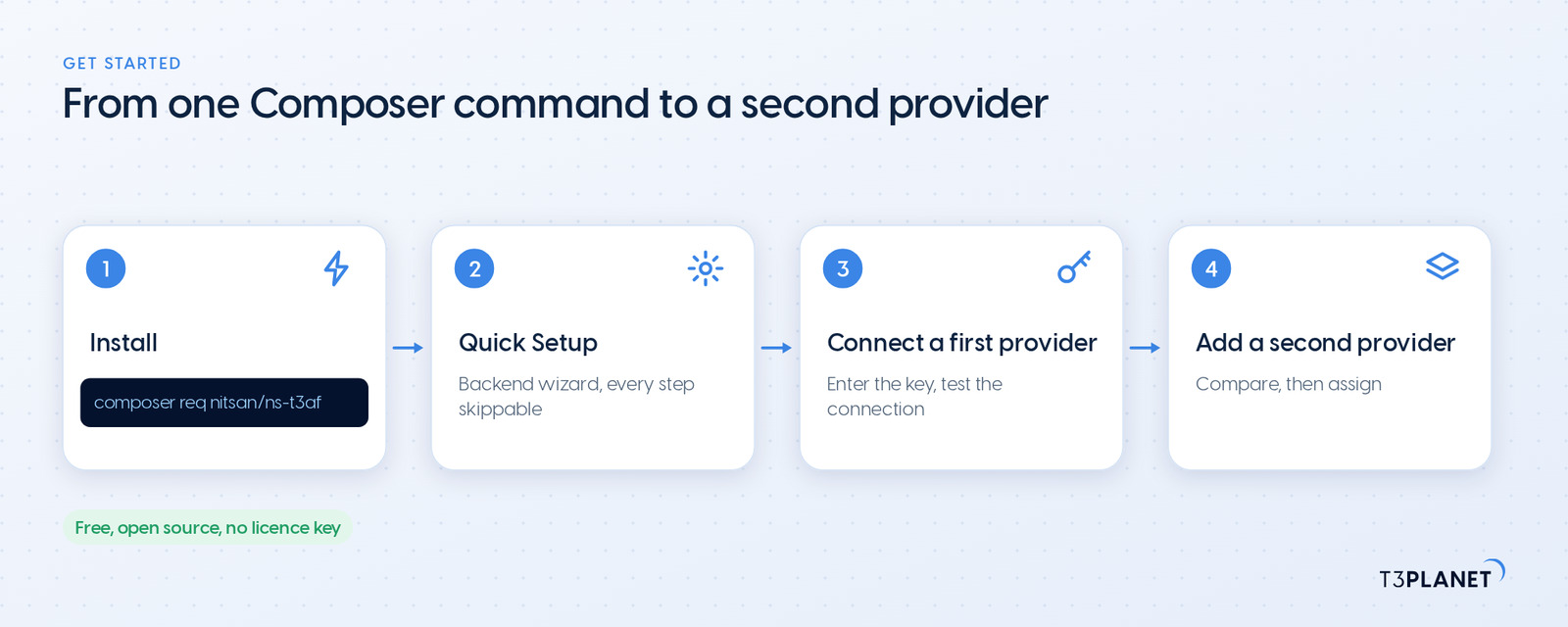
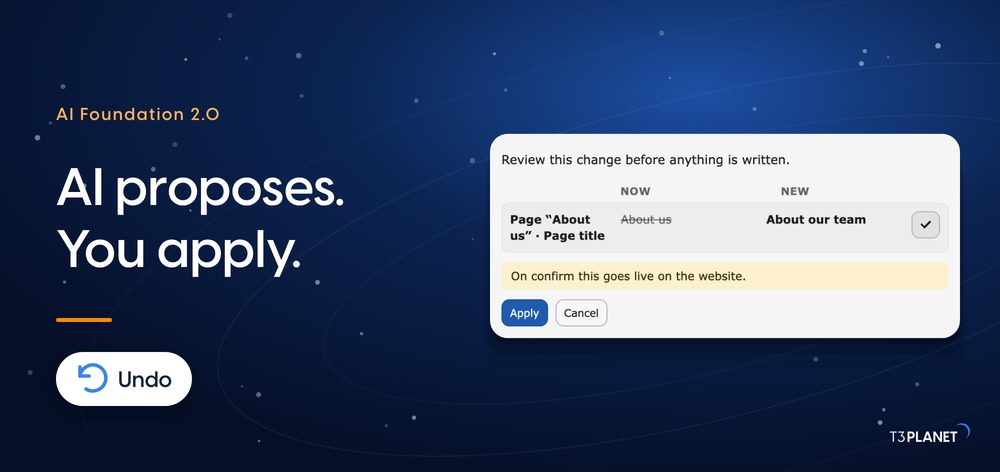
AI Agent for TYPO3: AI Foundation 2.0 Writes Only When You Say So
AI


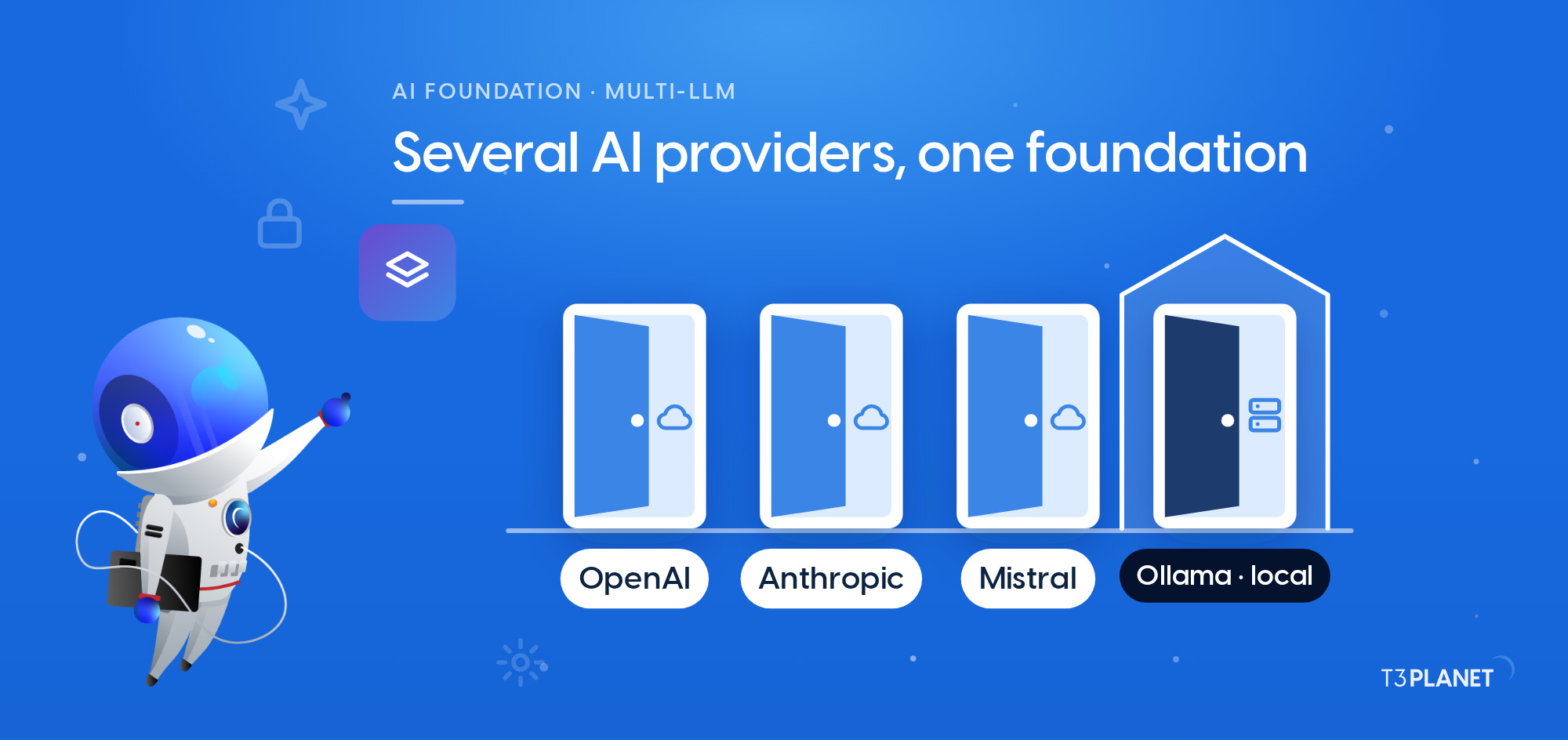
When an AI feature in TYPO3 is tied to one provider, your website changes whenever that provider retires a model or rewrites its terms. Multi-LLM for TYPO3 removes that dependency: you connect several language models from different providers to one TYPO3 installation and decide which model handles which job. A large language model, or LLM, is the technology behind services such as ChatGPT and Claude.
With AI Foundation for TYPO3, T3Planet's free and open source base, that is a backend setting rather than a rebuild. This guide covers why one provider is a risk you shouldn't take, how Multi-LLM works under the hood, and how to add a second provider in four steps.
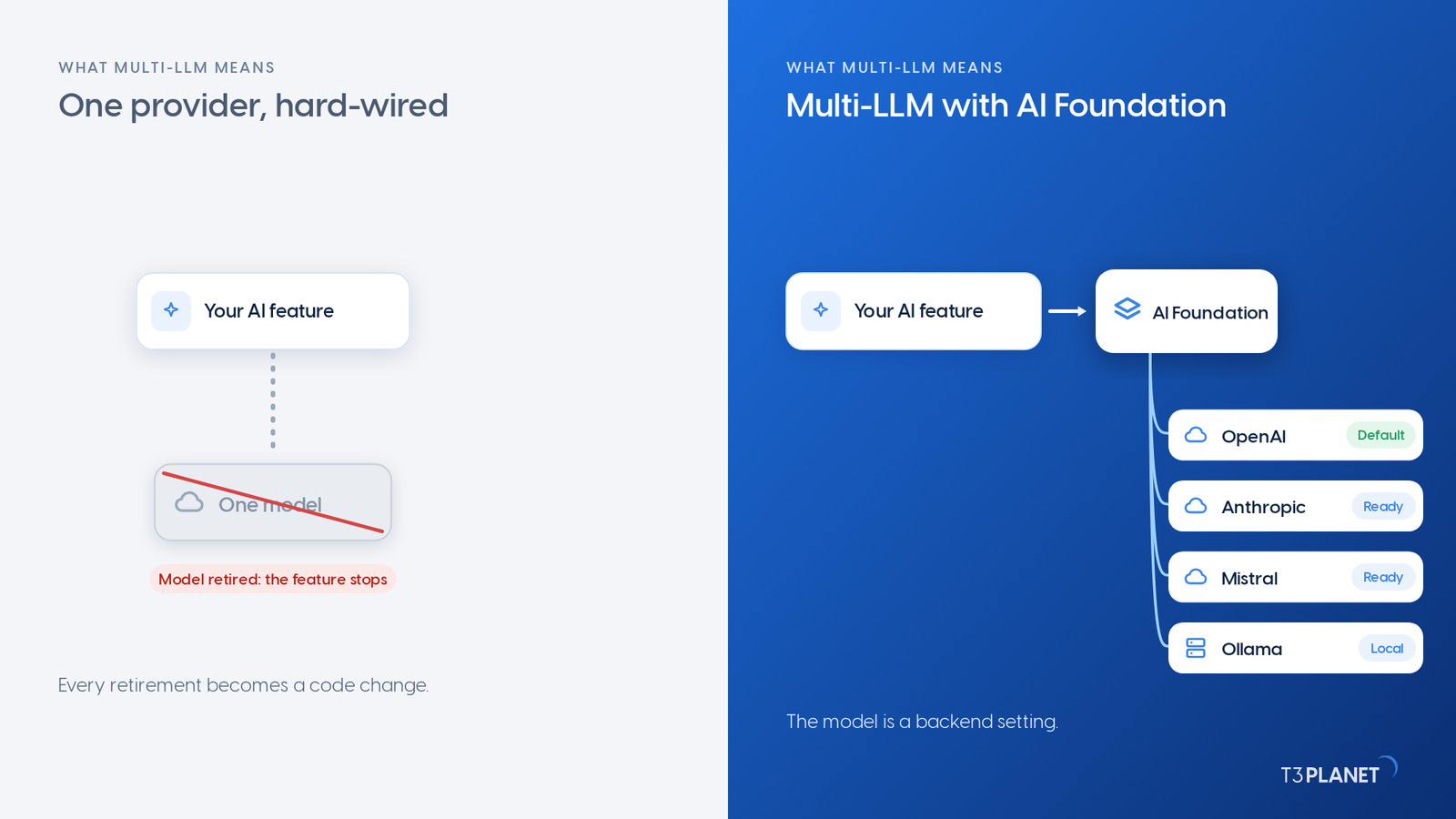
Multi-LLM for TYPO3 means your installation runs several AI models from different providers side by side, and you decide in one place which model does which job. Your extensions never call OpenAI, Anthropic or Mistral directly. They call a shared layer in between, so changing the model leaves their code untouched. For you, choosing a provider stops being a permanent decision.
| Situation | One hard-wired provider | Multi-LLM with AI Foundation |
| A model is retired | The feature breaks until someone changes the code | You pick the successor model in the backend |
| A job needs a specialist model | Everything runs through the same model | With premium extensions, translation, image descriptions and search each use a model that suits them |
| Content is confidential | It goes to the same cloud provider as everything else | A local model on your own server processes it |
| The bill goes up | One total, little insight | Cost and error rate per provider, usage per model and extension, on the dashboard |
| API keys | Often stored separately in every extension | Entered once and stored encrypted |
This is vendor lock-in for AI, and in TYPO3 it affects every feature that depends on a single model. None of the reasons below is a criticism of any provider. They follow from how fast the AI market moves, and for you they mean one thing: hard-wire a model today and you are already scheduling the next change.
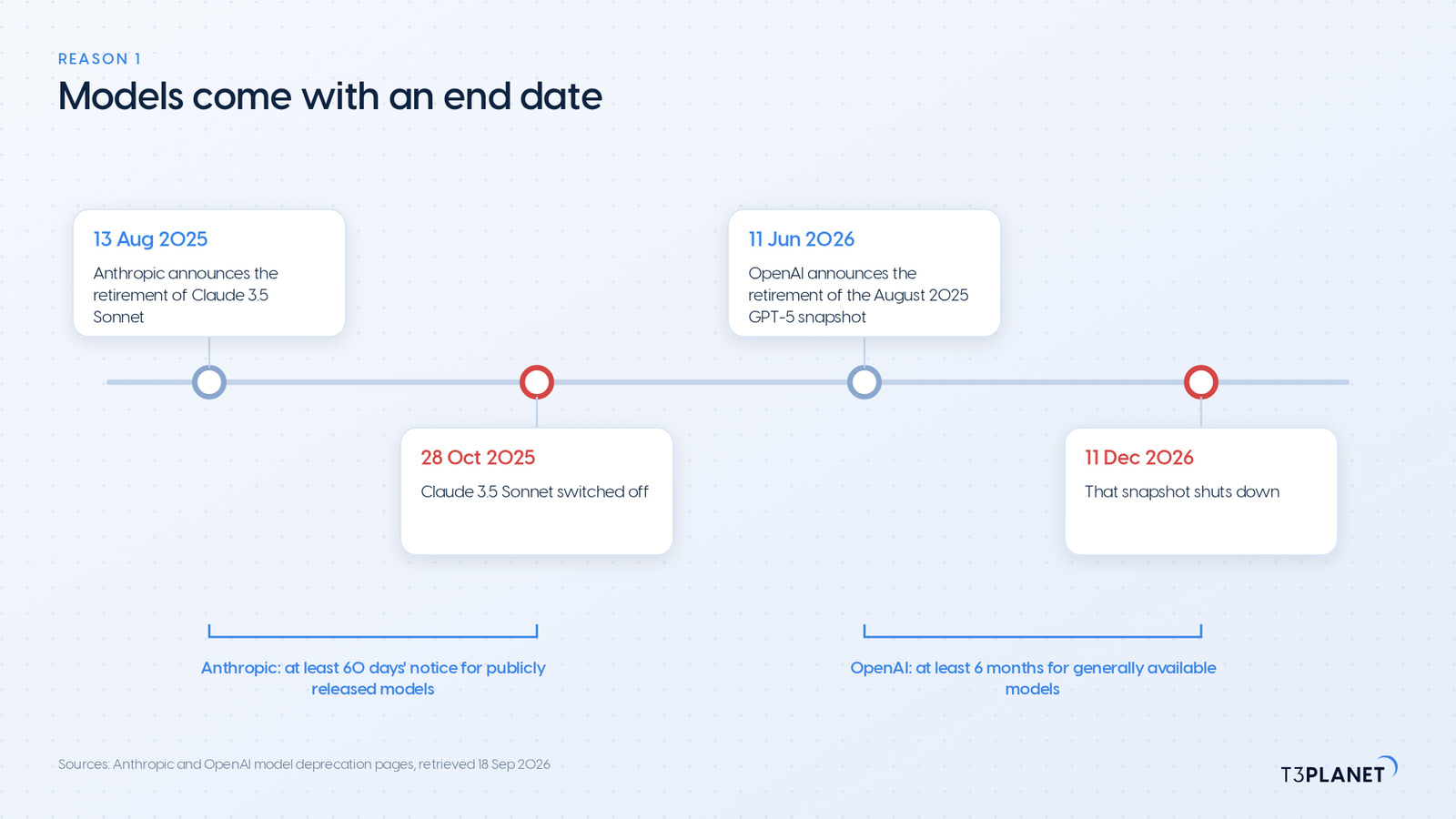
Anthropic announced the retirement of Claude 3.5 Sonnet in August 2025 and switched it off on 28 October 2025. Its model deprecation overview commits to at least 60 days' notice for publicly released models. OpenAI's deprecations list gives generally available models at least six months, and the August 2025 GPT-5 snapshot shuts down on 11 December 2026.
If the model is baked into your code, every retirement becomes a development ticket. In AI Foundation you select the successor in the backend, and every extension using that provider works with it straight away, unless a feature pins a model of its own.
Token prices, usage limits and contract terms are the provider's call, not yours. With only one provider connected, a change leaves you little choice but to accept it. With a second provider already tested, you have a real alternative, and your own dashboard gives you the numbers to weigh it.
A translation asks different things of a model than alt text for an image or a semantic search does. Images need a model that can see. Search needs an embedding model, which turns text into numbers that can be compared. Specialist services such as DeepL for translation or AltText.ai for image descriptions connect to AI Foundation alongside the large language models.
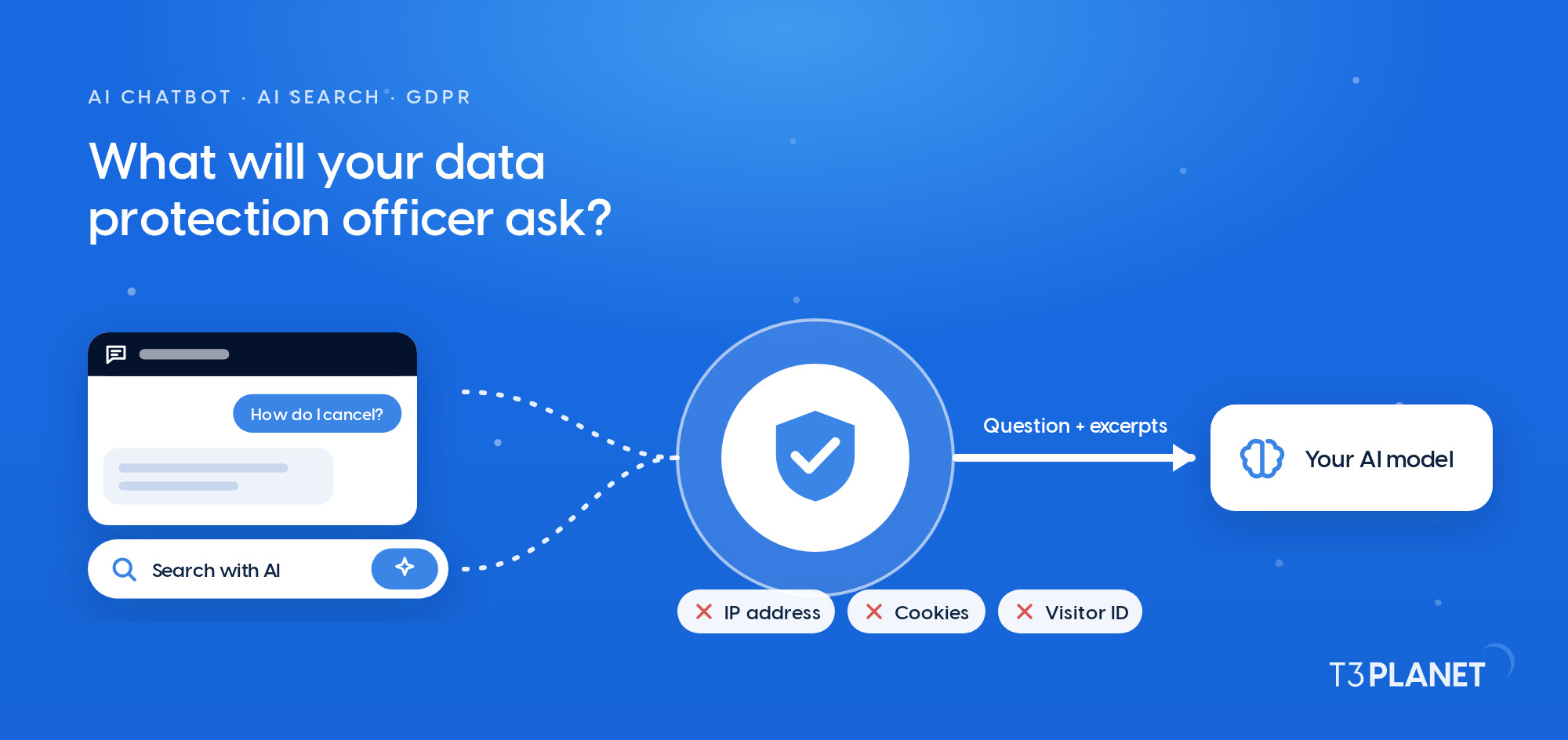
A public blog post is not the same as an internal draft that mentions customers. A model hosted locally or in the EU keeps data in that jurisdiction; a provider outside the EU does not. With Ollama you run open source models on your own server, so the content never leaves your infrastructure. Together with your data protection team, you decide which content takes which route.
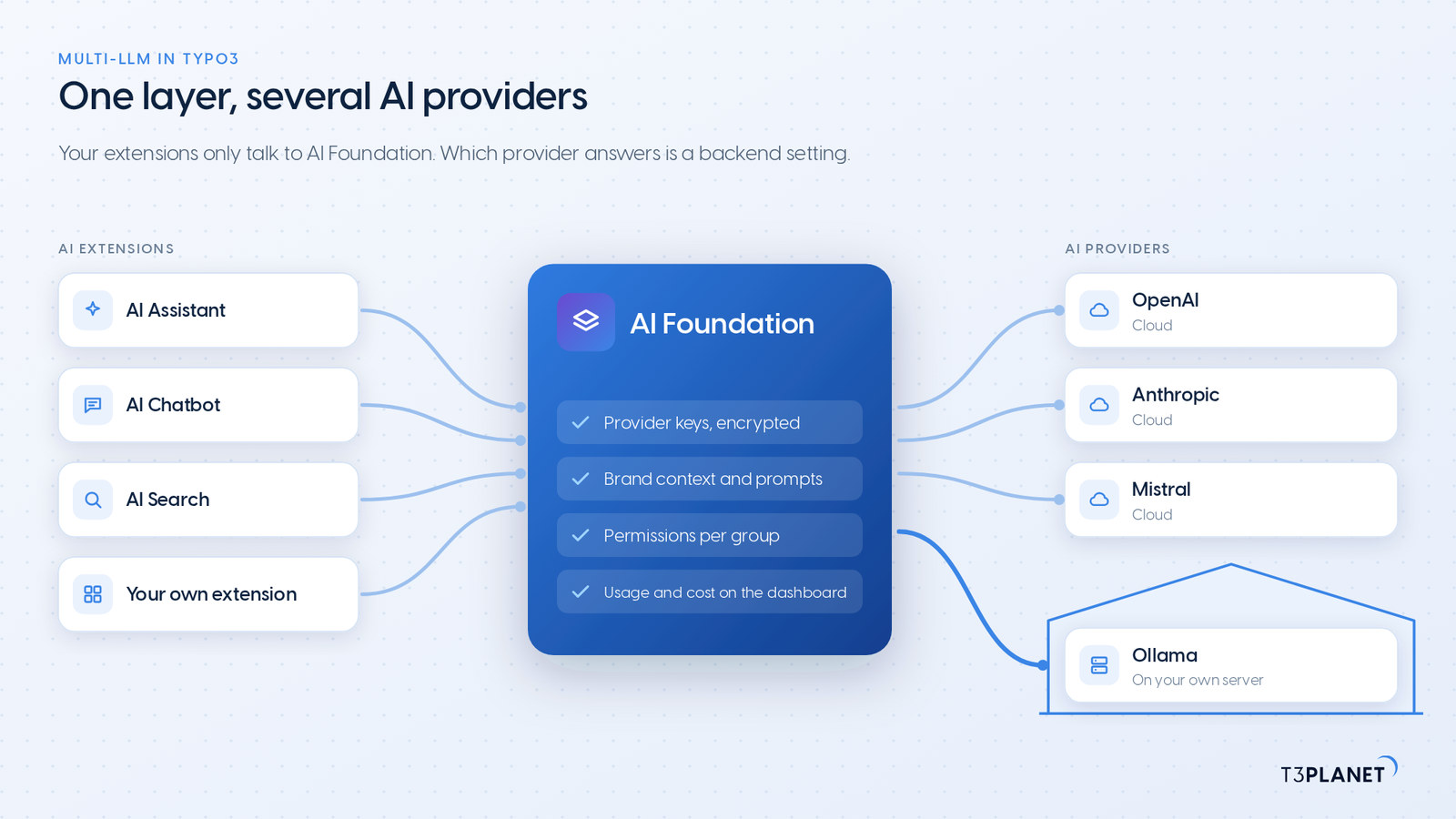
You manage every AI provider once, centrally, and every AI extension on your TYPO3 installation uses them. AI Foundation sits between your extensions and the providers. Your code never talks to a provider directly, only to one AI Foundation interface. Our extensions work the same way, so they fit into your existing TYPO3 setup instead of bringing their own provider keys. Underneath is Symfony AI Platform, a Symfony component whose documentation describes switching between models and providers without changing application code.
| Type | Providers |
| Cloud language models | OpenAI, Anthropic, Google Gemini, Azure OpenAI, Mistral |
| Many models through one account | OpenRouter |
| Local, on your own server | Ollama, no API key needed |
| Your own endpoints | any OpenAI-compatible endpoint |
| Specialist services | DeepL Translate, Google Translate, AltText.ai, ElevenLabs, Stability AI, MidJourney, Hugging Face |
Each provider is its own entry under AI Providers. You can add the same provider more than once, for example with one key for production and another for staging.
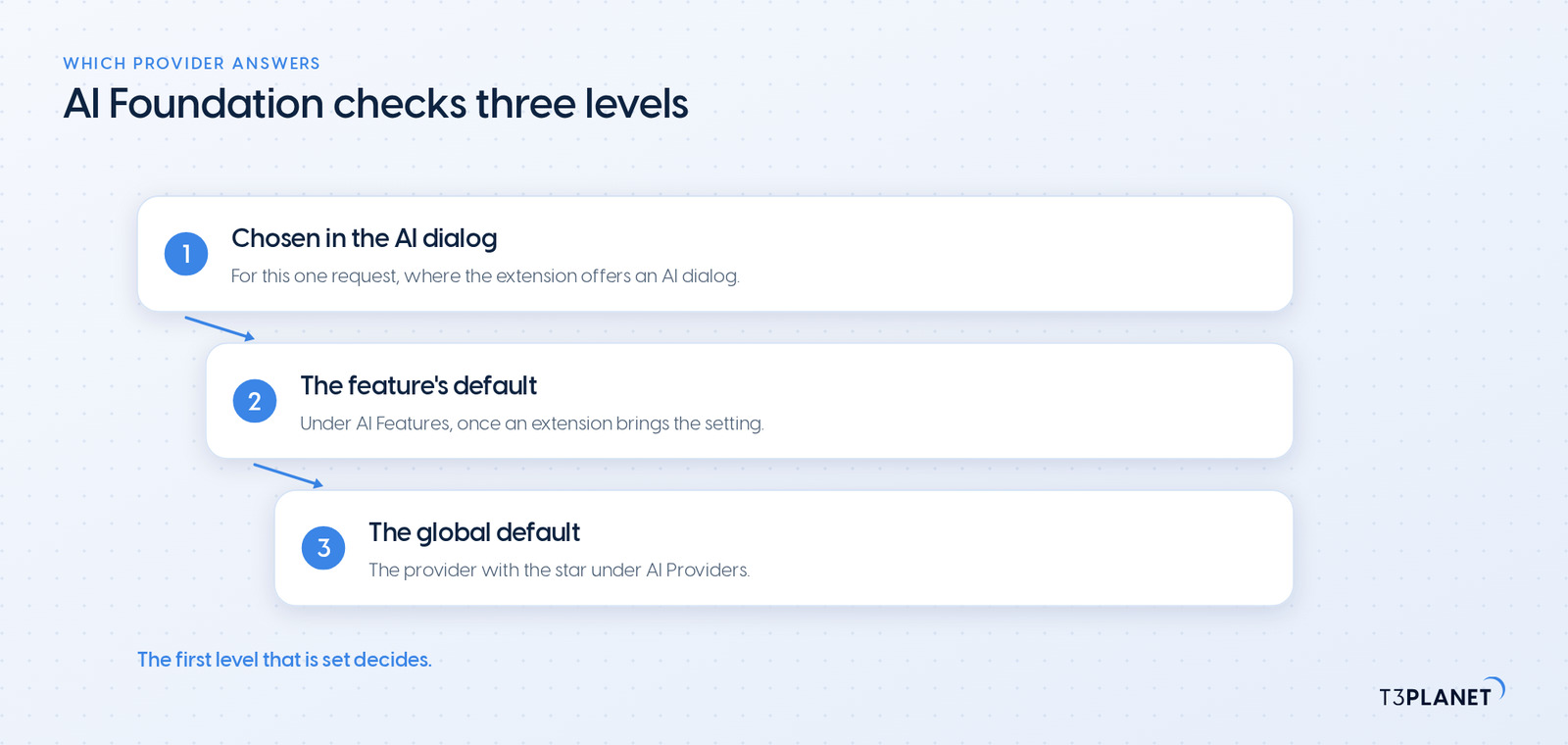
AI Foundation picks the provider in this order:
Per-feature settings appear once an AI extension registers them. AI Assistant brings its own defaults for SEO, pages, content and translation. AI Chatbot and AI Search let you choose their own chat and embedding provider. That way translations can run on Mistral, for example, while metadata comes from OpenAI. These extensions are premium products with their own licence; AI Foundation itself is free.
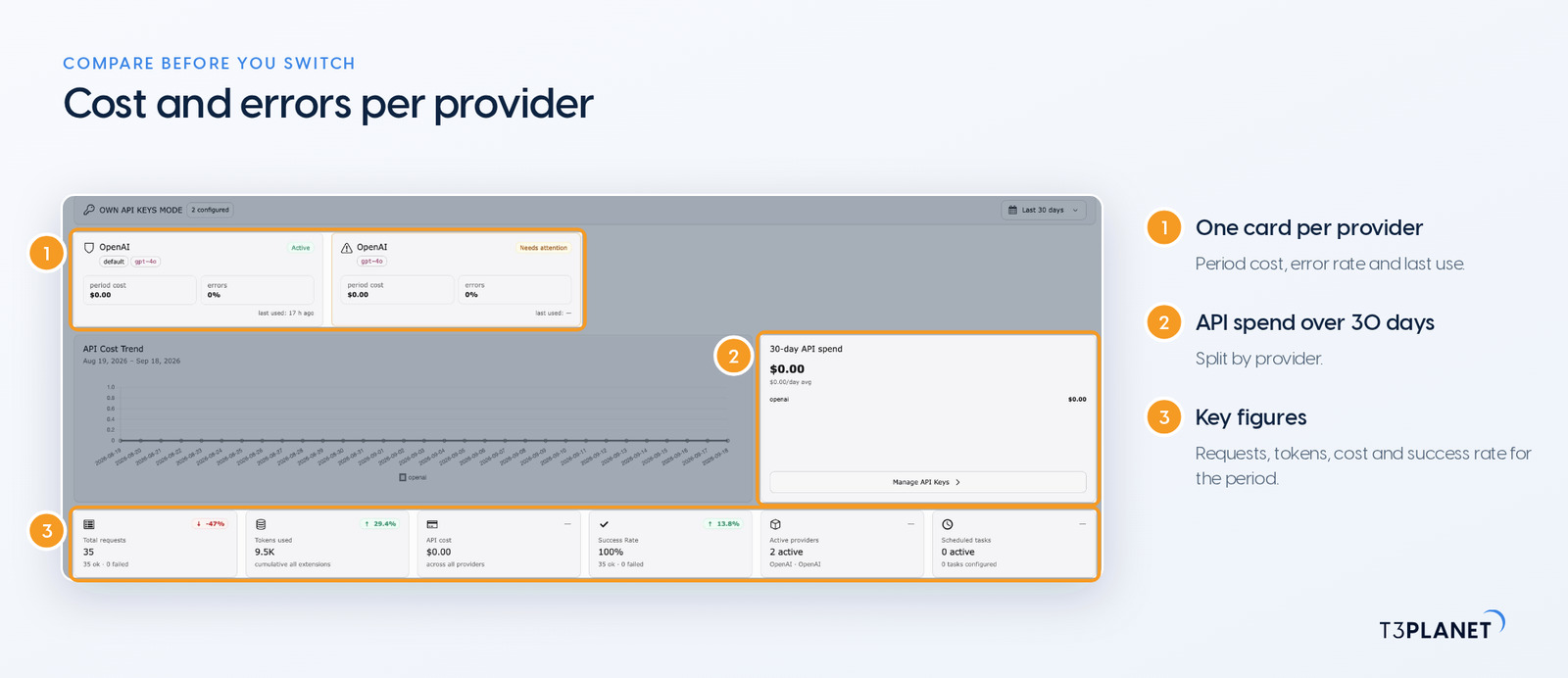
When the model changes, everything you have set up for your website stays in place, because those rules live in AI Foundation and not with the provider.
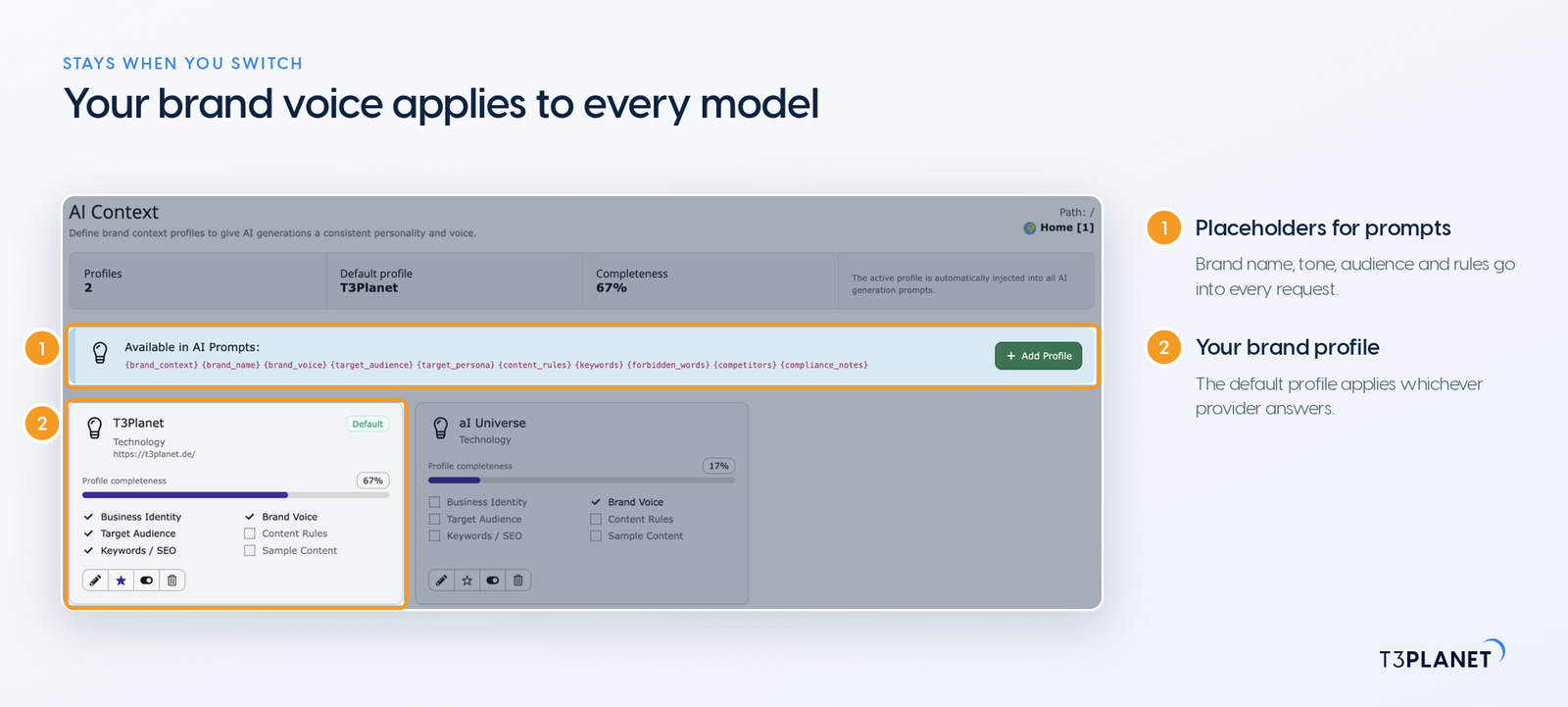
The dashboard shows cost and error rate per provider, plus the most used models. That is how you manage AI models in TYPO3 in one place rather than extension by extension, and how you compare two providers on your own traffic before you and your team change the default.
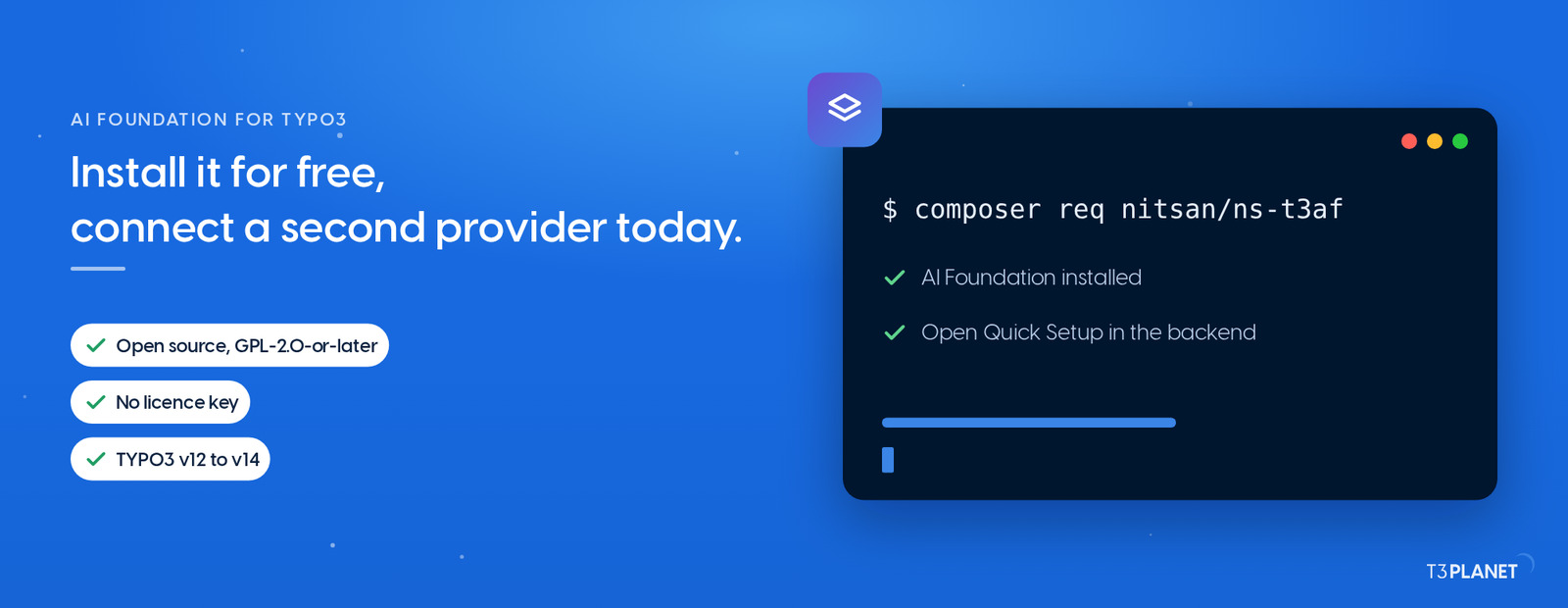
AI Foundation is free and open source, with no licence key. One Composer command installs it, and Quick Setup walks you through the first provider.
Sovereign TYPO3 AI

T3AFThe base every extension runs on. Manage providers, prompts, permissions and costs in one place.
Until you make the new provider the default, your existing features carry on unchanged. So you and your team can test at your own pace while editors keep working as usual.
Step 1: Add the provider
mistral-prod and "Mistral production".The key is stored encrypted in the database.
Step 2: Set models and cost
The dashboard can now work out what this provider costs.
Step 3: Test and assign it
Your extensions pick up the new assignment with no further setup.
Step 4: Control access and watch the numbers
Then decide which provider takes which job for good.
Note: If you change the embedding model behind a search, rebuild the search index afterwards. Vectors from different embedding models cannot be compared.
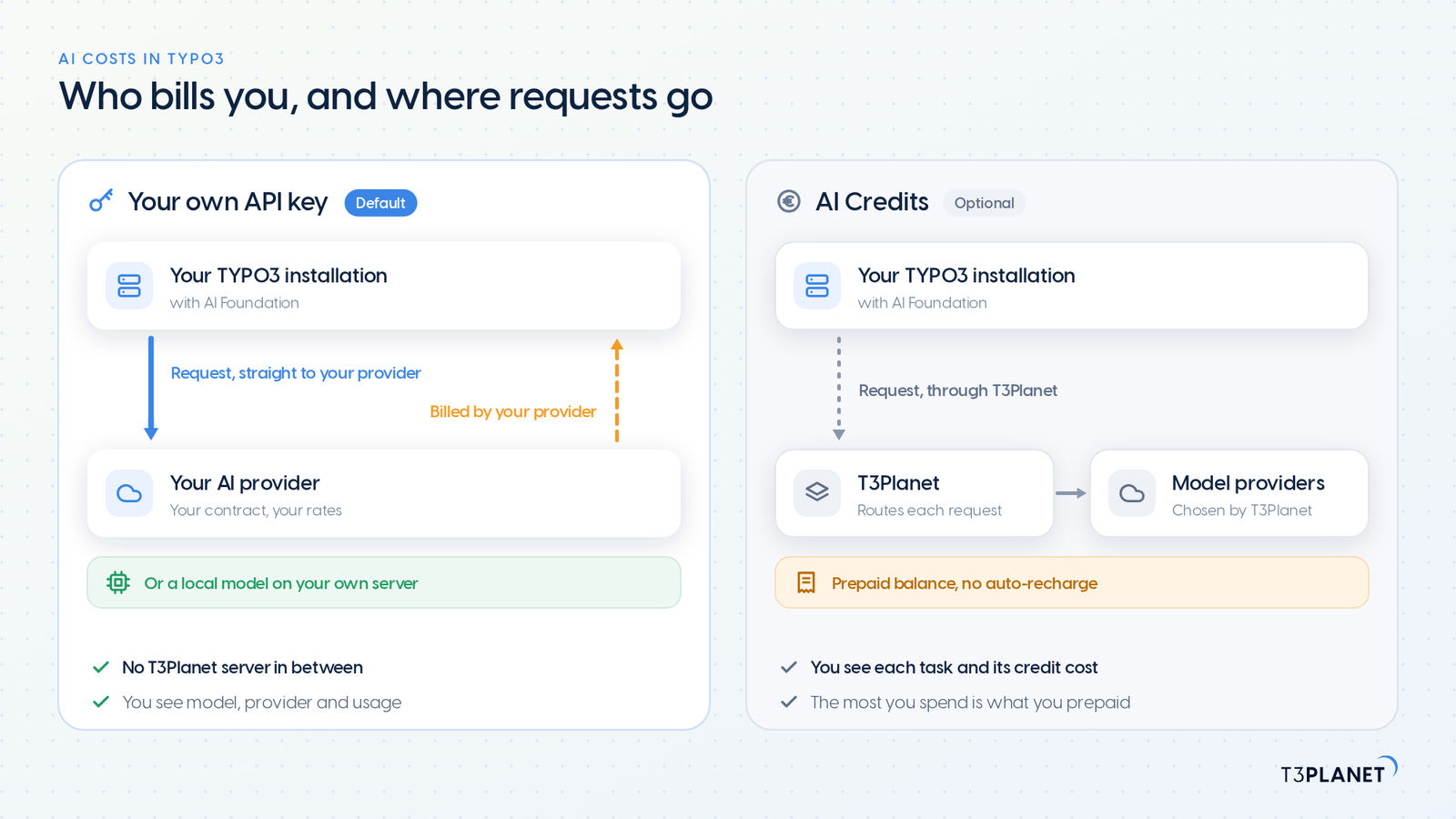
Not every team wants contracts with several AI providers and a set of API keys to look after. That is what AI Credits is for: an optional prepaid balance from T3Planet that runs the AI features of the AI Universe without a key of your own. Your own key stays the default, and we support you on either route.
The trade-off against Multi-LLM on your own key: T3Planet picks the models, and your requests reach the model providers through T3Planet. Need a data processing agreement that covers AI Credits? Ask and we will send it. Switch the mode under AI Providers, in either direction, whenever you like. Our post on AI costs in TYPO3 compares both routes.
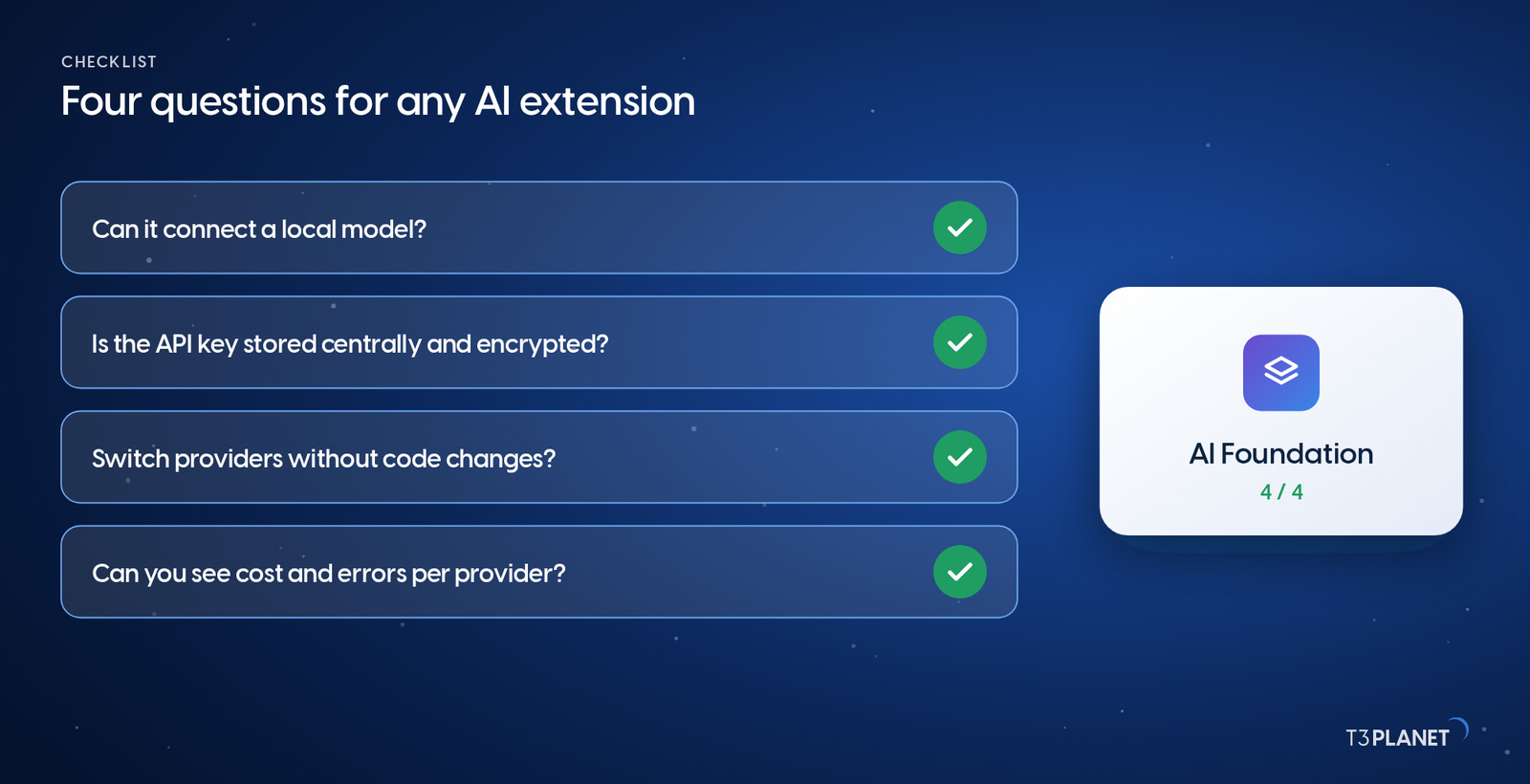
Whether you use AI Foundation or are evaluating something else, these four questions show quickly how dependent on one provider you would become. Here are our answers for AI Foundation.
| Question | AI Foundation |
| Which providers can I connect, including a local model? | The major cloud providers, any OpenAI-compatible endpoint, and Ollama on your own server |
| Is my API key stored once, centrally and encrypted? | Yes, once under AI Providers, for the AI extensions on that installation |
| Can I switch providers without touching code? | Yes, in the backend. With premium extensions, also per feature and in the AI dialog |
| Can I see cost and errors per provider before I switch? | Yes, on the dashboard and in the log of every request |
One line is all it takes, and you can connect your first and second AI provider today:
composer req nitsan/ns-t3afThe source code is on GitHub, and every feature is on the AI Foundation for TYPO3 product page. AI Foundation is built by NITSAN: more than 15 years in TYPO3, a Gold Member of the TYPO3 Association, winner of the TYPO3 Award 2018 and publisher of more than 100 open source extensions. If you would like to work through your provider strategy together, book a demo with Jürgen, our AI Consultant for TYPO3.
AI Foundation itself does not. It is free and open source under GPL-2.0-or-later, with no licence key and no registration, and it manages as many providers as you like. With your own API key, each provider bills you directly. Choosing a provider per feature comes with premium extensions such as AI Assistant, which need their own licence. Our post on the free AI extension for TYPO3 shows what the free base includes.
For cloud providers, yes; for a local Ollama model, no. If you would rather not manage keys, you can optionally use AI Credits, described in its own section above, in which case T3Planet chooses the models.
Requests to that provider fail, and the dashboard shows the error rate climbing. One click makes another, already tested provider the default, and every feature without its own assignment uses it immediately. That is why we recommend setting up your second provider before you need it. We are happy to help you choose it in a demo.
Yes. With Ollama, open source models run on your own server with no external AI service involved. How good and how fast the results are then depends on the model you pick and on your hardware.
Not if it is built on AI Foundation. Your extension only calls the AI Foundation interface and names its feature; the backend configuration decides which provider answers. The AI Foundation documentation shows how to connect an extension of your own.
AI Foundation runs on TYPO3 v12 to v14 with PHP 8.2 or later.
Sovereign TYPO3 AI: AI Foundation is free and open source, six AI extensions build on it.
Explore TYPO3 AI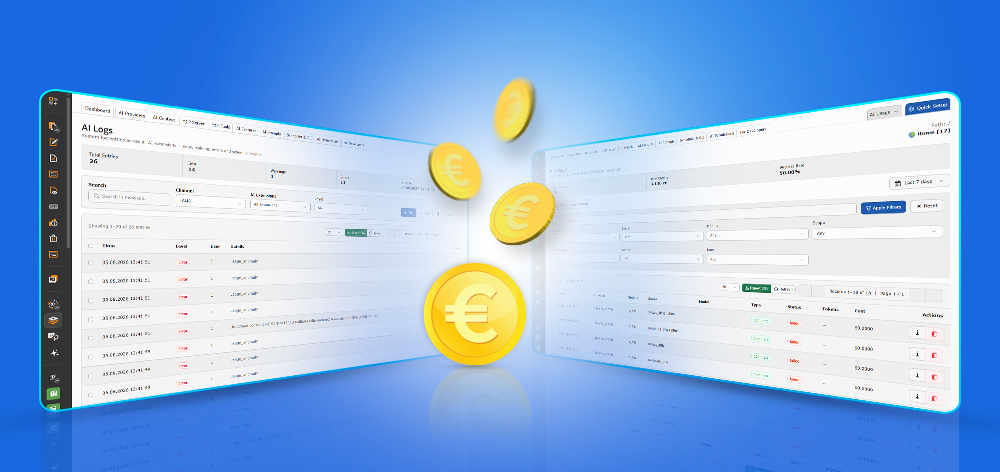
Jürgen Pietschmann
AI Consultant for TYPO3Jürgen Pietschmann is a T3Planet Product Consultant at T3Planet Shop. He specialises in integrating AI into editorial workflows – from intelligent content creation and automated SEO to AI-powered search and chatbot solutions for TYPO3 sites. As a technical consultant for T3Planet AI Universe, he works closely with agencies and editorial teams on practical TYPO3 implementations. Jürgen has been writing the This Month in TYPO3 series since December 2025 and has spoken at T3CON25 and TYPO3 Developer Days 2026 (T3DD26), where he co-presented Content Editing Unlocked.
More From Author