
 AI Assistant
 AI Chatbot
 AI Search
 AI Accessibility
 AI Localization
 AI Builder
A TYPO3 editor's working day with an AI assistant: four jobs from chat
TYPO3 MCP


A campaign page should go live at a set time and come down again when the offer ends. With TYPO3 MCP your AI assistant can schedule TYPO3 pages for you. It sets a start and an end time on the page and adds a short link for the same window. We ran it on our demo install. A hidden page went live at its start time, its short link answered with it, and both expired at the end time without anyone touching them. MCP, the Model Context Protocol, lets an assistant such as Claude work inside TYPO3 through tools that AI Foundation provides for free. One thing the schedule does not do for you: refresh menus on pages that were cached before the start time.
One minute, with captionsAll videos
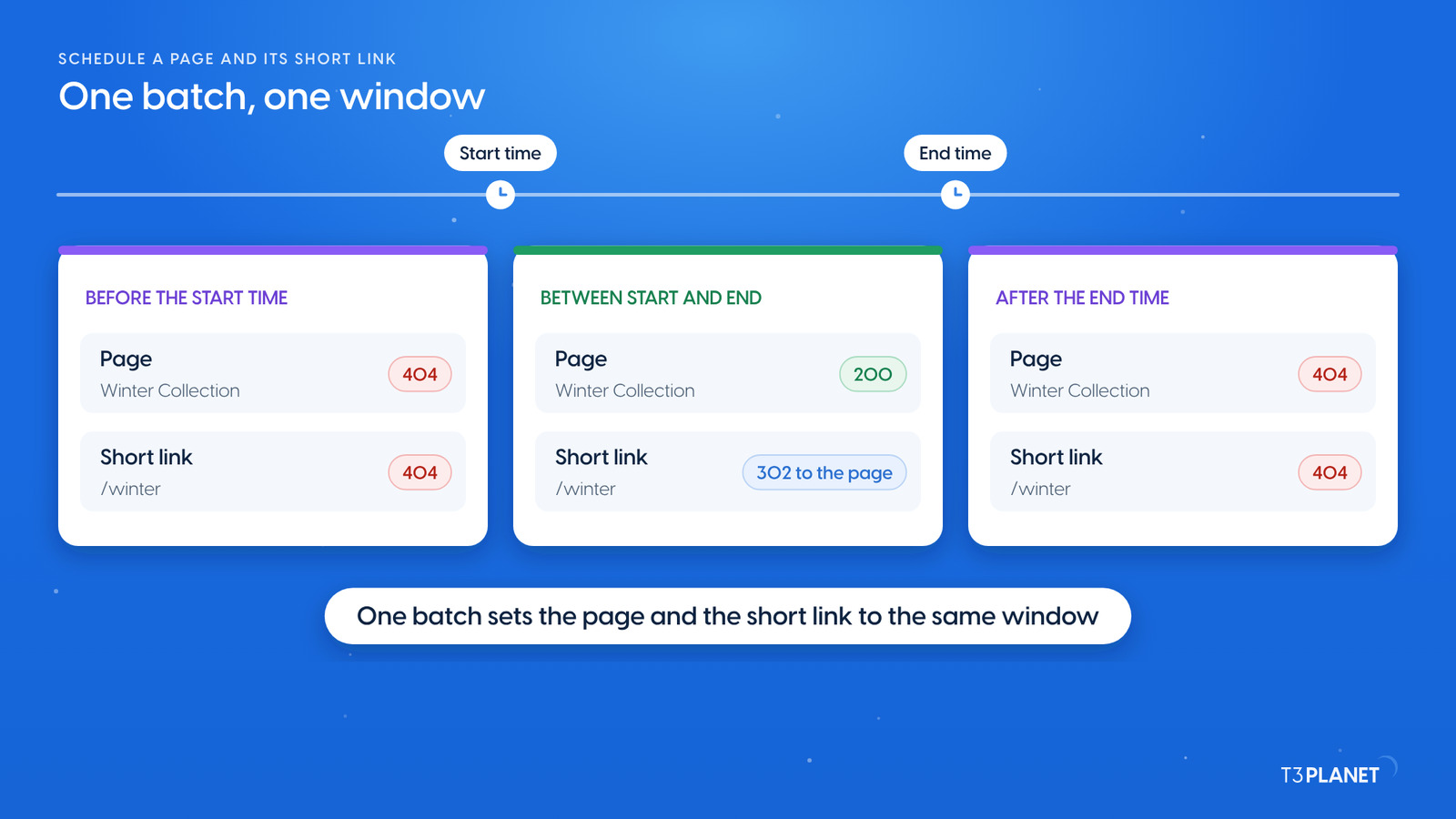
Scheduling is built into TYPO3. Every page has a start time and an end time, in the page properties under Access as Publish Date and Expiration Date. Redirects carry the same two fields. Between the two times the record is live, outside them it is not, and TYPO3 decides that on every request.
On our demo the Mustermann Outdoor site has a hidden page, Winter Collection, prepared for a later launch. One request set it up: Put our Winter Collection page live in a few minutes and take it down again ten minutes later. Add a short link /winter that points to it only for that time. Dry run first.
The assistant wrote three things in one batch:
/winter to the Winter Collection page, status 302, because the link should not outlive the campaign.Put our Winter Collection page live in a few minutes and take it down again ten minutes later. Add a short link /winter that points to it only for that time. Dry run first.
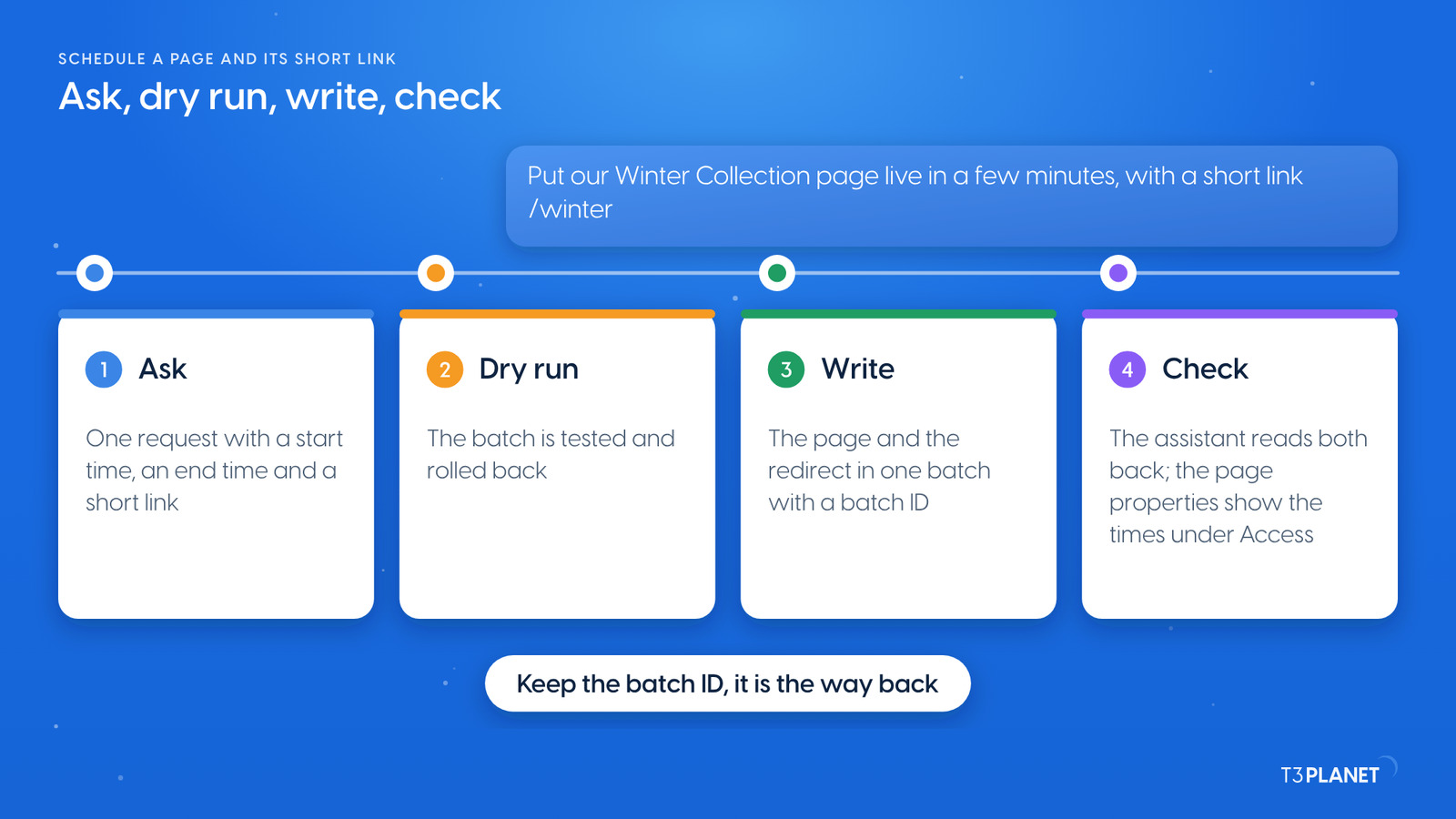
Behind the answer sit these steps:
records_apply, AI Foundation's tool for writing many records in one all-or-nothing call, first ran with dryRun. The server reported one page update and one new redirect, then rolled both back./winter with status 302.The first dry run was refused, and nothing was written. The batch also carried a note on the redirect, a field our backend user may not write. All-or-nothing means the whole call stops and names the field. Without the note, it passed.
Then we watched the website. Before the start time the page and /winter answered 404. Right after it, the page answered 200 and /winter forwarded to it. After the end time both answered 404 again. Nobody touched the page in between.
Take it all back. Dry run first.
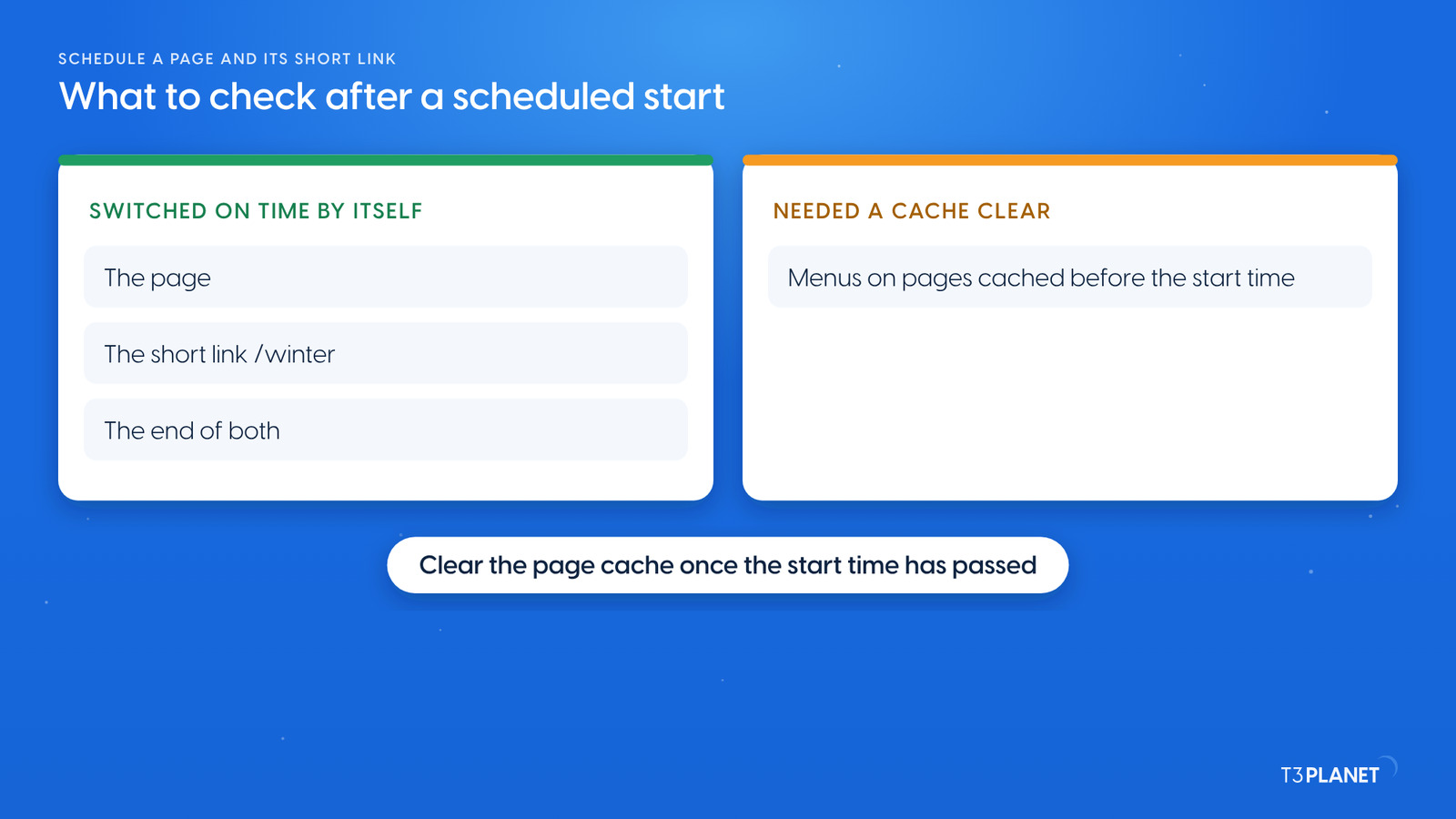
The page itself and its short link switched at our first check after each time. The main menu did not, at first. The home page and other pages that had been cached before the start time still showed the old menu, without the new page. After a page cache clear, which the assistant does with cache_clear, the menu showed it. At the end time the menu dropped the page again.
So plan one more step for a launch: clear the page cache once the start time has passed. You can ask your assistant for it at that moment, or ask your integrator whether the site's cache settings already follow page start times.
We took everything back on our demo in one step: records_undo with the batch ID, after a dry run of the undo. It hid the Winter Collection page again, cleared both times and removed the short link. We cleared the page caches and checked the website: the home page looked exactly as before, and the page and /winter answered 404.
Redirects act live. AI Foundation can hold page changes in a TYPO3 draft workspace for review; a redirect is not versioned there and works at once, within its times.
For redirects in general, such as moved pages and old URLs, see our guide to TYPO3 redirects.
Two jobs per episode, each with a one-minute video. New episodes appear as soon as they are ready.
This episodeEpisode 7
Sovereign TYPO3 AI

T3AFThe base every extension runs on. Manage providers, prompts, permissions and costs in one place.

The video for this episode shows the request in Claude on our demo install: put the Winter Collection page live at 13:02, take it down again at 13:12 and add a short link /winter, dry run first. You see the first dry run rejected with nothing written, then the applied change. In TYPO3 the video shows the timer icon on Winter Collection in the page tree, "Publish Date" and "Expiration Date" on the Access tab of the page properties, and /winter with status code 302 in Redirect Management. On the website it shows "Page Not Found" before 13:02 and the Winter Collection page reached through /winter at 13:02. Shown in Claude; other MCP assistants work too.
This job uses AI Foundation's core tools, which are free and open source, no licence key, no registration. AI Assistant, AI Accessibility, AI Chatbot and AI Search add their own MCP tools for writing, translation, alt text, chatbots and search. Each needs its own licence. Together with AI Foundation they bring 100+ MCP tools.
What your assistant reads, it sends to its vendor, as with any chat. Keep that in mind before you let it read pages that are not public yet.
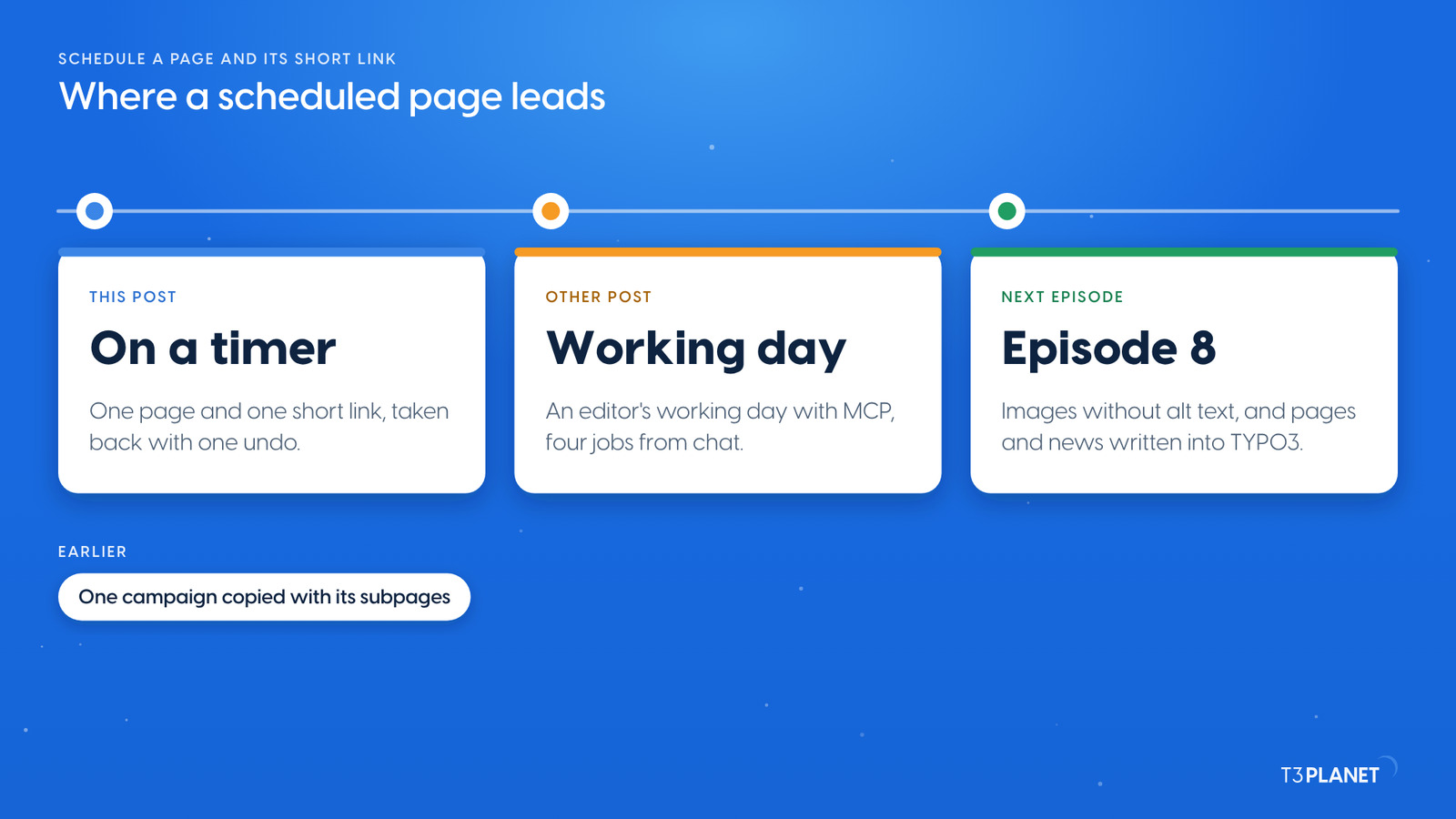
The other post of this episode follows a TYPO3 editor through a working day with MCP, four jobs from chat. Episode 8 turns to images without alt text and to pages and news written into TYPO3. A schedule pairs well with episode 6, where one request copied a campaign page with all its subpages: copy the campaign, then put it on a timer. If you are new to the series, start with TYPO3 MCP use cases: what you can hand to an AI assistant, on one map.
The series comes from T3Planet by NITSAN Technologies, a TYPO3 Association Gold Member with more than 15 years of TYPO3 work. Its episodes are written by Jürgen, our AI Consultant for TYPO3. Every episode runs its job on our demo install before it is published.
records_applyStart and end time on the page and a new redirect with the same window, in one batch, dry run firstredirect_getThe short link read back: target, status 302, start and end timecache_clearThe page cache cleared, so menus on cached pages show the new pagerecords_undoThe whole batch taken back by its batch IDWhat stays with you: choosing the times and the time zone, clearing the page cache once the start time has passed, and the offer itself.
Ask your assistant to set a start time and an end time on the page, with a dry run first. Through AI Foundation it writes the page's Publish Date and Expiration Date with records_apply. TYPO3 then shows the page only between the two times.
Yes. A TYPO3 redirect has its own start and end time. Give it the same window as the page, and the short link never points at a page that is not live. Use status 302 for a temporary link.
Pages cached before the start time can keep their old menu. On our demo a page cache clear fixed it. Clear the cache once the page is live, or ask your integrator about the site's cache settings.
Yes, when it was written in one batch. records_undo with the batch ID, dry run first, puts the page back and removes the redirect it created.
No. It uses the core tools of AI Foundation, which is free and open source. The assistant you connect comes with its own plan from its vendor.
Sovereign TYPO3 AI: AI Foundation is free and open source, six AI extensions build on it.
Explore TYPO3 AI

Jürgen Pietschmann
AI Consultant for TYPO3Jürgen Pietschmann is a T3Planet Product Consultant at T3Planet Shop. He specialises in integrating AI into editorial workflows – from intelligent content creation and automated SEO to AI-powered search and chatbot solutions for TYPO3 sites. As a technical consultant for T3Planet AI Universe, he works closely with agencies and editorial teams on practical TYPO3 implementations. Jürgen has been writing the This Month in TYPO3 series since December 2025 and has spoken at T3CON25 and TYPO3 Developer Days 2026 (T3DD26), where he co-presented Content Editing Unlocked.
More From Author