


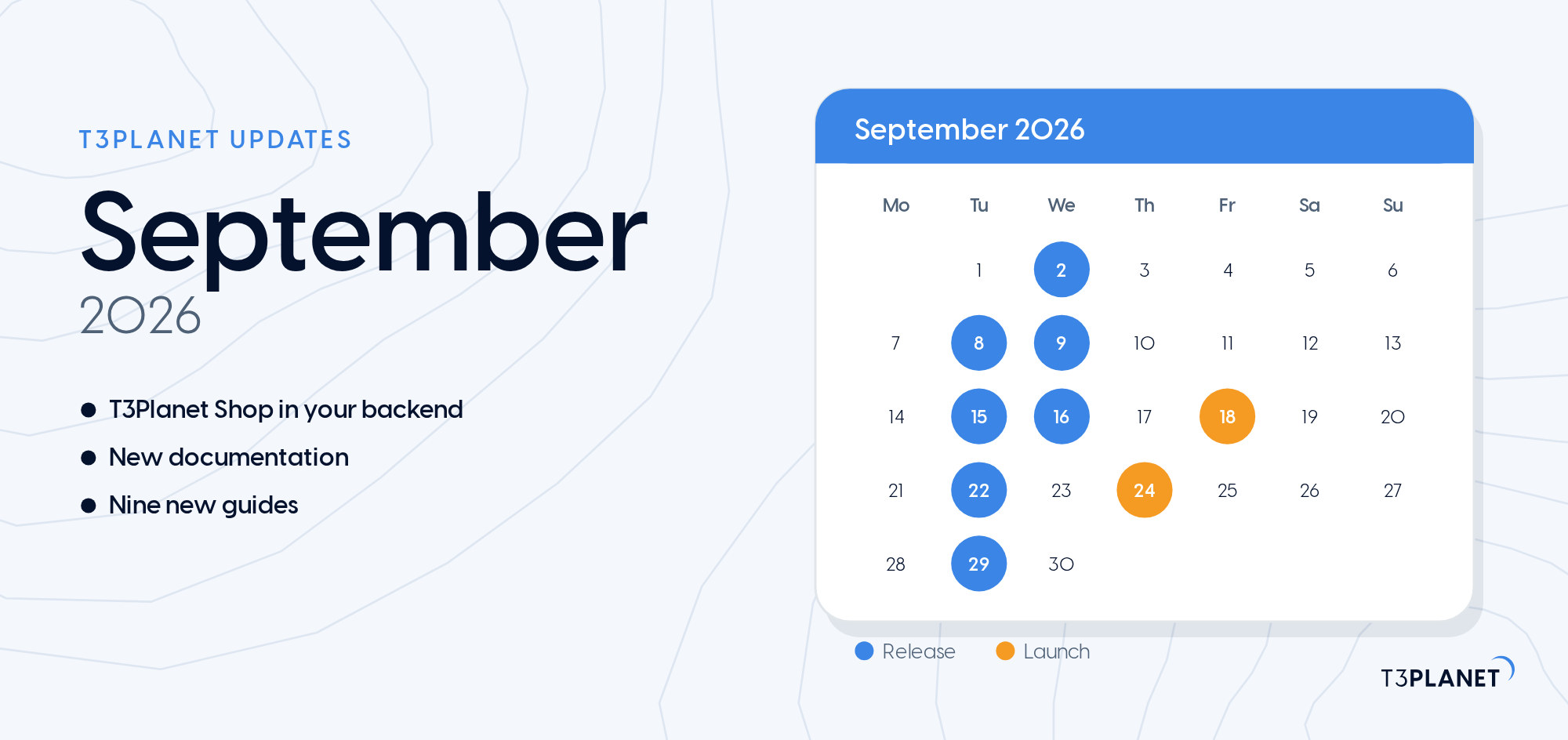
T3Planet Updates September 2026: T3Planet Shop, New Docs and Every Release
T3Planet


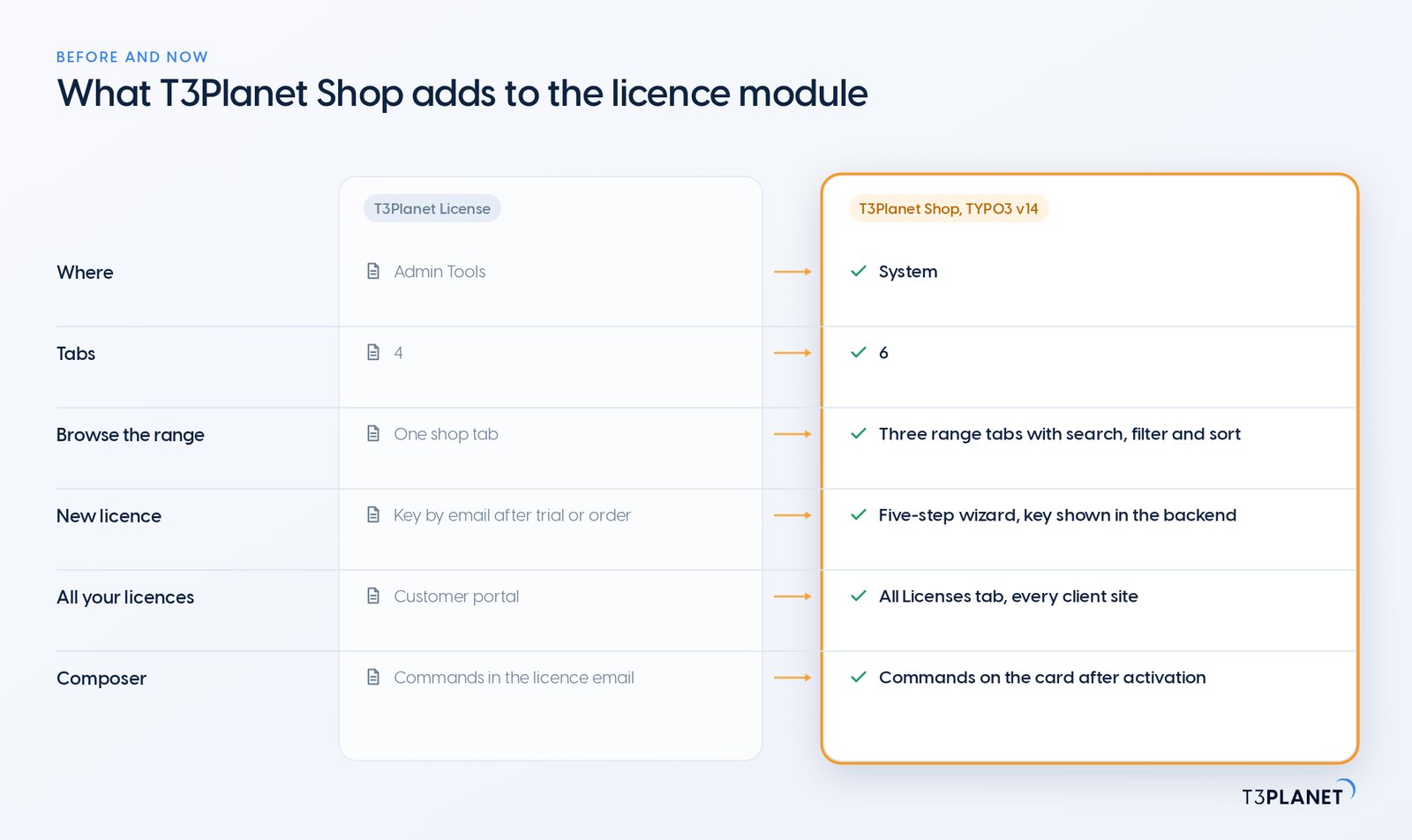
Meet T3Planet Shop, which lets you try and buy TYPO3 extensions and templates from T3Planet inside your own backend, without leaving it. You browse the range, start a 30-day free trial, buy a licence, activate it and manage its domains in one module, on the site the licence is for. For an agency running client sites, that means one place to check instead of a website, an inbox and a backend.
The module is part of EXT:ns_license, the free extension that already carries every T3Planet licence and has been installed more than 57,000 times from Packagist alone (September 2026). In TYPO3 v14 you find it under System > T3Planet Shop, and that is where the new shop experience lives.
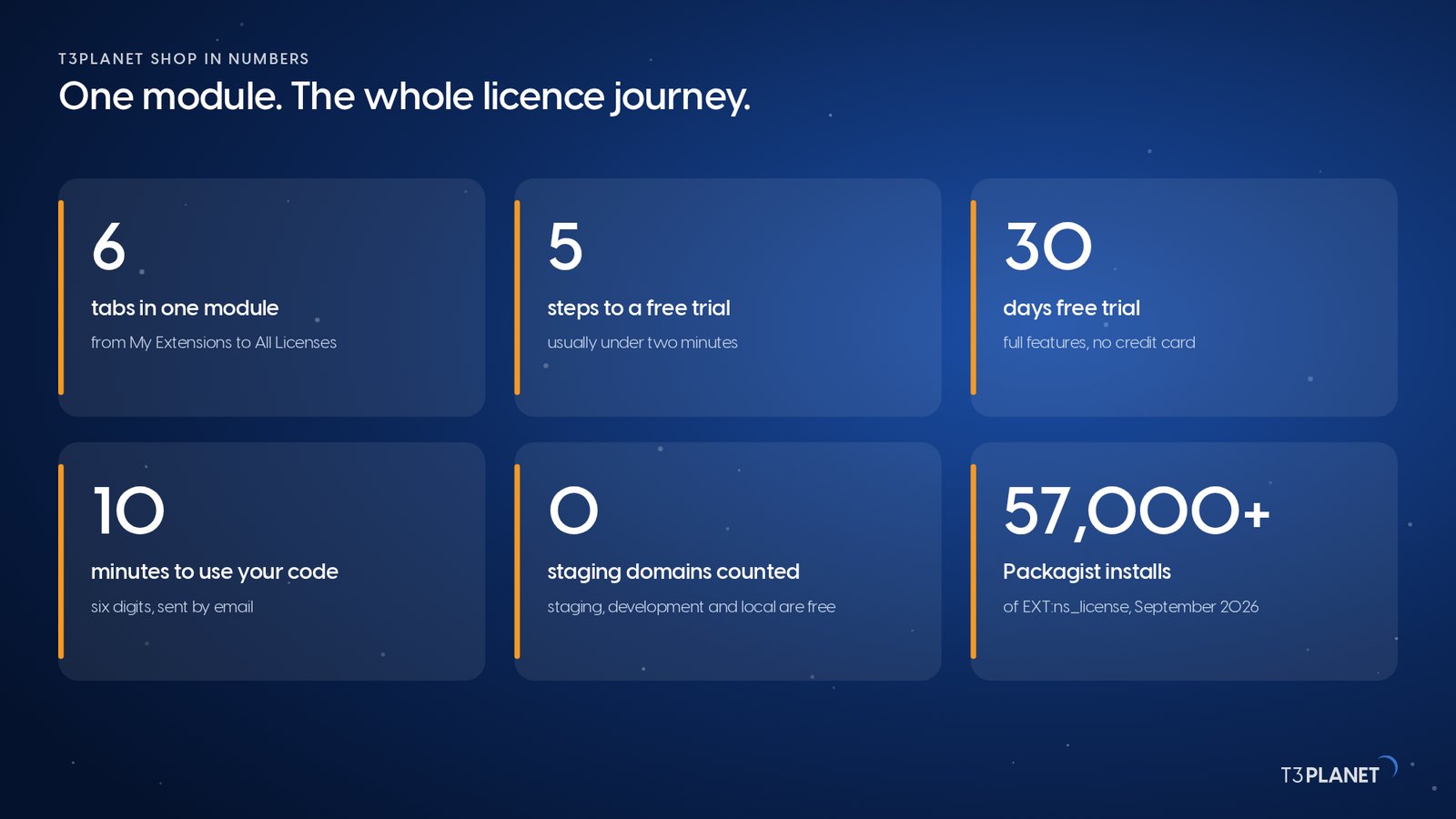
T3Planet Shop is a TYPO3 backend module that combines a licence manager with a shop for T3Planet products. It ships with EXT:ns_license, open source under the MIT licence. The current release, 14.4.2, supports TYPO3 v12, v13 and v14. On TYPO3 v12 and v13 the extension keeps managing your licences as before; the shop, the trial wizard and All Licenses arrive with TYPO3 v14. T3Planet has built TYPO3 products since 2019, backed by NITSAN Technologies, a TYPO3 Association Gold Member. T3Planet Shop slots into your existing TYPO3 setup.
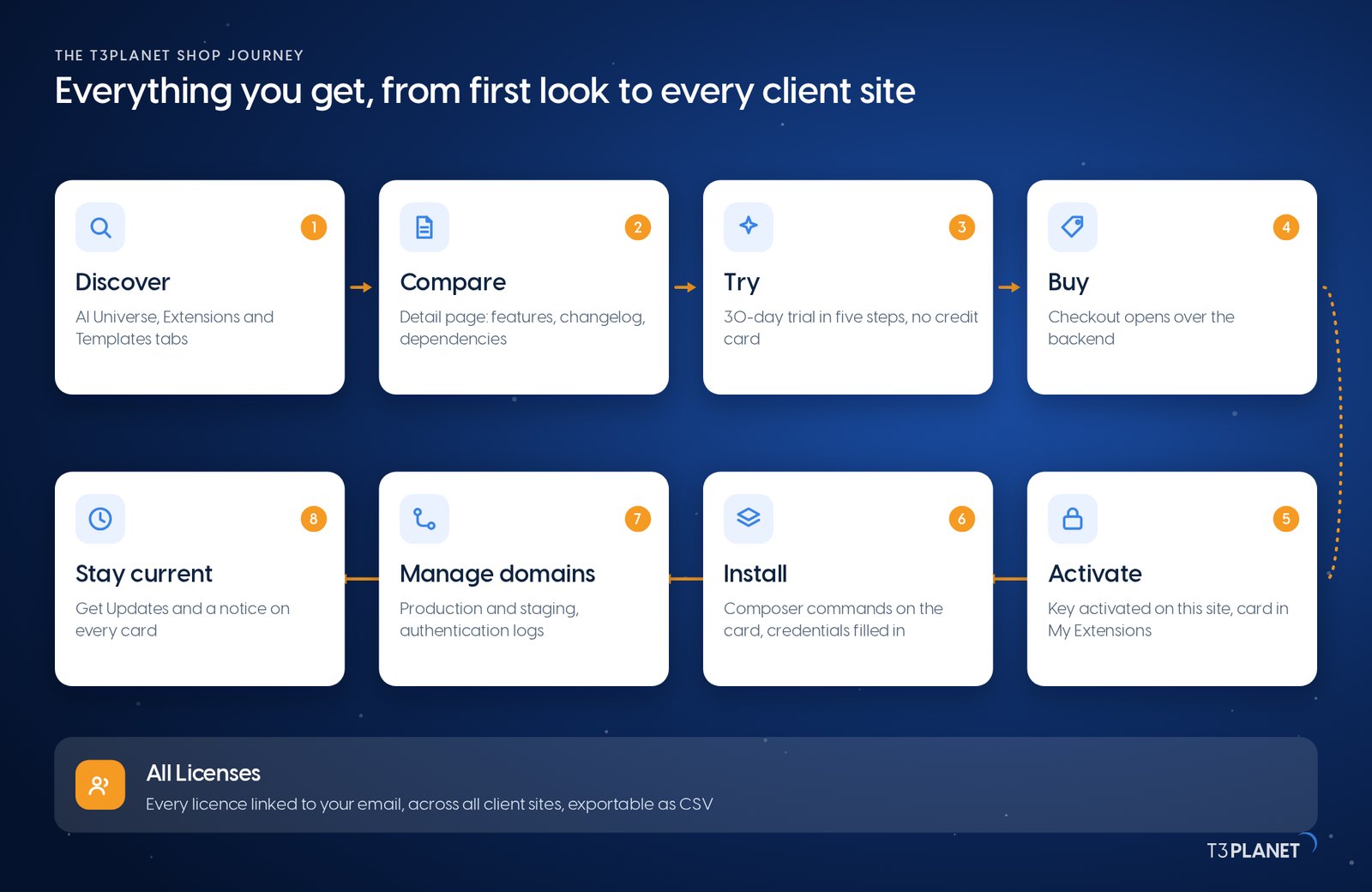
| Job | Where in T3Planet Shop | What you get |
| Find a product | AI Universe, Extensions and Templates tabs | Search, filters, prices and a detail page per product |
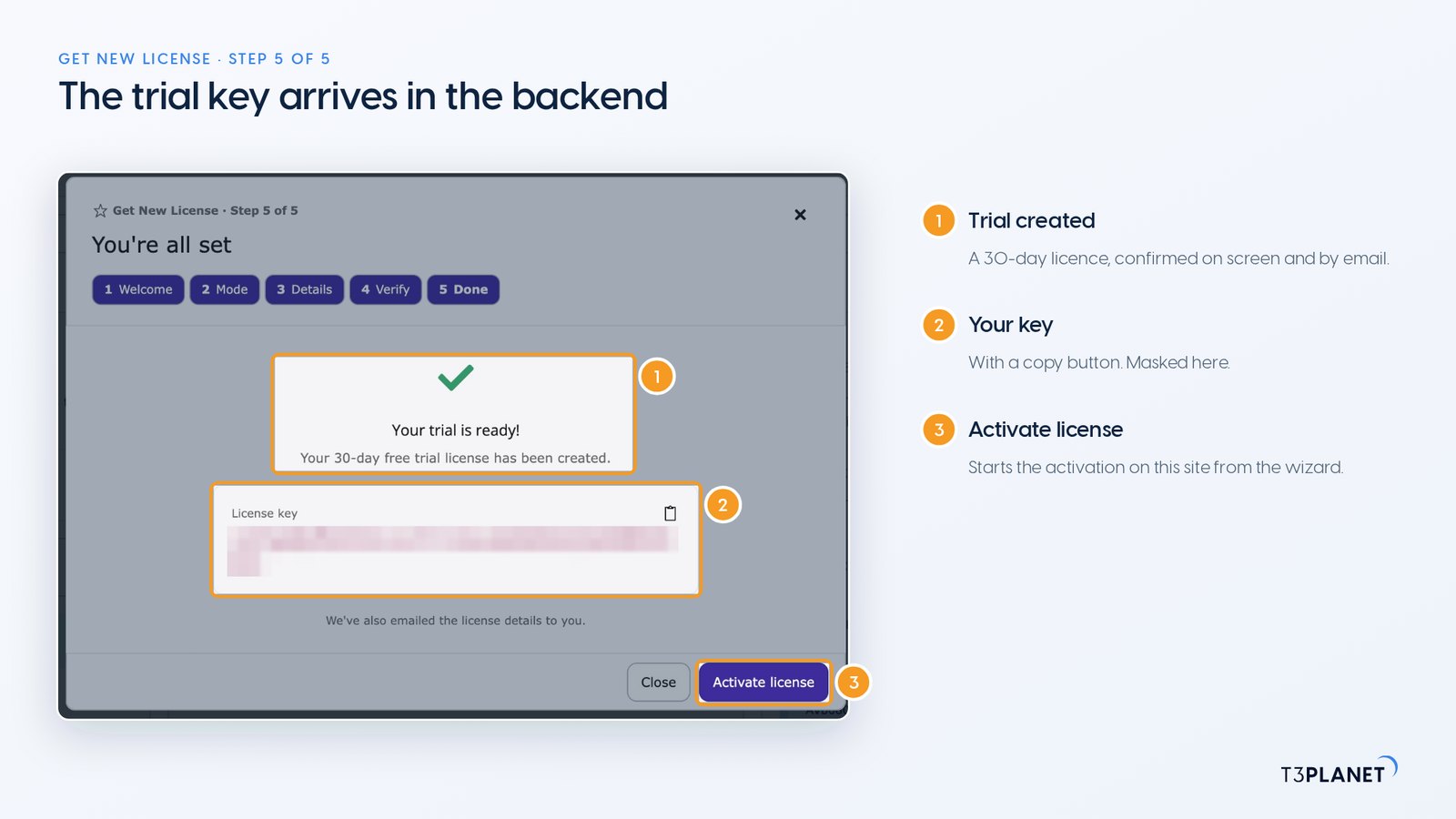
| Try it | Get New License wizard | A 30-day trial key after a six-digit email code |
| Buy it | Buy Now, in the same wizard | Our checkout, opened from the backend |
| Activate it | The wizard, or the activation panel on My Extensions | The product downloads and appears as a card |
| Place it on domains | Manage Domains, on each card | Production and staging labels, authentication logs |
| See everything you own | All Licenses tab | Every licence linked to your email, exportable as CSV |
T3Planet Shop comes with EXT:ns_license, so installing it is one Composer command on your TYPO3 project. Your team keeps its usual deployment, and we stay at your side if a step needs help.
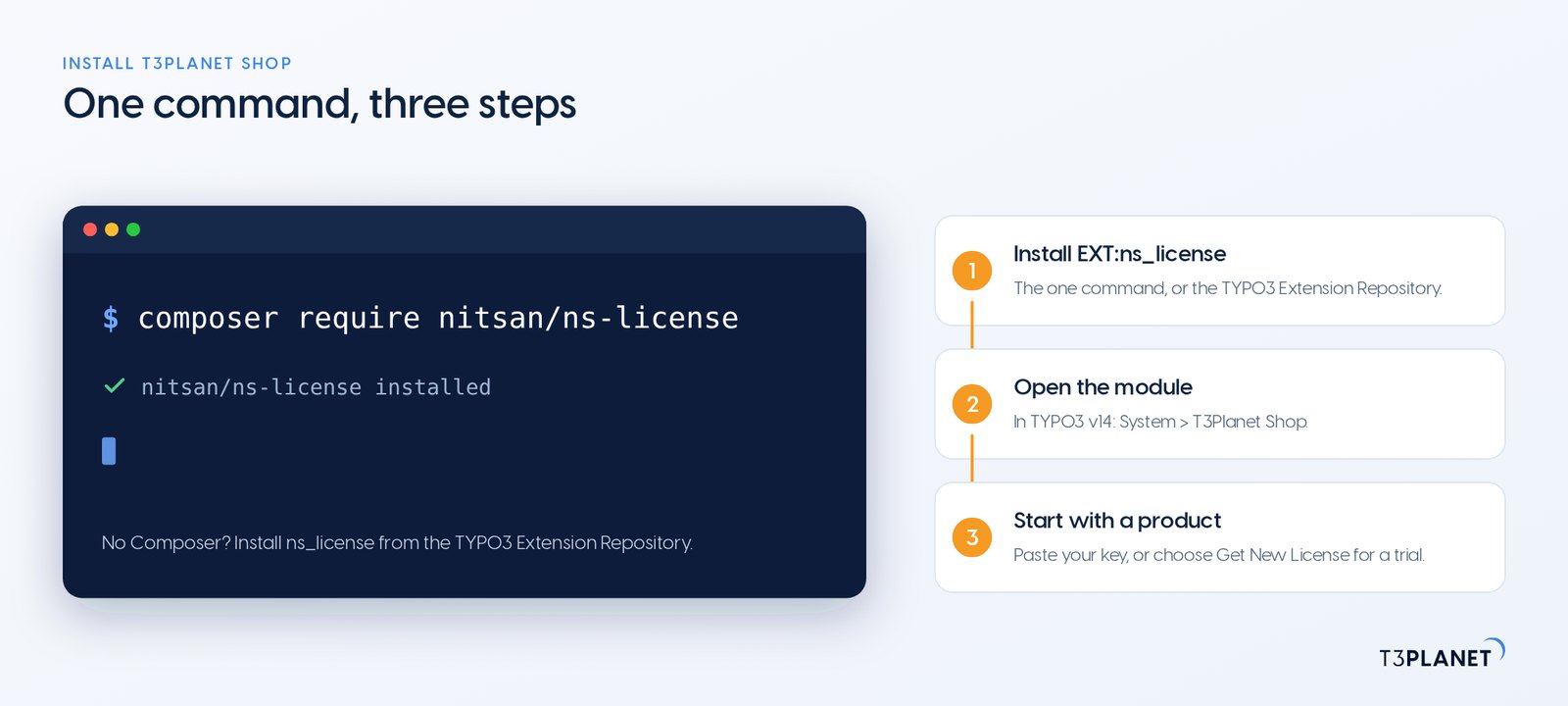
composer require nitsan/ns-licenseOnce a premium licence is active, its card shows your Composer commands for our private repository.
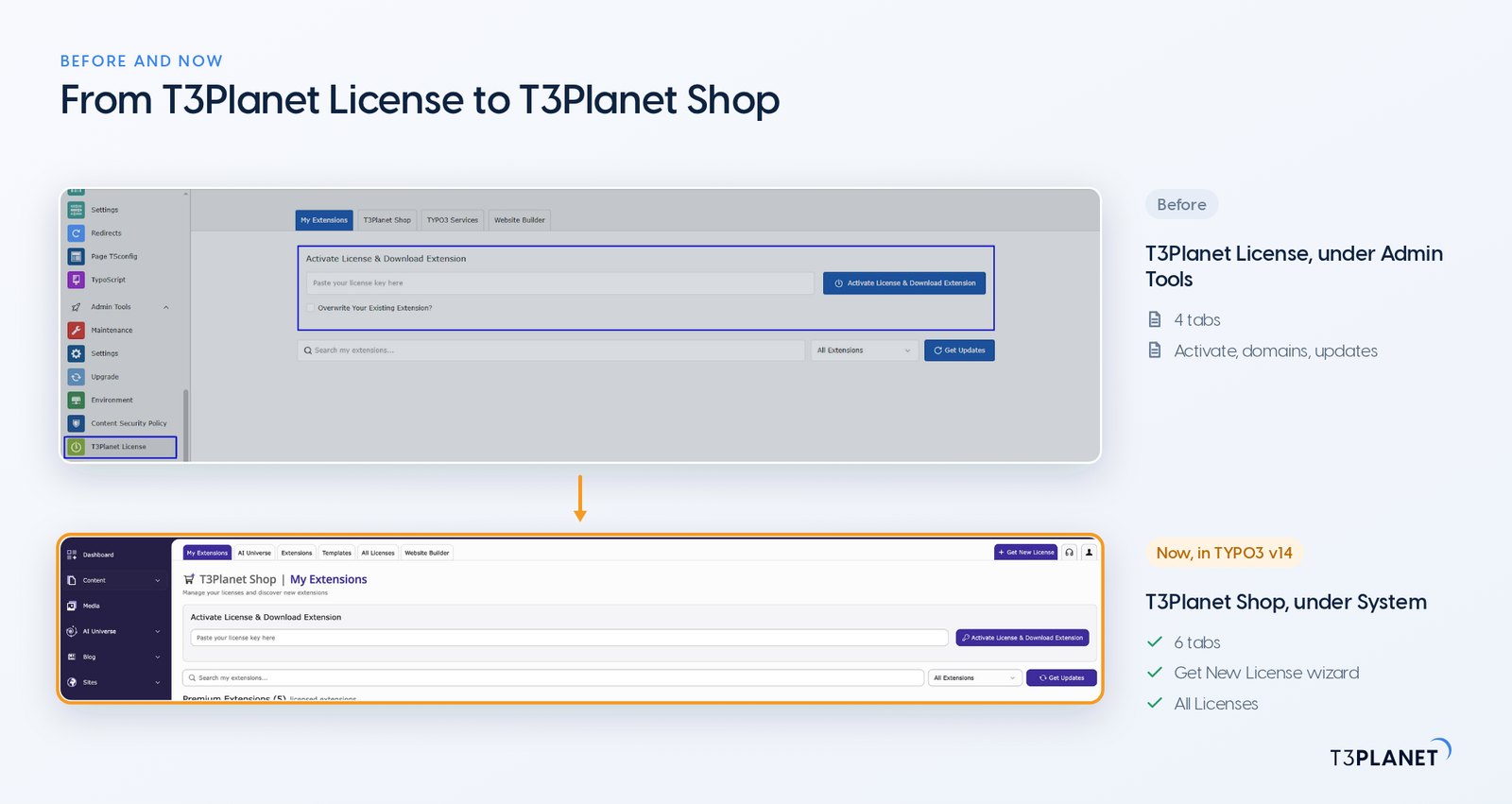
You may know the module as T3Planet License, under Admin Tools: it activated keys, managed domains and pulled updates. For TYPO3 v14 we rebuilt it as T3Planet Shop, so discovering, trying and buying now happen in the same place as licensing, for you and your whole team.
The wizard itself says it usually takes under two minutes. You can close it at any point and continue later from the same button.
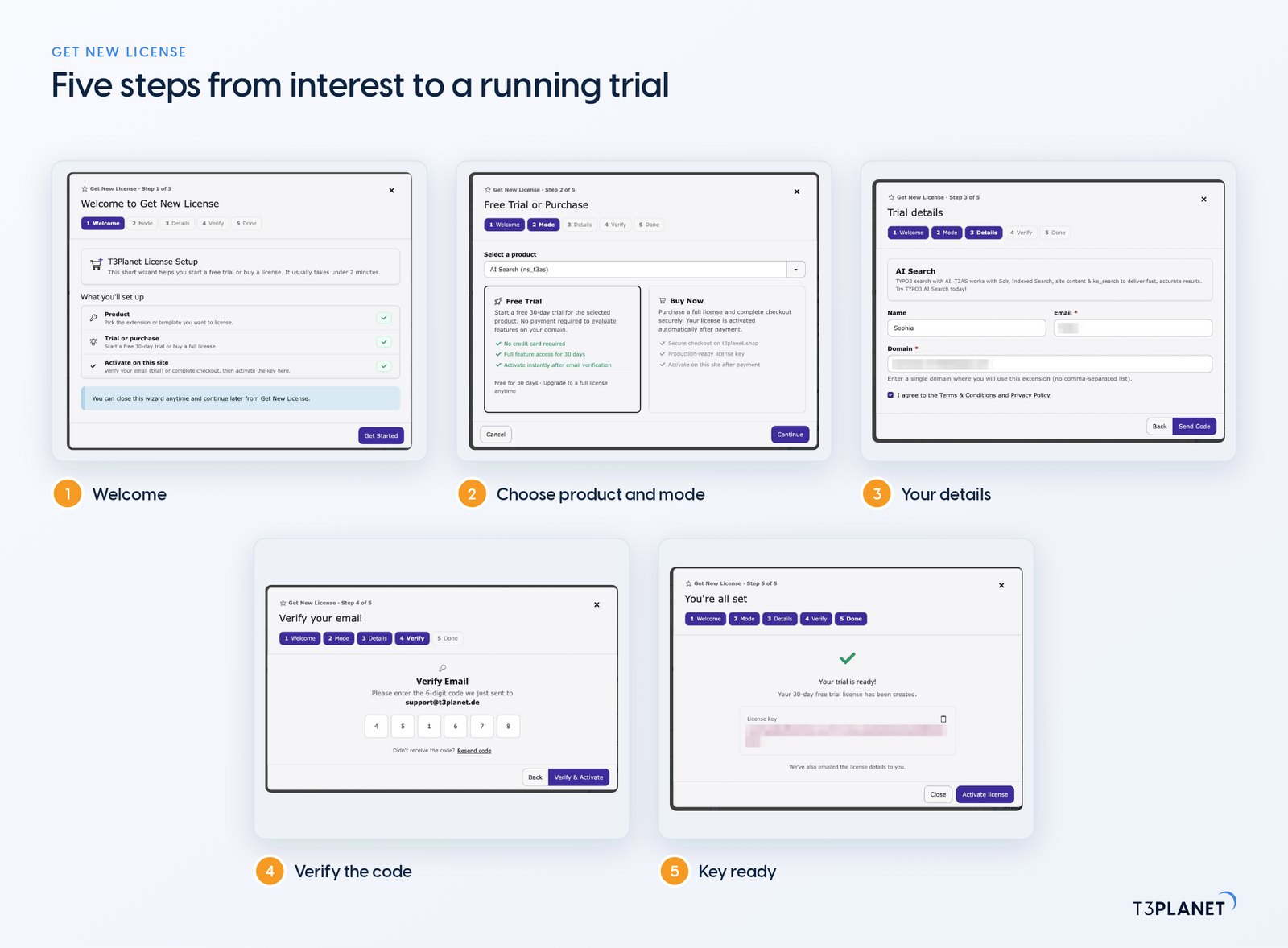
That is the whole path from interest to a running trial, without a ticket or a second browser tab. If a step does not work for you, we are at your side: the support button sits on every screen of the module.
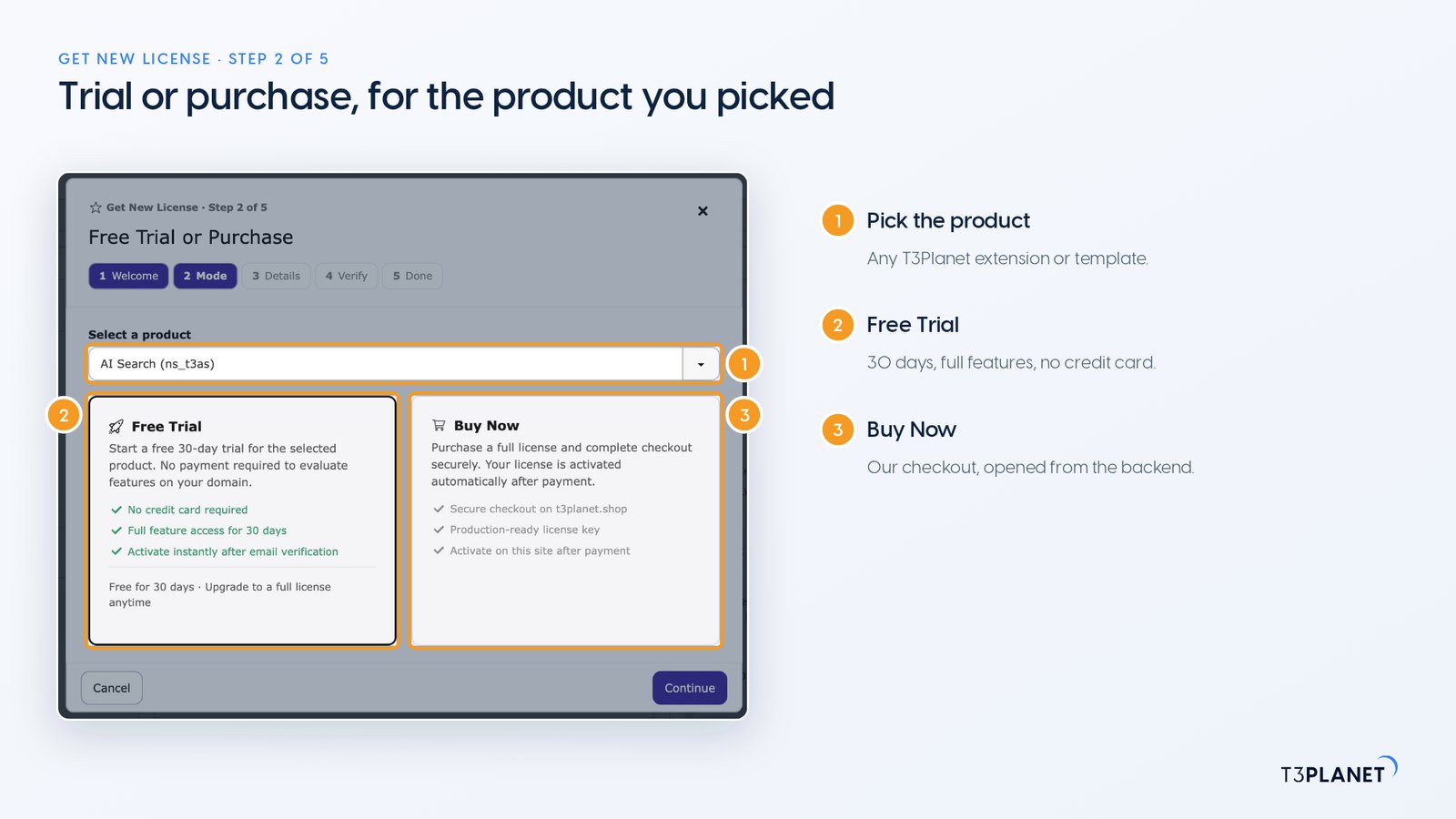
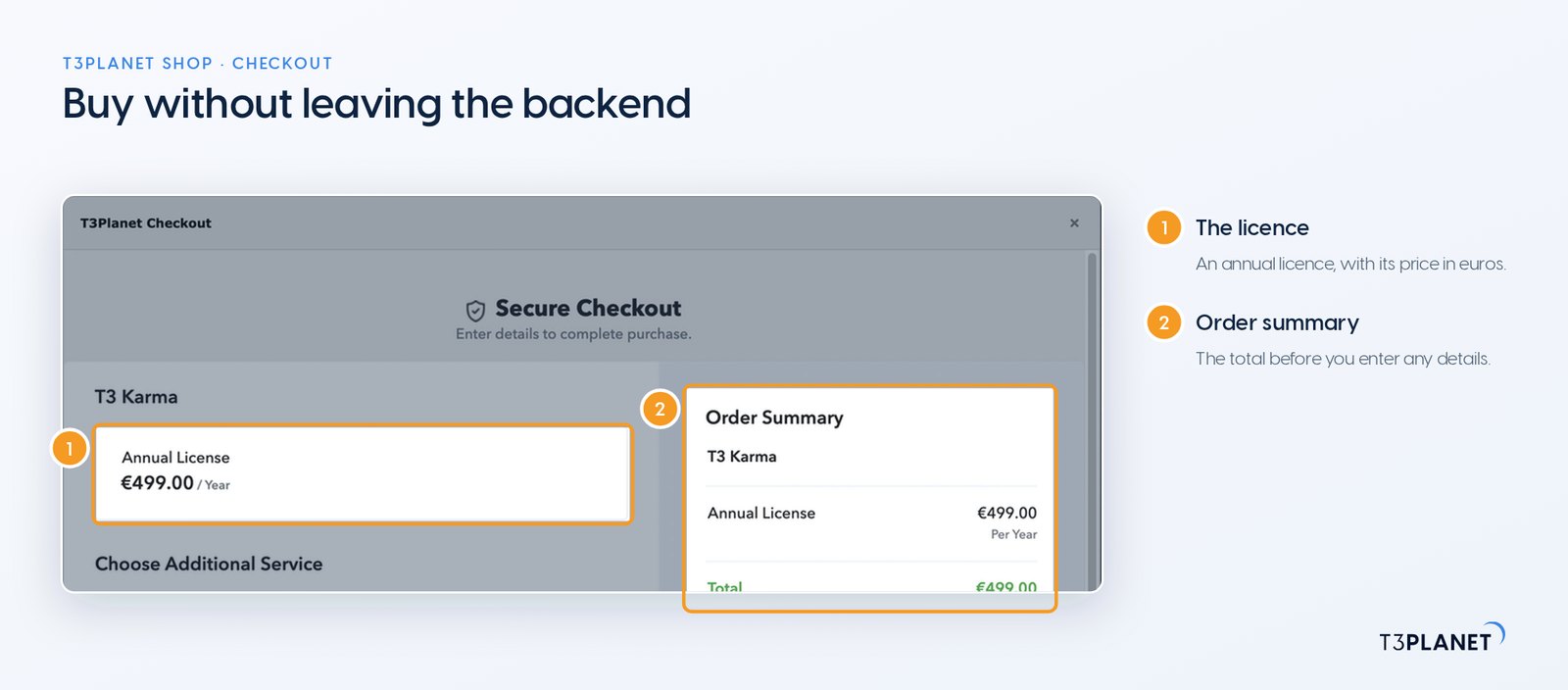
Choose Buy Now in step 2 and our checkout opens over the backend, with the product, its annual licence and the order total. Product cards show the annual price in euros before you get there: AI Search, for example, is €399 per year.
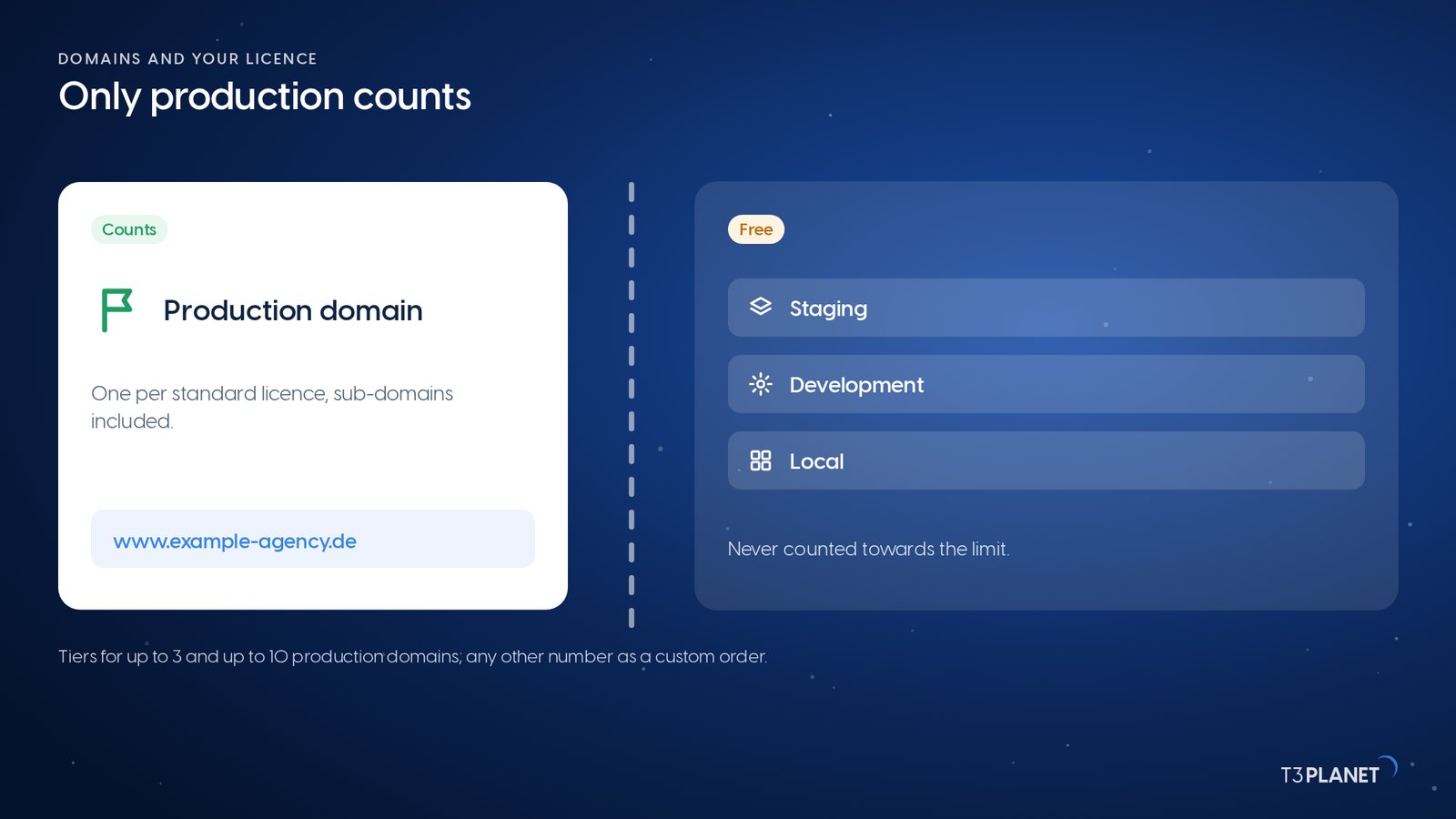
A standard licence covers one production domain, including its sub-domains. Staging, development and local installations are free and never count towards that limit. For agencies with more production sites, published tiers cover up to 3 and up to 10 domains. Our sales team sets up any other number as a custom order for you.
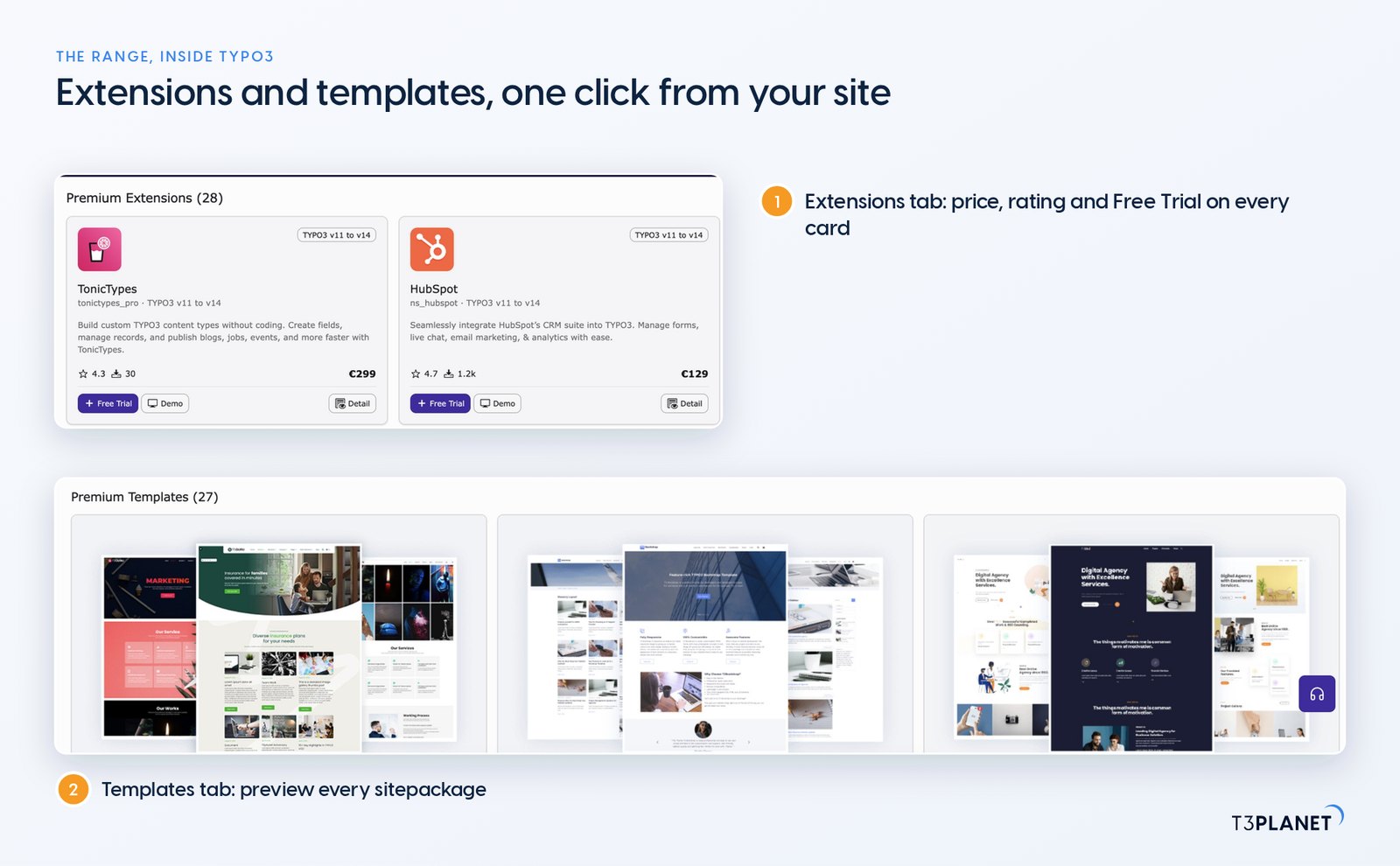
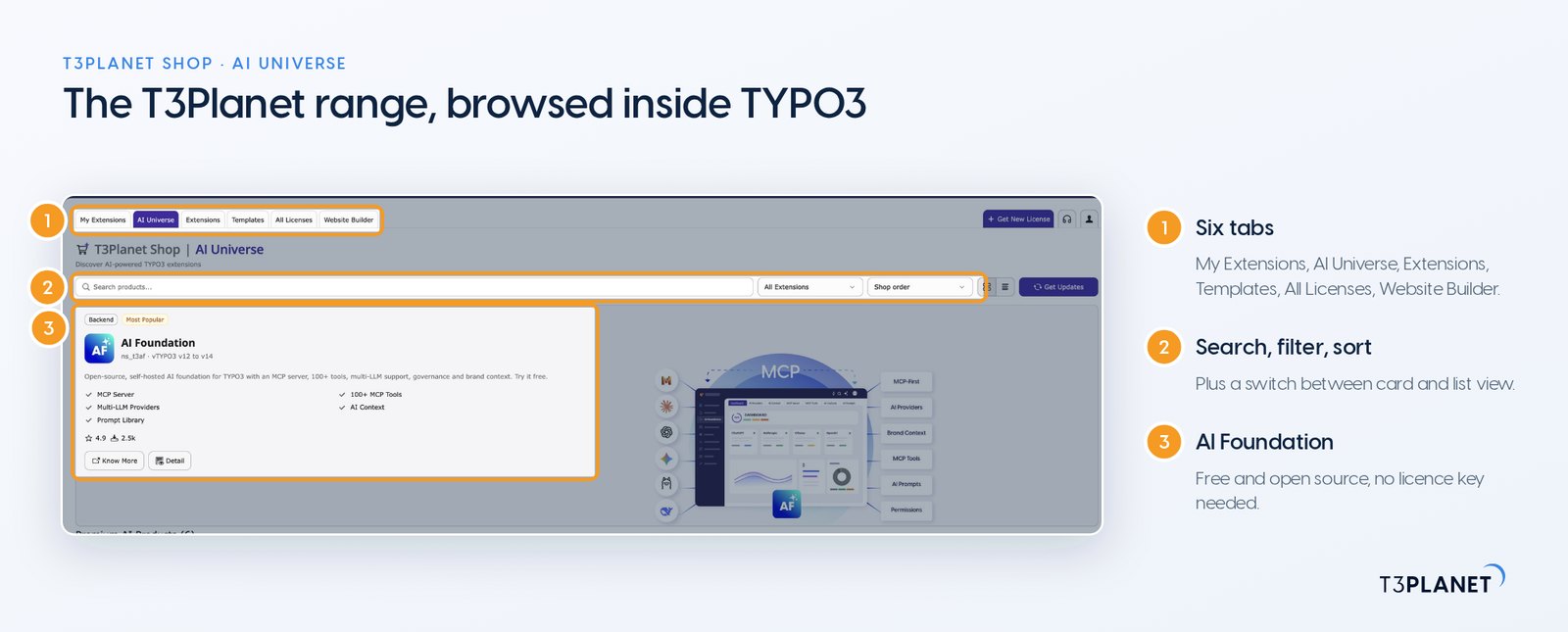
Three tabs hold the range: AI Universe, Extensions and Templates. Each has a search field, a filter, a sort order and a switch between card and list view. On the AI Universe tab every card shows the product's rating, download count, supported TYPO3 range and price, with Free Trial, Demo and Detail right below. You and your team compare products on the system you will use them on.
AI Foundation, the base of the AI Universe, is free and open source and needs no licence key at all. The premium AI products built on it, such as AI Assistant, AI Chatbot and AI Search, are licensed through T3Planet Shop.
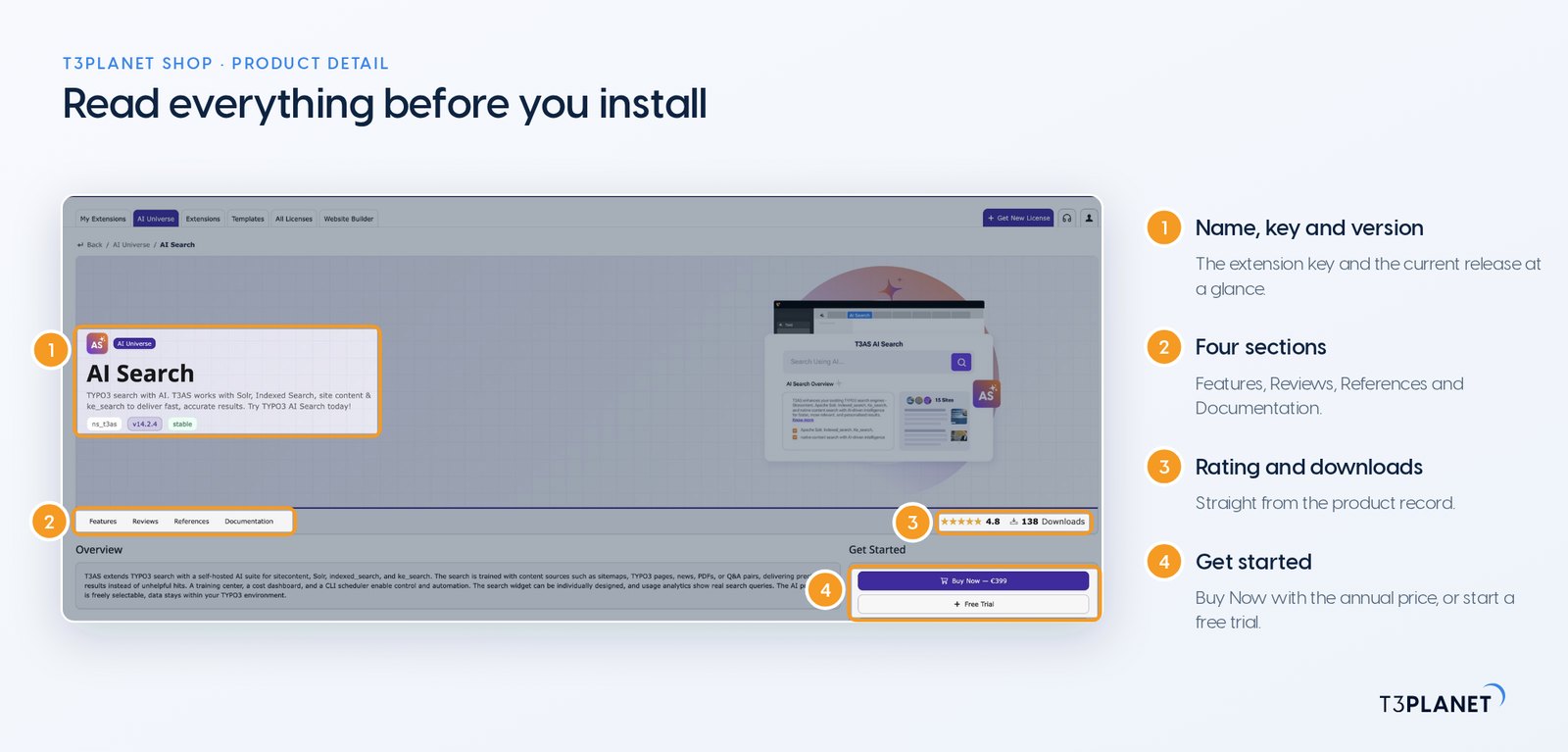
Detail opens a full product page inside the module: an overview, supported TYPO3 versions, features, reviews, references, documentation, the changelog of every release, the dependencies and the Composer command to install it. You can read what changed in AI Search 14.2.4 before you decide to update, not after.
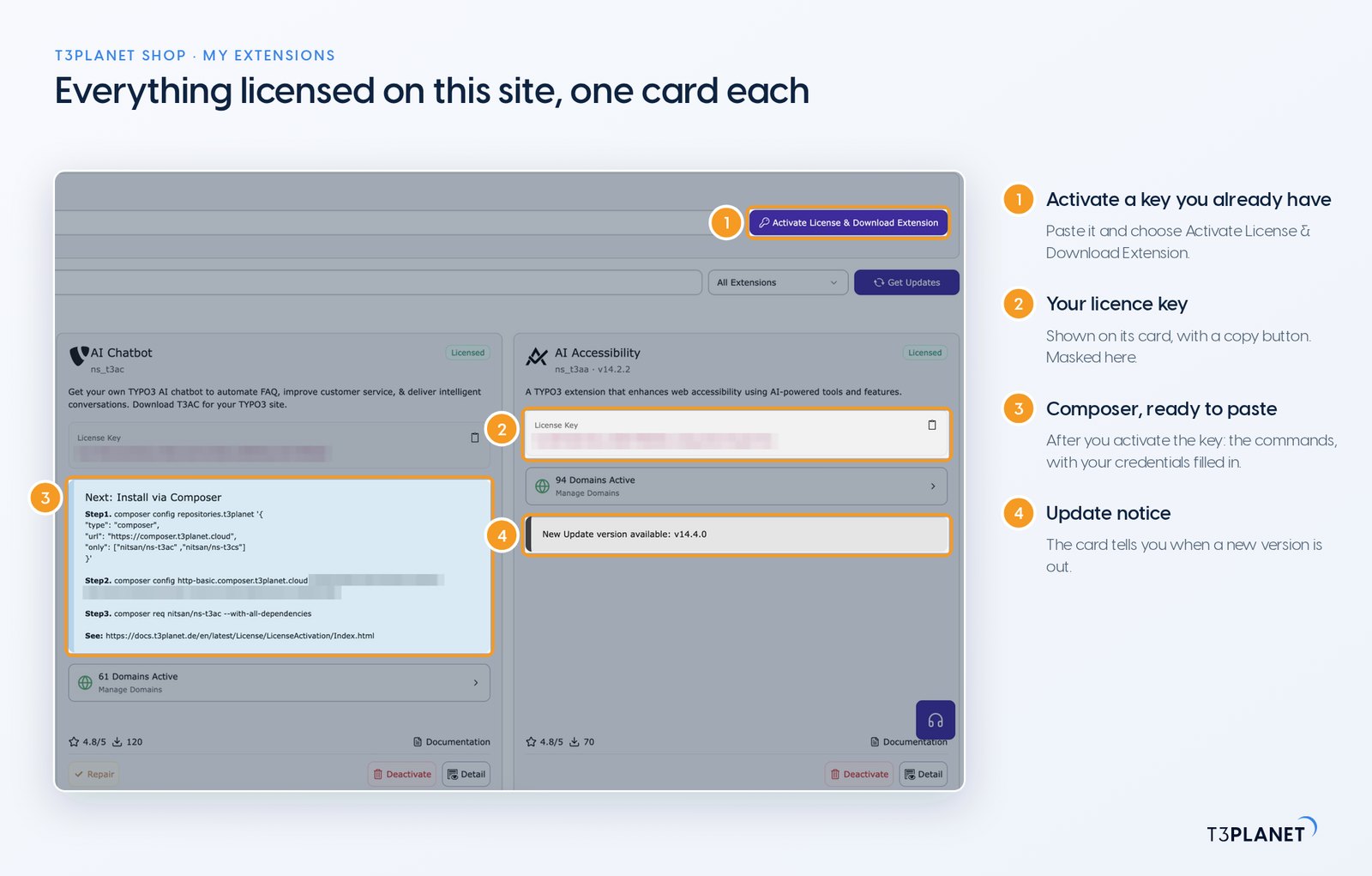
The My Extensions tab lists everything licensed on this installation, one card per product. Paste a key you already have into the activation panel at the top and choose Activate License & Download Extension. On a classic installation the module fetches the extension for you. Activate it in Admin Tools > Extensions as usual and it gets its own card.
Each card shows:
Get Updates checks for new versions of your products. As with any update on a live site, take a backup of code and database first. Our documentation on updating versions walks you through both the backend and the Composer route.
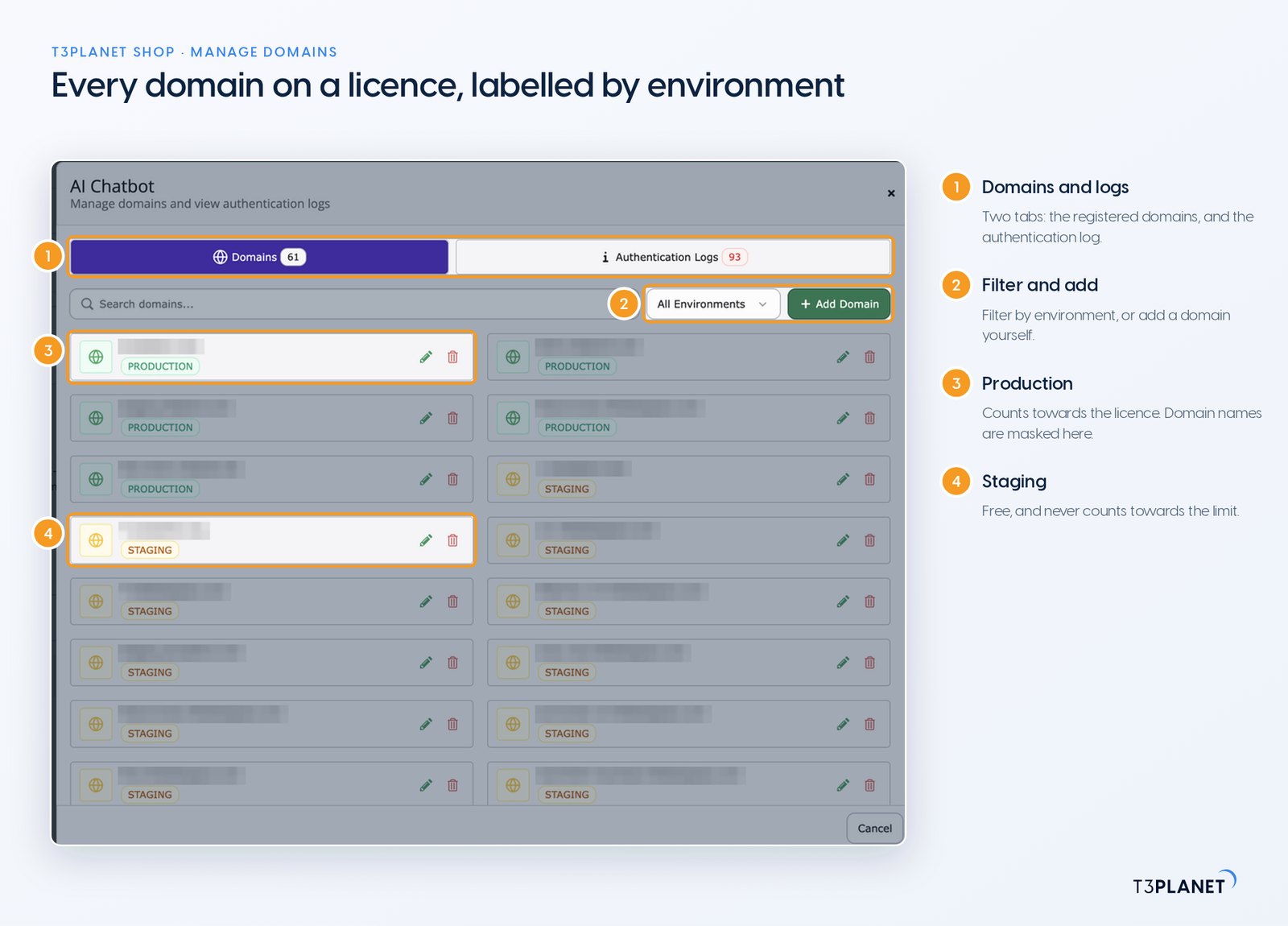
Open Manage Domains on any card and you see every domain registered to that licence, each labelled Production or Staging. You can search, filter by environment, add a domain, edit it or remove it. A second tab, Authentication Logs, lists the domain events for that licence with their dates, such as a domain being added. That helps when you trace a migration.
Moving a site to a new domain is something you do yourself: deactivate the licence on the old installation and activate it on the new one, no support ticket required. If a migration gets tricky, we are at your side.
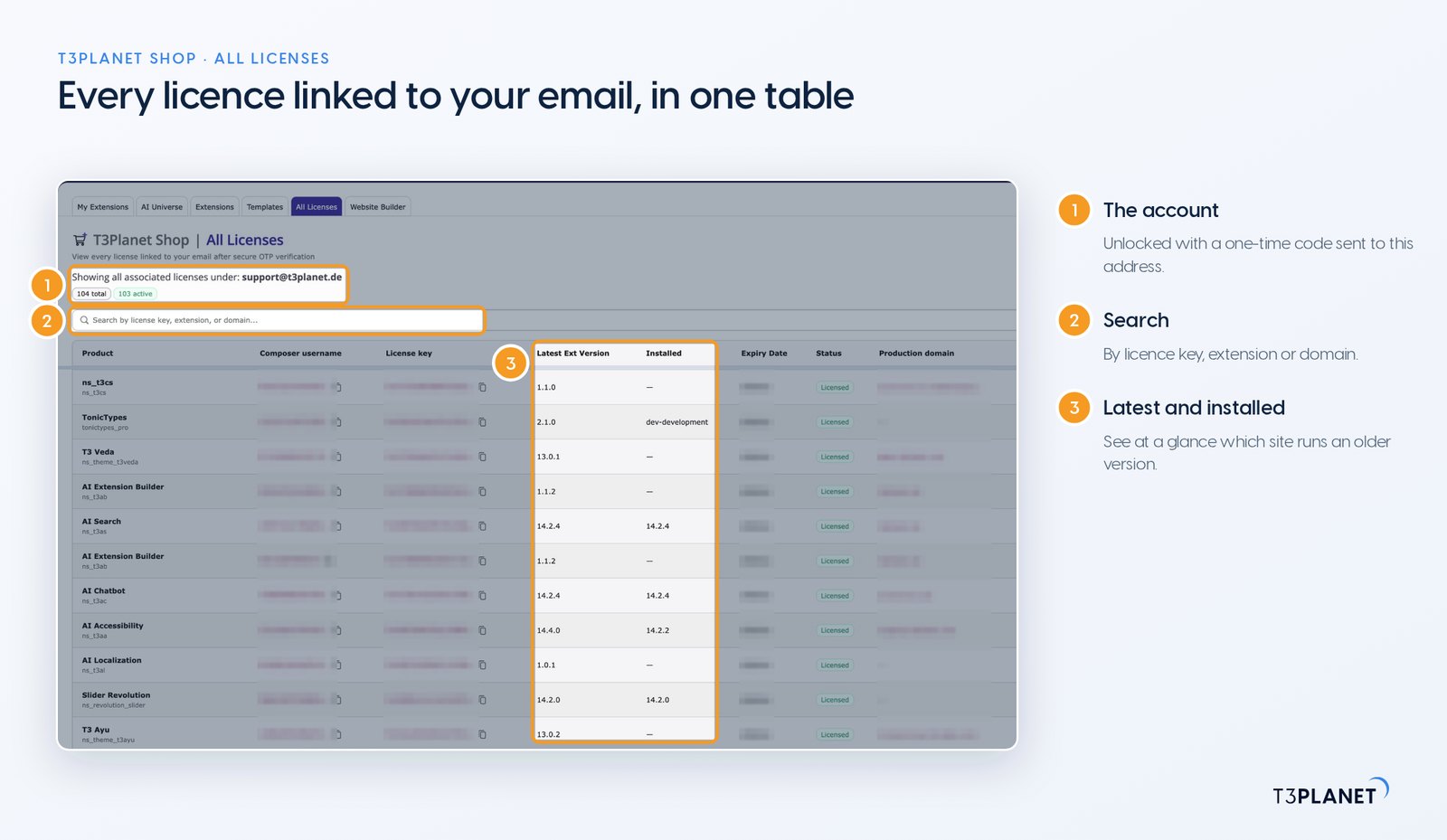
The All Licenses tab is the agency view. After a one-time code to your email address, it lists every licence linked to that address in one table: the product, the Composer username, the key, the latest available version next to the version installed, the status and the production domain.
Search by key, extension or domain, filter the list, and export it as CSV for your own records. With every client site in one list, "which project still runs the old version?" becomes a single look. We built the tab for exactly that question. If you manage licences under more than one address, the Use different email button switches between them.
composer require nitsan/ns-license.Our documentation on licence activation walks you and your team through the full Composer setup, and the guide to registering and managing domains covers the day-to-day work. For every installation route in detail, see our step-by-step licence activation guide.
composer require nitsan/ns-licenseLicensing several client sites? Sophia and the sales team set up multi-domain licences with you and explain how the Partner Program works for agencies.
Yes. It is part of EXT:ns_license, free and open source under the MIT licence; the products inside carry their own prices.
ns_license 14.4.2 supports TYPO3 v12, v13 and v14, and the new shop experience is part of TYPO3 v14.
No, only production domains count, as the section on buying a licence explains.
Access to the product is suspended until you buy a licence, and you can move to a full licence at any time before that.
The module is now called T3Planet Shop and is still part of ns_license; on TYPO3 v14 it adds the shop tabs, the trial wizard and All Licenses.
Yes. Premium products come with access to our private Composer repository, and after you activate the key the product card shows the commands.
Sovereign TYPO3 AI: AI Foundation is free and open source, six AI extensions build on it.
Explore TYPO3 AI
Sophia Muller
Sales & Partnership LeadSophia speaks TYPO3 and business. With a strong background in open source sales and strategic collaborations, she helps agencies and teams find the right-fit solutions through T3Planet Shop. Trusted, clear, and proactive, she plays a key role in T3Planet’s partner success.
More From Author