
 AI Foundation
 AI Chatbot
 AI Search
 AI Accessibility
 AI Localization
 AI Builder
AI Agent for TYPO3: AI Foundation 2.0 Writes Only When You Say So
AI


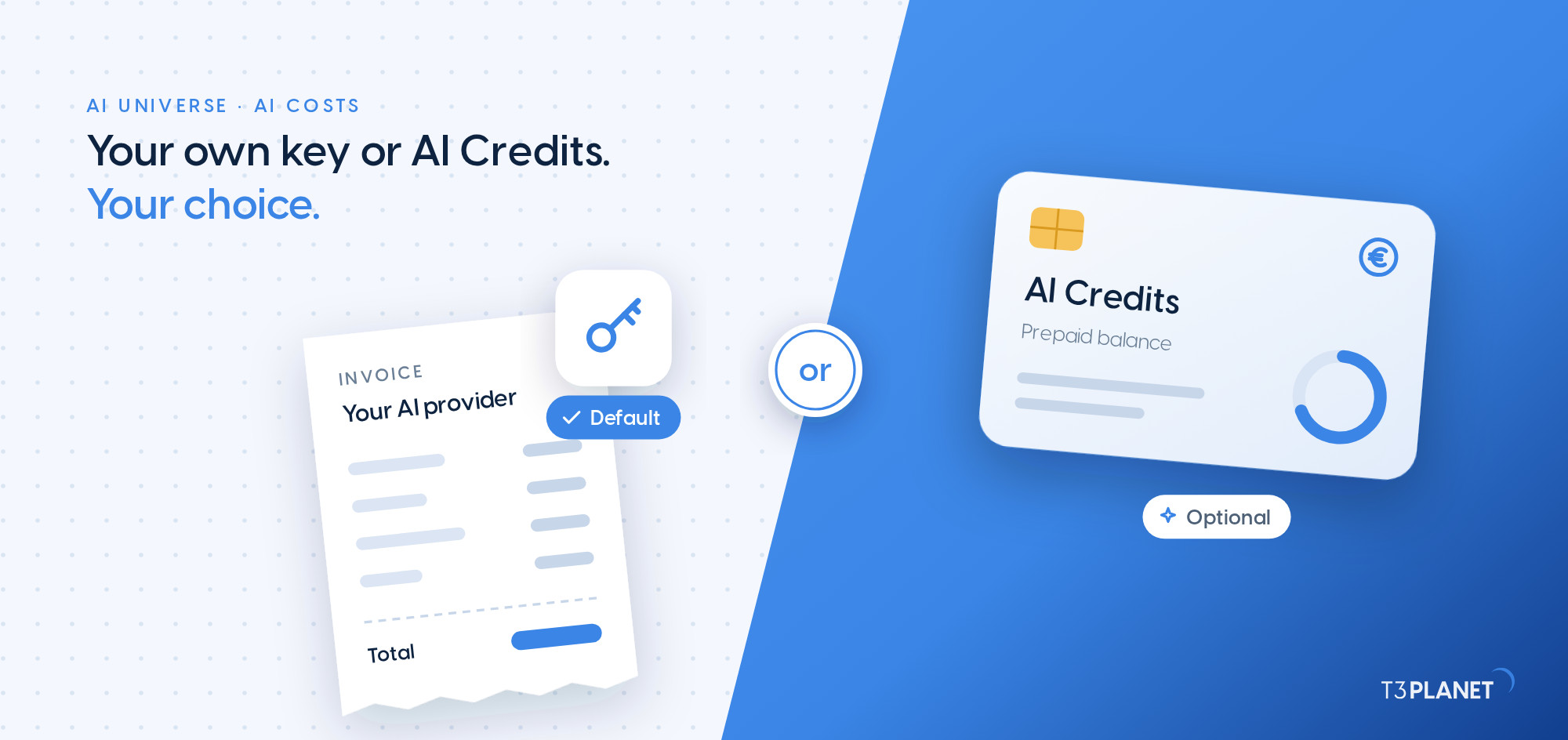
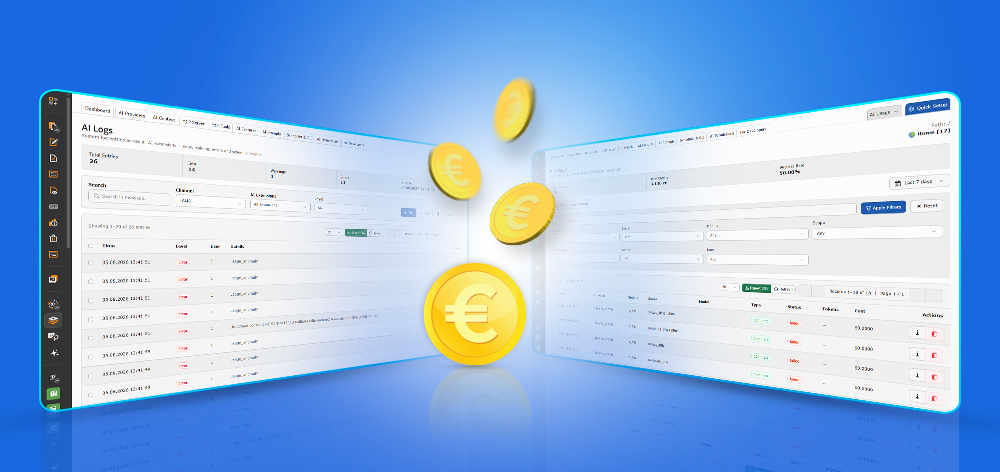
AI costs in TYPO3 build up task by task, from a few alt texts to a full translation. With the AI Universe, you decide who sends you that bill. By default you use your own API key: the access key an AI provider issues to your account. This approach is often called bring your own key, or BYOK, and the provider bills you directly. Or you pay from a prepaid balance of AI Credits that T3Planet runs for you. Your own key stays the default, and AI Credits is an optional add-on you can switch on and off.
This guide compares both on the four points that decide it: who bills you, where your content goes, what you can see, and the most you can spend. Then it shows which option suits which team.
AI costs in TYPO3 are paid in one of two ways: on your own API key, billed by your AI provider, or from a prepaid AI Credits balance bought from T3Planet. Both run on AI Foundation, T3Planet's free and open source base for TYPO3 that every AI Universe extension plugs into. You keep the same extensions in both modes and switch between them in one backend panel. We built both modes into the same extensions for you, and only voice features need your own key. What changes is who bills you and where each request travels.
One thing stays the same either way. A premium extension such as AI Assistant or AI Chatbot needs its own annual licence, and AI Credits never replace it. Credits pay for usage only.
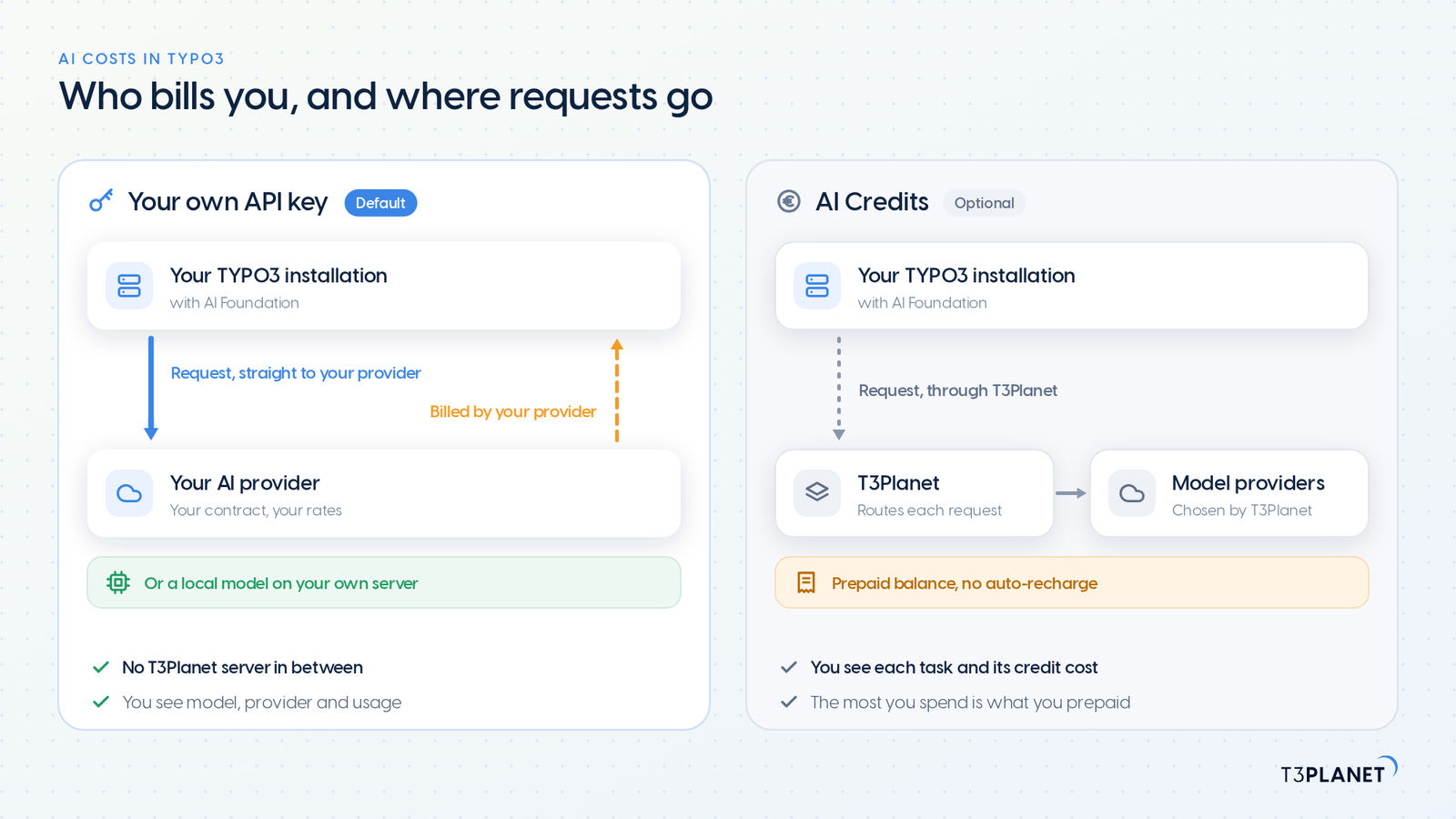
| What decides it | Your own API key (default) | AI Credits (optional) |
| Who bills you | Your AI provider, at its own rates. T3Planet adds nothing on top | T3Planet, in advance: a monthly or yearly plan, or a one-time pack |
| What you set up | An account and an API key with a provider, entered once in AI Foundation | Your name and email. No API key, no licence key |
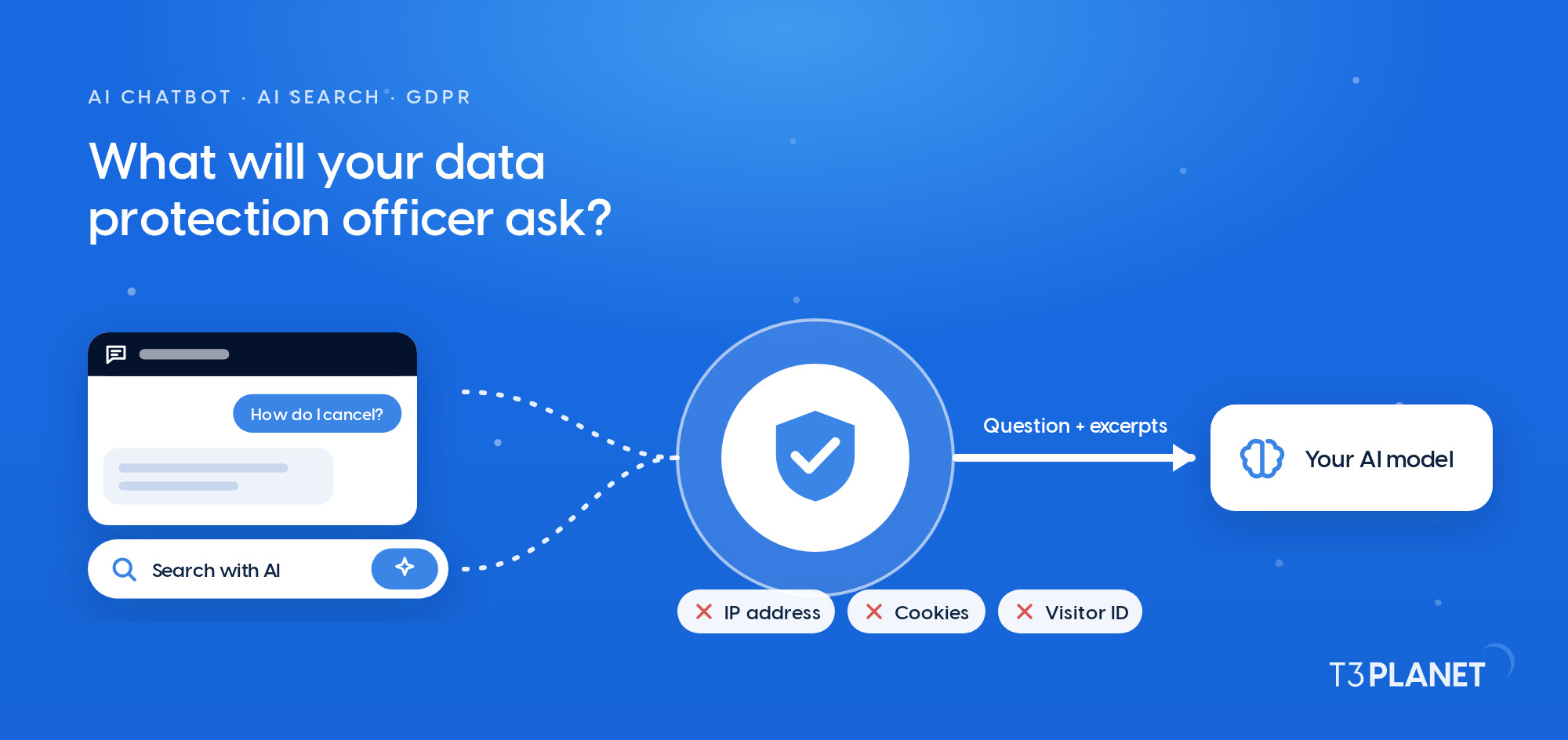
| Where requests go | From your server straight to your provider, with no T3Planet server in between | Through T3Planet to the model providers we select |
| What you see | Model, provider and usage per request | Each operation and its credit cost, with an estimate before it runs |
| The most you can spend | The limits you agree with your provider | What you have prepaid. No auto-recharge, no overage invoice |
| Model choice | Any provider AI Foundation supports, including a local model | Chosen by T3Planet. Moving a feature to a better model never changes your balance |
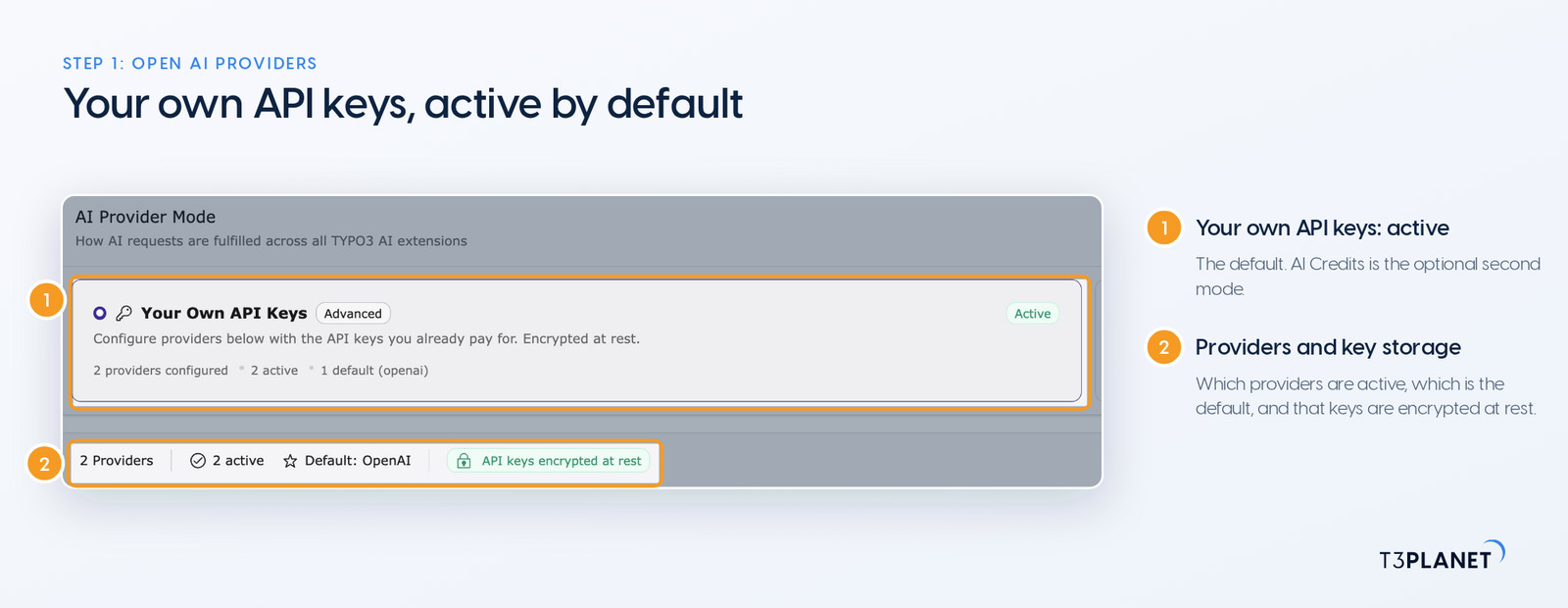
With your own key, you keep the contract, the rates and the choice of model. You create an API key with a provider, add it once under AI Providers in AI Foundation, and every AI Universe extension on that installation uses it. Keys are encrypted at rest.
Your provider bills you at its published rates, and T3Planet never resells or marks up that usage. No T3Planet server sits between your TYPO3 installation and the provider. For the most private setup, connect a local model through Ollama, so requests stay on your own hardware. How that setup fits your data protection duties stays in your hands, depending on the model you choose. We covered this route in more detail in our post on the free AI extension for TYPO3 and where your content goes.
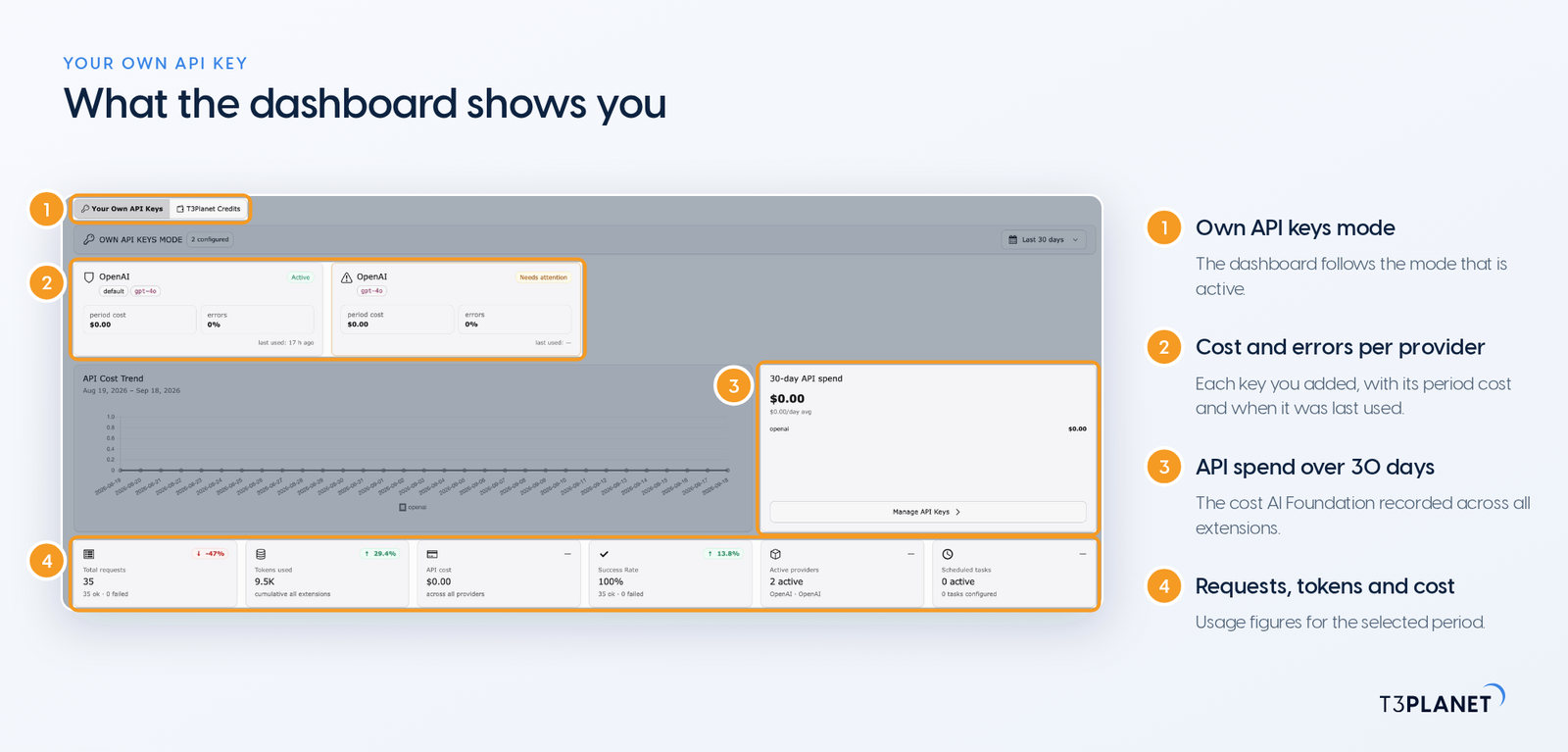
The trade-off is administration. You hold one more provider account, one more invoice and one more key, and for an agency that can mean one of each per client. The AI Foundation dashboard shows requests, tokens and cost for you, so you can check the monthly figure at any time.
AI Credits suits teams that want us to handle the provider side for them, with AI working today and no account with a model provider. You start with your name and email, and the balance lives on your AI Credits account. No licence key is involved.
One balance covers every AI Universe extension, every licence on your account and every environment: development, staging, local and production. So a team running three sites and a staging server tops up once, not four times.
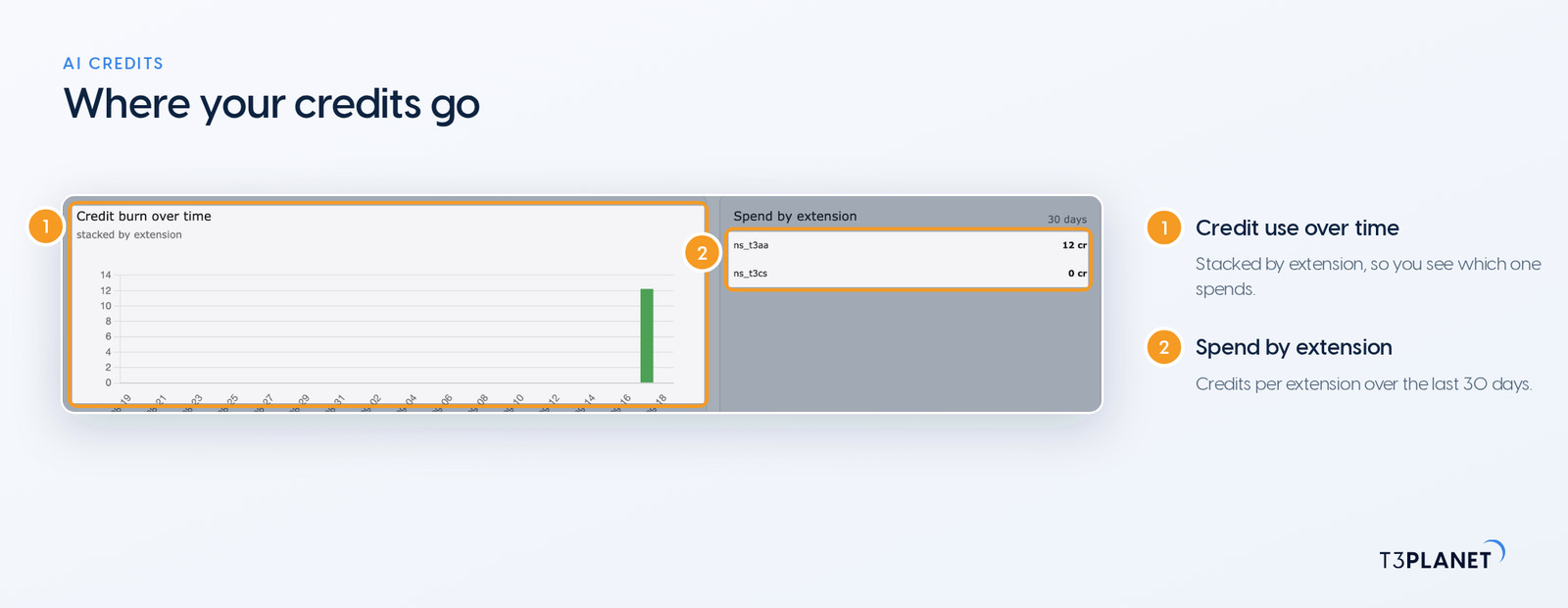
A credit is a unit of money, not a unit of work. Each operation is priced from what it costs to run. Alt text for an image costs a fraction of a credit, and a high-quality image costs more. When AI models get cheaper, the same balance buys more. Three things never reduce your balance: a model getting more expensive, us moving a feature to a better model, or currency movement. What can change, with 30 days' notice, is how many credits an operation costs.
In this mode your requests travel through T3Planet to the model providers, so T3Planet is part of the data path. The backend shows you each operation and its credit cost rather than the model behind it, and it shows an estimate before every action.
| Option | Price | Credits | How long credits last |
| Free trial | Free | 50, once | One-time grant per account, started with your name and email |
| Starter plan | €15 a month | 500 a month | Your allowance refreshes every month |
| Professional plan | €25 a month | 1,000 a month | Your allowance refreshes every month |
| Business plan | €45 a month | 2,500 a month | Your allowance refreshes every month |
| Pack 1,000 | €29 once | 1,000 | Until 31 December of the third year after purchase |
| Pack 5,000 | €119 once | 5,000 | Until 31 December of the third year after purchase |
| Pack 10,000 | €199 once | 10,000 | Until 31 December of the third year after purchase |
On yearly billing you pay for ten months and get twelve, and credits still arrive month by month. Packs stack on a plan. Plan credits are always spent first, so a monthly allowance never uses up a long-life pack. There is no auto-recharge: the most you can spend is what you have already paid. If your balance reaches zero while you are working in the backend, the feature pauses and offers a top-up.
The table below shows what 1,000 credits cover if you spend them all on one kind of task. It helps you size a plan for your team before you commit to one.
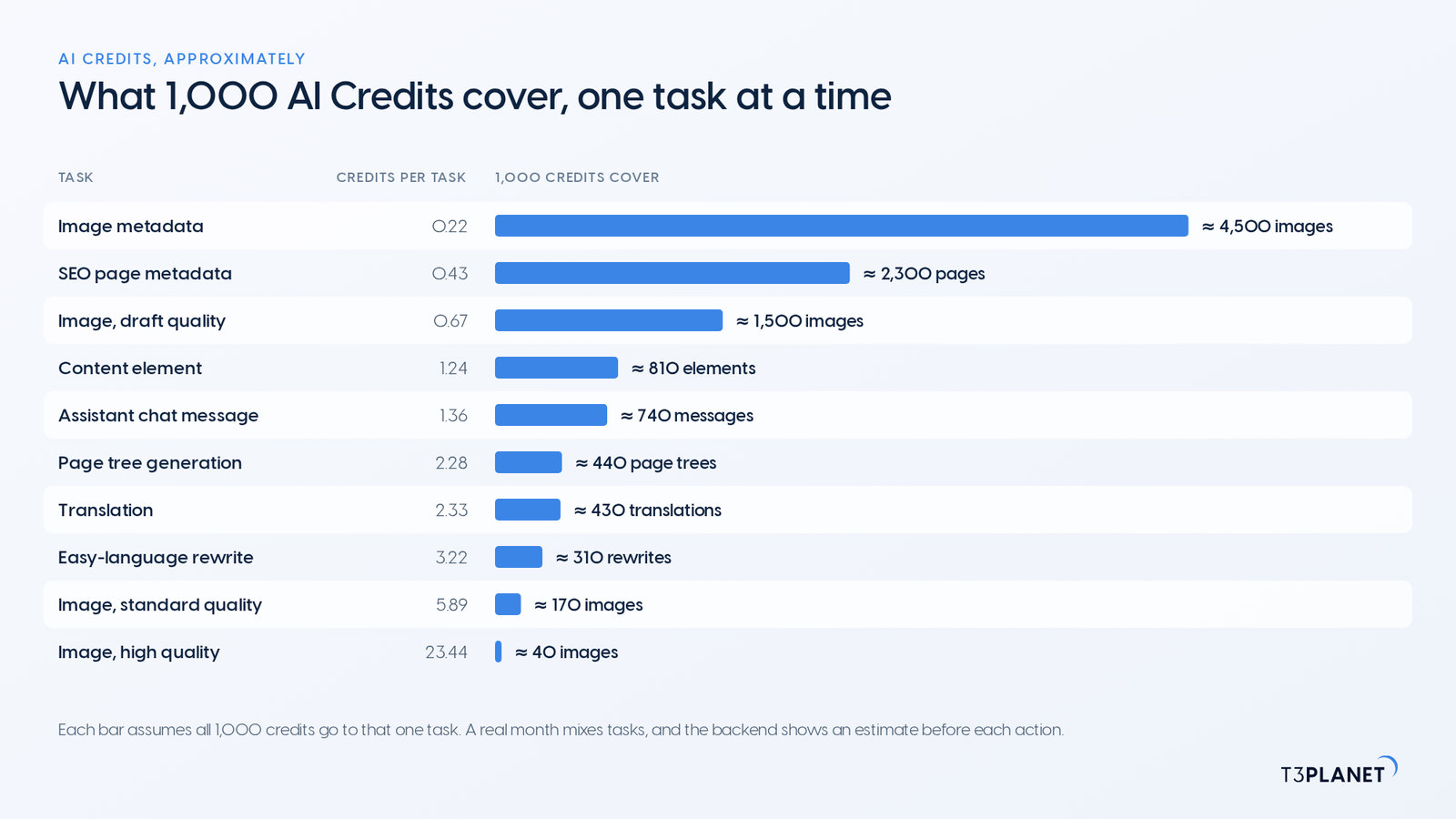
| Task | Credits per task | 1,000 credits cover about |
| Image metadata: alt text, title, description, caption | 0.22 | ≈ 4,500 images |
| SEO page metadata, four fields | 0.43 | ≈ 2,300 pages |
| Image, draft quality | 0.67 | ≈ 1,500 images |
| Content element | 1.24 | ≈ 810 elements |
| Assistant chat message | 1.36 | ≈ 740 messages |
| Page tree generation | 2.28 | ≈ 440 page trees |
| Translation | 2.33 | ≈ 430 translations |
| Easy-language rewrite | 3.22 | ≈ 310 rewrites |
| Image, standard quality | 5.89 | ≈ 170 images |
| Image, high quality | 23.44 | ≈ 40 images |
A real month mixes these tasks, so the rows do not add up to one budget. A long page also costs more than a short one. For the exact figure, the backend shows an estimate before each action. The 50 free trial credits, for example, cover ≈ 230 sets of image metadata or ≈ 20 translations, which is enough to judge the output on your own content.
Sovereign TYPO3 AI

T3AIWrite, optimise and translate content right in the backend.
The right mode depends on who holds your AI contracts and who answers to your data protection officer. We set out the common cases for you below.
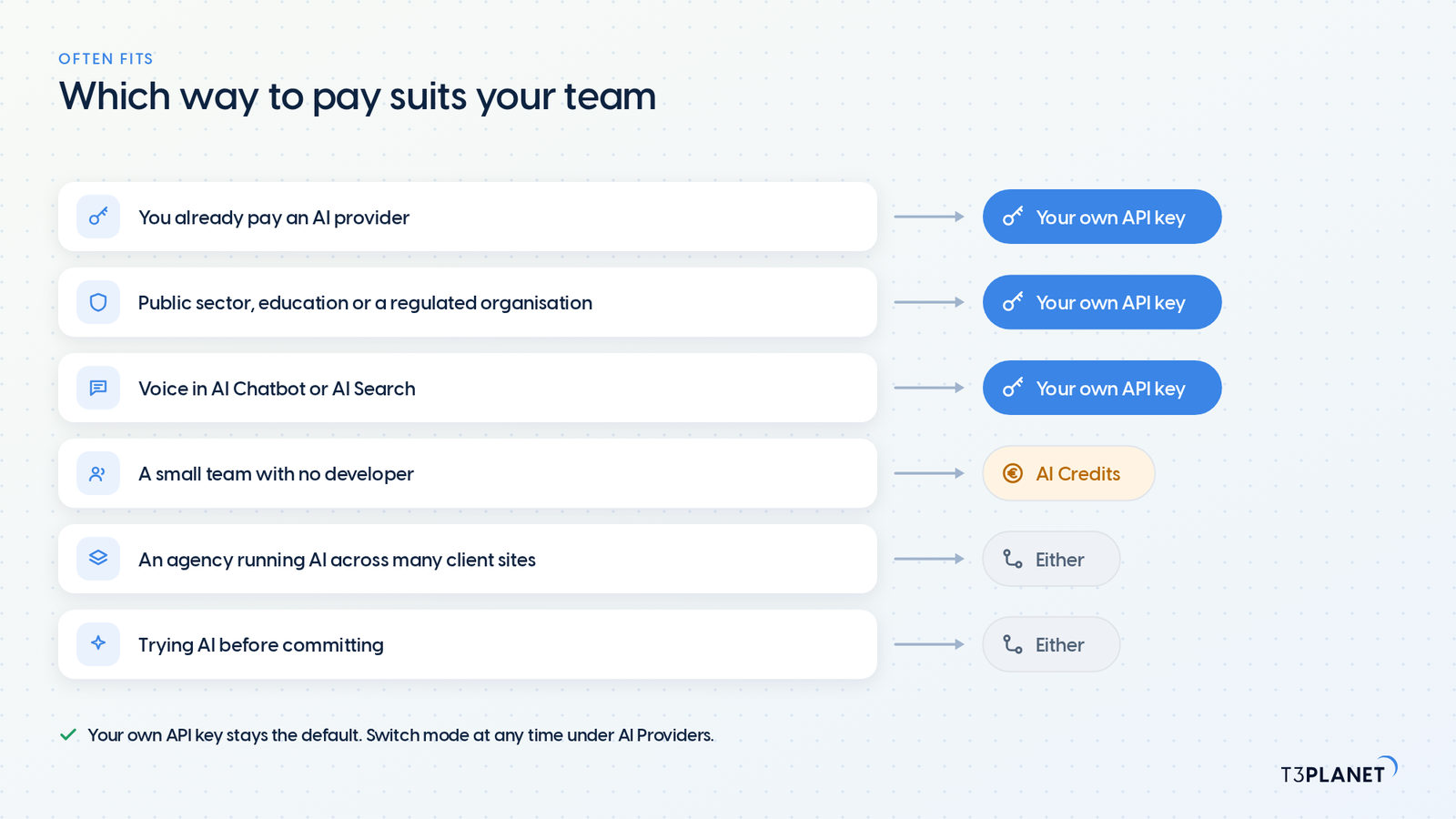
| Your situation | Often fits | Why |
| You already pay an AI provider | Your own API key | You reuse the contract and the rates you already have |
| Public sector, education or a regulated organisation | Your own API key | The processing chain stays with the provider you contracted, or with a model on your own server. The GDPR's rules on processors apply to fewer parties |
| A small team with no developer | AI Credits | No provider account or key to set up, and each task shows its cost before it runs |
| An agency running AI across many client sites | Either, per client | Own keys keep the AI bill with each client. One credits balance covers every licence on your account |
| You want to try AI before committing | Either: AI Foundation on your own key, or the AI Credits free trial | AI Foundation is free. The trial adds 50 credits, once per account, with your name and email |
| Voice features in AI Chatbot or AI Search | Your own API key | Voice runs on your own keys |
The provider mode applies to every AI extension on the installation, so we kept switching to one panel for you, not a change per extension.
Nothing changes until you select a mode.
Your balance now lives on that account.
If your own keys suit you better, switch back in the same panel.
Before AI goes onto a production site, these four questions tell you most of what you need to know about how an extension charges for it.
Ask them of us too. We will answer them together with your team and your data protection officer.
Whichever way you pay, you keep the same extensions. Only voice features need your own key. T3Planet has worked with TYPO3 for more than 15 years and is a Gold Member of the TYPO3 Association. We built AI Foundation so that this choice stays yours. Unsure which mode fits a project? Book a demo with Jürgen and we will size it with you. Or start with AI Foundation for TYPO3, which is free.
No. Your own API key is the default, and AI Credits is an optional add-on. You can ignore it and lose no functionality.
No. AI Credits pay for AI usage only. AI Foundation is free and open source, and each premium extension keeps its own annual licence.
No. Your plan allowance refreshes every month. Pack credits last until 31 December of the third year after purchase, and plan credits are always spent first.
Full refund within 30 days of purchase if nothing from that purchase has been spent; partly used balances are never refunded.
T3Planet selects the models, and the backend shows each operation and its credit cost rather than the model name. If your team needs to choose the model itself, use your own API key.
Yes, on request: ask our sales team for it. With your own API key, no T3Planet server is in the data path, so your agreement for AI processing stays with your AI provider.
Yes. Both options sit in the AI Provider Mode panel under AI Providers, and you can change mode at any time.
Jürgen Pietschmann
AI Consultant for TYPO3Jürgen Pietschmann is a T3Planet Product Consultant at T3Planet Shop. He specialises in integrating AI into editorial workflows – from intelligent content creation and automated SEO to AI-powered search and chatbot solutions for TYPO3 sites. As a technical consultant for T3Planet AI Universe, he works closely with agencies and editorial teams on practical TYPO3 implementations. Jürgen has been writing the This Month in TYPO3 series since December 2025 and has spoken at T3CON25 and TYPO3 Developer Days 2026 (T3DD26), where he co-presented Content Editing Unlocked.
More From Author