
 AI Foundation
 AI Assistant
 AI Chatbot
 AI Accessibility
 AI Localization
 AI Builder
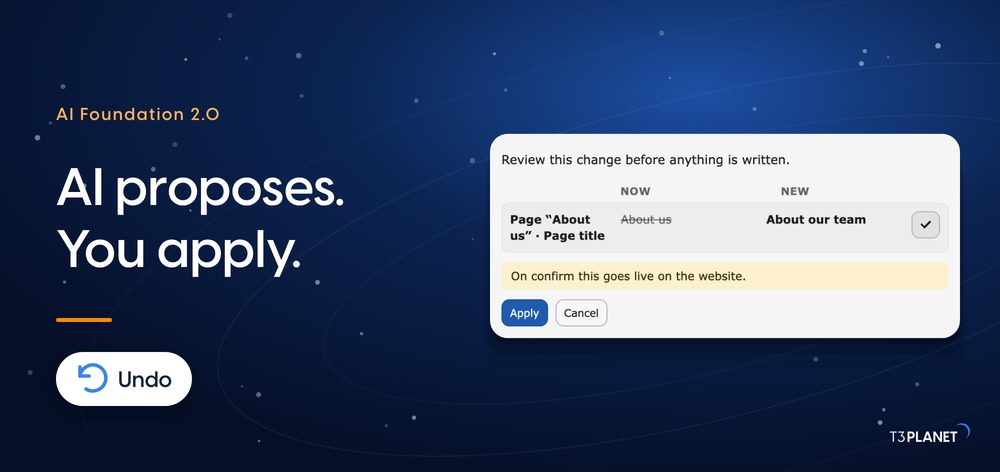
AI Agent for TYPO3: AI Foundation 2.0 Writes Only When You Say So
AI


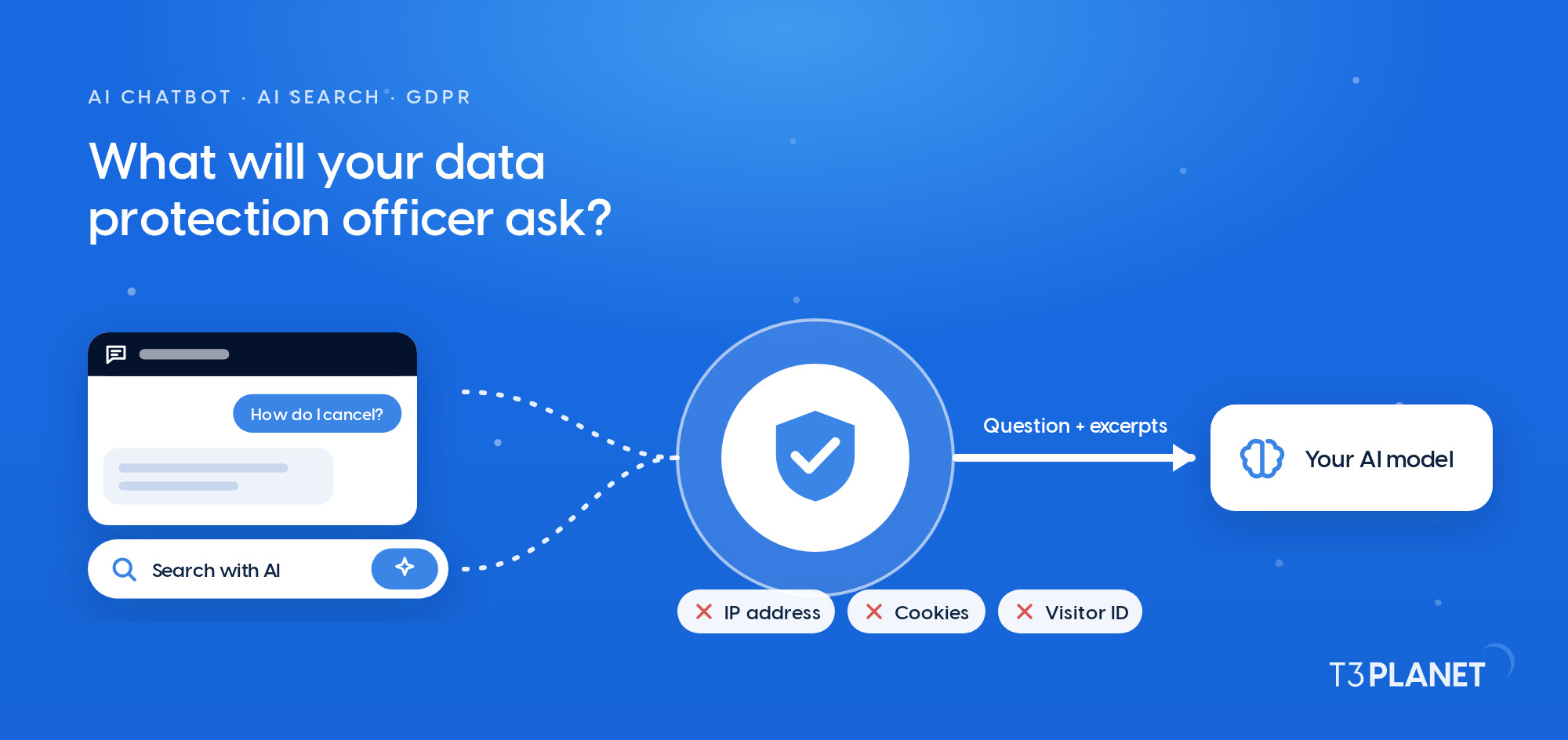
Your data protection officer (DPO) will check any AI chatbot or AI search in TYPO3 against the GDPR before it goes live, and three things decide the outcome: where visitors' inputs go, what gets stored, and who controls both. For AI Chatbot (T3AC) and AI Search (T3AS), the AI extensions for TYPO3 by T3Planet, each has a concrete answer, down to the database table. Below are twelve questions in the order a DPO asks them, and a checklist at the end you can hand straight over.
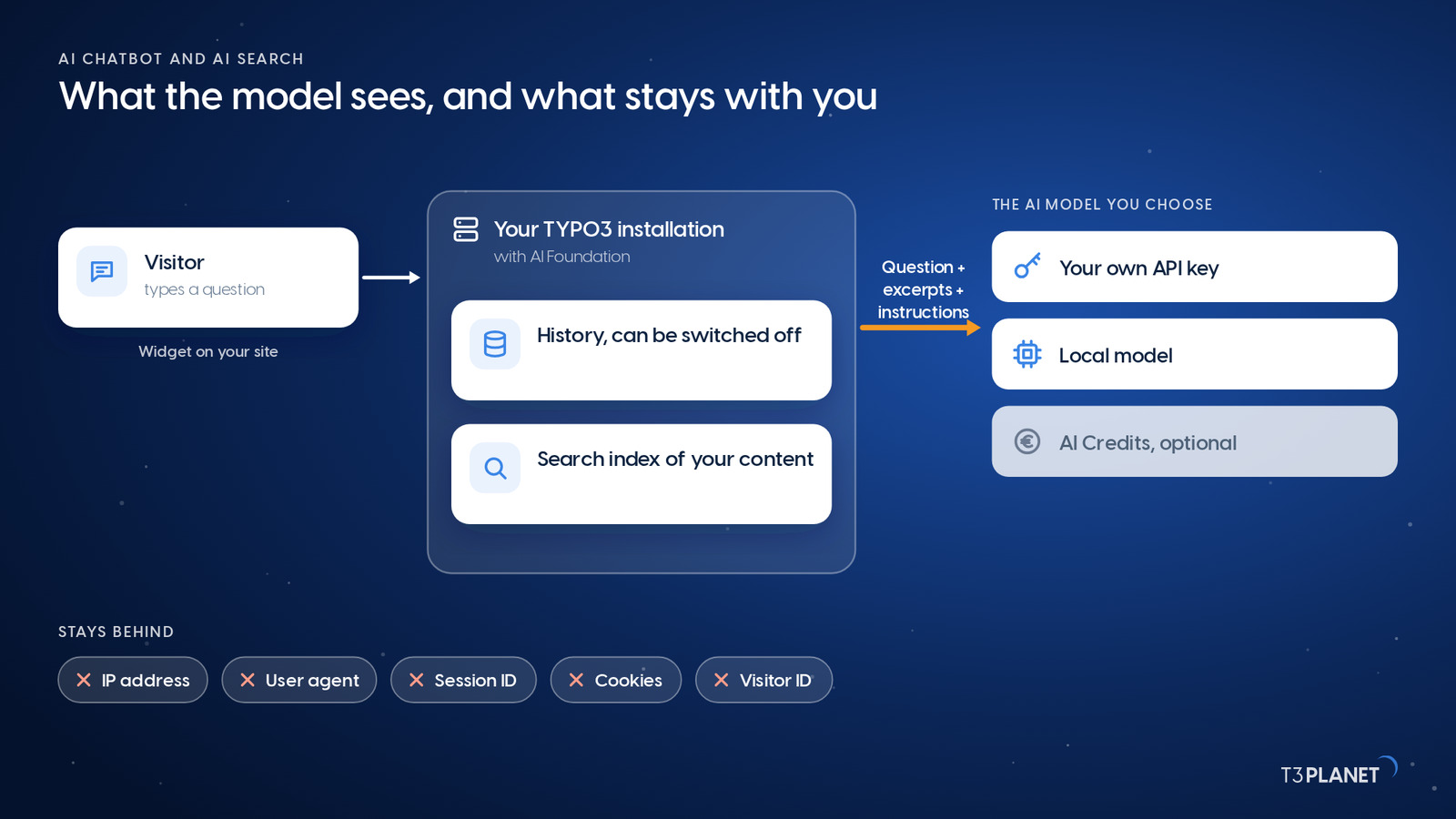
AI Chatbot and AI Search are extensions inside your TYPO3, built on one shared base: the same data sources, the same training, the same usage analytics. So every answer here covers both, and each comes from the technical documentation that T3Planet, a TYPO3 Association Gold Member since 2011, maintains for both products. Where they differ, we say so.
How far the data travels varies depending on the model you choose. That is where your DPO's first three questions land, and where we back you with documentation they can file.
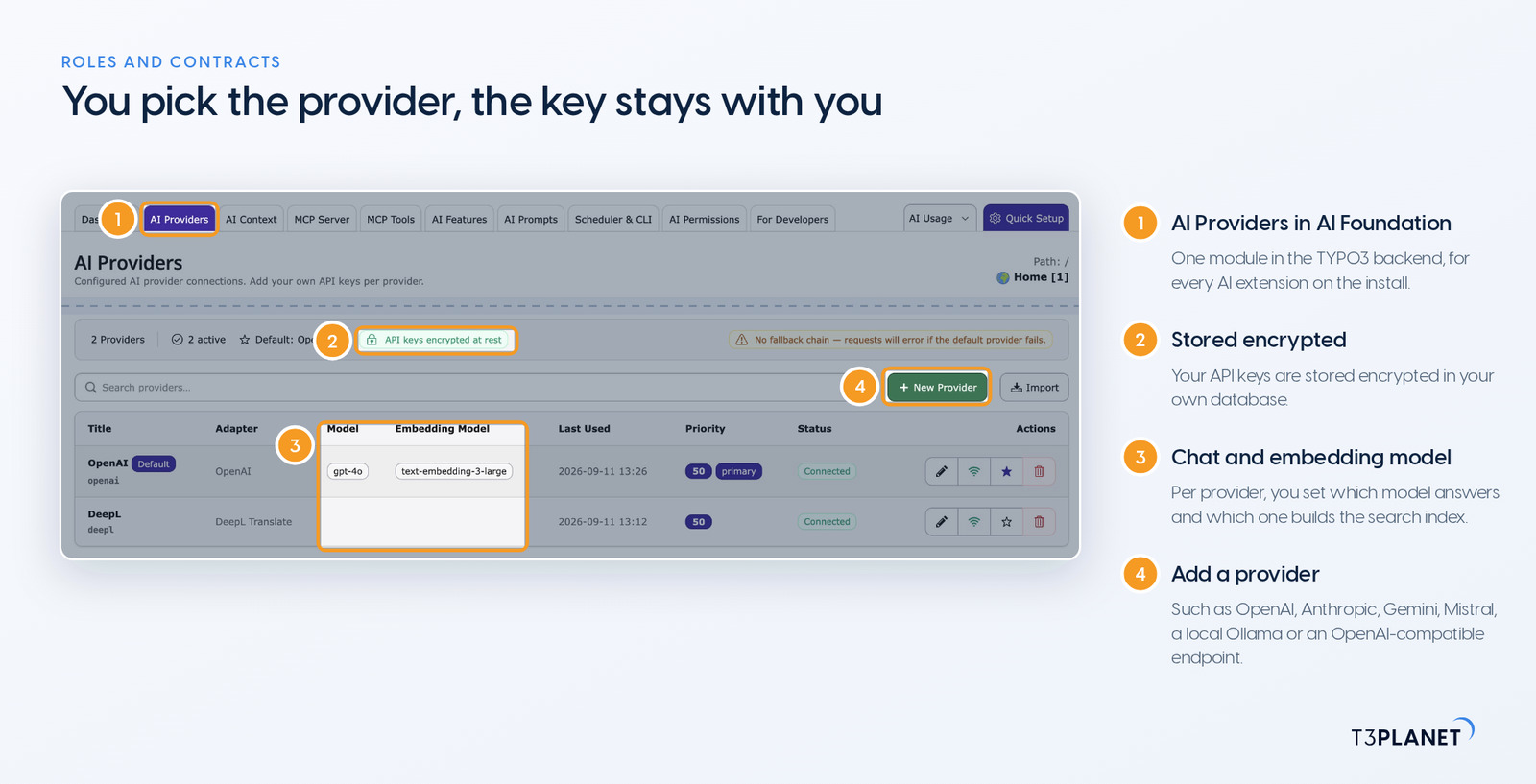
Short version: you are the controller, your AI provider is the processor, and T3Planet stays out of the data path unless you choose AI Credits. Both extensions run on your own server, so with your own API key or a local model we never see a chat or a search. The only thing our premium extensions send us is a licence check, carrying the licence key and the domain. With the optional AI Credits, T3Planet becomes the processor and the AI providers become sub-processors. Under the EU AI Act, you are also the deployer.
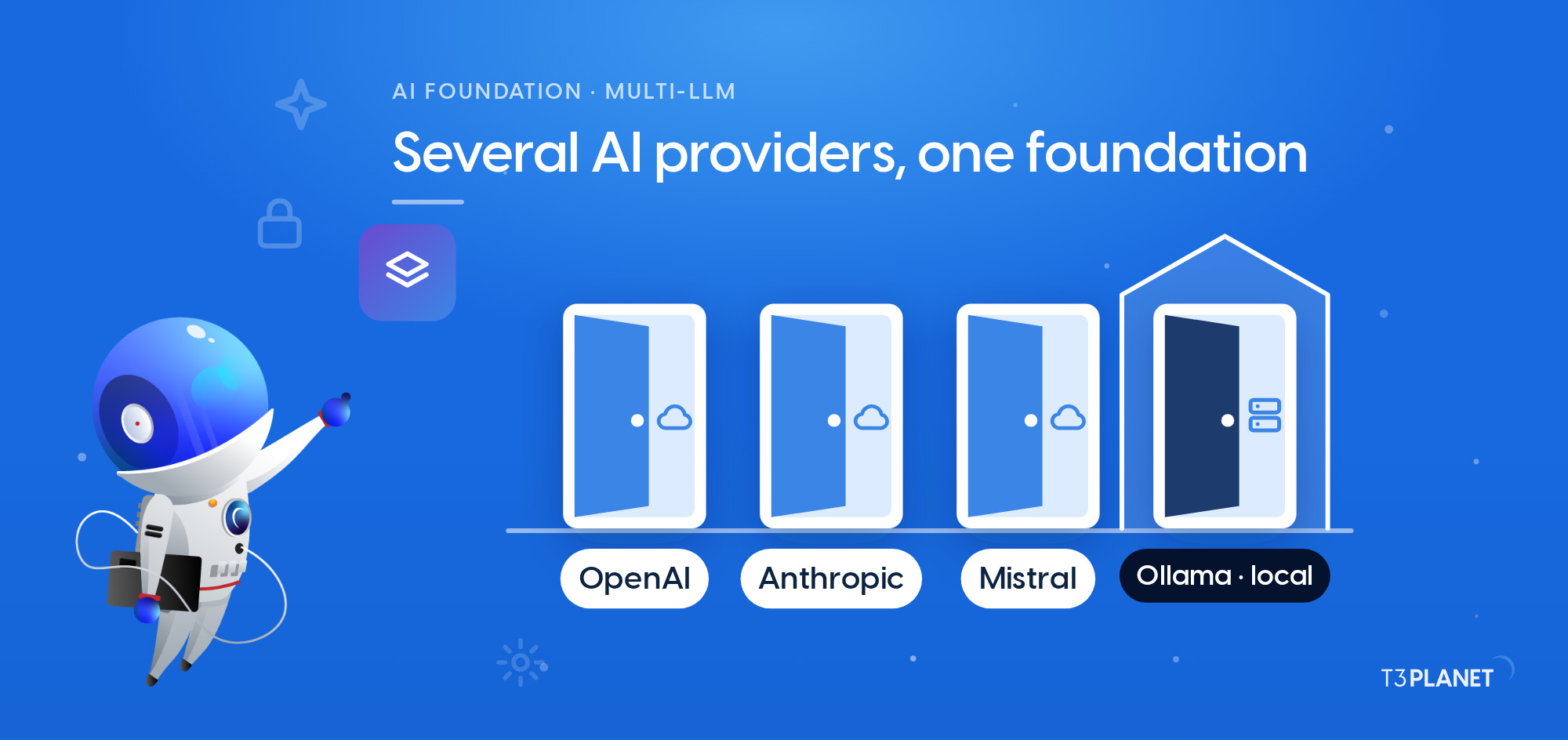
It depends on who runs the model. AI Foundation offers three routes:
| Mode | Who processes the request | DPA with |
| Your own API key (default) | the provider you add in AI Foundation, such as OpenAI, Anthropic, Google Gemini or Mistral | that provider. None with T3Planet is needed for the AI processing |
| Local model on your server | your own server, connected through Ollama or an OpenAI-compatible endpoint | no external AI provider; your host, if applicable |
| AI Credits (optional) | T3Planet routes requests to AI providers | T3Planet. We provide the DPA on request |
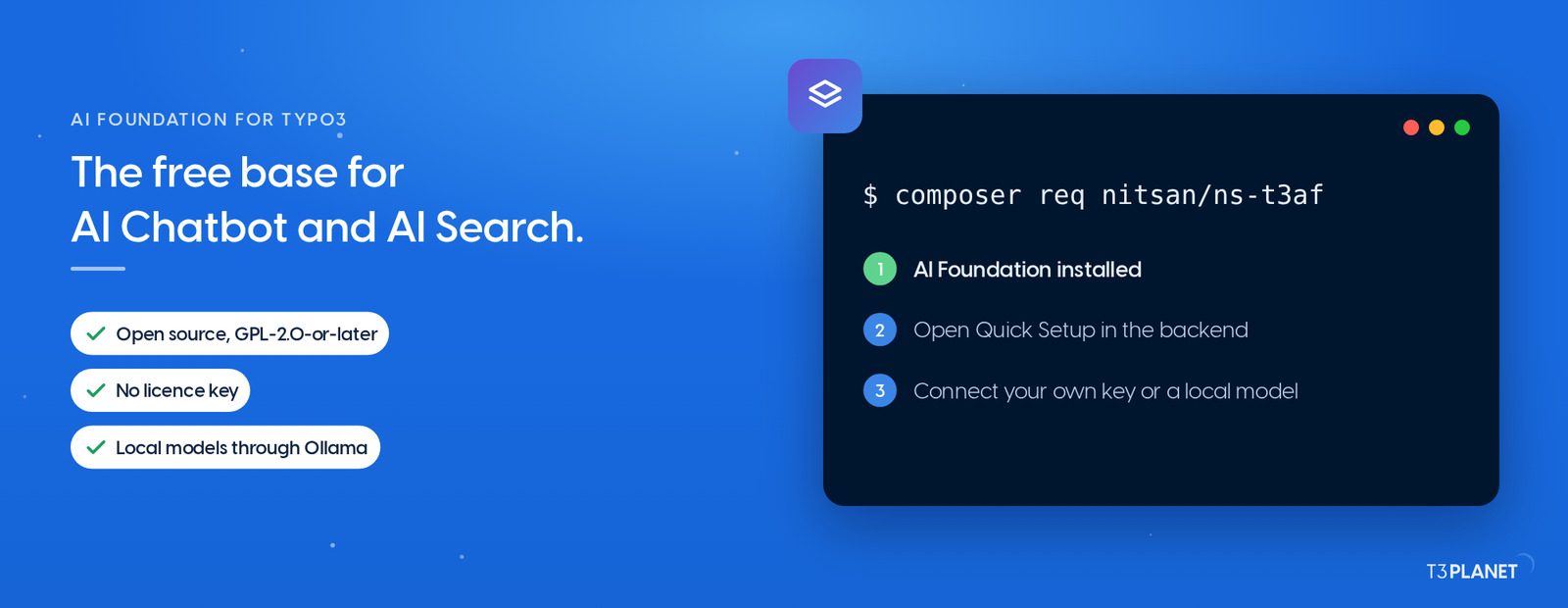
We can run a custom language model (custom LLM) for you on your server or on T3Planet infrastructure. In the second case T3Planet takes part in the processing, so talk to us about the DPA. AI Foundation itself is free, open source and runs no licence check.
Only if you pick a provider outside the EU. That is a setting in AI Foundation, not a fixed default. With a local model the question never leaves your server. If your DPO requires EU-only processing, use your own key with a European provider whose contract commits to it, or a local model. Review the transfer safeguards in each provider's contract together with your DPO. With AI Credits, T3Planet selects the AI providers, and no commitment on processing location comes with it.
Each request carries the visitor's message or query, the passages from your content that match it, and the instructions you set in the backend. Search may add one more call, to the embedding service (the service that turns text into search vectors), and that call also carries only the query.
The catch is the visitor's own text: it travels as typed. A name or a customer number in the question reaches the model too. So ask visitors, in the welcome message, not to enter personal details. We are happy to draft that line together with you.
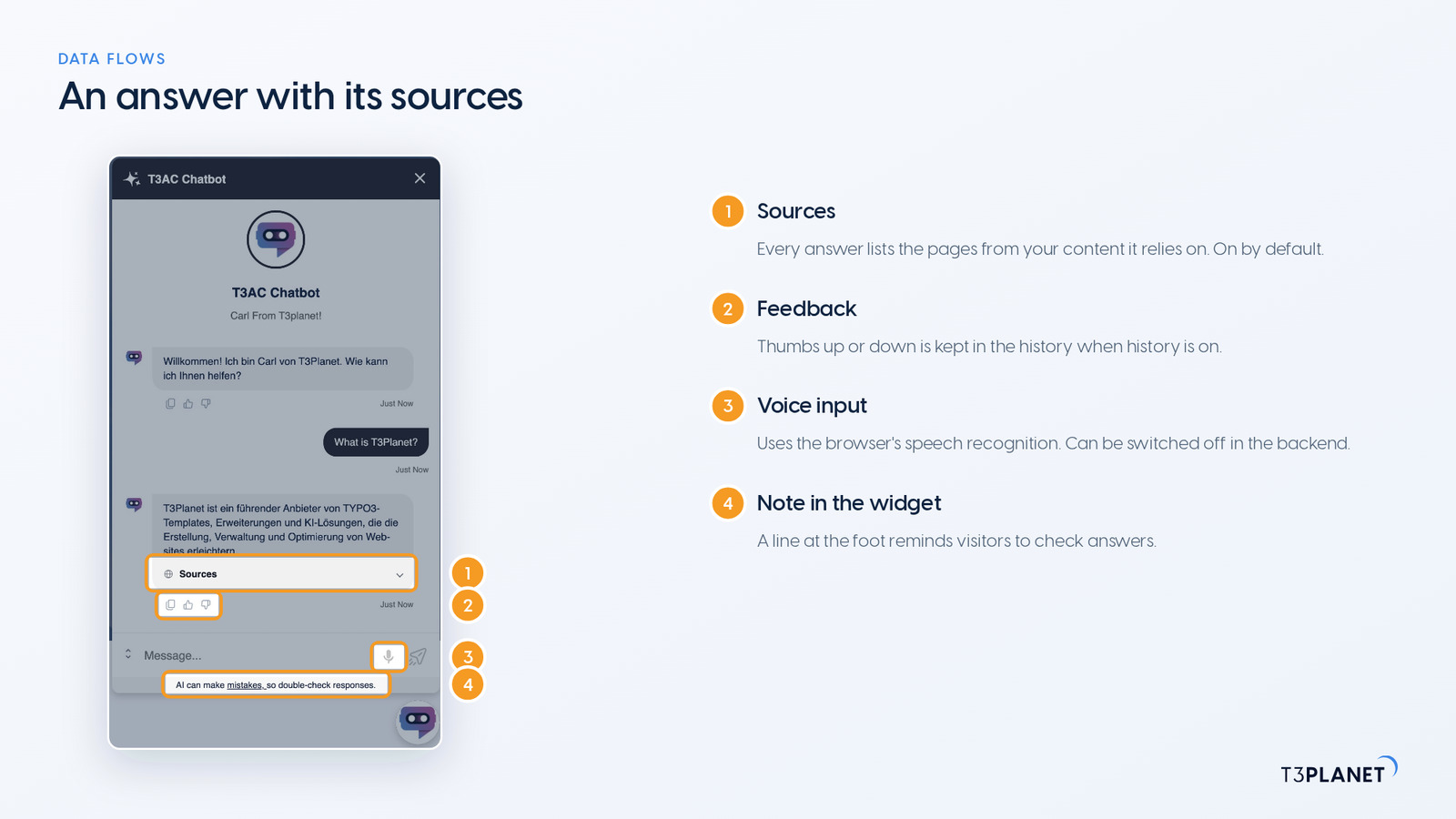
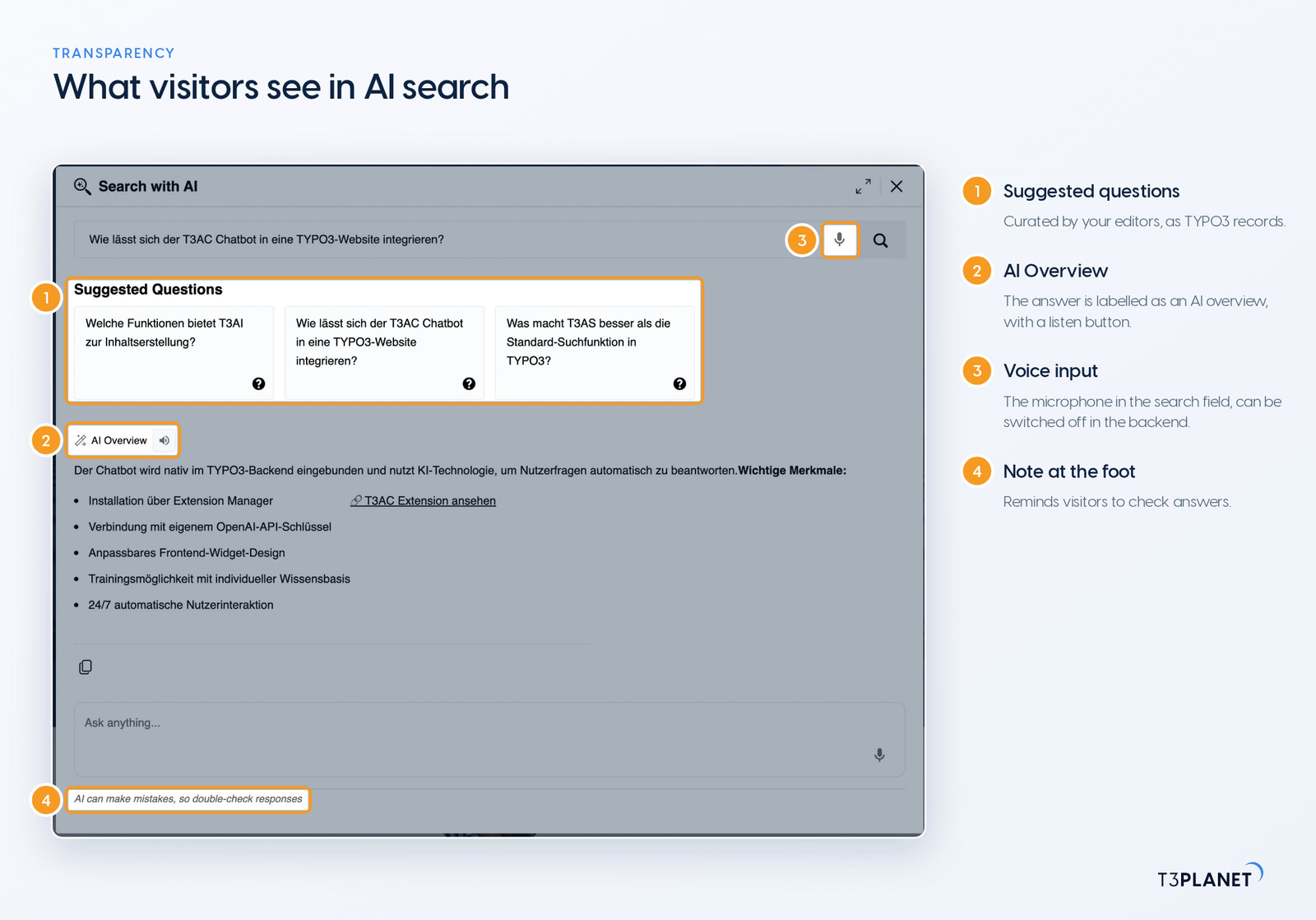
Both widgets also offer voice input through a microphone. It uses the browser's speech recognition, and depending on the browser the browser vendor processes the audio. If your DPO would rather avoid that, switch voice input off in the backend.
Both products document the same list: no IP address, no user agent, no session ID, no cookies and no visitor ID. Search adds one more: the page URL never travels as a tracking field. Unless visitors name themselves, the model knows what was asked and nothing about who asked it.
| Data | AI Chatbot | AI Search |
| Sent to the AI model | message, excerpts, instructions | query, excerpts, instructions; query text to the embedding service |
| Never sent to the AI model | IP address, user agent, session ID, cookies, visitor ID | IP address, user agent, session ID, cookies, visitor ID, page URL as a tracking field |
| In your database, with history on | messages, answers, feedback, session data, hashed IP address (MD5, pseudonymised) | query (up to 255 characters), answer, source paths, technical session ID for follow-ups |
| In the visitor's browser (localStorage) | visitor ID chat_user_id | up to five recent search terms |
On sources you pick: TYPO3 pages, a sitemap, single URLs, PDF files up to 25 MB, question-and-answer pairs or plain text. The AI model itself is not retrained. Your content is split into passages and stored as a search index in your database. To build that index the passages go once to the embedding service you set in AI Foundation, and that can be local too.
Keep personal data out of these sources. Before the first training run, check whether a sitemap includes pages with staff details, comments or form results.
Answers are grounded in those sources and show them: source links are on by default in both products. The follow-up instructions we ship tell the model not to add knowledge that is not in your content, and a threshold decides whether the system answers or declines. Mistakes remain possible, and both widgets tell visitors so.
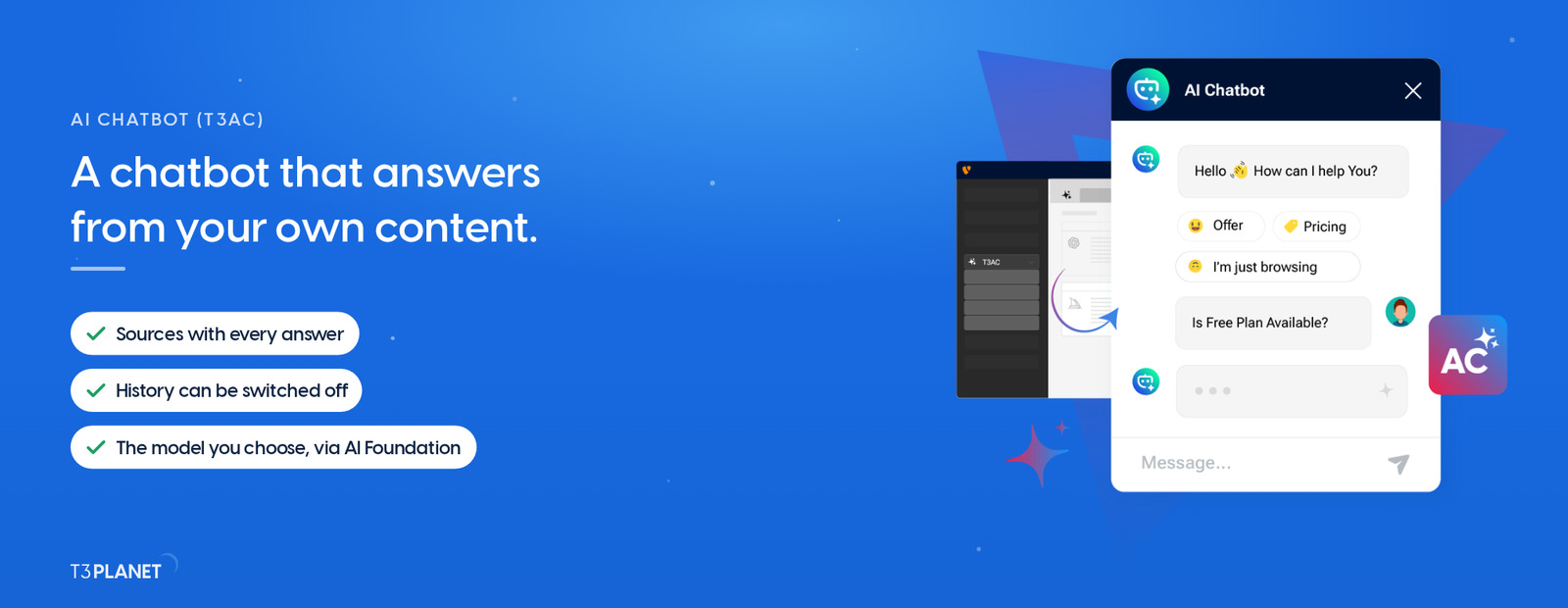
Sovereign TYPO3 AI

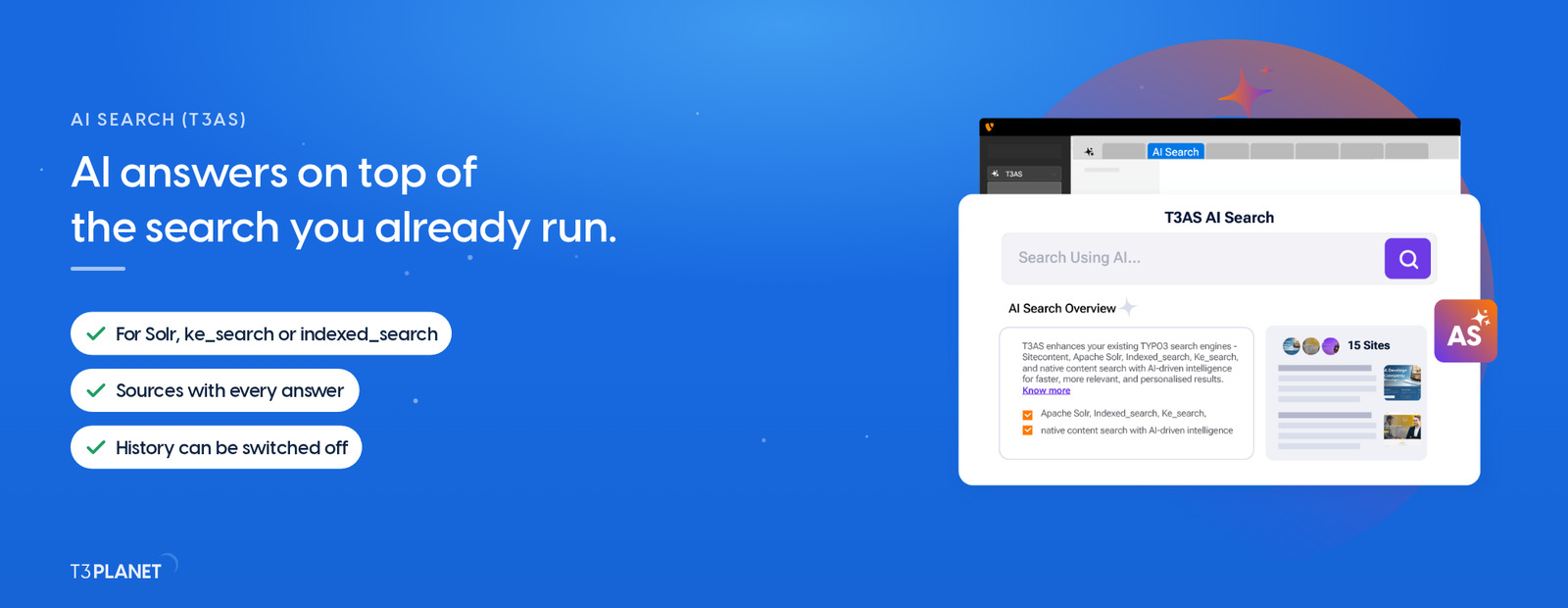
T3ASSite search that answers: a direct reply with the source pages beside it.
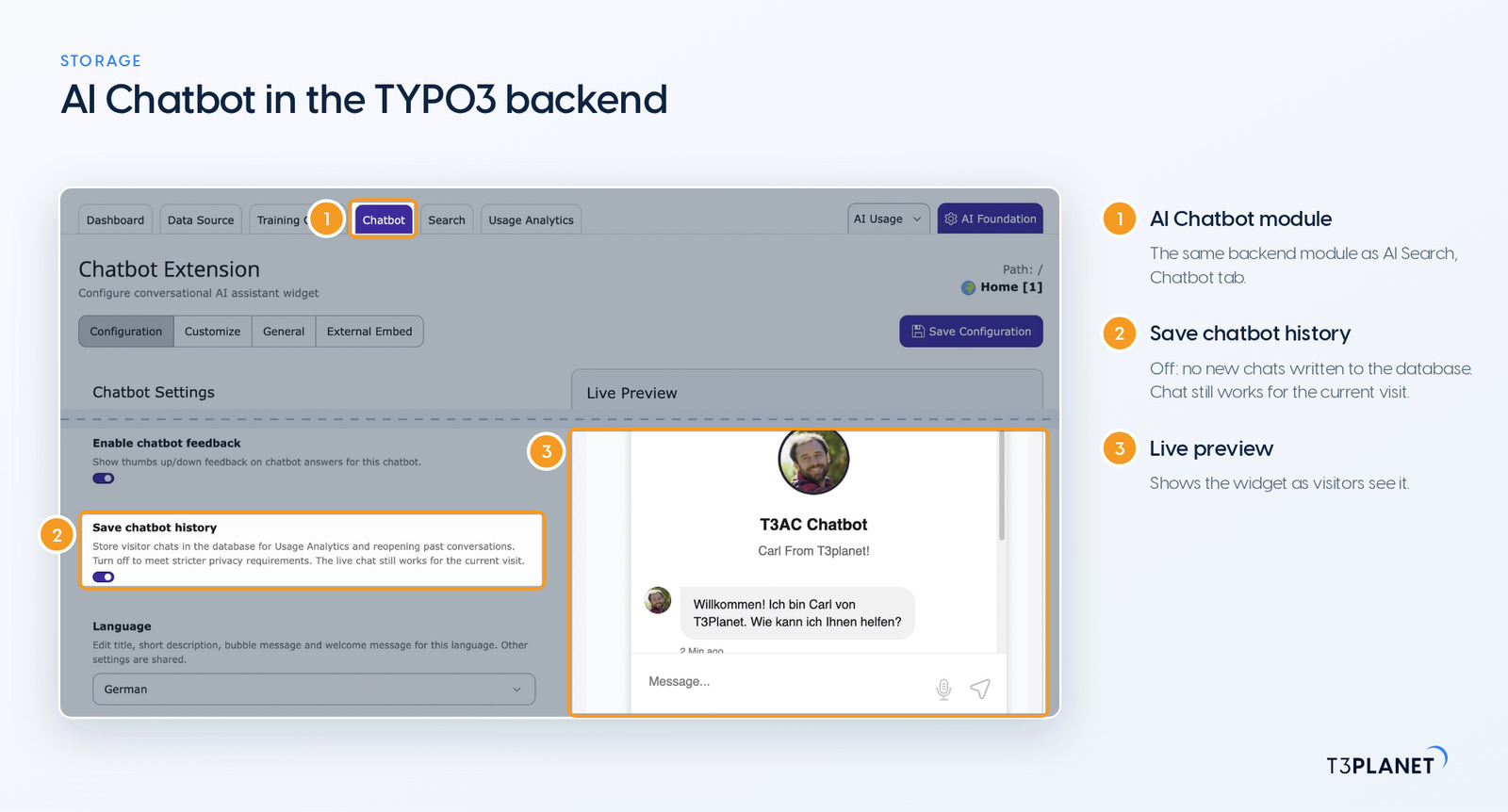
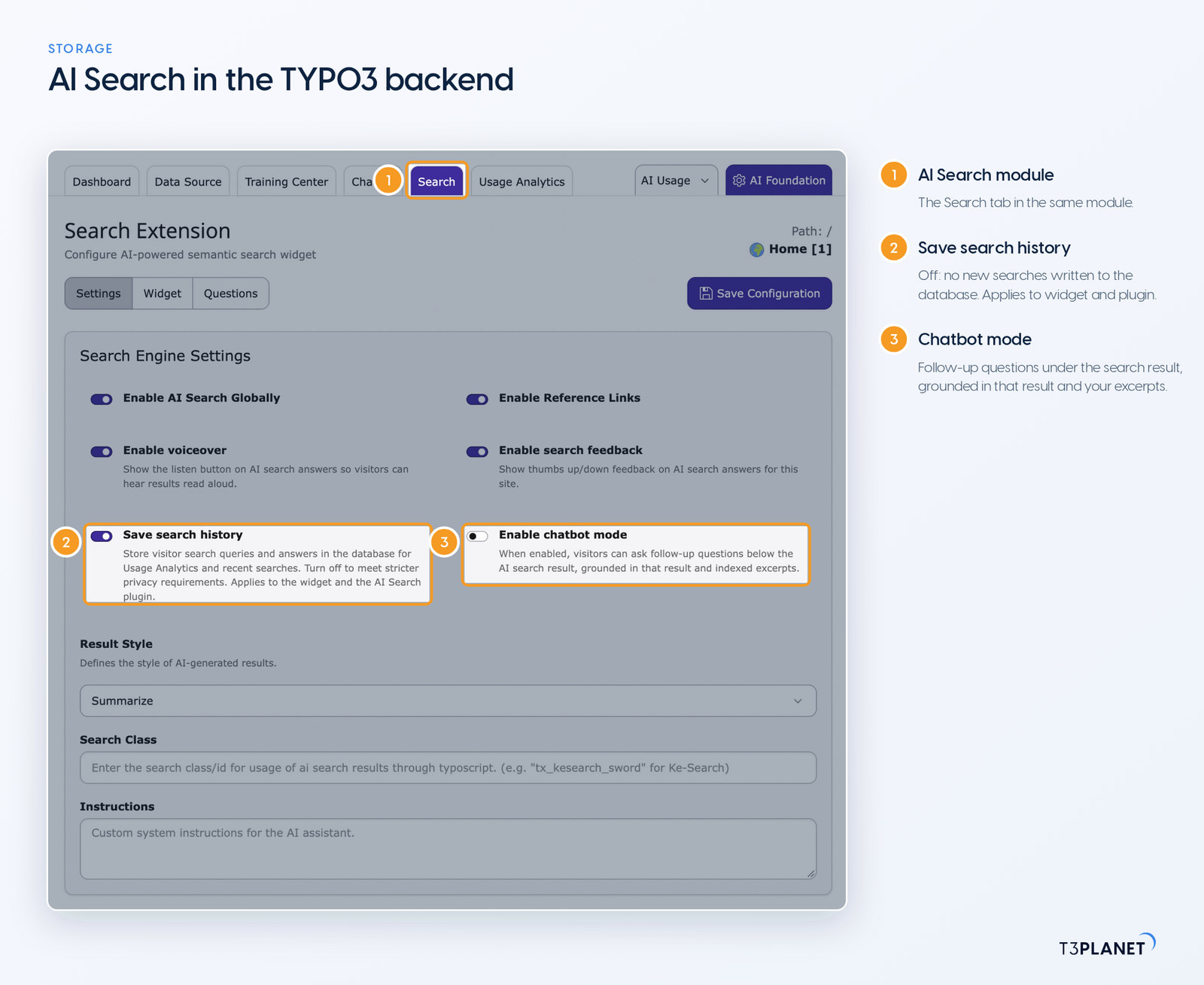
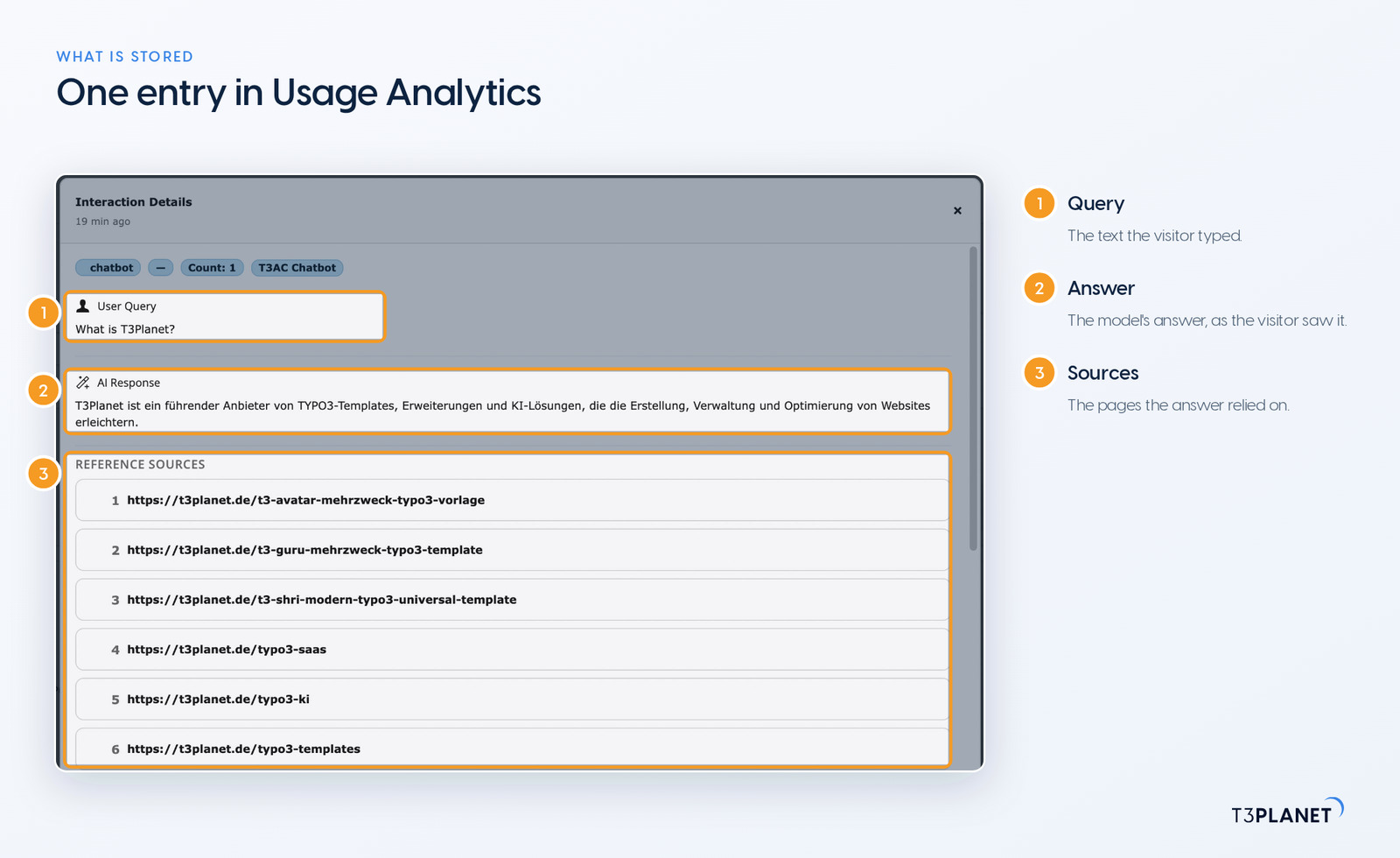
In your own TYPO3 database, and nowhere else. With history on, AI Chatbot keeps the conversation (messages, answers and visitor feedback), the session data, and a hashed IP address that the documentation classes as pseudonymised rather than anonymous. AI Search keeps less: the query up to 255 characters, the answer, the source paths it used and, for follow-ups, a technical session ID. No IP address, user agent, cookie or frontend user is stored on the search side.
In the visitor's browser each widget keeps one localStorage entry: AI Chatbot a visitor ID, AI Search up to five recent search terms. The visitor ID stays even with history switched off. AI Chatbot also holds live chats in a cache for about 24 hours.
Unless you set a period, entries stay until someone deletes them. A fixed retention period takes three steps:
t3af:history:cleanup deletes AI Chatbot and AI Search history older than the retention period.vendor/bin/typo3 t3af:history:cleanup 30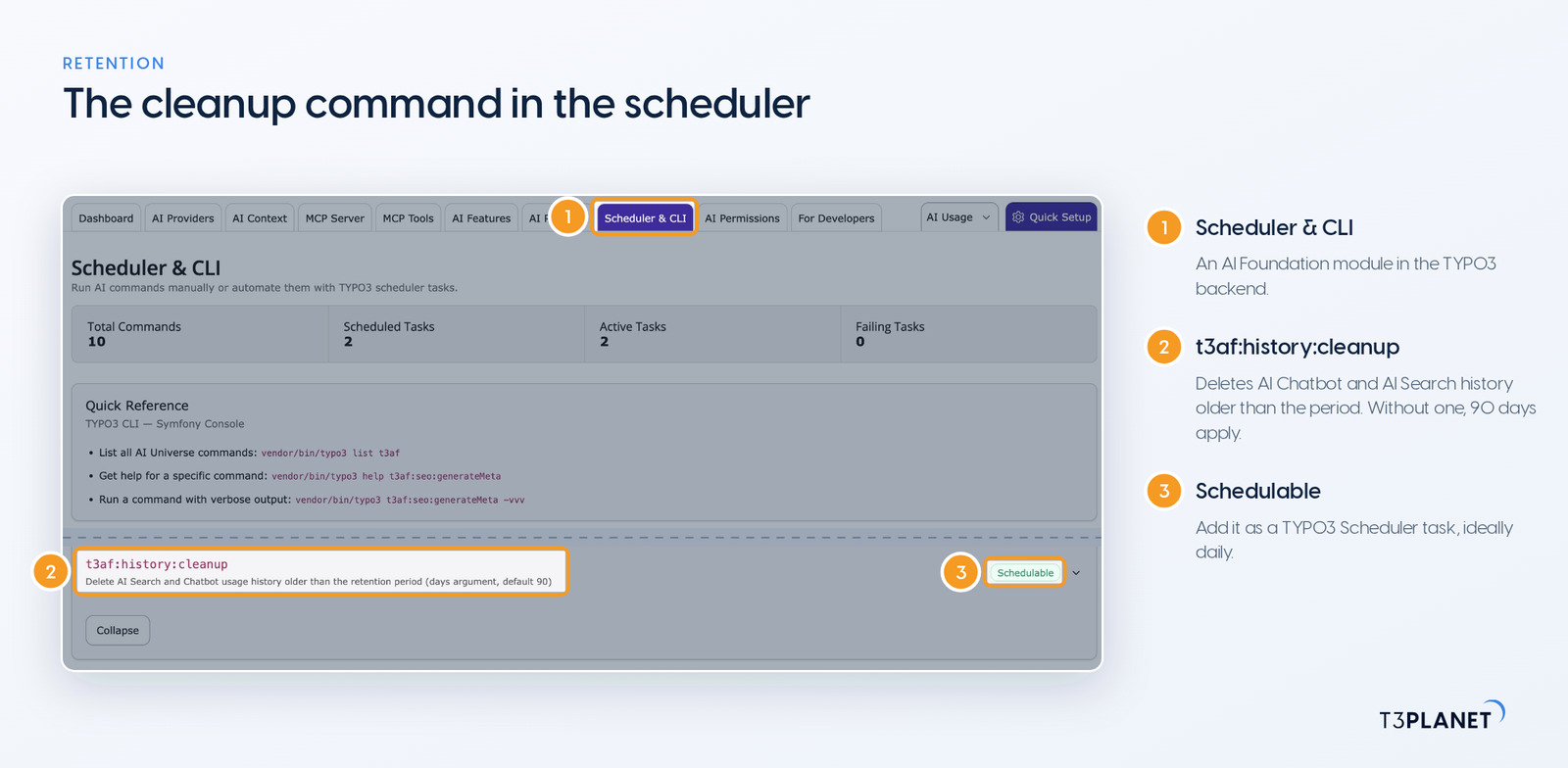
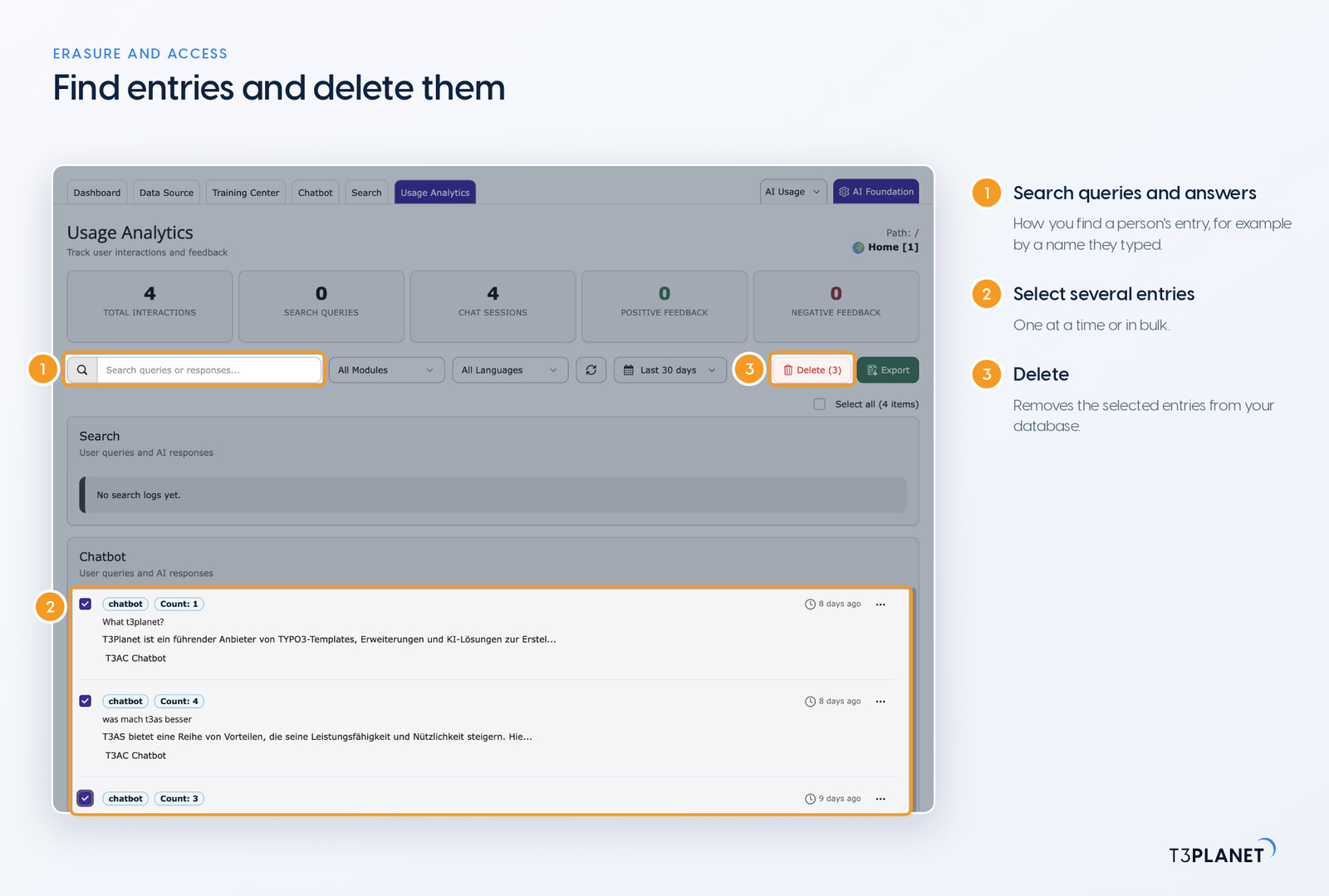
To delete single entries, go to Usage Analytics, where you can also select several at once. That is your route for erasure requests under Art. 17 GDPR and access requests under Art. 15. Because the data is pseudonymised, you usually find a person's entry through its content, for example a name they typed themselves, and the full-text search in Usage Analytics helps with that. Who may open this area is set per backend group in AI Permissions.
Yes, with one switch per product: "Save chatbot history" in AI Chatbot and "Save search history" in AI Search. When it is off, no new chats or searches are written to the database. Chat still works for the current visit and search still answers. The recent-searches list, the search feedback thumbs and the Usage Analytics reports go with it, which is a trade-off best settled together with your DPO.
A section on the chatbot and the search. It states the purpose, the legal basis your DPO sets, the AI provider as a recipient, any transfer outside the EU, the retention period from your cleanup task, and voice input if you keep it on. Add the two localStorage entries too. For German visitors, § 25 TDDDG governs whether they need consent; elsewhere your national ePrivacy rules do, and either way it is your DPO's call. The visitor ID lets a chat continue; the recent searches are a convenience that disappears with the history switch. We pull the technical details for this section together for you from the documentation.
Yes. Article 50 of the EU AI Act requires that people are told when they interact with an AI system, and both widgets show an AI notice for that. As the deployer, check that the wording and placement fit your site. What the widgets ship is compliance-ready tooling, not a compliance guarantee. For everything else the AI Act asks of TYPO3 site owners, read our guide to the EU AI Act for TYPO3.
Your DPO decides under Art. 35 GDPR. Look closer when your visitors are especially vulnerable, such as patients, children or job applicants, when they are likely to type health or financial details, when you keep history for a long time, or when the AI provider sits outside the EU. German readers have a useful basis in the data protection authorities' guidance on AI and data protection of 6 May 2024.
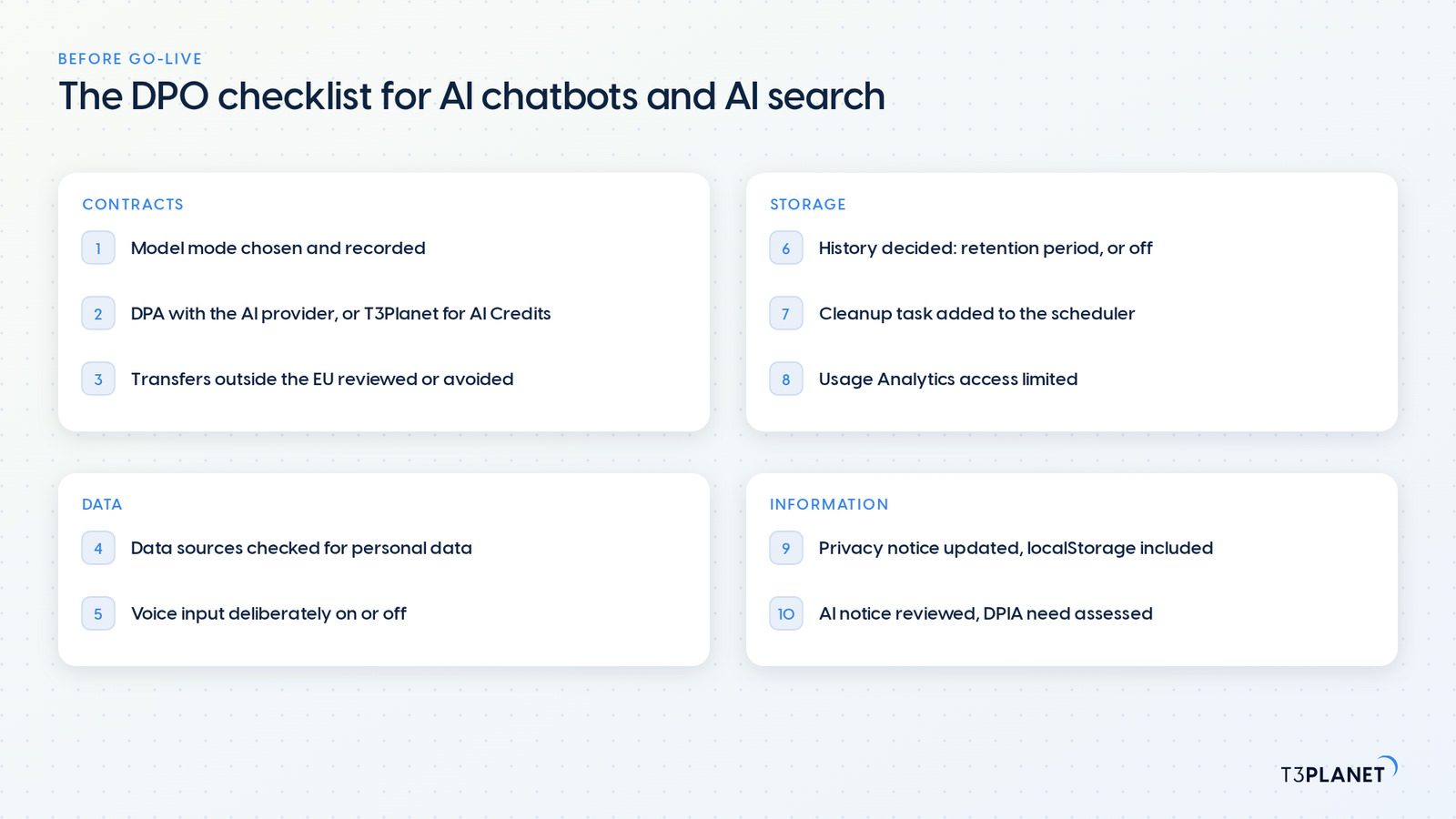
Settle these ten before go-live, and pass the list on together with the technical documentation for AI Chatbot and AI Search.
t3af:history:cleanup added to the scheduler.Jürgen, AI Consultant for TYPO3 at T3Planet, works through AI Chatbot and AI Search together with you, from the model choice to the cleanup task. T3Planet by NITSAN Technologies has been a TYPO3 Association Gold Member since 2011 and won a TYPO3 Award in 2018.
That depends on your configuration, not only on the software. Settle roles, contracts, retention and how visitors are informed. AI Chatbot and AI Search give you the switches and the documentation; your DPO makes the assessment.
No, as long as you run your own API key or a local model: all we receive is the licence check, with the key and the domain. The optional AI Credits are different, because there T3Planet routes requests to AI providers. Ask us for the DPA that covers it.
Yes. AI Foundation connects local models through Ollama or an OpenAI-compatible endpoint, and both extensions use the provider set there, including for the search index.
Yes. The embedded widget talks to your TYPO3 install, and the history lands there. Under External Embed, list only the domains where the chatbot may appear.
In the documentation for AI Chatbot and AI Search, in the "DPA & GDPR" section of each. It describes technical capabilities and is not legal advice. General questions are answered in our GDPR FAQ.
Jürgen Pietschmann
AI Consultant for TYPO3Jürgen Pietschmann is a T3Planet Product Consultant at T3Planet Shop. He specialises in integrating AI into editorial workflows – from intelligent content creation and automated SEO to AI-powered search and chatbot solutions for TYPO3 sites. As a technical consultant for T3Planet AI Universe, he works closely with agencies and editorial teams on practical TYPO3 implementations. Jürgen has been writing the This Month in TYPO3 series since December 2025 and has spoken at T3CON25 and TYPO3 Developer Days 2026 (T3DD26), where he co-presented Content Editing Unlocked.
More From Author