
Live Accessibility Checker for TYPO3: Catch Issues While You Edit
Accessibility


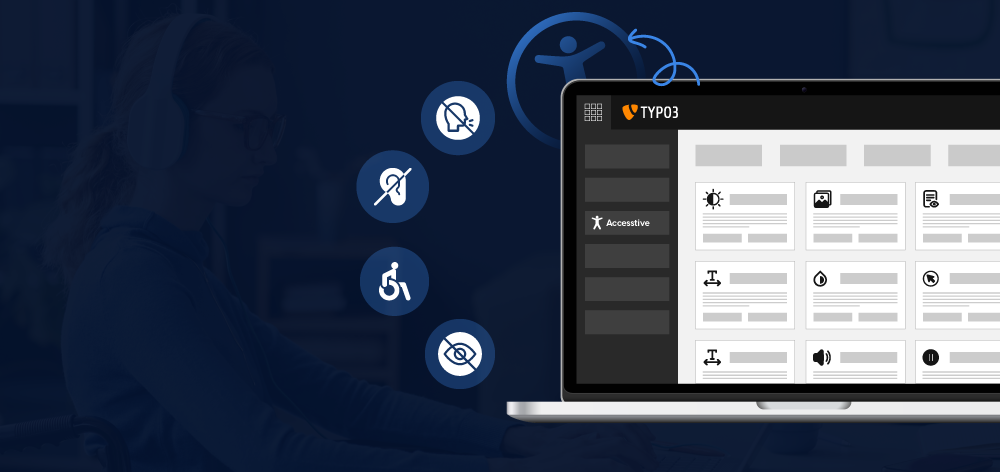
Web accessibility is a term we often hear these days, but how many websites truly follow accessibility standards? A recent study revealed that over 96% of the world’s top one million web pages are inaccessible. This means only 4% of online websites are truly barrier-free websites, leaving the vast majority of users with disabilities unable to access them.
Questions: What can businesses and developers do to create an inclusive online space?
Making your website accessible is no longer optional—it’s a necessity. It ensures everyone can access your content and services regardless of ability. Moreover, it’s a win-win situation for users, who get a seamless experience, and businesses, which benefit from increased reach, improved reputation, and legal compliance.
This article dives into why TYPO3 web accessibility is crucial and how you can implement it on your website—particularly using Open Source CMS TYPO3, a robust CMS known for its flexibility and accessibility-friendly features.
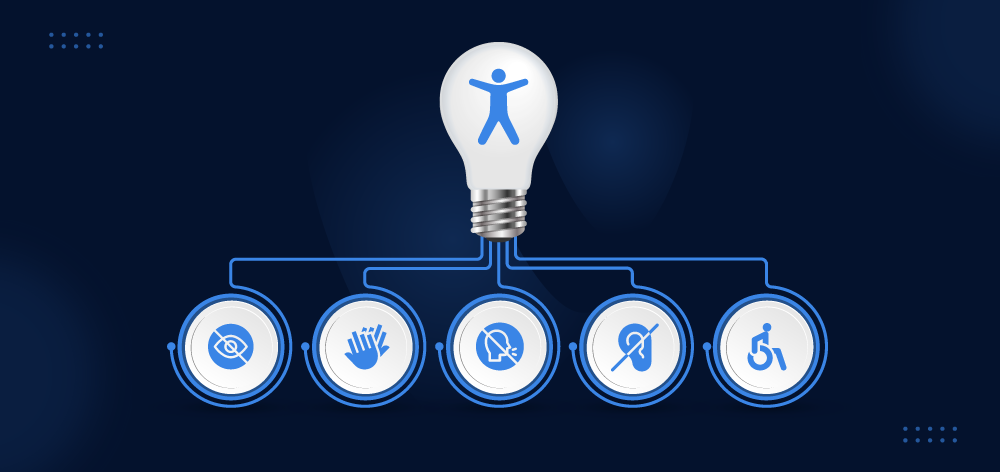
In simple terms, TYPO3 web Accessibility ensures that people with disabilities, such as those with visual impairments, hearing impairments, or mobility challenges, can easily access TYPO3 websites. Accessibility refers to creating websites and web applications designed to be usable by all individuals, regardless of their physical or technical abilities.
An accessible TYPO3 website is one where:
As a powerful and flexible content management system, TYPO3 offers a wide range of tools and features to create dynamic and engaging websites. But to ensure that your TYPO3 website is accessible to all users, it's crucial to prioritize accessibility best practices.
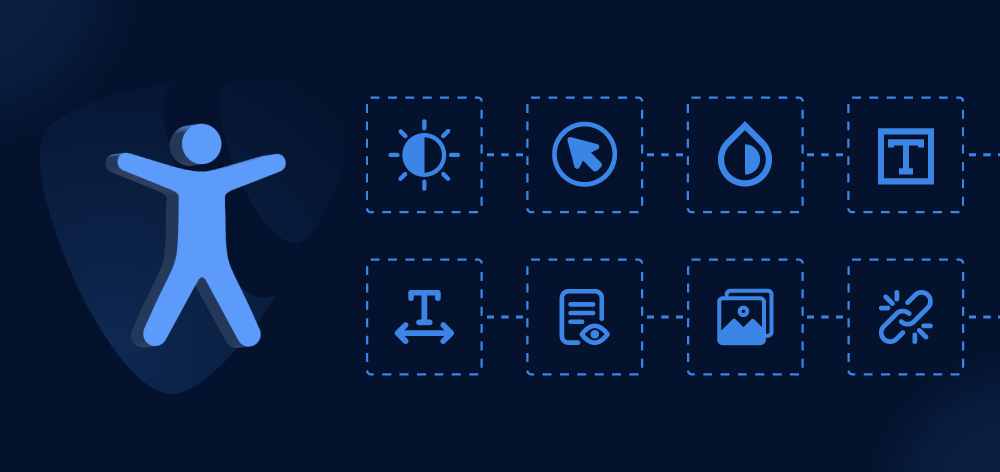
Creating a barrier-free TYPO3 website isn’t just about meeting legal requirements — it’s about building a better, more inclusive online experience for everyone. When you create an accessible website in TYPO3, you open doors to a wider audience, improve your site’s usability and enhance your SEO performance.
In Germany, two separate rules apply. BITV 2.0 is the German regulation that binds federal public bodies and has done for years. The Barrierefreiheitsstärkungsgesetz (BFSG) is newer and much wider: it brings the European Accessibility Act into German law and has applied to private-sector businesses selling to consumers since 28 June 2025. If you run a webshop, a booking flow, an online banking or ticketing service, this is the one that affects you.
You can read Accessibility Act 2025 here -
Reach a Broader TYPO3 Audience
Accessible TYPO3 websites are designed to cater to everyone, including people with disabilities, significantly expanding your potential audience.
If you are building an online website using TYPO3, before implementing WCAG compliance and making it accessible, you should consider these user satisfaction principles.
Read on to learn how TYPO3 developers can ensure their users are satisfied.
Boost Search Engine Rankings
Accessibility and SEO go hand in hand. When you implement accessibility on your TYPO3 site, you also improve your site's structure, making it easier for search engines to crawl and rank your content.
Enhanced User Experience
Accessibility features like intuitive navigation, readable text, and multimedia alternatives (e.g., captions and transcripts) make your TYPO3 website user-friendly for everyone—not just those with disabilities.
Future-Proof Your Website
TYPO3’s flexibility ensures your site remains accessible as technology and standards evolve.
If you’re using TYPO3, you already have the TYPO3 Extensions to create an accessible site. But why should it be at the top of your list?
Easy Navigation
TYPO3 makes it simple to move around your website.
Understandable Videos and Audio
Accessible Forms
Image ALT Text Descriptions for All
Here are common barriers users might face on a non-accessible website:
By addressing these barriers, you’re making your TYPO3 website a more inclusive space.
Making your TYPO3 site accessible ensures that everyone, including people with disabilities, can easily navigate and interact with your content. It's more than just meeting legal requirements—it's about creating a web experience that's inclusive for all. Here's everything you need to know about building an accessible website with TYPO3.
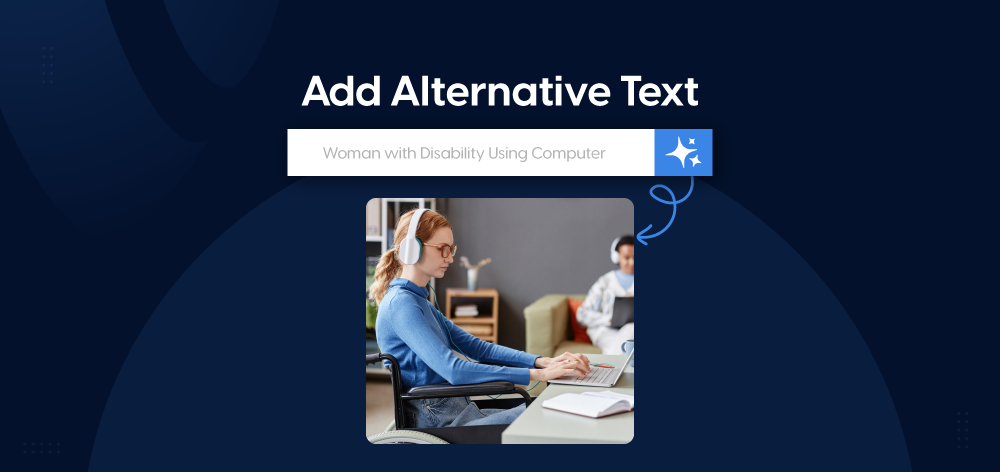
Make sure all non text content, such as images and videos, includes a text alternative. Use alt attributes for images and captions for videos. TYPO3 allows it easy to add this information directly in the backend. You can get help using AI Extension for TYPO3 which is designed to speed up your task.
<img src="image-source.jpg" alt="Description of the image" />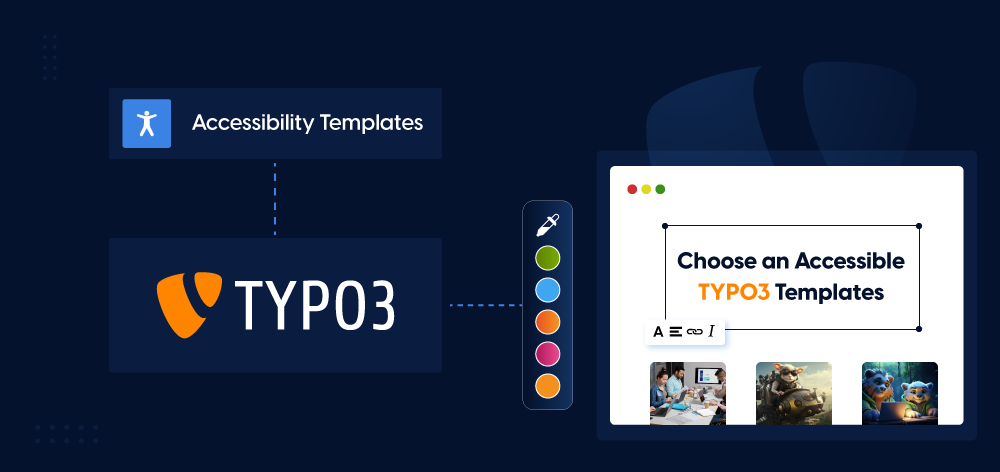
Not all themes are created equal. Look for TYPO3 template designed with accessibility in mind, ensuring they meet WCAG standards. You can easily purchase or obtain these themes from TYPO3 agencies or All-in-one shop that specialize in providing such solutions.
TYPO3 Bootstrap packages are originally based on the Bootstrap CSS framework. This technology is particularly helpful for accessibility features such as screen readers, screen magnification, and other assistive tools that improve the usability of websites for all users.
TYPO3 has a range of extensions that can enhance accessibility, such as screen reader compatibility or improved navigation. Check the TER (TYPO3 Extension Repository) for accessible options.
Use headings, lists, and tables properly to structure your content. TYPO3’s rich text editor makes it simple to create organized and easy-to-navigate content. You can also create AI-powered content in the TYPO3 Backend using the TYPO3 AI Extension. Here is how it works.
Ensure high contrast between text and background colors and avoid small fonts. TYPO3’s customizable templates allow you to adjust these settings and perform a quick accessibility check to make sure your pages are readable for all users.
Sometimes, extensions like T3AA provide voice-over features for your news, blogs, and pages, making your content accessible through audio. With T3AA, you can easily add voice-over functionality to your TYPO3 website, ensuring your content is accessible to users who prefer or rely on audio. See how TYPO3 AI can help you create content voice-overs effortlessly while keeping accessibility in mind.
The TYPO3 backend is the central hub where administrators, editors, and content managers handle website management, including content creation, template configuration, and extension installation. While much focus is placed on frontend accessibility, ensuring an accessible and barrier-free TYPO3 backend is just as important.
Some users rely on a keyboard rather than a mouse. Test your TYPO3 website to make sure it’s fully operable with just a keyboard.
Keep your language simple and clear. TYPO3 supports multilingual content, so you can localize your text for different audiences while maintaining readability.
Properly structured HTML is essential for accessibility in TYPO3. TYPO3 generates clean HTML, but you should also validate your code to ensure it’s error-free.
Blinking or flashing content might seem like a way to grab attention, but it can create serious accessibility issues. For some users, this type of content isn’t just distracting.
Add transcripts and captions for audio and video content. TYPO3 makes it easy to embed media and add accessibility features like captions.
With the Help of Some well-known extensions like T3AI TYPO3 AI Extension allows you to generate AI audios, voice-overs, and much more.
Familiarize yourself with these regulations to ensure compliance:
The Web Content Accessibility Guidelines (WCAG) are international rules for making web content accessible to everyone. There are three levels:
The EN 301 549 standard ensures digital products and services are accessible across Europe. Based on WCAG 2.1 (soon to include WCAG 2.2 updates), it provides rules to help organizations:
In Germany, BITV 2.0 sets specific rules for web accessibility, following these principles:
Perceivable: Content should be easy to see, hear, or read (e.g., use alt text for images).
BITV 2.0 builds on EN 301 549 but includes stricter rules, like ensuring PDFs are accessible. While public institutions must follow BITV 2.0, private companies should at least meet WCAG standards.
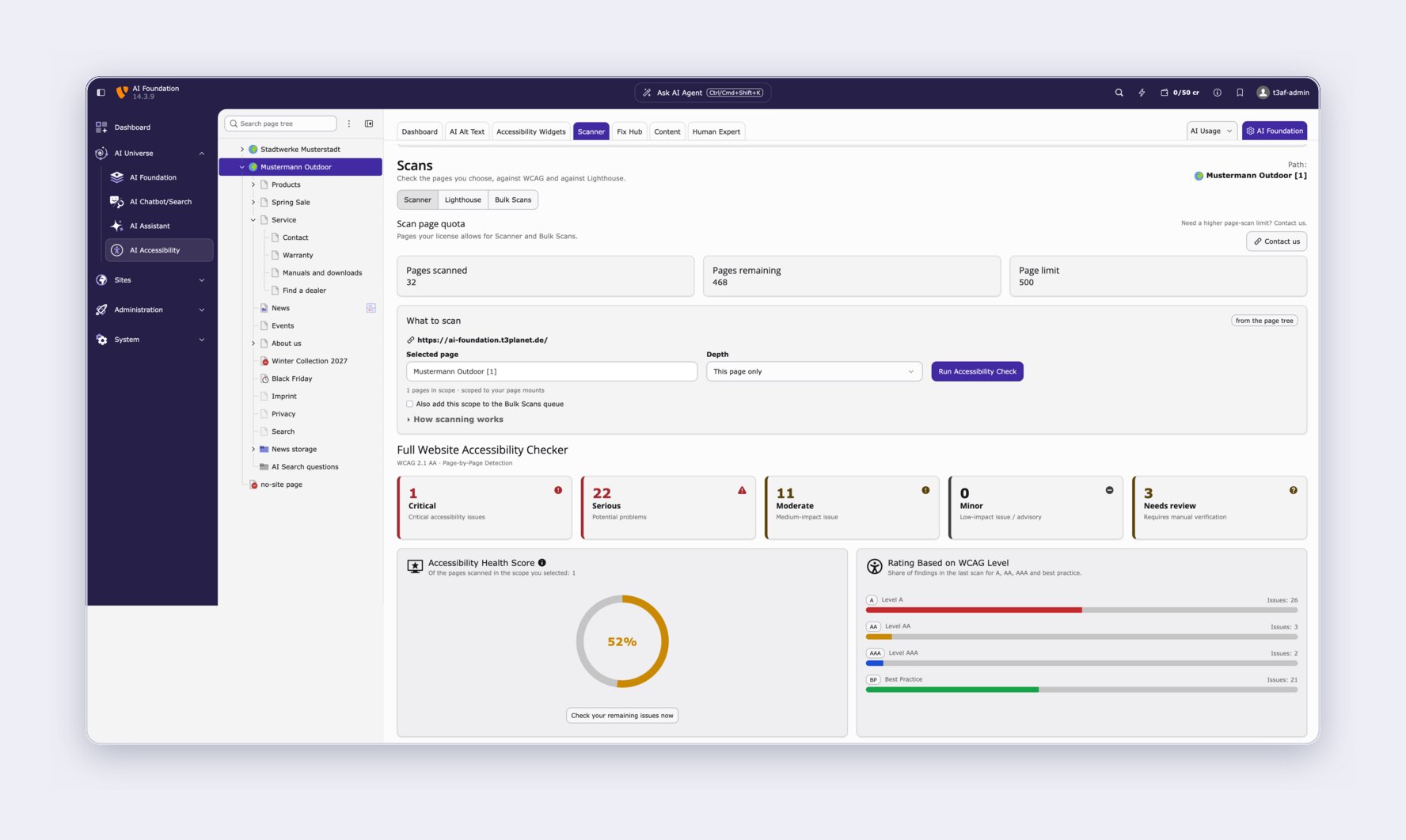
T3AA (AI Accessibility for TYPO3) is a premium TYPO3 extension that helps teams find, fix and track accessibility issues without leaving the TYPO3 backend. It supports your work towards WCAG 2.1/2.2, EN 301 549, BITV 2.0 and the German BFSG — on public-sector portals, university sites, and the private-sector consumer websites that have been in scope since June 2025.
The current release is version 14.4.1 (September 2026), compatible with TYPO3 12.4 LTS, 13.4 LTS and 14.x on PHP 8.2–8.4, installed via Composer (nitsan/ns-t3aa).
Most accessibility tools stop at a report. T3AA is built as a working loop your editors can actually run:
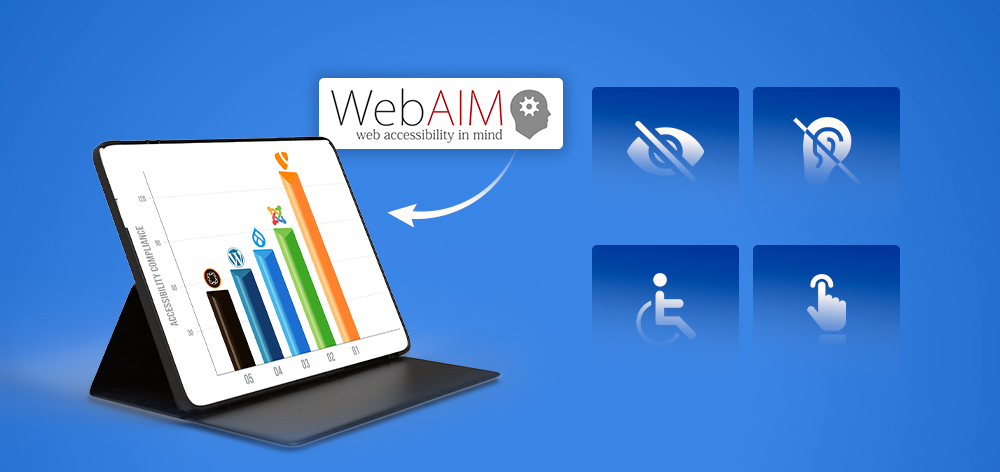
The 2026 WebAIM Million study tested one million home pages and found detectable WCAG failures on 95.9% of them, averaging 56.1 errors per page. The same handful of problems came up again and again: 83.9% had low-contrast text, 53.1% were missing alternative text, and 51% had form inputs with no label.
These are repetitive, high-volume problems — the kind that get skipped when a team is busy. That is where T3AA earns its place: it clears the bulk work so your people can spend their time on the judgement calls no scanner can make.
One caveat, stated plainly: automated testing only covers machine-checkable WCAG criteria. A high health score means the obvious failures are gone. It is not proof of conformance, and T3AA is not a compliance guarantee. Screen-reader flow, keyboard-trap logic and form usability still need a person.
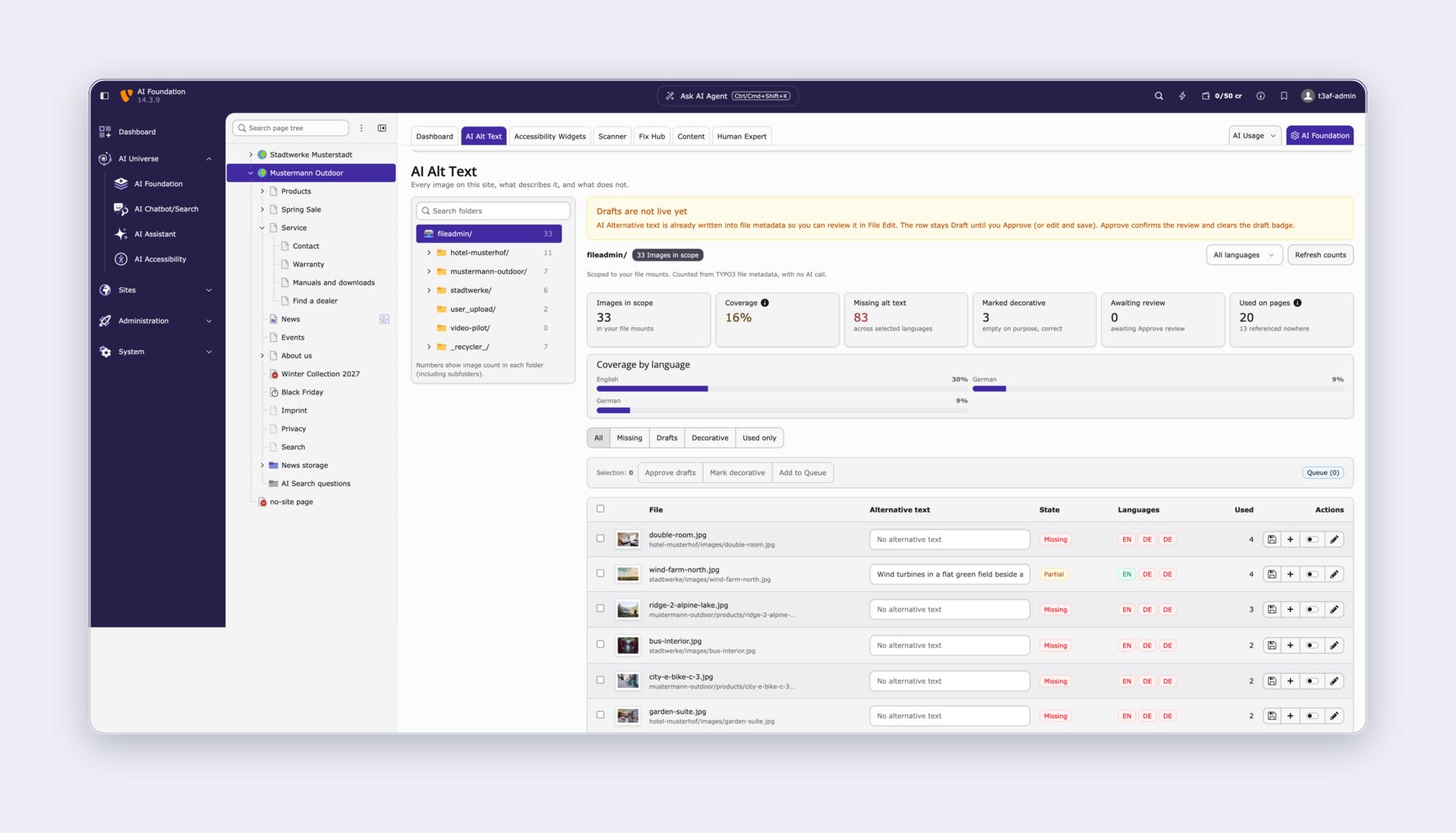
T3AA bundles the work into a handful of screens. Here is what each one does.
T3AA lists every image in your TYPO3 file mounts and shows you, per language, which ones have alternative text and which do not. You can generate alt text for a single image, a selection, or an entire folder, in several languages at once.
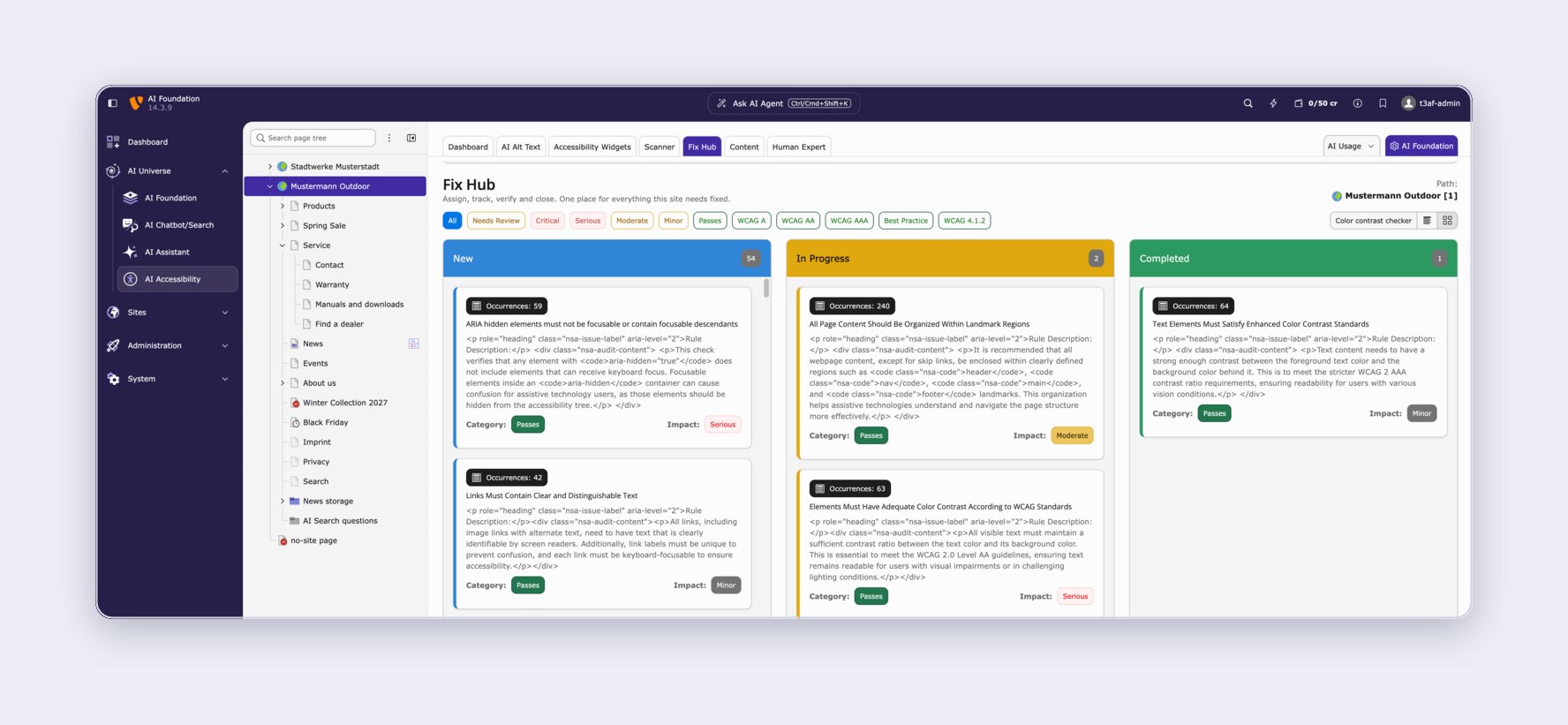
This is the part most accessibility tools are missing. Instead of handing you a PDF of problems, T3AA turns each finding into a card on a board that moves from New to In Progress to Completed.
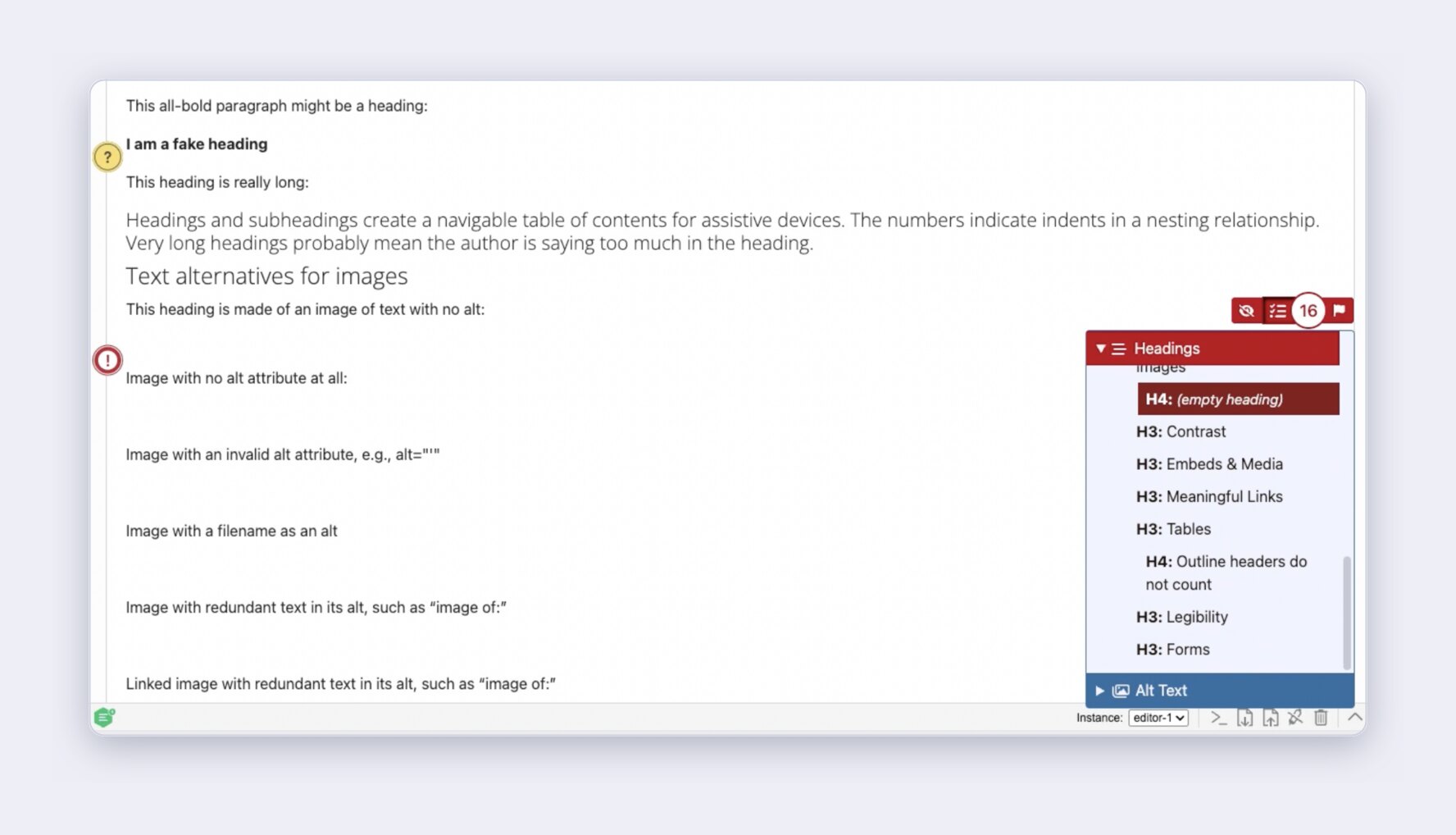
The Live Audit runs inside CKEditor and flags problems as the editor writes, not days later in a report. It needs no AI provider.
This one feature prevents more issues than any batch fix, because it stops them being published in the first place.
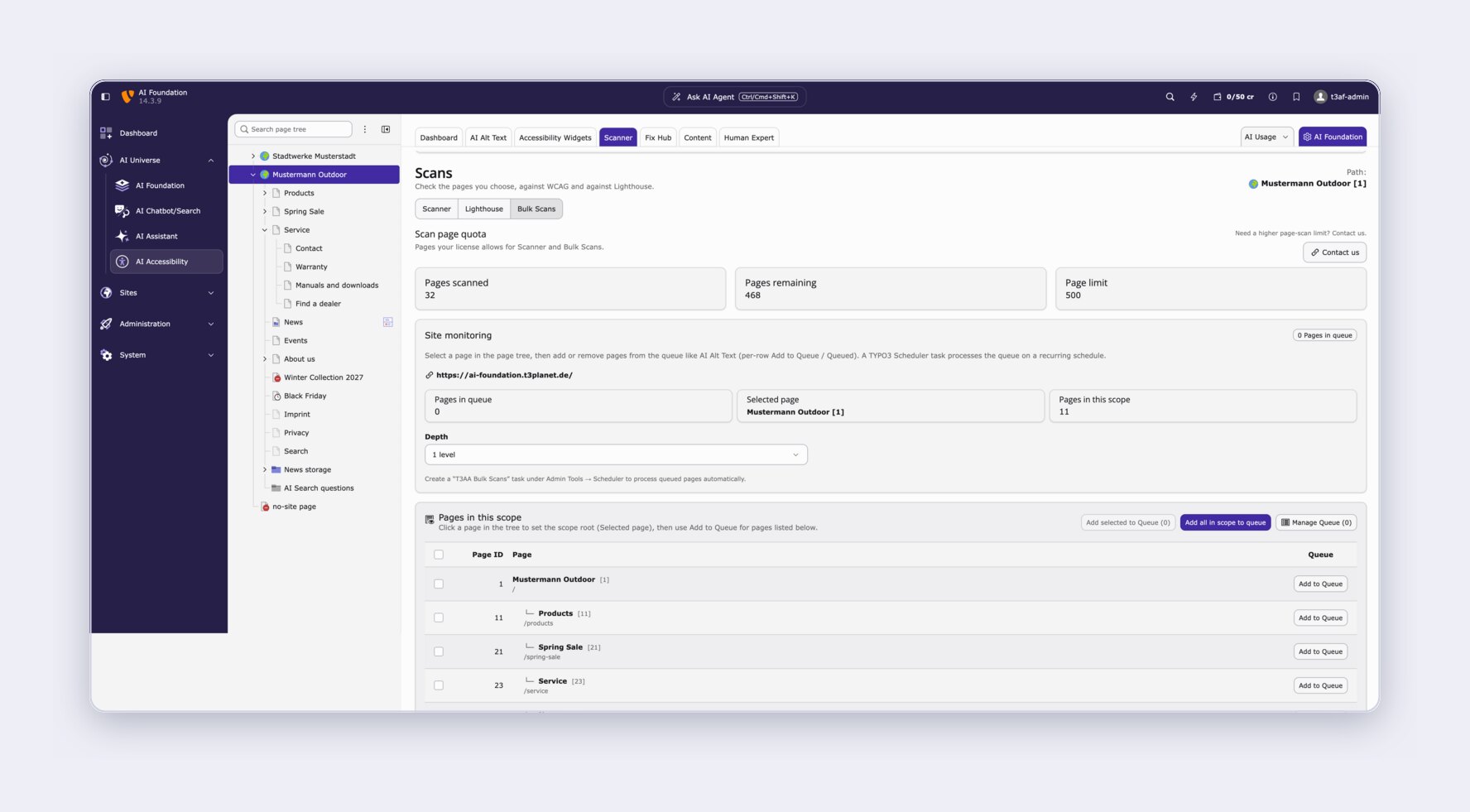
One page at a time does not scale. T3AA lets you pick a page tree and a depth, queue the whole scope, and let it run.
Scanning needs a publicly reachable URL. Pages behind a login, localhost and .ddev.site addresses cannot be scanned.
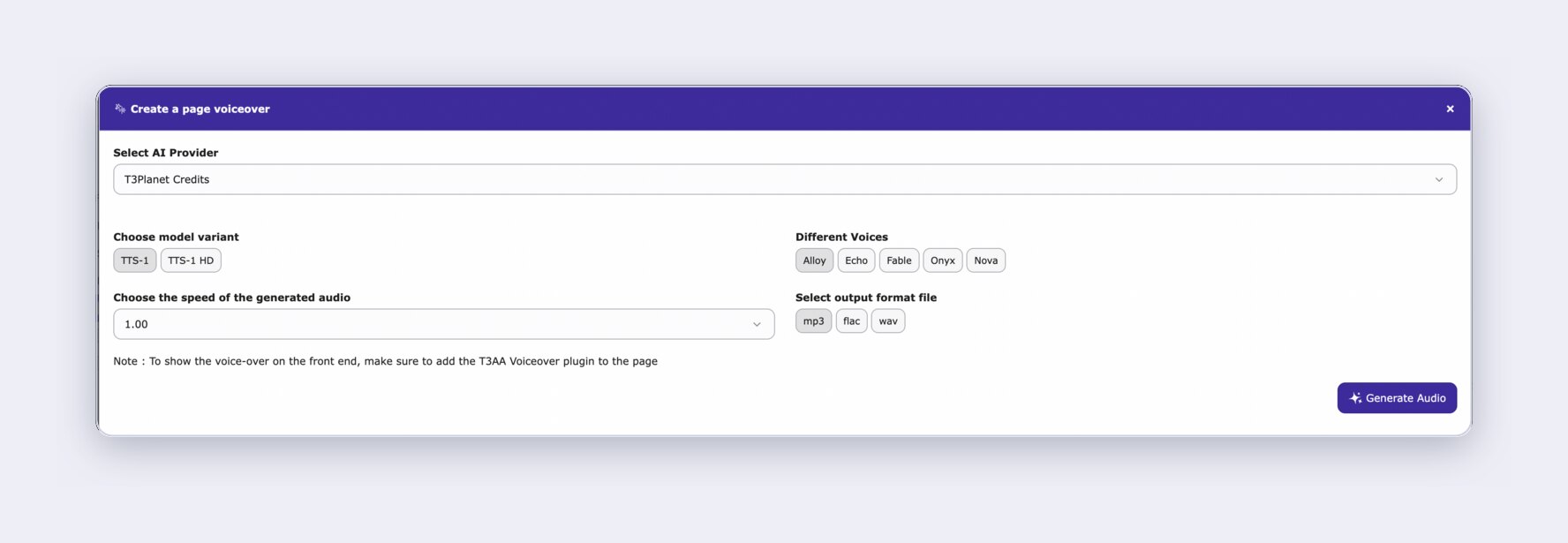
Some visitors would rather listen than read. For people with low vision, dyslexia or limited literacy, audio is often the difference between using a page and leaving it.
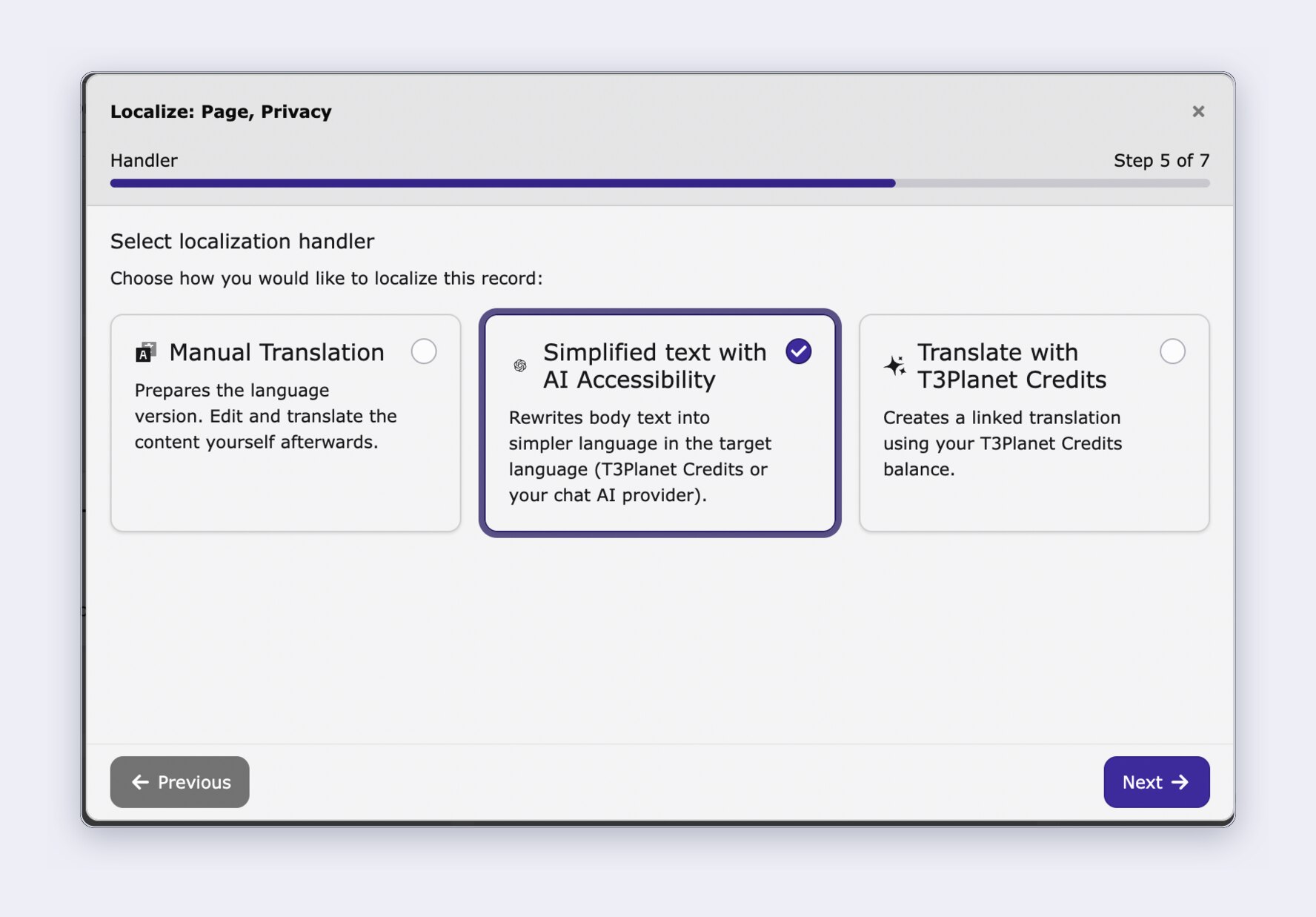
WCAG asks for content that is understandable, and plain language is the part most teams never get to. T3AA builds it into a workflow TYPO3 editors already know.
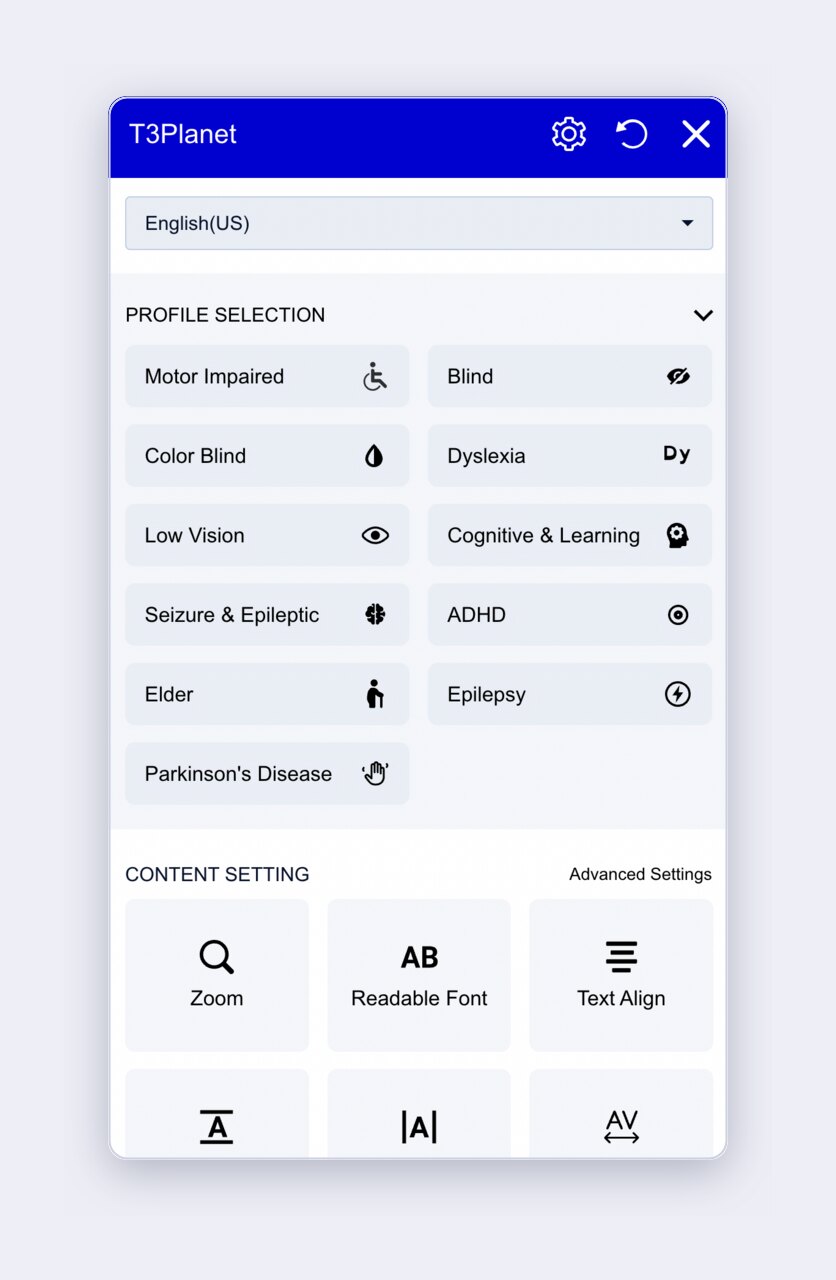
T3AA ships a frontend widget that lets visitors adapt your site themselves, without installing anything.
One important caveat: a widget is an aid for visitors, not a substitute for accessible markup. It does not on its own make your site meet WCAG or the BFSG. The fixes in your content and templates are what do that; the widget sits on top.
Automated testing reliably catches missing alternative text and colour-contrast failures. It does not catch screen-reader flow, keyboard-trap logic, form usability or cognitive load. Those need a person.
T3AA offers an optional managed review for exactly that: a trained specialist checks your new and updated pages each month and reports what the scanner missed. It runs alongside the automation rather than replacing it, and it is the honest answer to the limits described above. A scanner tells you your markup is clean; a person tells you whether your site is actually usable.
If you're building a website in TYPO3, it's important to follow accessibility rules to make your site usable for everyone—including people with disabilities. These are the four that matter most in Europe, and who each one applies to.
| Standard | Region | Who it applies to | In force |
| WCAG 2.1 / 2.2 | International | The technical baseline (Levels A, AA, AAA) that the laws below point to. AA is the usual target. | 2.1 since 2018, 2.2 since 2023 |
| EN 301 549 | EU | The European standard that turns WCAG into a procurement requirement; referenced by EU public-sector tenders. | Current version since 2021 |
| EAA / BFSG | EU / Germany | Private-sector businesses offering products and services to consumers — webshops, banking, ticketing, transport, e-books. | 28 June 2025 |
| BITV 2.0 | Germany | German federal public bodies and their websites, apps and intranets. | Since 2011, revised 2019 |
Two exemptions are worth knowing. Under the BFSG, microenterprises — fewer than 10 employees and annual turnover or balance sheet total of no more than €2 million — are exempt when it comes to services such as an online shop, though the exemption does not extend to products. And a shop that genuinely cannot conclude contracts with consumers, pure B2B, falls outside the scope.
This is general guidance rather than legal advice. If you aren’t sure where your organisation sits, check with your legal counsel.
Making your TYPO3 website accessible isn’t just about following the rules — it’s about creating a better experience for all your users. By prioritizing accessibility, you’re opening up your website to a wider audience, improving SEO, and showing your commitment to inclusivity.
Start implementing these steps today, and build a TYPO3 website that truly works for everyone.
T3AA is available now as version 14.4.1 for TYPO3 12.4, 13.4 and 14.x. You can start a 30-day free trial with no credit card, scan your first pages without configuring an AI provider at all, and see your accessibility health score the same afternoon.
If you’d rather have someone look at your site first, talk to our team — we’ll tell you honestly whether an extension is what you need.
Website accessibility means making sure everyone, including people with disabilities, can easily use your website. It’s important because it creates a better experience for all users, makes your site easier to navigate, and helps you meet legal obligations and web standards.
In practice, four standards matter most: WCAG 2.1 and 2.2 as the technical baseline, EN 301 549 for European procurement, BITV 2.0 for German public bodies, and the BFSG, which has applied to private-sector businesses selling to consumers in Germany since 28 June 2025.
Following Accessibility is important because:
Some of the most common accessibility issues include:
Yes. The main option built specifically for TYPO3 is T3AA (AI Accessibility for TYPO3), which works inside the TYPO3 backend rather than as an external scanner. It covers:
Alongside it, teams commonly use browser-based checkers such as WAVE and axe for spot checks. No automated tool covers everything — the machine-checkable criteria are only part of WCAG.
There are three levels of accessibility on websites :
TYPO3 Barrierefreiheit means making TYPO3 websites accessible to all users, including people with disabilities. It ensures compliance with legal standards like WCAG and BFSG, improves usability, and enhances SEO and reach.
T3AA (AI Accessibility for TYPO3) is built for exactly this. It scans your pages against WCAG, turns every finding into a tracked task in the Fix Hub, checks content live inside CKEditor while editors write, and generates alt text, plain-language versions and voiceovers for editor approval. It supports work towards WCAG 2.1/2.2, EN 301 549, BITV 2.0 and the German BFSG.
Current release 14.4.1, for TYPO3 12.4 LTS, 13.4 LTS and 14.x.
Start Free Trial
AI handles the repetitive, high-volume work: describing images that have no alternative text, rewriting content into plain language, generating voiceovers, and suggesting a fix for an individual finding. In T3AA every one of those outputs is a draft that an editor reviews and approves before it reaches visitors.
What AI does not do is decide whether your site is accessible. Scanning and contrast checking are deterministic rule checks rather than AI, and the issues that matter most — screen-reader flow, keyboard-trap logic, form usability and cognitive load — still need a person to judge. AI reduces the manual effort; it does not remove the responsibility.
Yes. A standard TYPO3 Barrierefreiheit checklist includes tasks like:
Extensions like T3AA offer a built-in compliance checklist.
Yes. T3AA supports work towards the German Barrierefreiheitsstärkungsgesetz (BFSG), which has applied to private-sector businesses selling to consumers since 28 June 2025, as well as BITV 2.0, EN 301 549 and WCAG 2.1/2.2. It scans against those criteria, tracks the fixes, and can generate an accessibility statement.
Two things are worth knowing. Microenterprises — fewer than 10 employees and no more than €2 million annual turnover or balance sheet total — are exempt for services such as an online shop, though not for products, and pure B2B offerings fall outside the scope. And no extension can promise compliance: automated testing only covers machine-checkable criteria, so a clean report is evidence of work done rather than a legal guarantee.
Use automated tools like TYPO3 Accessibility Extension, WAVE, axe, and TYPO3 Accessibility Analyzer to scan for issues like missing alt text, color contrast, ARIA labels, and keyboard focus traps. Manual testing by users with disabilities is also recommended.
Accessible TYPO3 websites improve user experience, reach a wider audience, reduce legal risks, boost SEO, and support corporate social responsibility (CSR) goals.
Stefan Reinhardt
Accessibility SpecialistAs the T3AI Ambassador, Stefan is dedicated to assisting and guiding you through the world of AI. He leads a successful digital agency that helps companies achieve lasting results through digital marketing.
More From Author