

Critical PHP security release (PHP2Shell): what TYPO3 site owners must do now
Security


If you’re not the only person running your TYPO3 website, you’ve probably needed to think about TYPO3 user roles. TYPO3 comes with a user role management system that defines what a specific user can and cannot do on your website.

Managing a growing TYPO3 website often means giving multiple users access to the backend. TYPO3 v14 includes a powerful role-based permission system that helps control what each user can view, edit, publish, or manage.
These access principles can also be applied to AI functionality. The AI Foundation for TYPO3 builds on TYPO3’s permission structure to control access to AI providers, tools, prompts, contexts, usage, and logs for different backend groups. Proper access control not only improves security but also keeps editorial workflows organized and efficient.
Since TYPO3 v9, the platform has introduced important permission and privilege updates, including the separation between administrators and system maintainers. TYPO3 v14 continues to improve backend access management with more flexible and enterprise-ready permission handling.
In this guide, you’ll learn:
For a broader TYPO3 hardening strategy, see TYPO3 Security Guide
TYPO3 v14 uses a layered permission architecture to control backend access securely and efficiently. Every backend user is assigned one or more backend user groups, which define what modules, pages, files, and database tables the user can access.
Permissions in TYPO3 are managed through:
TYPO3 combines permissions from all assigned groups. This means users inherit access from multiple groups at the same time, allowing flexible role-based access control (RBAC) for enterprise editorial workflows.
Administrators bypass most restrictions, while System Maintainers have additional access to sensitive system-level tools and configuration settings in TYPO3 v14.
TYPO3 v14 provides different backend privilege levels to control access to administrative and editorial features. Standard backend users only access the modules, pages, and files assigned through user groups and permissions. This keeps editors focused on their specific tasks without exposing sensitive system settings.
Administrators have broad backend access, including user management, system modules, and configuration tools. However, TYPO3 separates critical system-level access through the System Maintainer role. System Maintainers can access advanced tools such as the Install Tool and extension management features.
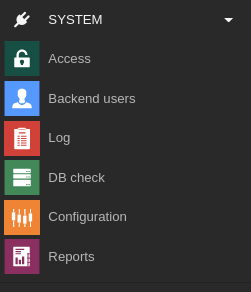
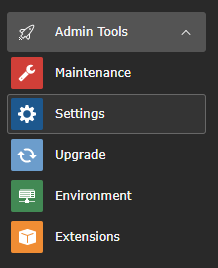
TYPO3 follows the principle of least privilege, meaning users should only receive the permissions required for their responsibilities. This improves security, reduces accidental changes, and creates cleaner editorial workflows.
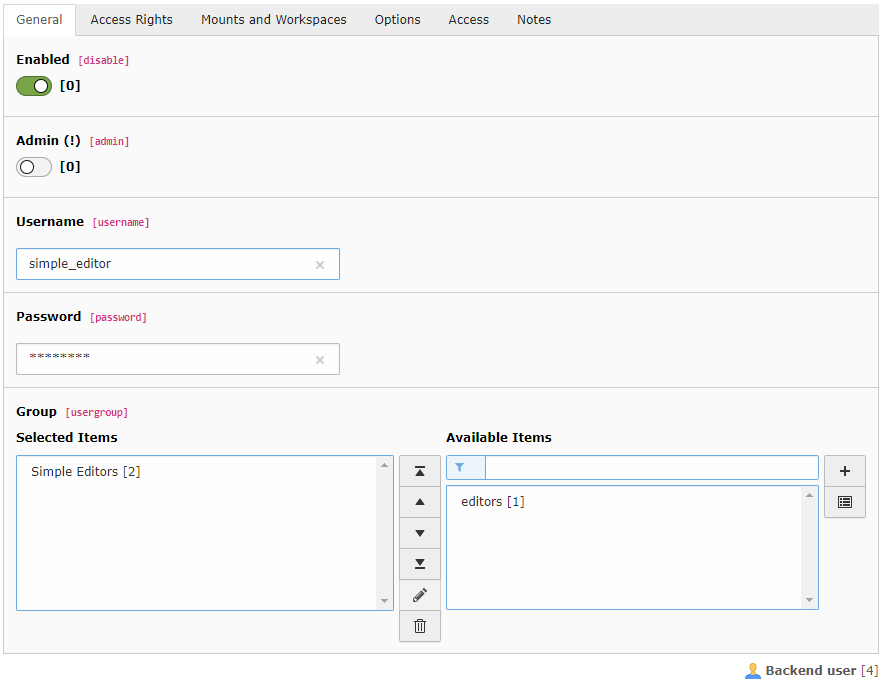
TYPO3 backend user groups make permission management scalable and easier to maintain across teams. Instead of assigning permissions individually, administrators can manage access centrally through groups.
TYPO3 commonly uses:
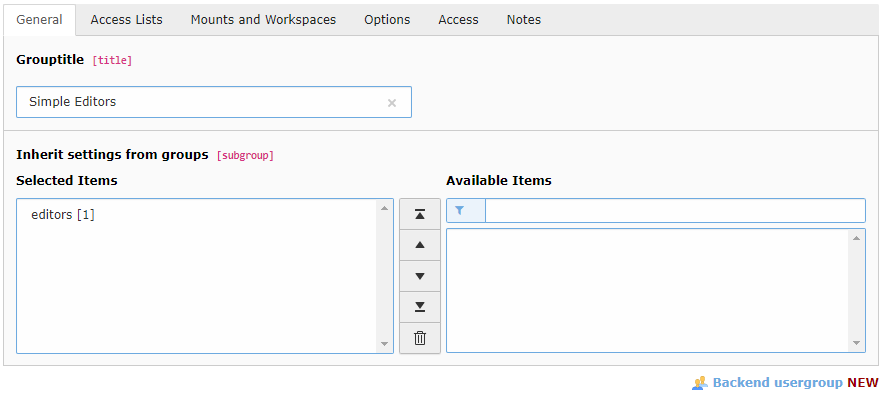
TYPO3 also supports nested groups and permission inheritance. Users can belong to multiple groups, and TYPO3 combines all assigned permissions automatically.
For scalable TYPO3 v14 projects, it is best to separate permissions into smaller reusable groups instead of creating one large permission set. This improves security, simplifies maintenance, and supports enterprise editorial workflows more effectively.
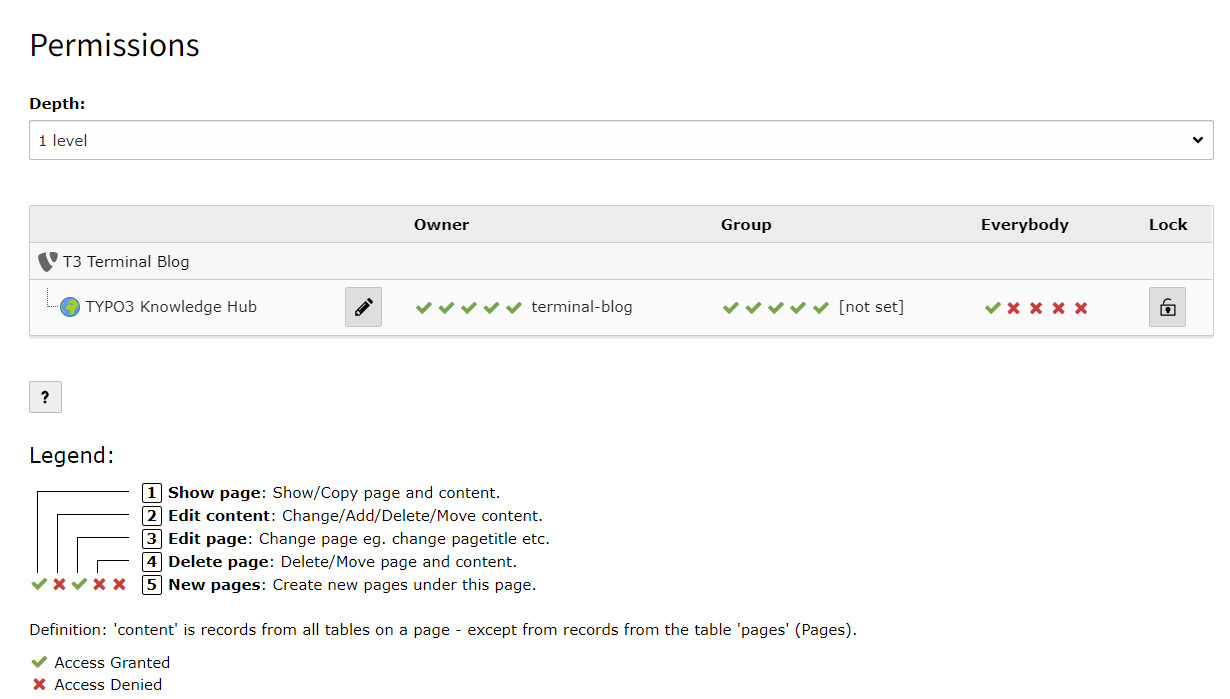
TYPO3 v14 page permissions control who can access and manage pages within the backend. Permissions are typically assigned to the page Owner, a specific Group, or Everybody, allowing administrators to define how editors interact with content.
TYPO3 permissions can allow users to:
Permissions can also work recursively, meaning child pages inherit access settings from parent pages unless configured differently. TYPO3 combines permissions from assigned backend user groups, helping organizations create flexible editorial workflows across large websites.
Common permission issues usually occur when users are missing database mounts, group assignments, or page access rights. Following a structured permission strategy helps avoid backend access conflicts and improves TYPO3 security.
TYPO3 v14 uses file mounts to control which folders and media libraries backend users can access. File mounts are commonly assigned through backend user groups and help separate media access between departments, editors, or websites.
Media permissions determine whether users can:
Administrators can also restrict allowed file types and upload locations for additional security. This is especially useful for enterprise TYPO3 projects with multiple editorial teams.
Well-configured media permissions create smoother editor workflows, reduce accidental file changes, and keep TYPO3 media management secure and organized.
TYPO3 v14 workspaces help teams manage content changes safely before publishing them live. Editors can create draft versions of pages and content, while reviewers or publishers approve the changes before they appear on the website.
Workspace permissions allow administrators to control:
This separation between editors and reviewers improves content quality, reduces publishing errors, and supports structured editorial workflows. TYPO3 workspaces are especially useful for enterprise websites, multilingual projects, and large editorial teams where multiple users collaborate on content updates.
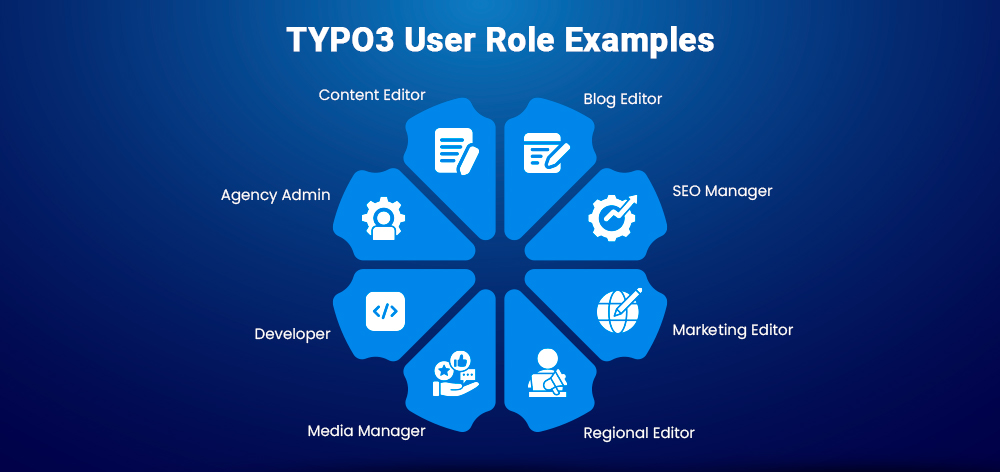
TYPO3 v14 supports flexible role-based access control for different editorial and administrative responsibilities.
Common backend roles include:
Using dedicated TYPO3 user groups for each role helps organizations maintain security, simplify workflows, and scale editorial operations efficiently.
Creating backend user groups in TYPO3 v14 allows administrators to manage permissions centrally and assign access based on editorial responsibilities.
Go to List in the TYPO3 backend and select the root page.
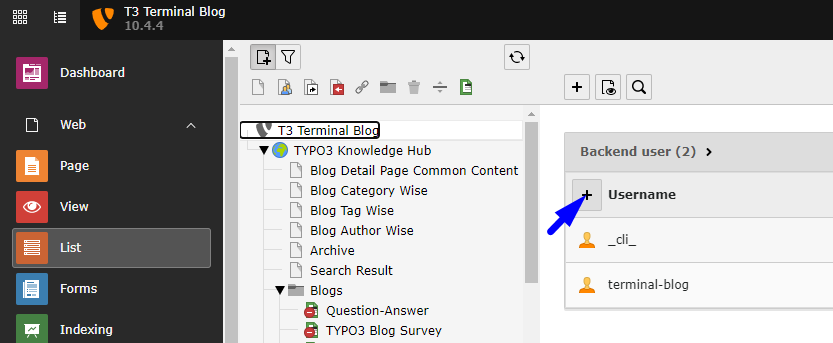
Create a new record and choose Backend User Group.
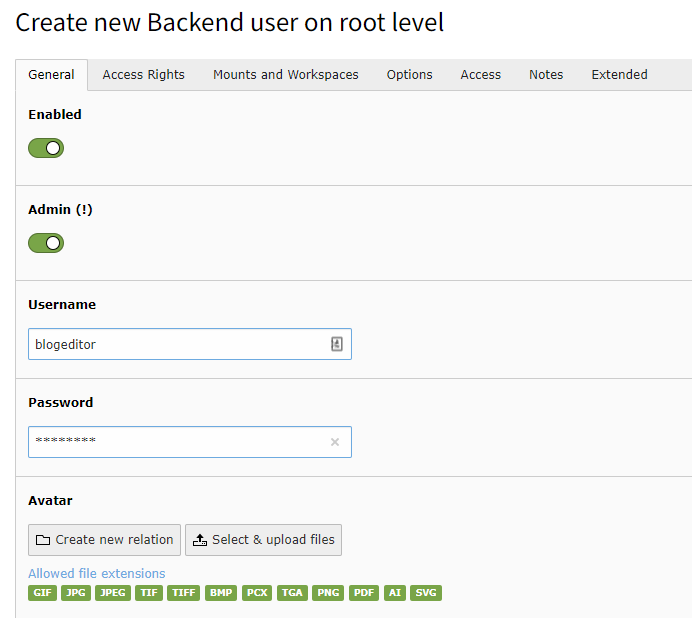
Enter a clear and descriptive group title such as:
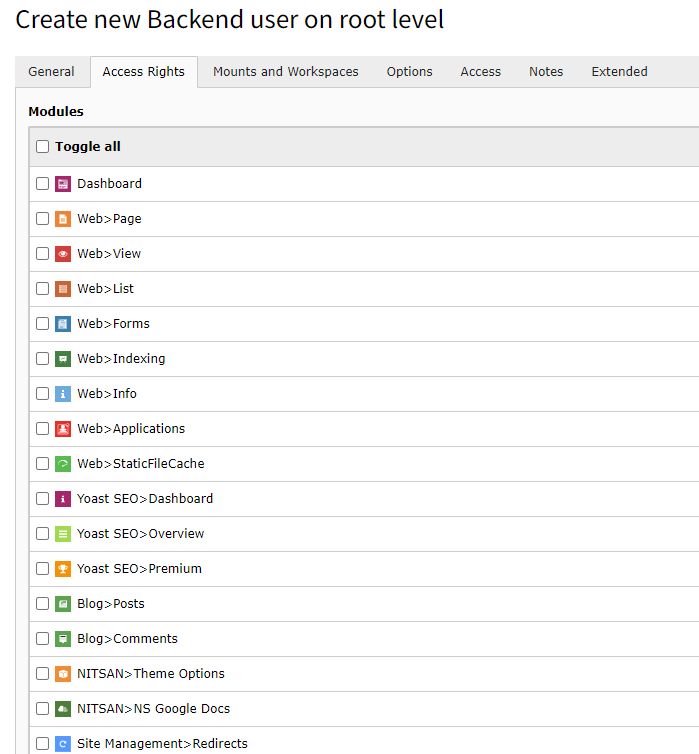
Open the Access Lists tab and enable Include Access Lists.
Configure the required permissions:
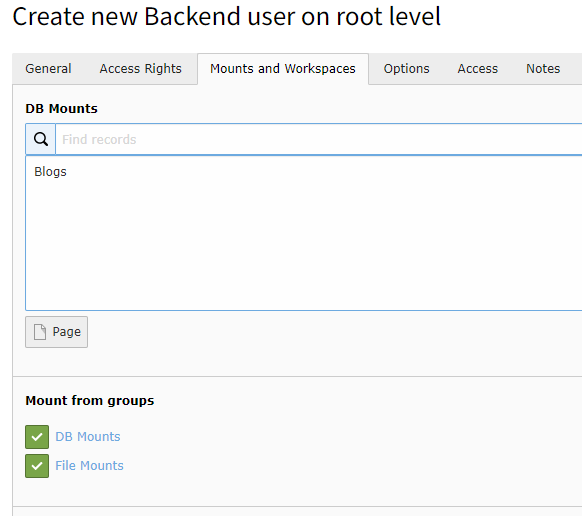
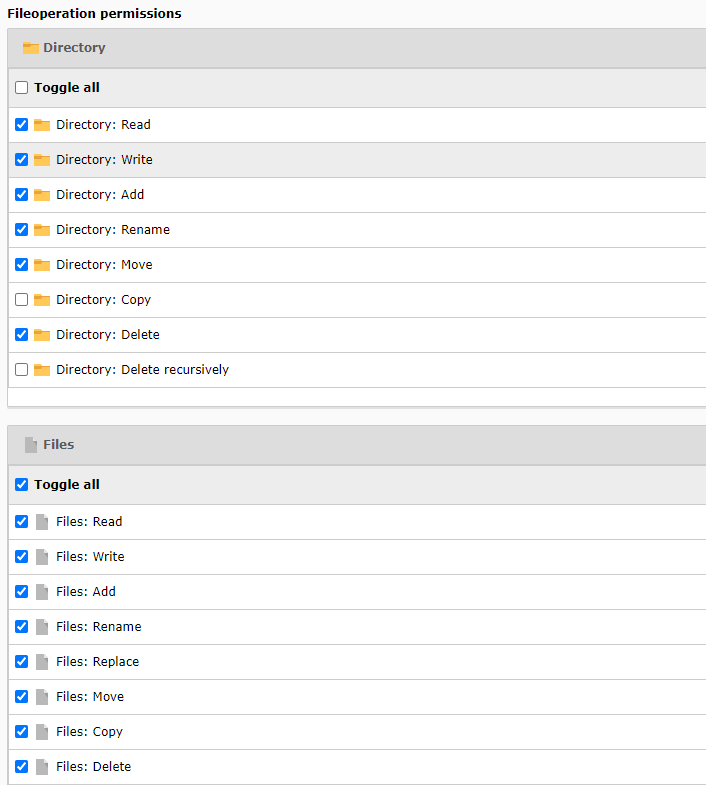
Open the Mounts and Workspaces tab.
Configure:
Enable:
Save the backend user group configuration.
Backend users are individual TYPO3 accounts used by editors, developers, and administrators to access the backend securely.
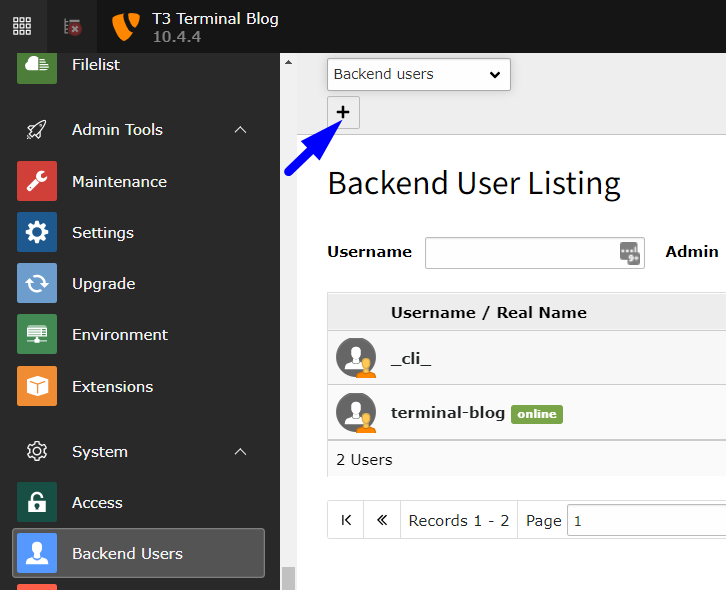
Go to:
System → Backend Users
Create a new backend user.
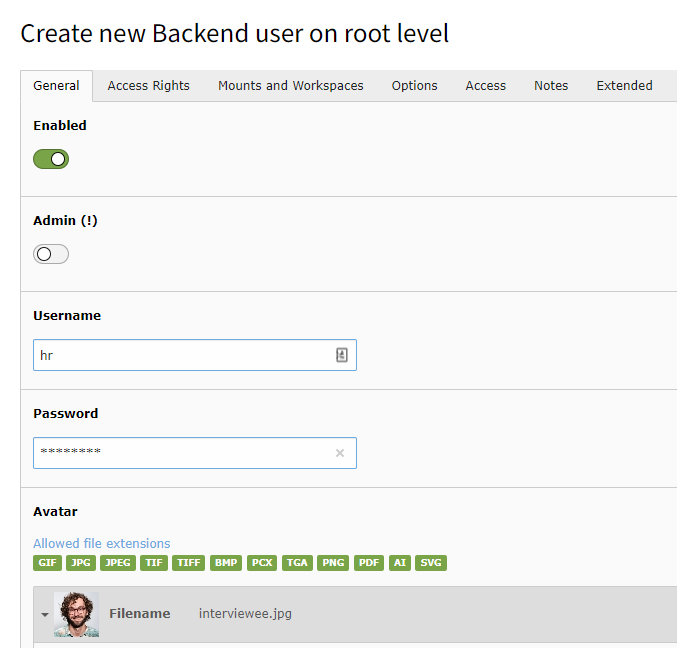
Fill in:
Only enable Admin access for trusted administrators who require full backend control.
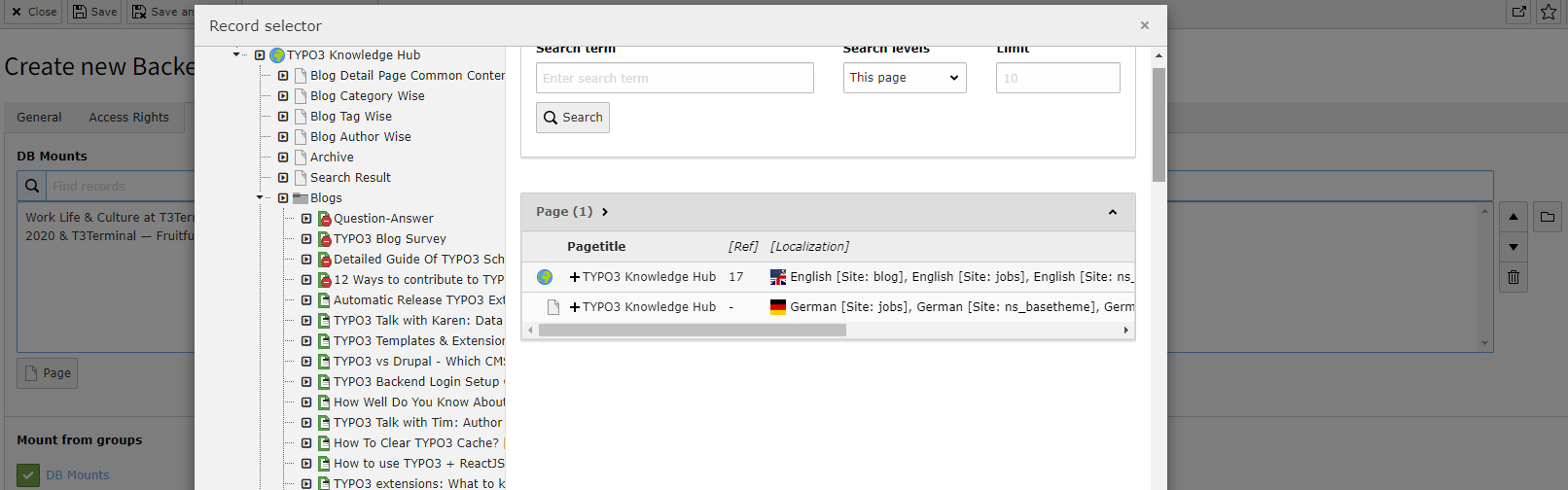
Open the Mounts and Workspaces tab.
Configure:
Database mounts determine which sections of the TYPO3 page tree the user can access.
Save the backend user configuration.
Go to:
Web → Access
Check whether:
Increase the page tree depth if needed to review nested permissions across the website structure.
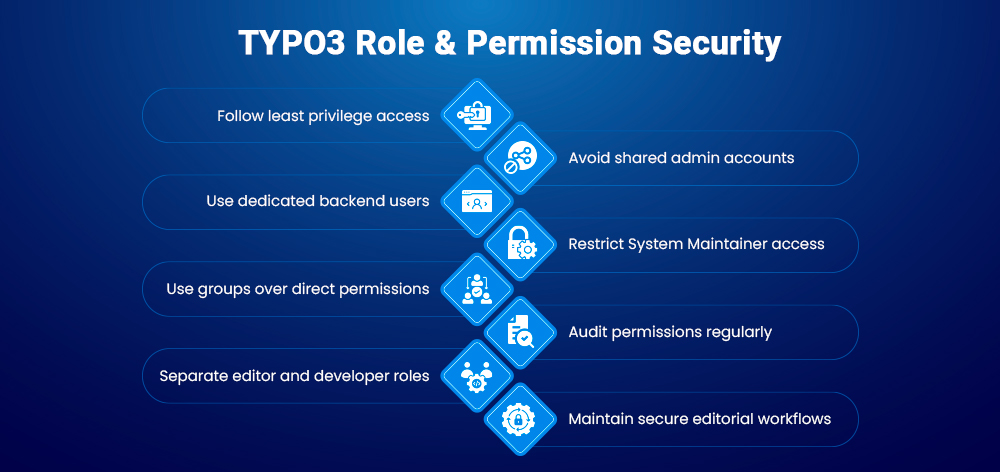
TYPO3 v14 permissions should always follow the principle of least privilege, meaning users only receive the access required for their specific responsibilities. This reduces security risks and prevents accidental system changes.
For secure TYPO3 backend management:
For enterprise TYPO3 projects, permission governance becomes especially important. Structured role management, limited admin access, and clearly separated editorial workflows help organizations maintain scalability, compliance, and backend security across large teams and multisite environments.
Permission issues in TYPO3 v14 are often caused by incorrect mounts, missing group assignments, or incomplete access settings.
Common TYPO3 permission problems include:
Most TYPO3 backend access issues can be solved by reviewing:
Using a structured permission architecture makes TYPO3 troubleshooting much easier and prevents long-term access conflicts.
TYPO3 v14 is designed for enterprise websites with complex editorial workflows, multiple departments, and multisite management requirements. Its flexible permission architecture allows organizations to control backend access across teams, regions, and languages without compromising security.
Enterprise TYPO3 projects commonly use:
By combining backend user groups, mounts, workspaces, and role-based permissions, TYPO3 helps organizations maintain secure and scalable backend governance across large digital ecosystems.
TYPO3 v14 offers one of the most flexible and enterprise-ready permission systems available in a CMS. Its role-based access control architecture allows organizations to manage backend users, editorial workflows, page permissions, file access, and system privileges with precision.
By using structured backend user groups, controlled admin access, workspaces, and secure permission inheritance, businesses can improve both security and editorial efficiency. TYPO3’s granular access control is especially valuable for enterprise websites, multilingual platforms, and large editorial teams.
A well-planned TYPO3 permission strategy not only protects sensitive system areas but also creates cleaner workflows, better governance, and scalable backend management as your website grows.
TYPO3 user roles define what backend users can view, edit, publish, or manage within the TYPO3 backend.
Administrators manage backend operations and users, while System Maintainers have additional access to system-level tools such as the Install Tool and extension management.
TYPO3 combines permissions from backend user groups, page permissions, mounts, and access lists to control backend access.
Backend user groups are reusable permission sets that allow administrators to manage access for multiple users efficiently.
Database mounts define which sections of the TYPO3 page tree a backend user can access.
File mounts control access to media folders and uploaded files inside the TYPO3 backend.
Yes. TYPO3 allows administrators to restrict page access using page permissions, user groups, and database mounts.
This is usually caused by missing page permissions, incorrect DB mounts, or missing backend group access.
No. TYPO3 recommends following the principle of least privilege and only granting admin access when necessary.
Yes. TYPO3 v14 provides advanced role-based access control (RBAC), multilingual governance, workspaces, and multisite permission management for enterprise projects.

Markus Neumann
Template Support ManagerMarkus lives and breathes TYPO3 templates. Known for his structured thinking and eye for detail, he has helped hundreds of customers build faster, cleaner TYPO3 websites through T3Planet Shop. If there’s a template issue, Markus has probably solved it before.
More From Author