
 AI Assistant
 AI Chatbot
 AI Search
 AI Accessibility
 AI Localization
 AI Builder
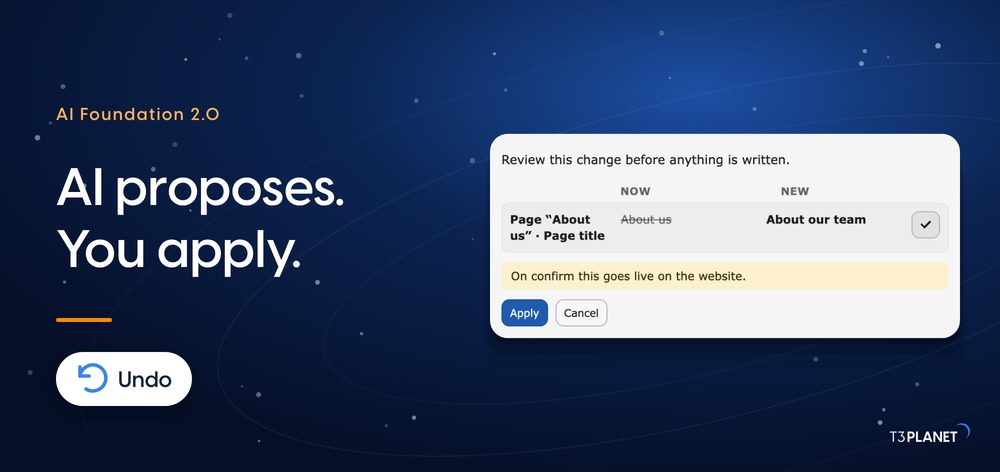
AI Agent for TYPO3: AI Foundation 2.0 Writes Only When You Say So
AI


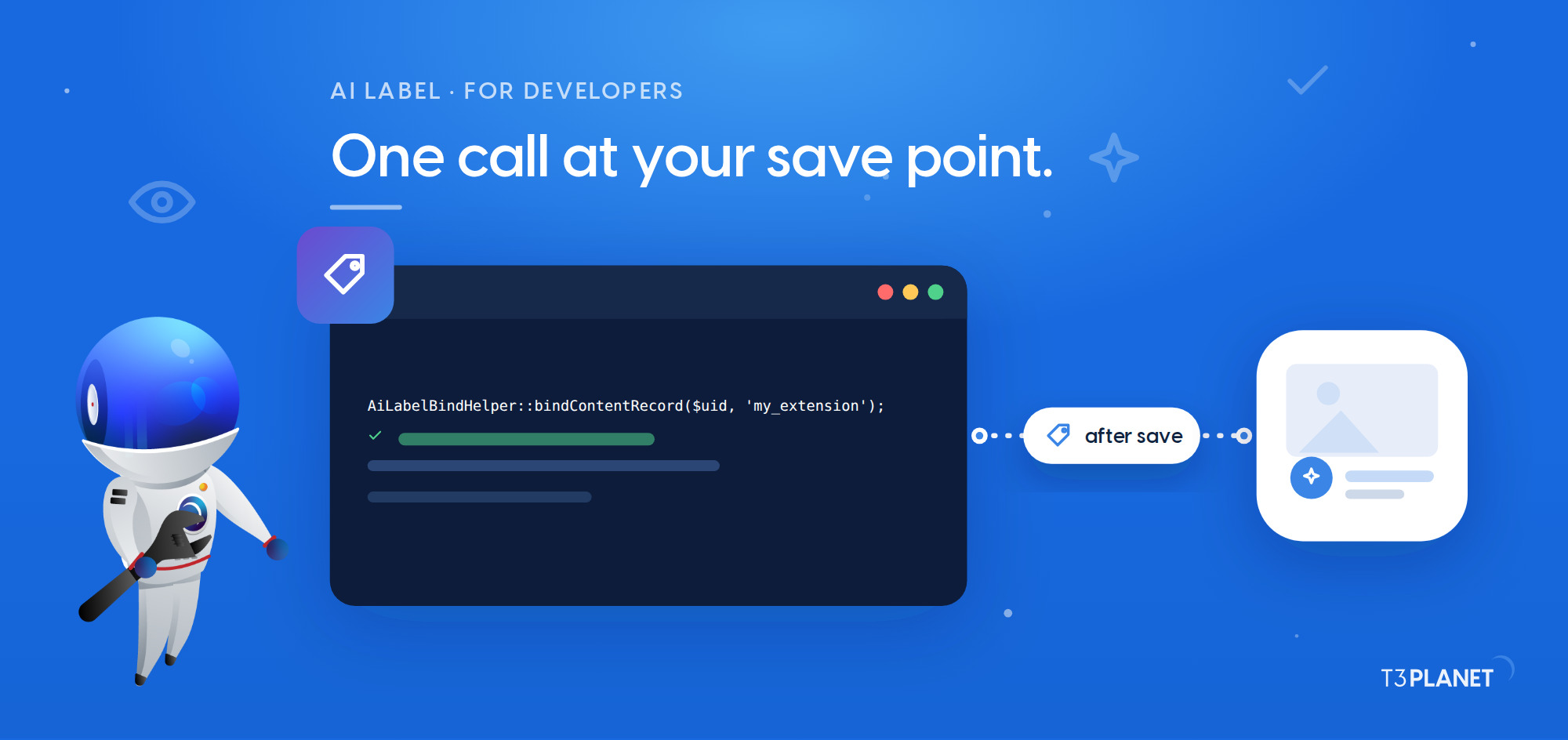
Your extension generates a text, writes it to tt_content, and the trail ends there. Months later somebody has to say which paragraphs came from a model and which came from a person, and the honest answer is that nobody knows any more. Every AI feature in TYPO3 has this problem, and it is not solved by adding one more checkbox to one more backend form.
AI Label in AI Foundation solves it once, for every extension on the installation. Since AI Foundation is open source under GPL-2.0-or-later, your extension can use it today. This is AI Label integration for TYPO3 from end to end: one event listener, one call at your save point, one ViewHelper in your template. The worked example uses EXT:news, because most of us have one in production.
The duty behind all of this is Article 50 of the EU AI Act, which has applied since 2 August 2026 and which we cover in the article on the EU AI Act for TYPO3. What editors do with it day to day is in the article on AI content labelling in TYPO3. This one is for the person writing the extension.
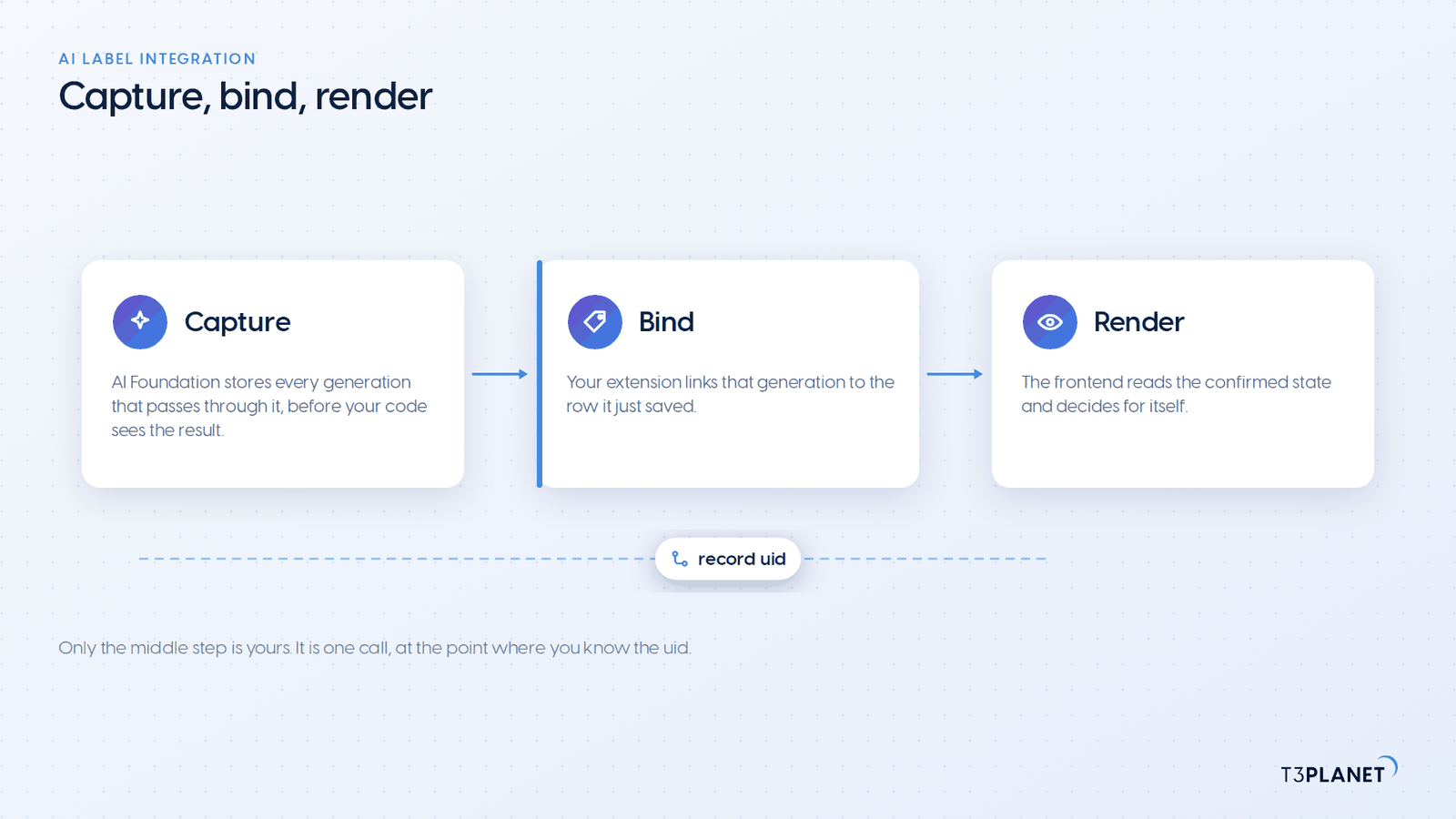
Three things, and you build none of them. Your extension gets a record of origin attached to the row it just saved, an editor-facing review and confirm step in the AI Label backend module, and a visitor badge on the frontend that renders from the confirmed state using the official European Commission icons. On a project running Fluid Styled Content, the badge appears with no template modification at all.
What you write is the middle piece: the line that says "this row, that generation". Everything on either side of it already exists.
| Concern | Who owns it | What it costs you |
| Storing the generation | AI Foundation, automatically | Nothing, it happens inside the service layer |
| Linking a generation to your saved record | Your extension | One call at the point where you know the uid |
| Database columns on your own table | AI Foundation | One event listener and one database analysis |
| Editor review, confirmation, rules | AI Foundation | Nothing |
| Visitor badge and its icons | AI Foundation | One site set dependency, or one ViewHelper |
| Evidence export for an auditor | AI Foundation | Nothing |
composer require nitsan/ns-t3af, then activate it. It runs on TYPO3 v12 to v14 with PHP 8.2 or newer. It is free and open source, with no licence key, no registration and no domain limit, which the article on the free AI extension for TYPO3 covers in full.pages, tt_content and sys_file_metadata are supported out of the box. Your own table takes one extra step, which is step 1 below.AiServiceInterface, the generation is captured for you and carries a correlation id. If it calls a provider directly, everything here still works, you just use step 3 instead of step 2.Note: You do not need a configured AI provider to use AI Label. The labelling side runs without one, so an installation can adopt it before it adopts anything else.
Capture is automatic. Every generation that passes through AI Foundation is stored in tx_nst3af_ailabel_generation before your code ever sees the result. This is deliberate and it is the design decision that makes the rest cheap: capture sits inside the service layer where generation actually happens, so a record and its generation share one transaction, and no extension has to remember to report anything.
Bind is yours. A captured generation is not yet attached to anything a visitor can see. Your extension is the only code that knows which database row the output ended up in, so it is the only code that can make that link. One call, at the point of persistence.
Render reads the confirmed state. The frontend never asks your extension anything. It reads the columns on the record and the settings in the module, and decides for itself whether a badge is due.
The reason this is worth knowing before the code: if you find yourself writing origin-reporting calls in a dozen places, you have taken a wrong turn. There is one place, and it is where you save.
pages, tt_content and sys_file_metadata already carry the AI Label columns. For your own table, add it through CollectApplicableTablesEvent.
use NITSAN\NsT3AF\AiLabel\Event\CollectApplicableTablesEvent;
use TYPO3\CMS\Core\Attribute\AsEventListener;

#[AsEventListener]
final class RegisterNewsTableForAiLabel
{
    public function __invoke(CollectApplicableTablesEvent $event): void
    {
        $event->addTable('tx_news_domain_model_news');
    }
}The same thing can be done without code, in AI Label, Settings, Applicable tables, or through $GLOBALS['TYPO3_CONF_VARS']['EXTCONF']['ns_t3af']['ailabelApplicableTables']. Use the event when the table belongs to your extension and should be registered wherever your extension is installed.
AI Foundation then contributes the column definitions for that table. Your record gains its own origin fields, among them tx_nst3af_ailabel_involvement, tx_nst3af_ailabel_recording_source, tx_nst3af_ailabel_confirmed_by and tx_nst3af_ailabel_confirmed_at. They are the evidence trail, and they live on the record rather than in a side table, which is what keeps them with the content through a copy, a workspace or an export.
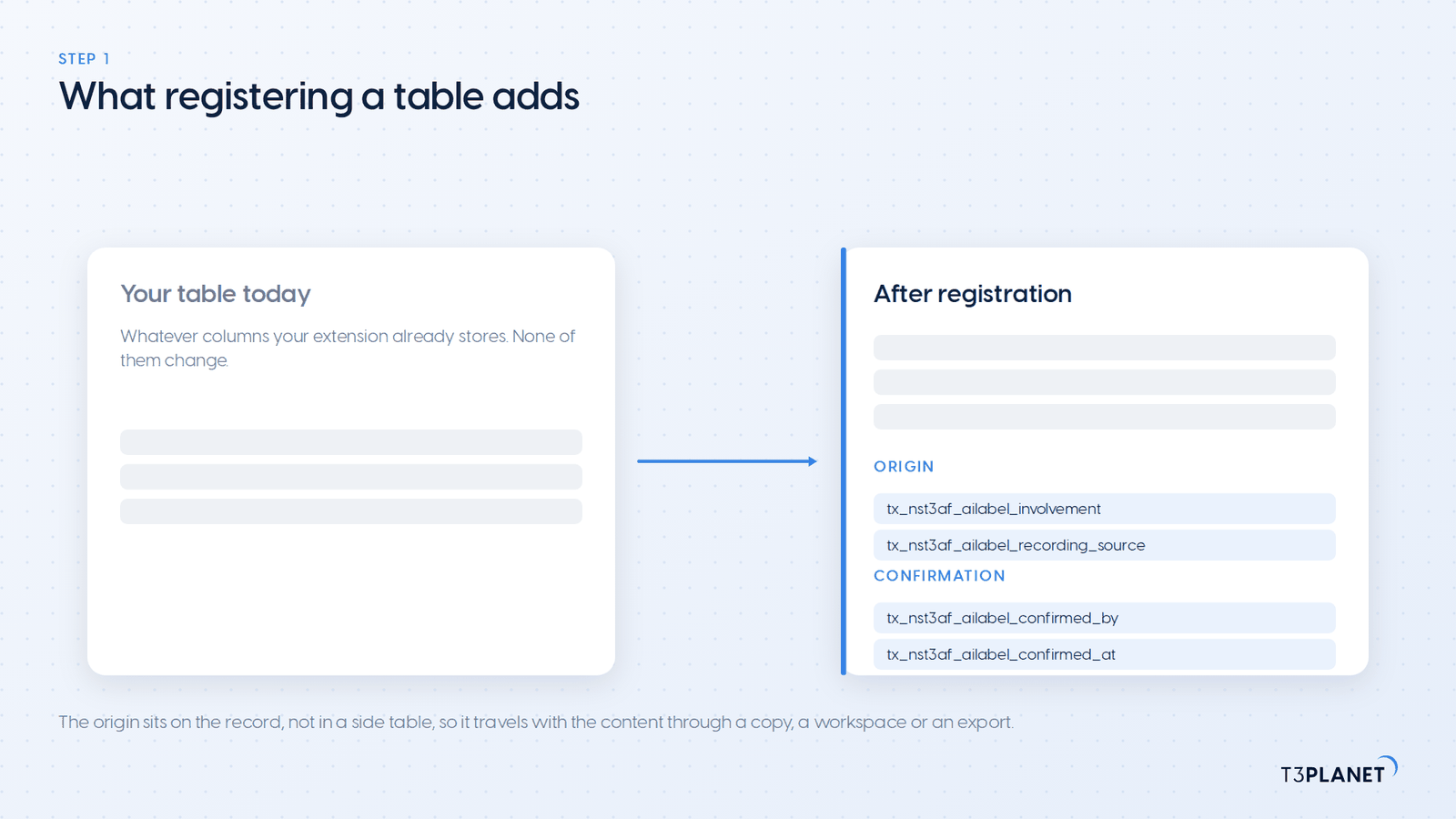
Note: After adding a table, run Maintenance, Analyze Database Structure. The columns are contributed as schema fragments, so until the analysis runs they do not exist, and every call in step 2 will look like it silently did nothing.
Call AiLabelBindHelper at the point where your extension knows the final uid, after the DataHandler or your repository has persisted.
use NITSAN\NsT3AF\AiLabel\Service\AiLabelBindHelper;

// after DataHandler or repository save
AiLabelBindHelper::bindContentRecord($uid, 'my_extension');
AiLabelBindHelper::bindPageRecord($uid, 'my_extension');
AiLabelBindHelper::bindFileMetadata($metaUid, 'my_extension');
AiLabelBindHelper::bindRecord('tx_news_domain_model_news', $uid, 'my_extension');Pass your own extension key as the source. It is stored as the recording source, it is what the evidence export shows an auditor, and it is what the auto-confirm rules in the module key on. A generic value costs you nothing today and costs the site owner an explanation later.
The helper handles both cases on its own. If a capture correlation id is present in the current request, it binds the stored generation to your row. If there is none, for example because the save happens in a follow-up request after asynchronous file processing, it records the origin directly instead. You do not branch on this.
If you want the integration to be optional, guard it. One class check keeps your extension working on installations that do not have AI Foundation.
if ($uid <= 0 || !class_exists(AiLabelBindHelper::class)) {
    return;
}

AiLabelBindHelper::bindContentRecord($uid, 'my_extension');That is the guard our own reference extension uses. EXT:ns_t3af_extended on GitHub is a public repository that demonstrates every integration hook, and its T3afExtendedAiLabelBinder is this tutorial in twenty lines, with ns_t3af_extended as its recording source. Its MCP tool t3af_extended_summarize_content writes a summary into tt_content and binds it in the same request, which is the shortest way to watch a bind arrive in the module without writing anything yourself.
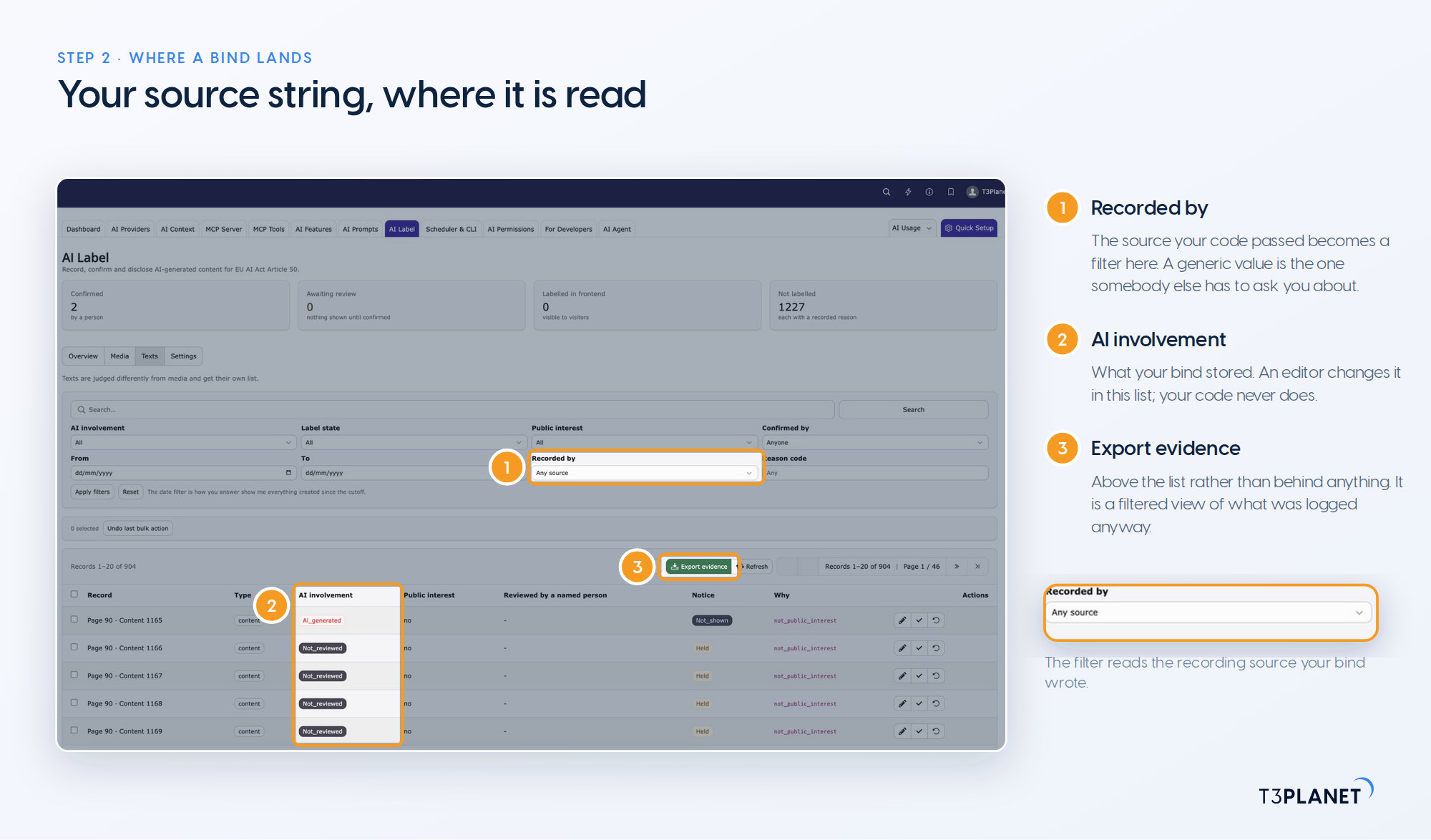
One trap worth naming. bindFileMetadata() takes an altTextOnly flag. Set it when only the metadata text changed, alternative text, title or description, and leave it alone when the file itself was generated.
// The alternative text was generated. The photograph was not.
AiLabelBindHelper::bindFileMetadata($metaUid, 'my_extension', altTextOnly: true);A photograph whose alternative text a model wrote is not an AI-generated image, and stamping it as one makes a claim about your editorial process that is not true. Marking too much is as much of a statement as marking too little.
Sovereign TYPO3 AI

T3AFThe base every extension runs on. Manage providers, prompts, permissions and costs in one place.
When your extension talks to a provider directly, there is no capture to bind. Report the origin yourself through the public interface.
use NITSAN\NsT3AF\AiLabel\Domain\Involvement;
use NITSAN\NsT3AF\Api\AiLabelRecorderInterface;
use TYPO3\CMS\Core\Utility\GeneralUtility;

$recorder = GeneralUtility::makeInstance(AiLabelRecorderInterface::class);
$recorder->recordOrigin(
    'tt_content',
    $uid,
    Involvement::AiGenerated,
    'my_extension',
    aiSystem: 'gpt-4',
    aiVendor: 'openai',
);AiLabelRecorderInterface also carries three convenience methods, markGenerated(), markModified() and clearInvolvement(), each of which resets the confirmation because the content changed. All of them throw \InvalidArgumentException when the table is not registered, which is the failure you want: an unregistered table is a configuration mistake, not something to swallow.
| Value | Use it when |
not_reviewed | Default. No editor has decided anything yet |
no_ai | An editor asserts there was no AI involvement |
ai_generated | The content was substantially created by AI |
ai_modified | AI changed content that already existed |
origin_unknown | The role of AI cannot be established |
suggestion | The system detected or suggested it, and a person has not looked yet |
A bind from a child extension always stores ai_generated. An editor can change it afterwards in the module, and that is the correct direction of travel: your code reports what happened, a person decides what it means.
On a Fluid Styled Content project, the content element badge and the image overlay are already there once the TypoScript is loaded. You only reach for the ViewHelpers when you render records yourself.
Add the site set to your sitepackage and import its setup.
dependencies:
- nitsan/ns-t3af-label@import 'EXT:ns_t3af/Configuration/TypoScript/setup.typoscript'That second block is not optional, and it is the one people miss. Listing a site set as a dependency does not load its TypoScript. On a classic template setup, include the static template "AI Foundation labels" instead, or import the same file.
The ail namespace is registered by AI Foundation, so your template can use it directly.
<html xmlns:ail="http://typo3.org/ns/NITSAN/NsT3AF/AiLabel/ViewHelpers"
      data-namespace-typo3-fluid="true">
    <ail:label record="{data}" table="tt_content" />
    <ail:label file="{file}" />
</html>When you want the state without the markup, because your design places the notice somewhere of its own, assign it and read it.
<ail:recordState record="{data}" table="tt_content" as="labelState" />
<f:if condition="{labelState.showLabel}">
    <p class="ai-notice">{labelState.involvementKey}</p>
</f:if>

<ail:fileState file="{image}" as="labelState" />The object you get back carries the involvement, whether a person confirmed it, whether a badge is due at all, and the reason code behind that decision.
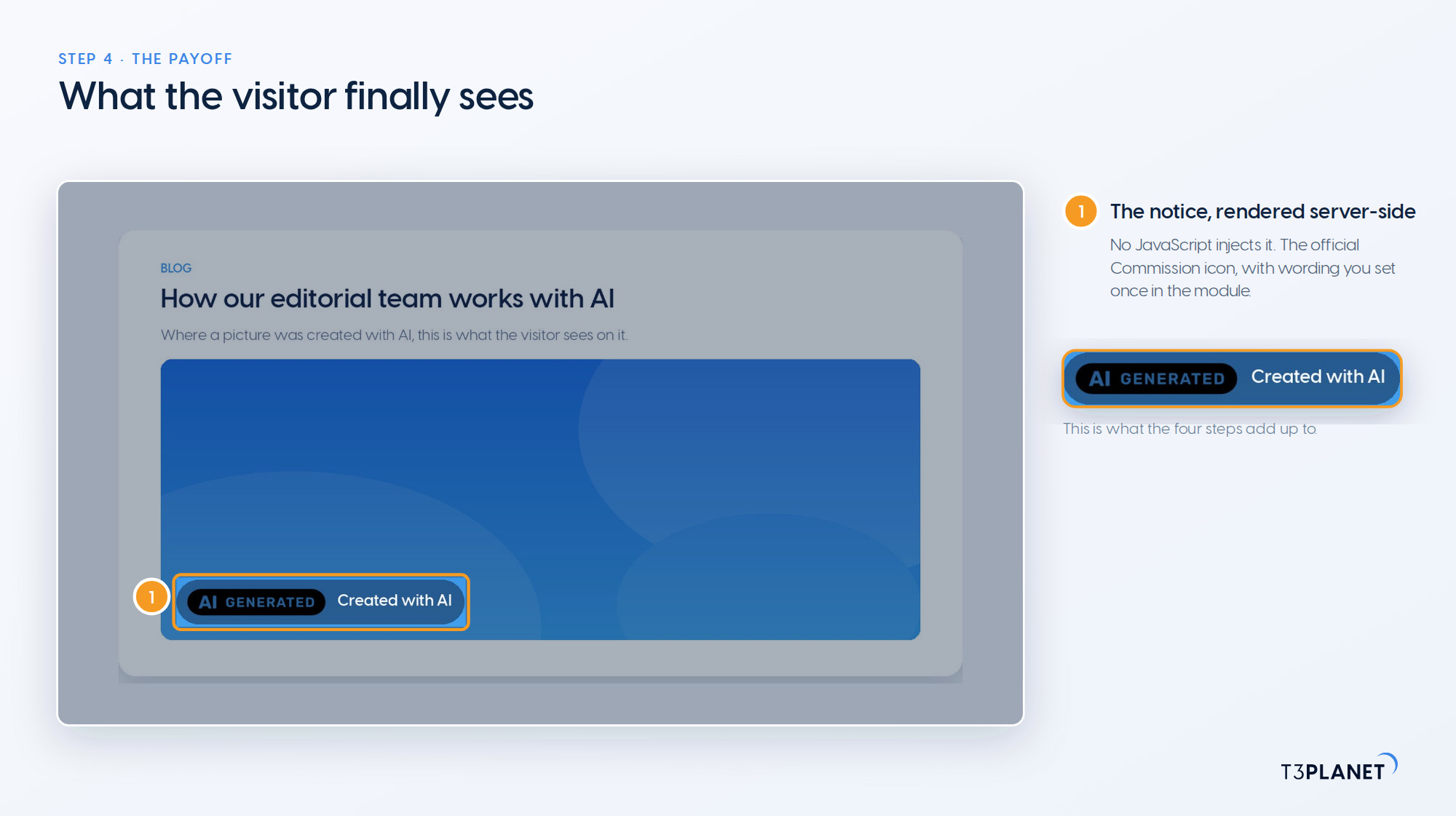
If your rendering is driven from TypoScript rather than from a template, the same state is available through the DataProcessor alias nst3af-label.
tt_content {
    dataProcessing {
        1550 = nst3af-label
        1550 {
            as = labelState
        }
    }
}Notice what none of the four steps did: none of them put a badge in front of a visitor. A bind records origin. The badge appears only after a person confirms, or after a rule the site owner configured confirms on their behalf.
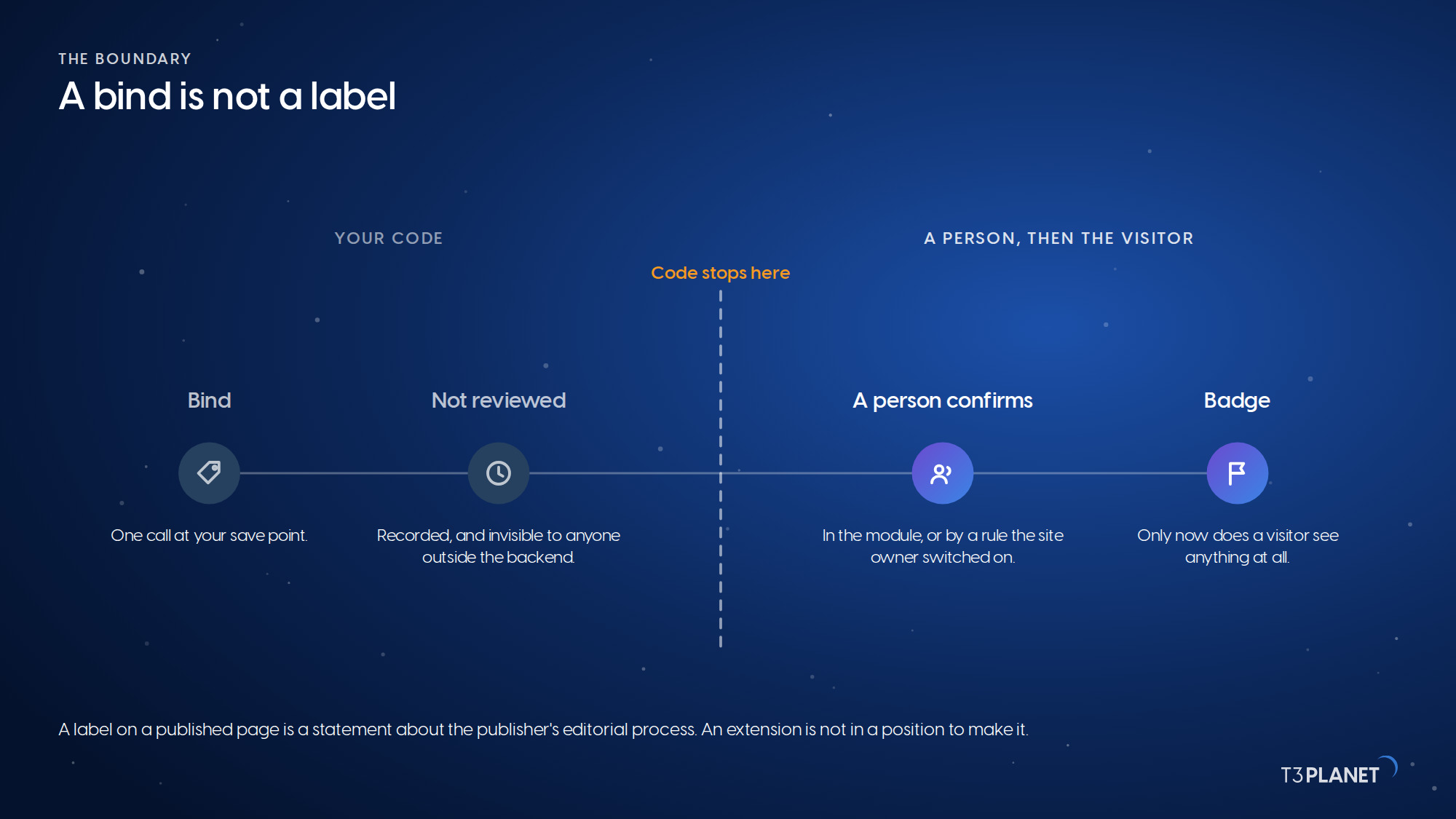
That boundary is not friction to design around. A label on a published page is a statement about the publisher's editorial process, and an extension is not in a position to make it. The site owner is the deployer in the language of the regulation, and the confirm step is where that responsibility actually sits. Your job is to make sure the person doing the confirming has something true in front of them.
AI Foundation is compliance-ready tooling, not a compliance guarantee. Whether a given piece of content on a given site carries a duty is a question we are glad to work through with you, and it is not a question a ViewHelper answers.
AI Foundation is GPL-2.0-or-later, published on the TYPO3 Extension Repository and on GitHub, and maintained by the NITSAN team behind T3Planet. For the integration above, that matters in a practical way: you can read the class you are calling before you call it. AiLabelBindHelper is eighty lines. AiLabelRecorderInterface is the whole public surface, in one file. The AI Label unit tests sit in Tests/Unit/AiLabel/, and they are the fastest way to find out what a rule actually does.
It also means the API above is not a private arrangement between our own extensions. Any TYPO3 extension that generates content can record origin through it, and a site that runs three such extensions gets one review queue instead of three. That is the part we would most like to see happen, and it is the reason the interface exists as a published contract rather than an internal service.
If you integrate and something is missing, the issue tracker on AI Foundation on GitHub is the right place, and pull requests are welcome. If you would rather talk it through first, the extension has a channel in the TYPO3 Slack.
For binding, yes, your code calls its classes. Step 2 shows the one-line guard that makes it optional.
Everything still works. You lose the automatic capture, so you use recordOrigin() from step 3 and pass the system and vendor yourself.
pages, tt_content and sys_file_metadata out of the box, plus any table you register through CollectApplicableTablesEvent, the Settings tab or the EXTCONF array. Run Analyze Database Structure afterwards.
No. A bind records origin. A badge needs a confirmation, either from an editor or from an auto-confirm rule the site owner switched on.
No. The labelling side runs without one.
TYPO3 v12 to v14 with PHP 8.2 or newer. The site set in step 4 needs v13.4 or newer, and on older installations you include the static template instead.
Sovereign TYPO3 AI: AI Foundation is free and open source, six AI extensions build on it.
Explore TYPO3 AI
Jürgen Pietschmann
AI Consultant for TYPO3Jürgen Pietschmann is a T3Planet Product Consultant at T3Planet Shop. He specialises in integrating AI into editorial workflows – from intelligent content creation and automated SEO to AI-powered search and chatbot solutions for TYPO3 sites. As a technical consultant for T3Planet AI Universe, he works closely with agencies and editorial teams on practical TYPO3 implementations. Jürgen has been writing the This Month in TYPO3 series since December 2025 and has spoken at T3CON25 and TYPO3 Developer Days 2026 (T3DD26), where he co-presented Content Editing Unlocked.
More From Author