

TYPO3 Security: A 30-Point Hardening Checklist for v13 and v14

TYPO3 security in 30 points for v13 and v14: updates, two-factor login, Install Tool, configuration, web server and extensions. Start with five.
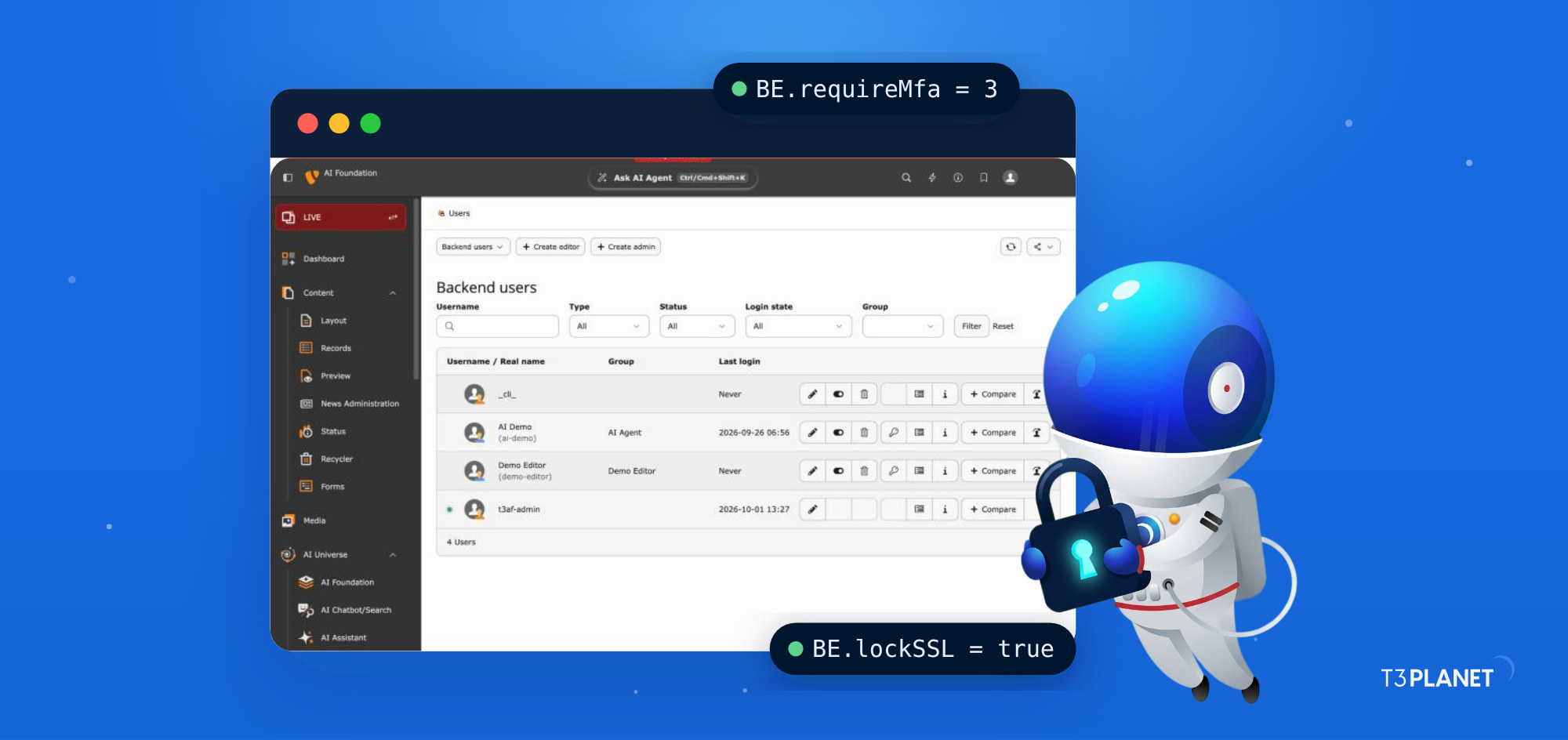
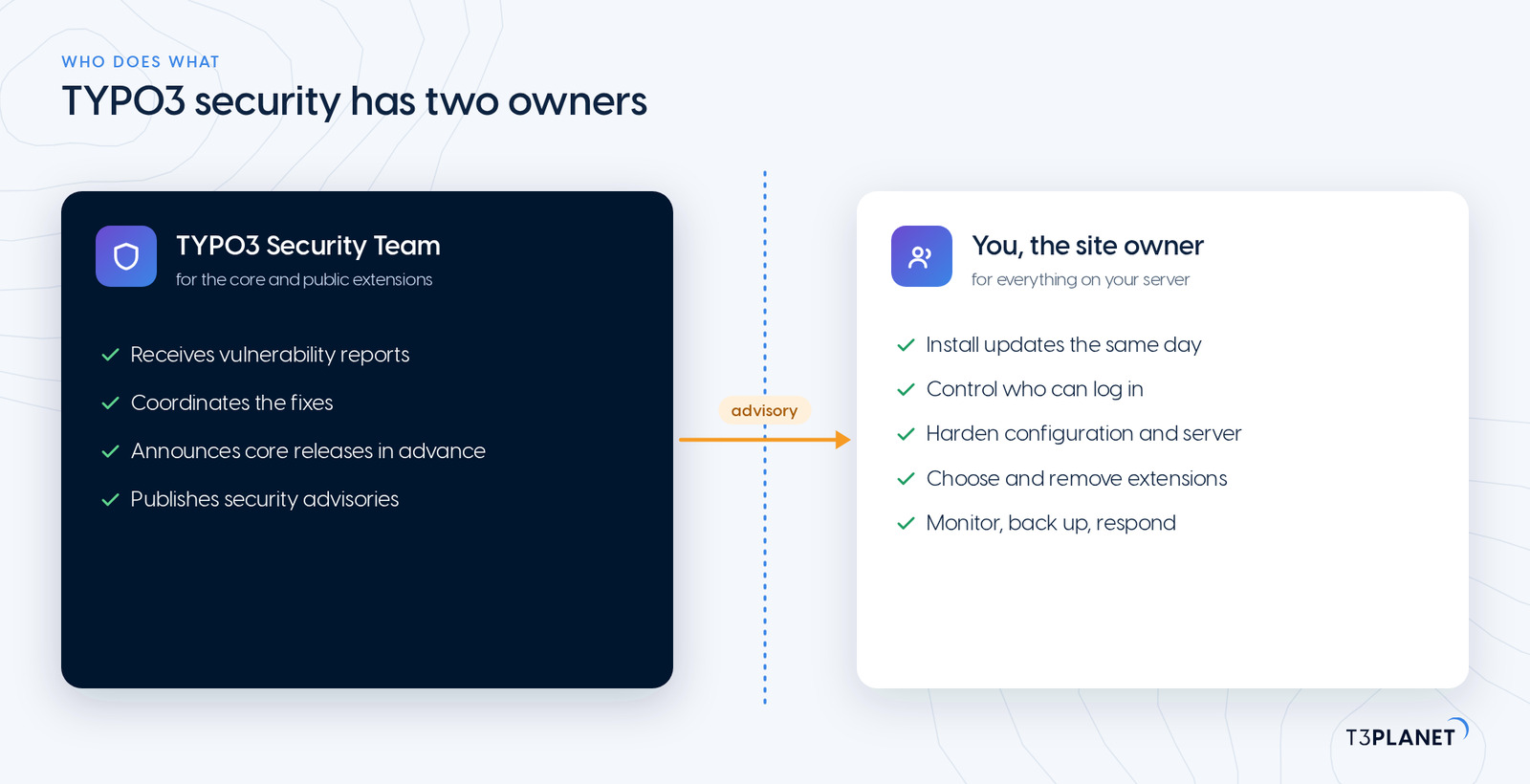
TYPO3 security rests on two parties. The TYPO3 Security Team handles reported vulnerabilities in the core, coordinates the fixes and publishes advisories. You decide how fast those fixes reach your site, who can log in, how the server is set up and which extensions you run. This TYPO3 hardening checklist comes from the T3Planet team at NITSAN, a TYPO3 Association Gold Member. It covers your half as a 30-point checklist for TYPO3 v13 and v14.
What does TYPO3 security cover?
TYPO3 security is the set of measures that keep a TYPO3 installation, its data and its users safe: current software, controlled backend access, a hardened configuration, a locked-down web server, trustworthy extensions, monitoring and a plan for incidents. The core ships with strong defaults, such as password hashing, CSRF protection, multi-factor authentication and a Content Security Policy API. Incidents can still start in the parts the core cannot control: an outdated extension, a shared admin password or an Install Tool left open. The sections below work through those parts together with you.
The five points that remove the most risk
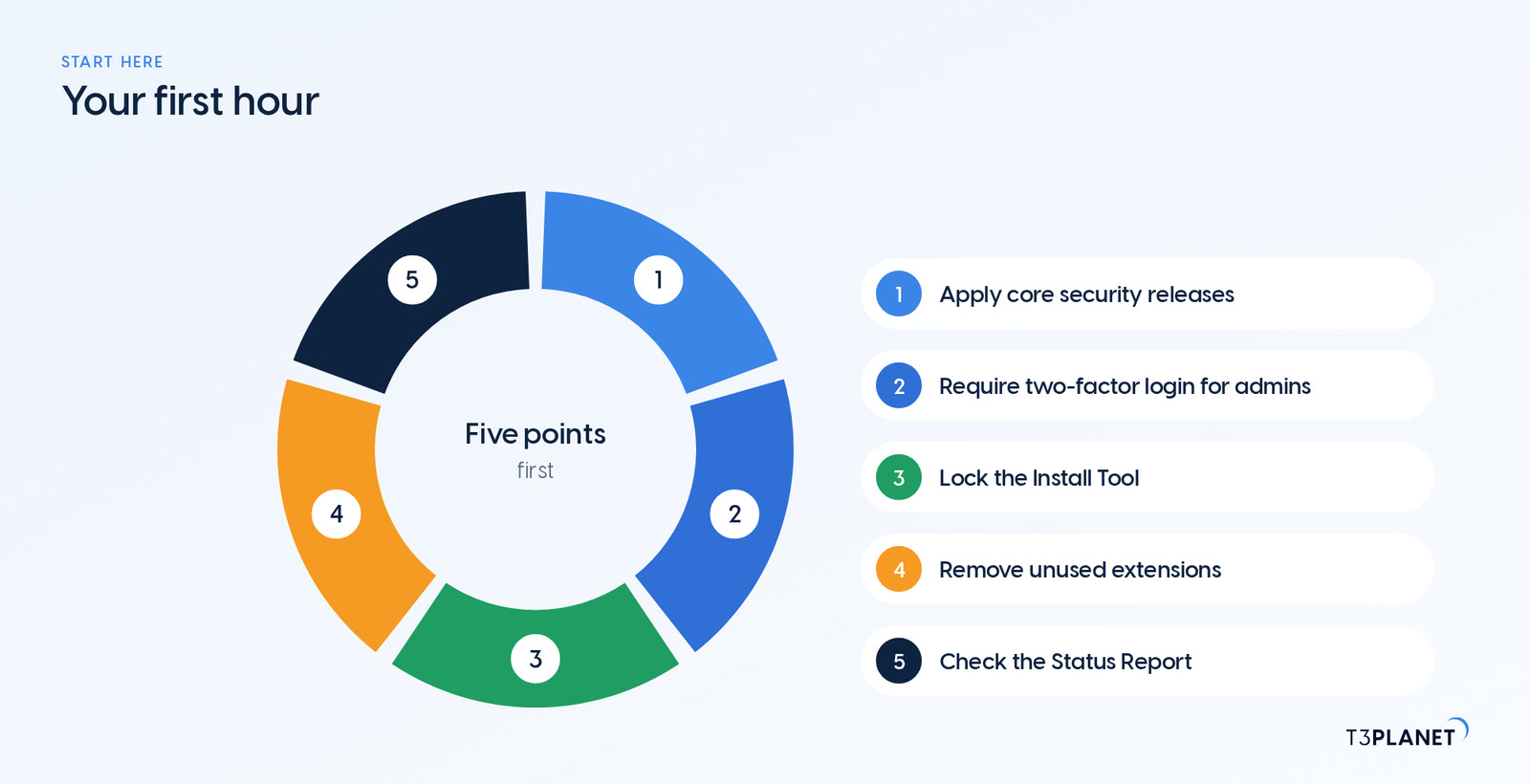
| Point | Why it matters | Where in TYPO3 |
| 2. Apply core security releases | attackers routinely target vulnerabilities that already have a published fix | Composer |
| 10. Require two-factor login for admins | a stolen password alone no longer opens the backend | User Settings, BE.requireMfa |
| 17. Lock the Install Tool | it can change every setting of the installation | ENABLE_INSTALL_TOOL file |
| 6. Remove unused extensions | inactive code can still be reachable | Extensions module, composer remove |
| 29. Check the Status Report | TYPO3 lists its own security warnings there | Reports module |
On the maintenance contracts NITSAN's certified integrators take over for you, the Install Tool and unused extensions are the two gaps we close first.
TYPO3 security updates: keep core and extensions current
Updates come first, because attackers routinely target vulnerabilities that already have a published fix.
1. Subscribe to the security advisories
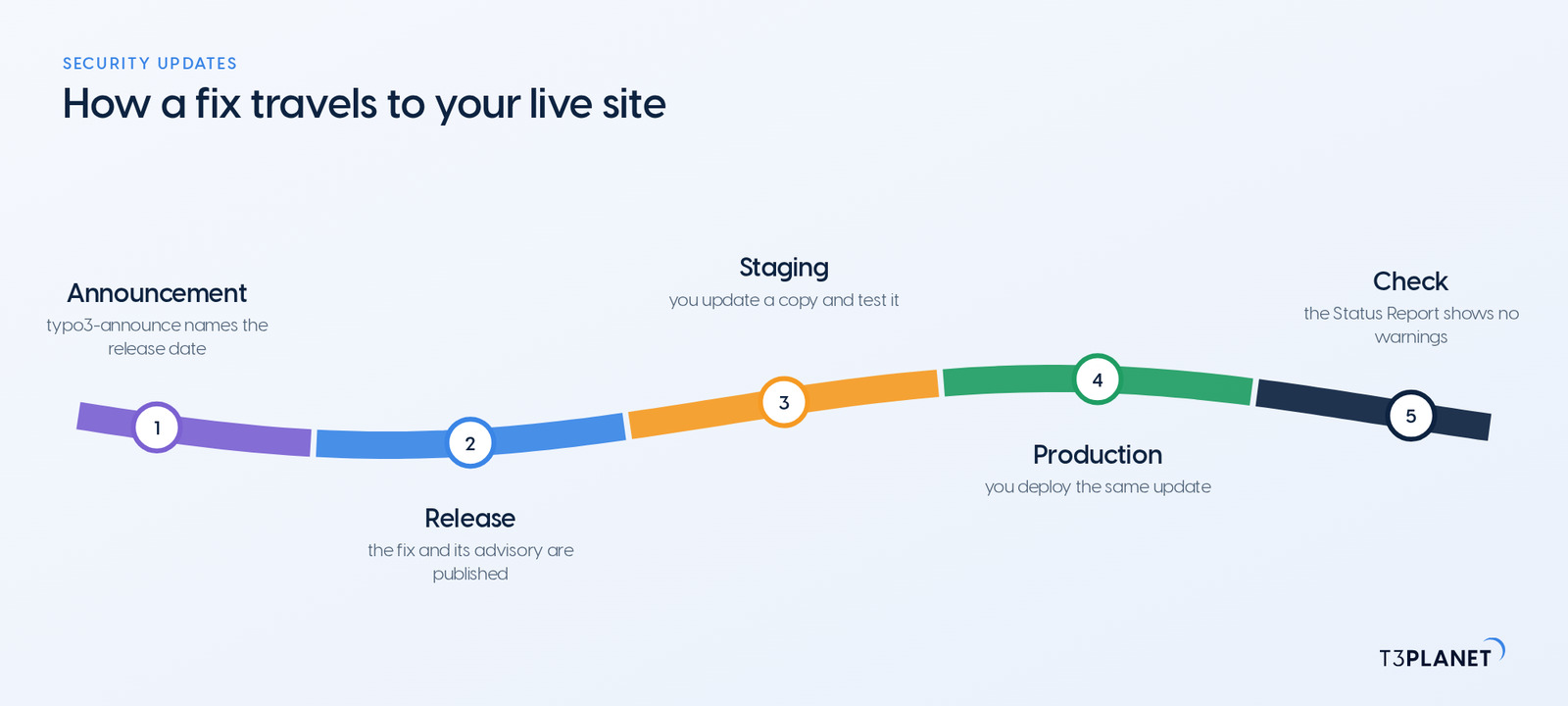
The TYPO3 Security Team publishes every fix as a security advisory. Core security releases are announced in advance on the typo3-announce mailing list, so you can plan the update before the details are public. Subscribe to the list or the advisories RSS feed.
2. Apply core security releases the same day
Treat a core security release as same-day work. In Composer mode, a patch-level update of the core and its system extensions is one command plus a database check:
composer update "typo3/*" --with-dependencies
vendor/bin/typo3 extension:setupRun it on a staging copy first, then on production. For the full procedure, see installing and updating TYPO3 with Composer.
3. Keep every extension current
Third-party extensions update with composer update vendor/package, or all at once with a plain composer update within your version constraints. Advisories cover extensions in the TYPO3 Extension Repository too, so an extension advisory gets the same priority as a core release. For T3Planet extensions, System > T3Planet Shop shows the available updates.
4. Run composer audit in every deployment
Since Composer 2.4, composer audit checks your installed packages against published security advisories, including those for the TYPO3 core and many extensions. It exits with an error when it finds one. In your build or deployment pipeline, a release with a known vulnerability then stops before it reaches production.
composer audit5. Run a supported TYPO3 version
Only supported versions receive security fixes. The current dates, from the TYPO3 news announcement:
| Version | Security updates |
| TYPO3 v14 LTS | until 30 June 2029 |
| TYPO3 v13 LTS | until 31 December 2027 |
| TYPO3 v12 LTS | free support ended on 30 April 2026; paid Extended Long Term Support is available |
Older TYPO3 versions no longer receive free security updates. If you run one, plan the upgrade now. TYPO3 update vs upgrade explains the difference, and the TYPO3 v14 guide covers the current release.
6. Remove what you do not use
An extension you no longer use still ships code, and sometimes reachable files. Uninstall it and remove it with composer remove vendor/package.
Prefer not to run updates yourself? Website Builder is T3Planet's managed TYPO3 hosting: it runs TYPO3 for you, with automatic TYPO3 updates and daily backups.
TYPO3 backend security: who can log in, and how
The backend is where an attacker gains the most. Set the strictest rules here, together with your team.
7. Give every person their own account
No shared "admin" user. Use individual names, so the log shows who did what. Remove an account on the day its owner leaves.
8. Grant the least rights each role needs
Editors rarely need admin rights. Build backend user groups per role, grant only the tables, page trees and file mounts each role works with, and keep the number of admins and system maintainers small.
9. Review backend users every quarter
Open the Users module (Backend Users in v13) once a quarter. It shows when each account last logged in. Disable accounts nobody has used for months, and check who is an admin or system maintainer. Then compare what each group may do with what the role needs today.
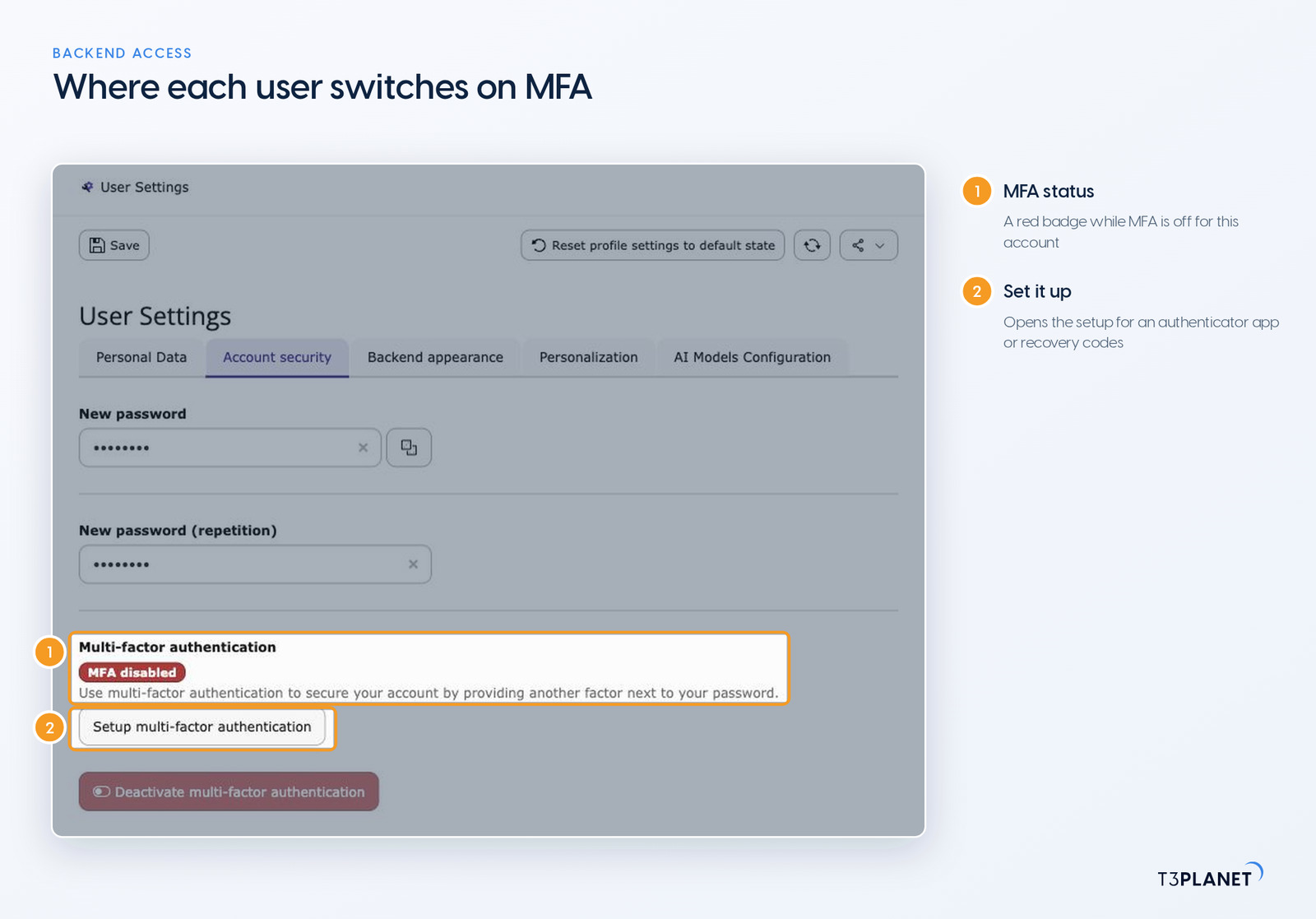
10. Require multi-factor authentication
TYPO3 has multi-factor authentication (MFA) in the core since v11.1, with authenticator apps (TOTP) and recovery codes. Make it mandatory with one setting:
// config/system/additional.php
// 3 = require MFA for admin users; 1 = for all users
$GLOBALS['TYPO3_CONF_VARS']['BE']['requireMfa'] = 3;11. Enforce a password policy
Since v12, TYPO3 checks new backend passwords against a policy (BE.passwordPolicy, length and character rules by default). Keep it on, and never reuse the Install Tool password for a backend login.
12. Limit login attempts
The login rate limit (BE.loginRateLimit, with BE.loginRateLimitInterval) blocks repeated password guesses. Keep it switched on.
13. Get an email on every admin login
With BE.warning_email_addr and BE.warning_mode = 2, TYPO3 emails you whenever an admin logs in. A stolen account then shows up quickly.
14. Force HTTPS for the backend
Set BE.lockSSL = true, so the backend never answers over plain HTTP. The Status Report flags it as insecure until you do.
15. Narrow down who can reach the backend
Where your editors work from fixed networks, BE.IPmaskList limits backend logins to those IP ranges. If you want to move the backend away from /typo3, our guide on changing the TYPO3 v13 backend entry point walks through it.
16. Train your editors
Editors log in to the backend as well, so their habits count as much as an admin's. Teach them the basics: log out after work, never share a login, work only over HTTPS, and report any email asking for backend credentials instead of clicking its link.
Harden the TYPO3 configuration
Since TYPO3 v12, the system configuration of a Composer installation lives in config/system/settings.php, with your own overrides in config/system/additional.php. Older guides that point to typo3conf/LocalConfiguration.php describe versions that no longer receive free updates.
17. Lock the Install Tool
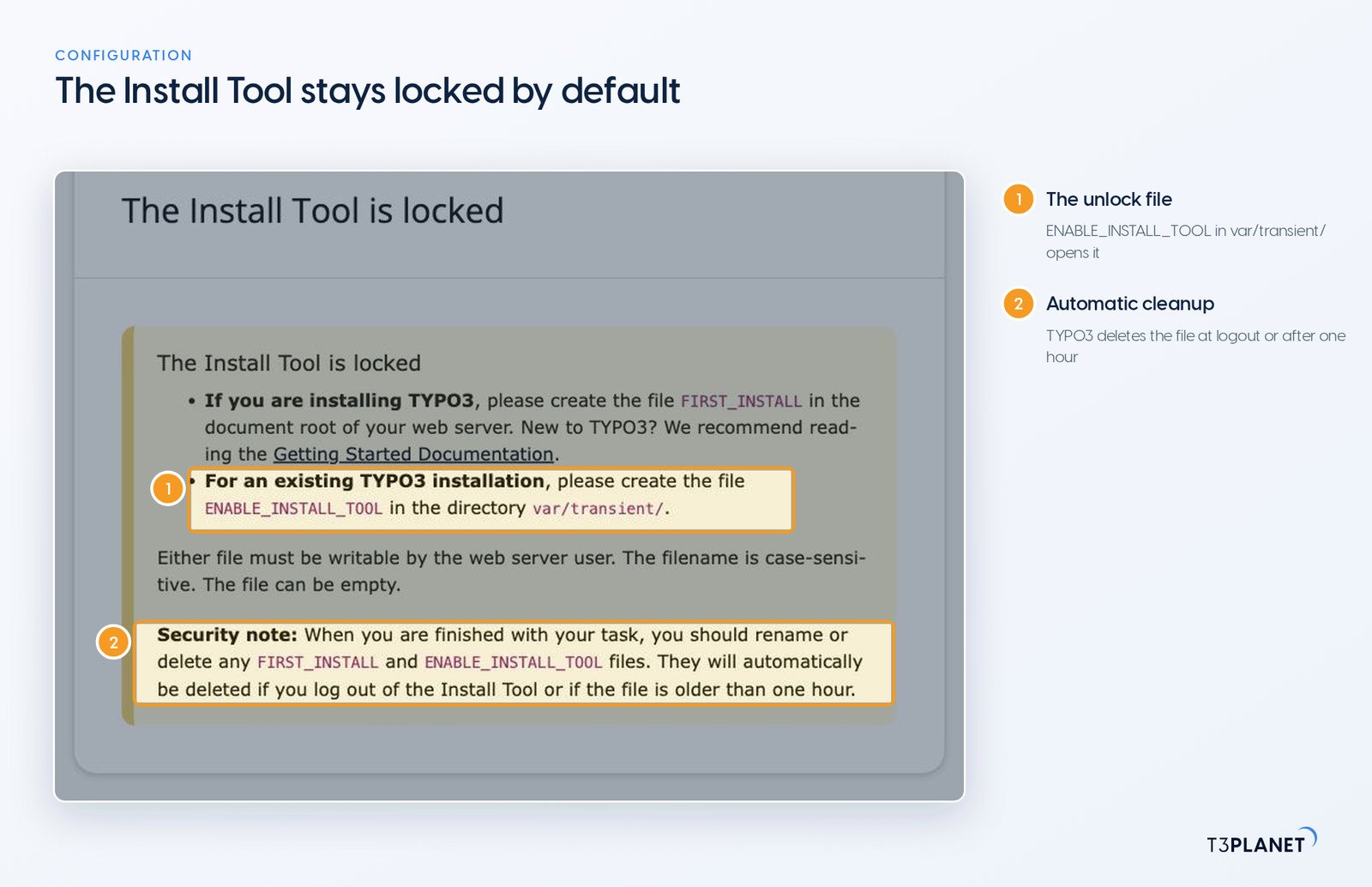
It opens only while a file named ENABLE_INSTALL_TOOL exists, in a Composer installation in var/transient/. TYPO3 deletes the file for you when you log out of the Install Tool or once it is older than one hour. Delete it yourself when you are done, and give the Install Tool its own strong password.
18. Run production in the Production context
Set TYPO3_CONTEXT=Production on the web server. Together with SYS.displayErrors = 0, visitors never see stack traces, paths or database details.
19. Keep secrets out of reach
SYS.encryptionKey signs forms, links and sessions. Generate a new one if it may have leaked. Keep database passwords and API keys out of version control, for example in environment variables instead of a committed settings.php.
20. Restrict host names
Set SYS.trustedHostsPattern to your real domains, so TYPO3 rejects requests with a forged Host header.
21. Leave the secure defaults on
TYPO3 ships several protections switched on. They are easy to weaken while debugging and forget to restore. Keep BE.cookieSameSite and FE.cookieSameSite at strict or lax, so session cookies are not sent with form posts or embedded requests from other sites. Keep BE.fileDenyPattern, which stops editors from uploading executable files such as PHP. Extend it if you need to, but never empty it.
// config/system/additional.php, an example for production
$GLOBALS['TYPO3_CONF_VARS']['SYS']['displayErrors'] = 0;
$GLOBALS['TYPO3_CONF_VARS']['SYS']['trustedHostsPattern'] = '(www\\.)?example\\.org';
$GLOBALS['TYPO3_CONF_VARS']['BE']['lockSSL'] = true;
$GLOBALS['TYPO3_CONF_VARS']['BE']['warning_email_addr'] = 'webmaster@example.org';
$GLOBALS['TYPO3_CONF_VARS']['BE']['warning_mode'] = 2;Secure the web server
22. Serve only the public folder
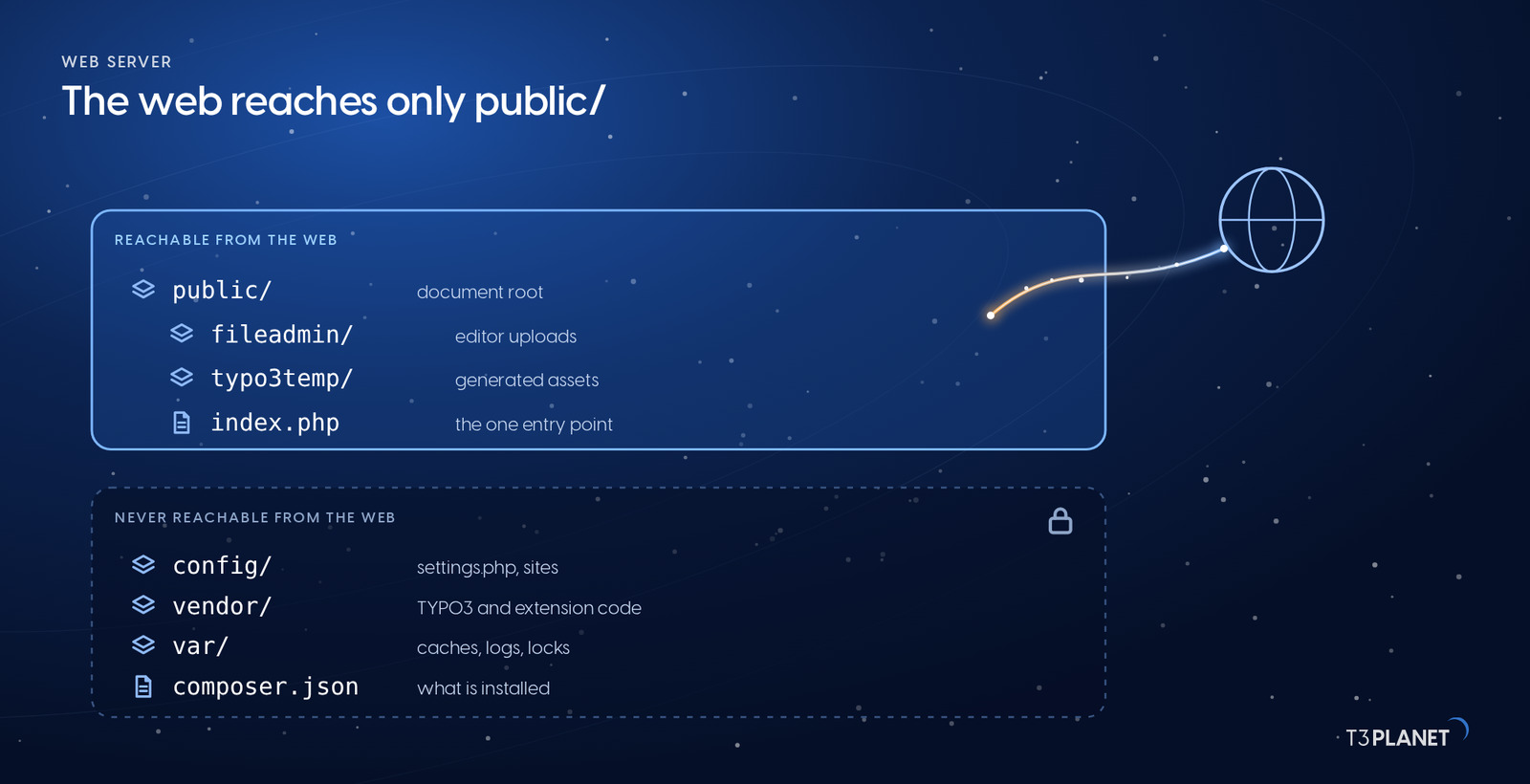
In a Composer installation the web server's document root is public/. Configuration, vendor/, var/ and your code stay one level above it and cannot be requested from the web. If your document root still points at the project root, change that first, together with your hosting provider if they manage the server. Then switch off directory listing (for example Options -Indexes on Apache), so nobody can browse folders without an index file.
23. Set tight file permissions
The web server user needs write access only to public/fileadmin/, public/typo3temp/ and var/. Everything else can be read-only for it. config/system/settings.php then changes only through your deployment, not through the Install Tool. The same applies to site configuration in config/sites/ and to extension settings.
24. Use HTTPS everywhere and send security headers
Redirect every request to HTTPS and add an HSTS header, so browsers never fall back to plain HTTP. Then send at least X-Content-Type-Options: nosniff, a Referrer-Policy and a frame policy against clickjacking.
25. Add a Content Security Policy, and read its reports
TYPO3 has a Content Security Policy API since v12.3 for frontend and backend. Start the frontend policy in report-only mode. Then open the Content Security Policy backend module (Admin Tools in v13, System in v14). It lists the violations browsers reported. Allow the legitimate sources there, then enforce the policy. Files in fileadmin/ are not served by TYPO3. Give that folder its own CSP header in the web server, as the TYPO3 security guidelines describe.
26. Lock down everything around TYPO3
Turn off display_errors and expose_php and keep PHP on a supported version. Give TYPO3 a dedicated database user that can reach only its own database, keep the database server off the public network, and remove web-based database tools from production. Replace FTP with SFTP or SSH. Better still, deploy with Git or a deployment tool, so nobody uploads files into the document root by hand.
Extensions and your own code
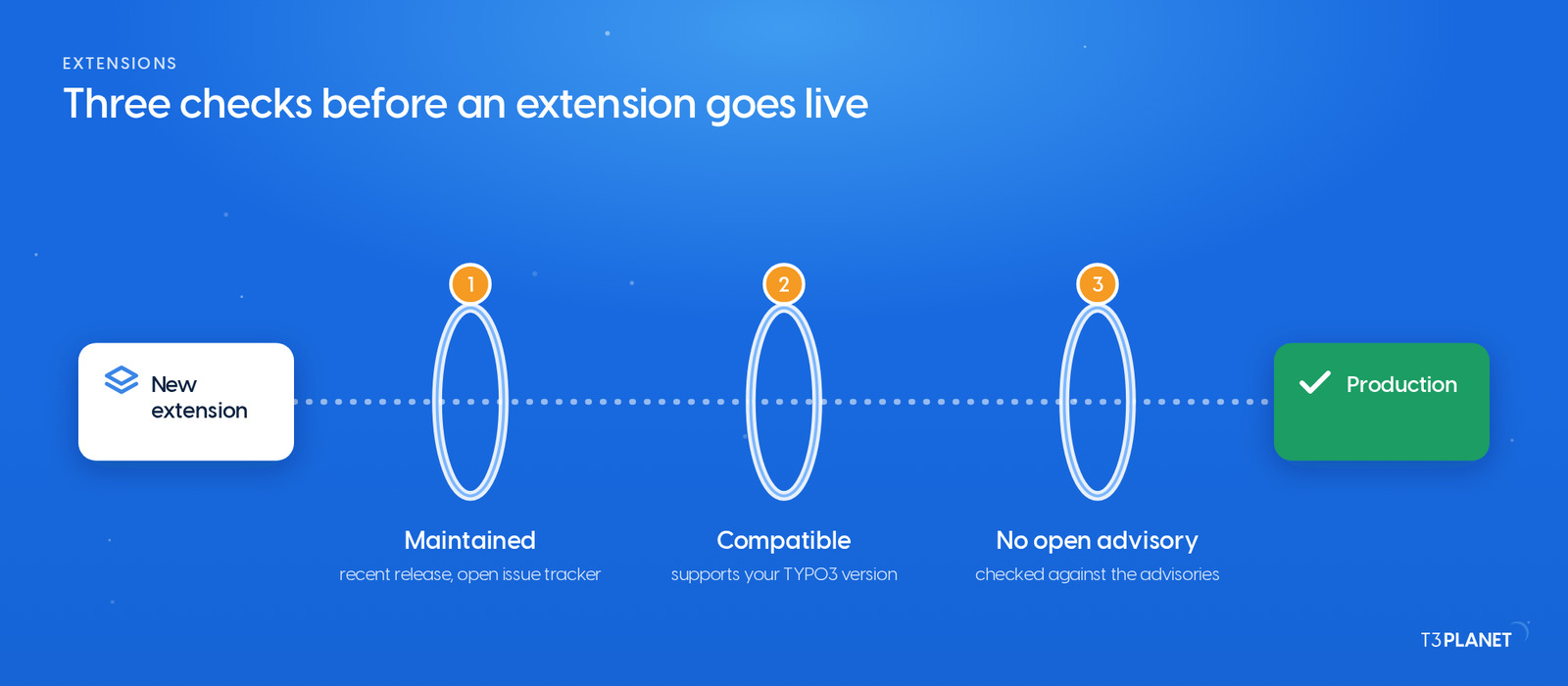
27. Choose extensions like dependencies
Prefer extensions with recent releases, support for your TYPO3 version and a visible issue tracker, and check the advisories for them before you install. Install from official sources, commit composer.lock, and run the extension scanner in the Upgrade module (Admin Tools in v13, System in v14) before every major upgrade. It flags outdated API calls for you.
28. Escape output and keep raw HTML away from editors
Fluid escapes variables by default; keep it that way and avoid f:format.raw on anything a user can influence. In TypoScript, never pass request parameters into queries or HTML without sanitising them. Restrict the "HTML" content element to admins, because it outputs whatever is typed into it. Frontend logins need the same care as the backend: see our guide to TYPO3 frontend login.
Monitor and back up
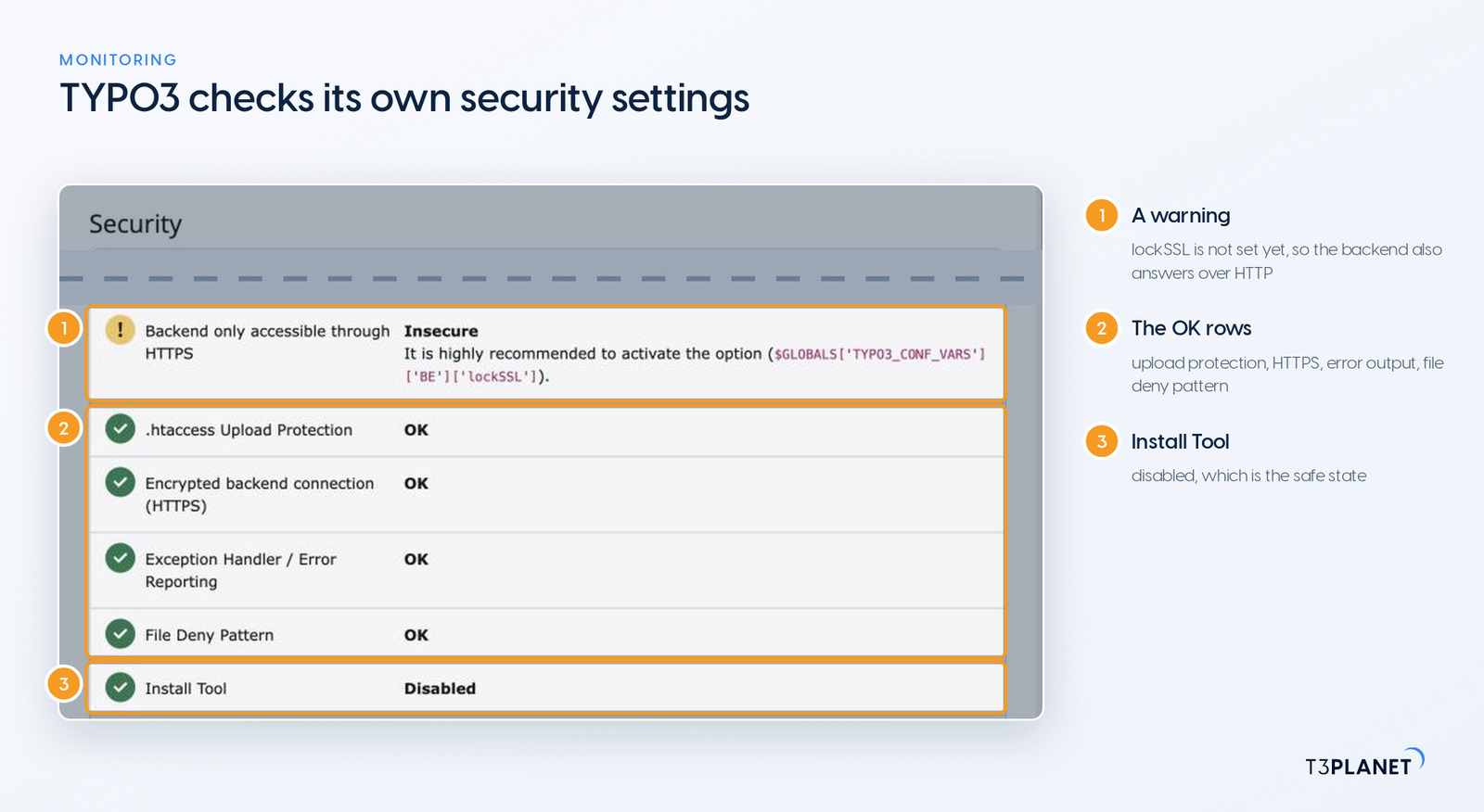
29. Read the Status Report and the logs
The Status Report (System > Reports in v13, Administration > Reports in v14) lists TYPO3's own security checks, such as an open Install Tool or insecure settings. The scheduler can email you the report automatically, so it keeps watch for you. The Log module records logins and changes; the web server and PHP logs show failed requests. Look for logins at unusual times and repeated errors on the same URL.
30. Back up, and test the restore
Keep daily backups of the database and fileadmin/, store a copy off the server, and restore one to staging now and then. A backup you have never restored is a hope, not a backup. See our overview of TYPO3 backup extensions.
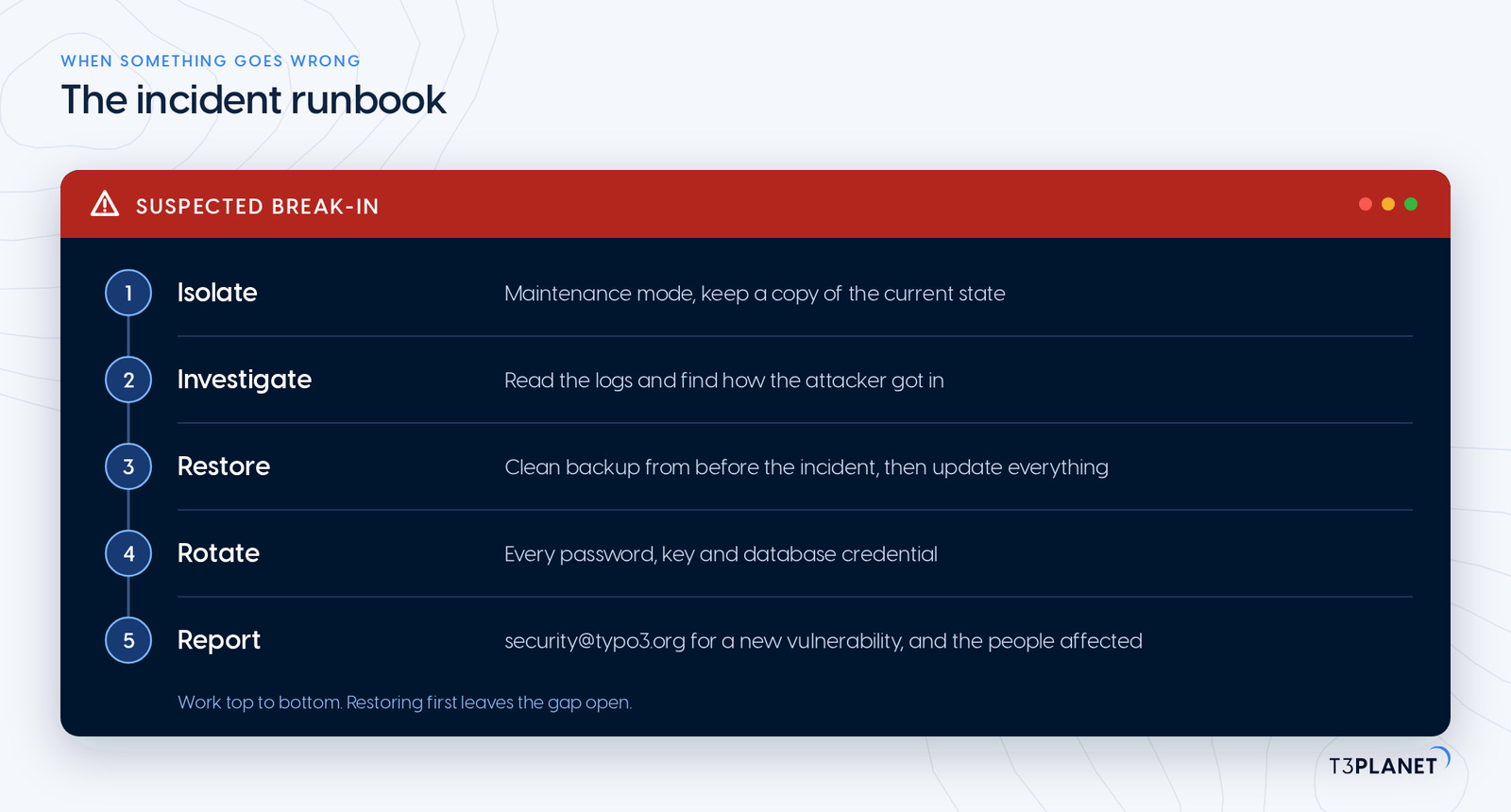
If you suspect a compromise, act in this order, together with your hosting provider and anyone who manages the site:
- Isolate: take the site offline or into maintenance mode, and keep a copy of the current state for analysis.
- Investigate: find out how the attacker got in, using the logs, before you restore. Otherwise the same gap stays open.
- Restore: restore from a clean backup made before the incident, then update the core and every extension.
- Rotate: change every secret: backend and Install Tool passwords, database credentials, the encryption key and any API keys.
- Report: report a new vulnerability in the TYPO3 core or a public extension to the TYPO3 Security Team at security@typo3.org, and tell the people whose data may be affected as your legal duties require.
T3Planet is built by NITSAN, a TYPO3 Association Gold Member and TYPO3 Award winner in 2018, with certified TYPO3 integrators and developers. If you want someone to keep your installation current, NITSAN's team handles TYPO3 updates, upgrades and maintenance for you under a support agreement.
Frequently asked questions about TYPO3 security
TYPO3 has a dedicated Security Team, a published advisory process and security features such as multi-factor authentication, password policies and a Content Security Policy API in the core. How secure your site is depends on updates, configuration and extensions, which this checklist works through with you.
Core security fixes ship in coordinated maintenance releases, and the TYPO3 Security Team announces the release date in advance on the typo3-announce mailing list. Extension fixes are published as advisories when they are ready. There is no fixed monthly date, so subscribe to the advisories.
Yes. Multi-factor authentication is part of the TYPO3 core since v11.1, with authenticator apps (TOTP) and recovery codes. BE.requireMfa makes it mandatory for all users or only for admins.
TYPO3 v14 LTS until 30 June 2029 and v13 LTS until 31 December 2027. Free support for v12 LTS ended on 30 April 2026; after that, only paid Extended Long Term Support provides fixes.
It receives vulnerability reports, coordinates fixes for the core and for extensions in the TYPO3 Extension Repository, and publishes security advisories. You reach it at security@typo3.org.
Markus Neumann
Template Support ManagerMarkus lives and breathes TYPO3 templates. Known for his structured thinking and eye for detail, he has helped hundreds of customers build faster, cleaner TYPO3 websites through T3Planet Shop. If there’s a template issue, Markus has probably solved it before.
More From Author