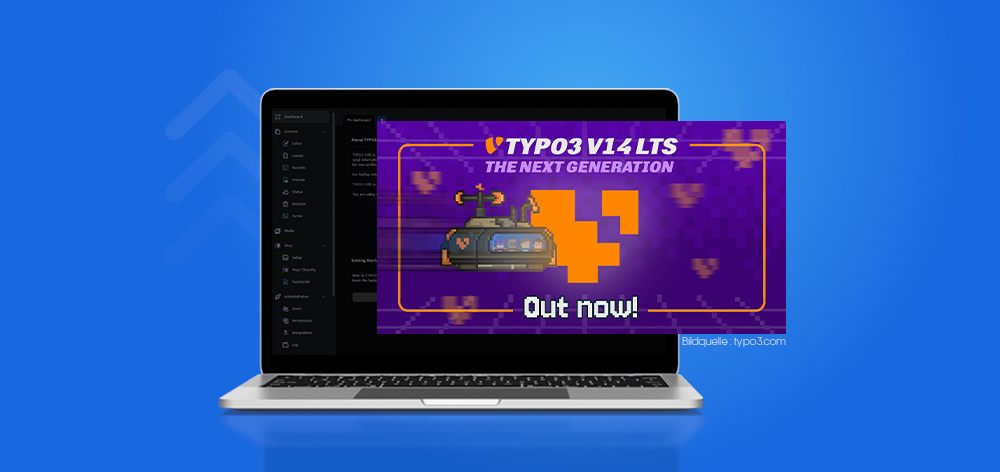
TYPO3 v14 marks a significant step forward in 2026, delivering a more refined, secure, and efficient content management experience. With improvements across backend usability, performance, and developer capabilities, this release is designed to meet the growing demands of modern digital platforms. Below you will find the release notes, the new features and an upgrade guide for TYPO3 v14.
It introduces smarter workflows for editors, stronger security controls for administrators, and enhanced flexibility for developers.
Who Should Read This
Developers exploring new features and upgrade impacts
Editors looking for a smoother and faster backend experience
Agencies managing TYPO3 projects and migrations
Site owners evaluating performance, security, and scalability improvements
TYPO3 v14 at a Glance: Key Highlights & Benefits
TYPO3 v14 introduces focused improvements across usability, performance, security, and developer experience. This overview highlights the most important updates and their practical impact compared to TYPO3 v13.
Key Highlights
Cleaner and more intuitive backend interface
Stronger security and access control mechanisms
Faster backend performance and optimized workflows
Improved multilingual and translation capabilities
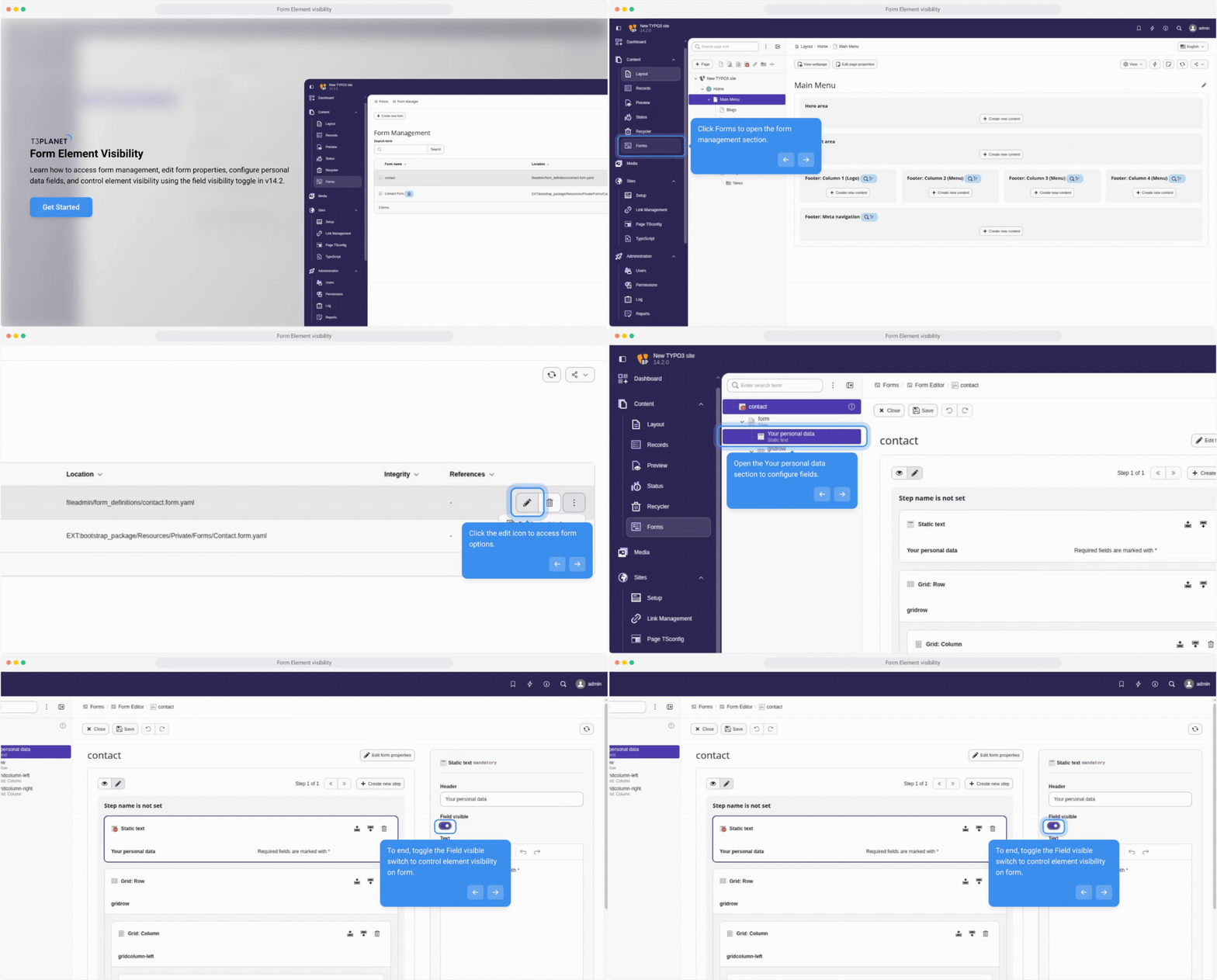
More flexible form handling with database storage
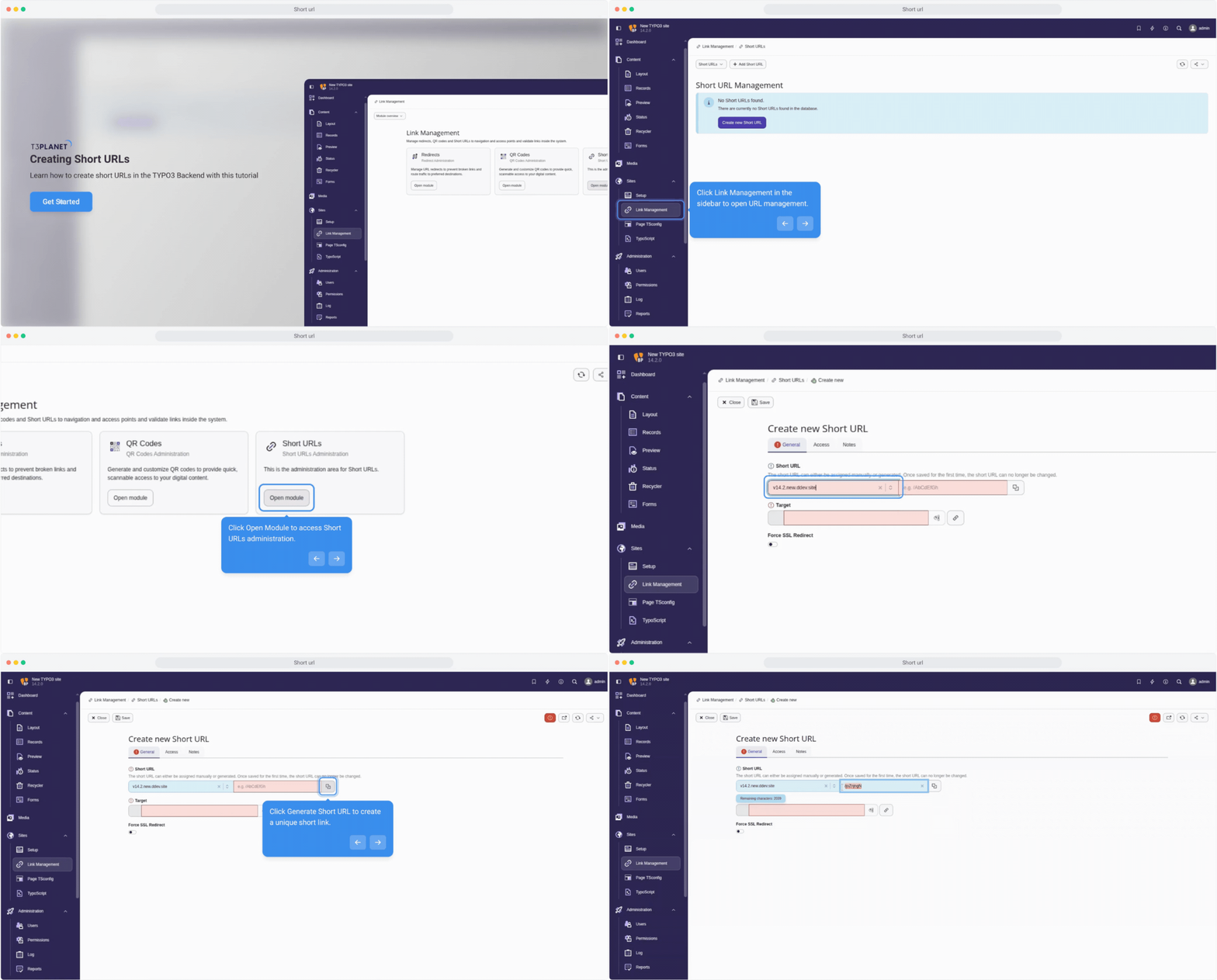
Cleaner URLs and improved SEO structure
Enhanced reporting and productivity tools
Key Improvements and Benefits
Faster backend navigation and page handling - Editors managing large or complex sites
Streamlined content workflows and publishing - Content teams and editors
Improved APIs and developer tooling - Developers building and maintaining extensions
Stronger permission and access control - Administrators managing users and roles
Better multilingual handling and translation sync - Multi-language and global websites
Improved performance and scalability - Site owners planning long-term growth
TYPO3 v14 Release Overview and Version Breakdown
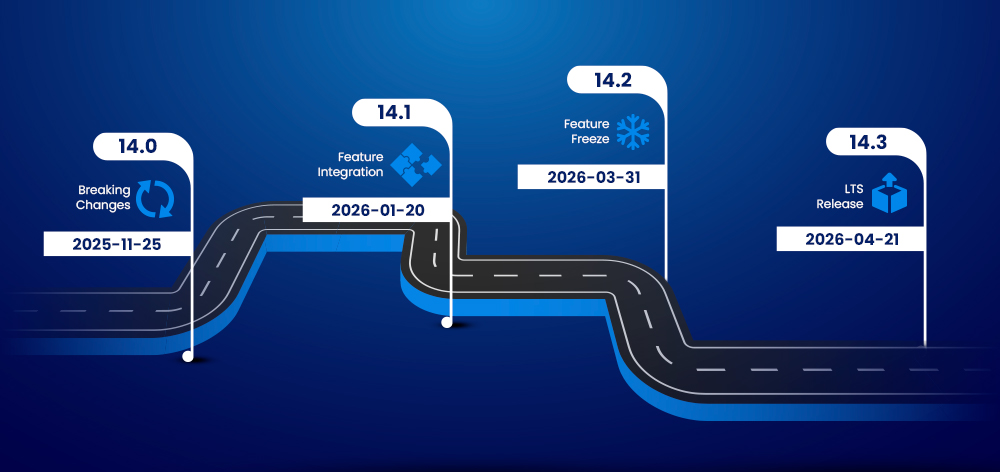
TYPO3 v14 follows a structured release cycle, progressing through iterative updates toward a stable Long-Term Support (LTS) version. With v14.2 now released, the feature set is finalized, making this the right time to evaluate and prepare for upgrade.
TYPO3 v14 Release Timeline Explained
v14.0 – Initial release with breaking changes (Nov 2025)
v14.1 – Feature updates and enhancements (Jan 2026)
v14.2 – Feature freeze (Mar 2026)
v14.3 (LTS) – Long-term support release (April 2026)
TYPO3 v14 Current Version Status (v14.2 Update)
v14.2 marks the feature freeze, with no major changes expected
Focus is now on bug fixes, stability, and performance
v14.3 LTS will provide long-term security and maintenance support
Key Changes in TYPO3 v14 Compared to v13
More intuitive backend UI and navigation
Stronger security and permission controls
Streamlined content and page management workflows
Improved multilingual and translation handling
Better backend performance and system efficiency
Updated developer ecosystem with modern APIs and tools
Why Upgrading to TYPO3 v14 Matters
Cleaner architecture and improved APIs - Developers
Faster and more intuitive backend - Editors
Better performance, security, and scalability - Businesses and site owners
With the feature set stabilized in v14.2, starting testing and upgrade preparation now helps ensure a smooth transition to the TYPO3 v14 LTS release.
TYPO3 v14 System Requirements and Compatibility
Ensure your environment meets TYPO3 v14 requirements to avoid upgrade issues and ensure stability.
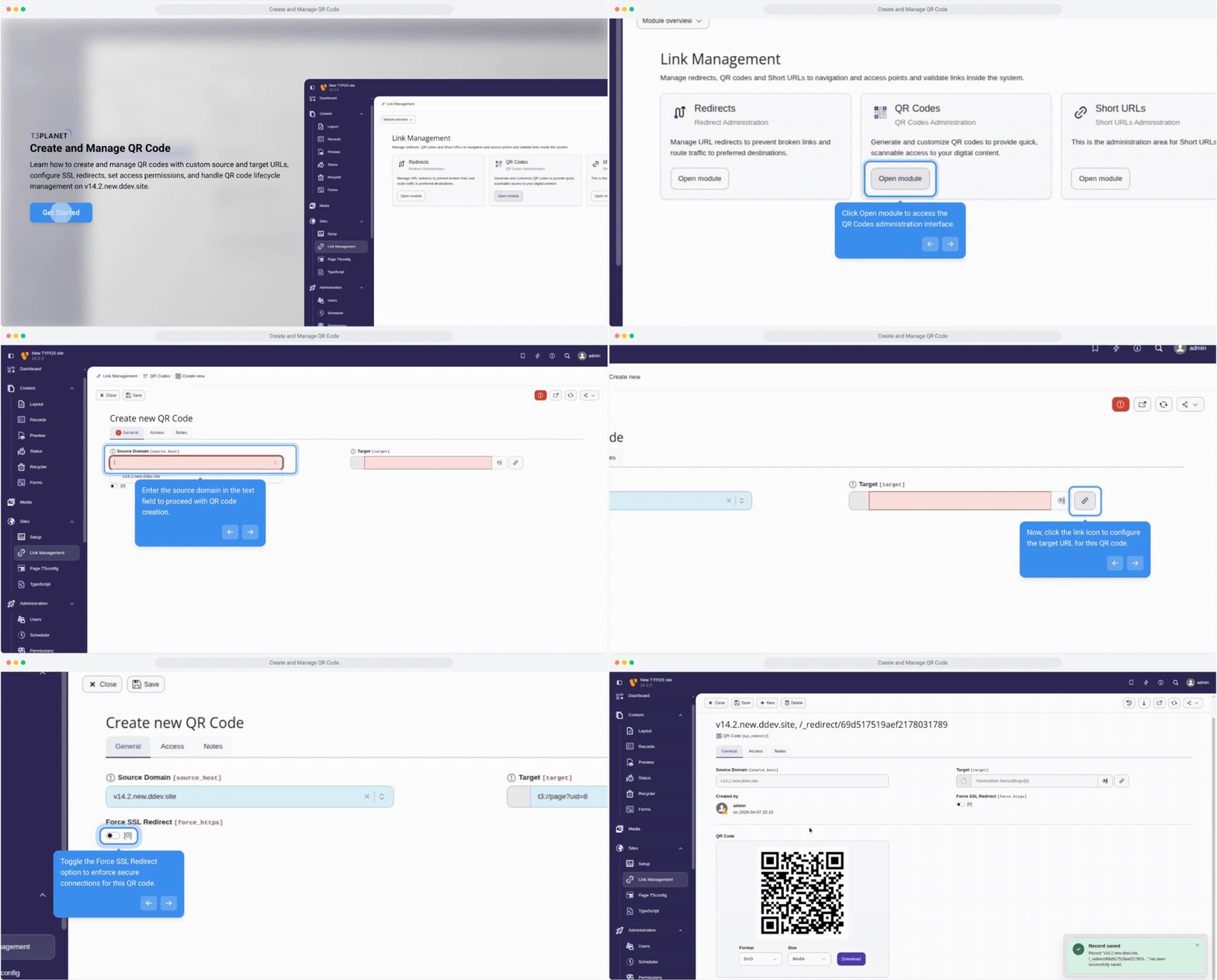
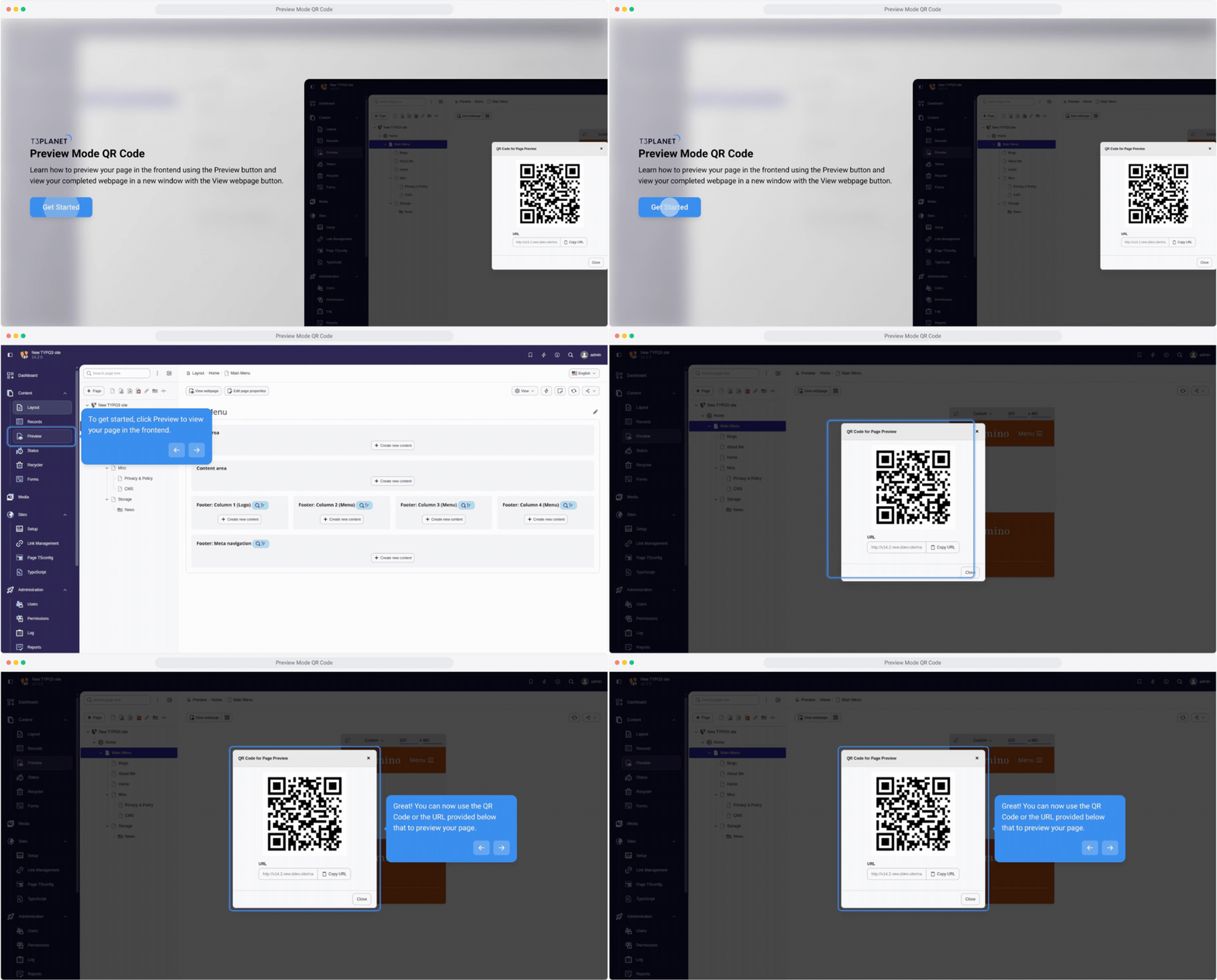
Useful for marketing and offline-to-online campaigns
Preview and Device Testing Features in TYPO3 v14
Improved preview across different devices
Faster validation before publishing
More accurate content rendering
Workflow Automation Improvements in TYPO3 v14
Streamlined editorial workflows
Fewer manual steps in content processes
Improved efficiency for teams managing large sites
TYPO3 v14 Reporting and Backend Organization Features
TYPO3 v14 improves content visibility and backend organization, helping teams work more efficiently.
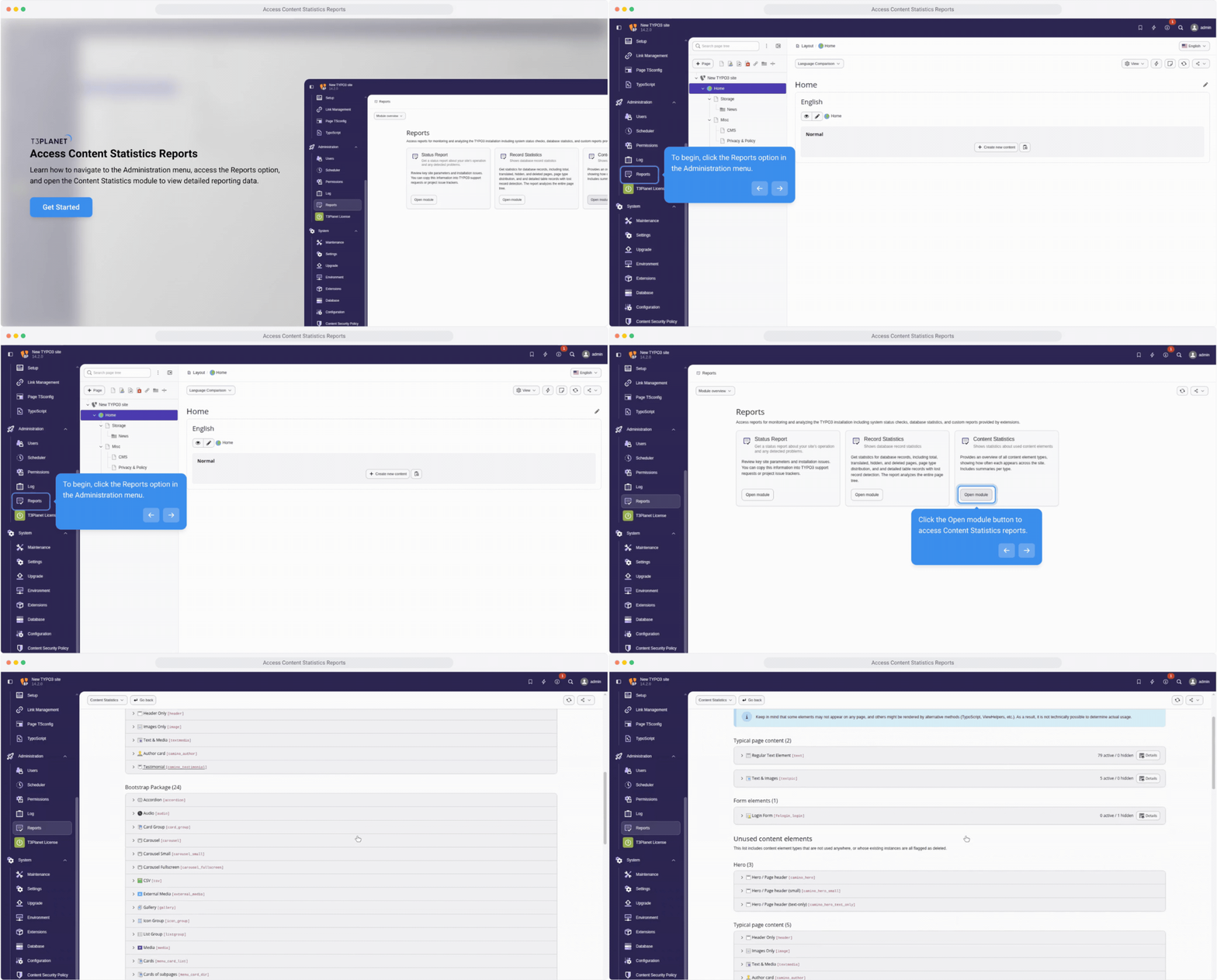
Content Statistics and Reporting in TYPO3 v14
Better tracking of content usage and performance
Clear insights for data-driven decisions
Improved visibility into content effectiveness
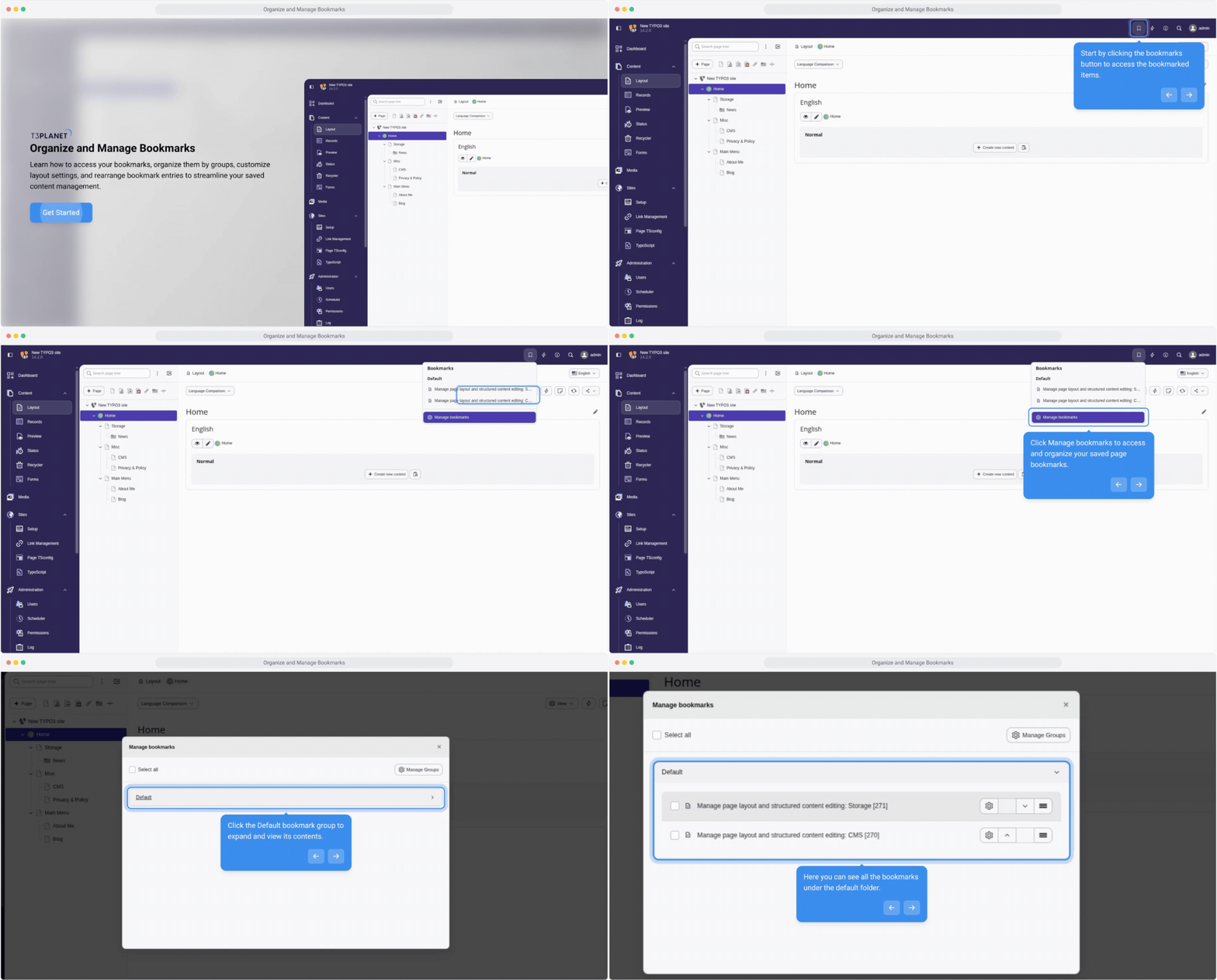
Managing Bookmarks and Backend Navigation in TYPO3 v14
Faster access to frequently used backend modules
Improved workflow organization
Reduced navigation time for editors and admins
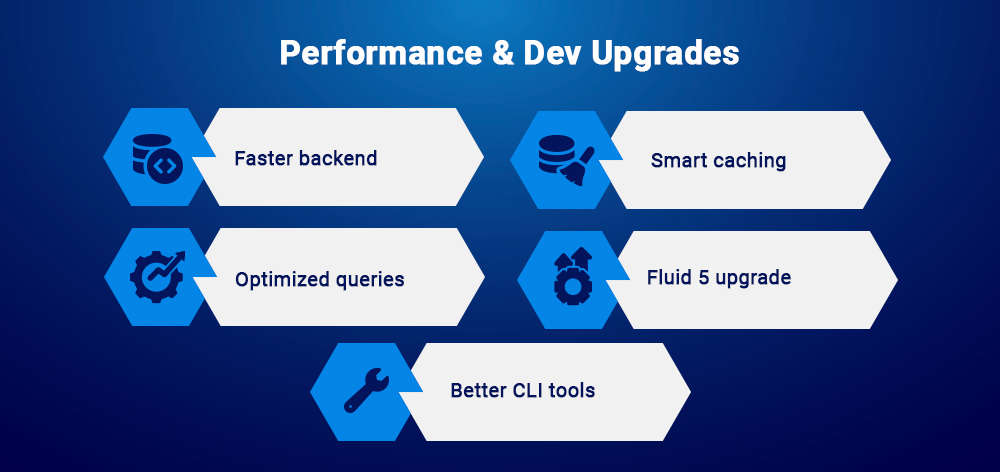
TYPO3 v14 Performance and Developer Enhancements
TYPO3 v14 introduces important improvements in performance and developer experience, especially for large and complex projects.
Backend Performance Improvements in TYPO3 v14
Faster backend load times and responsiveness
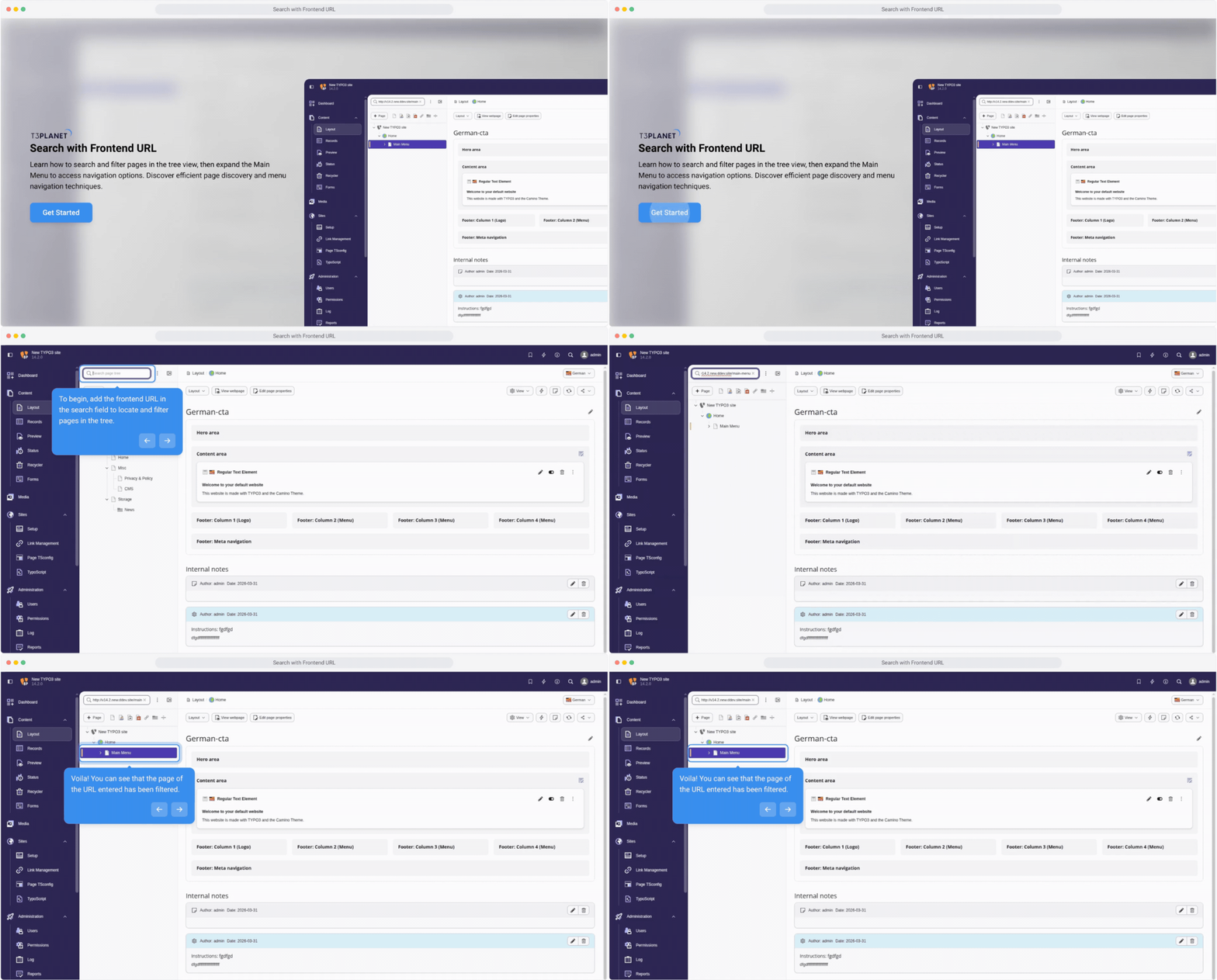
Better handling of large page trees and content structures
Improved overall system stability
Caching and Database Optimization in TYPO3 v14
More efficient caching for faster content delivery
Optimized database queries and processing
Reduced server load under high traffic
Fluid 5 and Developer Experience in TYPO3 v14
Improved templating flexibility with updated Fluid
Cleaner and more maintainable code structure
Better support for modern development practices
Extbase and CLI Improvements in TYPO3 v14
More structured and maintainable Extbase architecture
Extended CLI capabilities for automation and deployments
Easier handling of routine development and maintenance tasks
Deprecated and Removed Features in TYPO3 v14
TYPO3 v14 removes legacy APIs and outdated components to simplify the core and align with modern development standards.
Removed APIs and Legacy Features in TYPO3 v14
Cleanup of deprecated APIs from earlier versions
Removal of legacy features no longer aligned with current standards
More consistent and maintainable core architecture
Extension Compatibility Risks in TYPO3 v14
Older extensions may break due to removed or changed APIs
Increased need to update or replace unsupported extensions
Compatibility checks are essential before upgrading
What Developers Need to Refactor for TYPO3 v14
Update custom extensions to align with new APIs
Replace deprecated methods and configurations
Review the codebase for TYPO3 v14 compatibility
Custom extensions are typically the most affected, so early auditing and refactoring are critical.
TYPO3 v13 vs v14 Comparison: What Has Changed
Understanding the differences between TYPO3 v13 and v14 helps evaluate upgrade impact and long-term benefits.
Feature Comparison Between TYPO3 v13 and v14
Area
TYPO3 v13
TYPO3 v14
Backend UI
Functional
Cleaner layout and improved navigation
Performance
Stable
Faster backend and optimized processing
Security
Standard controls
Stronger access control and configuration
Content Management
Mature workflows
More streamlined and intuitive workflows
Developer Experience
Solid
Improved tools, APIs, and flexibility
Upgrade Complexity
Moderate
Requires extension compatibility checks
Key Differences
User Experience: Cleaner interface with smoother navigation
Performance: Faster backend operations and better handling of large structures
Security: More granular permissions and improved access control
Focus Shift: TYPO3 v14 emphasizes usability and workflow efficiency more than v13
TYPO3 v14 Upgrade Guide: Step-by-Step Process
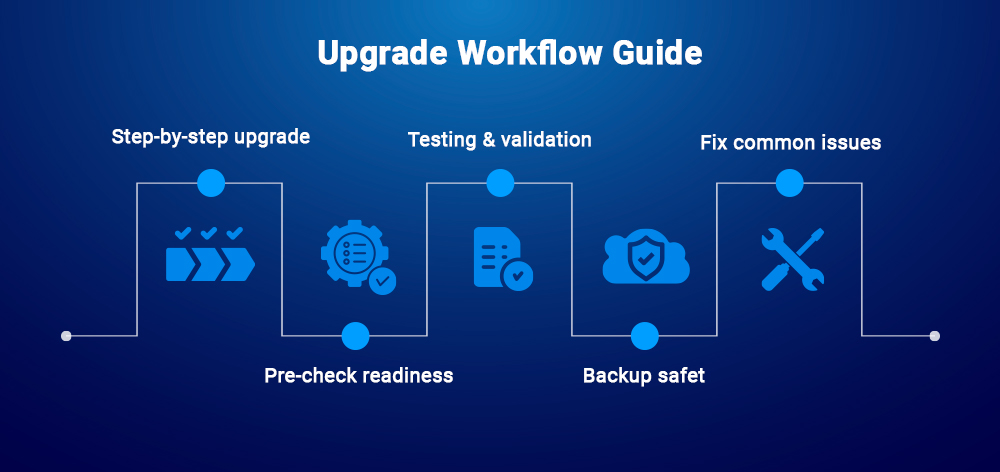
Upgrading to TYPO3 v14 requires a structured approach to minimize risks and ensure a smooth transition.
Step-by-Step TYPO3 v14 Upgrade Instructions
Update TYPO3 v13 to the latest minor version
Verify system requirements and server compatibility
Check and update extension compatibility
Run the Upgrade Wizard and database migrations
Clear caches and validate frontend and backend functionality
TYPO3 v14 Pre-Upgrade Checklist
Verify PHP and database versions
Audit installed extensions and remove unused ones
Identify deprecated features in your project
Ensure full access to server and database
Testing and Validation After TYPO3 v14 Upgrade
Test in a staging environment before production
Validate core functionalities and user workflows
Check frontend rendering and backend usability
Monitor logs for warnings and errors
Backup and Rollback Strategy for TYPO3 v14
Take a full database and file backup before upgrading
Maintain a rollback plan in case of issues
Use version control to track changes
Avoid direct upgrades on live environments
Common TYPO3 v14 Upgrade Challenges and Solutions
Extension conflicts: Update, replace, or disable incompatible extensions
Migration errors: Re-run migrations and resolve database inconsistencies
Backend/UI issues: Clear caches and verify theme or configuration compatibility
Most upgrade issues are caused by outdated extensions, so validating compatibility early is critical.
Most Common TYPO3 v14 Upgrade Issues and Fixes
Upgrading to TYPO3 v14 can surface a few common issues, especially in projects with older extensions or customizations. Addressing these early helps reduce downtime and risk.
Most Common TYPO3 v14 Upgrade Issues and Fixes
Extension conflicts: Update, replace, or temporarily disable incompatible extensions
Migration errors: Re-run migrations, review logs, and resolve database inconsistencies
Backend/UI issues: Clear caches, verify theme compatibility, and update configurations
Best Practices for a Smooth TYPO3 v14 Upgrade
Upgrade incrementally and avoid skipping versions
Use a staging environment for testing before production
Monitor logs and error reports throughout the upgrade
Document changes for easier troubleshooting and rollback
Most upgrade issues are caused by outdated or unsupported extensions, making compatibility checks a critical first step.
Conclusion
TYPO3 v14 delivers meaningful improvements across usability, performance, security, and developer experience, making it a strong foundation for future projects. With v14.2 stabilizing the feature set and the LTS release approaching, now is the right time to begin preparation.
Developers and agencies should start testing and aligning their projects, while businesses can plan upgrades around the LTS release for long-term stability.
If you are planning your TYPO3 upgrade, now is the ideal time to prepare and ensure a smooth transition with the right tools, themes, and expert support from T3Planet.
Wolfgang Weber shapes TYPO3 with passion and expertise. As a TYPO3 enthusiast at T3Planet Shop, he has contributed to TYPO3 projects that make websites faster and more secure. Outside of TYPO3, you’ll probably find him exploring local cafés and enjoying football.



Wolfgang Weber
Brand & Communication LeadWolfgang Weber shapes TYPO3 with passion and expertise. As a TYPO3 enthusiast at T3Planet Shop, he has contributed to TYPO3 projects that make websites faster and more secure. Outside of TYPO3, you’ll probably find him exploring local cafés and enjoying football.
More From Author