

T3Planet License Manager Activation: A Complete Step-by-Step Guide
Extensions


Looking to add secure visitor login to your TYPO3 website? This guide covers everything you need to set up frontend authentication with manual and extension methods, from the built-in core solution to advanced options like user registration, SSO, social login, password recovery, and security hardening. It’s fully updated for TYPO3 v12, v13, and v14.
Quick answer: In most cases, you can get started by enabling the built-in felogin extension, creating a storage folder for frontend users, and placing the Login Form plugin on a page. That handles the basic setup.
The rest of the guide shows how to extend it with registration flows, SSO integrations, social login, and production-grade security improvements.
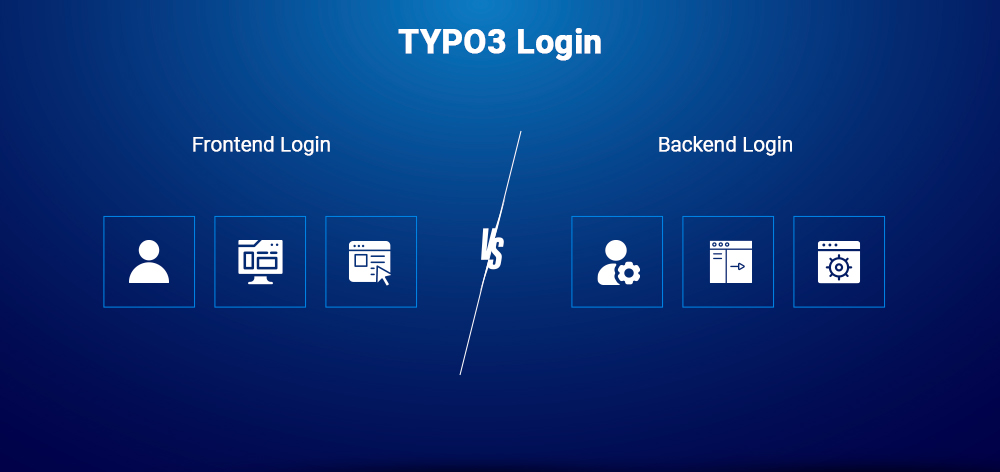
Before you implement authentication in TYPO3, it’s important to understand that frontend users and backend users are completely separate systems.
Backend users are editors, administrators, and developers who log into the TYPO3 administration area.
They are managed inside the Backend User module and have access to system configuration, content management, and site administration.
Frontend users are your website visitors, members, or customers.
They never access the TYPO3 backend. Instead, their accounts are stored in a dedicated storage folder (sysfolder) and they log in through a frontend login form on your public website.
This guide focuses exclusively on frontend authentication. If you are looking for admin access security, refer to the TYPO3 Backend Login Setup Guide.
Frontend login is required when your website needs user-specific access or personalized experiences, such as:
Not every website needs authentication. You can skip frontend login if you only require:
The felogin extension ships with every TYPO3 installation and powers the core frontend authentication system. It handles login, logout, password reset, and redirect behavior out of the box.
Current version: 14.3.2 (May 2026)
Compatibility: TYPO3 v12 LTS, v13 LTS, and v14
If you're using Composer (required for TYPO3 v12+), ensure it is installed:
composer require typo3/cms-felogin
For TYPO3 v13 and v14 projects, felogin is included in the core by default, so no separate installation is required.
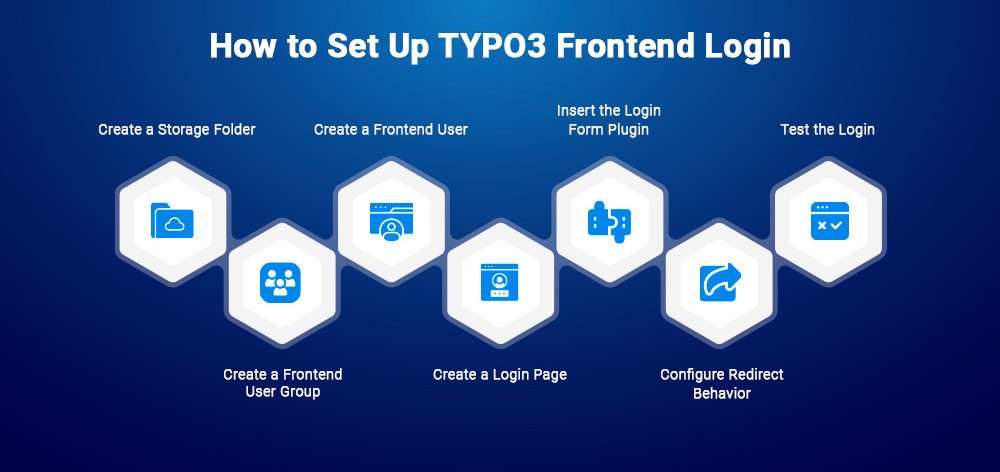
In the TYPO3 page tree, create a new page and set its type to Folder (not Standard). Name it something like “Frontend Users”.
This folder stores all fe_users and fe_groups records.
Make sure to note the page ID, you’ll need it later in the configuration.
Inside the storage folder, create a new record:
System → Website Usergroup
Give it a meaningful name, such as “Members”.
User groups define access control and determine which pages or content a user can view.
Still inside the same storage folder, create a new record:
System → Website User
Set a username, password, and assign the user to the group created in Step 2.
Add a new standard page in your site structure. This page will host the login form.
Typical names include “Login” or “Member Area”.
On the login page, add a new content element:
Plugins → Login Form
In the plugin settings, set the User Storage Page to the folder created in Step 1.
This is the most common misconfiguration point, if this is not set correctly, login will fail silently.
Open the plugin’s Redirects tab and define where users land after login.
Recommended setup:
Clear all caches and open the login page in an incognito window.
Log in using the credentials created in Step 3.
If login fails, verify:
felogin can be configured in three ways depending on your TYPO3 version and project setup.
Configure directly in the plugin settings in the backend.
Best for simple sites, editors, or non-developer setups.
plugin.tx_felogin_login.settings {showForgotPasswordLink = 1redirectMode = login,getpostredirectPageLogin = 42}
Modern, structured approach using YAML:
name: vendor/my-site-packagelabel: My Site Packagedependencies:- typo3/felogin- typo3/fluid-styled-content-csssettings:felogin.pid: 42felogin.showForgotPasswordLink: true
Site Sets are the recommended approach for TYPO3 v13+ as they replace most TypoScript and can be managed via the backend Settings Editor.
felogin supports multiple redirect modes. Incorrect setup can cause login loops or broken navigation.
Recommended starting setup: login,getpost
You can combine multiple modes depending on your project needs.
Download | Compatible: v12, v13
While felogin is the standard TYPO3 login solution, flogin adds modern authentication features, including:
Ideal for security-focused projects or UX flows that avoid passwords entirely.
Download | Compatible: v12, v13
This extension simplifies authentication by allowing users to log in using their email address instead of a separate username.
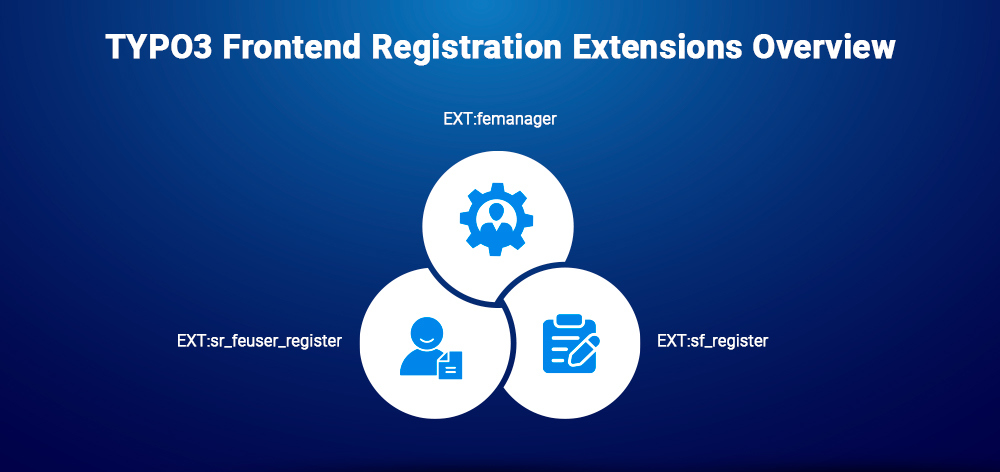
felogin only handles authentication. For user signup, you need a dedicated registration extension.
Docs | Compatible: v12, v13, v14
composer require in2code/femanager
The most widely used TYPO3 frontend registration solution:
Recommended default choice for most TYPO3 projects requiring registration + user management.
Docs | Compatible: v12, v13
composer require evoweb/sf-register
A solid alternative to femanager built with Extbase & Fluid:
Choose this if you prefer a simpler or more minimal footprint.
Download | Limited TYPO3 v12 support
The original TYPO3 registration extension, used in older projects.
Important:
For new builds, prefer femanager or sf_register.
For consumer-facing TYPO3 websites, social login removes the biggest friction point: creating yet another account.
The T3Planet Social Login Extension enables one-click authentication using providers like Google, Facebook, LinkedIn, Apple, and X (Twitter). Users log in with existing accounts, no separate registration or password required.
felogin (social or email login options)Use social login for B2C platforms where conversion matters. Keep felogin (or combine both) for controlled or enterprise-grade user access.
For enterprise, government, and large-scale systems, SSO via OpenID Connect is now the preferred standard.
TYPO3 supports this via:
| Extension | Use Case | Compatibility |
| hairu | General frontend SSO | v13 supported |
| sf_yubikey | YubiKey 2FA backend login | v13 supported |
| ap_docchecklogin | Healthcare DocCheck login | v13 supported |
| auth0 | Auth0 integration | check TER |
| miniorange_saml | SAML/OIDC SSO | v13 supported |
| cidaas | Identity cloud login | check TER |
| mocean_sms_login | SMS-based login | limited |
Always verify the latest TYPO3 v13/v14 compatibility in the TER before production use.
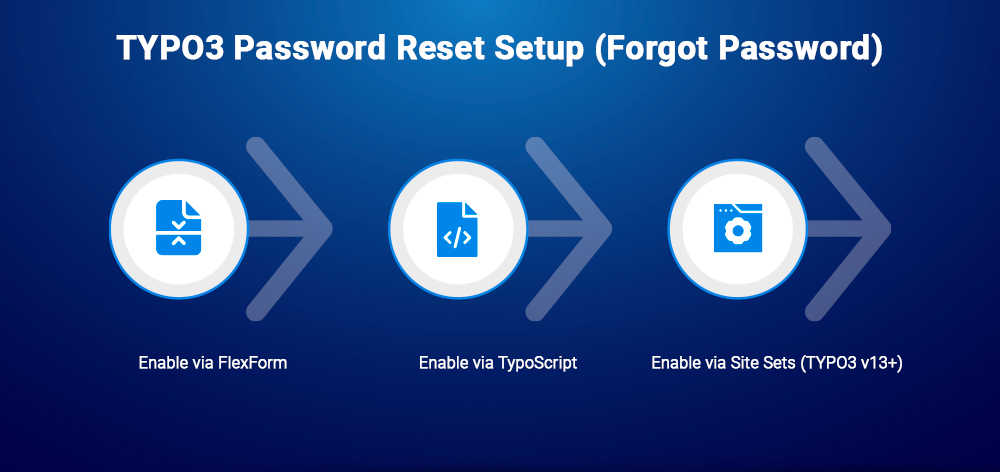
felogin includes a built-in password reset flow, but it is disabled by default.
Edit the Login Form plugin and enable:
“Show Forgot Password Link”
plugin.tx_felogin_login.settings.showForgotPasswordLink = 1
settings:felogin.showForgotPasswordLink: true
Once enabled, felogin sends a time-limited password reset link to the user’s email.
You can customize email templates here:
EXT:felogin/Resources/Private/Templates/Email/
If emails are not sending, verify your mail configuration in the Install Tool:
System → Configuration → Mail
Frontend login is a high-risk entry point and must be hardened in production.
TYPO3 v12+ uses Argon2id by default. Confirm it is active:
'FE' => ['passwordHashing' => ['className' => \TYPO3\CMS\Core\Crypto\PasswordHashing\Argon2idPasswordHash::class,],],
Avoid open redirect vulnerabilities by restricting allowed domains:
plugin.tx_felogin_login.settings {redirectMode = login,refererredirectAllowedHosts = yourdomain.de,www.yourdomain.de}
Never rely on referer alone in production setups.
An open redirect issue in GeneralUtility::sanitizeLocalUrl affected TYPO3 v9–v13.4.17 and was fixed in:
Update immediately if you are on affected versions.
felogin does not include rate limiting by default. Add protection via:
EXT:flogin lockout mechanismlimit_req, fail2ban)Enable HTTPS enforcement and secure sessions:
'FE' => ['lockSSL' => true,'sessionTimeout' => 86400,],
Together, these measures ensure your TYPO3 frontend login is production-ready, secure, and resistant to common attack vectors.
Once frontend login is set up, TYPO3 makes it easy to control access using frontend user groups (fe_groups).
Go to the page properties → Access tab and assign a frontend user group.
In TYPO3 v13+, redirect behavior is handled via the core error handler:
TYPO3\CMS\Core\Error\PageErrorHandler\PageContentErrorHandler
Each content element also has an Access tab where you can set:
Only logged-in users in the selected group will see the element.
The rest of the page remains visible.
A frequent issue is misconfigured access control:
fe_group must be correctly assigned| Scenario | Recommended |
| Basic login for standard site | felogin (core) |
| Login via email | felogin + loginviaemail |
| Passwordless / magic link | flogin |
| User self-registration | femanager |
| Registration + profile management | femanager |
| Google/Facebook login | T3Planet Social Login |
| Enterprise SSO (Azure AD, Okta) | causal/oidc or miniOrange OIDC |
| Healthcare DocCheck login | ap_docchecklogin |
| Frontend 2FA | sf_yubikey or flogin |
felogin + femanagerfelogin + Social Login + femanagerfelogin + OIDC + secure login hardening + Argon2idThis structure helps you choose the right authentication stack based on security, UX, and scalability needs.
felogin plugin? (Most common issue)fe_groups)?redirectMode = loginredirectPageLogin UIDshowForgotPasswordLink = 1 is enabledfe_group is correctly assigned on page or content elementsessionTimeout in FE configurationSameSite = strict configuration across the systemMost TYPO3 frontend login issues come down to storage folder misconfiguration, missing user group assignment, or caching not being cleared.
TYPO3 frontend login has a clear path: start with felogin for the basics, add femanager or sf_register when you need registration, layer in Social Login or OIDC for modern authentication, and apply the security steps before going to production.
The most common mistakes are skipping the storage folder assignment, ignoring redirect mode security, and not setting Argon2id password hashing. Fix those three and you have a solid foundation.
If you need help setting up frontend login on a specific project, T3Planet support is available. For agencies managing multiple client sites, the Partner Program gives you access to all T3Planet extensions at discounted rates.
Frontend users (fe_users) are website visitors with accounts. Backend users (be_users) are editors and administrators. They use separate login systems and have no overlap.
Yes. felogin ships with TYPO3 core. The latest version is 14.3.2 (released May 26, 2026), compatible with v12 LTS, v13 LTS, and v14.
Not by default. Install loginviaemail from TER to enable email-based authentication.
Open the page properties → Access tab → assign a Frontend User Group. Users not in that group are redirected to the login page.
Argon2id password hashing + HTTPS enforced + redirectAllowedHosts whitelist + brute force protection (via flogin or server-level rate limiting) + session timeout configured.
No, sessions are site-scoped by default. For cross-site authentication, use OIDC with a shared identity provider or implement a custom session-sharing mechanism.
Use T3Planet's Social Login Extension. It adds OAuth 2.0-based login for major providers with full backend configuration.
Yes. femanager is actively maintained by In2Code and supports v12, v13, and v14. Install via composer require in2code/femanager.


Anna Scholz
Extension Support SpecialistAnna knows TYPO3 extensions inside out. With hands-on experience supporting both core and custom solutions at T3Planet Shop, she delivers answers that are not only correct but smart. Her priority: helping users unlock the full power of TYPO3 without the guesswork.
More From Author