

AI Agent for TYPO3: AI Foundation 2.0 Writes Only When You Say So
AI


An editor uses an AI feature in TYPO3 to create a meta description. The first result is too long, the second sounds like an advert, and the third ignores the brand’s language rules. The team blames the model, but the instruction behind it may be the real problem.
T3AF brings prompts from connected extensions into one central library in the TYPO3 backend. Teams can review, customise, test and restore instructions instead of repeatedly repairing weak output.
This guide explains how TYPO3 AI prompt customisation helps agencies and B2B teams improve content quality, apply brand rules and build repeatable AI workflows.
Most AI features give editors a simple process: add content, choose a model, generate and review.
What is less visible is the prompt controlling the result.
| Editors Can See | Editors May Not See |
| Source content | Length and format rules |
| Selected model | Tone and terminology |
| Generated result | Forbidden language |
| Generate button | Missing-information rules |
A prompt may define the output length, language formality, required structure and claims the AI must avoid. Without access to it, teams cannot easily tell whether poor output comes from the model, the page content, AI Context or the instruction itself.
Unclear prompts can lead to inconsistent metadata, shifts between “du” and “Sie”, unsupported claims and repeated manual corrections.
For agencies, these problems multiply across client projects. Editors regenerate content, reviewers fix the same issues, and similar workflows produce different results.
Visible prompts allow the right teams to correct the instruction:
This turns prompt editing into a shared quality process rather than trial and error by individual editors.
When an instruction is hidden, teams can only repair poor output. When it is visible, they can improve the source.
The T3AF AI Prompts library is a central TYPO3 backend module for managing instructions used by connected AI extensions.
AI Foundation provides the shared interface and storage, while connected extensions contribute their prompt categories and feature-specific instructions. These prompts are then loaded when the related AI feature runs.
Administrators can open AI Foundation → AI Prompts, filter the catalogue by extension and review the prompts already available.
When the required prompt exists, they can inspect or customise it. When it is missing, they can create a new prompt by selecting the category and adding its title, description, prompt type and instruction.
From the central library, teams can:
T3AF keeps built-in prompts in the connected extension while storing project-specific custom prompts separately. This lets teams adapt AI instructions without changing the extension’s original source code.
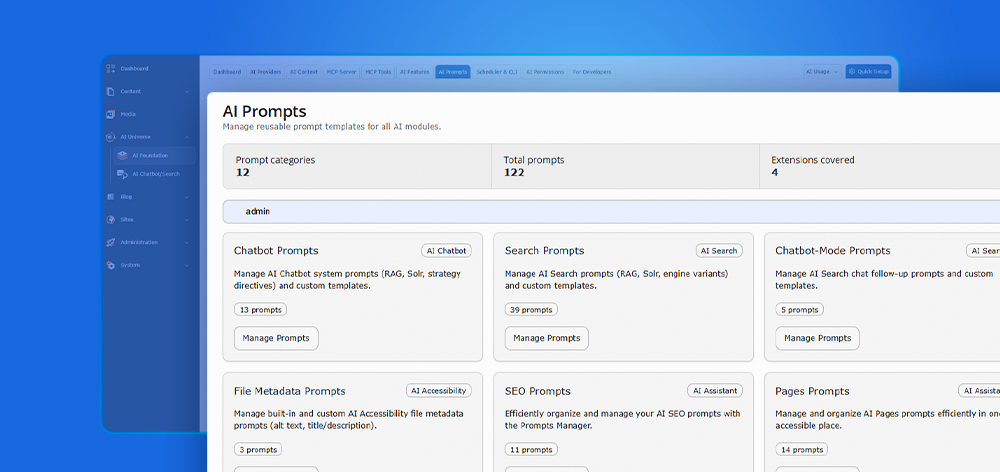
T3AF currently provides 122 prompts across 12 categories and four connected extensions: AI Accessibility, AI Chatbot, AI Assistant and AI Search. Administrators can review these instructions from one central catalogue instead of searching through separate extension settings or source files.
The prompts available in a project depend on the installed prompt-enabled extensions. Each connected extension contributes its own categories, while AI Foundation stores the shared templates and makes them available at runtime.
| Prompt Area | Typical Tasks | What Teams Can Control |
| SEO | Meta titles and descriptions | Length, keywords and search intent |
| Content | Writing and rewriting | Tone, structure and reading level |
| Translation | Localised content | Locale, formality and terminology |
| Media | Alt text and descriptions | Detail, accessibility and length |
| Chat and search | Responses and queries | Voice, relevance and fallback rules |
| Development and shared tasks | Technical workflows | Format, safeguards and conventions |
Categories help teams find the right instruction and assign ownership. SEO specialists can manage metadata prompts, localisation teams can review language rules, and developers can maintain technical instructions.
This structure also makes duplicated prompts, conflicting rules and missing safeguards easier to identify as more AI features are installed.
Poor output does not always mean the task prompt is wrong. The AI may simply be missing the brand or audience information needed to complete the task correctly.
AI Context explains who the organisation is. A prompt explains what the AI must do.
| Use AI Context For | Use Prompts For |
| Brand voice and audience | Output length and format |
| Company information | Number of results |
| Preferred terminology | Task-specific restrictions |
| Language style | Translation behaviour |
| Reusable content rules | Missing-information handling |
Use AI Context when information should influence several AI workflows. Use a prompt when the rule applies to one task.
For example, a formal brand voice belongs in AI Context, while a 150-character limit belongs in the meta-description prompt. T3AF documentation describes AI Context as reusable brand information and prompts as task instructions.
Prompts can use reusable context variables:
Write one meta description for the current page.
Use this brand voice:{brand_voice}
Follow these content rules:{content_rules}
The task remains reusable, while the selected AI Context profile supplies the relevant brand rules.
Begin with the visible problem rather than rewriting the entire prompt.
| Output Problem | What to Inspect |
| Metadata is too long | Character limit |
| Copy sounds generic | AI Context and tone rules |
| German is too informal | Locale and “Sie” instructions |
| Output contains hype | Forbidden language |
| Claims are invented | Factual boundaries and fallback rules |
Keep the source content, provider and model unchanged during the first test. This makes it easier to see whether the prompt edit caused the improvement.
If results become worse, use Reset to default, change one variable and test again. This controlled approach is recommended in the T3AF documentation.
Prompt troubleshooting works best as a controlled test, not a complete rewrite after one weak result.
The process starts by checking whether the connected extension already provides a suitable prompt. There is no need to create a duplicate when an existing instruction can be adapted.
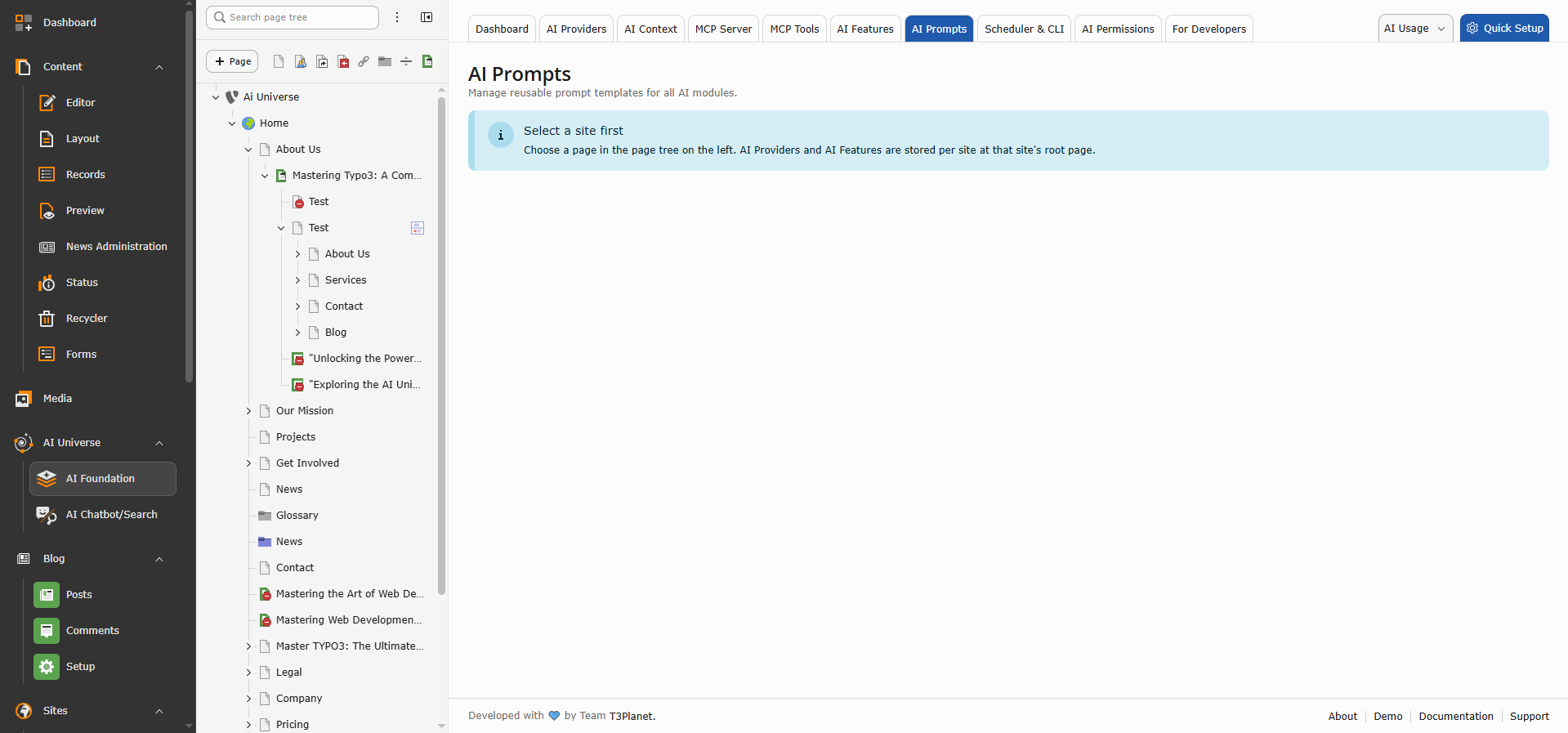
In the TYPO3 backend, go to:
AI Foundation → AI Prompts
The overview displays prompt categories contributed by installed, prompt-enabled extensions. AI Foundation provides the central module, while connected extensions supply the prompts used by their features.
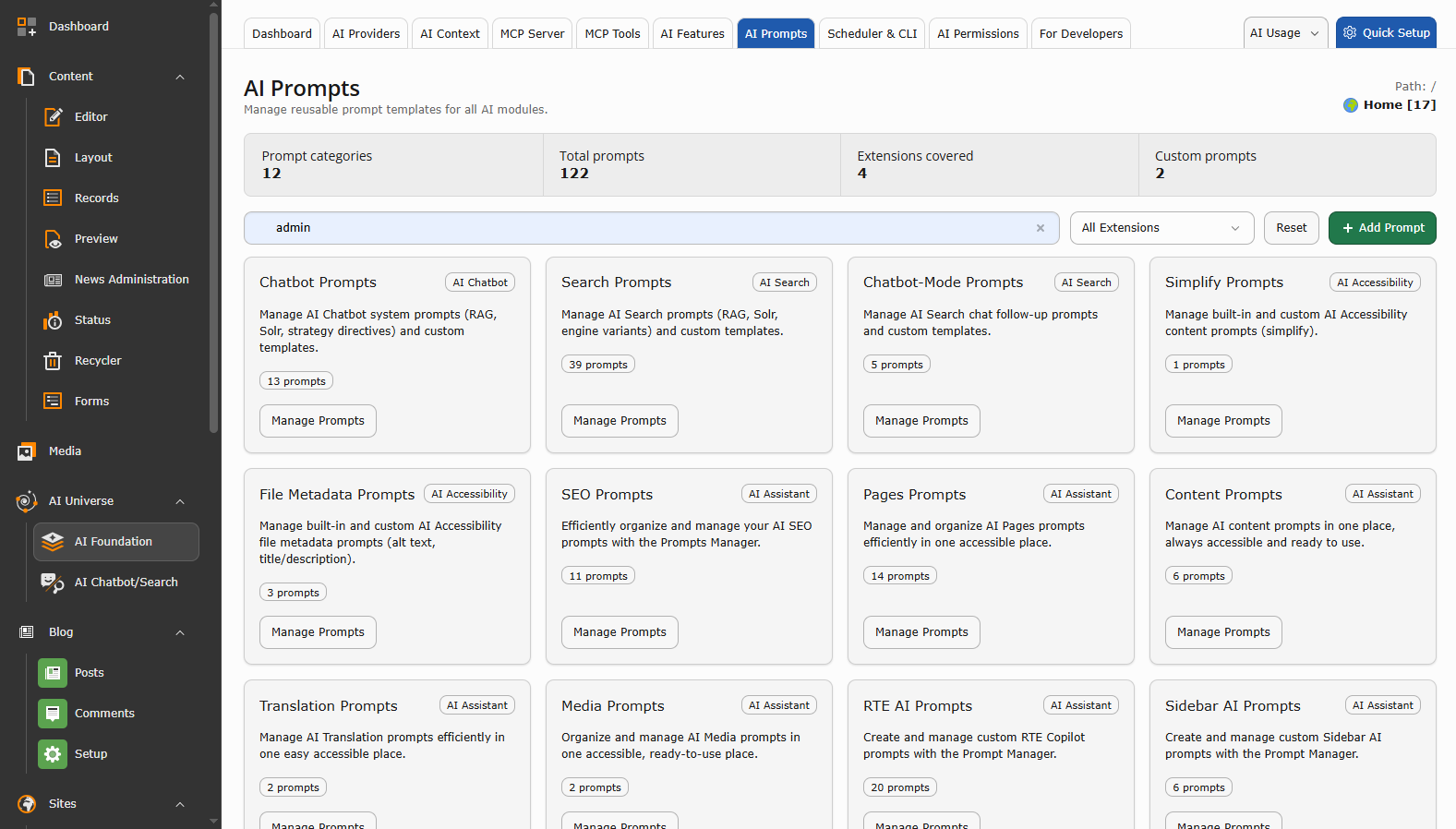
Use the extension filter to select the extension responsible for the task.
For a meta-description workflow, choose the extension that provides the relevant SEO or content-generation feature. Review the available prompts under that extension before creating anything new.
This helps avoid:
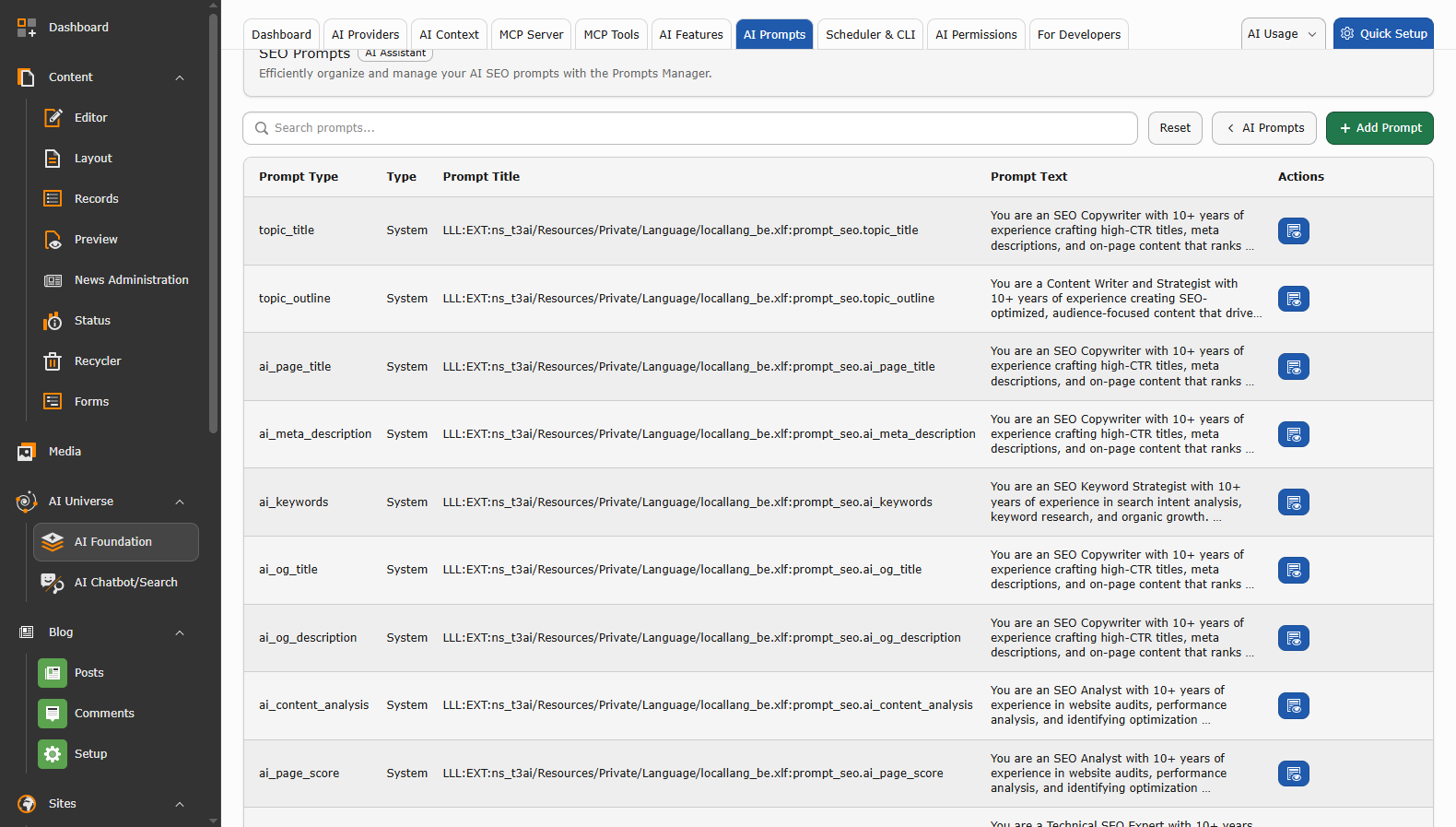
Check whether an existing prompt already matches the task.
When a suitable meta-description prompt exists, open it and review its title, prompt type, variables and instruction text. You can then customise the existing instruction according to the project’s SEO and brand requirements.
When no suitable prompt exists, select Create New Prompt.
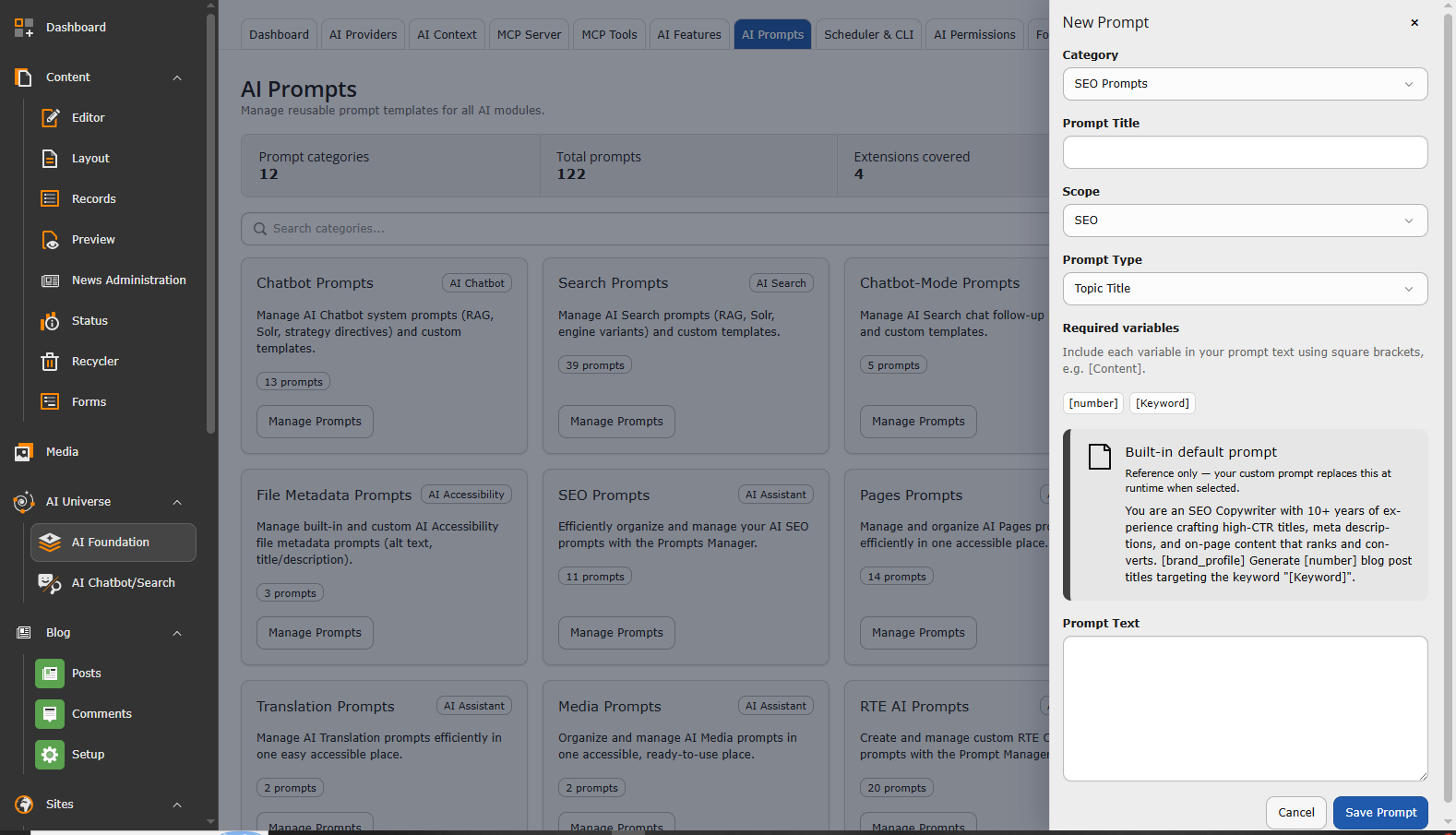
Complete the fields shown in the prompt form:
Category
Choose the extension category where the prompt should be available.
Title
Use a clear name that editors can recognise, such as:
B2B Meta Description
Description
Briefly explain when the prompt should be used:
Generates one concise meta description for B2B service and product pages.
Prompt type
Select or enter the prompt type required by the connected feature. Prompt types should remain stable because extensions use them to locate the correct custom instruction at runtime.
Prompt instruction
Add the instruction that should control the output:
Write one meta description for the supplied page content.
Requirements:
Keep any variables required by the connected extension. Removing a required placeholder may prevent the prompt from working as expected.
Review the selected extension, category and prompt type, then save the record.
AI Foundation stores editor-created custom prompts centrally. The connected extension can then select and load the saved prompt when its AI feature runs. The documented resolution process can use an explicitly supplied prompt, a saved custom prompt or the extension’s built-in default.
Run the relevant feature on one real page and confirm that it uses the new or customised prompt.
Check that:
The workflow is therefore simple: open AI Prompts, filter by extension, review what already exists and create a new prompt only when the required instruction is missing.
Strong prompts replace subjective requests with instructions that editors can test.
| Improvement | Weak Instruction | Better Instruction |
| Define the tone | Make it professional. | Use direct sentences, technical clarity and restrained language. |
| Add negative rules | Make it suitable for our brand. | Do not use emojis, hype, invented statistics or competitor names. |
| Specify the format | Write some title ideas. | Return exactly five titles without explanations. |
| Set measurable limits | Keep the summary short. | Write two sentences with a maximum of 45 words. |
| Define the locale | Translate into German. | Use German for Germany, formal “Sie”, and preserve product names in English. |
| Handle missing context | Answer using the page. | If the source is insufficient, do not guess. Return “Insufficient source information.” |
| Add a final check | Return the answer. | Check the length, format and unsupported claims, then return only the final answer. |
T3AF recommends defining the required length, format, language and tone, as well as content the AI should avoid.
Use negative instructions for problems the team has actually observed. A long blacklist can create conflicting rules and make the prompt difficult to maintain.
Locale also needs more detail than a language name. Teams may need to define regional terminology, formality, date and number formats, or product names that must remain untranslated.
A final self-check can improve consistency, but it does not prove factual accuracy. Editors should still review legal, technical and commercially sensitive content before publication.
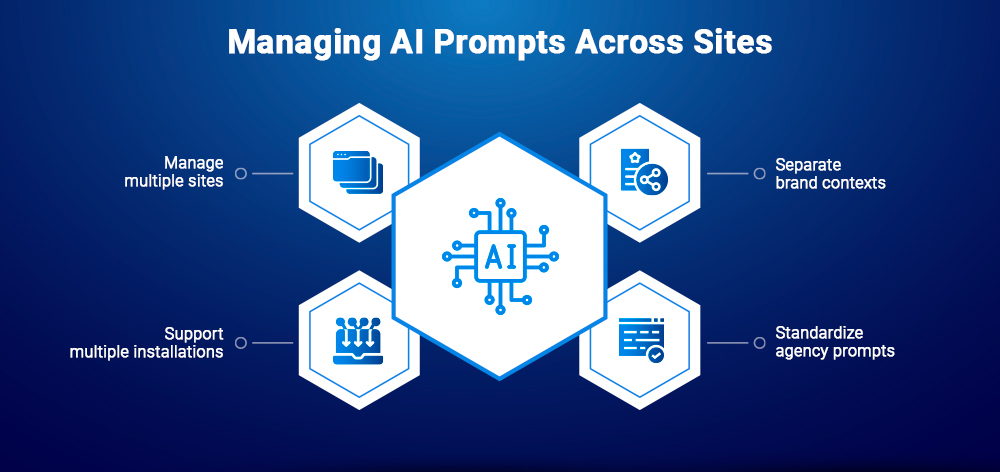
Agencies may manage several sites in one TYPO3 installation, multiple brands with different language rules, or completely separate client projects. Each setup needs a slightly different governance process.
AI Foundation stores shared prompt templates that connected extensions can load at runtime. This reduces duplicated instructions and gives administrators one place to review prompt changes.
A multisite team can use one approved meta-description prompt to define:
Because a shared prompt can affect every editor using the connected feature, changes should be reviewed before release.
A shared task prompt does not require every client to sound the same.
The prompt can define how to create a meta description, while each AI Context profile supplies the relevant audience, brand voice, SEO terms and language style. T3AF supports reusable brand profiles that connected extensions inject into prompts.
An agency can therefore keep one SEO framework while changing the brand information applied to each site.
T3AF documents shared prompt storage and project-level customisation, but it does not describe automatic one-click synchronisation of edited prompts between independent installations. Agencies should use a controlled release workflow instead.
A practical process is to:
This creates reusable standards without hiding project-specific decisions.
Use names that show the task, locale and version:
SEO_META_DESCRIPTION_V2CONTENT_SERVICE_INTRO_V1TRANSLATION_DE_FORMAL_V3CHAT_SUPPORT_FALLBACK_V1
Assign a clear owner to each prompt area:
| Prompt Area | Suggested Owner |
| SEO | SEO lead |
| Content | Content strategist |
| Translation | Localisation lead |
| Compliance | Legal or compliance reviewer |
| Technical workflows | TYPO3 developer |
| Publishing approval | Client or editorial lead |
Clear naming and ownership prevent prompt changes from becoming anonymous backend edits.
Prompt editing should follow a controlled release process. The four stages below describe governance steps rather than four required technical environments.
Change one instruction at a time and record the reason for the edit. Preserve the previous approved version before making a substantial change.
Run the updated prompt against a small but representative test set:
Keep the source, provider and model unchanged during the first comparison so the effect of the prompt remains visible.
Ask the designated prompt owner to score the output.
| Criterion | Score |
| Correct format | /5 |
| Brand alignment | /5 |
| Factual accuracy | /5 |
| Length compliance | /5 |
| Editorial usefulness | /5 |
A practical approval threshold is 20 out of 25, with factual accuracy scoring at least 4 out of 5. Any invented or unsupported claim should trigger an automatic failure, regardless of the total score.
Apply the approved prompt to the production workflow and record:
AI Foundation’s documentation warns that prompt changes affect all users of the connected feature, so large production changes should be coordinated with the relevant permissions and editorial owners.
T3AF provides a Reset to default option when an edited prompt performs worse than the built-in version. The documentation recommends restoring the default, changing one variable and testing again.
Resetting makes experimentation safer, but it is not a replacement for version control. Teams should preserve important approved prompts outside the editing interface so they can compare changes, restore project standards and explain why an override was introduced.
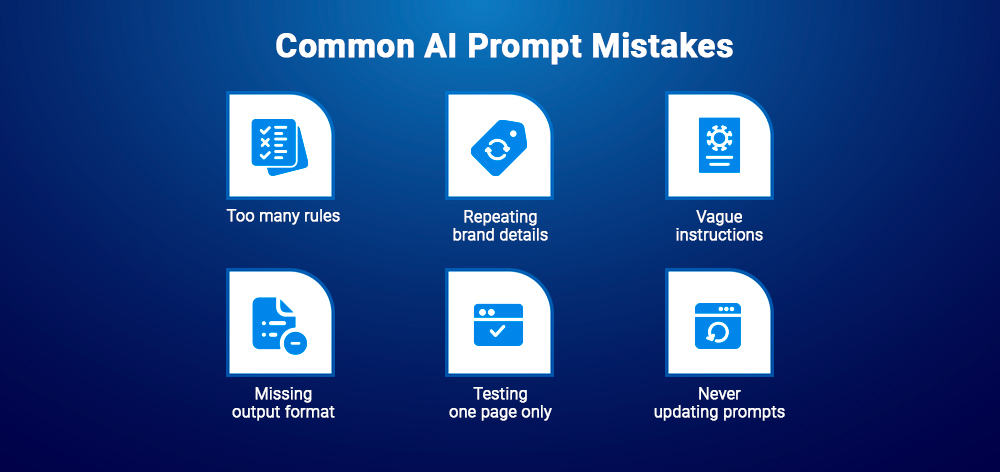
Large rewrites make testing harder. Rules may conflict, and teams cannot identify which change improved or weakened the result.
Change one instruction at a time whenever possible.
Brand voice, company details and general terminology belong in AI Context. Prompts should focus on the task, format and output requirements.
Repeating brand information inside every prompt creates duplication and makes updates harder.
Weak:
Better:
Observable rules produce more consistent results than vague creative labels.
A useful answer can still be unusable if it returns commentary, Markdown or five options when the TYPO3 field expects one clean value.
Specify exactly what should be returned.
A prompt that works for a detailed service page may fail on:
Test with varied content before releasing the prompt.
Review prompts when:
Before saving a prompt, check:
AI output quality begins with the instruction. When prompts remain hidden, teams can only regenerate weak results and hope for an improvement. Visible prompts let them identify the problem, adjust the rule and test the result.
A central prompt library also makes quality repeatable. AI Context defines the brand, while prompts control the task. Agencies can therefore reuse tested instructions without forcing every client to sound the same.
As more editors and AI extensions are added, prompt governance becomes essential.
The real advantage is not that T3AF gives TYPO3 more prompts. It gives TYPO3 teams ownership of the instructions shaping every AI result.
Better AI output begins with better instructions. By making prompts visible and editable, T3AF helps TYPO3 teams replace repeated regeneration with a more controlled process for improving quality, brand consistency and factual accuracy.
Teams can explore the capabilities on the AI Foundation for TYPO3, follow the configuration and development guidance in the T3AF documentation, or review the extension’s code and releases in the T3AF GitHub repository.
The value of T3AF is not simply having more prompts. It is giving TYPO3 teams ownership of the instructions shaping every AI result.
It means editing the instructions that control how an AI feature generates, rewrites, translates or formats content inside TYPO3.
T3AF currently includes 63 editable prompt templates across nine categories and seven or more connected extensions.
Yes. T3AF provides a Reset to default option that restores the built-in prompt when an override produces weaker results.
AI Context stores reusable brand information, such as voice, audience and terminology. AI Prompts define the task, restrictions and required output.
Yes. AI Foundation stores shared prompt templates, while connected extensions contribute and load the prompts required by their features.
Yes. Agencies can combine shared prompt standards with separate AI Context profiles and project-specific overrides. For separate TYPO3 installations, deployment should follow the agency’s documented release and configuration process.

Jürgen Pietschmann
AI Consultant for TYPO3Jürgen Pietschmann is a T3Planet Product Consultant at T3Planet Shop. He specialises in integrating AI into editorial workflows – from intelligent content creation and automated SEO to AI-powered search and chatbot solutions for TYPO3 sites. As a technical consultant for T3Planet AI Universe, he works closely with agencies and editorial teams on practical TYPO3 implementations. Jürgen has been writing the This Month in TYPO3 series since December 2025 and has spoken at T3CON25 and TYPO3 Developer Days 2026 (T3DD26), where he co-presented Content Editing Unlocked.
More From Author