
AI Agent for TYPO3: AI Foundation 2.0 Writes Only When You Say So
AI


Content teams today are expected to do more than write. They need to publish faster, optimize pages for SEO, update old content, translate pages, create metadata, add image alt text, and keep the brand voice consistent across every page.
The problem is not only manual writing. The bigger challenge is the entire manual content workflow.
Many TYPO3 teams already use AI tools, but often outside the CMS. This creates extra copy-paste work, formatting issues, missed SEO fields, inconsistent prompts, translation delays, and longer approval cycles.
T3AI solves this by bringing AI directly into the TYPO3 backend. As a TYPO3-native AI assistant, it helps editors write, rewrite, optimize, translate, and manage content where they already work.
Instead of replacing editors, T3AI reduces repetitive tasks and makes the shift from manual writing to AI-driven content faster, simpler, and easier to control.
T3AI is an AI Assistant for TYPO3 that helps editors create, rewrite, optimize, translate, and manage content directly inside the TYPO3 backend. It reduces manual work by turning repetitive tasks into faster AI-supported workflows.
T3AI helps with:
Instead of using separate AI, SEO, translation, and media tools, T3AI brings everything into one TYPO3-native workflow.
For TYPO3 teams, writing is only one part of content publishing. Every page often needs planning, editing, SEO, translation, media support, and approval before it goes live.
Manual content work includes:
This becomes slow for large TYPO3 websites, agencies, and multilingual teams.
Many teams use AI outside TYPO3, but this creates extra steps. Editors must copy content back into the CMS, fix formatting, add SEO fields, manage translations, and review everything again.
This often leads to:
A CMS-native AI assistant brings AI into the place where content is created, optimized, translated, and published.
With T3AI, TYPO3 teams can reduce tool switching, copy-paste work, formatting issues, and manual SEO or translation tasks while keeping the workflow inside the TYPO3 backend.
T3AI is an all-in-one TYPO3 AI extension by T3Planet. It helps teams create, optimize, translate, and manage website content directly inside the TYPO3 backend.
Instead of using separate tools for AI writing, SEO, translation, image creation, and prompt management, T3AI brings these tasks into one connected TYPO3 workflow.
With T3AI, teams can:
T3AI is designed as a no-SaaS, no-external-dashboard AI assistant. This means content teams can use AI where they already work, without constantly switching between different platforms.
T3AI is a TYPO3 AI Assistant that helps editors create, optimize, translate, and manage content faster without leaving the TYPO3 backend.
T3AI is useful for teams and professionals who manage content-heavy TYPO3 websites, including:
In simple terms, T3AI is built for anyone who wants to reduce repetitive manual content work and make TYPO3 content creation faster, smarter, and easier to manage.
The shift from manual writing to AI-driven content is not only about producing text faster. It is about improving the entire content workflow inside TYPO3. T3AI helps teams reduce repetitive tasks, avoid scattered tools, and manage content creation, SEO, translation, and updates from one place.
| Content Task | Manual Workflow | T3AI Workflow |
| Page writing | Start from a blank page and build every section manually | Generate a page draft from a topic, tone, and structure |
| Blog creation | Research, outline, write, edit, and optimize manually | Create draft-ready blog or news content with SEO support |
| SEO metadata | Write titles, descriptions, Open Graph tags, and schema separately | Generate and optimize SEO metadata with AI |
| Translation | Translate content page-by-page or field-by-field | Use AI translation, mass translation, and re-translation |
| Content updates | Rewrite outdated pages manually | Refresh and improve old content with AI rewriting |
| Image support | Search for images and write alt text manually | Generate visuals and AI alt text inside TYPO3 |
| Brand consistency | Depends on each editor’s writing style and prompt quality | Use prompt management and reusable prompts for consistency |
| Multi-site content | Repeat the same content tasks across websites | Synchronize prompts and scale content workflows across sites |
T3AI also supports multilingual TYPO3 workflows with features such as page translation, language glossary, re-translation, mass translation, auto translation, auto re-translation, and records/TCA translation.
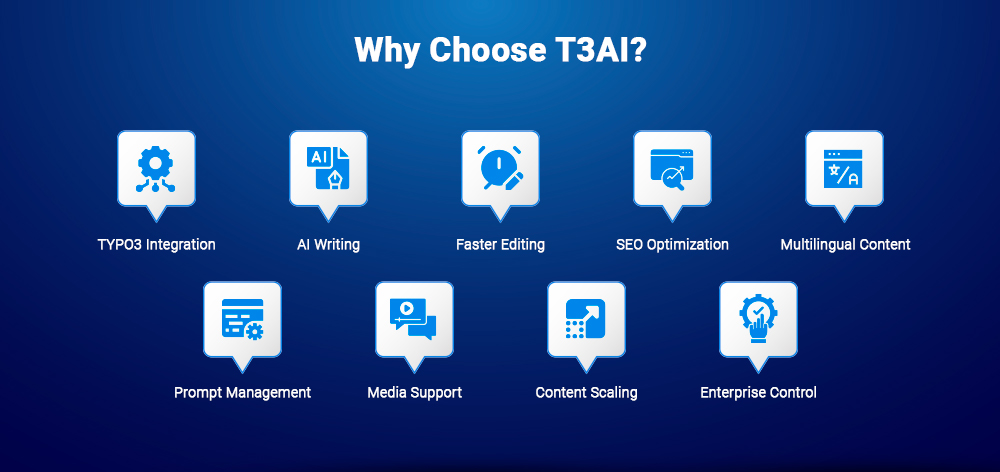
This makes AI-driven content easier to manage because editors do not need to handle every task separately. Instead, T3AI brings writing, SEO, translation, media, and prompt management into one connected TYPO3 backend workflow.
Moving from manual writing to AI-driven content can feel difficult when teams need to change tools and workflows. T3AI makes the shift easier by bringing AI directly into the TYPO3 backend, where editors already create, update, optimize, and publish content.
The biggest barrier to AI adoption is often workflow disruption. Editors may use ChatGPT, Google Docs, SEO tools, translation tools, image platforms, and TYPO3 separately.
T3AI reduces this friction by keeping key AI tasks inside TYPO3, including:
This makes AI feel like part of TYPO3, not another external tool.
Starting from a blank page can slow down editors. T3AI helps teams begin faster by generating draft-ready content from a topic, tone, structure, or page goal.
It supports page creation, AI blog creation, page tree generation, and built-in SEO metadata. Editors can then refine the AI-generated draft with human review.
Manual rewriting takes time, especially when content needs to be shorter, clearer, more professional, or more SEO-friendly.
With T3AI, editors can polish rough copy, shorten long descriptions, expand thin sections, adjust tone, rewrite technical content, and refresh outdated blogs or pages.
Many teams write content first and handle SEO later. This can lead to missing meta titles, weak descriptions, incomplete Open Graph tags, poor readability, and missing schema.
T3AI connects writing with SEO by supporting SEO titles, meta descriptions, Open Graph tags, readability suggestions, SEO insights, JSON-LD schema, and mass SEO optimization.
TYPO3 is often used for multilingual websites. Manual translation can slow down launches, updates, blogs, and international SEO campaigns.
T3AI supports page translation, content element translation, re-translation, mass translation, auto translation, records/TCA translation, and glossary support.
AI output depends on prompt quality. When every editor writes prompts differently, content can become inconsistent.
T3AI helps teams manage reusable prompts for blogs, landing pages, SEO metadata, translation, rewriting, product descriptions, FAQs, and CTAs. This improves brand consistency, onboarding, SEO workflows, and content governance.
Content publishing is not only text. Editors also need images, metadata, and accessibility-friendly alt text.
T3AI supports AI image generation, stock image discovery, FAL storage support, image alt text generation, and accessibility improvement.
TYPO3 agencies manage multiple clients, websites, languages, and SEO tasks. T3AI helps reduce repetitive work and improve delivery speed.
Agencies can create faster page drafts, generate SEO metadata, support multilingual rollouts, reuse prompts, reduce manual workload, and avoid unnecessary copy-paste work.
Enterprise teams need speed, flexibility, privacy, and governance. T3AI supports multiple AI providers, including OpenAI/ChatGPT, Gemini, Claude, Azure, DeepSeek, Mistral, and Ollama.
This helps teams choose providers based on budget, privacy, compliance needs, project requirements, or self-hosted AI preferences.
Overall, T3AI makes AI-driven content easier by reducing workflow disruption and bringing writing, SEO, translation, media, and prompt management into one TYPO3 backend workflow.
T3AI turns content creation into a guided TYPO3 backend workflow. Instead of writing everything manually, editors can start with a topic, generate ideas, create an outline, add content elements, review the output, and publish faster.
The process starts inside the TYPO3 backend. Editors can go to the T3AI tab, open Pages, and choose the type of AI content they want to create.
T3AI supports different page workflows, including:
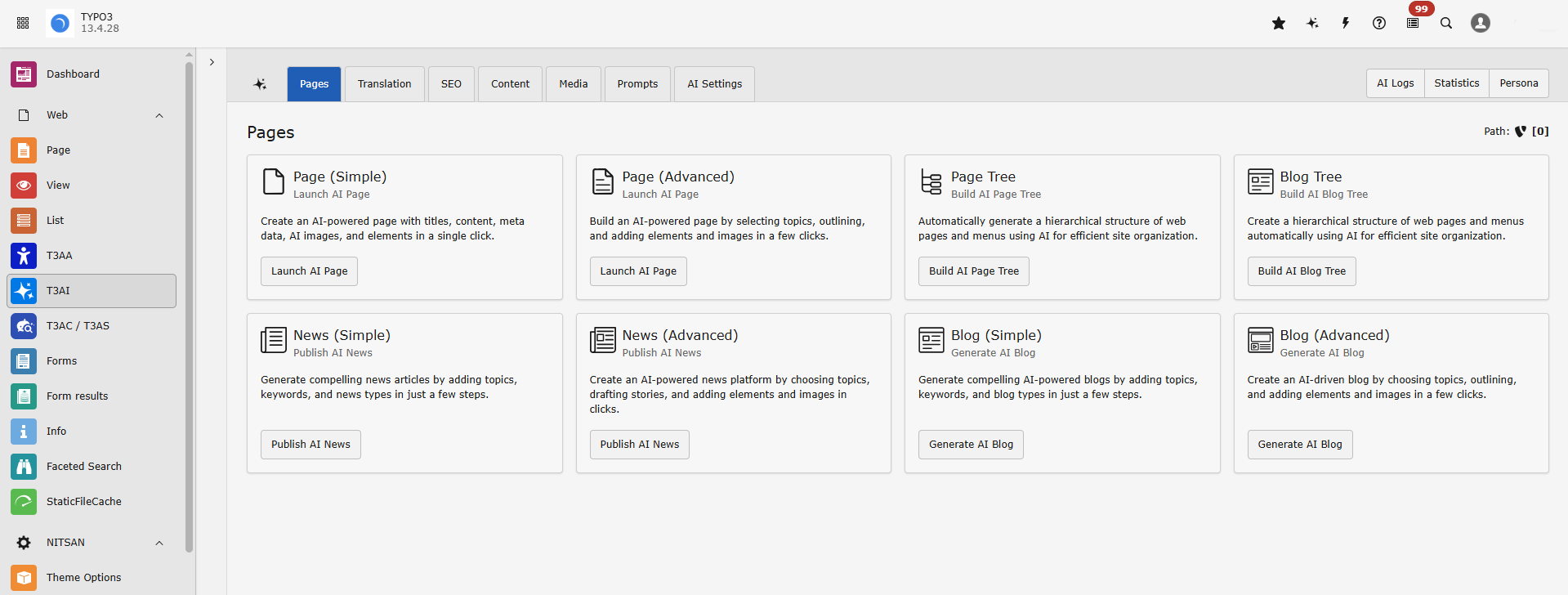
Editors can select the type of content they want to generate. For example, in the advanced page workflow, T3AI allows users to choose page types such as default pages, blogs, products, or service pages.
This helps the AI create content that matches the purpose of the page instead of producing generic text.
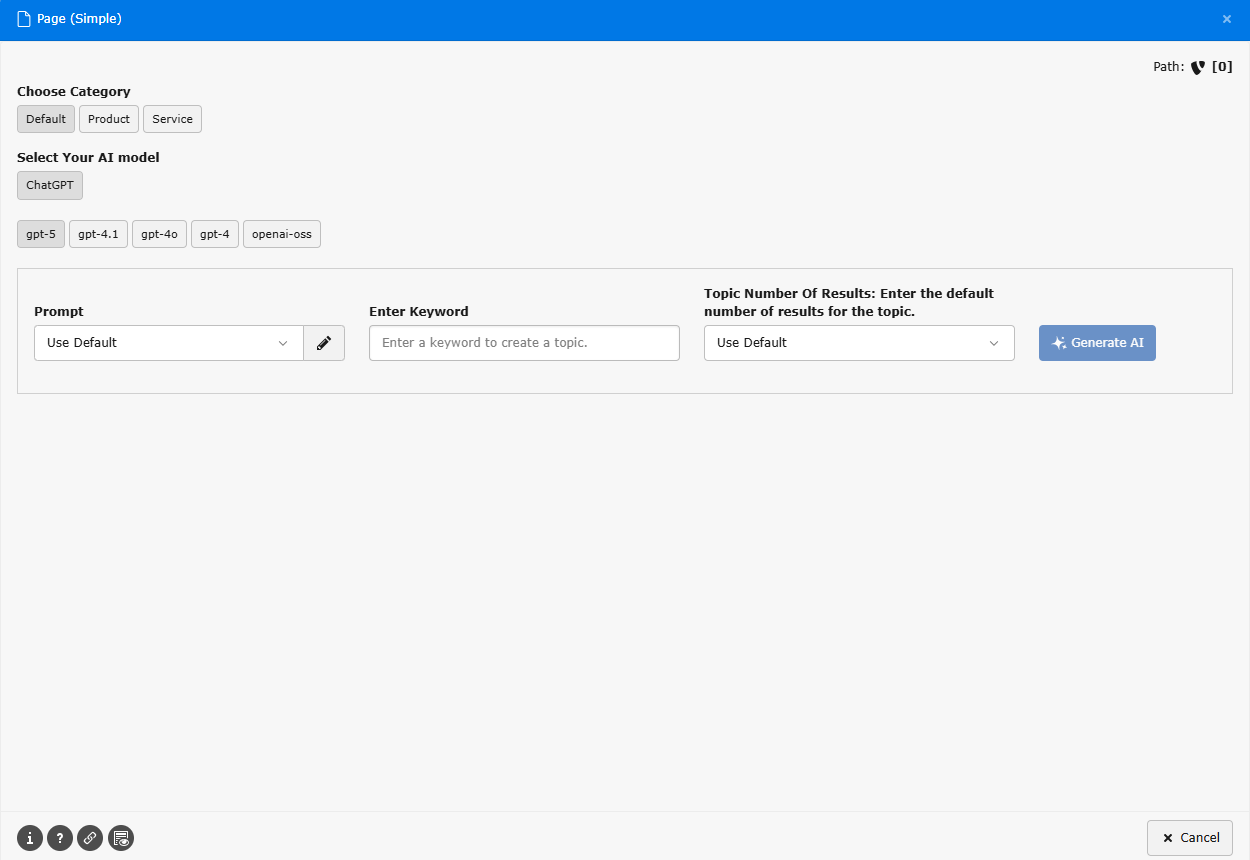
Next, editors choose the AI model, select a prompt, enter keywords, and set the number of results they want to generate.
This step gives T3AI the direction it needs. For example, an editor could enter a topic such as:
“Create a service page about TYPO3 website migration for B2B companies.”
After the inputs are added, editors click Generate AI. T3AI then creates page title suggestions, content ideas, or draft options based on the selected prompt and keywords.
This helps teams move past the blank page problem and start with AI-generated ideas.
Once a title or idea is selected, editors can generate an outline. T3AI then creates a structured content plan with suggested sections or content elements.
Editors can review the outline and decide which elements to keep, remove, edit, or regenerate before creating the final page content.
T3AI gives editors flexible publishing options. They can:
This is useful for both single-page content and larger website structures.
After the outline and elements are selected, T3AI adds the generated content into TYPO3. Depending on the workflow, this can include page content, blog content, news records, elements, images, metadata, and other content fields.
For blogs and news, editors can also review details such as headline, URL, teaser, text, keywords, and meta information.
T3AI speeds up content creation, but editors should still review the final output before publishing. They should check:
This keeps the workflow AI-supported, but still human-controlled.
Once the content is reviewed and approved, the page, blog, news article, or page tree can be published from TYPO3.
The main benefit is a smoother workflow: editors can move from idea to structure, content, metadata, and publishing without relying on disconnected writing, SEO, translation, and media tools.
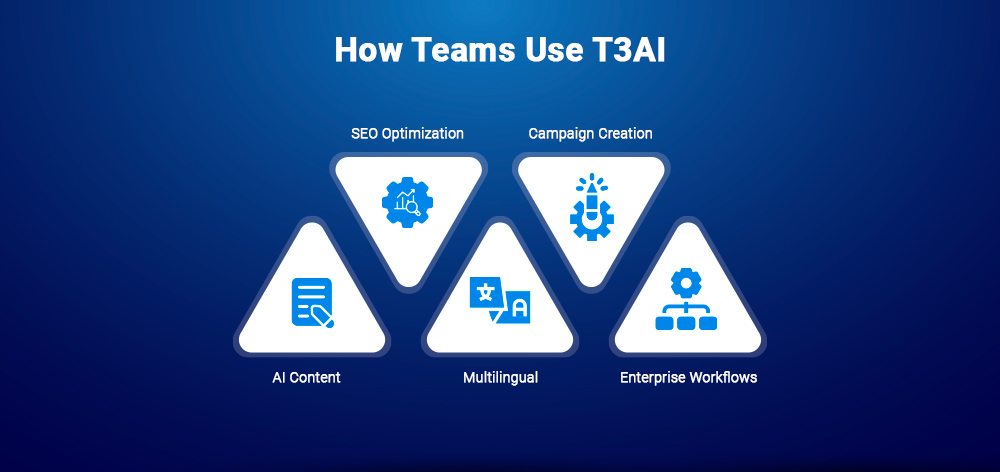
T3AI supports different TYPO3 teams by making content creation, SEO, translation, and publishing tasks faster inside the CMS.
Content editors can use T3AI to:
This helps editors spend less time starting from scratch and more time refining content.
SEO teams can use T3AI to:
This makes optimization faster and more consistent.
Marketing teams can use T3AI to:
This helps teams move from idea to campaign-ready content more quickly.
TYPO3 agencies can use T3AI to:
This makes it easier to manage multiple client websites efficiently.
Enterprise teams can use T3AI to:
This helps enterprises adopt AI while keeping content workflows inside TYPO3.
ChatGPT can help with writing, but when used outside TYPO3, teams still need to copy, paste, format, optimize, translate, and manage content manually. T3AI makes AI more practical by bringing these tasks directly into the TYPO3 backend.
| Factor | ChatGPT Separately | T3AI Inside TYPO3 |
| Location | Outside CMS | Inside TYPO3 |
| Copy-paste | Required | Reduced |
| SEO fields | Manual | AI-assisted |
| Translation | Manual | TYPO3-aware |
| Prompts | User-dependent | Managed prompts |
| Pages | External draft | TYPO3 workflow |
| Media | Separate tools | Built-in support |
| Governance | Limited | Better CMS control |
The key difference is workflow. ChatGPT helps you write, while T3AI helps you create, optimize, translate, and manage content inside TYPO3.
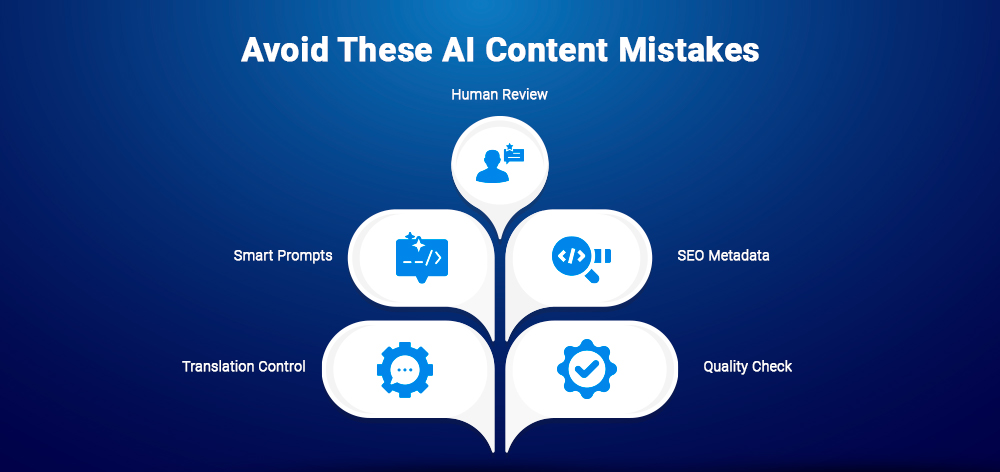
AI can make content creation faster, but teams still need the right process. Without clear rules, AI-driven content can become inconsistent, incomplete, or difficult to manage.
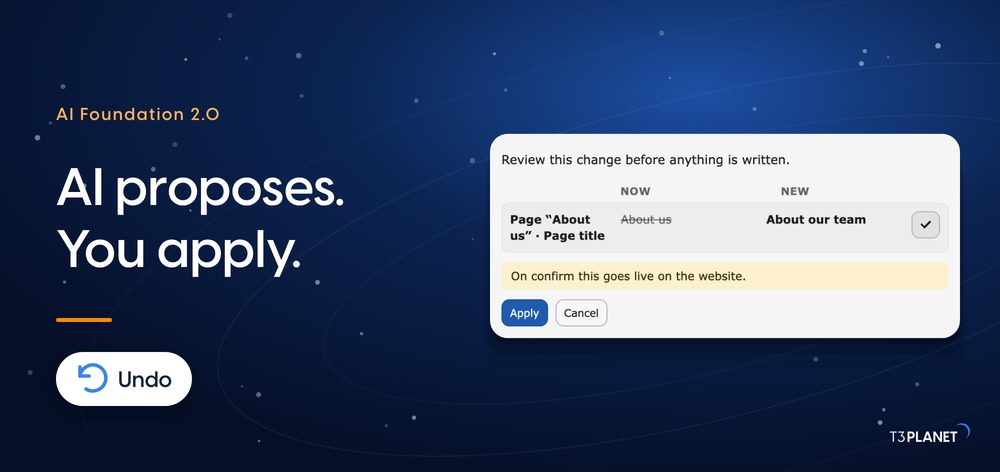
AI should support editors, not replace them. T3AI can help create drafts, rewrite content, generate SEO fields, and translate pages, but editors still need to review the final output.
Human review is important for accuracy, tone, context, user intent, and brand quality.
Generic prompts often create generic content. If every editor uses different prompts, the final output can feel inconsistent across the website.
This is why prompt management matters. Reusable prompts help teams maintain a consistent structure, tone, SEO approach, and brand voice.
AI-generated content is not complete if SEO fields are missing. Pages still need meta titles, meta descriptions, Open Graph tags, schema, and optimized headings.
T3AI helps reduce this gap by connecting content creation with SEO tasks inside TYPO3.
For multilingual websites, translation is not only about changing words from one language to another. Brand terms, product names, technical phrases, and industry language need consistency.
A glossary helps teams keep translations accurate and aligned across different pages and languages.
Publishing AI content without checking it can lead to factual errors, weak messaging, legal risks, or off-brand copy.
Before publishing, teams should review the content for:
T3AI makes content creation faster, but the best results come when AI speed is combined with human editorial control.
T3AI works best when teams use it with a clear content process. The goal is not only to generate content faster, but to create better, more consistent, and easier-to-manage TYPO3 content.
Reusable prompts help teams get more consistent AI output. Instead of writing a new prompt every time, editors can use prepared prompts for common content tasks.
Create prompt templates for:
This saves time and helps keep the content structure, tone, and SEO approach consistent across the website.
AI should draft, but editors should validate. T3AI can speed up writing, rewriting, SEO, and translation, but the final content still needs human review.
Editors should check:
This keeps AI-driven content useful, reliable, and publish-ready.
The easiest way to start with T3AI is by using it for repetitive content tasks. These tasks usually take time but follow a predictable structure.
Start with:
Once the team becomes comfortable, T3AI can be used for larger workflows like full page creation, blogs, multilingual content, and bulk SEO tasks.
To get better results from AI, teams should define clear brand voice rules. These rules help T3AI generate content that sounds consistent across pages, campaigns, and languages.
Define:
Clear brand rules make AI output easier to review and improve.
To understand the real value of T3AI, teams should monitor how it improves the content workflow.
Track metrics such as:
This helps teams see where T3AI saves the most time and where the workflow can be improved further.
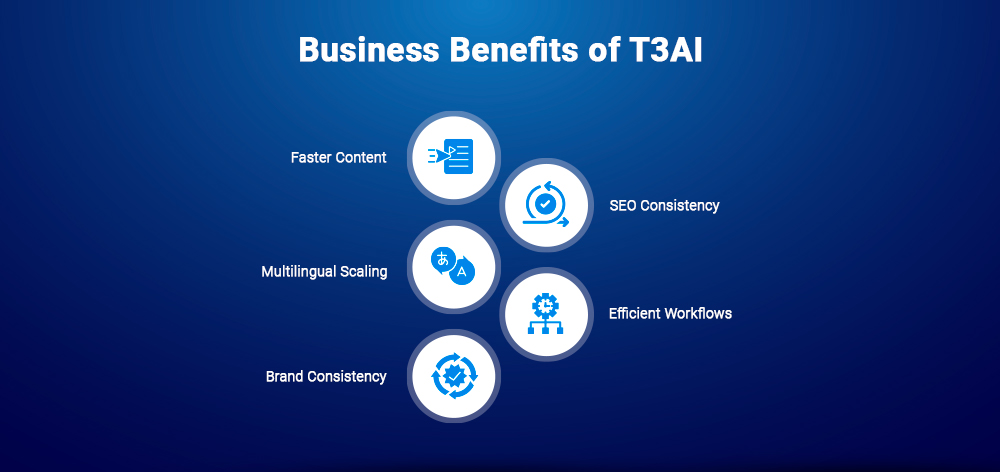
Moving from manual writing to T3AI is not just a content upgrade. It can create real business value for TYPO3 teams, agencies, and enterprises by helping them publish faster, improve SEO consistency, scale multilingual content, and reduce repetitive work.
T3AI helps reduce the time spent on repetitive content tasks such as:
This helps teams move from idea to publish-ready content faster.
When SEO is handled manually, pages may go live with missing titles, weak descriptions, incomplete Open Graph tags, or no schema. T3AI helps bring SEO into the content workflow by supporting metadata, schema, readability, and optimization tasks.
This makes SEO more consistent across TYPO3 pages.
For multilingual websites, manual translation can slow down launches, updates, and international SEO. T3AI supports AI translation, re-translation, glossary use, and bulk translation workflows.
This makes it easier to manage content across multiple languages without repeating every task manually.
T3AI reduces the need to switch between separate writing, SEO, translation, and image tools. Editors can complete more tasks directly inside the TYPO3 backend.
This means:
T3AI helps teams maintain consistency through prompt management and reusable instructions. This is especially useful when multiple editors, agencies, or departments work on the same website.
With shared prompts and clear content rules, teams can create content that better matches the brand voice, structure, and quality standards.
T3AI is a good choice for TYPO3 teams that want to reduce manual content work, improve publishing speed, and manage AI-driven content directly inside the CMS. It is especially useful when your website needs regular updates, SEO optimization, multilingual content, or scalable editorial workflows.
For these teams, T3AI can make content creation, rewriting, translation, SEO, and media tasks easier to manage from one TYPO3 backend workflow.
In simple terms, T3AI is most valuable when content is a regular part of your website operations. If your TYPO3 website needs frequent publishing, multilingual updates, SEO support, or team-based content workflows, T3AI can be a practical upgrade from manual writing.
AI in content creation is not just about generating text faster. The real value comes when AI supports the entire content workflow, from drafting and rewriting to SEO, translation, media, review, and publishing.
That is where T3AI becomes practical for TYPO3 teams. It helps editors reduce repetitive manual work while keeping content creation inside the TYPO3 backend. Teams can write, optimize, translate, and manage content in the workflow they already use instead of depending on disconnected tools.
The future of content is not simply AI-generated text. It is AI-assisted content operations. T3AI makes that shift easier by helping TYPO3 teams create better content faster, without losing control over quality, brand voice, and publishing accuracy.
Ready to simplify your TYPO3 content workflow? Explore T3AI by T3Planet and see how AI can help your team create, optimize, and publish content faster from inside the TYPO3 backend.
T3AI is an AI Assistant extension for TYPO3. It helps users generate content, optimize SEO, translate pages, create media, build pages, and manage AI prompts directly from inside the TYPO3 backend.
T3AI reduces manual writing by helping editors generate first drafts, rewrite existing content, change tone, expand or shorten text, create blogs, and build content elements directly inside TYPO3.
Yes. T3AI can support SEO content creation by helping generate SEO titles, meta descriptions, Open Graph tags, readability suggestions, content analysis, SEO scores, schema, and mass SEO optimization for TYPO3 pages.
No. T3AI is not only for blogs. It can support blogs, news articles, landing pages, page content, content elements, SEO metadata, translations, media, image alt text, and records from TYPO3 extensions.
Yes. T3AI supports TYPO3 translation workflows such as page translation, content element translation, mass translation, re-translation, auto translation, and records/TCA translation.
No. T3AI helps editors work faster, but it does not replace human review. Editors should still check content for accuracy, brand voice, SEO quality, compliance, and final publishing standards.
For TYPO3 teams, T3AI is more workflow-friendly because it works inside the TYPO3 backend. It reduces copy-paste work and connects AI writing with SEO, translation, media, prompt management, and page creation.
T3AI is useful for TYPO3 editors, SEO teams, marketers, agencies, developers, enterprise teams, and multilingual website owners who want to reduce manual content work and improve content workflows.
Yes. T3AI can help agencies standardize prompts, speed up content production, optimize metadata, translate content, and manage repeated workflows across multiple TYPO3 projects.
T3AI is positioned as an all-in-one AI Assistant for TYPO3. It covers content generation, SEO, translation, media, page building, prompt management, and broader backend workflow support inside TYPO3.

Jürgen Pietschmann
AI Consultant for TYPO3Jürgen Pietschmann is a T3Planet Product Consultant at T3Planet Shop. He specialises in integrating AI into editorial workflows – from intelligent content creation and automated SEO to AI-powered search and chatbot solutions for TYPO3 sites. As a technical consultant for T3Planet AI Universe, he works closely with agencies and editorial teams on practical TYPO3 implementations. Jürgen has been writing the This Month in TYPO3 series since December 2025 and has spoken at T3CON25 and TYPO3 Developer Days 2026 (T3DD26), where he co-presented Content Editing Unlocked.
More From Author