
AI Agent for TYPO3: AI Foundation 2.0 Writes Only When You Say So
AI


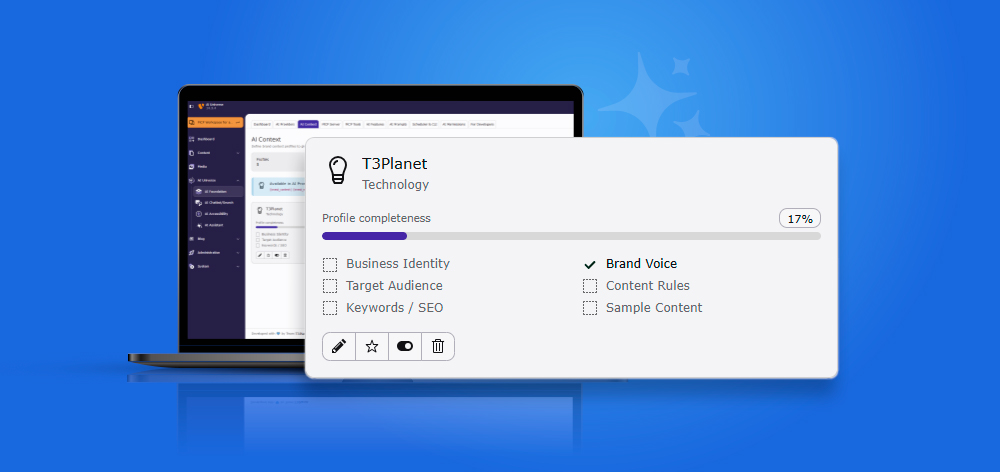
AI Context is a feature inside AI Foundation for TYPO3 (T3AF) that stores a brand's identity, voice, audience, and content rules once, then automatically injects them into every AI-generated prompt across the site. It exists to solve one specific problem: AI content that sounds generic.
If you've asked an AI tool to write TYPO3 content, you already know what that looks like. The text is correct. It's also flat. It could belong to any TYPO3 agency, any product shop, any company at all. That's because the AI never knew who you are, no tone, no audience, no list of words you never use.
AI Foundation for TYPO3 is the shared base extension behind T3Planet's whole AI Universe suite, AI Assistant, AI Chatbot, AI Search, AI Accessibility, and more all read from the same AI Context profile. That means the brand voice work you do once, in one place, carries across every AI-powered feature your TYPO3 installation uses.
AI Foundation for TYPO3 is also open source under GPL-2.0-or-later, available through the TYPO3 Extension Repository and GitHub, so the engine handling your brand context isn't a black box running on someone else's server.
This guide walks through why generic AI content happens, what a brand profile actually contains, how it compares to just writing better prompts by hand, and how to set one up in your own TYPO3 backend in under 10 minutes.
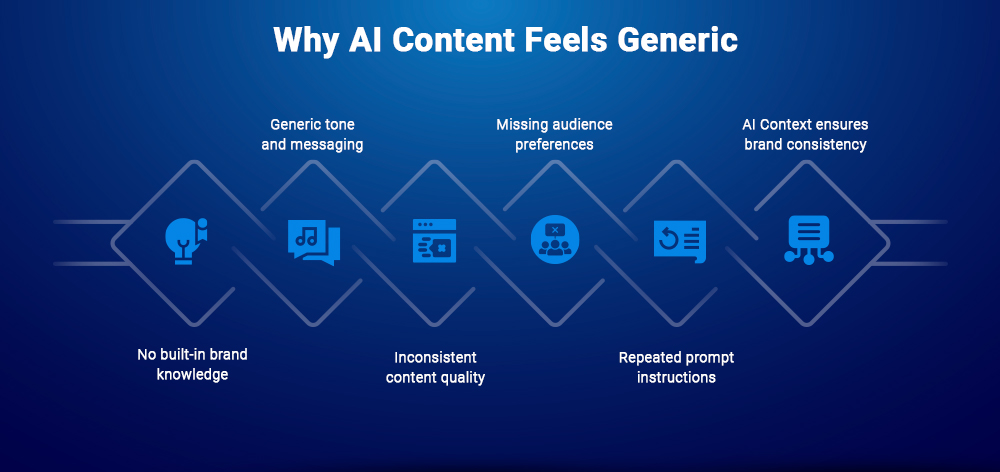
Every AI model starts a conversation with zero memory of your brand. Unless you tell it otherwise, it defaults to safe, average language, because "safe and average" is what most training data looks like.
In practice, this shows up in small but constant ways:
None of this is a broken AI model. It's a missing input. And the fix isn't "write better prompts every time", it's giving the AI a fixed, reusable answer to "who are you" so it never has to guess.
For a single writer, retyping "professional but friendly, formal Sie, no hype words" into every prompt is annoying but survivable. For a TYPO3 agency running AI content across ten client sites, it's not annoying, it's where quality actually breaks down.
Someone forgets the instructions once, off-brand content goes live, and now there's a client email to answer and a page to fix.
This is exactly the gap AI Foundation’s AI Context is built to close.
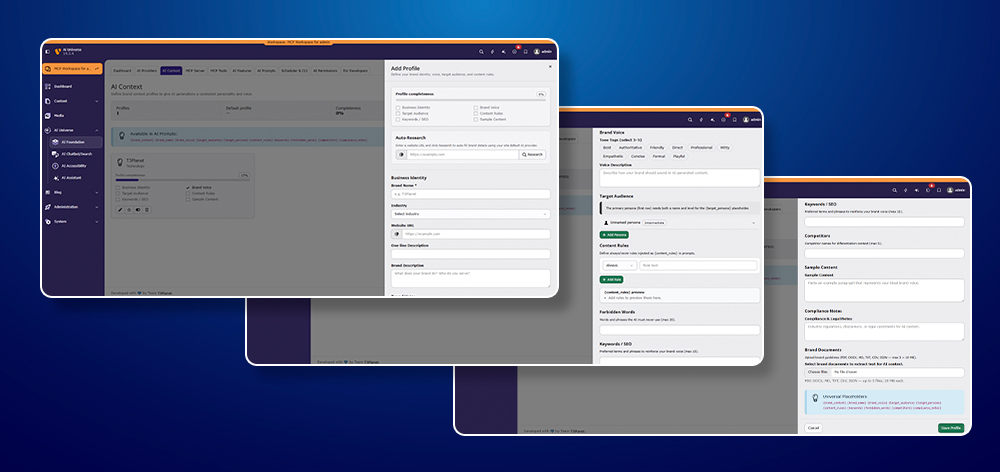
A profile is organized into six sections, each stored under AI Foundation > AI Context, with a completeness score showing at a glance whether a profile is ready to use.
Business Identity is the "who we are" layer every other section builds on: brand name, industry (chosen from categories like Technology, Healthcare, Finance, E-Commerce, Legal, and others), website URL, a one-line description, and a fuller brand description.
Brand Voice is set by picking 3–5 tags from a fixed list of 10 (Bold, Authoritative, Friendly, Direct, Professional, Witty, Empathetic, Concise, Formal, Playful), plus a free-text voice description for anything the tags don't capture. Picking tags forces a decision most teams never actually make explicit, is this brand "Direct" or "Empathetic"? Both, sometimes? The tag list makes you choose, which is exactly why it works better than a vague adjective in someone's head.
Target Audience defines your primary persona with a name and an experience level, for example, a persona set to "Intermediate" rather than "Beginner" or "Expert." This is what tells the AI how much to explain versus assume.
Writing for TYPO3 developers and writing for TYPO3 editors who've never touched code are two different jobs, even on the same site.
Content Rules are simple Always / Never statements ("Always use formal Sie," "Never use exclamation marks in headlines"), paired with a separate forbidden-words list of up to 20 words or phrases.
Rules and forbidden words solve different problems: rules shape how something is said, forbidden words block specific terms outright, no matter how the sentence is built.
This section holds up to 15 preferred terms and phrases the AI should reinforce, plus up to 5 named competitors for differentiation context.
The competitor list isn't there to badmouth anyone, it's context so the AI knows what makes your positioning different when it writes comparison or "why choose us" content.
A block of real sample copy lets the AI match your existing style, often teaching it more about your actual voice than every other field combined, alongside compliance and legal notes for anything regulatory that must always be respected.
You can also upload brand documents directly, PDF, DOCX, Markdown, TXT, CSV, or JSON, up to 3 files at 10 MB each, and AI Foundation extracts the text as extra context, instead of you retyping brand guidelines that already exist somewhere else.
AI Context doesn't just repeat the same brand description everywhere, each connected extension applies it to a different kind of output:
| Extension | What it generates | How AI Context shapes it |
| T3AI (AI Assistant for TYPO3) | Blog posts, SEO copy, page content | Tone, keywords, and forbidden words applied to written content |
| T3AC (AI Chatbot for TYPO3) | Conversational responses | Brand voice sets how the chatbot talks to visitors, not just what it writes |
| T3AS (AI Search for TYPO3) | Search result phrasing | Keeps result summaries consistent with brand tone and terminology |
| T3AA (AI Accessibility for TYPO3) | Alt text, audio, voiceovers | Voice and audience settings shape how descriptive or formal alt text and voiceover scripts are |
| T3AL (AI Localization for TYPO3) | XLIFF translations | Language style and content rules (like formal Sie) carry through translated output |
| T3AB (AI Extension Builder) | Generated TYPO3 extensions and Content Blocks | Naming, labels, and any generated documentation follow brand terminology and compliance notes |
One profile, six different jobs. That's the actual point of storing brand voice centrally instead of per-extension.
A fair question: why not just write a really good, detailed prompt every time, instead of setting up a whole profile?
| Writing instructions into each prompt | AI Context profile | |
| Setup time | None upfront | 10 minutes, once |
| Consistency across editors | Depends on who's typing | Same for everyone, automatically |
| Consistency across extensions | Only where you paste it | Applied to every connected extension |
| Multi-client / multi-brand sites | Risk of copy-paste mistakes between clients | Separate, named profiles, switch the active one |
| Updating brand voice | Edit every saved prompt | Edit the profile once |
| Forbidden words | Only if someone remembers to mention them | Enforced automatically, every time |
The single-prompt approach works fine for one person writing one page. It stops working the moment a second editor, a second client, or a second AI extension enters the picture, which, on most TYPO3 installations, happens fast.
AI Context isn't a replacement for good prompts. It's the missing layer that makes prompts reusable without retyping the brand every single time.
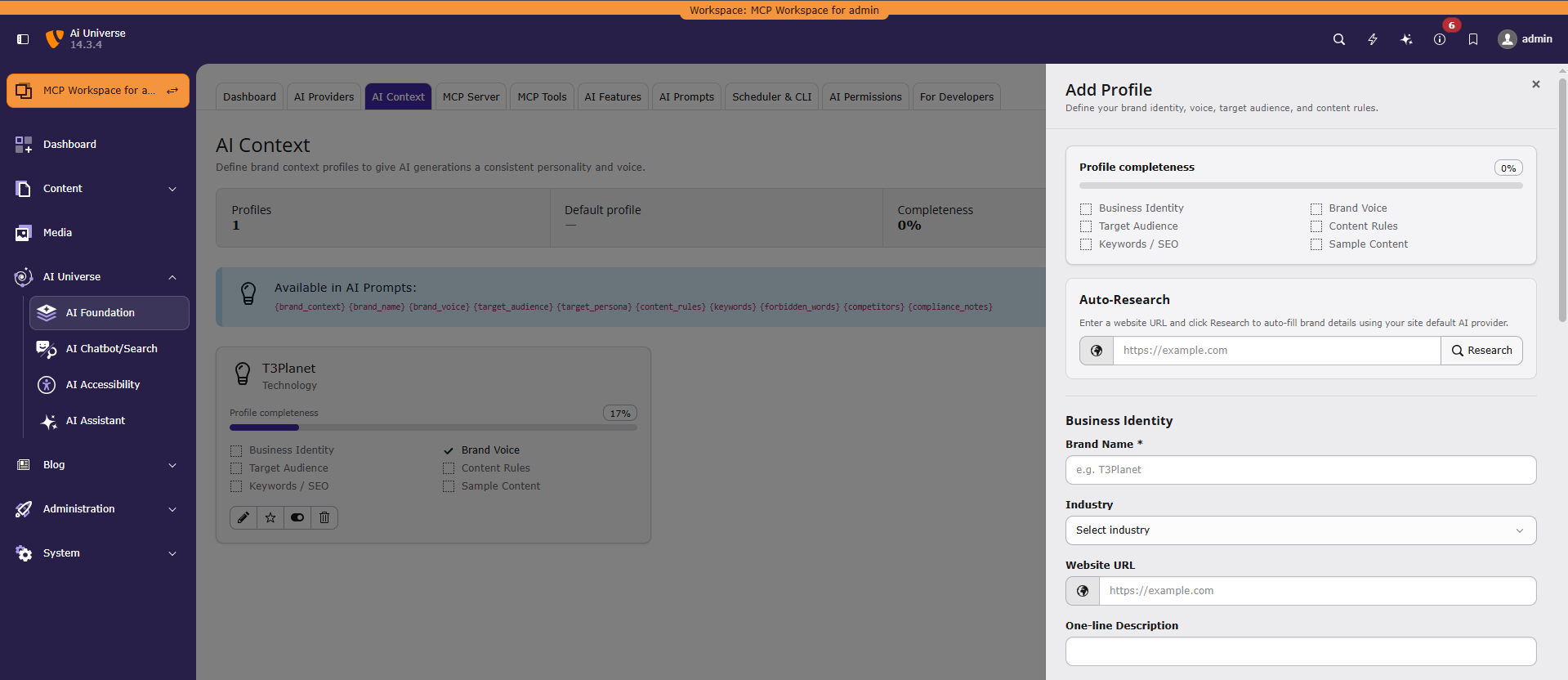
Prefer to see it before you set it up? This short interactive walkthrough steps through the actual AI Context screen, profiles list, completeness checklist, and the edit-profile drawer, before you open your own backend.
Filling in that many fields by hand is still work, even if it's one-time work. So AI Context leads with an auto-research step: enter your website URL, click Research, and AI Foundation uses your site's default AI provider to scan the page and draft a starting profile for you, business identity, likely tone, audience, based on what's actually published there.
From there, setup is short:
It's a draft AI Foundation builds for you, not a final answer, you're expected to review and adjust before saving. But for an agency onboarding a new client, this turns a 30-minute brand brief into a five-minute edit.
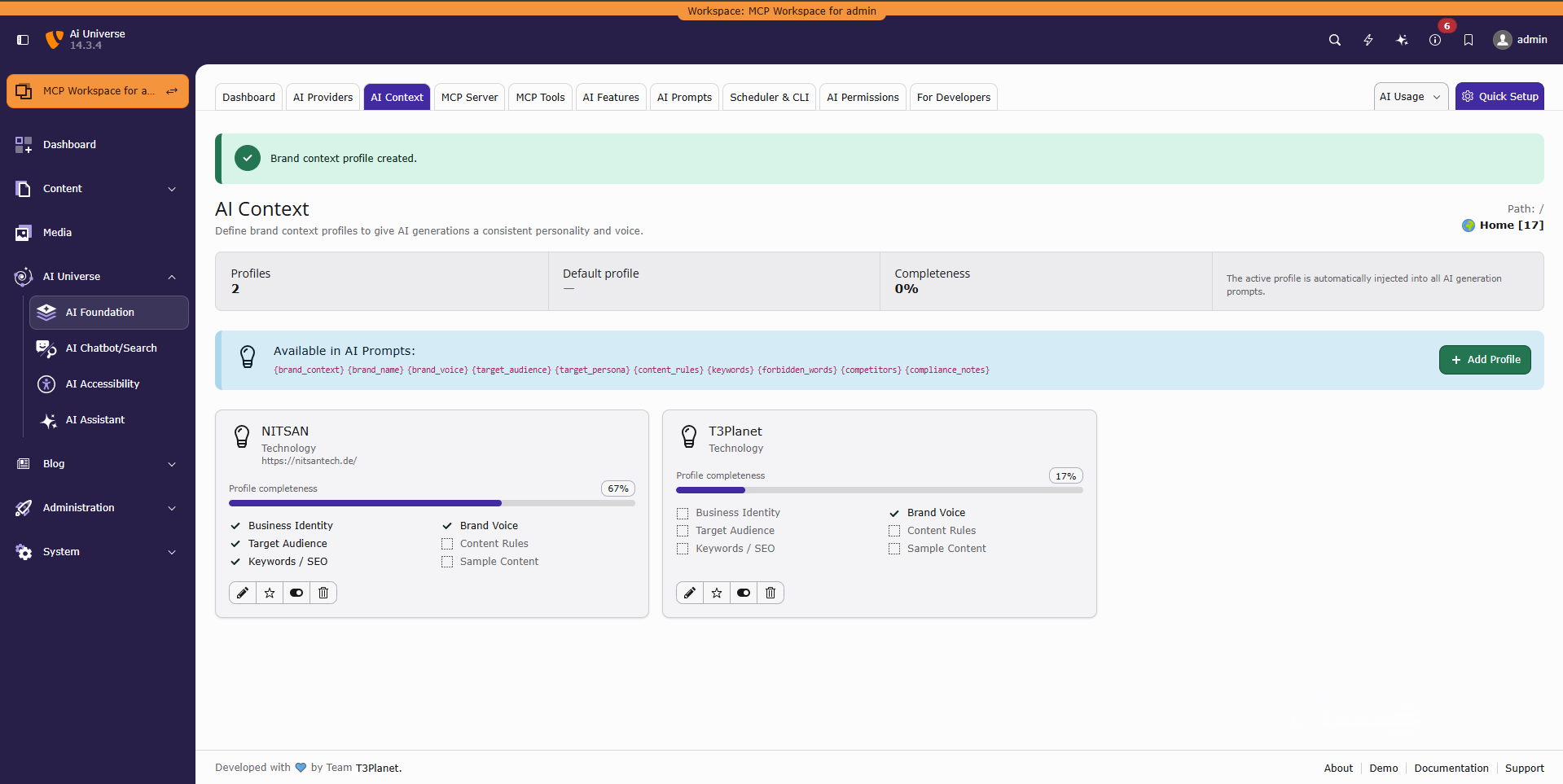
This is where AI Context earns its keep for agencies specifically. A single T3AF installation supports multiple brand profiles, not just one. The profile list shows every saved profile with its own completeness score, and the profile marked active is the one automatically injected into all AI generation prompts.
That means an agency managing several client sites on one TYPO3 instance can keep a separate profile per client, its own tone, audience, forbidden words, and competitors, without one client's voice bleeding into another's content.
Switch the active profile before working on a given client's pages, and every AI action from that point on reads from the right brand identity.
A practical setup looks like this:
Access to the profile itself doesn't have to be all-or-nothing, either.
AI Context is one of the modules covered by AI Foundation's permission system, so an agency can restrict who's allowed to edit Content Rules, Forbidden Words, or Compliance Notes, typically senior editors or account leads, while other team members simply work from whichever profile is already active.
That keeps the brand definition itself locked down, even on a team producing content day to day.
This also holds at scale. Bulk operations, selecting a whole page tree and running one AI action (meta tags, content rewrites, translations, alt text, summaries) across every selected page, still read from whichever profile is active. That means a site-wide brand rollout, not just a single page edit, stays on-brand without extra setup.
For an integrator or account lead handling onboarding, this also means brand setup becomes a repeatable step instead of a one-off favor: research the client's URL, review the draft profile, fill in the content rules, done. The next editor who touches that client's content never has to ask "what's the tone again?"
Prompts and context are two separate systems that work together. AI Prompts define the task, "write a meta description, 155 characters max," “translate to German, formal Sie.” AI Context defines who you are, your tone, audience, and rules.
AI Foundation stores 63 editable prompt templates across 9 categories, shared by 7+ connected extensions, and every one of them can pull from your active brand profile.
AI Foundation combines both automatically, using a set of 10 reusable placeholders available to every prompt:
{brand_context} {brand_name} {brand_voice} {target_audience} {target_persona} {content_rules} {keywords} {forbidden_words} {competitors} {compliance_notes}
A prompt template written once might look like this before the placeholders are filled:
Write a page introduction for {brand_name}, a {target_audience} audience company. Voice: {brand_voice}. Follow these rules: {content_rules}. Never use: {forbidden_words}.
For Client A's profile, that same template resolves into formal, compliance-heavy financial copy. For Client B's profile, the identical template resolves into a casual, playful lifestyle intro. Nobody rewrote the prompt. The active profile did the work.
Developers extending T3AF aren't shut out of this either. Anyone building a custom MCP tool or prompt template on T3AF's stable API can read from the same active AI Context profile, so a custom extension doesn't need to build its own brand-voice handling from scratch.
AI Context doesn't only apply when someone clicks a button inside the TYPO3 backend. Because T3AF exposes TYPO3 as an MCP server, tools like Claude Desktop, Cursor, and n8n can trigger content-generation actions directly, and those actions still run through the same AI Context and AI Prompts pipeline.
The active brand profile applies the same way whether a person is working in the backend or an external AI agent is calling the tool remotely.
For a TYPO3 agency, this matters more than it might first seem. It means a developer testing MCP tools in Cursor, an editor working in the backend, and a client's own AI assistant connecting through MCP all produce content in the same brand voice, because all three are reading from the same profile, not three different sets of instructions.
The same consistency holds across AI providers, not just across tools. AI Foundation connects OpenAI, Anthropic, Gemini, Mistral, Ollama, and custom OpenAI-compatible endpoints, with separate chat and embedding models, smart routing, and provider fallback chains.
Switching providers, say, from OpenAI to a self-hosted Ollama model for cost reasons, doesn't reset the brand voice. AI Context is provider-agnostic by design, so the profile applies no matter which model actually generates the text.
To see why this matters, look at two real content requests, each run twice, once with an empty profile, once with AI Context filled in.
Example 1, Page intro. The brief: "Write a short intro paragraph for a financial services TYPO3 agency page."
Without AI Context (0% complete profile):
"We provide top-quality financial services tailored to your needs. Our team of experts is dedicated to helping you achieve your financial goals with cutting-edge solutions and unparalleled customer service."
Nothing wrong with it. Nothing right with it either. It could be any company, in any industry, in any country.
With AI Context (Brand Voice: Professional + Formal; Target Audience: SME owners, Intermediate; Forbidden Words: "cutting-edge," "unparalleled"; Content Rule: Always use formal Sie):
"Finance Company GmbH unterstützt kleine und mittlere Unternehmen in Deutschland mit klaren, verlässlichen Finanzlösungen. Wir sprechen Ihre Sprache, persönlich, digital und ohne unnötige Umwege."
Example 2, Meta description. The brief: "Write a meta description for a TYPO3 accessibility service page, under 155 characters."
Without AI Context:
"Discover our amazing accessibility solutions that will transform your website experience with cutting-edge technology and expert support."
That's 137 characters of filler. It doesn't say what the service is, who it's for, or what makes it different.
With AI Context (Keywords: "TYPO3 accessibility," "WCAG"; Content Rule: Always state the standard by name; Forbidden Words: "amazing," "transform"):
"TYPO3 accessibility audits and fixes to WCAG standards, built directly into your CMS backend. Get a compliance-ready site without a separate tool."
Same request format, same character limit, same AI model both times. The only thing that changed is that the second version knew what to say and what to leave out.
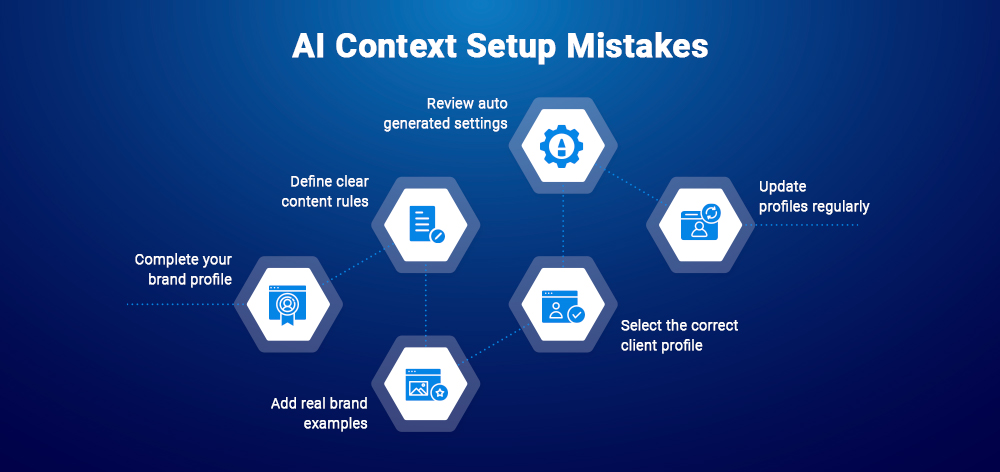
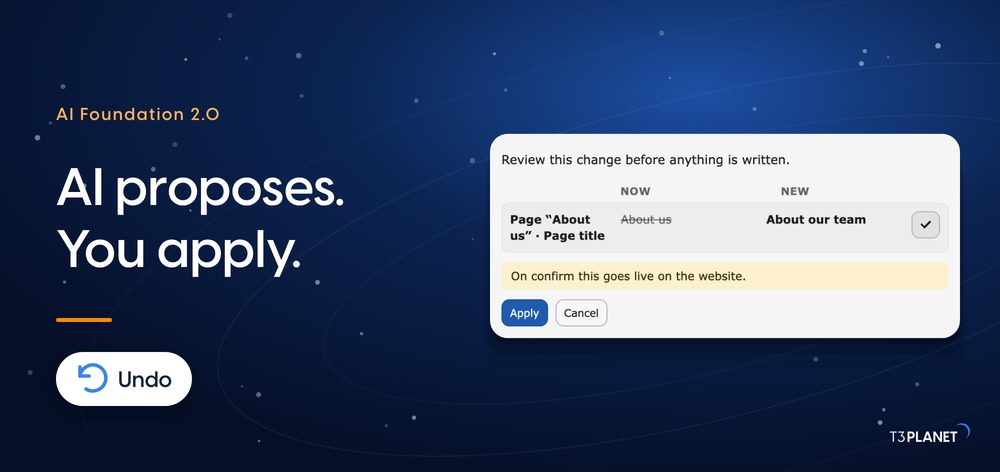
Worth noting before the list below: none of this publishes automatically. Every AI-generated change lands in a personal workspace first, where it can be reviewed, revised, or discarded before anything goes live. AI Context makes the first draft match your brand, it doesn't remove the review step, and it isn't meant to.
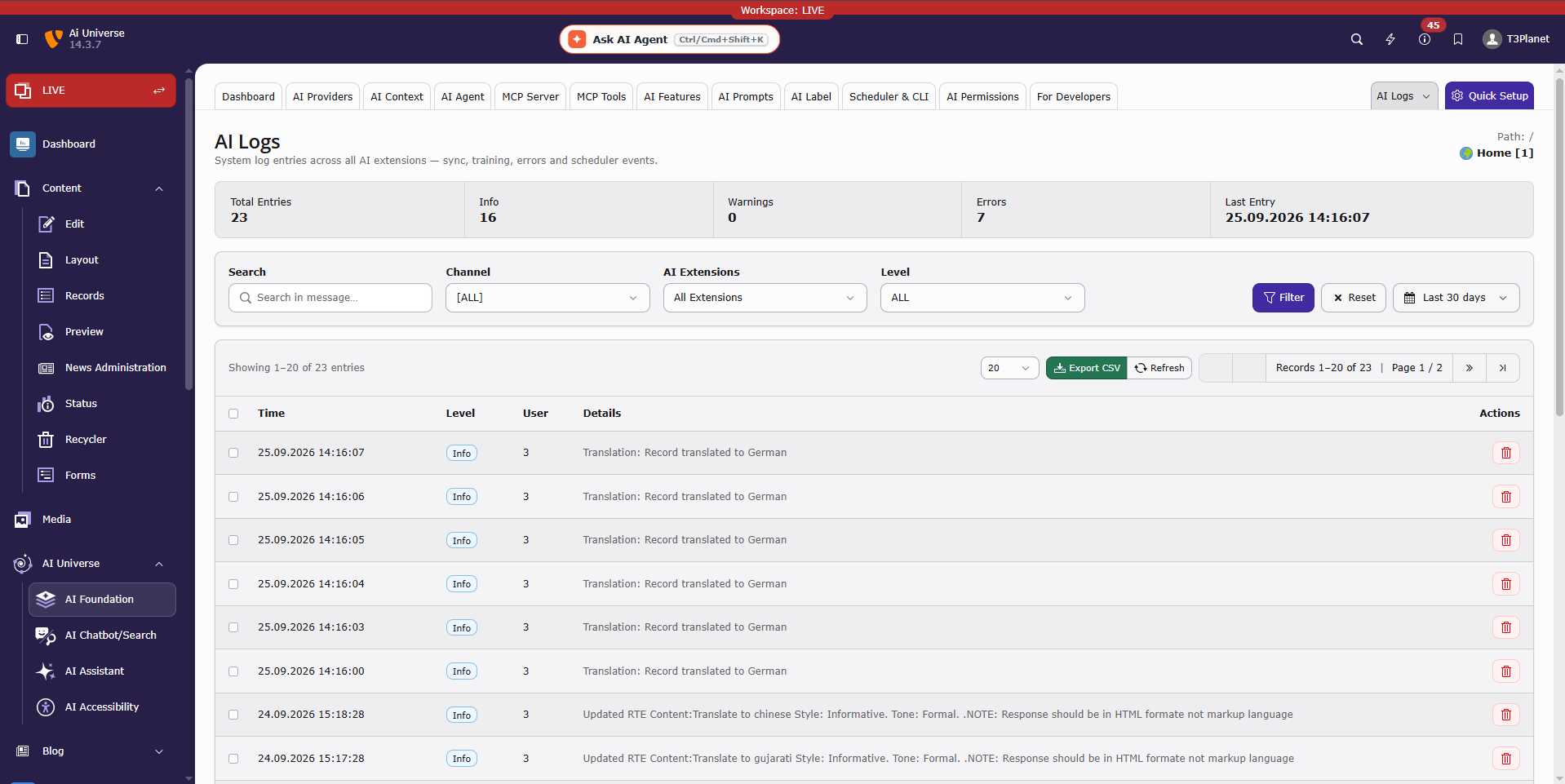
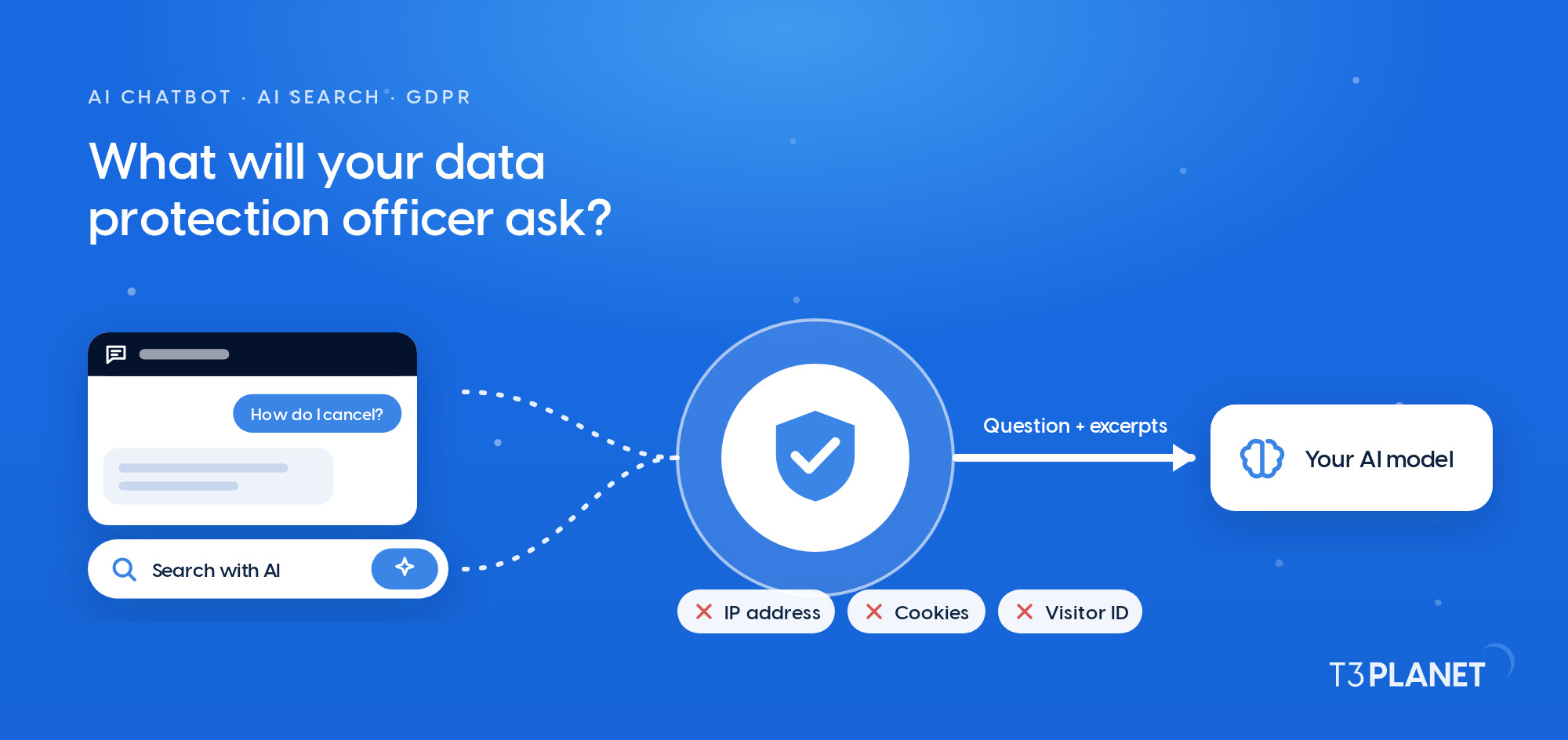
From 2 August 2026, the EU AI Act’s transparency rules become applicable. Article 50 establishes different obligations for providers and deployers of certain AI systems, depending on the system and how its output is used.
T3AF provides technical features that can support traceability, human review and transparency, but it does not by itself guarantee legal compliance. AI Context and the surrounding AI Foundation features help TYPO3 teams meet that requirement, mainly in three ways:
Compliance Notes inside AI Context can also record any legal or regulatory language your content must always include, so that requirement travels with the brand profile rather than living in someone's memory. AI Foundation provides the technical groundwork here, it doesn't replace legal review, and configuring it correctly for your specific situation is still your responsibility.
Generic AI content isn't a limitation of the AI model, it's a missing brand brief. AI Context solves that by giving TYPO3 teams one place to define business identity, voice, audience, content rules, keywords, and compliance notes, then injecting all of it automatically into every AI Prompt across every connected extension.
For a single-brand site, that means consistent tone without re-explaining it every time. For an agency, it means a separate, switchable profile per client, so ten different brand voices can run safely on one TYPO3 installation without ever mixing.
The setup takes about 10 minutes, most of it spent reviewing an auto-researched draft rather than writing from scratch. After that, every editor, every AI extension, and every future page benefits, automatically, without anyone retyping the brand voice again.
Stop rewriting your brand instructions for every AI prompt. Create one AI Context profile and apply your tone, audience, keywords and content rules across your TYPO3 AI workflows.
Explore AI Context in AI Foundation for TYPO3
AI Context is a feature inside AI Foundation for TYPO3 (T3AF) that stores a brand profile, identity, voice, audience, content rules, keywords, and compliance notes, and automatically injects the active profile into AI prompts across all connected extensions.
Only if the sites need different voices, agencies managing several clients on one TYPO3 installation typically keep one profile per client and switch the active profile per project, while a single-brand site only needs one.
Yes, language and tone rules including formal Sie are set through the Brand Voice and Content Rules sections and are applied automatically to every AI output.
Yes, AI Context is part of AI Foundation for TYPO3, the free, open-source base extension, and a commercial license is only required once the installation goes live on a production domain.
No, prompts still define the task while AI Context defines who you are, and the same prompt template produces different, correctly on-brand output depending on which profile is active.

Jürgen Pietschmann
AI Consultant for TYPO3Jürgen Pietschmann is a T3Planet Product Consultant at T3Planet Shop. He specialises in integrating AI into editorial workflows – from intelligent content creation and automated SEO to AI-powered search and chatbot solutions for TYPO3 sites. As a technical consultant for T3Planet AI Universe, he works closely with agencies and editorial teams on practical TYPO3 implementations. Jürgen has been writing the This Month in TYPO3 series since December 2025 and has spoken at T3CON25 and TYPO3 Developer Days 2026 (T3DD26), where he co-presented Content Editing Unlocked.
More From Author