


TYPO3 v14: Key Insights, Strategy & Feature Highlights
Update



TYPO3 upgrades once meant days of manual refactoring, deprecated API fixes, and changelog reviews. In 2026, that approach no longer scales.
With TYPO3 v14 LTS released in April 2026 and TYPO3 v12 free support ended, many agencies and developers are modernizing legacy TYPO3 projects faster than ever. Manual upgrades are slow, error-prone, and difficult to maintain.
TYPO3 Rector automates much of the migration process. Built on top of Rector, it reads official TYPO3 changelogs and automatically refactors deprecated code, updates TCA configurations, modernizes APIs, and prepares extensions for newer TYPO3 versions.
Instead of spending days on repetitive fixes, you can focus on testing and validation.
In this guide, you’ll learn how to install, configure, and use TYPO3 Rector for faster and safer TYPO3 upgrades in 2026.
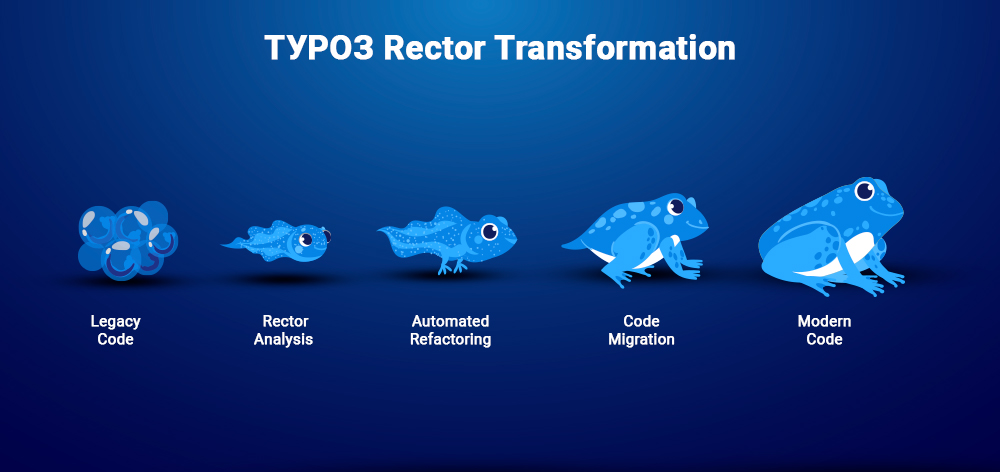
TYPO3 Rector is an automated refactoring tool for TYPO3 upgrades. It helps developers migrate TYPO3 websites and extensions between versions with fewer manual changes.
TYPO3 Rector analyzes your codebase and automatically applies upgrade rules based on official TYPO3 changelogs and deprecations.
It can automate:
TYPO3 Rector works alongside other TYPO3 upgrade tools:
By automating repetitive migration work, TYPO3 Rector helps keep TYPO3 v10, v11, v12, v13, and v14 projects upgrade-ready with significantly less effort.
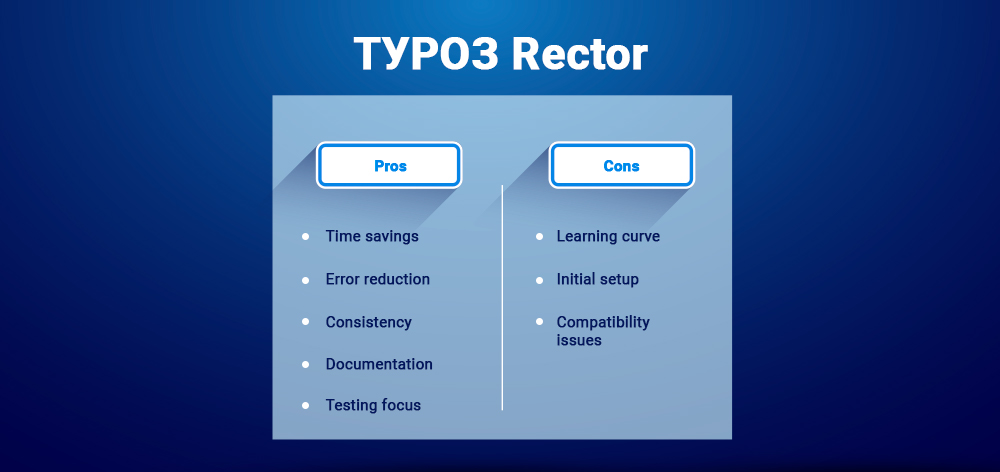
Manual TYPO3 upgrades are slow and error-prone. Developers often spend hours reviewing changelogs, fixing deprecated APIs, and updating legacy extensions manually.
TYPO3 Rector automates much of this repetitive work using official TYPO3 migration rules, reducing upgrade time from days to hours.
TYPO3 Rector can automatically handle:
Benefits include:
TYPO3 Rector still requires manual validation for:
TYPO3 Rector should be treated as an upgrade automation assistant, not a replacement for testing and release validation.
Traditional TYPO3 upgrades involve manual refactoring, deprecated API fixes, and repetitive code updates. As TYPO3 projects grow larger, manual migrations become slower and harder to maintain.
TYPO3 Rector automates many of these tasks using official TYPO3 migration rules.
| Manual TYPO3 Upgrade | TYPO3 Rector |
| Manual code refactoring | Automated migrations |
| Slow workflow | Faster upgrades |
| Error-prone changes | Rule-based consistency |
| Manual changelog reviews | Automated upgrade rules |
| Repetitive fixes | Automated API replacements |
| Higher risk of missed deprecations | Detects deprecated code |
| Less time for QA | More focus on testing |
For many TYPO3 agencies and development teams in 2026, TYPO3 Rector has become a core tool for reducing upgrade effort and maintaining TYPO3 v12, v13, and v14 compatibility.
Modern TYPO3 upgrades often combine multiple tools, each handling a different part of the migration workflow.
| Tool | Primary Purpose |
| TYPO3 Rector | Automated PHP and TCA migrations |
| TYPO3 Extension Scanner | Detect deprecated TYPO3 APIs |
| TYPO3 Upgrade Wizard | Database and system migrations |
| Fractor | TypoScript, XML, YAML, and non-PHP refactoring |
Automates TYPO3-specific PHP and TCA refactoring using official TYPO3 migration rules.
Detects deprecated APIs and extension compatibility issues but does not rewrite code automatically.
Handles database schema updates and system-level migrations after TYPO3 core upgrades.
Complements TYPO3 Rector by modernizing:
Many TYPO3 agencies now combine TYPO3 Rector, Fractor, Extension Scanner, and Upgrade Wizards for safer upgrade workflows.
Before running TYPO3 Rector, verify TYPO3 and PHP compatibility to avoid migration conflicts.
As of May 2026:
TYPO3 v12 free support ended on April 30, 2026
| TYPO3 Version | Recommended PHP | Rector Set |
| TYPO3 v7.6 | PHP 7.2–7.4 | TYPO3_76 |
| TYPO3 v8.7 | PHP 7.2–7.4 | TYPO3_87 |
| TYPO3 v9.5 | PHP 7.4–8.0 | TYPO3_95 |
| TYPO3 v10.4 | PHP 7.4–8.1 | TYPO3_104 |
| TYPO3 v11 | PHP 8.0–8.2 | TYPO3_11 |
| TYPO3 v12 | PHP 8.1–8.3 | TYPO3_12 |
| TYPO3 v13 | PHP 8.2–8.3 | TYPO3_13 |
| TYPO3 v14 | PHP 8.2–8.4 | TYPO3_14 |
TYPO3 v14 LTS includes:
For most TYPO3 projects in 2026, TYPO3 v14 with PHP 8.2+ is the recommended long-term upgrade target.
Before using TYPO3 Rector, make sure your TYPO3 project is properly prepared.
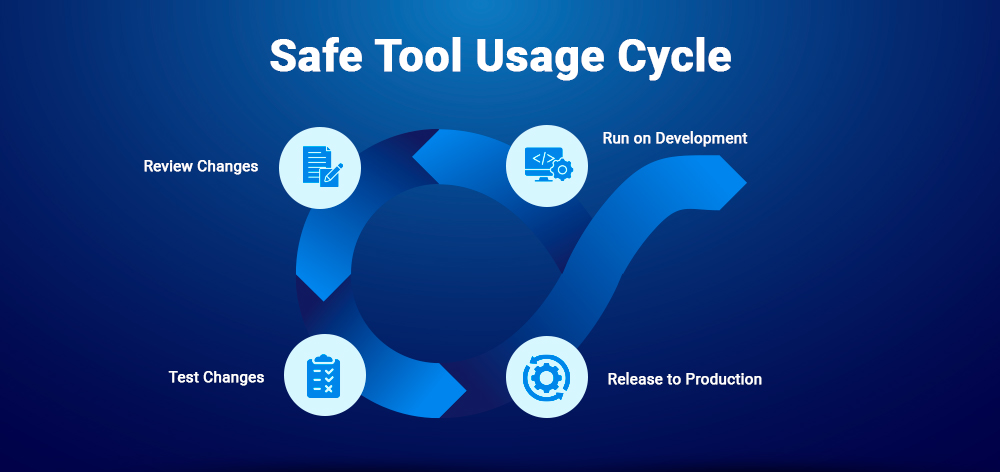
Never run TYPO3 Rector on production systems. Always perform migrations in local or staging environments where changes can be reviewed, tested, and rolled back safely.
Create a Git commit before every major migration step to simplify rollback and debugging.
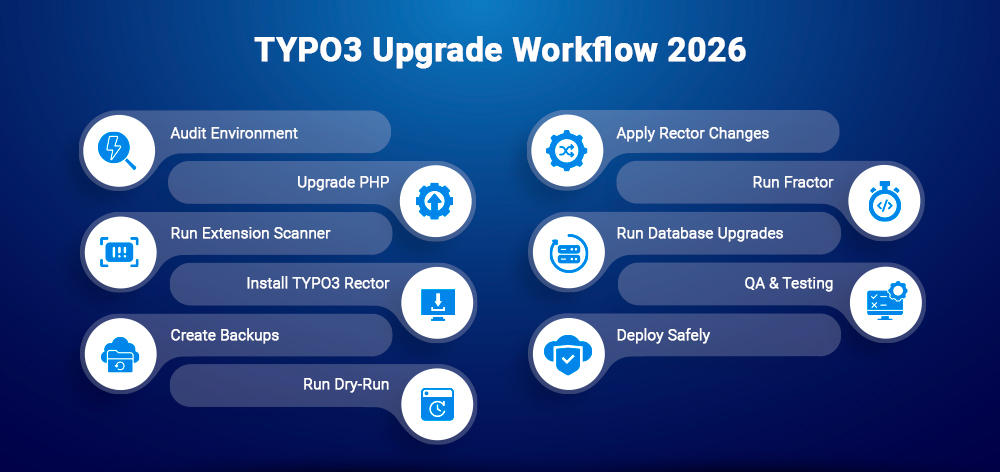
A safe TYPO3 upgrade workflow combines automated refactoring, compatibility checks, and testing.
Review:
Newer TYPO3 versions often require modern PHP versions:
Detect:
Install TYPO3 Rector using Composer globally or per project.
git add .
git commit -m “Backup before TYPO3 Rector migration”
vendor/bin/typo3-rector process --dry-run
Review API replacements, TCA updates, and namespace changes before applying migrations.
vendor/bin/typo3-rector process
Upgrade incrementally:
Use Fractor for TypoScript, XML, and FlexForm migrations.
After migration:
Validate:
Deploy gradually, monitor logs, and keep rollback plans ready during production releases.
TYPO3 Rector can be installed globally, per project, or as a standalone PHAR file. For most TYPO3 projects in 2026, Composer-based installation is the recommended approach.
Useful for developers or TYPO3 agencies managing multiple projects.
Install globally:
composer global require ssch/typo3-rector
Add Composer’s global bin directory to PATH:
export PATH="$PATH:$HOME/.composer/vendor/bin"
Verify installation:
typo3-rector --version
Recommended for:
Install locally:
composer require --dev ssch/typo3-rector
Run TYPO3 Rector:
vendor/bin/typo3-rector process
Useful for quick testing or isolated environments.
Download PHAR:
wget https:// github.com/sabbelasichon/typo3-rector/releases/latest/download/typo3-rector.phar
Make executable:
chmod +x typo3-rector.phar
Run TYPO3 Rector:
./typo3-rector.phar process| Use Case | Recommended Method |
| TYPO3 agencies | Global installation |
| Team projects | Project installation |
| CI/CD pipelines | Project installation |
| Enterprise TYPO3 projects | Project installation |
| Quick testing | PHAR installation |
For most modern TYPO3 projects, project-level Composer installation is the safest option because:
Global installation is still useful for agencies managing multiple TYPO3 projects.
After installing TYPO3 Rector, create a rector.php configuration file. It defines:
A good configuration helps reduce upgrade risks and unnecessary code changes.
<?phpdeclare(strict_types=1);use Rector\Config\RectorConfig;use Ssch\TYPO3Rector\Set\Typo3SetList;return RectorConfig::configure()->withPaths([__DIR__ . '/packages',__DIR__ . '/typo3conf/ext',])->withSets([Typo3SetList::TYPO3_12,Typo3SetList::TYPO3_13,])->withSkip([__DIR__ . '/vendor','*/Resources/Public/*','*/node_modules/*',]);
Defines which TYPO3 directories Rector should process:
->withPaths([__DIR__ . '/packages',__DIR__ . '/typo3conf/ext',__DIR__ . '/src',])
Common paths:
Defines which TYPO3 migration rules should run:
->withSets([Typo3SetList::TYPO3_12,Typo3SetList::TYPO3_13,])
Each set contains version-specific TYPO3 upgrade rules.
Excludes directories or files from processing:
->withSkip([__DIR__ . '/vendor','*/Resources/Public/*','*/Tests/*',])
Useful for excluding:
For safer TYPO3 upgrades:
--dry-run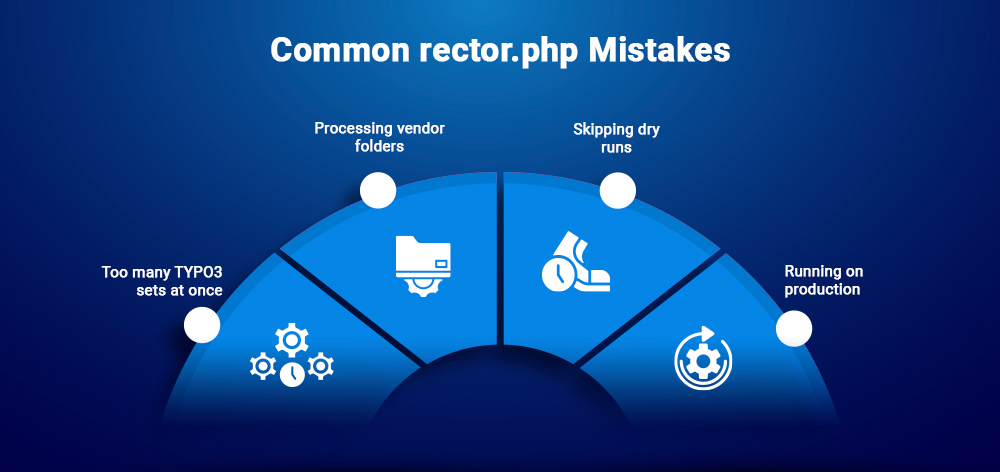
Applying multiple major TYPO3 migration sets together can make debugging difficult.
Never run Rector inside:
/vendornode_modulesAlways review changes before applying them.
TYPO3 Rector should only run in:
Never execute automated TYPO3 migrations directly on production systems.
TYPO3 Rector uses predefined “sets” for specific TYPO3 versions. Each set contains automated migration rules based on TYPO3 deprecations and API changes.
| TYPO3 Version | Rector Set |
| TYPO3 v9.5 | TYPO3_95 |
| TYPO3 v10.4 | TYPO3_104 |
| TYPO3 v11 | TYPO3_11 |
| TYPO3 v12 | TYPO3_12 |
| TYPO3 v13 | TYPO3_13 |
| TYPO3 v14 | TYPO3_14 |
Example:
->withSets([Typo3SetList::TYPO3_12,])
TYPO3 Rector also includes dedicated TCA migration sets:
->withSets([Typo3SetList::TCA_120,])
TCA rules help:
For large TYPO3 projects, running TCA migrations separately is usually safer.
Running several major TYPO3 sets together can:
Avoid setups like:
->withSets([Typo3SetList::TYPO3_95,Typo3SetList::TYPO3_14,])
Instead, apply Rector sets incrementally and validate after each step.
Safest upgrade path for 2026:
Recommended workflow:
This reduces migration risk and simplifies rollback.
Skipping TYPO3 versions can cause:
Older TYPO3 extensions often rely on deprecated hooks, outdated APIs, and legacy database logic. Incremental upgrades make it easier to:
For most TYPO3 projects in 2026, staged upgrades remain the safest migration strategy.
TYPO3 Rector can automate large parts of TYPO3 upgrades, but safe migration practices are still essential.
Preview changes before modifying files:
vendor/bin/typo3-rector process --dry-run
Dry runs help detect risky refactors and deprecated API replacements before applying migrations.
Always create a Git backup before running TYPO3 Rector:
git add .git commit -m "Backup before TYPO3 Rector migration"
After migration:
git diff
Best practices:
Always keep:
If issues appear, revert changes quickly using Git or deployment workflows.
Never execute TYPO3 Rector directly on production systems.
Run migrations only in:
Always test TYPO3 upgrades before deployment.
TYPO3 Rector is especially useful for upgrading custom TYPO3 extensions.
Example configuration:
return RectorConfig::configure()->withPaths([__DIR__ . '/Classes',__DIR__ . '/Configuration',])->withSets([Typo3SetList::TYPO3_12,Typo3SetList::TYPO3_13,Typo3SetList::TYPO3_14,])->withSkip([__DIR__ . '/Resources',]);
TYPO3 Rector can modernize:
For TYPO3 v12–v14 upgrades, extensions may also require:
Always test custom extensions separately after migration, especially when legacy TYPO3 integrations are involved.
Third-party extensions are one of the biggest risks during TYPO3 upgrades.
Common issues:
Before upgrading:
Common strategies:
Sometimes replacing a legacy extension is safer than maintaining unsupported code.
With TYPO3 v14 LTS released in April 2026, projects should prepare for:
TYPO3 v14 continues TYPO3’s move toward modern PHP standards, dependency injection, and cleaner APIs.
Older TYPO3 extensions may still require manual refactoring and testing.
Before:
$dispatcher->connect(...);
After:
services:MyEventListener:tags:- name: event.listener
Before:
['Label', 123, 'icon.svg']
After:
['label' => 'Label','value' => 123,'icon' => 'icon.svg']
Before:
$GLOBALS['TYPO3_DB']->exec_SELECTquery(...);
After:
GeneralUtility::makeInstance(ConnectionPool::class)
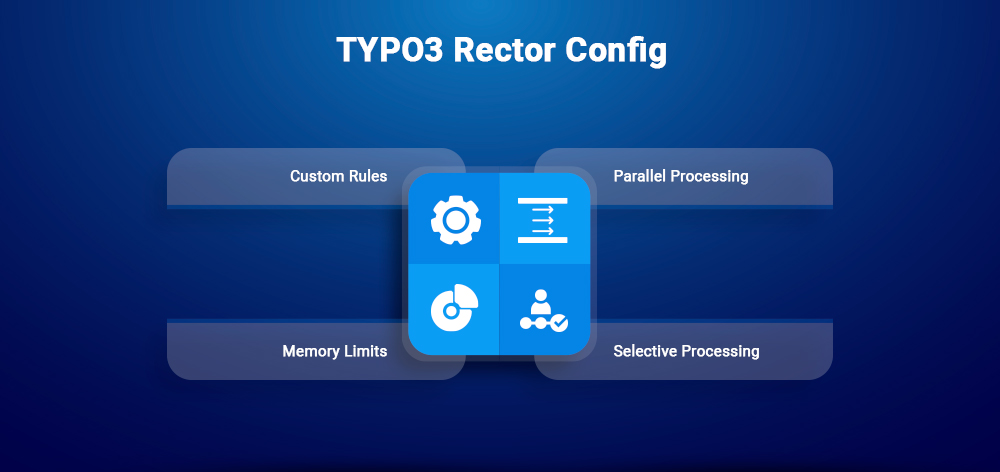
For large or complex TYPO3 projects, TYPO3 Rector supports advanced configuration options for better performance, custom migrations, and faster processing.
You can add custom Rector rules for project-specific TYPO3 migrations:
return RectorConfig::configure()->withRules([MyCustomRector::class,]);
Custom rules are useful for:
Enable parallel execution to speed up large TYPO3 migrations:
return RectorConfig::configure()
->withParallel()->withPaths([__DIR__ . '/packages',]);
This is especially useful for enterprise TYPO3 projects with many extensions.
Large TYPO3 codebases may require higher PHP memory limits:
return RectorConfig::configure()->withMemoryLimit('2G');
Or via CLI:
php -d memory_limit=2G vendor/bin/typo3-rector process
Process only changed PHP files for faster CI/CD workflows:
CHANGED_FILES=$(git diff --name-only --diff-filter=AM main...HEAD | grep '\.php$')vendor/bin/typo3-rector process $CHANGED_FILES
Selective processing helps reduce execution time during pull requests and automated TYPO3 upgrade checks.
Large TYPO3 projects often include monorepos, multisite setups, and large extension ecosystems. During enterprise TYPO3 upgrades, performance optimization becomes important.
Recommended practices:
Example:
return RectorConfig::configure()->withParallel(8)->withMemoryLimit('4G');
php -d memory_limit=2G vendor/bin/typo3-rector process
Usually caused by outdated extensions or broken autoloading.
Fix with:
composer dump-autoload
vendor/bin/typo3-rector process --debug
php -d xdebug.mode=debug vendor/bin/typo3-rector processAfter running TYPO3 Rector, always test your TYPO3 project carefully.
Recommended checks:
TYPO3 Rector automates migrations, but manual QA and functional testing are still essential.
Integrating TYPO3 Rector into CI/CD pipelines helps teams detect deprecated TYPO3 code early and maintain upgrade-ready TYPO3 projects.
name: TYPO3 Rector Checkon: [push, pull_request]jobs:rector:runs-on: ubuntu-lateststeps:- uses: actions/checkout@v3- name: Setup PHPuses: shivammathur/setup-php@v2with:php-version: 8.2- name: Install dependenciesrun: composer install- name: Run TYPO3 Rector
run: vendor/bin/typo3-rector process --dry-run
rector:image: php:8.2script:- composer install- vendor/bin/typo3-rector process --dry-run
Many TYPO3 teams combine TYPO3 Rector with:
This helps detect:
Running TYPO3 Rector checks on pull requests helps:
For enterprise TYPO3 projects, CI/CD validation is now a standard part of long-term upgrade maintenance.
Fractor complements TYPO3 Rector by handling non-PHP TYPO3 files such as:
Fractor becomes useful when TYPO3 upgrades require TypoScript modernization or configuration refactoring beyond PHP code changes.
Typical workflow:
For larger TYPO3 upgrades, Rector + Fractor together provide a more complete migration workflow.
Modern TYPO3 upgrade workflows usually combine multiple tools:
| Tool | Purpose |
| TYPO3 Rector | Automated TYPO3 code migrations |
| Fractor | TypoScript and XML refactoring |
| TYPO3 Extension Scanner | Detect deprecated TYPO3 APIs |
| Composer | Dependency management |
| PHPStan | Static analysis and type checking |
| PHPUnit | Automated testing |
| CI/CD tools | Automated validation and deployment |
Using these tools together helps reduce upgrade risk and improve long-term TYPO3 maintainability.
Yes, but older TYPO3 v7 projects usually require a staged migration approach.
Typical upgrade path:
Common challenges include:
TYPO3 Rector can automate many refactoring tasks, but TYPO3 7 projects often still require manual cleanup, extension replacements, and additional testing.
The biggest advantage of TYPO3 Rector is reducing repetitive migration work.
Typical estimates in 2026:
| Project Type | Manual Upgrade | With TYPO3 Rector |
| Small TYPO3 extension | Several hours | Minutes |
| Mid-size TYPO3 project | Several days | Few hours |
| Enterprise TYPO3 migration | Weeks | Significantly reduced effort |
TYPO3 Rector does not eliminate testing or QA, but it can automate a large percentage of repetitive TYPO3 upgrade tasks and help teams focus more on validation instead of manual refactoring.
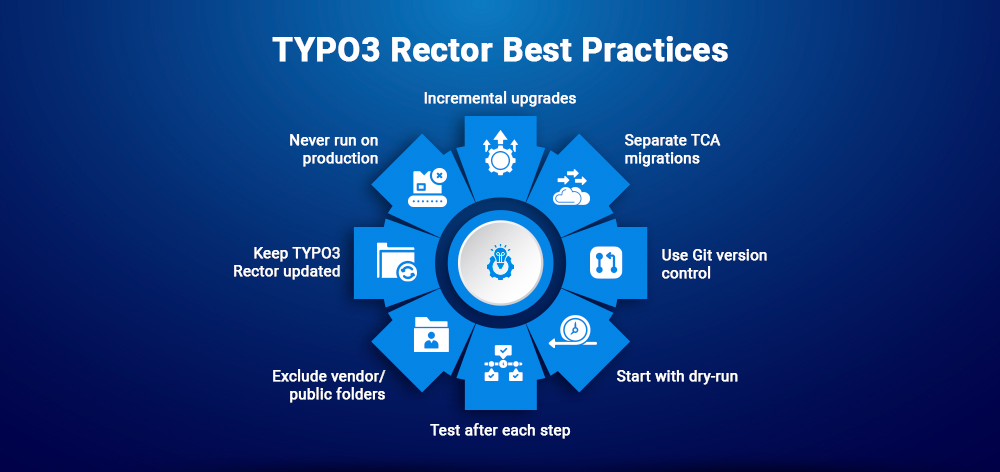
To get safer and more reliable TYPO3 upgrades with TYPO3 Rector, follow these best practices:
--dry-run modeTYPO3 Rector automates repetitive migration work, but manual testing and QA should always remain part of the upgrade process.
TYPO3 Rector automates a large portion of recurring migration work, but it does not replace testing, quality assurance, or architectural decisions. For AI-enabled projects, the AI Foundation for TYPO3, connected providers, MCP tools, prompts, and permission concepts should also be included in the upgrade review.
Instead of spending days manually fixing deprecated APIs and comparing changelogs, teams can automate much of the repetitive migration work and focus more on testing and validation.
TYPO3 Rector is not a complete replacement for QA, debugging, or architectural decisions. But it significantly reduces upgrade effort, improves consistency, and helps modernize TYPO3 projects faster.
For long-term TYPO3 maintenance, automated upgrade workflows help reduce technical debt, improve PHP compatibility, and make future TYPO3 migrations far more manageable.
Yes, when used correctly in development or staging environments with proper backups and version control.
Yes, but TYPO3 7 projects usually require incremental upgrades and additional manual cleanup.
No. TYPO3 Rector only refactors code and configuration files. Database updates are handled separately through TYPO3 Upgrade Wizards.
No. TYPO3 Rector mainly focuses on PHP and TCA refactoring. Fluid template migrations usually require manual work.
TYPO3 Rector handles PHP and TCA migrations, while Fractor handles TypoScript, XML, YAML, and other non-PHP TYPO3 files.
In most cases, yes. Upgrading PHP before TYPO3 simplifies compatibility and migration workflows.
Yes. Composer-based TYPO3 installations are the recommended setup for TYPO3 Rector in 2026.
Yes, but outdated or abandoned extensions may still require manual fixes or replacement.

Wolfgang Weber
Brand & Communication LeadWolfgang Weber shapes TYPO3 with passion and expertise. As a TYPO3 enthusiast at T3Planet Shop, he has contributed to TYPO3 projects that make websites faster and more secure. Outside of TYPO3, you’ll probably find him exploring local cafés and enjoying football.
More From Author