

TYPO3 _assets: How to Migrate typo3conf/ext Assets in Composer
Development


TYPO3 Fluid - A fast & secure template engine of TYPO3 CMS. No matter, if you are a TYPO3 developer or TYPO3 integrator; You must have expertise in TYPO3 fluid. Are you looking for essential advanced level TYPO3 Fluid skills? You landed at the right place; here we go!
TYPO3 Fluid is a secure and flexible template engine used in TYPO3 to build frontend templates without heavy PHP. It helps developers and integrators create structured, maintainable UI components for TYPO3 projects.
If you work with TYPO3 as a developer or integrator, understanding Fluid is essential. It is used across TYPO3 projects for template rendering and extension development.
In this guide for beginner to advanced users, you’ll learn what TYPO3 Fluid is, how it works, and how to use it effectively. We cover architecture, syntax, ViewHelpers, custom ViewHelpers, and practical best practices.
TYPO3 Fluid is a templating engine in TYPO3 used to build dynamic frontend output. It separates presentation from logic, allowing developers to create clean and maintainable templates without writing complex PHP.
“TYPO3 Fluid - A fast, secure and extendible template engine for PHP.”
– typo3.org
TYPO3 Fluid is mainly used by frontend developers and integrators to combine HTML, CSS, and JavaScript into TYPO3 templates. It allows you to control how content is rendered without relying on heavy backend logic.
Real-world example:
When building a TYPO3 website, you can use Fluid to display dynamic content like blog posts, product listings, or multilingual content using simple template logic instead of writing PHP.
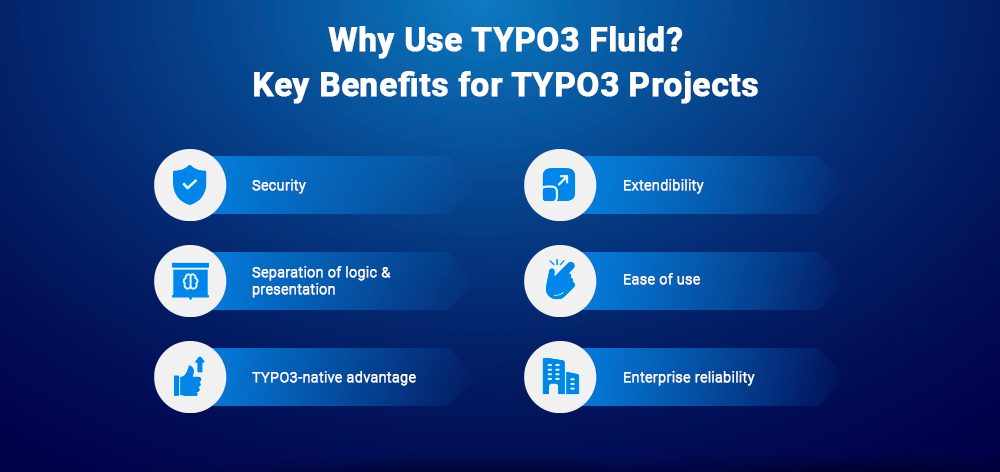
TYPO3 Fluid was created to provide a structured and secure way to handle frontend rendering in TYPO3 projects.
TYPO3 Fluid was introduced in 2008 as part of Extbase and TYPO3 Phoenix (now Neos CMS). It was later adopted into the core of TYPO3 as its default templating engine.
The codebase was refactored into a standalone package by Claus Due, making Fluid reusable as a library from TYPO3 v8 onwards and across frameworks like Neos/Flow.
Let’s create a simple TYPO3 Fluid example to understand how rendering works.
<h2>Welcome Message</h2><f:if condition="{isLoggedIn}"><f:then><p>Welcome back, user!</p></f:then><f:else><p>Please log in to continue.</p></f:else></f:if>
If isLoggedIn = true:
<h2>Welcome Message</h2><p>Welcome back, user!</p>
If isLoggedIn = false:
<h2>Welcome Message</h2><p>Please log in to continue.</p>
<h4>How easy to learn TYPO3 Fluid Template?</h4><p><f:if condition="{myExpression}"><f:then>Indeed, it’s very easy!</f:then><f:else>Hmm, seems a bit difficult</f:else></f:if></p>
<h4>How easy to learn TYPO3 Fluid Template?</h4><p>Indeed, it’s very easy!</p>
How It Works
Key Takeaway
With TYPO3 Fluid, you control frontend output using simple template logic, without writing complex PHP.
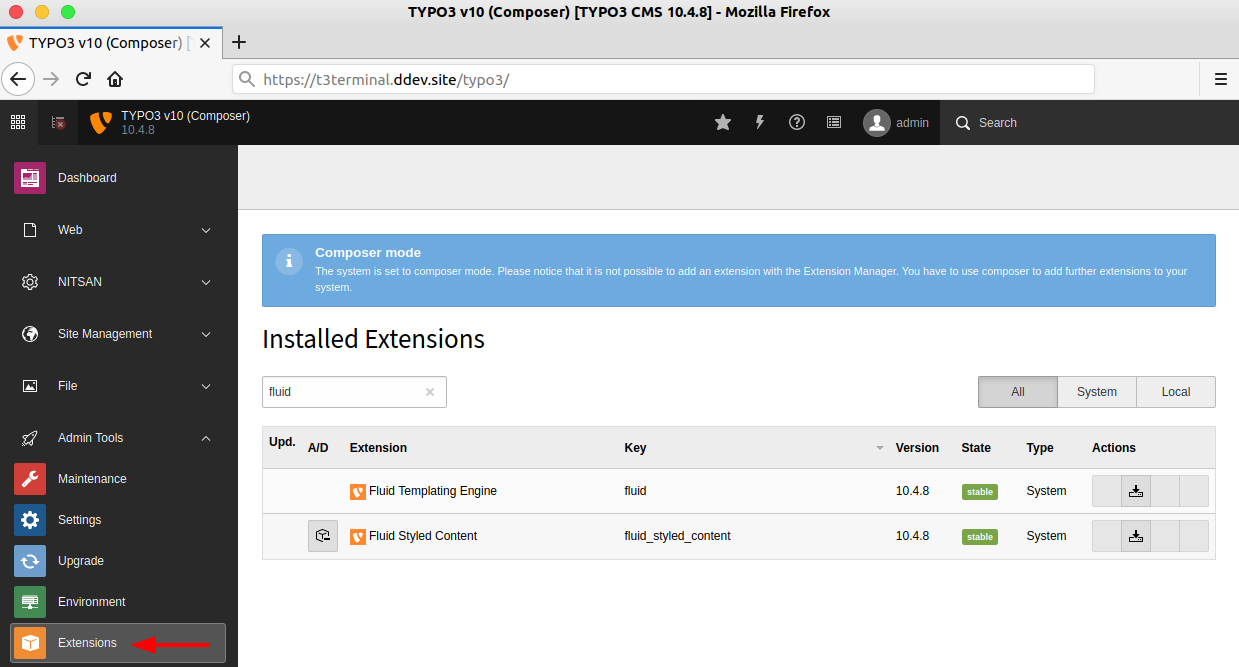
TYPO3 Fluid is included by default in TYPO3 as part of the core system extension (EXT:fluid). No separate installation is required in standard setups.
In Composer-based TYPO3 projects, a common issue is missing the required content rendering extension.
Make sure fluid_styled_content is installed:
composer require typo3/cms-fluid-styled-content
EXT:fluid_styled_content is not installed or activatedEnsure this extension is properly included to enable default content rendering in TYPO3.
You can explore TYPO3 Fluid on GitHub for updates, issues, and contributions. For official documentation and best practices, refer to TYPO3 resources and community forums.
TYPO3 relies on Fluid as its core templating engine, including backend rendering. TYPO3 extends Fluid through system extensions like ext:fluid to integrate it fully into the CMS.
TYPO3 Fluid is essential for:
With Fluid, you can efficiently integrate and control frontend output in TYPO3 without relying heavily on PHP.
Let’s start with the core fundamentals of TYPO3 Fluid, file structure, syntax, and expressions.
TYPO3 Fluid follows a structured approach using Templates, Layouts, and Partials.
typo3conf/ext/extension_key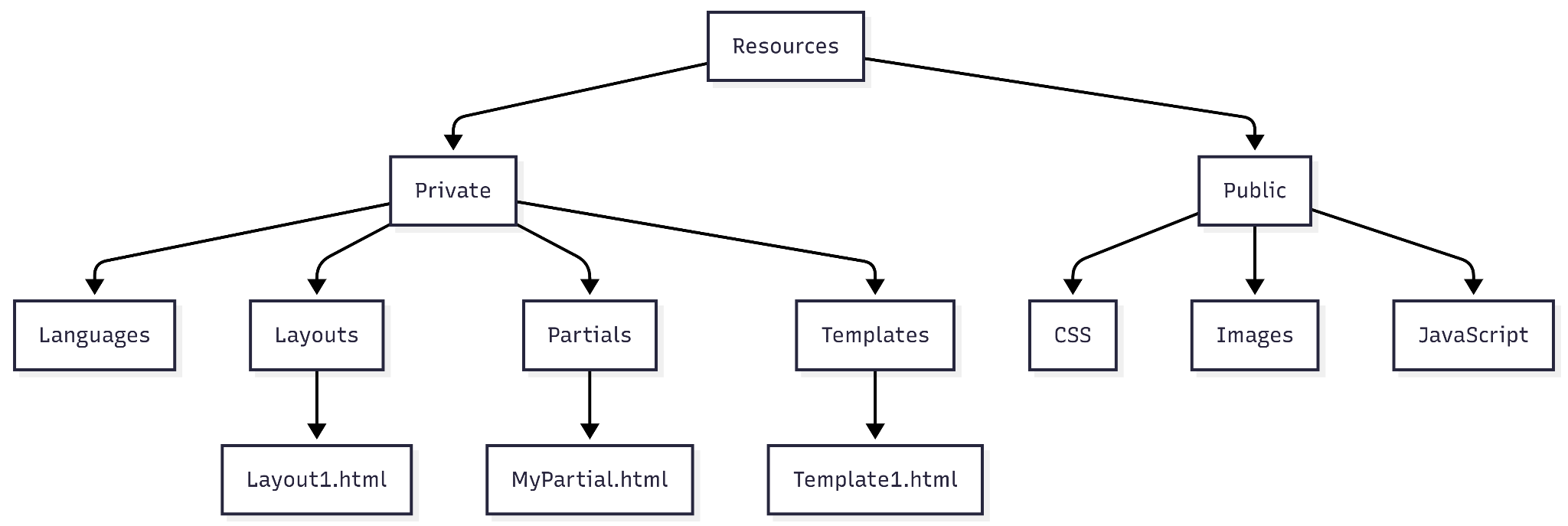
How this works in a real project:
In a typical TYPO3 project, you’ll use:
TYPO3 Fluid supports two syntax formats:
<f:count>{arrVariable}</f:count>
{arrVariable -> f:count()}
Bad usage (Tag inside attribute):
<ol class="item-count-<f:count>{arrVariable}</f:count>">My List</ol>
Correct usage (Inline notation):
<ol class="item-count-{arrVariable -> f:count()}">My List</ol>
Expressions {} are the core of Fluid’s inline logic. They allow you to output values, perform operations, and apply conditions.
{variable}{myArray -> f:count()}{myPossiblyArray as array}{checkVariable ? thenVariable : elseVariable}{myNumber + 3}
These expressions make it possible to handle dynamic data directly in templates without writing complex PHP.
This foundation is critical before moving into ViewHelpers and advanced Fluid concepts.
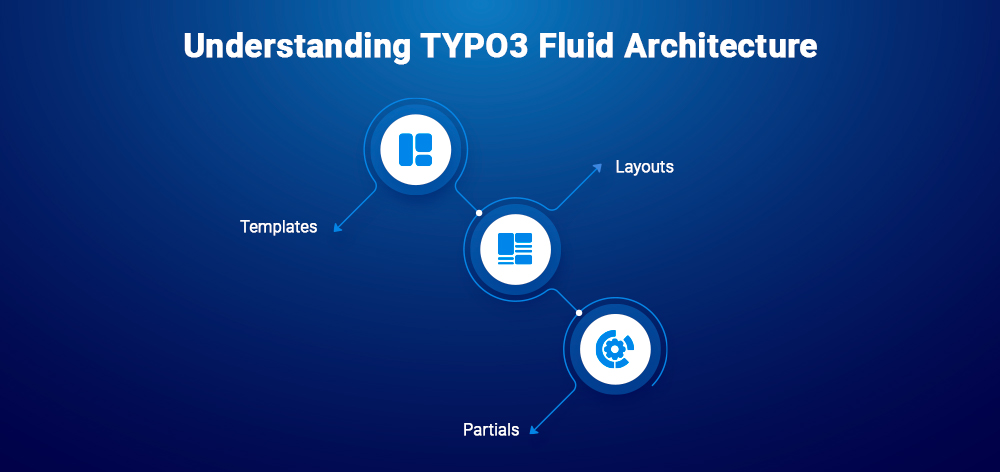
TYPO3 Fluid is built on three core components: Templates, Layouts, and Partials. Together, they define how content is structured and rendered in TYPO3.
This separation keeps code clean and reusable across large projects.
<!-- File: /typo3conf/ext/extension_key/Resources/Private/Templates/MyTemplate.html -→<html xmlns:f="http://typo3.org/ns/TYPO3/CMS/Fluid/ViewHelpers"data-namespace-typo3-fluid="true"><f:section name="MyTemplate">The main template’s section will render.</f:section><f:render section="MyTemplate" /></html>
When to use:
<!-- File: /typo3conf/ext/extension_key/Resources/Private/Partials/MyPartial.html -→<html xmlns:f="http://typo3.org/ns/TYPO3/CMS/Fluid/ViewHelpers"data-namespace-typo3-fluid="true"><p>My First Partial: {variable}</p></html>
<f:section name="MyTemplate"><f:render partial="MyPartial" arguments="{variable: 'my-value'}" /></f:section><f:render section="MyTemplate" />
When to use:
This architecture is designed for scalability and maintainability, especially in large TYPO3 projects.
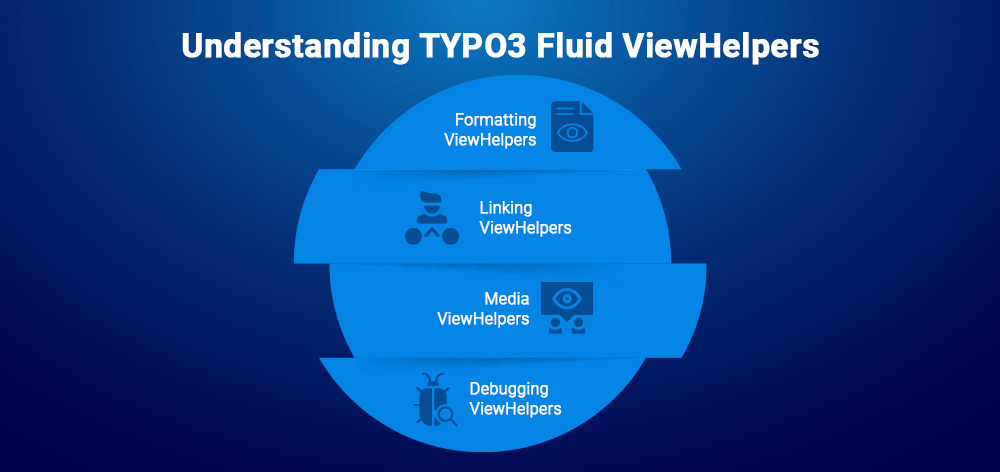
ViewHelpers are reusable building blocks in TYPO3 Fluid used to handle formatting, linking, rendering, and more. They help reduce custom code and speed up development.
Below are the most commonly used ViewHelpers, grouped by purpose.
Used to format text, dates, and content output.
<!-- Date formatting --><f:format.date>{dateObject}</f:format.date><!-- Output: 1980-12-13 -→<!-- Change case --><f:format.case>Some Text with miXed case</f:format.case><!-- Output: SOME TEXT WITH MIXED CASE -→<!-- Line breaks --><f:format.nl2br>{text_with_linebreaks}</f:format.nl2br><!-- Output: Converts line breaks to <br /> -→<!-- Strip HTML tags --><f:format.stripTags>Some Text with <b>Tags</b></f:format.stripTags><!-- Output: Some Text with Tags -→
Used to generate links dynamically within TYPO3.
<f:link.typolink parameter="{link}">
Linktext
</f:link.typolink>
Output:
<a href="/page/path/name.html?X=y" title="testtitle with whitespace" target="_blank">
Linktext
</a>
Used for rendering images, videos, and media assets.
<!-- Image rendering --><f:image src="EXT:myext/Resources/Public/typo3_logo.png" alt="alt text" /><f:image image="{imageObject}" /><!-- Inline notation -->{f:image(src: 'EXT:viewhelpertest/Resources/Public/typo3_logo.png', alt: 'alt text', minWidth: 30, maxWidth: 40)}<!-- Media rendering --><f:media file="{file}" width="400" height="375" />
Output:
Used during development to inspect variables and data.
<f:debug>{testVariables.array}</f:debug>
Output:
<!-- Pagination --><f:widget.paginate objects="{blogs}" as="paginatedBlogs"><!-- Use inside loop --></f:widget.paginate><!-- TypoScript object rendering --><f:cObject typoscriptObjectPath="lib.customHeader" data="{article}" currentValueKey="title" /><!-- Translation --><f:translate key="key1" />{f:translate(key: 'someKey', arguments: {0: 'dog', 1: 'fox'}, default: 'default value')}<!-- Forms --><f:form action="..." name="customer" object="{customer}"><f:form.hidden property="id" /><f:form.textfield name="myTextBox" value="default value" /></f:form><!-- Comments (not rendered) --><f:comment>Some comment</f:comment>
TYPO3 Fluid provides built-in ways to handle dynamic data using variables, conditions, and loops.
You can define and use variables directly inside templates.
{f:variable(name: 'FluidVariable', value: 'Assign Value')}<f:variable name="FluidVariable">Assign Value</f:variable>
Used to control rendering based on conditions.
<f:if condition="{FluidVariable} > 100"><f:then>True</f:then><f:else>False</f:else></f:if>
Used to iterate over arrays or collections.
<f:variable name="FluidArray">{fruit1: 'apple', fruit2: 'pear', fruit3: 'banana', fruit4: 'cherry'}</f:variable><f:for each="{FluidArray}" as="fruit" key="label"><li>{label}: {fruit}</li></f:for>
Used for multiple conditional branches.
<f:switch expression="{person.gender}"><f:case value="male">Mr.</f:case><f:case value="female">Mrs.</f:case><f:defaultCase>Mr. / Mrs.</f:defaultCase></f:switch>
These core features allow you to control how data is displayed in TYPO3 Fluid templates without writing complex backend logic.
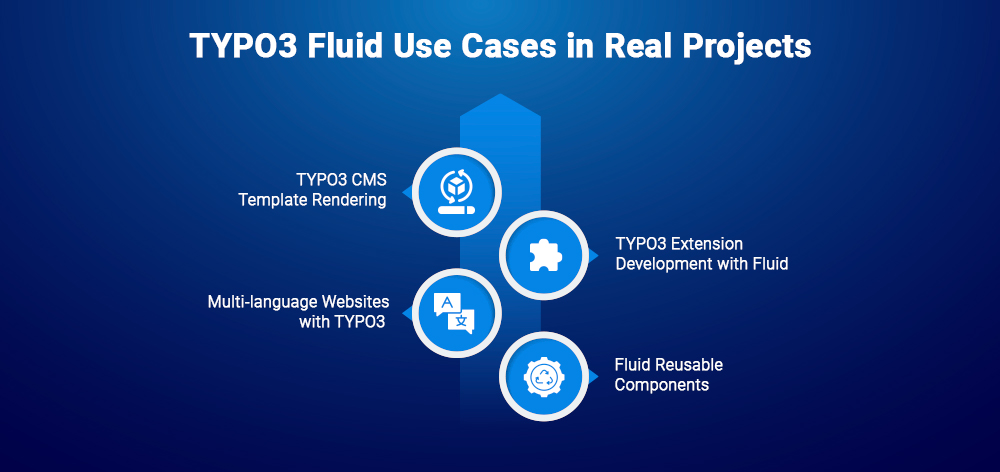
TYPO3 Fluid is used in real projects to handle frontend rendering in a structured and scalable way. Below are the most common use cases in TYPO3 projects.
Fluid is used to build complete page templates in TYPO3.
Example: Homepage, blog pages, landing pages
Fluid is widely used in custom TYPO3 extensions.
Example: Blog extension, product listing, custom forms
Fluid integrates with TYPO3’s localization system.
Example: German-English enterprise websites
Fluid enables component-based development.
Example: Cards, headers, footers, content sections
TYPO3 Fluid is not just a template engine, it’s the foundation for building scalable, maintainable, and enterprise-ready TYPO3 frontend systems.
Here’s a practical comparison of TYPO3 Fluid with other popular template engines.
| Feature | TYPO3 Fluid | Twig | Blade |
| Ecosystem | Native to TYPO3 | Symfony / Generic PHP | Laravel |
| Integration with TYPO3 | Full native integration | Requires setup | Not compatible |
| Learning Curve | Easy for TYPO3 users | Moderate | Easy for Laravel users |
| Syntax Style | XML-based + inline | Clean, logic-based | PHP-like directives |
| Separation of Logic | Strong | Strong | Moderate |
| Built-in Helpers | Extensive ViewHelpers | Filters & functions | Blade directives |
| Extensibility | High (custom ViewHelpers) | High | High |
| Performance in TYPO3 | Optimized | Not optimized | Not applicable |
| Use Case Fit | Best for TYPO3 projects | General PHP applications | Laravel applications |
If you are working within TYPO3, TYPO3 Fluid is the most efficient and reliable choice. Other template engines like Twig or Blade are better suited for their own ecosystems, not TYPO3.
Choosing the right templating engine depends on your project requirements. Here’s when TYPO3 Fluid fits best, and when it doesn’t.
TYPO3 Fluid is the best choice when working within the TYPO3 ecosystem and building structured, scalable frontend solutions.
TYPO3 Fluid is not ideal outside the TYPO3 ecosystem or for lightweight use cases.
TYPO3 Fluid allows you to extend functionality by creating custom ViewHelpers when built-in ones are not enough.
<?php// File: /typo3conf/ext/extension_key/Classes/ViewHelpers/MystyleViewHelper.phpnamespace Vendor\Package\ViewHelpers;class MystyleViewHelper extends \TYPO3Fluid\Fluid\Core\ViewHelper\AbstractViewHelper{public function initializeArguments(){$this->registerArgument('text', 'string', 'My custom argument', true);}public function render(){return '<div class="my-custom-style">' . $this->arguments['text'] . '</div>';}}?>
{namespace ns=Vendor\Package\ViewHelpers}<!-- Tag-based --><ns.mystyle text="Special content" /><!-- Inline -->{ns:mystyle(text:'Special content')}
PriceFormatterViewHelper)These are common issues developers face while working with TYPO3 Fluid.
<f:debug>{variable}</f:debug>
Fix:
Double-check syntax and ensure proper opening/closing of ViewHelpers.
Fix:
Clear TYPO3 system cache and, if needed, browser cache.
Fix:
Verify file paths and ensure variables are correctly passed from the controller.
Fix:
Move logic to controllers or custom ViewHelpers. Keep templates focused on presentation.
Fix:
Use partials to create reusable and consistent UI elements.
Fix:
Leverage TYPO3 caching and optimize template structure for better performance.
For scalable TYPO3 projects, optimizing Fluid templates is important.
Efficient use of ViewHelpers and clean template structure directly impacts performance, especially in enterprise TYPO3 projects.
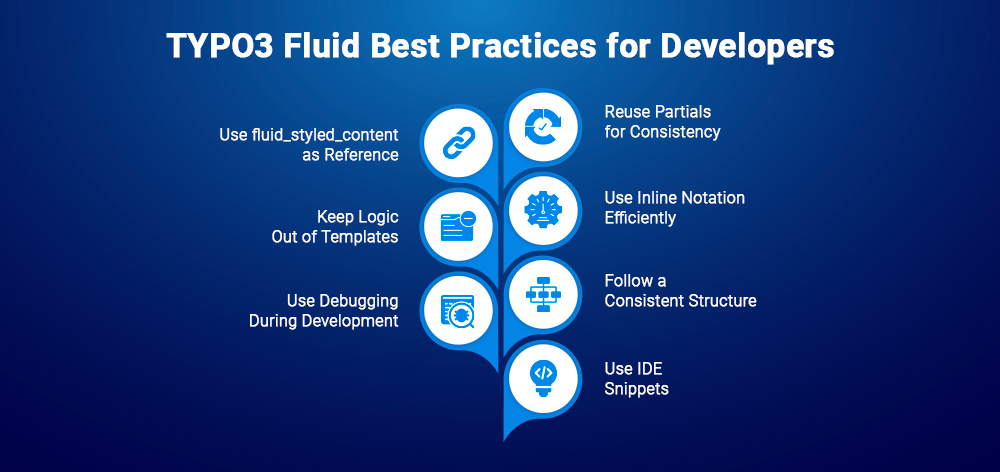
Here are practical tips to work efficiently with TYPO3 Fluid in real projects.
Explore EXT:fluid_styled_content in TYPO3 core.
<f:debug> to inspect variablesFocus on clean structure, reuse, and minimal logic in templates to build scalable TYPO3 Fluid implementations.
TYPO3 Fluid is a core part of working with TYPO3. Whether you’re building templates or developing extensions, a solid understanding of Fluid helps you create clean, scalable, and maintainable frontend output.
If you're working as a TYPO3 developer or integrator, mastering Fluid is not optional, it’s part of the job.
If you have questions or face issues while working with TYPO3 Fluid, feel free to share them. Practical challenges are common, and solving them improves your workflow over time.
If you're exploring how AI is being used in TYPO3 projects, the AI Foundation for TYPO3 provides a central foundation for connecting and managing AI-powered development workflows within TYPO3.
TYPO3 Fluid is a templating engine in TYPO3 used to create dynamic frontend output. It separates presentation from logic, allowing developers to build structured templates without heavy PHP.
Yes. TYPO3 Fluid uses a simple, XML-based syntax that is easy to understand, especially for frontend developers. Basic concepts like conditions and loops are straightforward to implement.
No heavy PHP knowledge is required for working with Fluid templates. However, basic PHP is useful when creating custom ViewHelpers or working with TYPO3 extensions.
Both work together but serve different purposes.
TYPO3 Fluid is used in multiple areas within TYPO3:
Yes. TYPO3 Fluid can be extended using custom ViewHelpers, allowing developers to add custom logic and functionality to templates.
Wolfgang Weber
Brand & Communication LeadWolfgang Weber shapes TYPO3 with passion and expertise. As a TYPO3 enthusiast at T3Planet Shop, he has contributed to TYPO3 projects that make websites faster and more secure. Outside of TYPO3, you’ll probably find him exploring local cafés and enjoying football.
More From Author