TYPO3 Fluid - One of the unique frontend template engines of TYPO3 CMS! As a TYPO3 integrator or developer, you should have mastery of the TYPO3 Fluid template engine. In this blog, I want to share helpful tips & tricks of TYPO3 Fluid. Get ready!
TYPO3 Fluid is the frontend template engine of TYPO3 CMS, used to create clean, maintainable, and flexible templates. Mastering Fluid is essential for TYPO3 integrators, frontend developers, and backend developers who want efficient template management.
In this blog, you will find practical tips, examples, and best practices for TYPO3 Fluid, including variables, inline notation, partials, layouts, and more. These tips are based on real-world TYPO3 projects and experience from the TYPO3 Fluid ecosystem.
“TYPO3 Fluid is a fast, secure, and extensible template engine for PHP.” – typo3.org
TYPO3 Fluid is the frontend template engine of TYPO3 CMS, designed to separate HTML/CSS/JavaScript from PHP logic. It allows developers and integrators to build clean, maintainable templates without needing deep PHP knowledge.
What Is TYPO3 Fluid?
TYPO3 Fluid is a template engine that renders dynamic content in TYPO3 websites.
It enables structured templates with layouts, partials, and reusable components.
Supports modern TYPO3 versions (v10–v14) and integrates with Extbase and other TYPO3 extensions.
Why TYPO3 Uses Fluid
Separates presentation from logic, making templates easier to maintain.
Provides powerful ViewHelpers for rendering, formatting, and localization.
Allows scalable template development for small websites and enterprise projects.
Fluid vs Other Template Engines
Twig / Blade / plain PHP templates: Fluid is fully integrated with TYPO3, while others require additional setup.
Fluid’s syntax is designed for TYPO3 workflows, including Extbase and TypoScript integration.
Offers inline notation, caching, and flexible partials, which make it highly efficient.
Who Should Learn TYPO3 Fluid
TYPO3 integrators managing templates and content structure.
Frontend developers implementing HTML/CSS/JS in TYPO3.
Backend developers who need to render dynamic content cleanly without writing PHP logic in templates.
Why This TYPO3 Fluid Guide Is Different
Follows a beginner → advanced progression.
Includes real-world examples used in TYPO3 projects.
Focuses on performance, maintainability, and best practices.
Covers TYPO3 versions v10–v14, ensuring compatibility with modern sites.
What You’ll Learn
Variables and dynamic data handling in Fluid
ViewHelpers and template formatting
Rendering with partials and layouts
Performance optimization techniques
Localization for multilingual sites
Debugging strategies for templates
Advanced Fluid architecture and reusable components
TYPO3 Fluid Basics
Before diving into advanced tips, it’s essential to understand the foundations of TYPO3 Fluid. This section covers template architecture, file structure, and syntax so you can start building clean, maintainable templates.
TYPO3 Fluid Architecture Explained
TYPO3 Fluid is built around three key concepts:
Templates: The main HTML structure of your page, defining content placeholders and layout references.
Layouts: Define reusable page structures that templates can extend, ensuring consistency across multiple pages.
Partials: Small, reusable template fragments that can be included in multiple templates for modularity.
Understanding these concepts is critical for scalable and maintainable TYPO3 projects.
How Fluid Rendering Works
When TYPO3 renders a page using Fluid:
Extbase or TypoScript passes data to the template.
The template engine processes layouts, partials, and variables.
HTML output is generated dynamically and sent to the browser.
Fluid Rendering Lifecycle
Data assignment: Variables are assigned to the template.
Template compilation: Fluid parses the template and applies caching if enabled.
Rendering: Variables, loops, and ViewHelpers are processed to generate HTML output.
TYPO3 Fluid File Structure
A clean folder structure helps keep projects organized and maintainable.
Variables are assigned from the controller or TypoScript.
Access them using {variableName} syntax..
Outputting HTML
Fluid outputs safe HTML by default.
Use <f:format.raw> if you need to render pre-formatted HTML.
Escaping Explained
HTML characters are escaped automatically to prevent XSS issues.
Disable escaping only when content is trusted and sanitized.
TYPO3 Fluid Syntax Essentials
Inline Notation
Enables compact, one-line variable and ViewHelper calls.
Example: {sliderElements -> f:count()} counts elements inline.
Tag-Based Syntax
Standard XML-like Fluid tags, e.g., <f:if>, <f:for>, <f:render>.
When to Use Each
Inline notation: Quick operations, simple transformations, and calculations.
Tag-based syntax: Complex logic, loops, conditionals, and readability in large templates.
TYPO3 Fluid Variables & Data Handling
Variables are the backbone of TYPO3 Fluid templates. Understanding how to create, use, and manipulate them is essential for dynamic, maintainable, and efficient templates.
How to Create Variables in TYPO3 Fluid
Using<f:variable>
<f:variable name="pageTitle" value="Welcome to TYPO3 Fluid"/>
Assign simple static values to variables for use in templates.
Inline Variable Assignment
{f:variable(name: 'header', value: 'Fluid Tips')}
Inline notation is useful for short assignments and quick calculations.
Capture rendered output into a variable for multiple uses within the same template.
Dynamic Variables in TYPO3 Fluid
Accessing Dynamic Keys
{myArray.{dynamicKey}}
Useful for looping or conditional rendering when keys are not known in advance.
Dynamic Object Access
Access properties of objects dynamically:
{user.{propertyName}}
Dynamic Template Rendering
Call sections or partials dynamically using variable names:
<f:render section="Section{dynamicSection}" />
Default & Fallback Values
Using<f:or>
{variable -> f:or(alternative: 'Default Value')}
Ensures templates always display meaningful content even if the variable is null.
Optional Rendering Patterns
<f:render partial="OptionalPartial" optional="1" default="Content not available"/>
Render fallback content if partials or sections are missing.
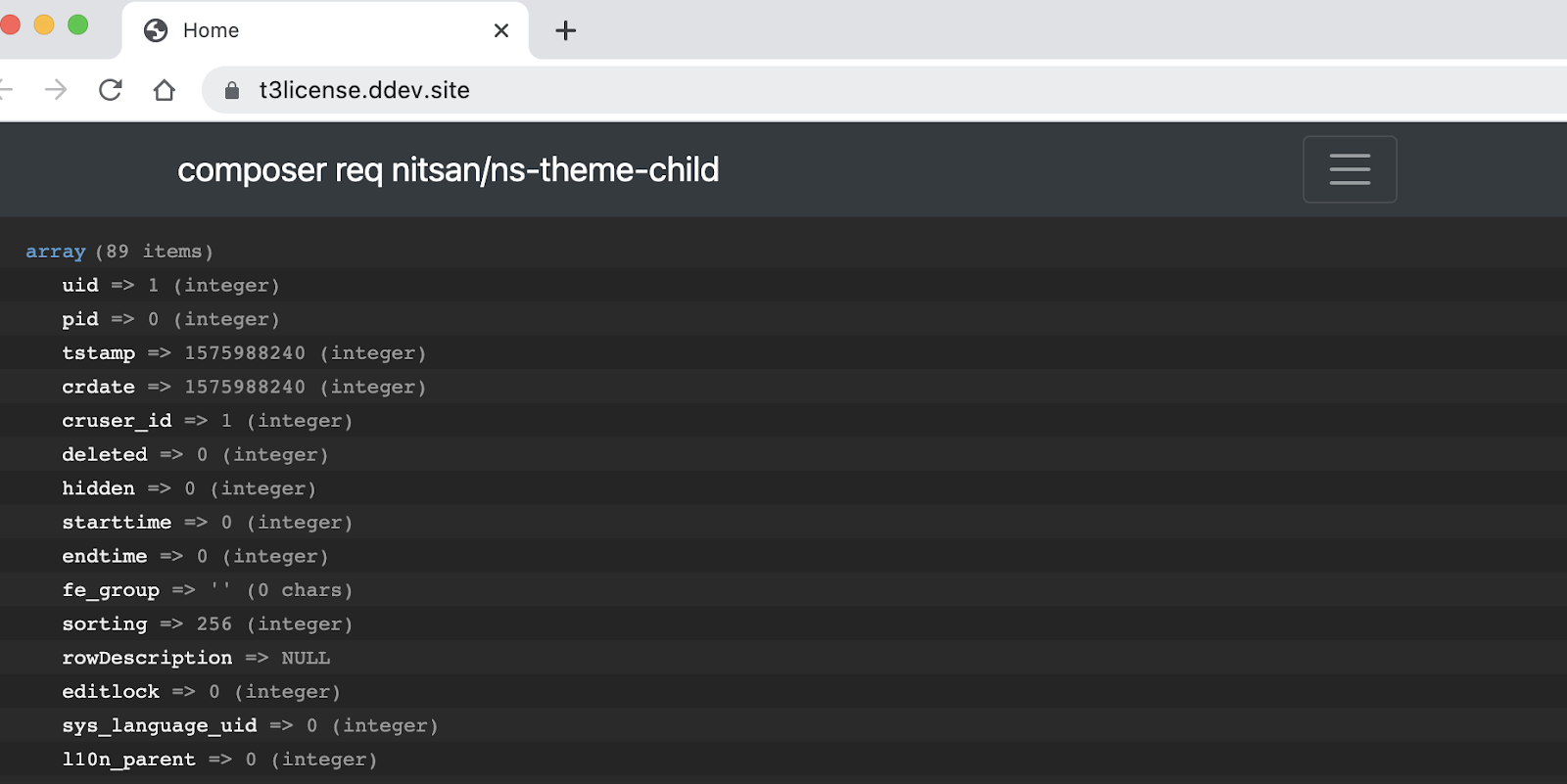
Working with {data} and {_all}
Current Page Data
<f:debug>{data}</f:debug>
Access properties of the current page assigned by TYPO3.
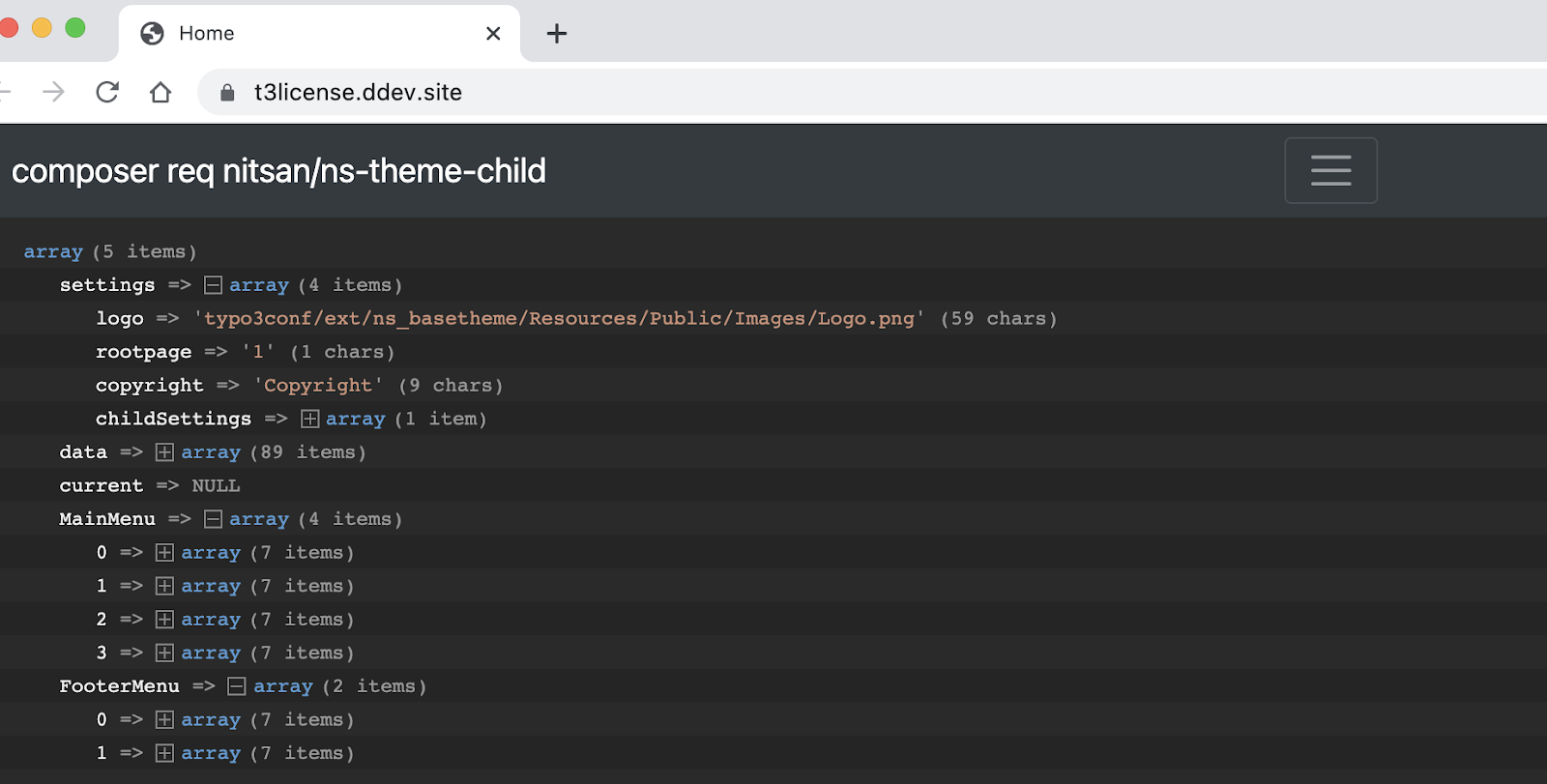
All Template Variables
<f:debug>{_all}</f:debug>
Inspect all variables available in the current template, layout, or partial scope.
Debugging Workflows
Use {_all} and {data} in combination with <f:debug> for efficient troubleshooting.
Helps identify undefined variables and optimize template logic.
TYPO3 Fluid Conditionals & Logic
Conditionals allow TYPO3 Fluid templates to adapt output based on variables or dynamic data. Using them effectively makes templates more flexible and maintainable.
Combine TypoScript and Fluid for Fdynamic calculations when needed.
TYPO3 Fluid Loops & Data Iteration
Loops in TYPO3 Fluid allow you to iterate over arrays, objects, or complex data structures, enabling dynamic content rendering for templates. Using loops efficiently keeps templates modular and maintainable.
Fluid handles nested arrays and objects cleanly, keeping templates readable and maintainable.
TYPO3 Fluid Rendering System
The rendering system in TYPO3 Fluid allows developers to structure templates efficiently and reuse code through partials, sections, and layouts. Proper use of rendering features ensures templates are modular, maintainable, and scalable.
TYPO3 Fluid Partials Explained
Why Partials Matter
Partials are small reusable template fragments included in multiple templates.
They reduce code duplication and improve maintainability.
Example use cases: headers, footers, cards, and content blocks.
Capture rendered partial output into a variable for reuse or further manipulation.
Wrapped Rendering Techniques
Wrap rendered content in HTML elements or additional markup without altering the original partial.
Example: Encapsulate a card inside a container div for layout consistency.
Advanced Rendering Patterns
Component-Style Rendering
Treat partials and sections as independent components with defined inputs and outputs.
Improves reusability, readability, and maintainability.
Encapsulated Frontend Architecture
Separate template logic from data handling.
Supports scalable enterprise TYPO3 projects with complex content structures.
TYPO3 Fluid ViewHelpers Deep Dive
ViewHelpers are the building blocks of TYPO3 Fluid templates. They provide dynamic functionality without writing PHP, allowing developers to render content, format data, and interact with TYPO3 backend features.
Most Important TYPO3 Fluid ViewHelpers
<f:if> – Conditional rendering.
<f:for> – Loop over arrays or objects.
<f:render> – Render partials or sections.
<f:translate> – Localization, fetch text from XLIFF files.
<f:format.*> – Formatting helpers for dates, text, and numbers.
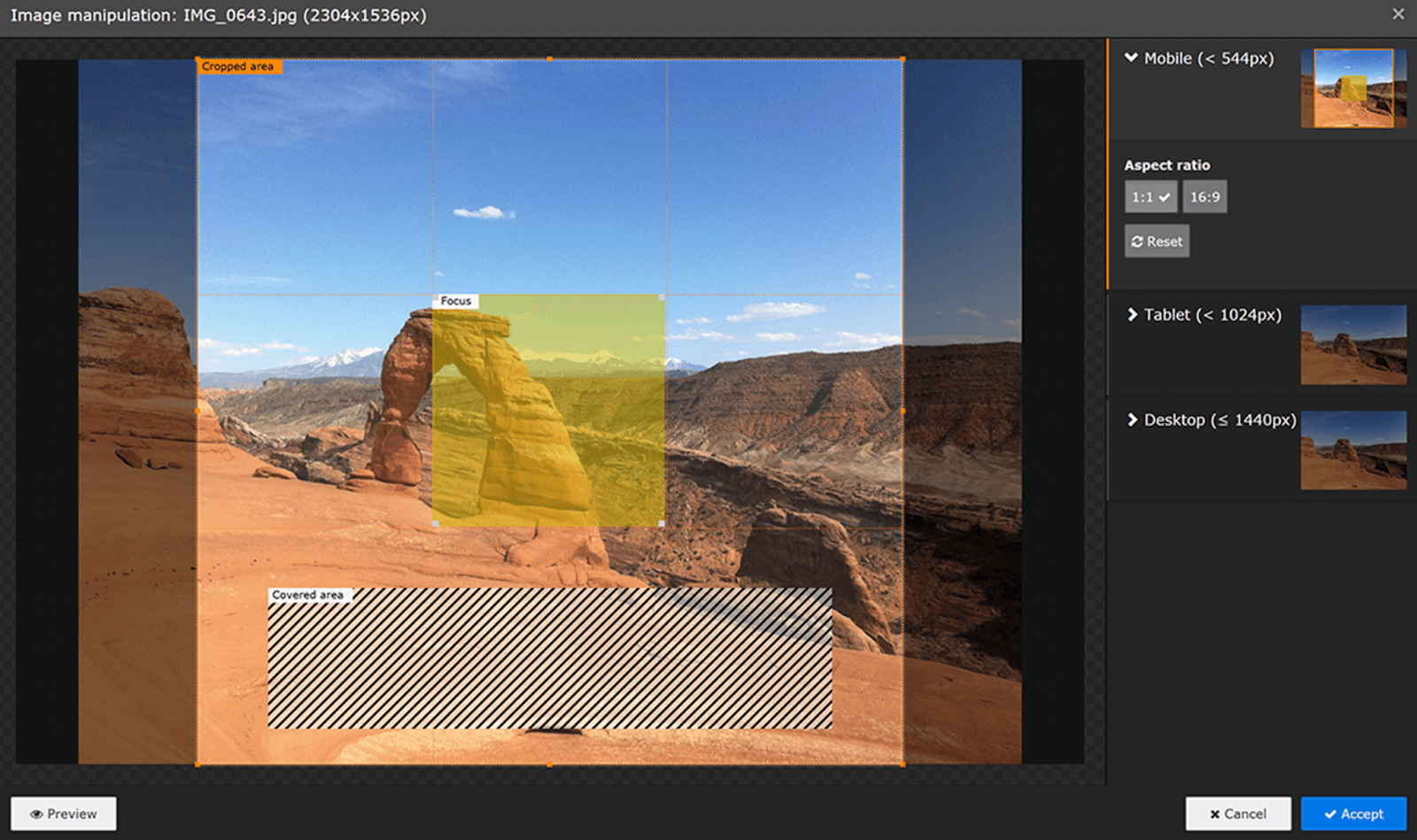
Supports multiple resolutions for responsive layouts.
Lazy Loading
<f:image file="{image}" loading="lazy" />
Optimizes performance by loading images on demand.
Modern TYPO3 Image Rendering
Fluid integrates TYPO3 v10+ responsive image features with full HTML5 support.
Custom ViewHelpers in TYPO3
When to Create Custom ViewHelpers
Use custom ViewHelpers for reusable, project-specific functionality not covered by core Fluid helpers.
Namespace Registration
{namespace my=Vendor\Extension\ViewHelpers}
Allows Fluid to recognize your custom ViewHelpers globally.
Best Practices
Keep logic minimal and template-focused.
Reuse ViewHelpers across templates for consistency and maintainability.
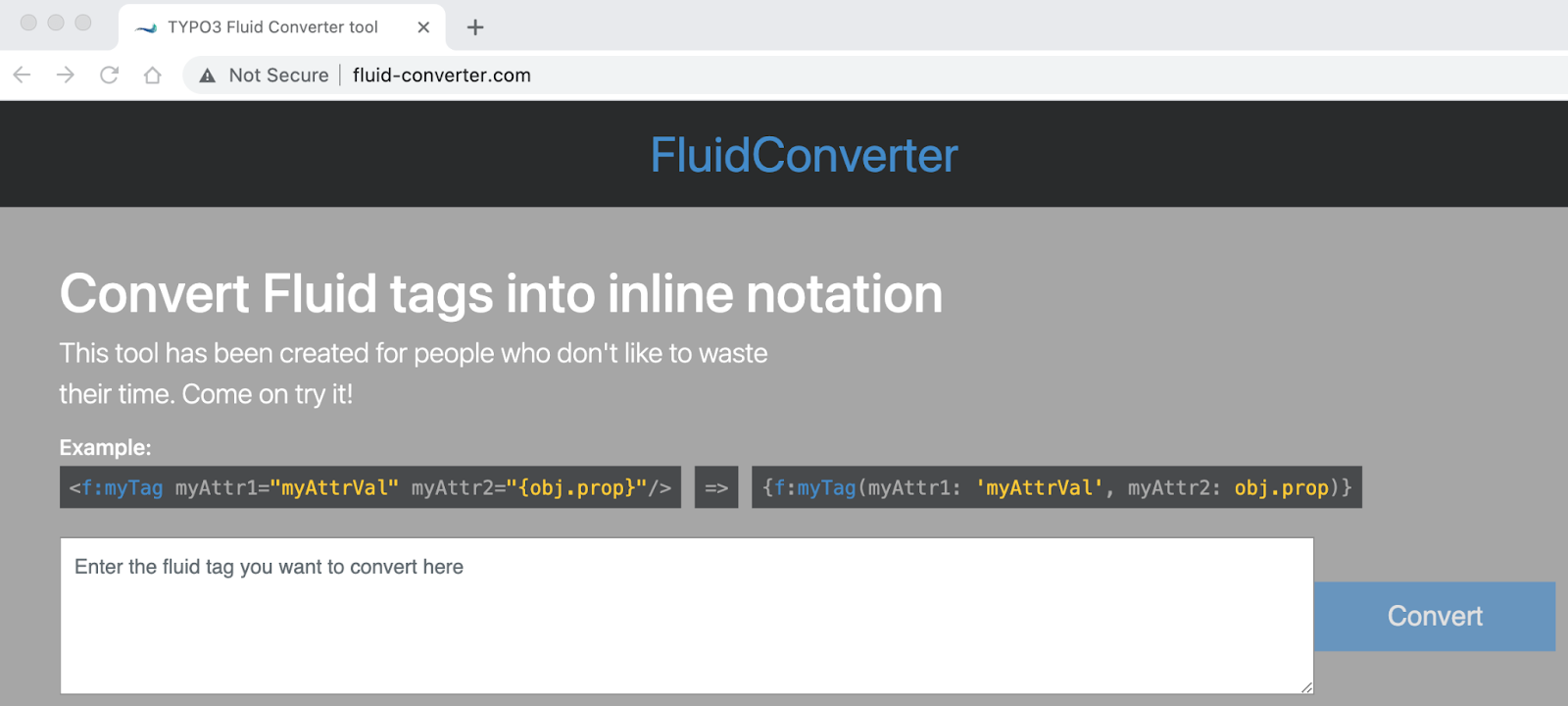
TYPO3 Fluid Inline Notation Masterclass
Inline notation in TYPO3 Fluid allows you to write compact, readable expressions inside templates. Mastering it improves template performance, maintainability, and readability.
What Is Inline Notation?
Inline notation is a one-line syntax for using Fluid ViewHelpers or manipulating variables.
Example:
{sliderElements -> f:count()}
Preferred for simple operations and transformations without adding extra <f:if> or <f:for> tags.
Always escape nested quotes to prevent parsing errors.
Cleaner alternatives: assign values to variables first, then pass to ViewHelpers.
Inline Notation Best Practices
Performance: Inline expressions execute faster than multiple <f:if> or <f:for> tags.
Maintainability: Avoid overly complex nesting; use intermediate variables.
Readability: Keep expressions short, clear, and self-explanatory.
TYPO3 Fluid Performance Optimization
Optimizing TYPO3 Fluid templates ensures fast page rendering, reduced server load, and smooth user experience.
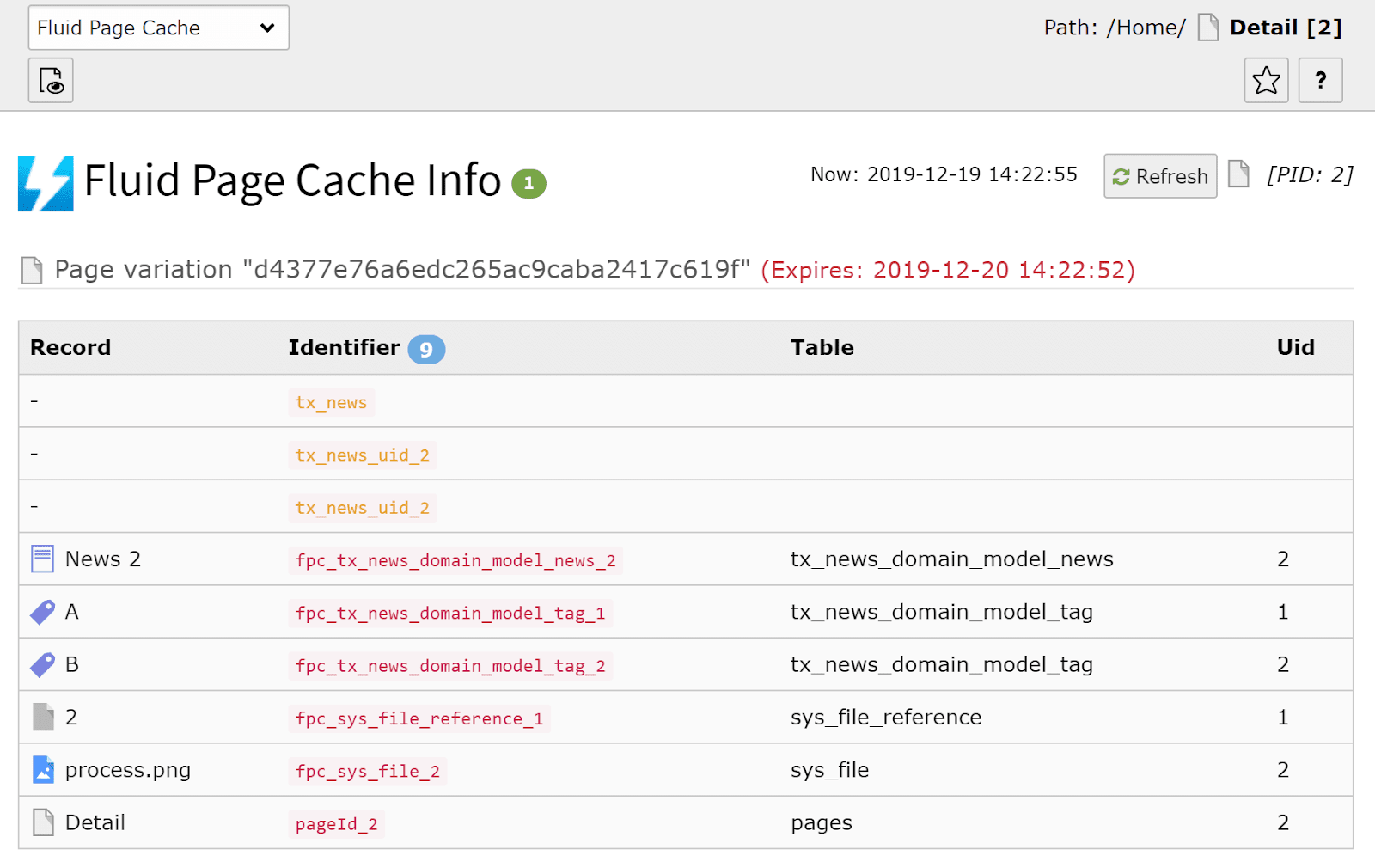
TYPO3 Fluid Caching Explained
Template Cache: Stores parsed Fluid templates for faster rendering.
Page Cache: Caches the fully rendered page output.
Fluid Cache Internals: Handles compilation of templates and prevents unnecessary re-rendering.
How to Disable Cache in Fluid
<f:cache.disable>
 <!-- Code here will bypass Fluid caching -->
</f:cache.disable>
Use sparingly; disabling cache can reduce performance.
Best for debugging or dynamic content that changes every request.
Fluid Template Precompilation
Cache warmers: Pre-compile templates to reduce first-load delays.
CLI precompilers: Command-line tools for compiling all templates in extensions.
Faster rendering: Ensures templates are ready to serve without runtime parsing.
Performance Best Practices
Reduce rendering overhead by minimizing nested loops and ViewHelpers.
Avoid duplicate rendering of the same partial multiple times.
Optimize partials and layouts for modularity and reusability.
TYPO3 Fluid Debugging & Troubleshooting
Efficient debugging is essential for maintaining clean, error-free TYPO3 Fluid templates. This section covers techniques to identify, fix, and prevent common issues.
Debugging Variables in TYPO3 Fluid
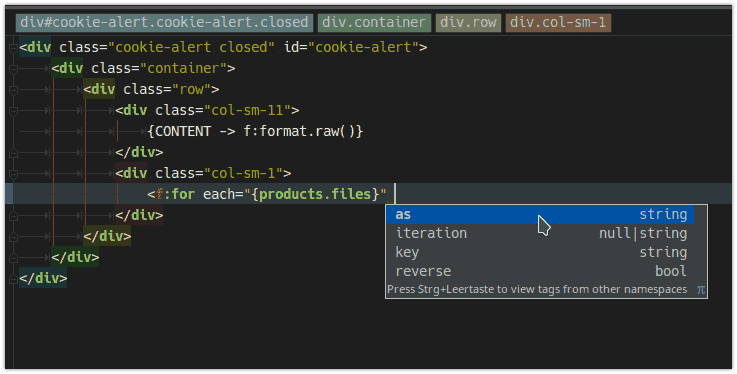
Using <f:debug>
<f:debug>{myVariable}</f:debug>
Outputs the value of variables directly in the template for inspection.
Inspect All Variables {_all}
<f:debug>{_all}</f:debug>
Shows all available variables in the current template, section, or partial.
Debugging Arrays/Objects
Use <f:debug> to inspect nested arrays or objects:
<f:debug>{user}</f:debug>
Common TYPO3 Fluid Errors
Parsing errors: Mistyped tags, missing braces, or incorrect syntax.
Namespace issues: Undefined or unregistered ViewHelper namespaces.
Missing partials/layouts:<f:render> fails if the referenced partial does not exist.
How to Disable Parsing
{parsing off}
Prevents Fluid from processing template code inside a section.
Useful for debugging raw output or displaying content that contains Fluid syntax.
Real-World Use Cases
Debug dynamic content rendering.
Inspect _all and {data} to validate template data.
TYPO3 Fluid Debugging Workflow
Development Setup: Enable debug output in TypoScript or Fluid settings.
Debugging Efficiently: Use <f:debug> selectively; combine with {_all} for complete variable overview.
Advanced TYPO3 Fluid: Techniques Most Guides Miss
Mastering TYPO3 Fluid goes beyond variables and loops. This section covers lesser-known but production-essential features, cache control, advanced variable patterns, overlooked ViewHelpers, and tooling, that experienced developers rely on daily.
Compiles all Fluid templates without rendering them.
Add to your deployment pipeline to eliminate cold-start delays on first request after release.
The TYPO3 backend module version additionally shows per-template efficiency scores and one-click recompile from the cache menu.
TYPO3 Fluid Localization & Multilingual Development
TYPO3 Fluid supports multi-language websites and ensures templates are accessible and SEO-friendly across languages.
TYPO3 Fluid Localization Basics
Use XLIFF files to store translations.
<f:translate> fetches localized text dynamically:
<f:translate key="page.title" />
Multilingual TYPO3 Templates
Dynamic Language Rendering: Render content based on current site language.
Translation Best Practices:
Keep keys consistent.
Avoid hard-coded text in templates.
Use partials to share multilingual content blocks.
TYPO3 Fluid Accessibility Best Practices
Semantic HTML: Use proper heading levels, lists, and landmarks.
Alt/Title Handling: Provide descriptive attributes for images and links.
Accessible Template Rendering: Ensure content order and focus follow
SEO Best Practices in TYPO3 Fluid
Structured HTML: Clean templates improve indexing and user experience.
Metadata Rendering: Render titles, descriptions, and Open Graph tags dynamically.
SEO-Friendly Template Structure: Use layouts and partials to maintain consistent HTML structure across pages.
TYPO3 Fluid + TypoScript Integration
Integrating TypoScript with Fluid templates allows developers to combine the power of TYPO3’s configuration system with dynamic template rendering, ensuring flexibility and maintainability.
TYPO3 Fluid is a flexible and maintainable template engine for TYPO3 CMS. Mastering variables, loops, conditionals, partials, and layouts ensures clean templates. Advanced techniques like inline notation, caching, and component-based rendering improve performance.
Proper debugging, localization, and SEO practices make templates production-ready. Developers who also want to introduce centrally managed AI tools into their projects can build on the AI Foundation for TYPO3.
Proper debugging, localization, and SEO practices make templates production-ready. Use real-world examples to apply best practices in your projects. Start with the basics and progress to advanced Fluid patterns for scalable TYPO3 websites.
FAQs
Fluid is the frontend template engine of TYPO3 CMS, used for rendering dynamic content with HTML, CSS, and TYPO3 data.
Fluid is beginner-friendly; start with templates, layouts, and partials. Advanced topics include loops, conditionals, inline notation, and custom ViewHelpers.
Fluid handles template rendering and layout structure. TypoScript is a configuration language that provides dynamic data and content mapping.
Partials are reusable template fragments included in multiple templates. They improve modularity and maintainability of TYPO3 websites.
Use <f:debug></f:debug> with {_all} or {data} to inspect available variables. Common errors: missing partials, parsing errors, escaping issues.
Yes, supports component-based development, scalable layouts, advanced caching, multilingual content, and SEO best practices.
FluidTYPO3 ecosystem – Flux, VHS, and other productivity tools.
Share This Article
Wolfgang Weber
Brand & Communication Lead
Wolfgang Weber shapes TYPO3 with passion and expertise. As a TYPO3 enthusiast at T3Planet Shop, he has contributed to TYPO3 projects that make websites faster and more secure. Outside of TYPO3, you’ll probably find him exploring local cafés and enjoying football.





Wolfgang Weber
Brand & Communication LeadWolfgang Weber shapes TYPO3 with passion and expertise. As a TYPO3 enthusiast at T3Planet Shop, he has contributed to TYPO3 projects that make websites faster and more secure. Outside of TYPO3, you’ll probably find him exploring local cafés and enjoying football.
More From Author