


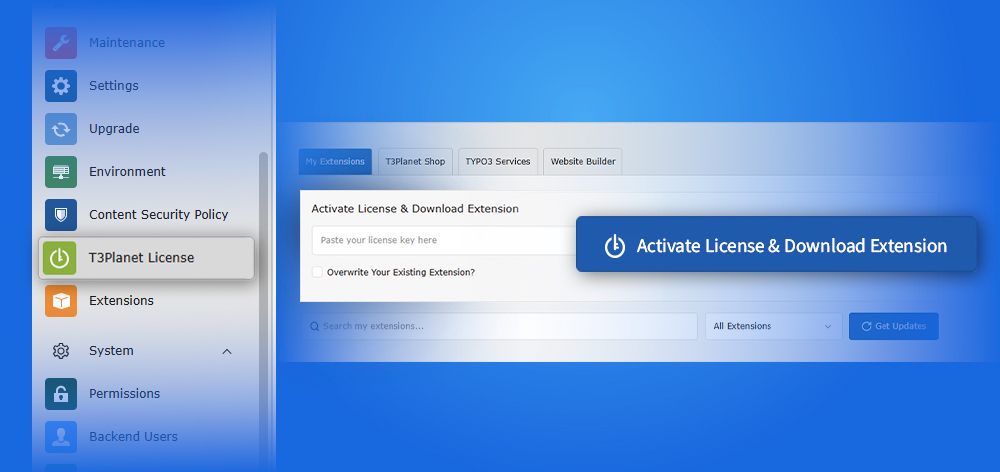
T3Planet License Manager Activation: A Complete Step-by-Step Guide
Extensions


Managing and optimizing your TYPO3 website effectively is no longer just a nice-to-have, it’s essential for any business or organization looking to succeed online. From monitoring website performance to understanding user behavior and making data-driven decisions, having the right tools can make all the difference.
One of the most powerful solutions in the WordPress ecosystem has been Site Kit by Google, an official plugin that consolidates essential Google services, like Google Analytics, Search Console, PageSpeed Insights, and Tag Manager, into a single dashboard. Until recently, this tool was exclusive to WordPress users, but now TYPO3 site owners can harness its capabilities as well.
In this blog, we’ll explore the key features, benefits, and important statistics of integrating Site Kit by Google into TYPO3. You’ll learn how this plugin streamlines performance monitoring, enhances SEO strategies, and provides actionable insights, all directly from your TYPO3 backend. Whether you’re a developer, marketer, or site administrator, this integration empowers you to make smarter decisions, optimize your site efficiently, and deliver a better experience for your users.
By the end of this article, you’ll understand why Site Kit by Google for TYPO3 is becoming a must-have tool for modern TYPO3 websites and how it can transform the way you manage your digital presence.
Site Kit by Google is an official plugin developed by Google for WordPress, designed to bring together multiple Google services, such as Google Analytics, Search Console, PageSpeed Insights, and Tag Manager, into a single, easy-to-use dashboard. This centralized setup saves time and effort, eliminating the need to log in to separate tools to track your website’s performance and insights.
The plugin provides a unified view of your website’s most important metrics, helping you make smarter decisions about SEO, site speed, and user experience. Its intuitive design means you can start using it without any coding knowledge or technical expertise.
Here’s the exciting part for TYPO3 users: Site Kit is now available as a TYPO3 extension! This means TYPO3 site owners can seamlessly integrate essential Google tools directly within the TYPO3 backend. No more relying on third-party plugins or complicated manual setups, everything you need for analytics, SEO, and performance monitoring is now just a few clicks away.
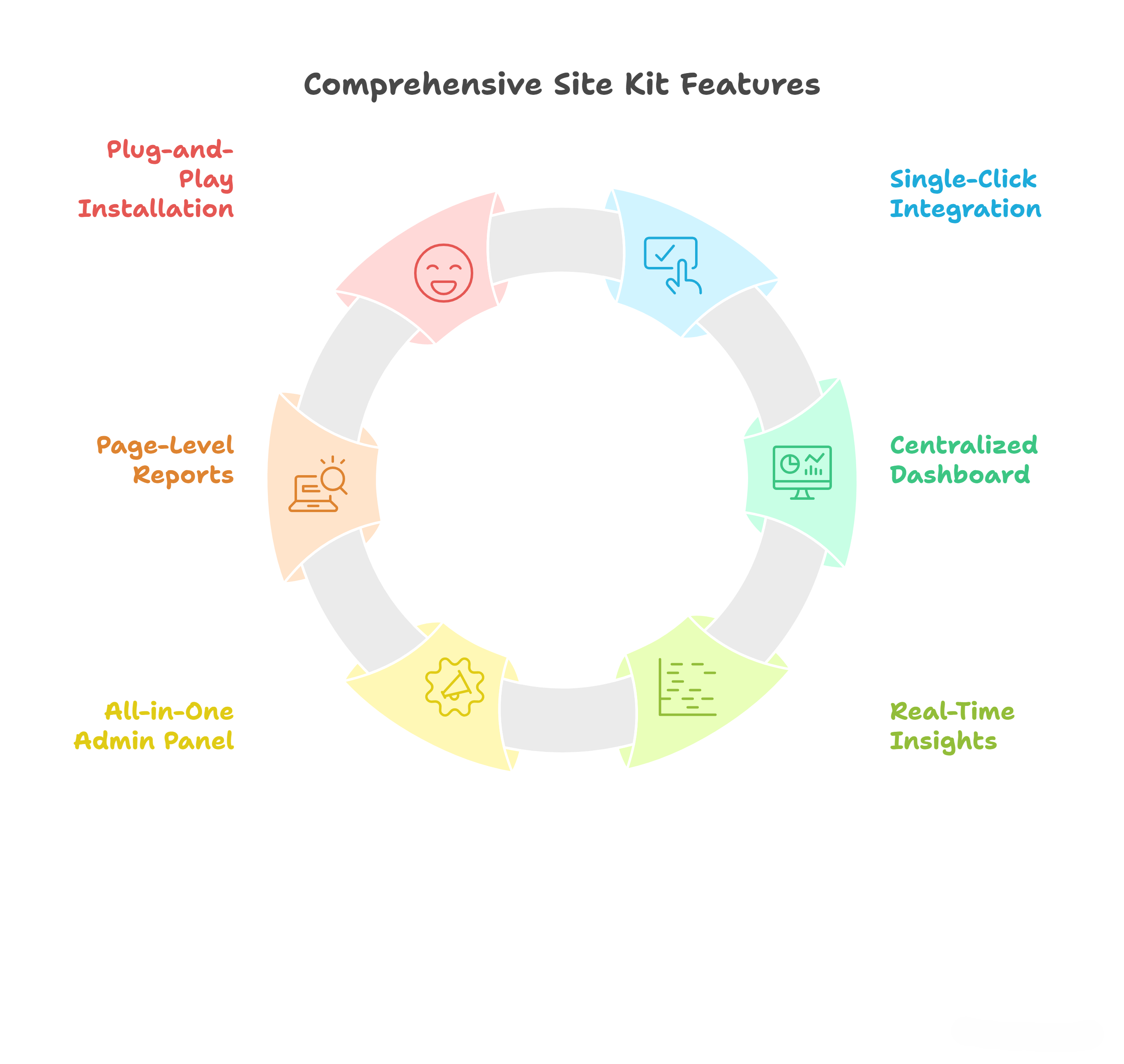
Integrating Site Kit into TYPO3 offers an array of practical features that simplify analytics, performance monitoring, and decision-making for website owners and developers. Here’s an in-depth look at its core features:
Site Kit allows you to connect essential Google tools, Analytics, Search Console, PageSpeed Insights, and Tag Manager, directly from your TYPO3 backend. With a single click, you can link your accounts without manually adding tracking codes or configuring scripts. This makes the process fast, seamless, and accessible even to non-technical users.
Gone are the days of juggling multiple platforms. Site Kit consolidates all your key metrics into a single, easy-to-read dashboard. You can see traffic trends, user behavior, and site performance at a glance, enabling quicker analysis and smarter decision-making. This centralized view saves time while providing a comprehensive overview of your TYPO3 site’s health.
Understanding how visitors interact with your website is critical for optimization. Site Kit provides real-time data on page views, bounce rates, session durations, and more. Whether you run an e-commerce TYPO3 store or a content-heavy website, you can respond immediately to changes in user behavior and improve engagement.
Site Kit’s intuitive admin panel gives you full control over all Google service integrations. You can activate or deactivate features, change settings, and manage accounts without leaving TYPO3. This simplifies maintenance and ensures that your analytics setup is always aligned with your website’s needs.
Want to know how a specific page is performing? Site Kit lets you analyze each page individually directly from your TYPO3 backend. This helps you identify high-performing content, optimize underperforming pages, and make targeted improvements that boost traffic, engagement, and conversions.
The installation process is straightforward. After adding the TYPO3 extension, the setup wizard guides you step by step, helping you connect your Google accounts quickly. No complex configurations, no coding knowledge required, just follow the prompts and you’re ready to start monitoring your site.
Using Site Kit with TYPO3 offers a range of practical advantages that save time, provide deeper insights, and support data-driven decision-making for website owners and developers.
Site Kit brings Google Analytics, Search Console, PageSpeed Insights, and Tag Manager directly into your TYPO3 backend. You no longer need to log into multiple dashboards, allowing you to view all critical metrics in one place. This centralized access simplifies monitoring and helps you stay on top of your website’s performance efficiently.
The single-click integration makes connecting a TYPO3 website to Google services straightforward and quick. Whether you’re a developer, content editor, or beginner, Site Kit eliminates technical hurdles, allowing anyone to set up analytics and performance tracking without writing a line of code.
Page loading speed is crucial for user experience and SEO. Site Kit provides real-time performance metrics, identifies bottlenecks, and offers actionable suggestions to improve speed. TYPO3 site owners can optimize their websites, reduce bounce rates, and enhance overall engagement.
Managing Google tags is easier than ever. Site Kit allows you to add, update, or remove tracking tags directly from your TYPO3 admin panel. This streamlines advertising campaigns, conversion tracking, and data collection without the need for third-party solutions.
Gain direct visibility into search performance, indexing status, and potential ranking issues. Site Kit provides actionable SEO insights, enabling you to refine your TYPO3 SEO strategy, optimize content, and improve search engine visibility effectively.
The extension is designed with simplicity and clarity in mind. Beginners can quickly understand the data, while experienced developers benefit from detailed metrics, making it a valuable tool for users at any skill level.
As an official Google open-source plugin, Site Kit provides enterprise-level analytics features at no cost. It eliminates the need for expensive third-party tools, making it an economical choice for businesses of all sizes.
Site Kit is self-updating, meaning you always have the latest features, security improvements, and bug fixes without manual intervention. This ensures your TYPO3 website stays optimized and secure with minimal effort.
Did You Know?
Site Kit by Google has achieved impressive milestones in the WordPress ecosystem, and now TYPO3 users can benefit too!
These stats highlight the reliability, reach, and effectiveness of Site Kit, and why integrating it with TYPO3 can be a game-changer for website management and SEO optimization.
For TYPO3 businesses, having instant access to key website insights is crucial for growth, performance, and decision-making. The Site Kit by Google plugin for TYPO3 makes this easier than ever by bringing Google’s essential tools directly into your TYPO3 backend.
Whether you run an online store, corporate website, or content-heavy platform, monitoring performance, SEO, and user behavior is essential. Site Kit provides centralized access to these metrics, saving time and helping teams make informed decisions without switching between multiple tools.
The Site Kit plugin, originally a popular WordPress tool, is now officially available for TYPO3. This means TYPO3 users can seamlessly integrate Google Analytics, Search Console, PageSpeed Insights, and Tag Manager, all from a single interface.
With this plugin, TYPO3 businesses gain a powerful analytics suite, enabling smarter decisions, faster optimizations, and improved user experiences, all from a single, easy-to-use dashboard.
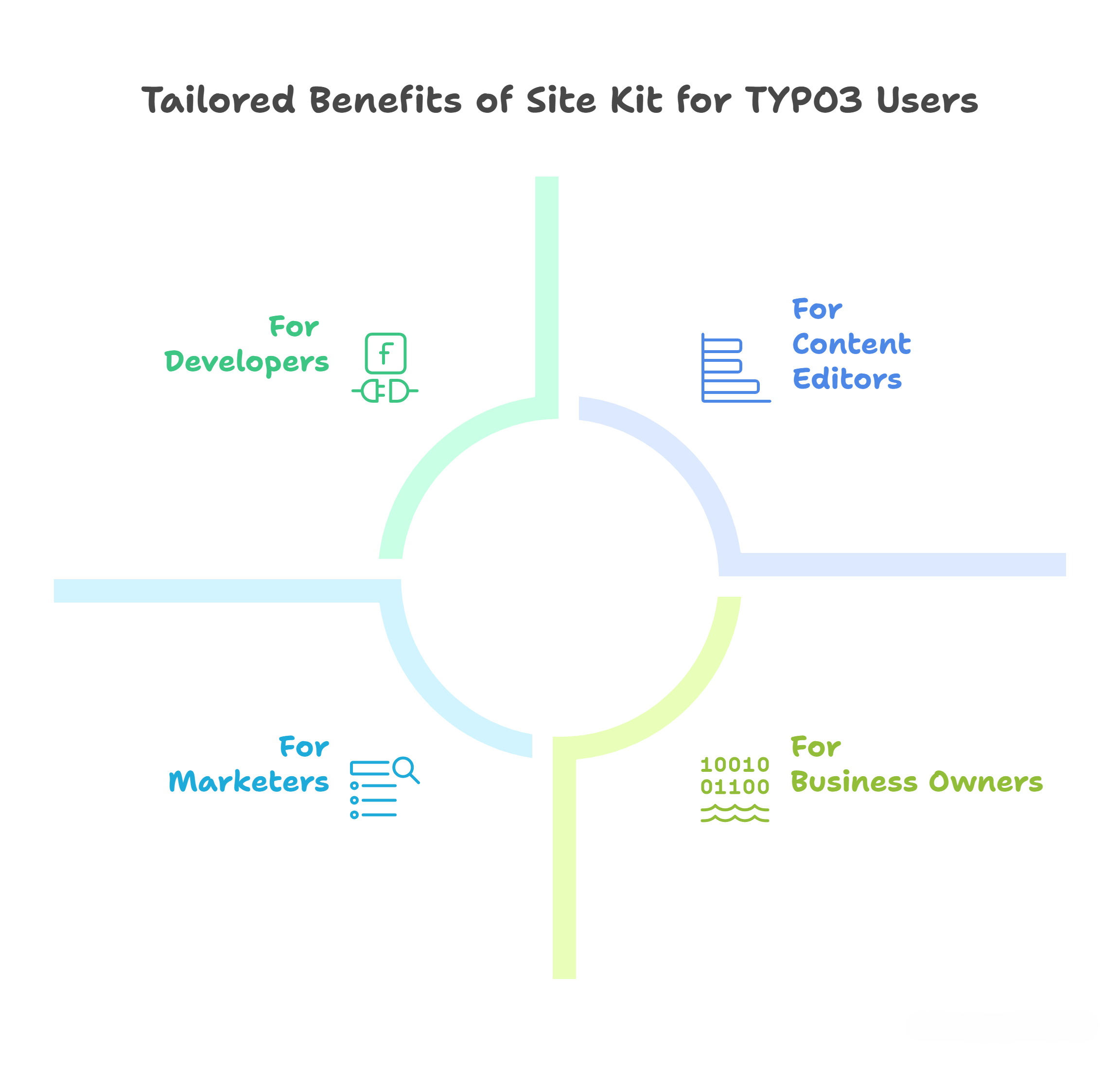
One of the biggest strengths of Site Kit by Google for TYPO3 is that it isn’t limited to a single type of user. Whether you’re handling development, marketing, content, or business strategy, Site Kit provides tailored value for everyone involved in running a TYPO3 website.
Developers no longer need to manually add tracking codes, edit templates, or maintain complex integrations. Site Kit provides a plug-and-play setup that connects TYPO3 directly with Google services in minutes. Automatic updates also reduce the burden of ongoing maintenance, freeing developers to focus on building features instead of fixing analytics setups.
Marketers can access Search Console insights to see how TYPO3 pages are performing in search results, identify indexing issues, and monitor keyword rankings. With Google Analytics and Tag Manager built in, campaign tracking and conversion monitoring become seamless. Instead of relying on multiple dashboards, marketers get all the data in one place, saving time and enabling smarter, faster campaign decisions.
Content creators and editors often struggle to understand which pages attract the most traffic or need optimization. Site Kit solves this with individual page-level reports right inside the TYPO3 backend. Editors can quickly check bounce rates, page views, and engagement metrics, making it easier to refine content strategies and improve user experiences.
Business owners and decision-makers need a bird’s-eye view of website performance without diving into technical details. Site Kit consolidates key metrics into a clear, centralized dashboard. From tracking visitor growth to monitoring conversions and site speed, owners can see whether their TYPO3 site is delivering value, and make data-driven decisions that improve ROI.
Setting up Site Kit by Google in TYPO3 is quick and user-friendly. You don’t need advanced technical skills, just follow these steps to connect your TYPO3 site with Google’s most powerful tools:
Head over to the TYPO3 Extension Repository (TER) and search for Site Kit by Google. Download the extension package to your system. This ensures you’re getting the latest official and secure version.
Log in to your TYPO3 backend, go to the Extension Manager, and upload the Site Kit extension. Once installed, you’ll see it appear in your TYPO3 modules panel.
Site Kit comes with a simple setup wizard that guides you step by step. It automatically handles the initial configuration, so you don’t need to manually add tracking codes or edit template files.
Log in with your Google account directly from the TYPO3 backend. Then, choose which services you want to enable, Analytics, Search Console, PageSpeed Insights, and Tag Manager. You can connect one or multiple services depending on your needs.
Once everything is connected, your TYPO3 backend will display a centralized dashboard with real-time insights. From here, you can monitor traffic, analyze SEO performance, check page speed, and track campaign results, all in one place.
Pro Tip: Start by enabling Search Console and PageSpeed Insights first for quick SEO and performance wins, then expand to Analytics and Tag Manager for deeper tracking and campaign insights.
Integrating Site Kit by Google with TYPO3 brings powerful benefits for businesses and website managers. From centralized performance monitoring and SEO insights to detailed user behavior analytics, this plugin simplifies website management and helps you make informed decisions faster.
Whether you’re a TYPO3 beginner or an experienced developer, Site Kit provides a user-friendly, plug-and-play solution to enhance your TYPO3 website without complicated setups.
We encourage you to try Site Kit on your TYPO3 site and explore how these insights can optimize your content, speed, and overall user experience.
Call-to-action: What’s your favorite feature of Site Kit? Let us know in the comments below!
Helpful Links:
Yes. Site Kit, originally developed for WordPress, is now available as a TYPO3 extension. It integrates Google Analytics, Search Console, Tag Manager, and PageSpeed Insights directly into the TYPO3 backend.
No. The extension comes with a step-by-step setup wizard. Even non-technical users can connect their TYPO3 website to Google services in minutes.
Site Kit connects your TYPO3 site to Google Search Console, giving insights into keyword rankings, indexed pages, and traffic sources. These insights help you optimize content and improve visibility in search results.
Yes. Site Kit is completely free and open-source. You can use all its features without any subscription or hidden costs.
Yes. Site Kit provides page-level reports so you can analyze traffic, engagement, and SEO performance for each specific page in TYPO3.
Developers benefit from simplified integration, marketers gain campaign and SEO insights, editors can track content performance, and business owners can measure ROI, all directly in TYPO3.

I followed the steps and added Site Kit to my TYPO3 site—now all my Google insights are in one place. It’s easier to see what’s working and where to improve without switching tools. Thanks to the T3planet!