


Claude Code & TYPO3: Developer Guide 2026
Development


Are you looking to run TYPO3 on your favorite docker? Do you know which are popular TYPO3 docker ways in the TYPO3 community? In this article, you will get a list of the best TYPO3 docker resources. Choose your best TYPO3 docker approach and make better productive and quality TYPO3 projects.

Docker has become an essential tool for modern web development, providing a consistent, isolated, and efficient environment for building and testing applications. For TYPO3 developers, Docker offers a powerful way to set up local development environments quickly, manage dependencies easily, and ensure projects run reliably across different systems.
In the TYPO3 community, several Docker-based approaches have emerged, each designed to simplify development, streamline workflows, and support both beginners and experienced developers.
In this guide, we explore the 8 best TYPO3 Docker development approaches, along with tips, best practices, and additional resources to help you create high-quality TYPO3 projects efficiently.
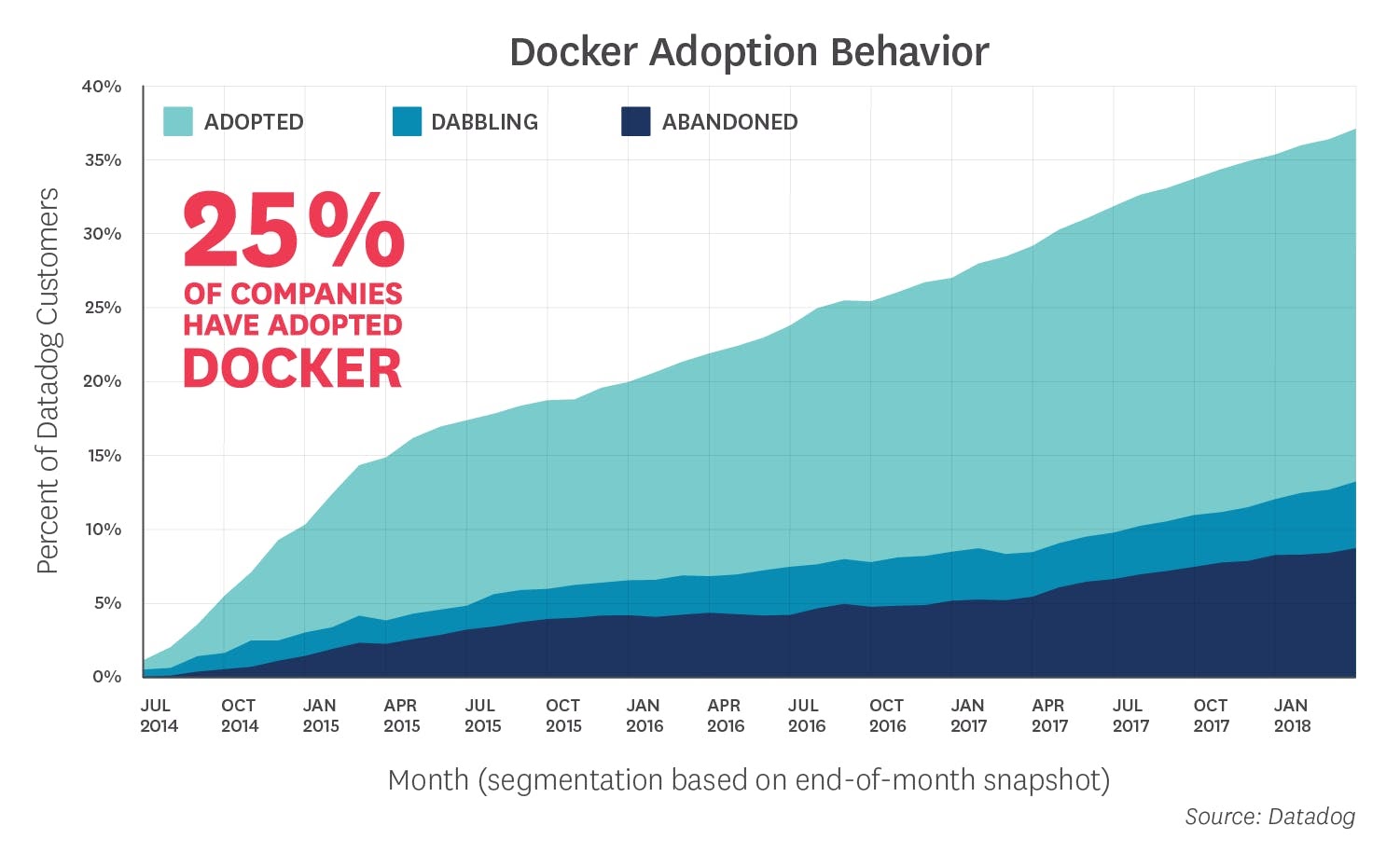
Docker has become a widely adopted tool in the TYPO3 community because it simplifies the process of developing, testing, and deploying TYPO3 projects.
Docker is now the standard for containerized development in many web development communities, including TYPO3. Many developers and agencies prefer Docker because it allows them to create consistent, reproducible environments for all projects, regardless of the operating system or local machine setup.
The popularity of Docker is reflected in its widespread adoption:
These statistics show that Docker is a proven, reliable platform for managing TYPO3 development efficiently and professionally.
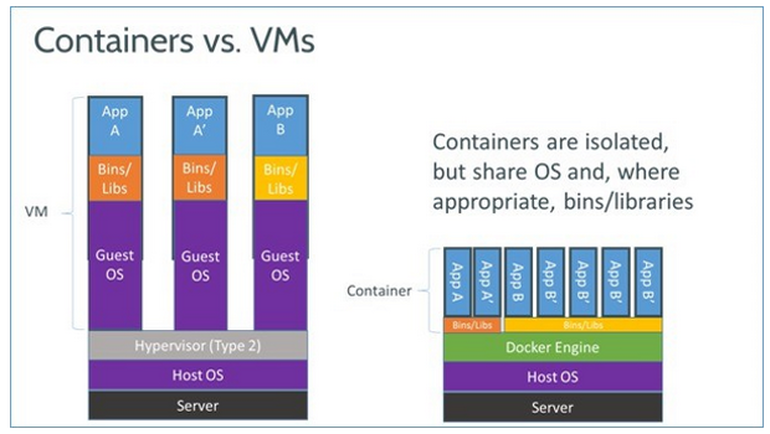
Setting up Docker is the first step to start TYPO3 development in a consistent, isolated environment. Docker works on most operating systems, including Windows, macOS, and Linux, and its installation process is straightforward.
Verify the installation by opening a terminal or command prompt and running:
docker --versiondocker-compose --version
With Docker installed and configured, you’re ready to move on to TYPO3-specific Docker solutions like DDEV, webdevops/typo3-docker-boilerplate, or martinhelmich/typo3, which simplify TYPO3 local development even further.
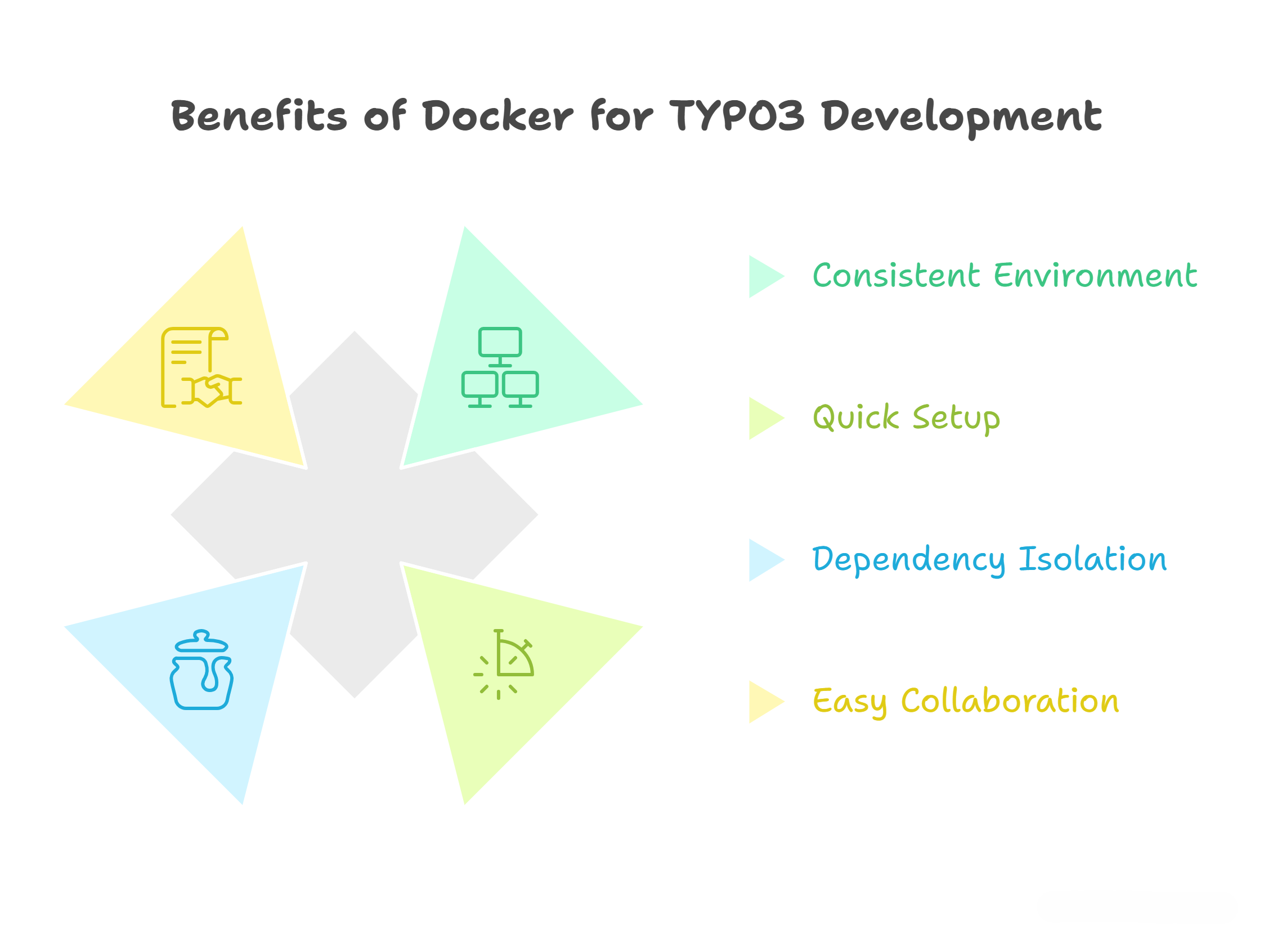
Using Docker for TYPO3 development offers several key advantages that make the development process faster, more consistent, and easier to manage.
Docker ensures that your TYPO3 projects run in the same environment across all machines. This eliminates the common issue of "it works on my PC" and ensures that your project behaves consistently for all developers and in production.
Developers can spin up new TYPO3 projects in minutes using Docker. Likewise, containers can be removed or reset without affecting the rest of the system, making experimentation and testing faster and safer.
Each TYPO3 project can run with its own versions of PHP, MySQL, or Apache without conflicts. This allows multiple projects to coexist on the same machine while maintaining stability and compatibility.
Docker configuration files (Dockerfile, docker-compose.yml) can be shared with team members, ensuring that everyone works in the same environment. This makes onboarding new developers simpler and reduces setup errors.
| TYPO3 Docker Solution | Ease of Setup | Production Readiness | Supported TYPO3 Versions | Community Support & Maintenance | Extra Tools Included |
| DDEV | Very easy | Limited (local dev) | LTS versions | Active, large community | Built-in TYPO3 config, Composer support |
| martinhelmich/typo3 | Easy | Not production-ready | TYPO3 v10 | Moderate | Minimal (web + DB only) |
| webdevops/typo3-docker-boilerplate | Medium | Partial | LTS versions | Active, well-maintained | NGINX, Apache, PHP-FPM, MySQL, Solr, Elasticsearch, Redis, FTP |
| t3easy/docker-typo3 | Medium | Development focus | LTS versions | Moderate | Minimal, bootcamp environment |
| fnagel/docker-typo3 | Easy | Both dev & production | LTS versions | Moderate | PHP + Apache environment |
| crinis/typo3-docker | Medium | Limited production | Most LTS versions | Low | MySQL, FPM container, TYPO3 image |
| raaaimund/typo3-docker | Easy | Development only | LTS versions | Low | Lightweight core containers |
| kronova/typo3-docker | Medium | Scalable for production | Multiple LTS versions | Moderate | Multi-container, Kubernetes-friendly |
Installing Docker is straightforward and ensures consistent TYPO3 development environments.
docker --versiondocker-compose --version
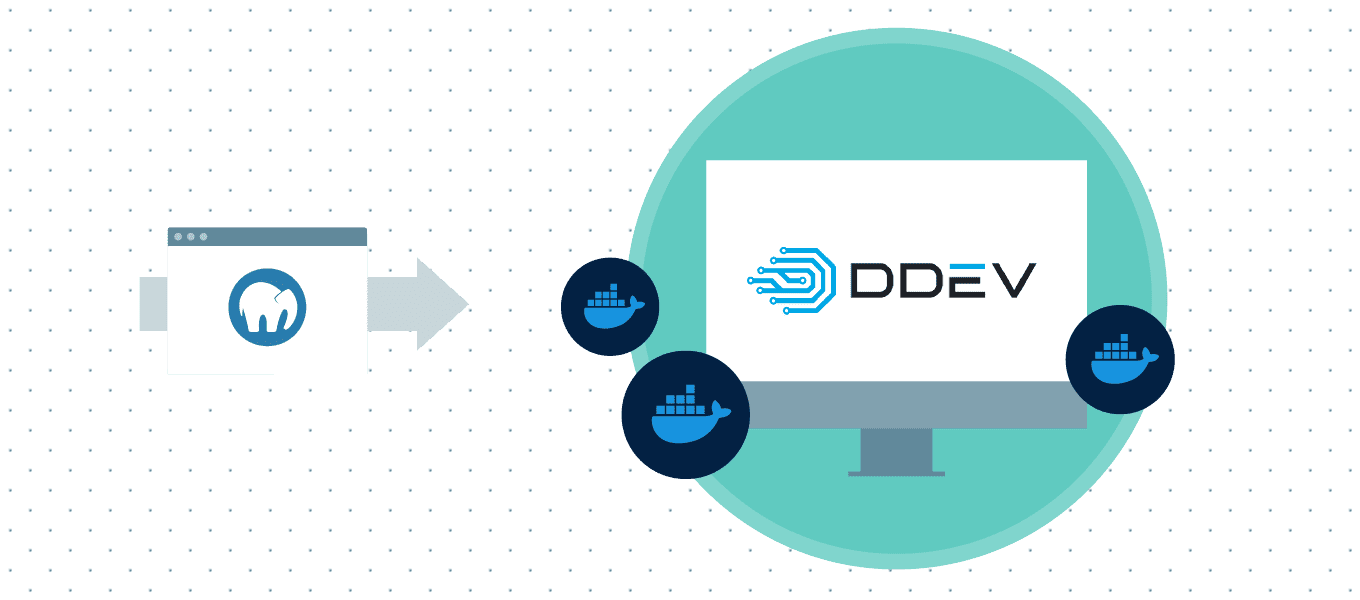
DDEV is the most popular TYPO3 Docker solution for local development.
System Requirements:
Install DDEV:
curl -L raw.githubusercontent.com/drud/ddev/master/scripts/install_ddev.sh | bash
Start TYPO3 Project:
mkdir my-typo3-sitecd my-typo3-siteddev config --project-type=typo3 --docroot=public --create-docroot=trueddev startddev composer create "typo3/cms-base-distribution:^10" --prefer-distddev exec touch public/FIRST_INSTALLddev launch
Quickstart TYPO3 Docker image (not production-ready).
Steps:
# Step 1: Create MySQL container
docker run -d --name typo3-db \
  -e MYSQL_ROOT_PASSWORD=yoursupersecretpassword \
  -e MYSQL_USER=typo3 \
  -e MYSQL_PASSWORD=yourothersupersecretpassword \
  -e MYSQL_DATABASE=typo3 \
  mariadb:latest \
  --character-set-server=utf8 \
  --collation-server=utf8_unicode_ci

# Step 2: Create TYPO3 container
docker run -d --name typo3-web \
  --link typo3-db:db \
  -p 80:80 \
martinhelmich/typo3:10Full-featured boilerplate with multiple services.
Steps:
git clone github.com/webdevops/TYPO3-docker-boilerplate.git projectnamecd projectnamecp docker-compose.development.yml docker-compose.ymldocker-compose up -drm -f app/.gitkeepcomposer create-project typo3/cms-base-distribution app/touch app/public/FIRST_INSTALL app/.gitkeep
Bootcamp environment for TYPO3 development:
Minimal PHP + Apache Docker environment for dev and production:
Supports most TYPO3 LTS versions.
Steps:
docker network create typo3-dbdocker run -d --volume typo3-mysql:/var/lib/mysql/ --network typo3-db \--env MYSQL_DATABASE=typo3 --env MYSQL_USER=typo3 \--env MYSQL_PASSWORD=StrongPassword --env MYSQL_ROOT_PASSWORD=StrongPassword \--name typo3-mysql mysql:5.7 --character-set-server=utf8mb4 \--collation-server=utf8mb4_unicode_cidocker run -d -p 80:80 --volume typo3:/var/www/html/ --network typo3-db \--env TYPO3_DB_HOST=typo3-mysql --env TYPO3_DB_NAME=typo3 \--env TYPO3_DB_USERNAME=typo3 --env TYPO3_DB_PASSWORD=StrongPassword \--env TYPO3_ADMIN_PASSWORD=StrongPassword \--name typo3 crinis/typo3:9.5-php7.2-apache
Lightweight core for fast TYPO3 setup:
build.bat and run.bat to install TYPO3 quickly.Multi-container setup supporting multiple TYPO3 LTS versions, scalable for Kubernetes or cloud deployment.
Following best practices ensures smooth, secure, and maintainable TYPO3 development with Docker.
crinis/typo3:9.5-php7.2-apache for TYPO3 v9 LTS.Example:
docker volume create typo3-mysqldocker run -d --volume typo3-mysql:/var/lib/mysql mysql:5.7
Example:
docker network create typo3-networkdocker run -d --network typo3-network --name typo3-db mysql:5.7docker run -d --network typo3-network --name typo3-web crinis/typo3:9.5-php7.2-apache
Using Docker in TYPO3 development can significantly simplify Continuous Integration (CI) and Continuous Deployment (CD) workflows.
Example using GitHub Actions:
jobs:build:runs-on: ubuntu-latestservices:db:image: mysql:5.7env:MYSQL_ROOT_PASSWORD: rootMYSQL_DATABASE: typo3ports: ['3306:3306']steps:- uses: actions/checkout@v2- name: Set up Dockeruses: docker/setup-buildx-action@v1- name: Build TYPO3 containerrun: docker-compose up -d- name: Run testsrun: ddev exec vendor/bin/phpunit
Optimizing performance ensures your TYPO3 project runs smoothly both in development and production.
Even though Docker simplifies TYPO3 development, beginners may face some common issues.
Solution: Map TYPO3 web container to another port:
docker run -d -p 8080:80 your-typo3-imageSolution: Ensure containers share the same Docker network and correct environment variables are set:
docker network create typo3-netdocker run --network typo3-net --name typo3-db -e MYSQL_ROOT_PASSWORD=root mysql:5.7docker run --network typo3-net --name typo3-web -e TYPO3_DB_HOST=typo3-db your-typo3-image
fileadmin or uploads.Solution: Adjust permissions in the container:
docker exec -it typo3-web bashchown -R www-data:www-data /var/www/html/fileadminchmod -R 755 /var/www/html/fileadmin
Container Not Starting / Crashing
Check logs:
docker logs typo3-webContainerization is rapidly evolving in the TYPO3 ecosystem, enabling more scalable, flexible, and modern development workflows.
To help you explore TYPO3 Docker development further, here are some essential resources:
These resources are ideal for developers who want to set up local environments, explore different Docker approaches, or integrate TYPO3 with modern development workflows.
Docker has transformed the way TYPO3 developers work, offering a consistent, scalable, and flexible environment for both local development and production deployments. By leveraging Docker, teams can speed up project setup, reduce environment conflicts, and manage multiple TYPO3 projects efficiently.
From enterprise agencies like T3Planet and Netlogix to educational institutions like RWTH Aachen University, real-world case studies show that Docker improves collaboration, deployment speed, and overall project quality.
The future of TYPO3 development is increasingly containerized, with trends toward Kubernetes deployments, headless setups, and fully automated CI/CD pipelines. For developers and agencies alike, adopting Docker ensures a modern, efficient, and scalable workflow.
Whether you are a TYPO3 beginner or a seasoned developer, Docker makes it easier to focus on building great websites and applications, while handling infrastructure and environment management seamlessly.
Explore Docker-based TYPO3 development, experiment with different setups, and take advantage of the rich ecosystem of tools, templates, and community support to enhance your TYPO3 projects.
Docker gives TYPO3 developers a consistent and isolated environment. It packages TYPO3, PHP, and databases into containers, making setup, testing, and deployment faster and more reliable.
DDEV is the most popular choice for TYPO3 developers. It’s beginner-friendly, pre-configured for TYPO3, and backed by a large community.
Yes, but only with optimized setups. Images like fnagel/docker-typo3 and kronova/typo3-docker support production, while others are better for local development.
It standardizes the environment across all developers. By sharing the same Dockerfile or docker-compose.yml, teams eliminate setup differences and avoid “works on my machine” issues.
Indirectly, yes. It improves caching, consistency, and CI/CD pipelines, which together speed up TYPO3 workflows and reduce errors.
TYPO3-ready Docker images and boilerplates are available on GitHub, including DDEV, webdevops/typo3-docker-boilerplate, and martinhelmich/typo3.
Wolfgang Weber
Brand & Communication LeadWolfgang Weber shapes TYPO3 with passion and expertise. As a TYPO3 enthusiast at T3Planet Shop, he has contributed to TYPO3 projects that make websites faster and more secure. Outside of TYPO3, you’ll probably find him…
More From Author