

TYPO3 _assets: How to Migrate typo3conf/ext Assets in Composer
Development


Maximize your TYPO3 site's potential with TYPO3 Context! Our guide offers expert tips and best practices to streamline development and Performance.
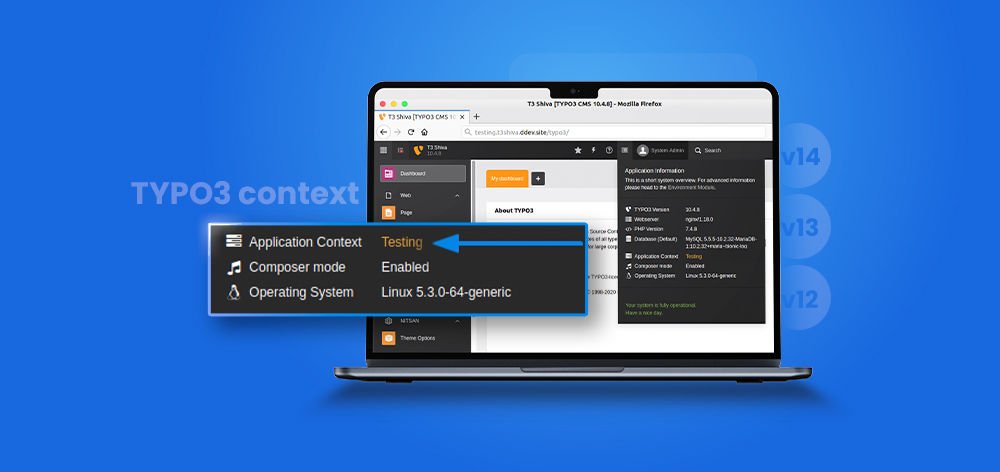
TYPO3 projects usually run across local, staging, and production environments. Each environment needs different URLs, database settings, debugging rules, and performance settings. TYPO3 Context helps manage these differences without changing configuration manually, making environment management better and more reliable across development workflows.
TYPO3 uses the TYPO3_CONTEXT environment variable to detect the current Application Context. It can be Development, Production, Testing, or a sub-context like Production/Staging. Once set, TYPO3 can load different settings for PHP, Site Configuration, TypoScript, CLI, and server setup.
This guide explains how to set, check, and use TYPO3 Context in modern TYPO3 projects. It is updated for TYPO3 v14, v13, and v12 workflows, including Apache, Nginx, DDEV, CLI, and Composer-based setups. TYPO3 v14 LTS was released on April 21, 2026, with security patches planned until June 30, 2029.
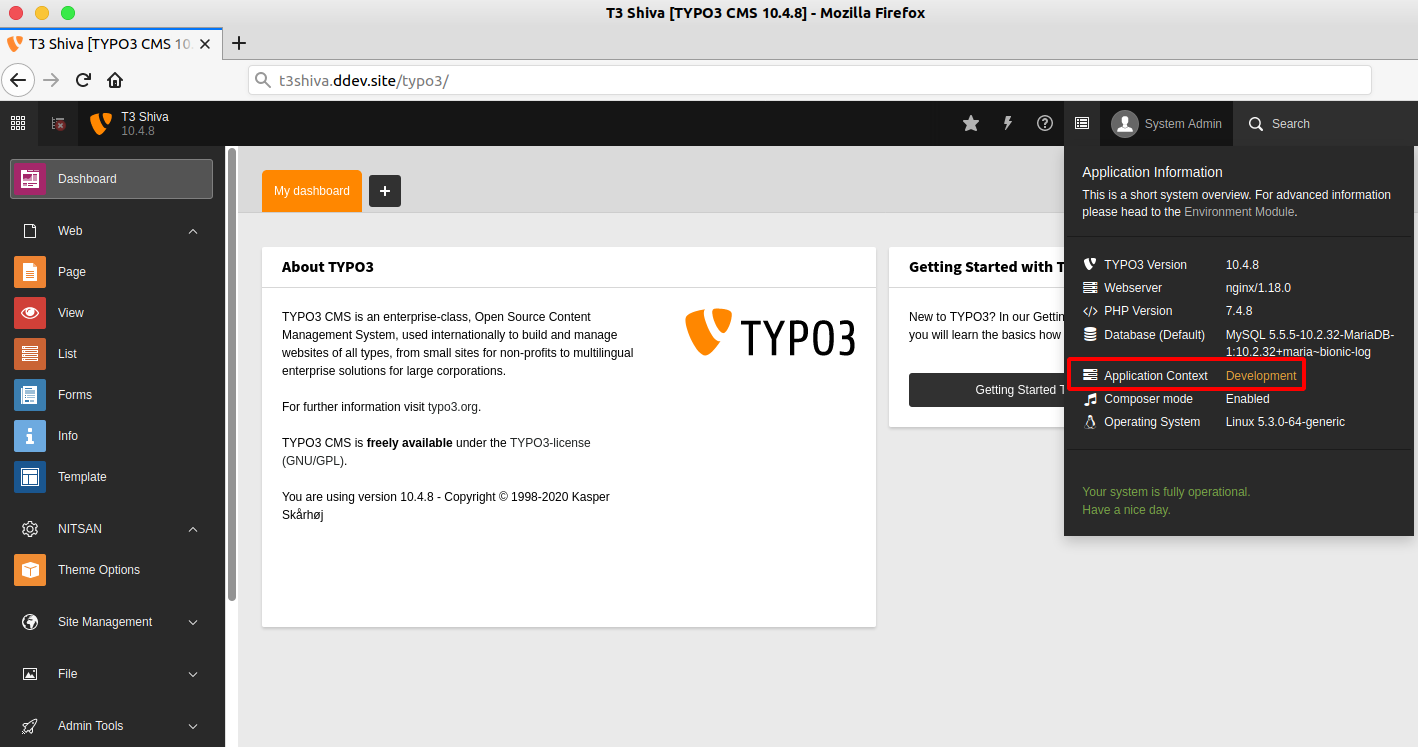
TYPO3 Context tells TYPO3 which environment is handling the current request.
TYPO3_CONTEXT doesTYPO3_CONTEXT is the environment variable that defines the current TYPO3 Application Context.
If no context is set, TYPO3 falls back to Production.
Development/DDEV locally and Production/Staging for staging.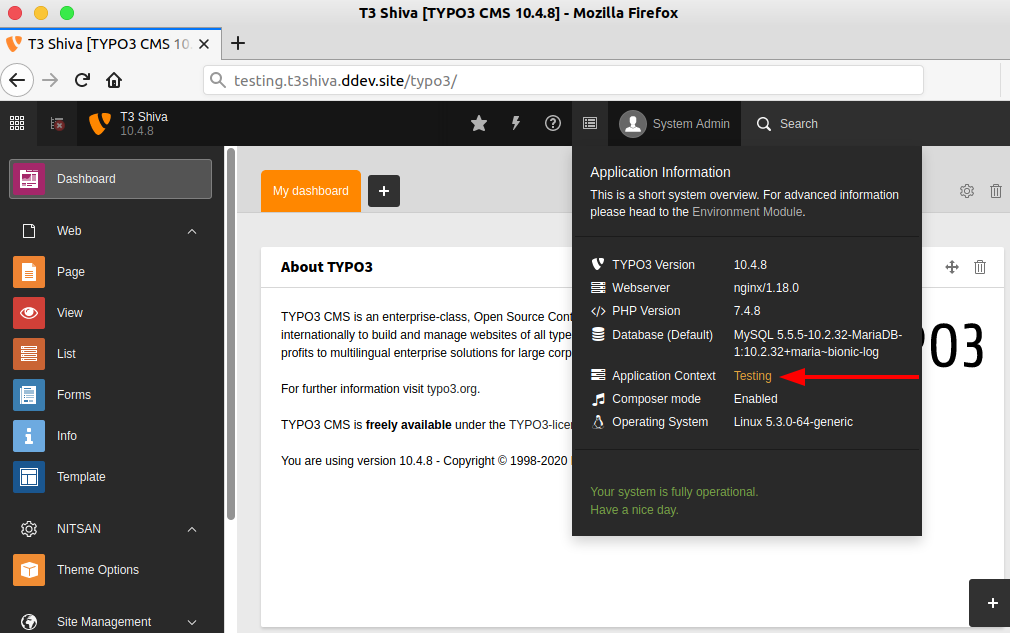
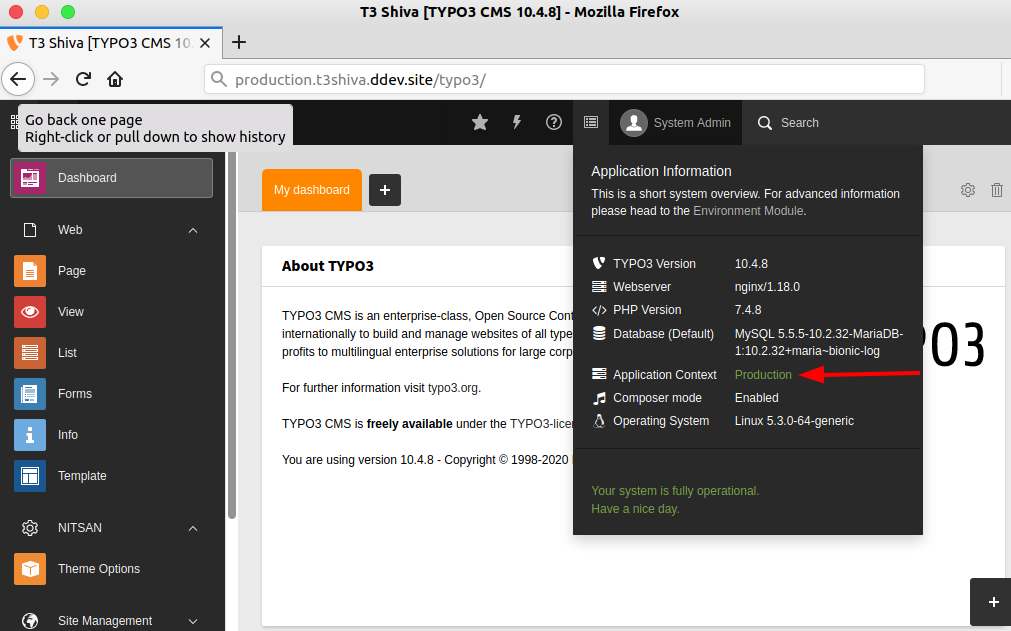
TYPO3 supports three root contexts.
Production: for live or production-like environments.Development: for local and development work.Testing: for automated test workflows, not normal staging.TYPO3 also supports sub-contexts for more specific setups.
Development/LocalDevelopment/DDEVProduction/StagingProduction/LiveUse TYPO3 Application Context when one TYPO3 project needs different behavior across multiple environments.
Use TYPO3 Context to make local development safer and easier.
Use a staging context before changes reach the live website.
Production/Staging when staging should behave like production.Use TYPO3 Context to protect live websites.
Use context-based configuration whenever settings change by environment.
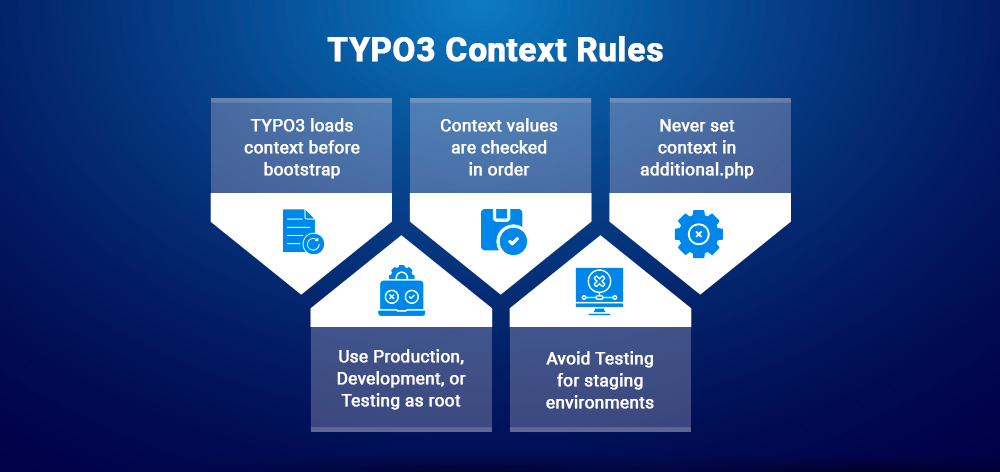
Set TYPO3_CONTEXT before TYPO3 starts.
additional.php.TYPO3 checks these values before using the default:
TYPO3_CONTEXTREDIRECT_TYPO3_CONTEXTHTTP_TYPO3_CONTEXTProductionAdd this because it answers a common troubleshooting question.
additional.phpDo not define TYPO3_CONTEXT inside config/system/additional.php.
additional.php to read the context and load different settings.Production, Development, or TestingThe first part of the context must be one of TYPO3’s root contexts.
Development/DDEVProduction/StagingStagingLiveTesting for stagingDo not use Testing as a normal staging environment.
Production/Staging for production-like staging.Development/Local or Development/DDEV for local work.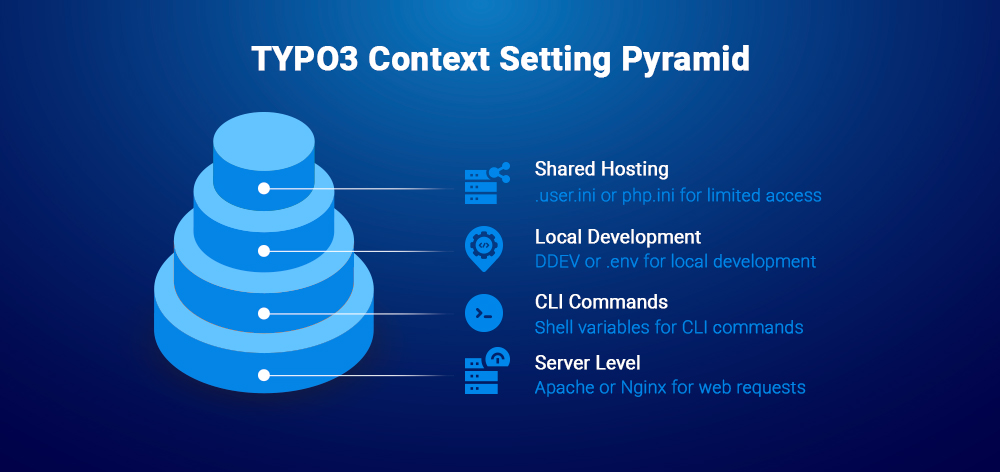
Set TYPO3_CONTEXT at server, environment, or shell level.
.env for local development.Use Apache SetEnv for a fixed context.
SetEnv TYPO3_CONTEXT Development
Use this for simple local, development, or single-environment setups.
SetEnvIf by domainUse SetEnvIf when context depends on the hostname.
SetEnvIf Host "^dev\.example\.com$" TYPO3_CONTEXT=DevelopmentSetEnvIf Host "^staging\.example\.com$" TYPO3_CONTEXT=Production/StagingSetEnvIf Host "^www\.example\.com$" TYPO3_CONTEXT=Production
This is useful when dev, staging, and live use different domains.
Pass the context to PHP-FPM with fastcgi_param.
location ~ \.php$ {include fastcgi_params;fastcgi_param TYPO3_CONTEXT Production/Staging;fastcgi_param SCRIPT_FILENAME $document_root$fastcgi_script_name;}
For DDEV, use Development/DDEV in .ddev/config.yaml.
web_environment:- TYPO3_CONTEXT=Development/DDEV
Then restart DDEV:
ddev restart
DDEV’s own TYPO3 CMS settings documentation uses Development/DDEV with web_environment, so this should replace the simpler Development example.
.envFor Composer-based projects, define the context in an environment file if your setup loads environment variables early enough.
TYPO3_CONTEXT=Development
Use this only when the environment file is loaded before TYPO3 starts.
CLI commands may need a separate context.
export TYPO3_CONTEXT=Development
Or pass it directly before a command:
TYPO3_CONTEXT=Production/Staging vendor/bin/typo3 cache:flush
Use these only when server-level access is not available.
.user.iniphp.iniphp.iniAvoid setting context too late, especially inside TYPO3 runtime files.
After setting TYPO3_CONTEXT, verify that TYPO3 reads the expected value.
TYPO3 shows the current Application Context in the backend System Information area.
Use this to confirm whether web requests run in Production, Development, or a sub-context.
Use the shell to confirm the variable.
env | grep TYPO3_CONTEXT
For DDEV, run:
ddev exec env | grep TYPO3_CONTEXT
Environment::getContext()Use TYPO3’s PHP API to read the active context.
$context = \TYPO3\CMS\Core\Core\Environment::getContext();
Web requests and CLI commands can use different environment variables.
Once TYPO3_CONTEXT is set, use it to load environment-specific configuration.
config.yamlUse Site Configuration when each environment has a different base URL.
Path:
config/sites/<site>/config.yaml
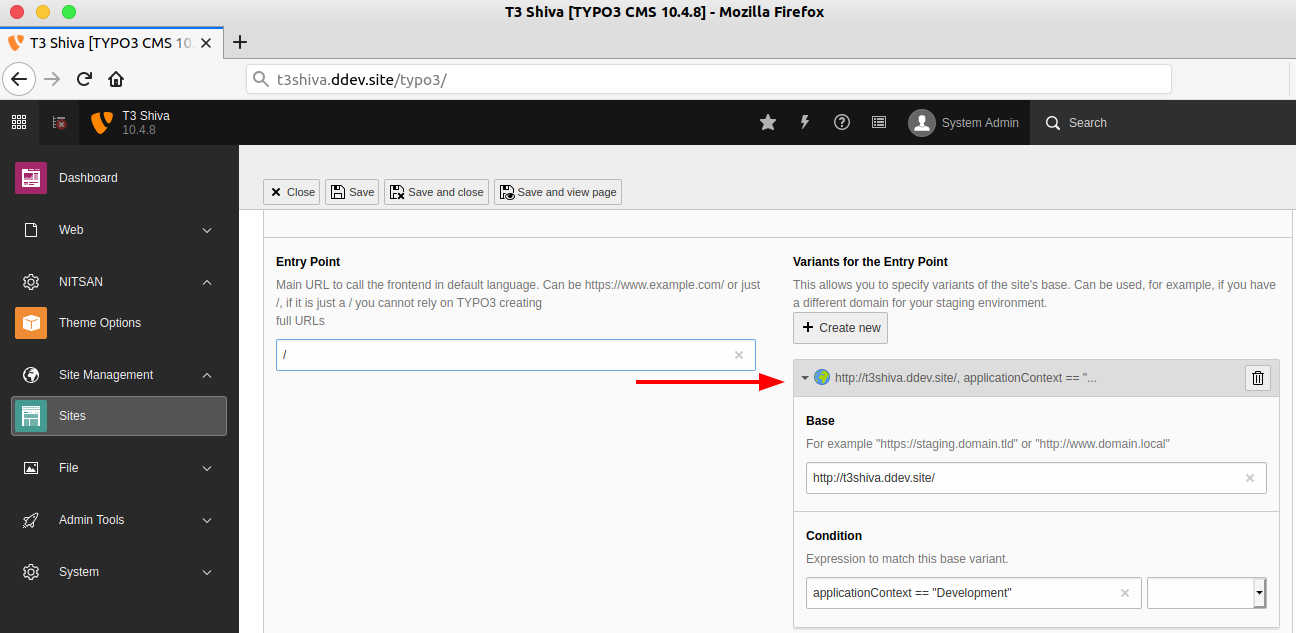
baseVariants for local, staging, and production URLsUse baseVariants to switch URLs by Application Context.
base: 'https://www.example.com/'baseVariants:-base: 'https://dev.example.com/'condition: 'applicationContext == "Development/DDEV"'-base: 'https://staging.example.com/'condition: ‘applicationContext == "Production/Staging"’
config/system/additional.phpUse config/system/additional.php for context-based system settings.
TYPO3 documentation confirms the current Application Context can be accessed in config/system/additional.php.
Use different database settings for local, staging, and production.
<?php$context = (string)\TYPO3\CMS\Core\Core\Environment::getContext();if ($context === 'Development/DDEV') {$GLOBALS['TYPO3_CONF_VARS']['DB']['Connections']['Default'] = array_replace($GLOBALS['TYPO3_CONF_VARS']['DB']['Connections']['Default'] ?? [],['dbname' => 'db','host' => 'db','user' => 'db','password' => 'db','port' => 3306,]);}if ($context === 'Production') {$GLOBALS['TYPO3_CONF_VARS']['SYS']['displayErrors'] = 0;}
Use Environment::getContext() when custom logic depends on the environment.
$context = \TYPO3\CMS\Core\Core\Environment::getContext();if ($context->isDevelopment()) {// Development-only logic}
Use applicationContext in TypoScript conditions.
[applicationContext == "Production"]config.compressJs = 1[end]
Use context-specific settings to keep development flexible and production safe.
se clear context names that show the environment and purpose.
Use names like:
Development/LocalDevelopment/DDEVDevelopment/DebugProduction/StagingProduction/LiveAvoid names that do not start with a valid root context.
StagingLivePreviewTesting for normal stagingUse Production/Staging instead of only Staging.
Use one shared pattern in documentation and deployment scripts.
Development/DDEV for local DDEV projects.Production/Staging for staging or preview.Production/Live for the live website.
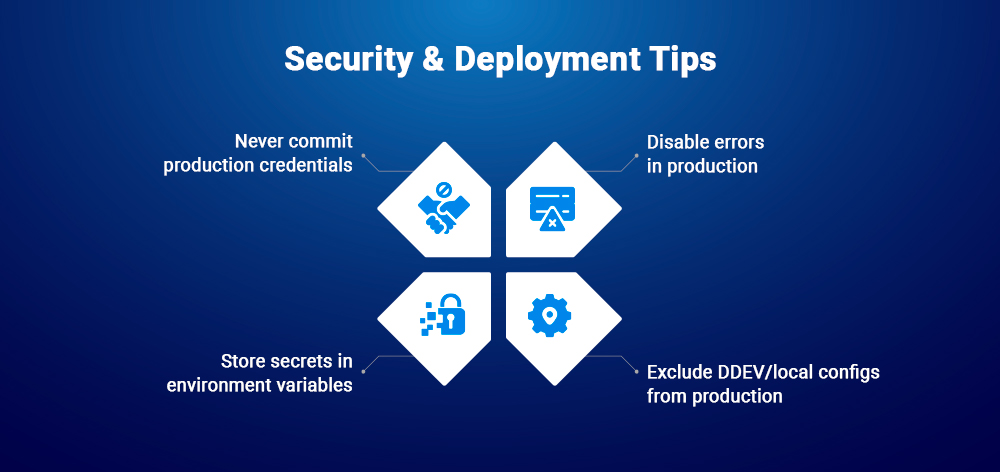
Use TYPO3 Context carefully in deployment workflows.
Do not store live credentials in version-controlled files.
.env files.Production should not show detailed errors to users.
Use environment variables for sensitive values.
Use TYPO3_CONTEXT to decide which configuration should load, not to store the secret itself.
DDEV settings should stay local unless intentionally shared for development.
If TYPO3 Context does not work, first check where the value is set.
Production if no context is found.TYPO3 usually shows Production when no valid context is detected.
TYPO3_CONTEXT is available before TYPO3 starts.REDIRECT_TYPO3_CONTEXT or HTTP_TYPO3_CONTEXT is overriding behavior..htaccess context does not work.htaccess settings may fail if Apache overrides are disabled.
.htaccess is enabled.SetEnv, SetEnvIf, or mod_rewrite rules are applied.DDEV usually needs a restart after context changes.
.ddev/config.yaml.web_environment contains TYPO3_CONTEXT=Development/DDEV.ddev restart.ddev exec env | grep TYPO3_CONTEXT.CLI commands may not use the same context as web requests.
TYPO3_CONTEXT=Development/DDEV vendor/bin/typo3 cache:flush
Set the context in your shell or deployment script when needed.
isDevelopment() or isProduction() returns unexpected resultsThis usually happens when the root context is wrong.
Development/Local, not Local.Production/Staging, not Staging.Production, Development, or Testing.Backend and frontend may run through different server or PHP settings.
TYPO3 Context can usually be handled with server, CLI, and project configuration.
Extensions are optional and should only be used when they simplify complex setups.
A config loader may help when one TYPO3 project has many environment-specific files.
TYPO3_CONTEXT setup already works.Do not add a context extension without checking maintenance and compatibility.
TYPO3 Context keeps local, staging, and production settings separate. It helps TYPO3 load the right configuration for each environment.
Set TYPO3_CONTEXT first, then verify it in backend, CLI, or PHP. After that, apply context-based settings for site URLs, database, TypoScript, and deployment.
TYPO3 Context tells TYPO3 which environment is currently running, such as local, staging, or production.
The default TYPO3 Context is Production when no custom context is set.
Set it with DDEV environment configuration, then restart DDEV.
Use SetEnv, SetEnvIf, or mod_rewrite rules in Apache vHost or .htaccess.
Pass it to PHP-FPM using fastcgi_param TYPO3_CONTEXT.
Use \TYPO3\CMS\Core\Core\Environment::getContext().
Yes, Production/Staging is a valid sub-context because it starts with Production.
No, Testing should be used for automated testing, not normal staging environments.
Wolfgang Weber
Brand & Communication LeadWolfgang Weber shapes TYPO3 with passion and expertise. As a TYPO3 enthusiast at T3Planet Shop, he has contributed to TYPO3 projects that make websites faster and more secure. Outside of TYPO3, you’ll probably find him exploring local cafés and enjoying football.
More From Author