
TYPO3 in the AI Era: How Intelligent Tools Enhance Enterprise CMS Workflows
AI


About 43% of visitors go straight to the search bar on retail and info websites. This means a lot of people would rather search for what they need instead of clicking around.
This is important because people who search usually know what they want. Studies show that in e-commerce, these searchers are 2–3 times more likely to buy something compared to those who just browse. If the search doesn't work well, they'll probably just leave.
This guide will show you how T3AB helps you make changes without a lot of coding, cuts down on doing the same work over and over, and makes your backend easier to work with, without messing things up later on.
In TYPO3 projects, no-code and low-code customization are often misunderstood. They do not remove the need for developers. Instead, they define how much change can be made through configuration rather than custom code, while keeping TYPO3’s stability and upgrade model intact.
The difference is mainly about who controls changes and how much logic is involved.
| Aspect | No-Code Customization | Low-Code Customization |
| Who makes changes | Editors | Developers + Editors |
| Type of changes | Layout structure, content arrangement | Layout, structure, limited logic |
| Custom code required | No | Minimal |
| Typical tools | Backend configuration, predefined layouts | Extensions, configuration + small code |
| Flexibility level | Controlled and limited | Higher but still governed |
| Upgrade safety | Very high | High when implemented correctly |
| Risk level | Low | Medium if boundaries are unclear |
| Typical use cases | Page sections, layout variants | Reusable patterns, project-wide structures |
| What it does not cover | Business logic, integrations | Complex logic, custom workflows |
Both approaches depend on clear structure and boundaries. Without them, flexibility quickly turns into maintenance and upgrade risk.
TYPO3 is built for stability and long-term operation. This makes it reliable in complex environments, but it also means that customization requires planning. Over time, this balance between control and flexibility becomes a challenge in many projects.
TYPO3 is built so that content, structure, and logic are separate.
This is good because:
But it also means:
Here's how teams usually handle customization:
In TYPO3 projects, you often see:
Over time, these things cause extra work, higher costs, and slower progress, especially if you have multiple sites or LTS upgrades.
T3AB is a tool that helps you set up the backend structure and layout of your website. It cuts down on repetitive work by letting teams create layout templates that can be reused and changed in TYPO3's backend.
Instead of coding each layout from scratch, T3AB lets developers make structured blocks that editors can easily use. This allows for simple adjustments through settings instead of new code.
The aim is not complete freedom, but to allow flexibility that can be applied to different projects.
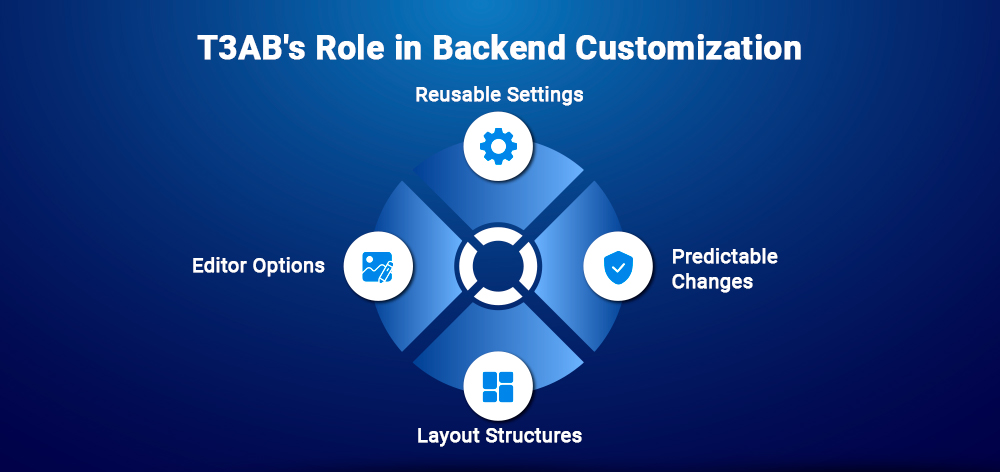
T3AB customizes the backend by turning regular layout steps into reusable settings.
Here's how it works:
By keeping customization structured and in the backend, T3AB helps TYPO3 teams balance what editors can do with keeping things easy to manage, mainly for projects that last a long time and have regular updates.
T3AB is an AI-powered TYPO3 extension builder designed to simplify extension creation and structured backend components. It automates repetitive setup tasks so teams can focus on functional decisions instead of boilerplate code.
When working on TYPO3 projects, making backend modules, content parts, or plugins means doing the same setup tasks over and over – like setting up folders, TCA, TypoScript, and config.
With T3AB:
This saves a lot of setup when you see design showing itself, again and again, across different projects.
T3AB makes sure everyone has their own job:
TYPO3 teams usually do the same things repeatedly, like lists, backend modules, forms, or scheduler tasks.
With T3AB:
This makes it easier to get started and reduces work later on.
How It Works:
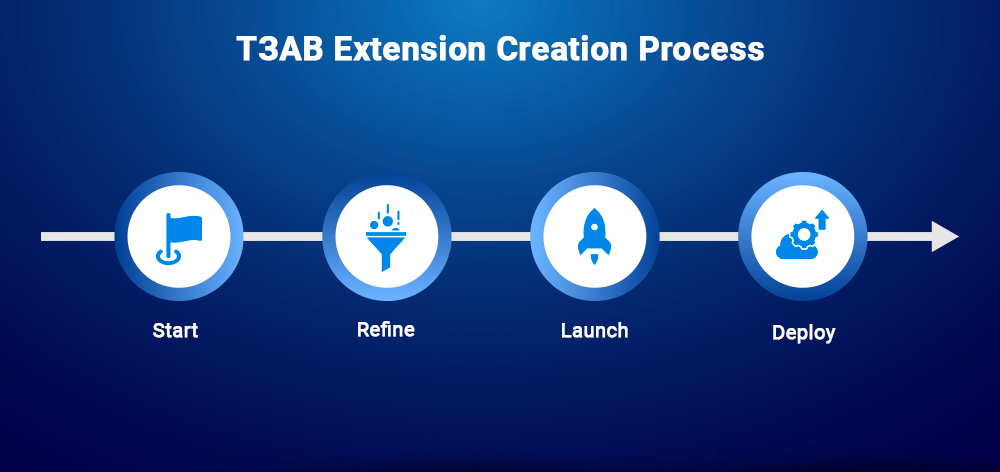
The whole thing is simple, repeatable, and in line with TYPO3 standards.
No-code and low-code tools are great when you're dealing with tasks that are pretty much the same every time.
Think of things like:
When you can set things up like this, you save time on development without messing up how the system runs.
Sometimes, you just can't get around needing to code things yourself. This is true when you have:
For these things, you need to control all the details and shouldn't try to simplify things with no-code options.
If you go too far with automation, you might end up with new headaches:
When you're working on TYPO3 projects, automation should help with keeping things organized and reusing stuff, but it shouldn't take the place of planning a good system.
TYPO3 projects can last a long time. How hard it is to upgrade depends a lot on how much custom code and special setup a project has.
Extension builders help with this by cutting down on one-off changes and encouraging you to reuse things across different TYPO3 projects.
When you clearly define and control the flexibility available within TYPO3, no-code and low-code customisation may have the best outcome.
This type of customisation reduces the amount of duplicated development effort required to build applications that can be easily upgraded or maintained in the future.
T3AB provides a clear standard for teams building similar backend structures or extensions. This helps to reduce the number of custom setups required for these types of applications while keeping the team aligned with the core values of TYPO3.
T3AB is a TYPO3 extension that helps teams create structured, reusable extensions and backend components using a guided, low-code approach.
Yes, when customization is configuration-based and follows TYPO3 standards, the upgrade risk is significantly reduced.
Editors can use what developers define, but initial setup and structure still require developer involvement.
T3AB focuses on reusable extension scaffolding and backend structure, while custom templates handle project-specific rendering.
No, AI builders reduce repetitive work but do not replace architectural decisions or custom development.

Jürgen Pietschmann
TYPO3 AI ConsultantJürgen is a TYPO3 AI Consultant at AI Universe. He helps businesses make the most of their TYPO3 websites by integrating AI-powered solutions. From smart content creation and automated SEO improvements to seamless chatbot…
More From Author